WP Views Counter

WP Views Counter
Description
Plugin WP Views Counter is counting views of pages or posts in your blog
In Edit Post screen plugin shows views of current post
You can manage settings of plugin in Settings->Page Views screen
Plugin settings:
* Post types, in which plugin is counting views
* Show additional statistic for authorized users in admin panel or no
Plugin creating widget, in which users can see the most viewed posts of the blog
Widget settings:
* Widget name
* Posts count – count of posts in widget
* Show numeric value of viewsin widget or no
Installation
- Upload the plugin files to the
/wp-content/plugins/views-counterdirectory, or install the plugin through the WordPress plugins screen directly. - Activate the plugin through the ‘Plugins’ screen in WordPress
- Use the Settings->Page Views screen to configure the plugin
Screenshots
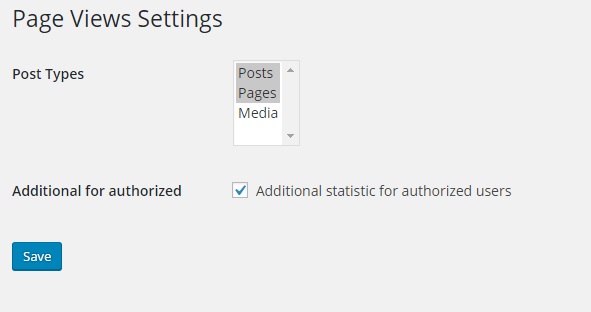
Plugin Settings

Show views in admin panel while editing post

Show views with additional statistic for authorized users

Widget Settings

Widget in frontend of site
Faq
Frequently Asked Questions
Reviews
Very good plugin
By 
Changelog
1.0
First version
1.0.1
Ready for internatiolize