WP Before After Image Slider – Advanced Image and Video Comparison Plugin for WordPress
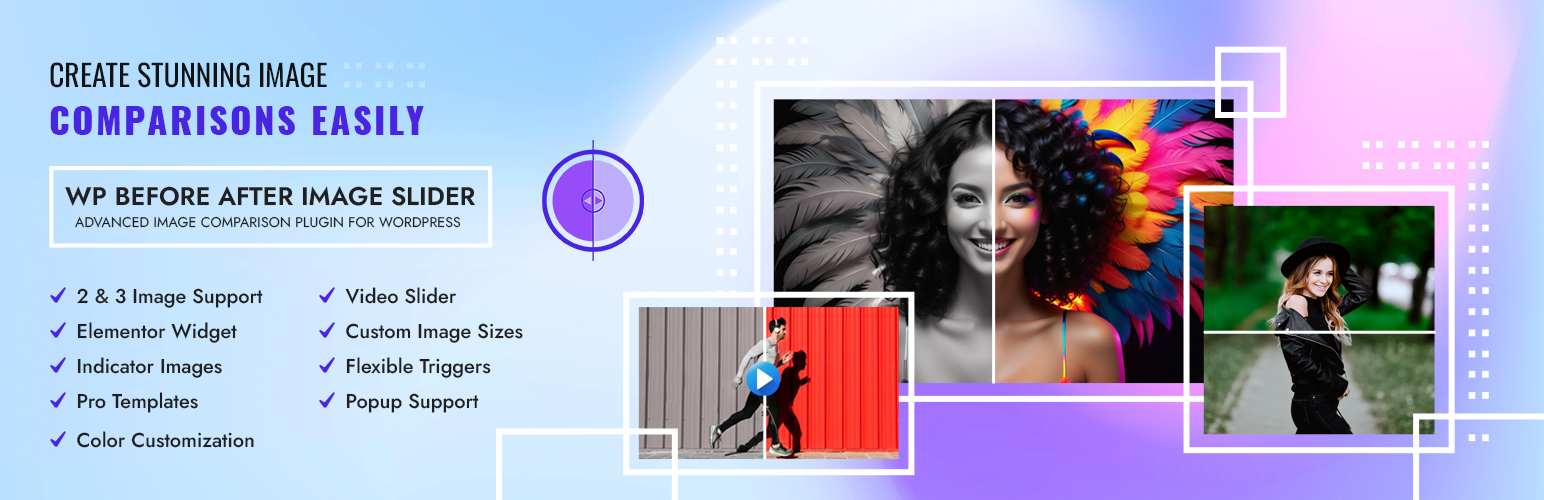
WP Before After Image Slider – Advanced Image and Video Comparison Plugin for WordPress
Description
Create stunning image transformations with our intuitive, feature-rich before after image comparison slider and instantly communicate value to your visitors.
WP Before After Image Slider is an image comparison slider WordPress plugin specially built for professionals who need visual impact.
Photographers, designers, beauty brands, real estate agents, automotive detailers, developers, and marketers—anyone can use this plugin to visually demonstrate transformation for the maximum impact.
With this plugin, you can –
✅ Create seamless, responsive before after comparison sliders to engage visitors and highlight your best work,
✅ Match your brand with fully customizable colors, handles, dividers, and professionally designed templates, and
✅ Work flawlessly with major page builders including Elementor and Gutenberg
💡 Text can’t always convey transformation. Visuals can. And our plugin makes that effortless.
👉 Get the Best Image Slider Plugin at the Most Affordable Price
Why Use A Before After Image Comparison Slider?
Are your potential clients scrolling past your best work without understanding its true value?
Sometimes, words aren’t enough. A visual comparison speaks volumes—it builds credibility, highlights improvement, and shows your audience real impact.
Whether it’s a design makeover, body transformation, or product difference, this slider gives your content an edge.
Our Before After Image Comparison Slider solves this problem by creating interactive visual proof that immediately demonstrates your expertise and results.
🎯 Our plugin solves this by letting users actively explore the transformation—through sliders that are responsive, interactive, and beautifully designed.
No coding, no friction—just clear, persuasive visuals.
That means, you can turn your visitors into potential customers in no time!
Powerful Features
Our WordPress plugin delivers pixel-perfect image comparisons while maintaining optimal site performance. The responsive design ensures your comparisons look stunning on any device from mobile phones to large desktop displays.
We have developed this plugin with all the necessary features so that you can create your image comparison slider however you want easily.
- Comparable Two & Three Image Slider: Create dynamic comparisons with multiple images for comprehensive visual storytelling
- Comparable Video Slider: Compare video content with the same intuitive interface
- Elementor Widget: Easily drag and drop before after image sliders into your Elementor pages with our dedicated widget
- Customizable Image Size: Perfectly fit your comparisons to any layout or design requirement
- Indicator Images: Add visual cues to guide user attention to key transformation areas
- Flexible Trigger Options: Choose between drag or hover interactions to match your audience’s preferences
- Professional Templates: Get started quickly with beautifully designed slider layouts
- Slider Popup Support: Create immersive full-screen comparison experiences
- Complete Color Customization: Personalize background, layer, handle, and divider colors to match your brand identity
👉 ⭐ If you want to know more about the Pro version then click here!⭐
Works for Any Industry
- Photography & Design: Showcase editing skills, retouching work, and design transformations
- Home Improvement: Display renovation projects, remodeling, landscaping before and after
- Beauty & Healthcare: Highlight cosmetic procedures, weight loss journeys, dental work
- Real Estate: Compare staged vs un-staged properties, renovations, property improvements
- E-commerce: Show product comparisons, clothing on different models, color variations
- Education: Visualize historical changes, scientific transformations, and educational concepts
Installation
- Login as an administrator to your WordPress Admin account. Using the “Add New” menu option under the “Plugins” section of the navigation, you can either search for: WP Before After Image Slider or if you’ve downloaded the plugin already, then you should follow the instruction
- Upload the WP Before After Image Slider plugin folder to the
/wp-content/plugins/directory. - Activate the plugin through the ‘Plugins’ menu in WordPress.
- Navigate to the settings page of the plugin to configure the options according to your preferences.
- Create a new slider, upload your before and after images, customize the design, and insert the slider into your desired posts, pages, or custom post types using the provided shortcode.
Screenshots
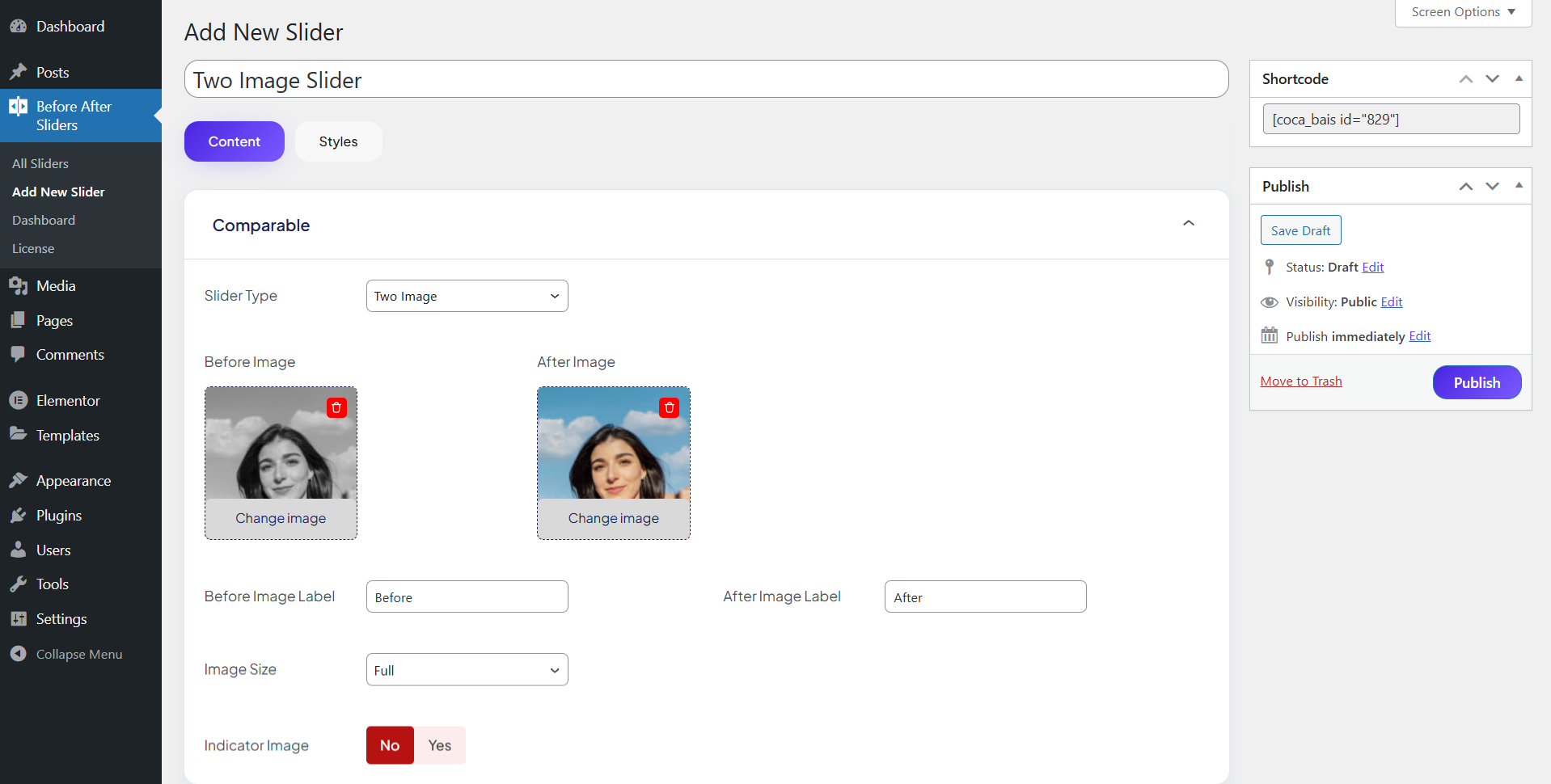
Compare two visuals with a smooth slider
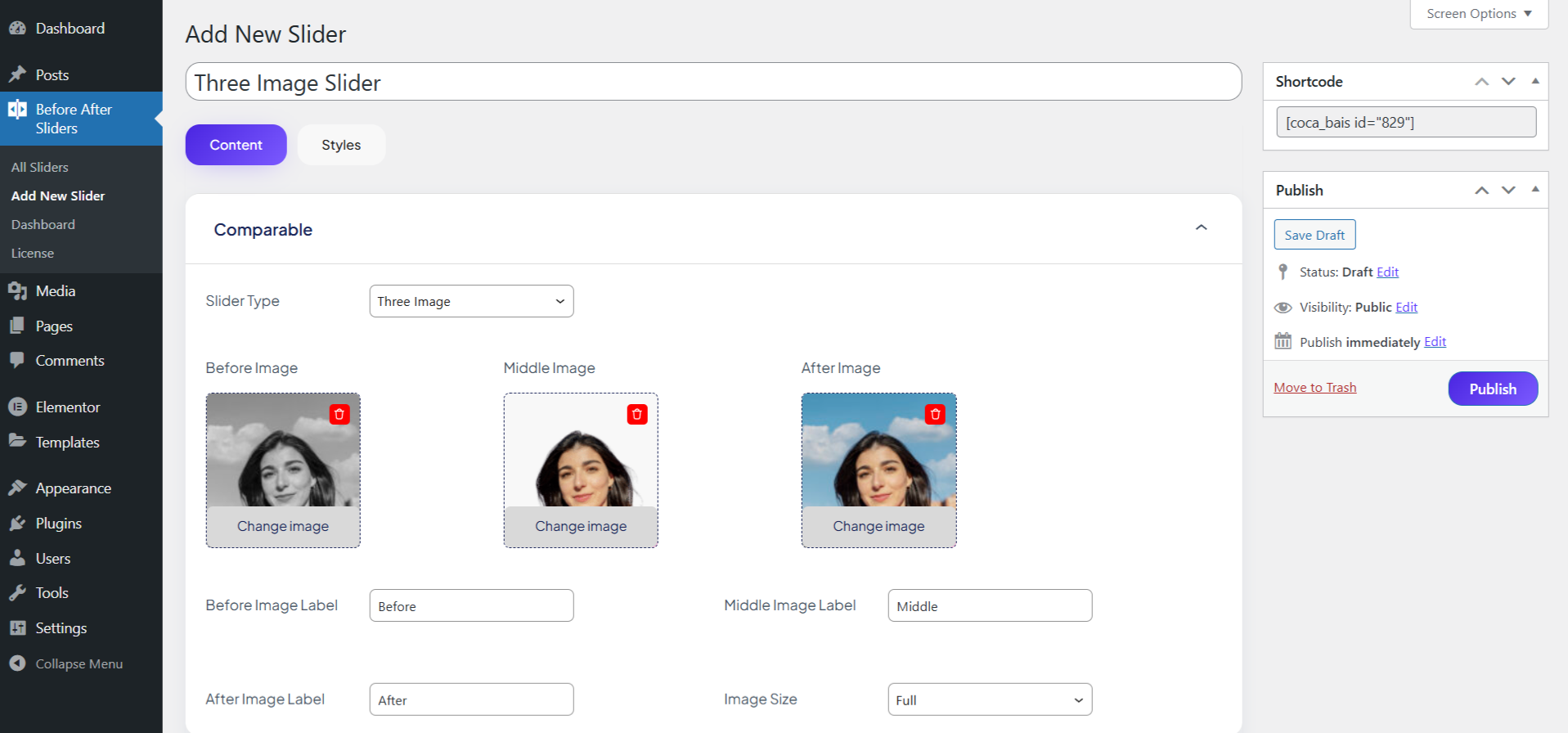
Show transformation with three images
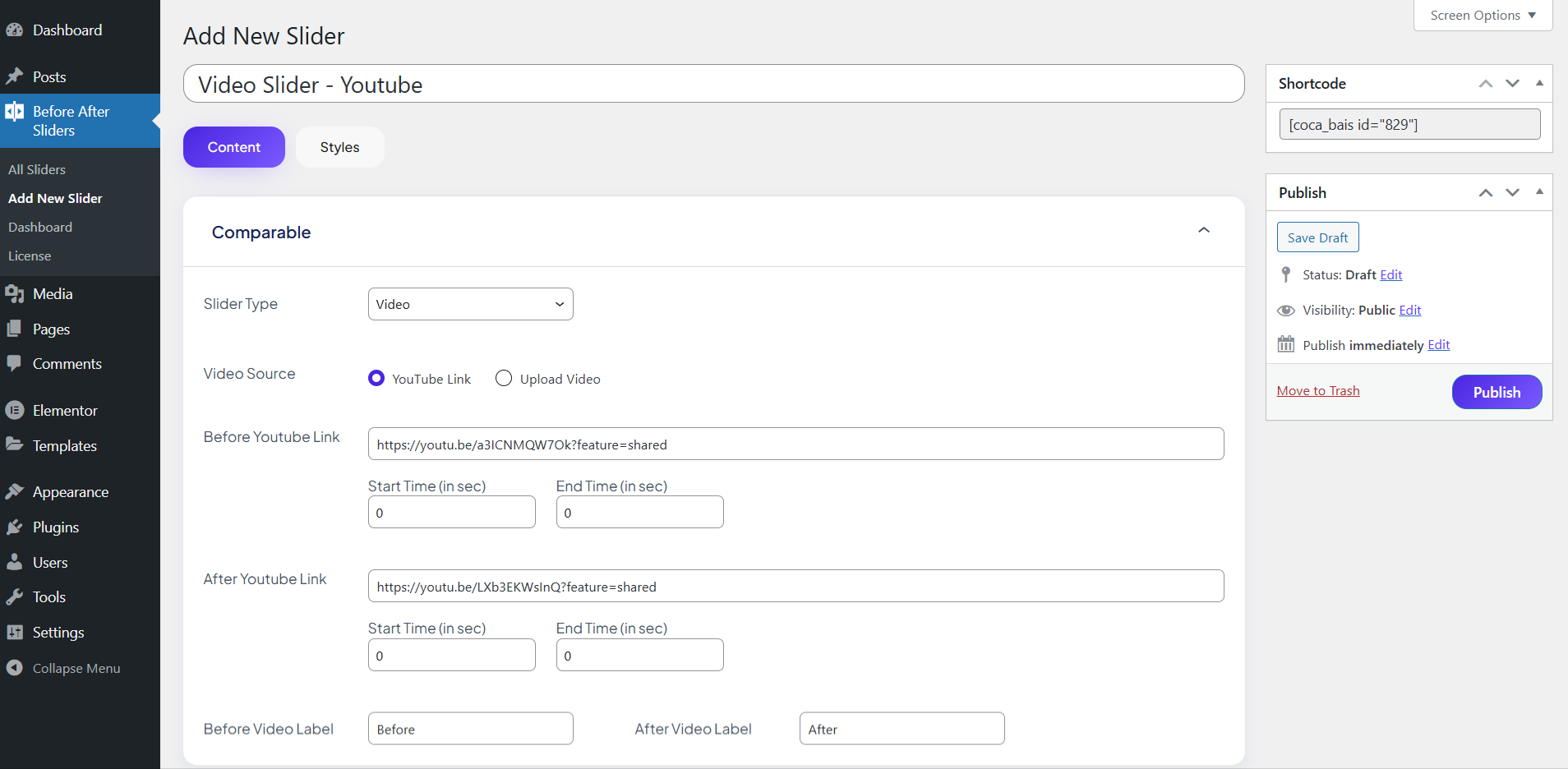
Add dynamic comparisons with YouTube videos
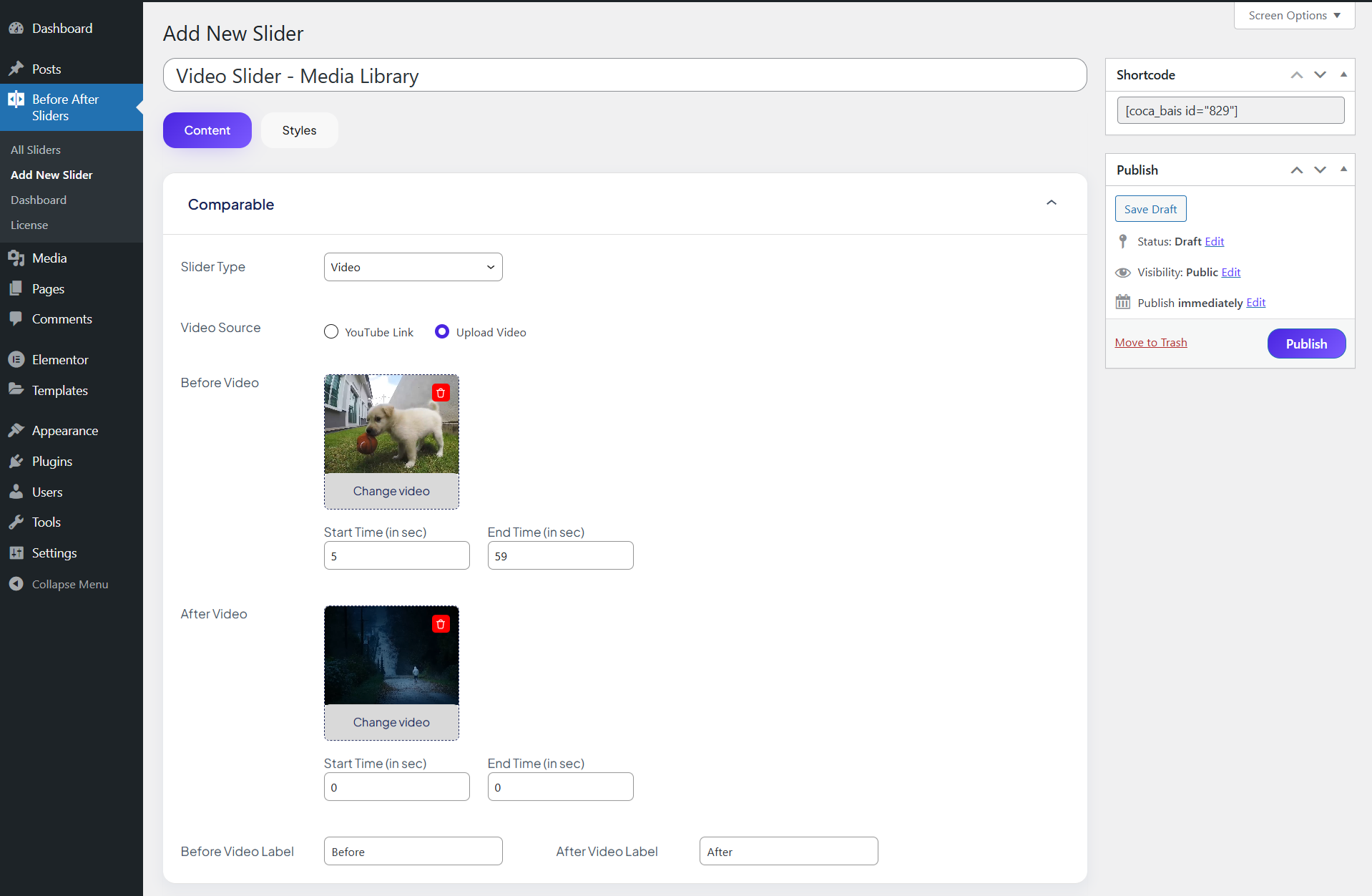
Upload and compare your own video files
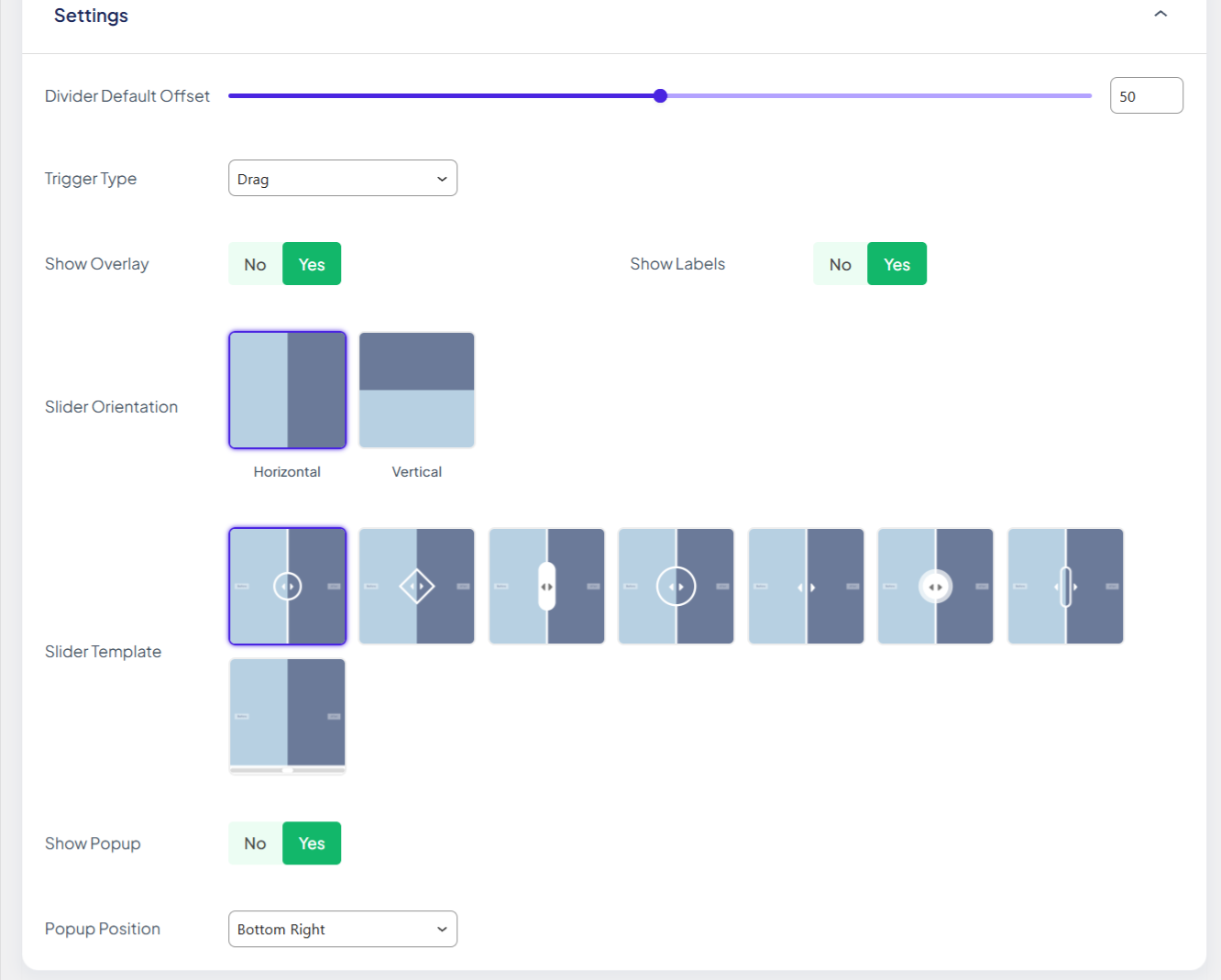
Fine-tune your image slider for the perfect reveal
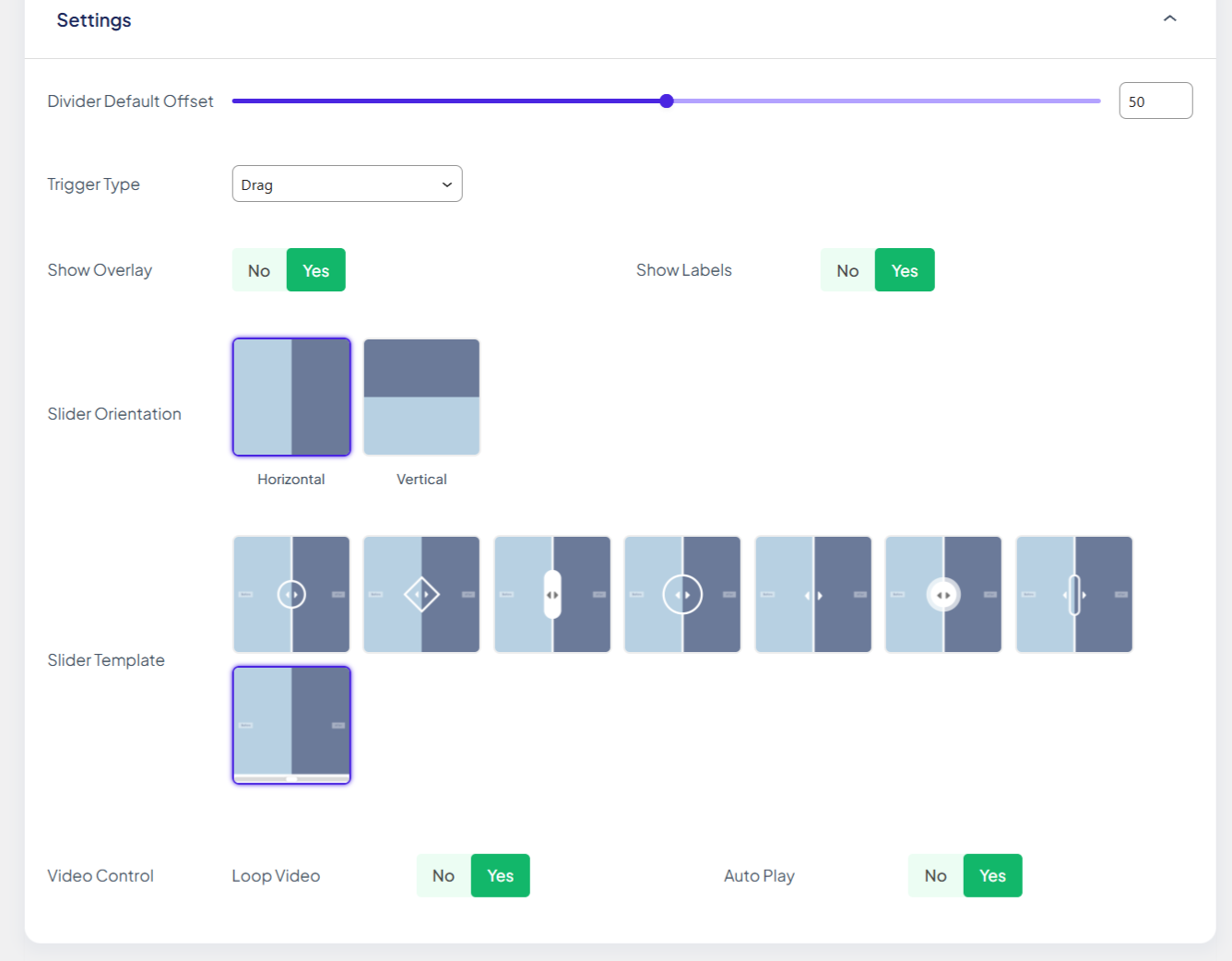
Customize video playback & layout
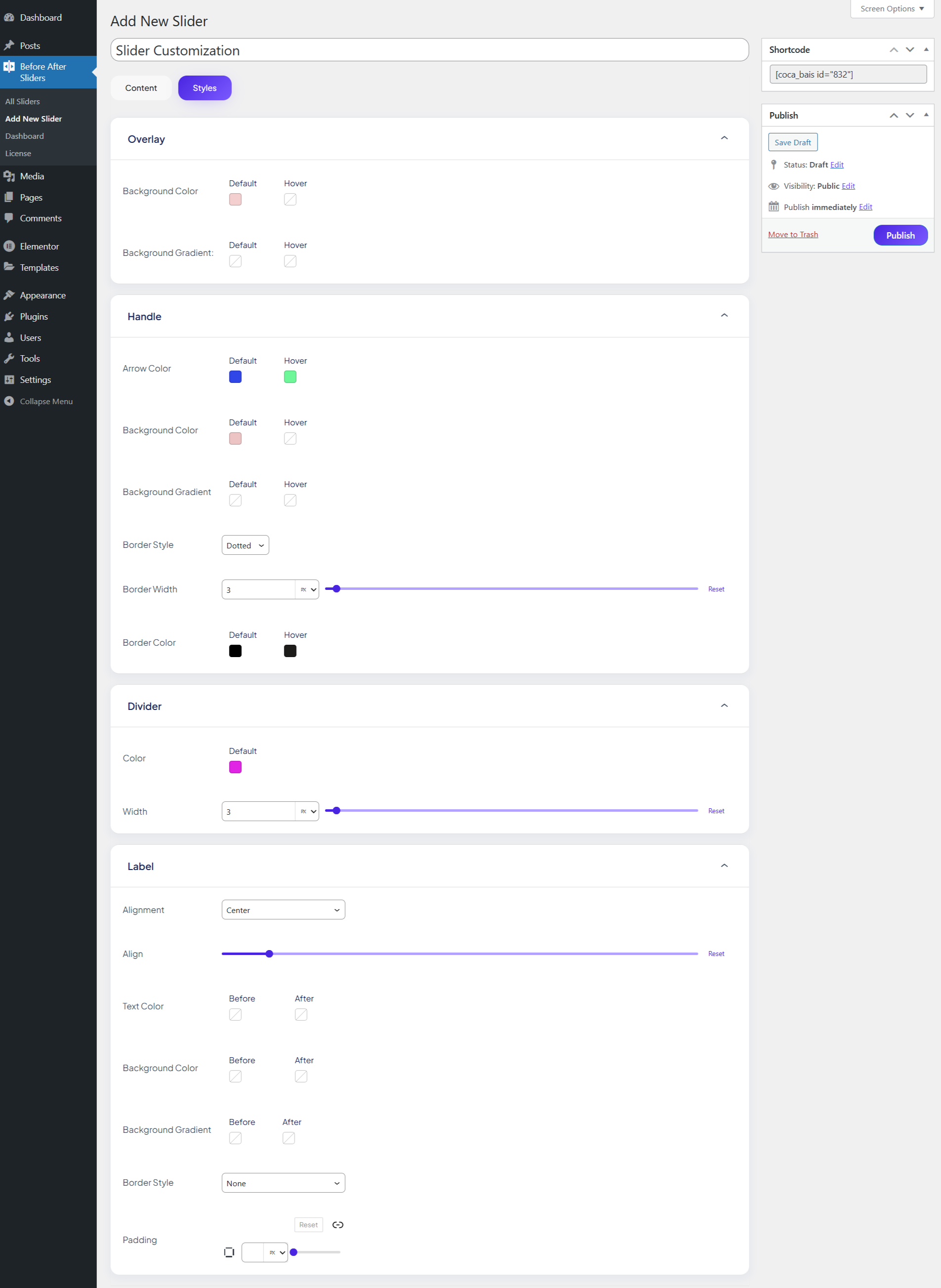
Make it match your brand with style controls
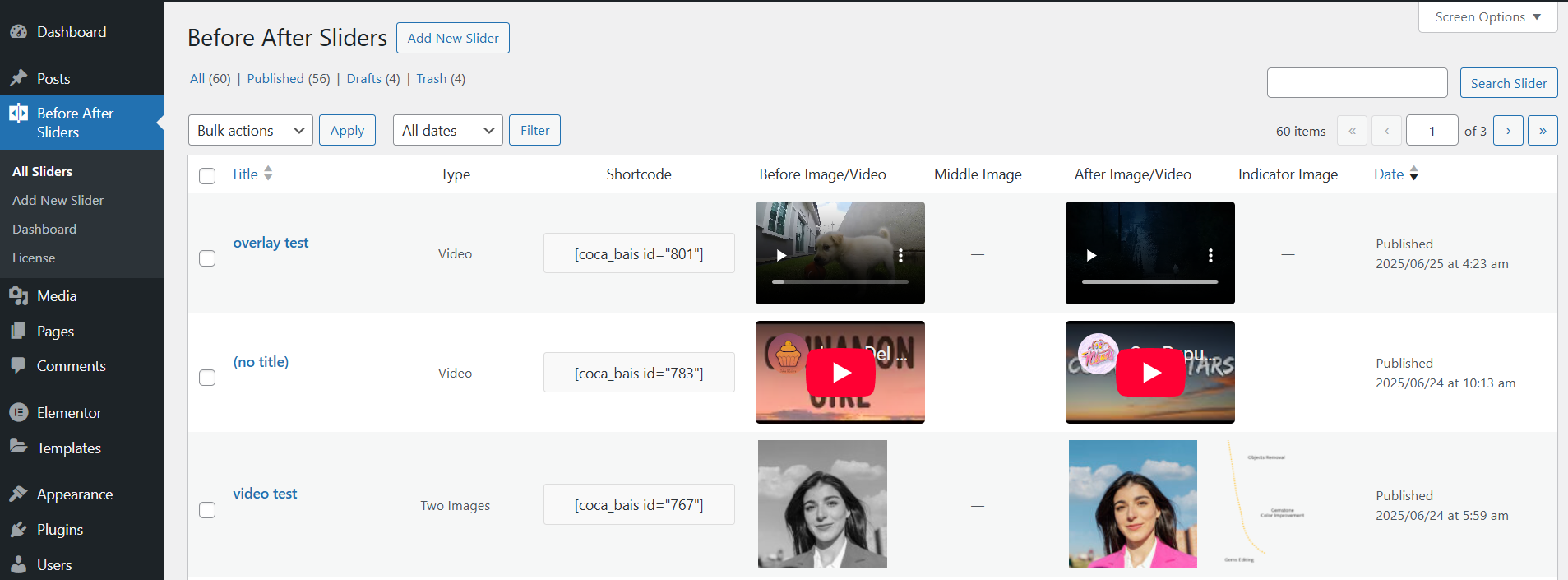
Manage all your sliders in one place
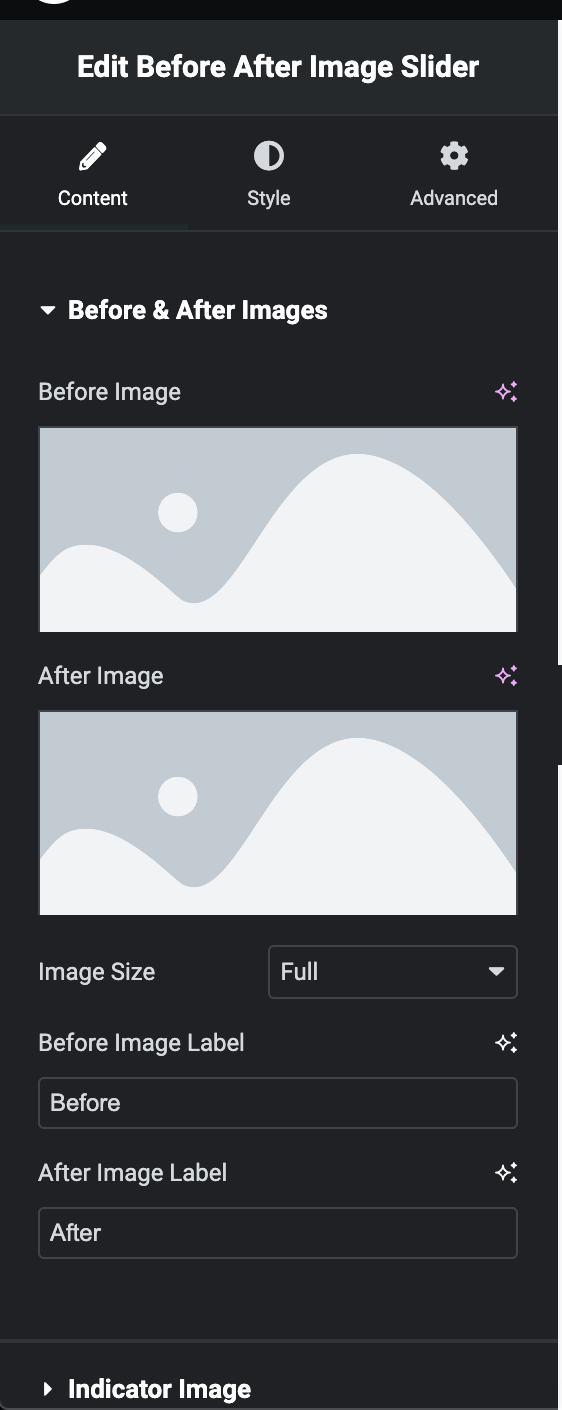
Create a new Before After Image Slider from the WP Admin panel and Slider settings screen.
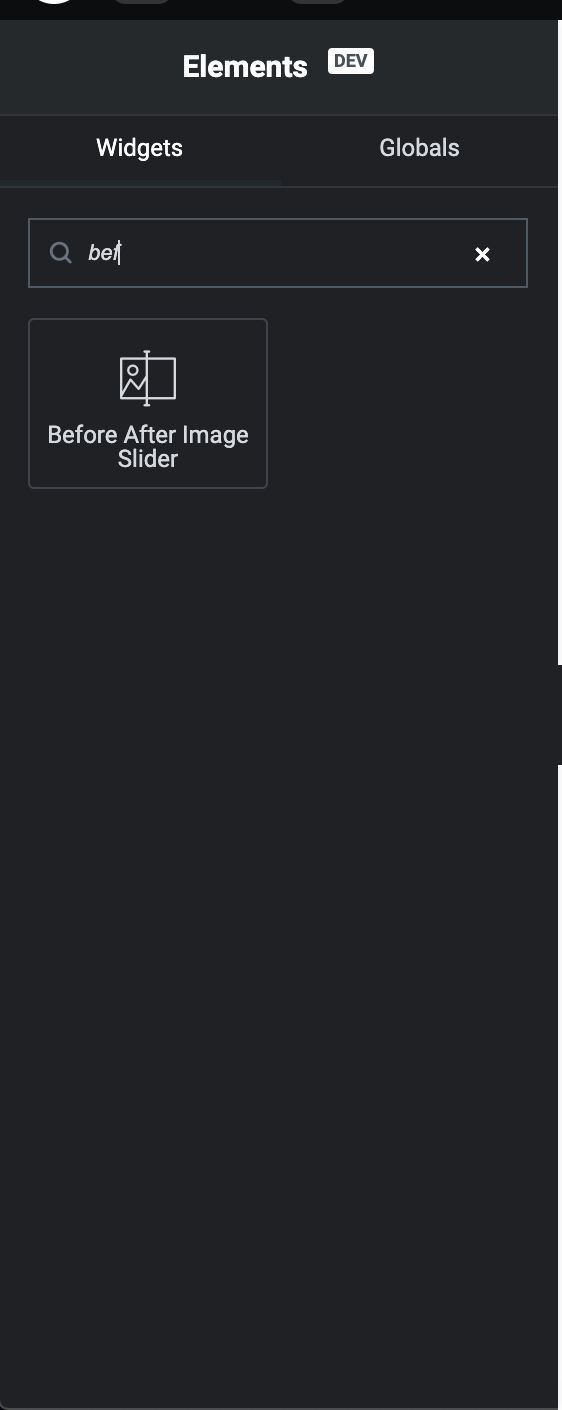
Select Before After Image Slider Widget for Element.
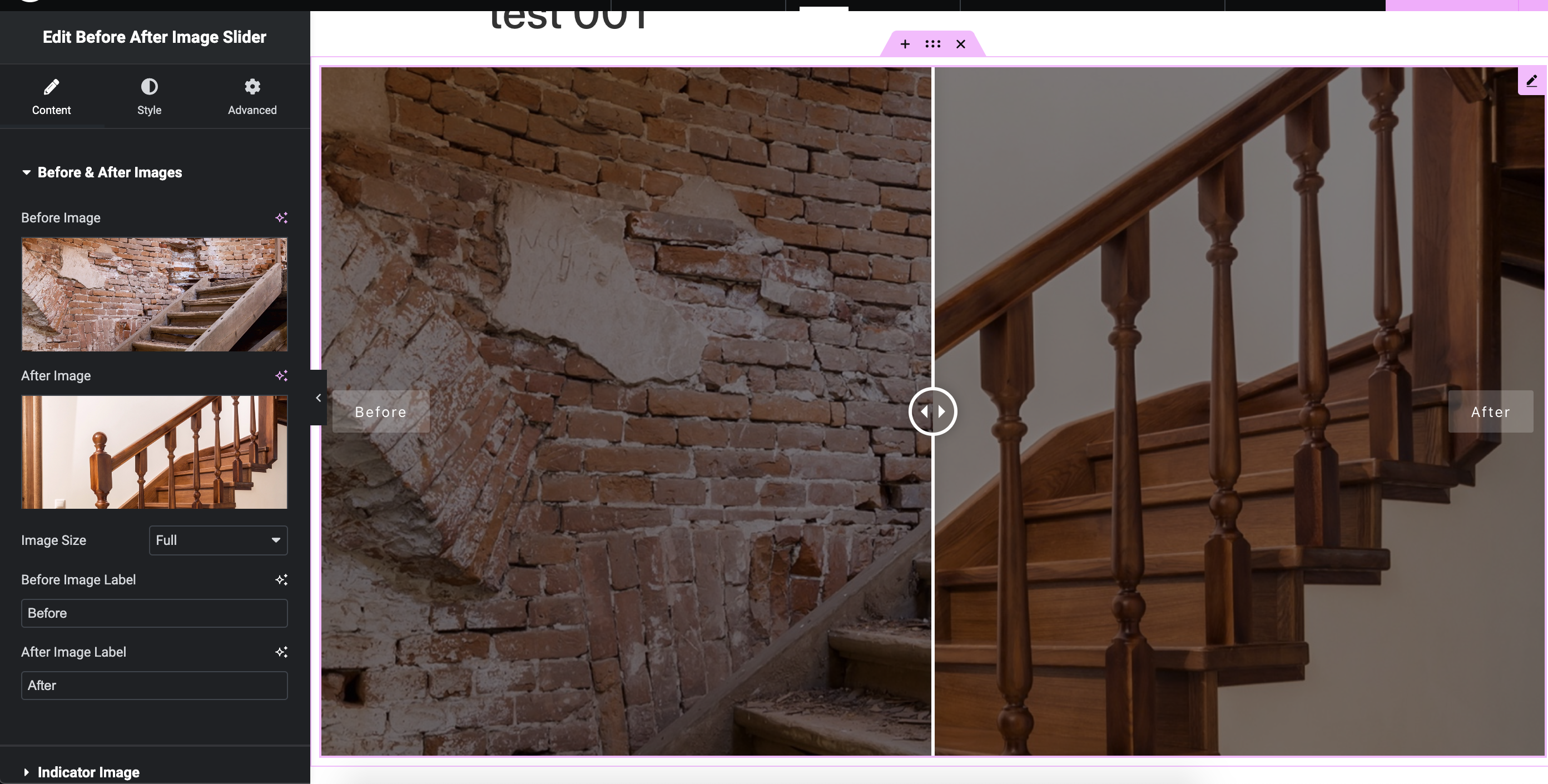
The Default feature for Elementor Widget and Slider settings screen.
Faq
After activating the plugin, go to the ‘Before After Sliders’ menu in the WordPress dashboard. Click on ‘Add New’ to create a new Before After slider. Configure the settings, upload the before and after images, and save your changes. You will then be able to embed the slider using a shortcode or the Elementor Widget.
Yes, you can customize various aspects of the slider, such as the orientation (horizontal or vertical), handle style, labels, and more. Experiment with the settings to achieve the desired look and feel for your sliders.
Yes, the WP Before After Image Slider plugin is designed to be compatible with all WordPress themes. It seamlessly integrates into your existing website and allows you to create engaging image sliders without any conflicts.
Absolutely! The WP Before After Image Slider plugin supports all page builders, including Elementor, Divi, WPBakery and Gutenberg. Simply create your slider and use the provided shortcode or block to add it to your page.
Absolutely! We provide dedicated technical support to our users. If you encounter any issues or have questions about the plugin, feel free to reach out to our support team via email or our online community forums.
Yes, the WP Before After Image Slider allows you to create and display multiple sliders on the same page or across different pages of your website. You have the flexibility to showcase various comparisons simultaneously.
Absolutely! The WP Before After Image Slider plugin is fully responsive and optimized for mobile devices. It ensures that your image sliders look great and function seamlessly on different screen sizes and devices.
Reviews
Helpful plugin for before after image slider
By 
Was looking for an updated wp plugin to showcase before and after images and video for a real estate client. This plugin is really easy to use and serves my purpose, simple and works fine.
A Must-Have Plugin for Visual Showcases
By 
We've been using WP Before After Image Slider – Advanced Image comparison Plugin for WordPress on our website for nearly two years, and it continues to serve our needs flawlessly. As a professional photo retouching service, showcasing before-after comparisons is really important—and this plugin handles it perfectly.
The functionality is user friendly and the support team is incredibly responsive and helpful whenever we’ve needed assistance!
Changelog
2.0.8
- Added captions for before and after images in both horizontal and vertical comparison modes.
- Introduced triple image comparison (Before, Middle, After) with individual image captions.
2.0.7
- Issue fixed
2.0.6
- Readme updated
2.0.5
- Readme updated
2.0.4
- Fixed cross-browser compatibility issues.
2.0.3
- WordPress compatibility issue fixed
2.0.1
- Readme updated
2.0.0
- Enhancement: New plugin UI
- Added: New plugin dashboard
- Added: Video control option (auto play, loop, start time, end time)
1.1.1
- Fixed: Elementor video upload responsiveness issue
1.1.0
- Fixed: Elementor template 1,3,6 – handle border & divider width issue
- Fixed: Template 6 appearance issue
- Fixed: Template 5 border width issue
- Fixed: Padding calculation wrong issue
- Fixed: Background gradient color clear issue
- New: Comparable before after video default widget shortcode
- New: Comparable before after video Elementor widget
1.0.5
- Readme updated
1.0.4
- Enhancement: Popup responsiveness in mobile devices
- Issue Fix: Template 6 handle border color issue
- Issue Fix: Template 2 and 5 label alignment top
- Issue Fix: Template 3 label alignment bottom
- Issue Fix: Template 2,4,5,6,7,8 label alignment missing
- Bug Fix: Image upload issue after delete
- Bug Fix: Divider color missing in Elementor three images
1.0.3
- BugFix: Fatal error if Pro version installed without free version
- BugFix: Fatal error if free version deactivated while Pro active
- IssueFix: Both labels appear when slider moved to edges
- IssueFix: Indicator image appearance
- Compatibility: Latest WordPress & PHP version
- Compatibility: Elementor 3.28
- IssueFix: Hover trigger indicator image visibility
- IssueFix: Hover trigger handle label visibility
- IssueFix: Handle background gradient issue
- IssueFix: Three image Elementor label switch condition
- IssueFix: Three image middle label responsive issue
1.0.2
- Introduced: Dynamic before/after image changes for shortcode
- Introduced: API support for filter plugin settings and assets
1.0.1
- Improved: Media Uploader at Admin Panel
- Improved: Elementor editor support for shortcode
- Improved: Localizations
- Improved: Access permissions for sliders
- Fixed: Sliders disappearing with multiple instances
- Fixed: Widget selection issue
1.0
- Initial release of the WP Before After Image Slider plugin.