WP Discord Invite

WP Discord Invite
Description
Create a vanity URL to your Discord Server in your WP Domain.
The plugin creates a URL <your_site_url>/<what_ever_you_want_here> which redirects to the invite link specified in WP-Admin.
The plugin also creates a rich embed when sent in Discord and other social media.
It has awesome Embed Preview to see how the embeds will look like.
This plugin can send webhook to Discord when the link is clicked.
It has an awesome link click counter and other simple stats.
Official Documentation at SMR Docs.
Disclaimer: This plugin or this plugin’s developer does not have any kind of affiliation with Discord Inc.
The word Discord and it’s respective logo’s are registered trademarks of Discord Inc.
Logo crafted with love by Dawn Saju
Screenshots
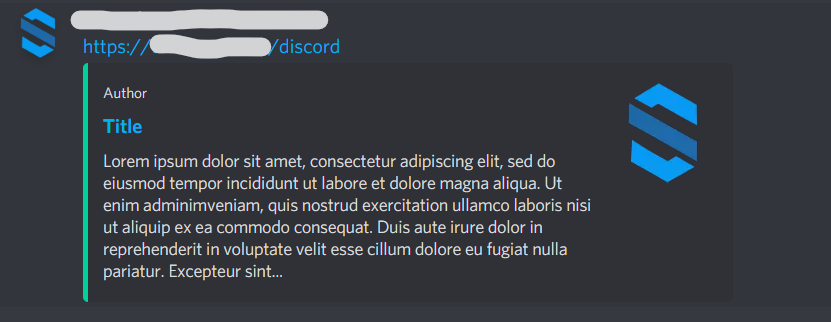
Image showing rich embed in Discord

Image showing rich embed in WhatsApp Web

Image showing the admin area settings page

Image showing the admin area settings page with open color picker

Image showing the admin area settings page embed preview
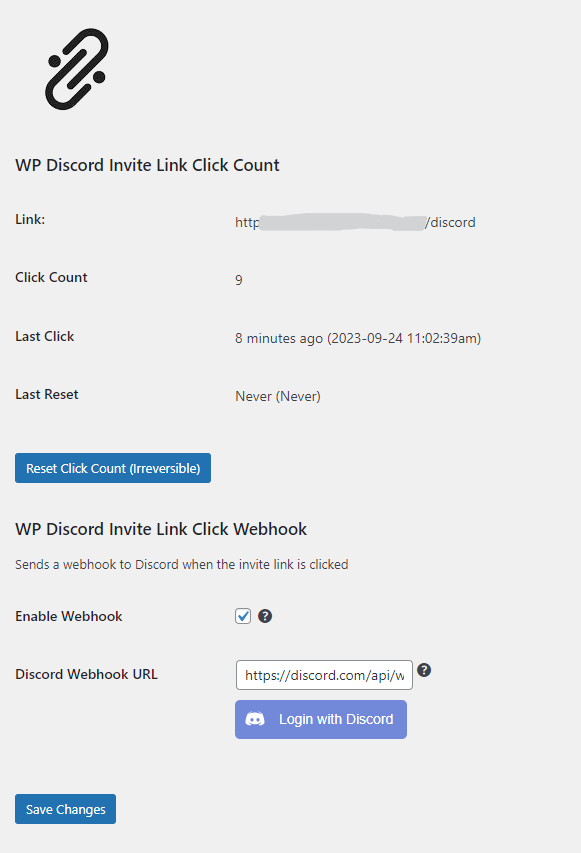
Image showing the admin area count page

Image showing the menu item in admin menu
Faq
You can use this plugin to create a vanity URL for your Discord Server in your own domain which runs WP.
Just install the plugin and activate it in wp-admin. Then click Discord Invite in the sidebar of your admin menu and set the variables. You can get the info about variables in the help page of the plugin in the admin page.
You can ask for help in WordPress Plugin Support Page.
Reviews
Working perfect
By 
Exactly what I needed; just right
By 
Works as Advertised and needed
By 
Hello!
By 
Not working
By 
Very cool and helpful plugin
By 
Really helpful
By 
Changelog
2.5.3
WP Version Upgrade
2.5.2
Bug fixes
2.5.1
Major bug fixes: Discord Login issue fixed, webhook not getting posted fixed, other bugs fixed.
2.4.0
New features: You can now create webhook using Discord OAuth. Bug fixes. Help Page removed.
2.3.1
New feautres: You can now customize the /discord URL to what ever you want, help menu added next to each fields for easy access.
1.1.2
Bug fixes.
1.1.0
New features: Click counter and simple stats, webhook.
1.0.0
Initial stable version.