WP Edit Homepage
WP Edit Homepage
Description
Bored of hunting down the edit button for your homepage?
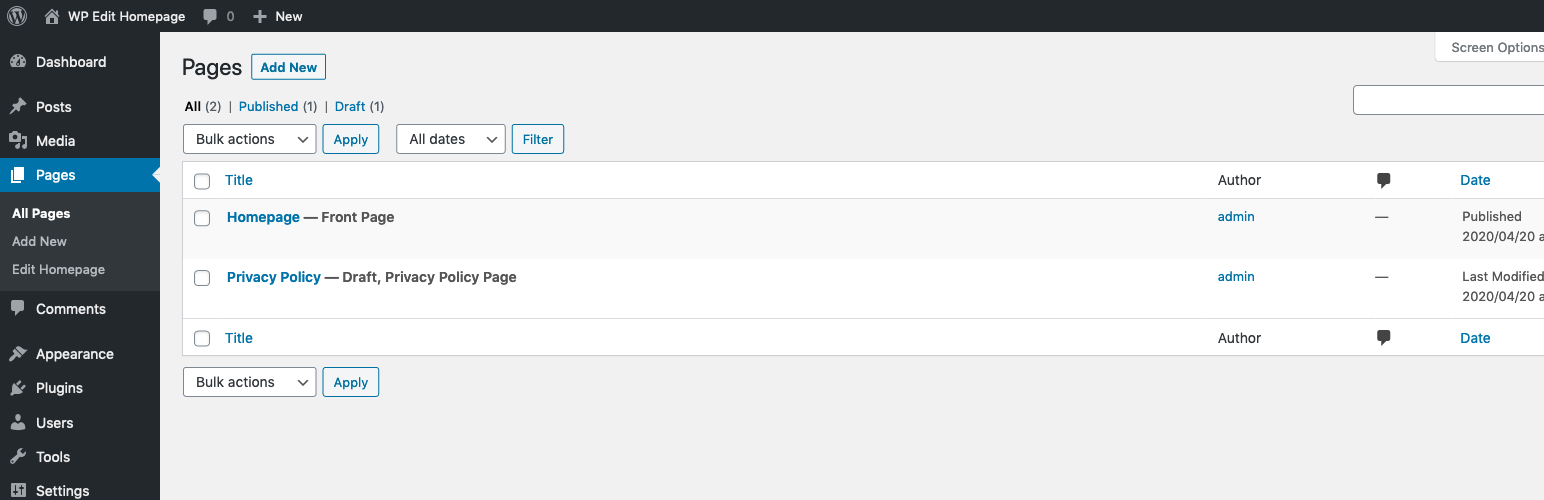
This plugin adds an ‘Edit Homepage’ link to the WP admin sidebar. The edit link can be found in the admin sidebar: ‘Pages > Edit Homepage’.
If you don’t have a homepage set, the link will simply not appear.
Screenshots

Homepage edit link shown as Pages > Edit Homepage

Admin homepage settings on the Settings > Reading screen.
Reviews
Super handy light weight solution
By 
Works a treat. You'll miss it when it is not there!
Simple solution to an annoying problem
By 
A simple solution to finding the homepage for quick-editing, especially useful when trying to find the homepage in a messy list of Pages, or when managing lots of websites
I needed another menu item!
By 
Sweet. Simple, works. Thanks.
Changelog
1.1
- Adds edit/set homepage links in plugin list table.
- Adds image assets for plugin directory listing.
1.0
- Adds the homepage edit link to the admin sidebar.