Ever Accounting – Accounting & Invoicing Solution for Small Businesses
Ever Accounting – Accounting & Invoicing Solution for Small Businesses
Description
Complete Accounting Solution for Small Businesses
Ever Accounting is a comprehensive WordPress accounting plugin that helps you keep track of your income and expenses, send professional invoices in multiple currencies, and manage your business finances with confidence.
It offers a complete accounting solution designed specifically for small businesses. The plugin’s primary goal is to provide an easy yet professional way for businesses to manage finances, keep detailed logs of income and expenses, and generate powerful reports to understand their financial position.
The plugin allows you to manage your income and expenses without any prior accounting knowledge. It helps you overcome accounting-related challenges so you can focus more on other business operations.
Managing a small business comes with many challenges, and adopting the right tool can save you from some of the hardships. Keeping track of cash flow is one of the most important tasks for all businesses.
With the ability to create your income and expenses in multiple currencies, you’ll stay on top of your accounting tasks. You can also create multiple accounts and transfer funds between them, giving you the ease of smooth accounting operations.
The plugin is designed to be user-friendly and easy to use. It’s suitable for small business owners, freelancers, startups, SMEs, accountants, entrepreneurs, WooCommerce store owners, service providers, consultants, agencies, nonprofits, bloggers, affiliate marketers, digital marketers, content creators, e-commerce store owners, and online business owners.
💻 Live Demo Site | 📄 Plugin Documentation | 🚀 Extensions
👨💻 This Plugin is Ideal for:
- Small Business Owners: Manage your finances with ease and focus on growing your business.
- Freelancers: Keep track of your income and expenses and send professional invoices.
- Startups: Get a clear view of your financial position and make informed decisions.
- SMEs: Manage your cash flow, track expenses, and generate detailed reports.
- Accountants: Simplify your accounting tasks and save time with powerful features.
- Entrepreneurs: Stay on top of your finances and make informed decisions for your business.
- WooCommerce Store Owners: Track your store’s income and expenses with ease.
- Service Providers: Create and send professional invoices to clients in multiple currencies.
- Consultants: Keep track of your income and expenses and generate detailed reports.
- Agencies: Manage your finances, track expenses, and generate detailed reports.
- Nonprofits: Keep track of donations, expenses, and generate detailed reports.
- Bloggers: Track your income and expenses and generate detailed reports.
- Affiliate Marketers: Keep track of your income and expenses and generate detailed reports.
- Digital Marketers: Track your income and expenses and generate detailed reports.
- Content Creators: Keep track of your income and expenses and generate detailed reports.
- E-commerce Store Owners: Track your store’s income and expenses with ease.
- Online Business Owners: Manage your finances, track expenses, and generate detailed reports.
✨ Key Features
✅ Multi-Currency Support: Track income and expenses in multiple currencies.
✅ Detailed Cash Flow Insights: Real-time cash flow monitoring for smarter financial decisions.
✅ Professional Invoicing: Create, print, and share tax and discount-enabled invoices.
✅ Expense Tracking: Keep accurate records of business expenses in any currency.
✅ Income Tracking: Record all income transactions to monitor payments.
✅ Billable Expenses: Create and manage bills for accurate financial records.
✅ Vendor Management: Organize and track interactions with vendors.
✅ Customer Management: Store essential information about your business contacts.
✅ Bank Account Management: Track balances, deposits, and transfers across multiple accounts.
✅ Deposits & Transfers: Add deposits and make transfers across accounts.
✅ Transaction Categorization: Group transactions into categories for quick insights.
✅ Product & Service Management: List items as products or services for streamlined invoicing.
✅ Powerful Reporting: Generate detailed financial reports for a clear view of business performance.
✅ Bulk Import & Export: Seamlessly move data in and out of the plugin.
✅ Custom User Roles: Assign roles with tailored permissions for secure management.
Discover More
Learn more about the Ever Accounting plugin on our website.
– 🌐 EverAccounting
– 💻 Live Demo Site
– 📄 Plugin Documentation
– 🚀 Extensions
✨ Features of Ever Accounting
Multi-Currency Accounting
Do business all over the world with multi-currency accounting. Track income or expenses in any currency you want and let the plugin convert them into your base currency automatically.
Cash Flow Monitoring
Get a real-time view of your cash flow. Stay on top of your cash flow and make smarter decisions about your business anytime. Know how your income, expenses, and revenues are flowing in real-time.
Easy Invoicing
Generate, print, and share professional invoices, including tax and discount options, in your customers’ currency.
Billable Expenses
Create and manage bills to ensure your finances are always accurate and healthy. Print and share bills with your vendors. Bills also support tax calculations and discounts.
Expense Tracking
Keep accurate and up-to-date records of business expenses in any currency to maintain a clear financial picture.
Income Tracking
Record all income transactions to monitor what and when you’re getting paid.
Product & Service Management
List items as products or services for streamlined invoicing and billing.
Transaction Categorization
Group transactions into categories for quick insights into where your money is going and coming from. Track which categories your business is spending the most on, as well as earning from.
Powerful Reporting
Generate detailed financial reports that give you a clear view of your business performance. Create smart financial reports and budgets to understand and track what matters most.
Vendor & Customer Profiles
Organize essential information about your business contacts to keep track of interactions and transactions.
Customer Management
Create customers to assign payments, and later you can filter the transactions you made with them. You can store the name, address, email, phone number, and more for each customer.
Vendor Management
Create vendors to assign expenses, and later you can filter the transactions you made with them. You can store the name, address, email, phone number, and other relevant information about vendors.
Account Management
Manage unlimited cash accounts with ease and track current balances. You can use any currency you want. Ever Accounting will handle the currency conversion automatically.
Deposits & Transfers
Add deposits and make transfers across accounts to keep finances organized. The transferred amount will automatically adjust to the account currency.
Bulk Import
Quickly import data, including customers, vendors, categories, taxes, items, accounts, transfers, payments, and expenses from other systems.
Bulk Export
Ever Accounting lets you export most of your accounting records, like customers, vendors, categories, taxes, items, accounts, transfers, payments, and expenses in CSV format, which you can import later or analyze.
Custom User Roles
Ever Accounting comes with a built-in, fine-grained permission system to help you manage your team securely and efficiently. By default, it offers three dedicated user roles: ‘Accounting Manager’, ‘Accountant’, and ‘Accounting Auditor’. Each role is designed with predefined capabilities to ensure that users only access what they need. This role-based access control simplifies your workflow while strengthening security across your accounting operations.
Open-Source & Secure
Ever Accounting is an open-source project and is hosted in your space. You can ensure that your data is secure and that nobody can access or misuse it. Open-source software offers complete privacy.
How Ever Accounting Works
Once installed, Ever Accounting adds an Accounting menu to your WordPress dashboard. From here, you can access essential submenus, including Dashboard, Items, Sales, Purchases, Banking, Tools, Reports, and Settings. Each section provides powerful tools and data to keep your finances organized.
The dashboard provides a detailed summary with highlights of the most important and recent accounting events. It also features an intuitive graphical interface that visually represents your Sales, Expenses, and Profit/Loss for the current year, providing instant insights at a glance.
Developer Information
This plugin uses modern JavaScript build tools for optimal performance. Human-readable source code is available for review and contribution.
Source Code Locations:
* JavaScript source files are located in the /resources/ directory
* Custom JavaScript packages (monorepo) are located in the /packages/ directory
– Money package source: /packages/money/src/index.js (builds to /assets/packages/money.js)
* Build system: Webpack via @wordpress/scripts npm package
* Build commands:
– Development: npm install && npm run start
– Production: npm run build
Third-Party Libraries (All GPL-Compatible):
* Chart.js v4.x – Data visualization (MIT License) – https://github.com/chartjs/Chart.js
* Select2 v4.x – Enhanced dropdowns (MIT License) – https://github.com/select2/select2
* AutoNumeric v4.10.8 – Number formatting (MIT License) – https://github.com/autoNumeric/autoNumeric
* jQuery UI Components – Date/time pickers (MIT License) – https://jqueryui.com/
* Moment.js – Date handling (MIT License) – https://momentjs.com/
* WooCommerce Action Scheduler – Background processing (GPL v2+)
* ByteKit Framework – Plugin foundation (GPL v2+)
* PSR Libraries – PHP standards compliance (MIT License)
Contributing:
We welcome community contributions! Report bugs or suggest features in the support forum. All code follows WordPress Coding Standards and is tested with PHPCS and Plugin Check.
License
This plugin is licensed under the GPLv2 or later. You are free to use this plugin on as many sites as you want. You may not give it away, redistribute it or resell it. If you want to include this plugin with your theme or other product, please contact us.
Individual libraries included with this plugin maintain their own licenses (all GPL-compatible). See the Developer Information section for specific library licenses.
Installation
- Upload the plugin files to the
/wp-content/plugins/wp-ever-accountingdirectory, or install the plugin through the WordPress plugins screen directly. - Activate the plugin through the ‘Plugins’ menu in WordPress.
- Navigate to WordPress Admin Dashboard > Accounting to start using the plugin.
- Configure the settings and start managing your finances.
What do I need to properly use Ever Accounting?
Apart from a fully functional WordPress installation (version 5.0 or higher), Ever Accounting does not have any dependencies. The plugin works seamlessly with WordPress without requiring additional services.
What is the minimum PHP version that I have to maintain to use this plugin?
To enjoy the features of this powerful plugin, you need at least PHP version 7.4 or higher installed. If you have a lower version of PHP, you may face compatibility problems.
Can I ask/suggest for a new feature?
Yes, of course. We do not create products for ourselves. You are always welcome to suggest new features and improvements.
Screenshots
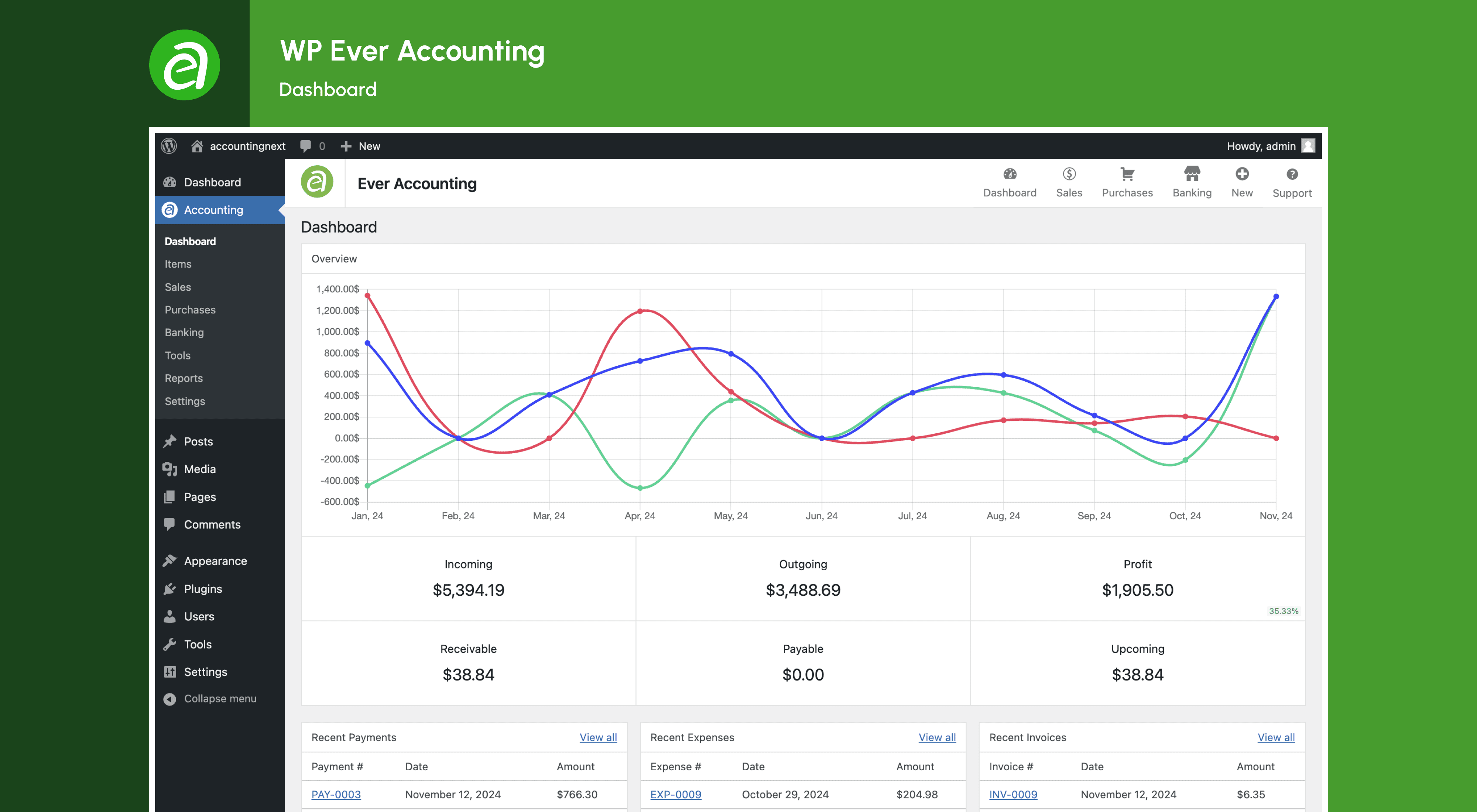
Dashboard: Get a detailed summary of your accounting activities.
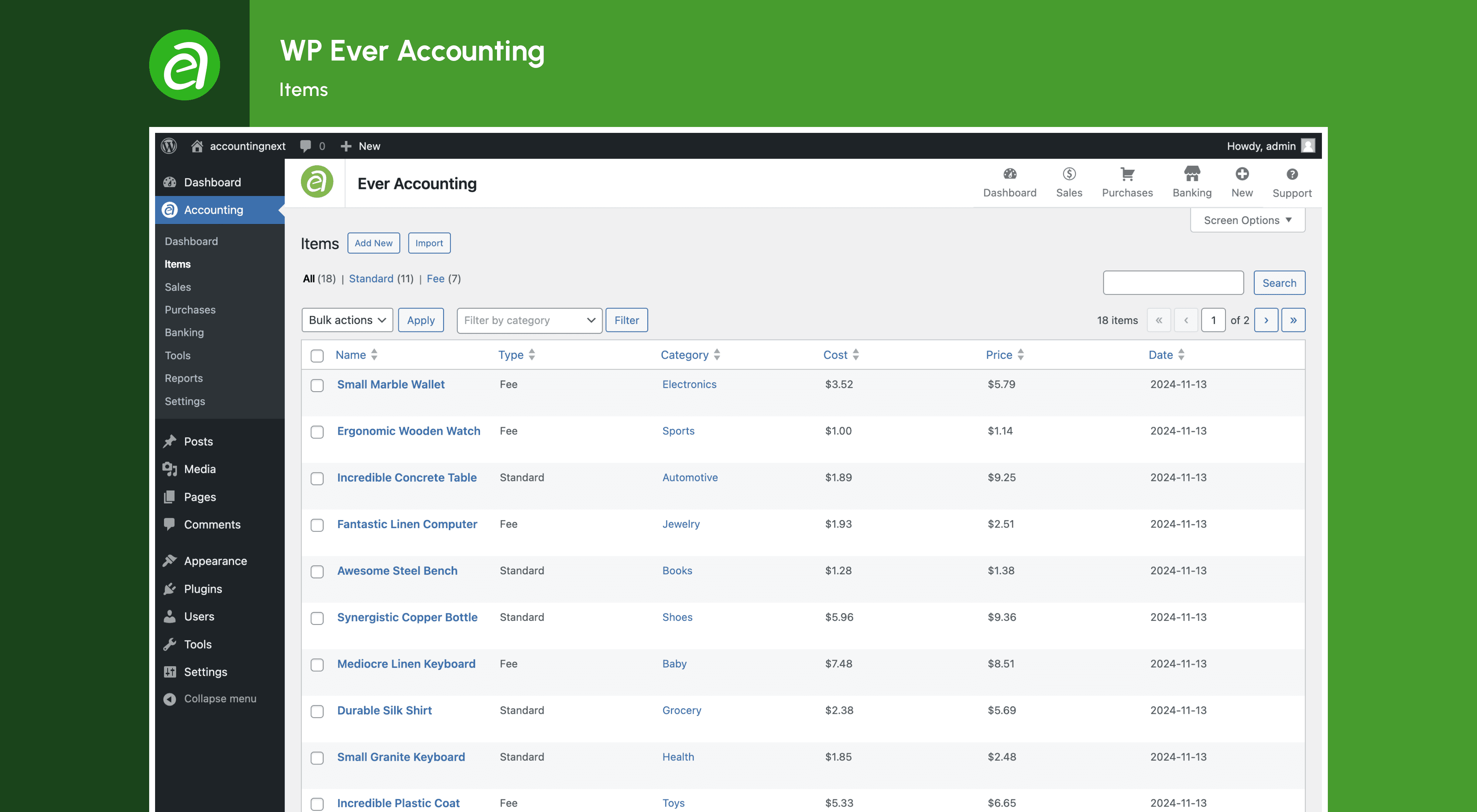
Items: Manage your products and services with ease.
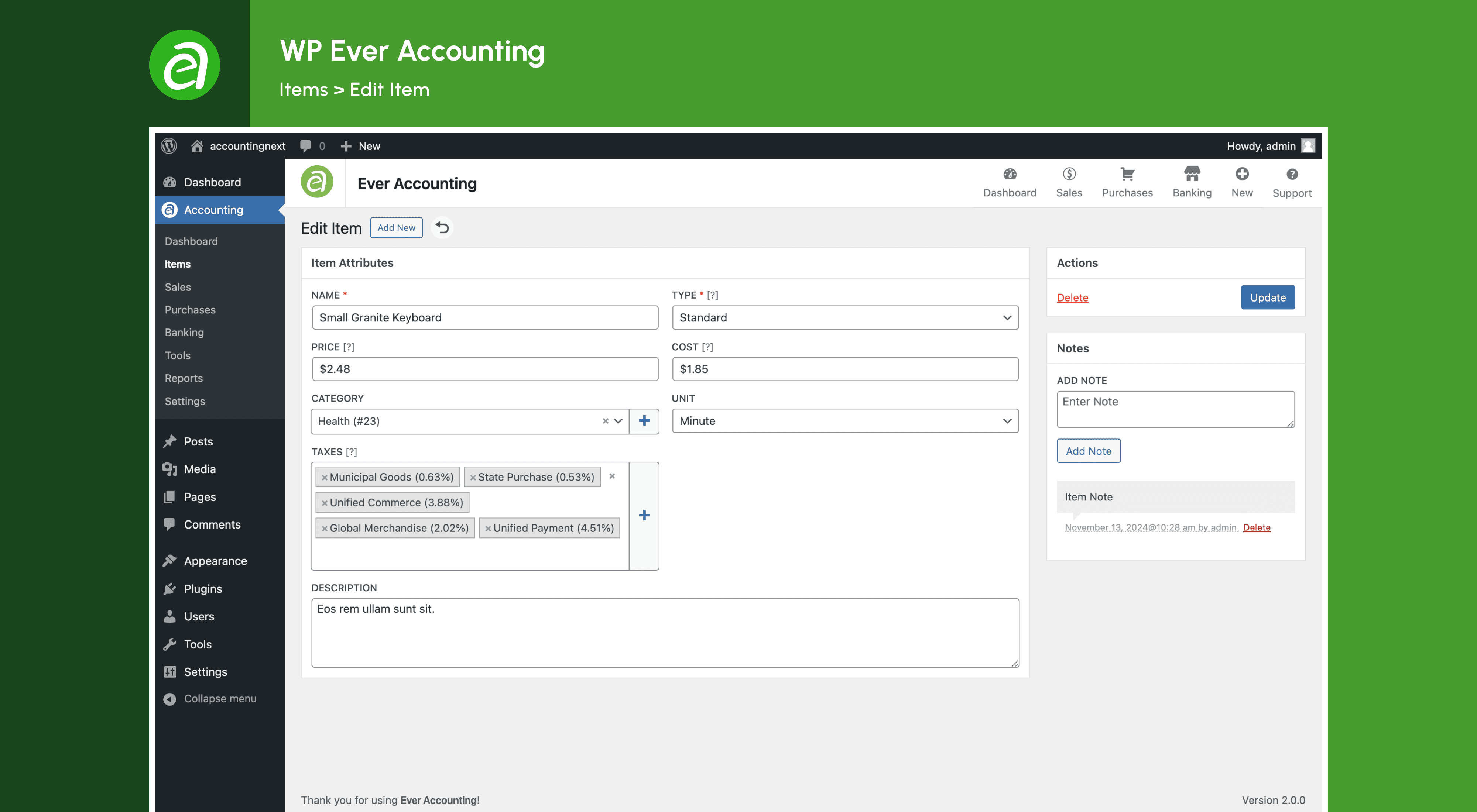
Add/Edit Item: Create or edit items with detailed information.
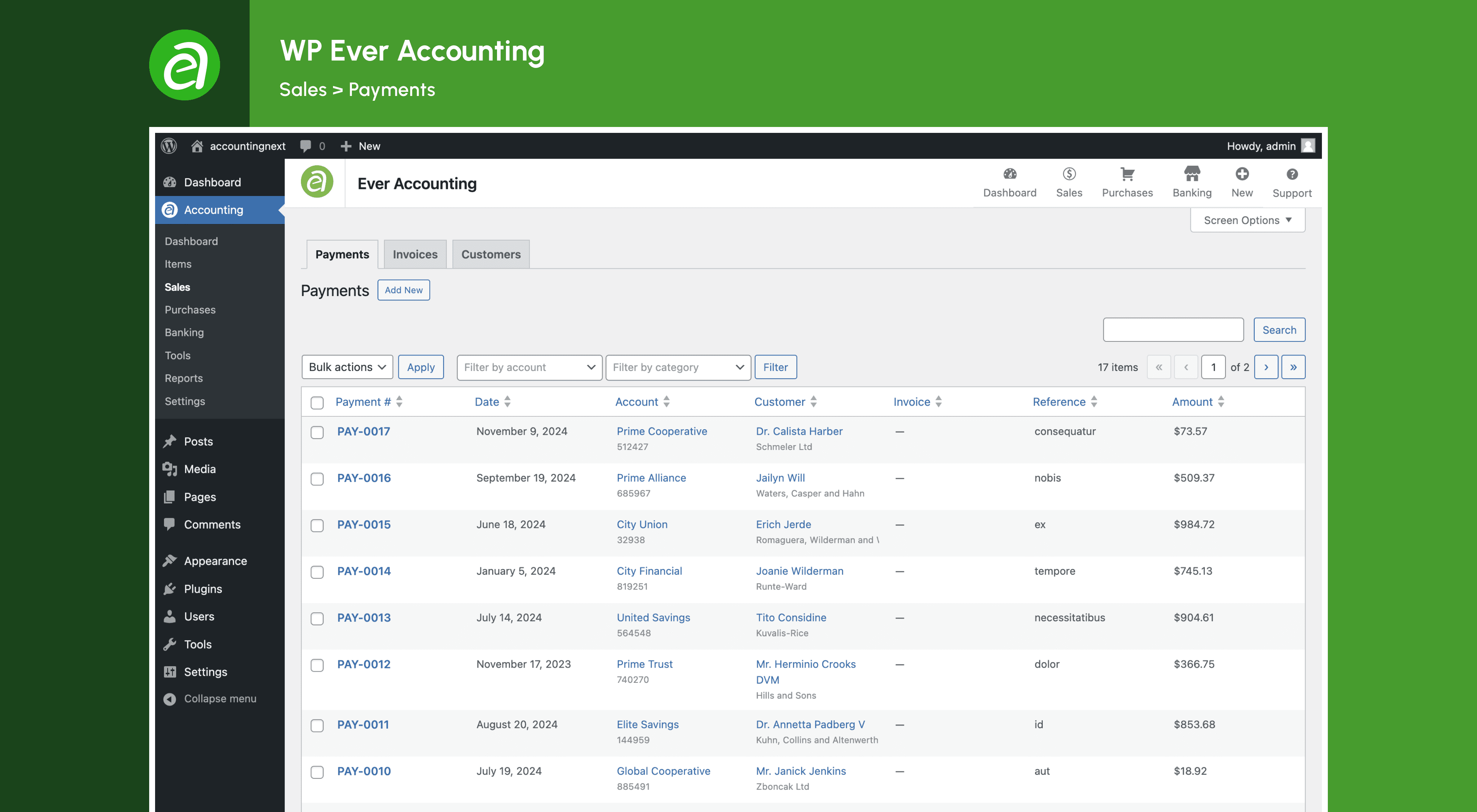
Payments: List of all payments.
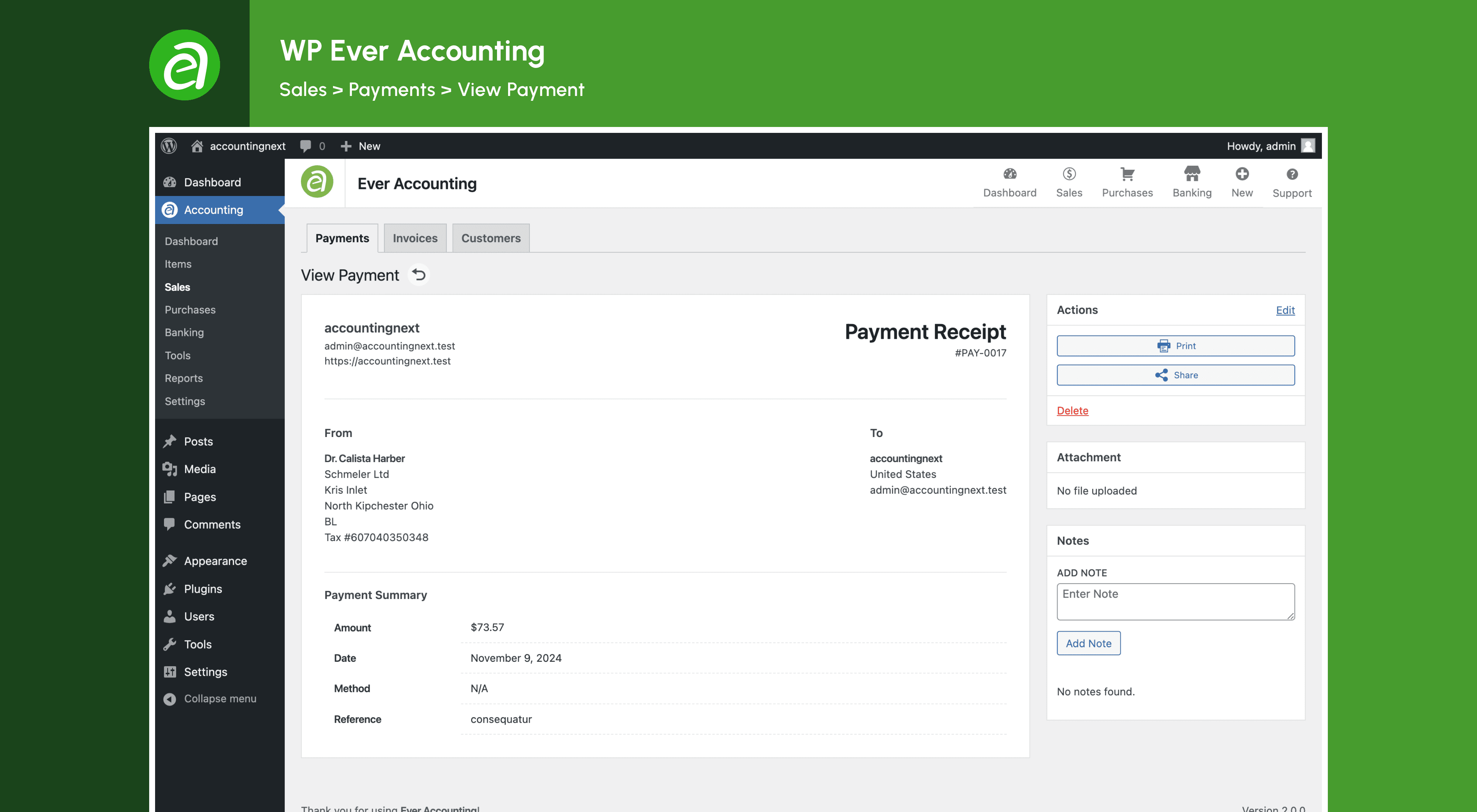
View Payment: View detailed information about a payment.
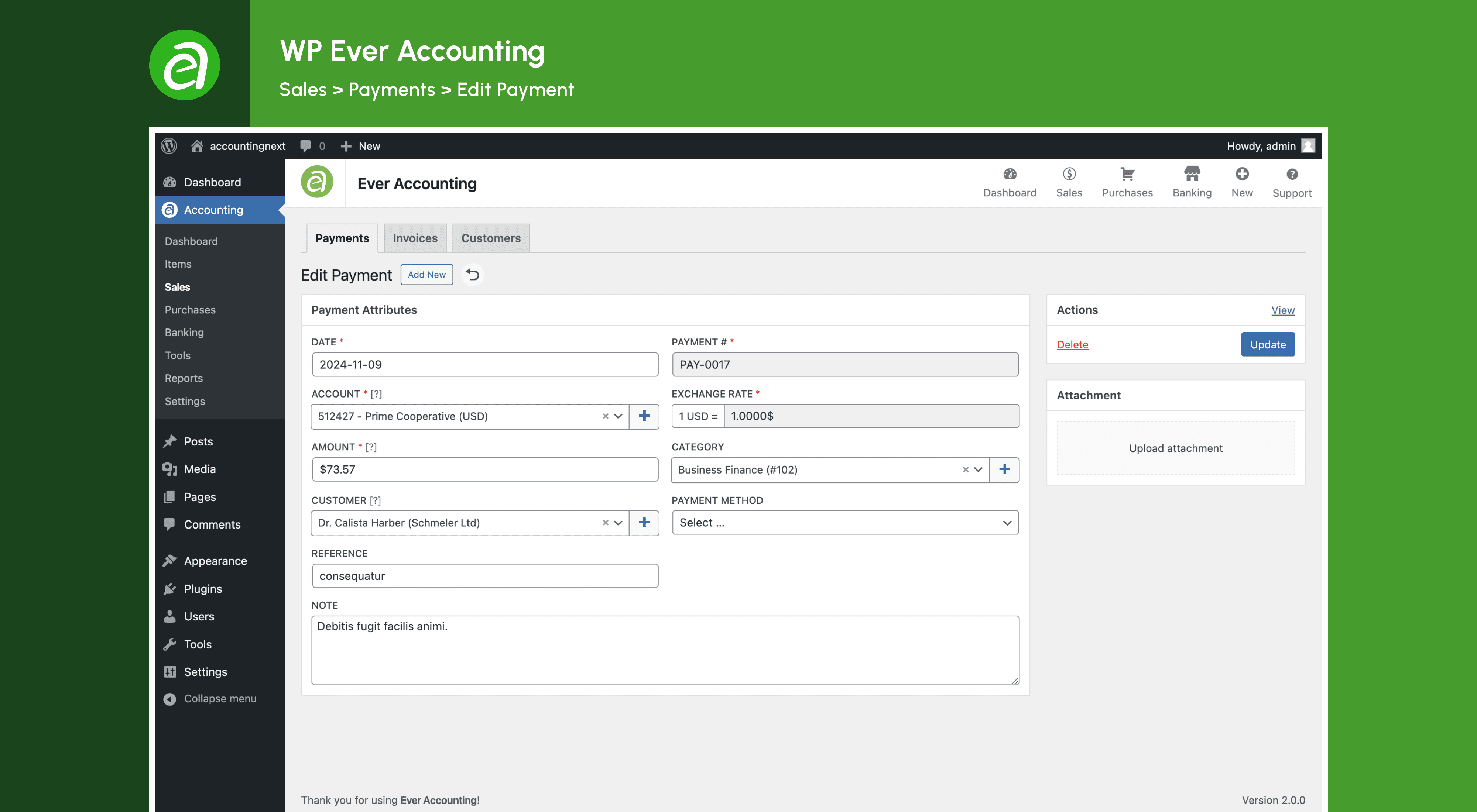
Add/Edit Payment: Add or edit payments with ease.
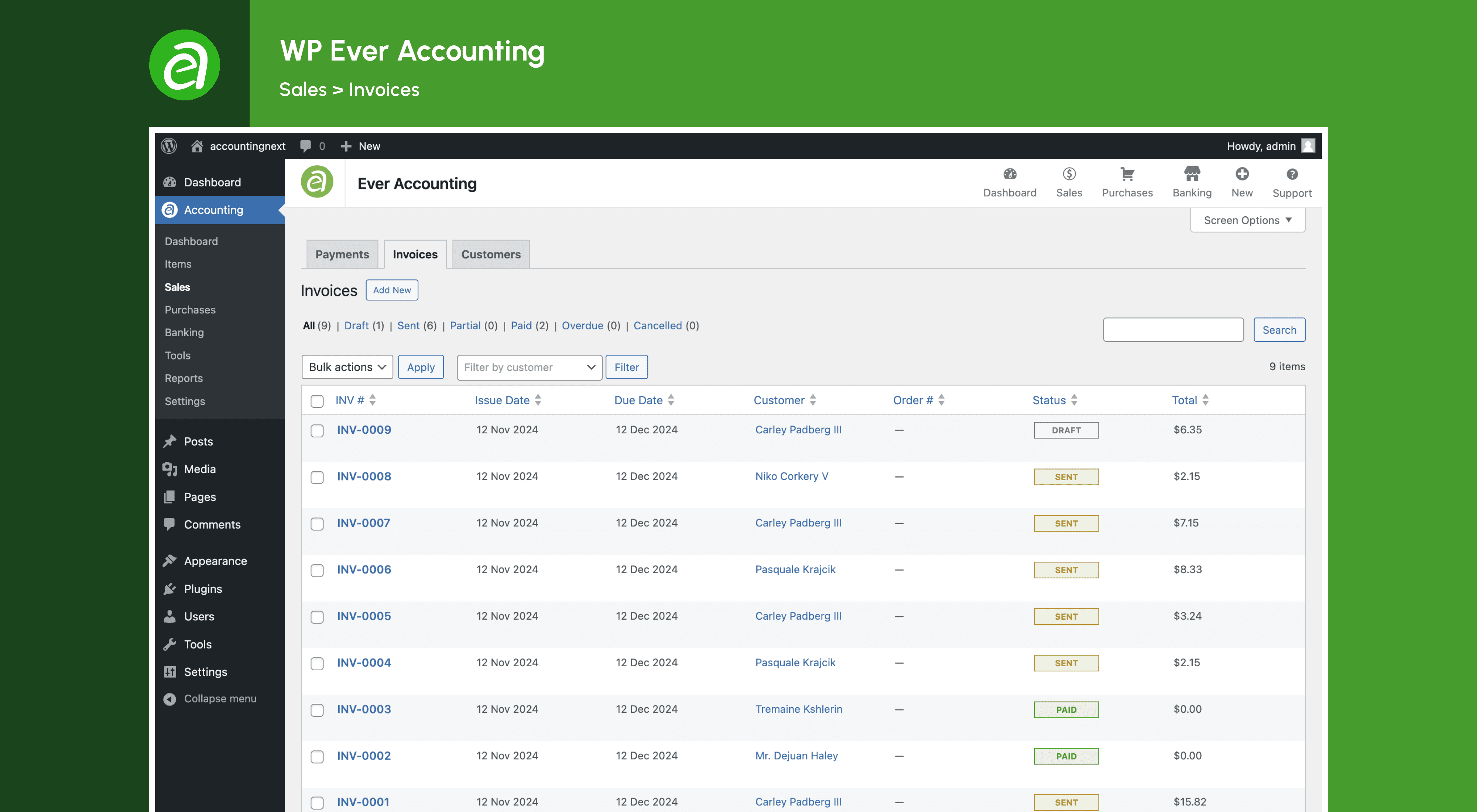
Invoices: List of all invoices.
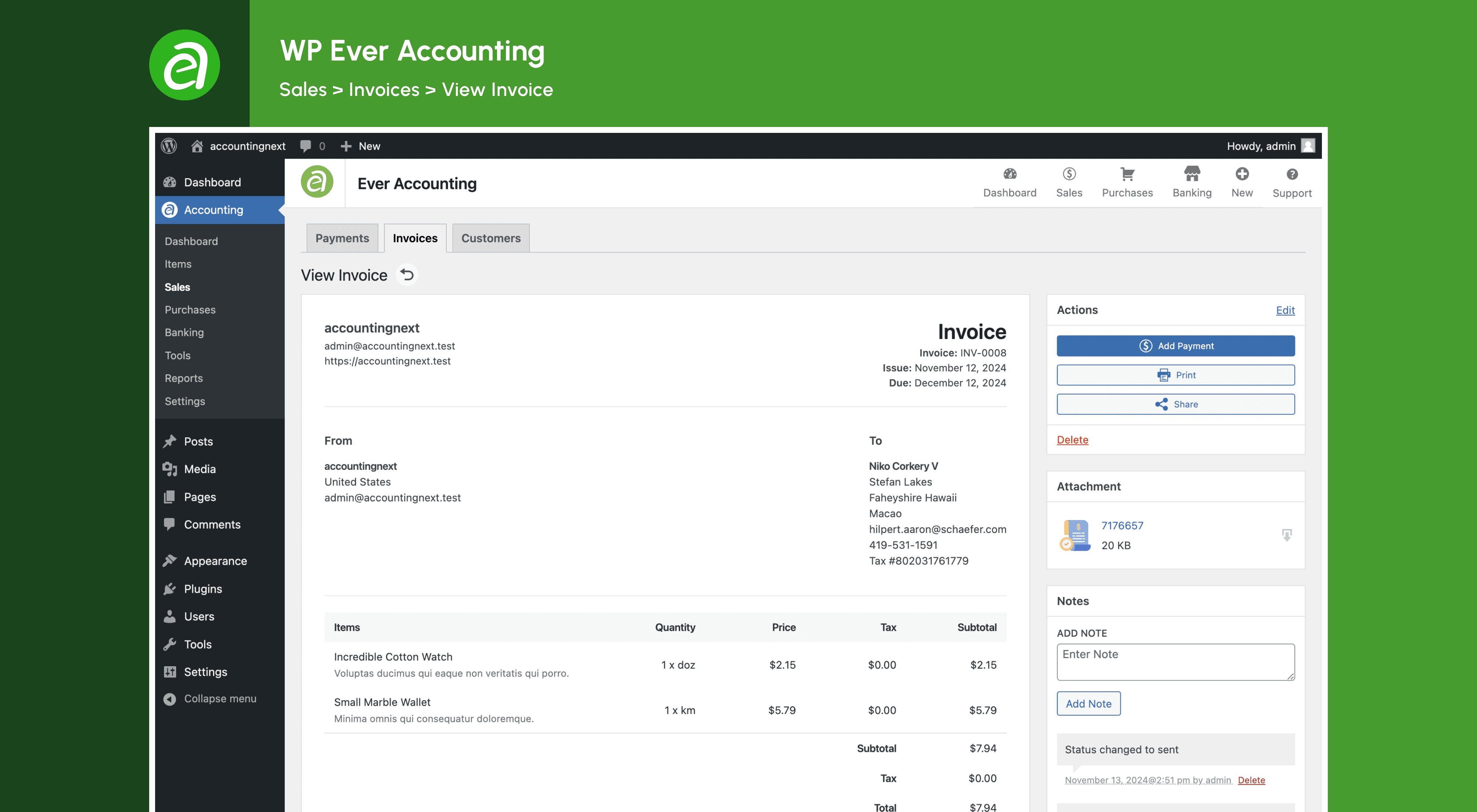
View Invoice: View detailed information about an invoice.
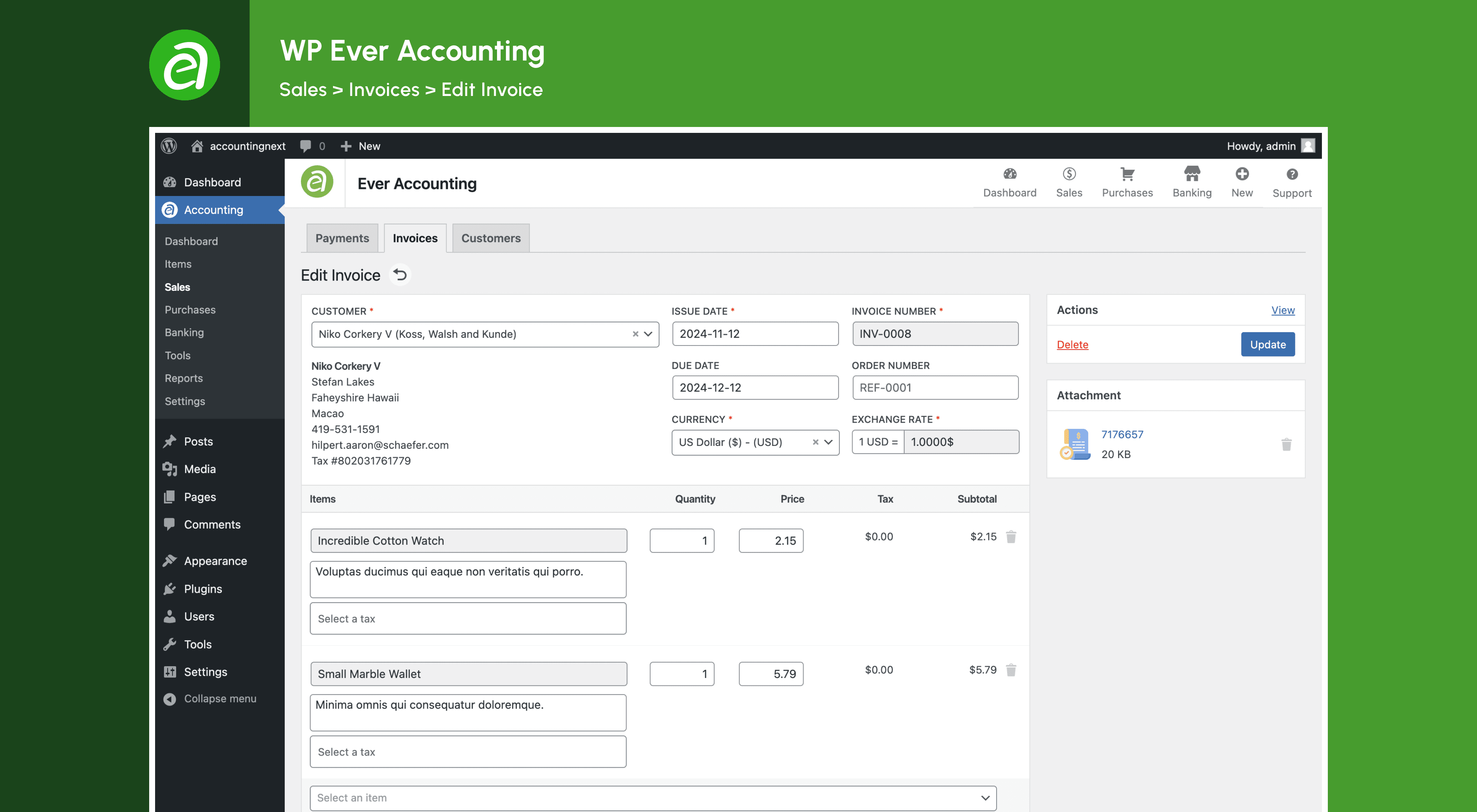
Add/Edit Invoice: Create or edit invoices with ease.
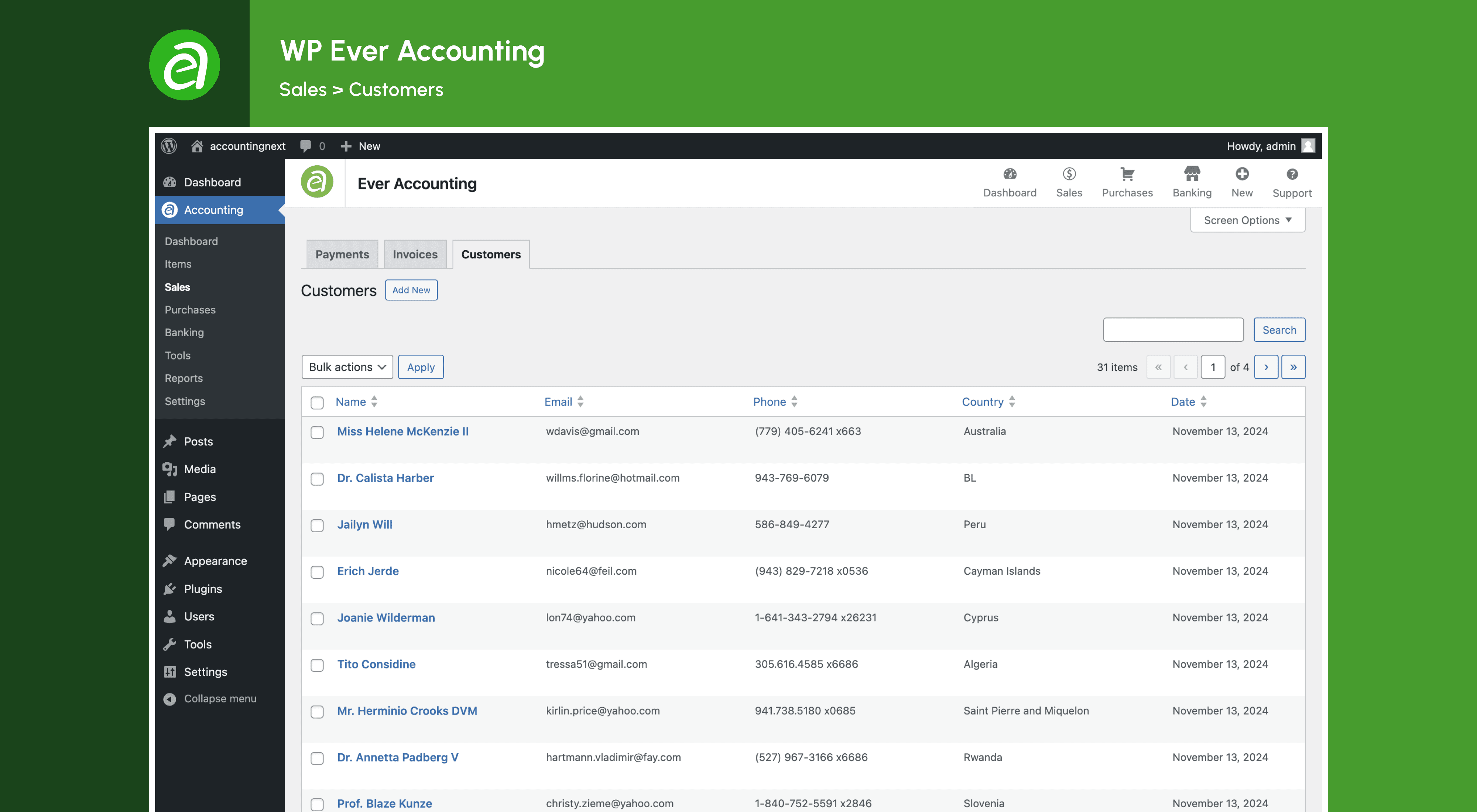
Customers: List of all customers.
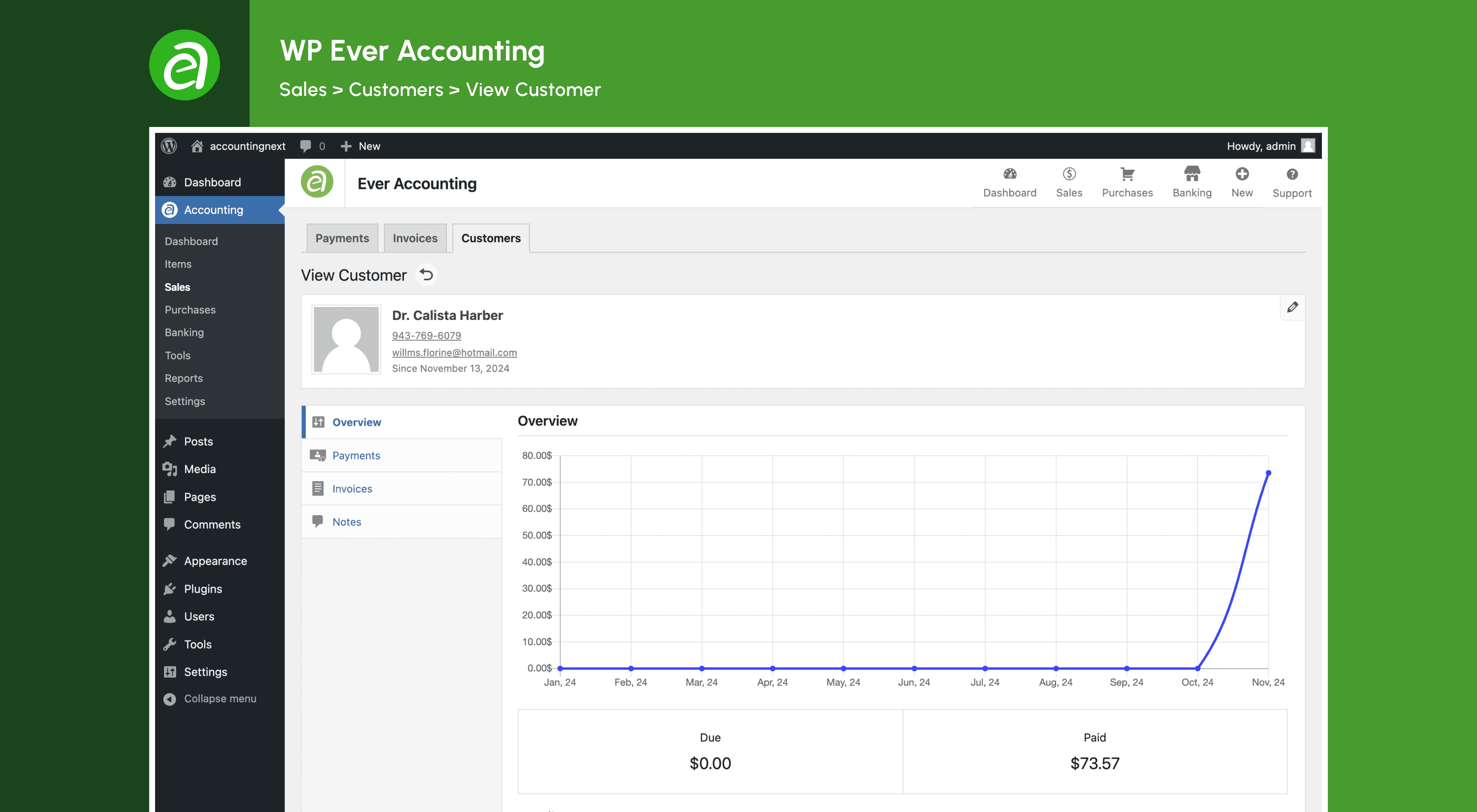
View Customer: View detailed information about a customer.
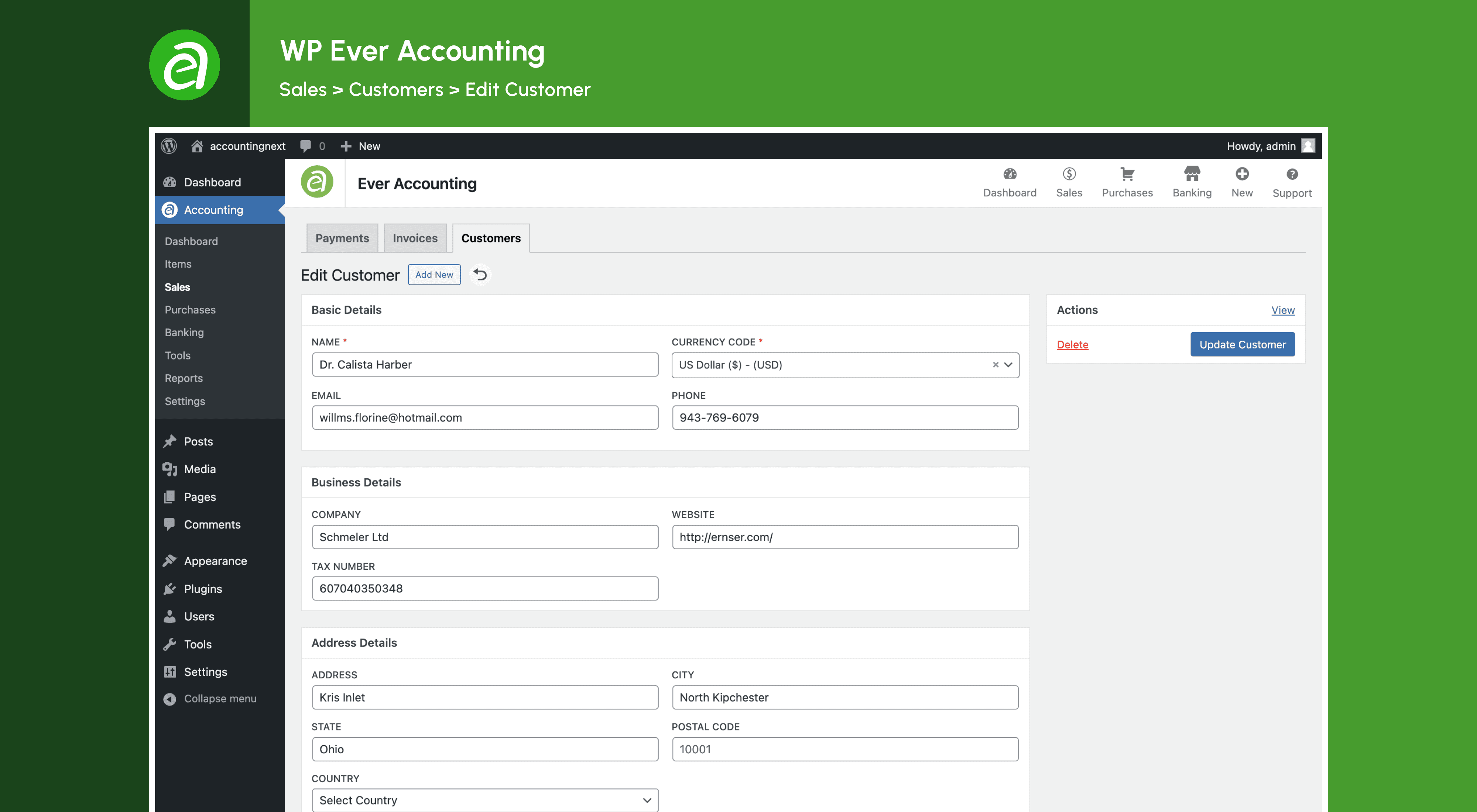
Add/Edit Customer: Create or edit customers with ease.
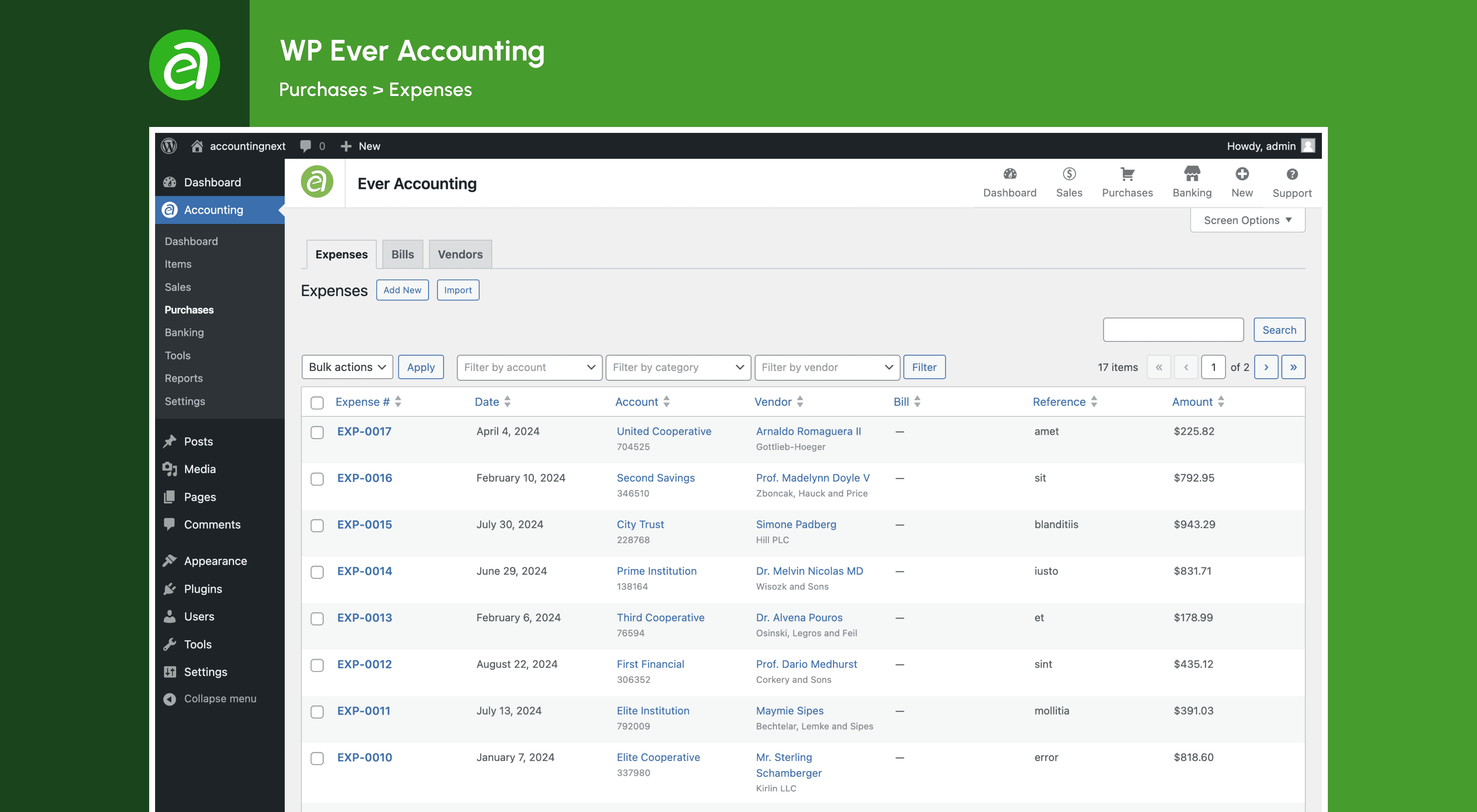
Expenses: List of all expenses.
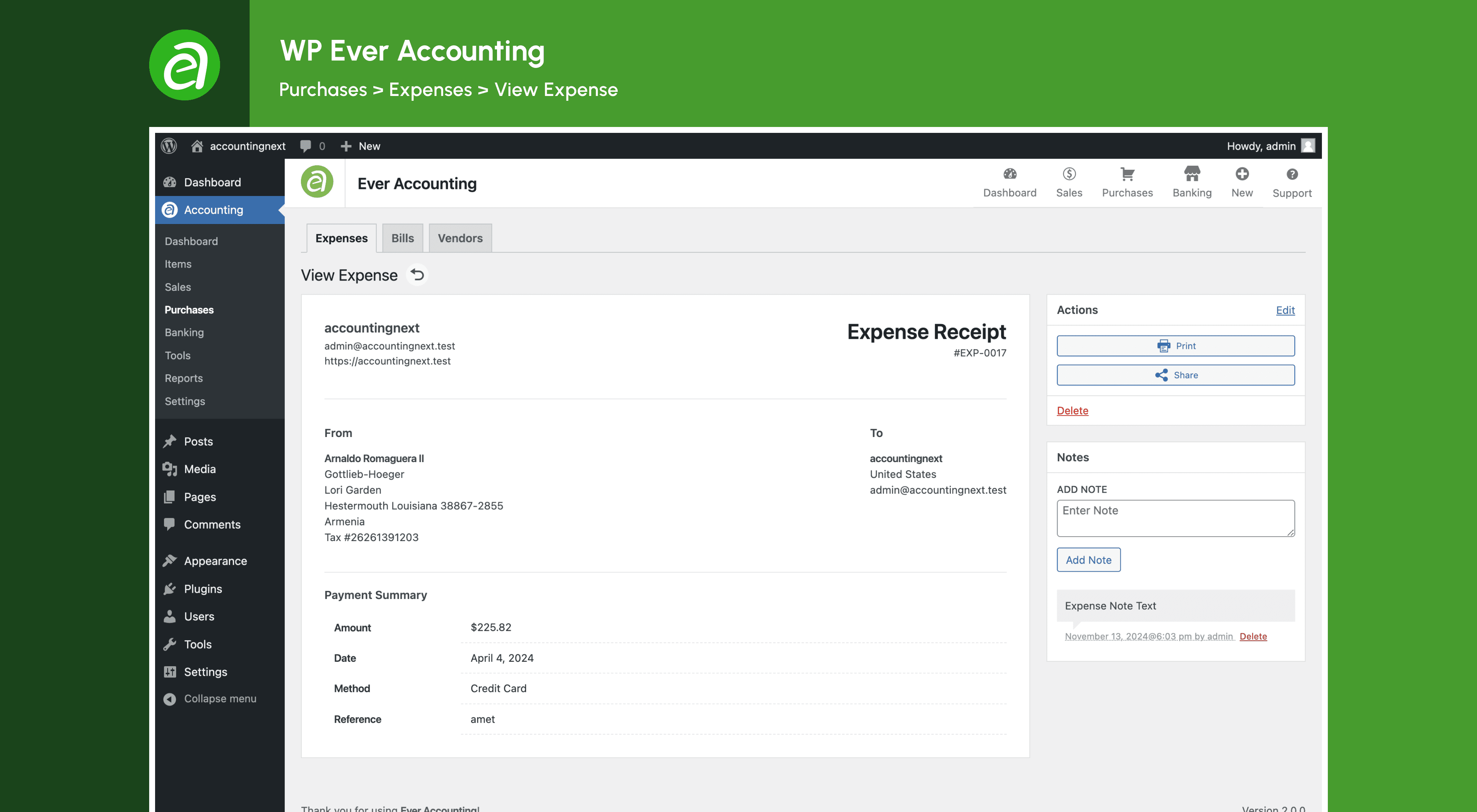
View Expense: View detailed information about an expense.
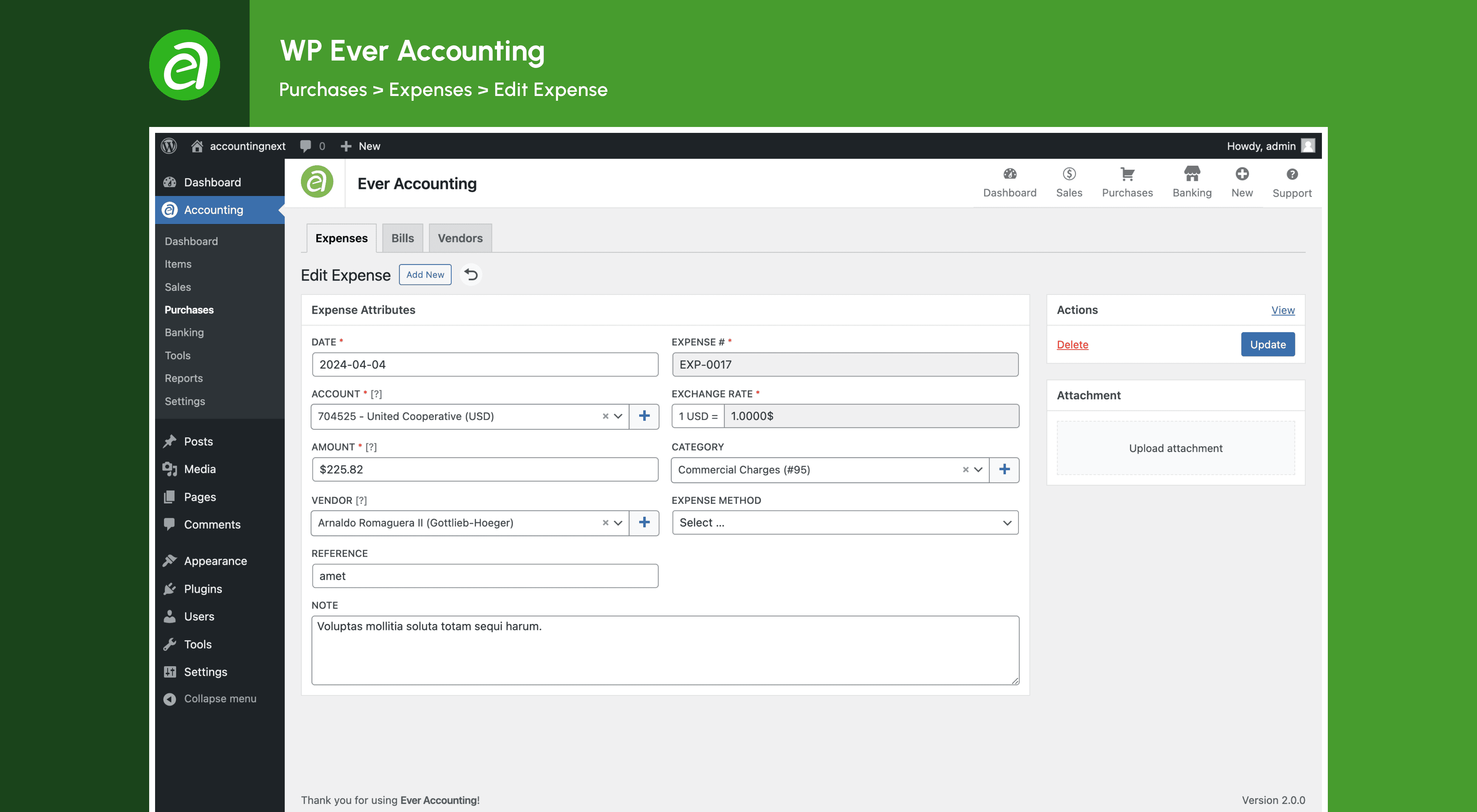
Add/Edit Expense: Add or edit expenses with ease.
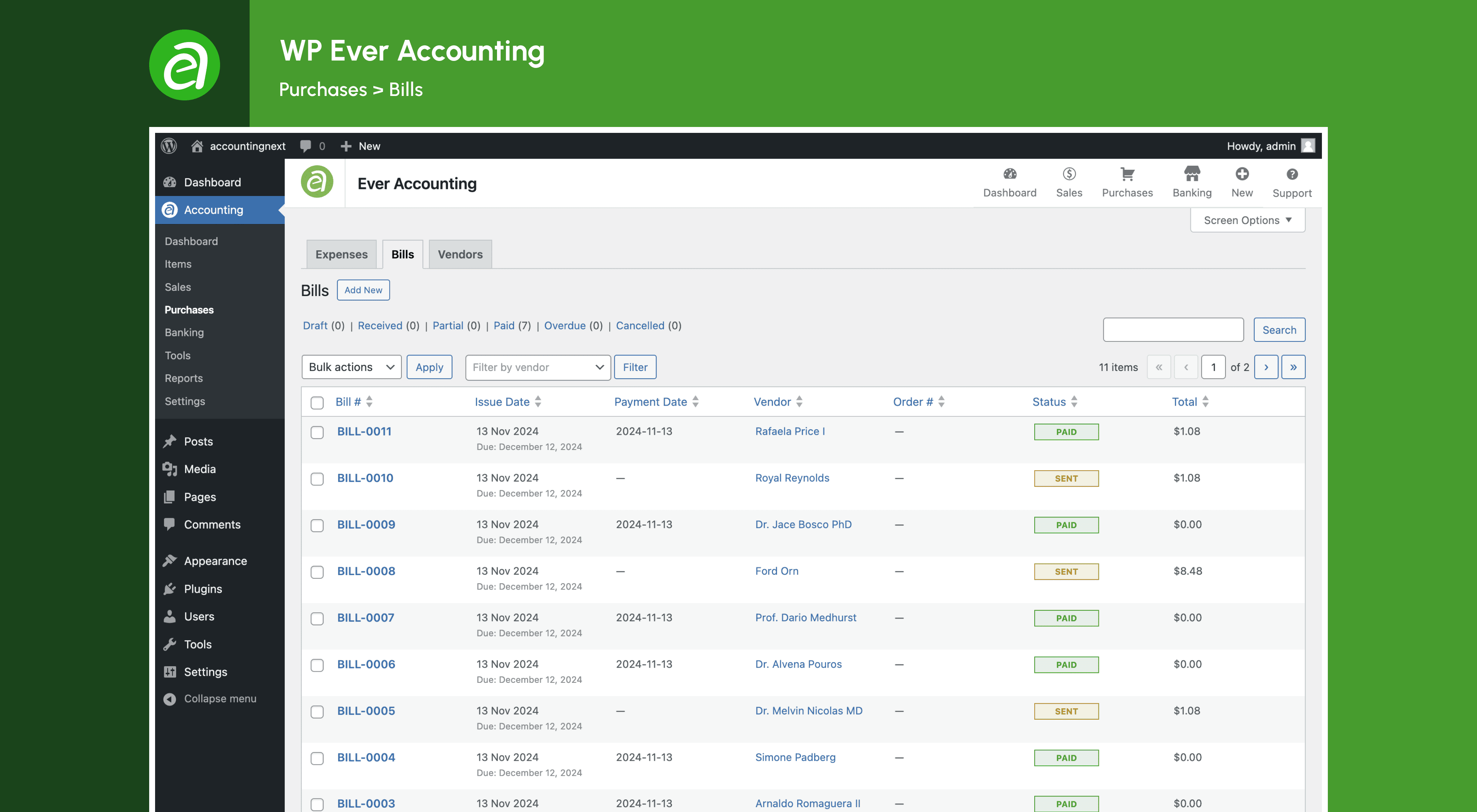
Bills: List of all bills.
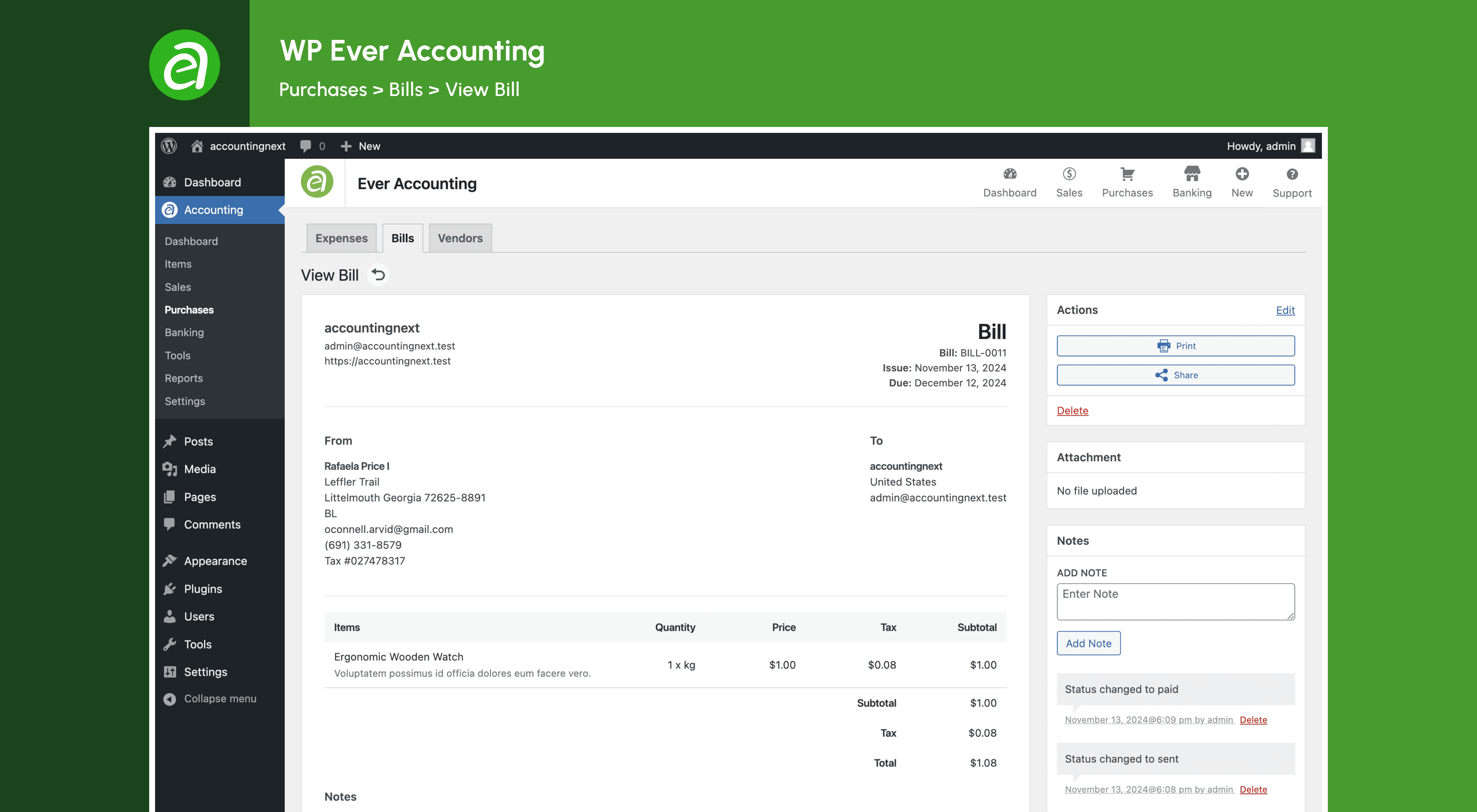
View Bill: View detailed information about a bill.
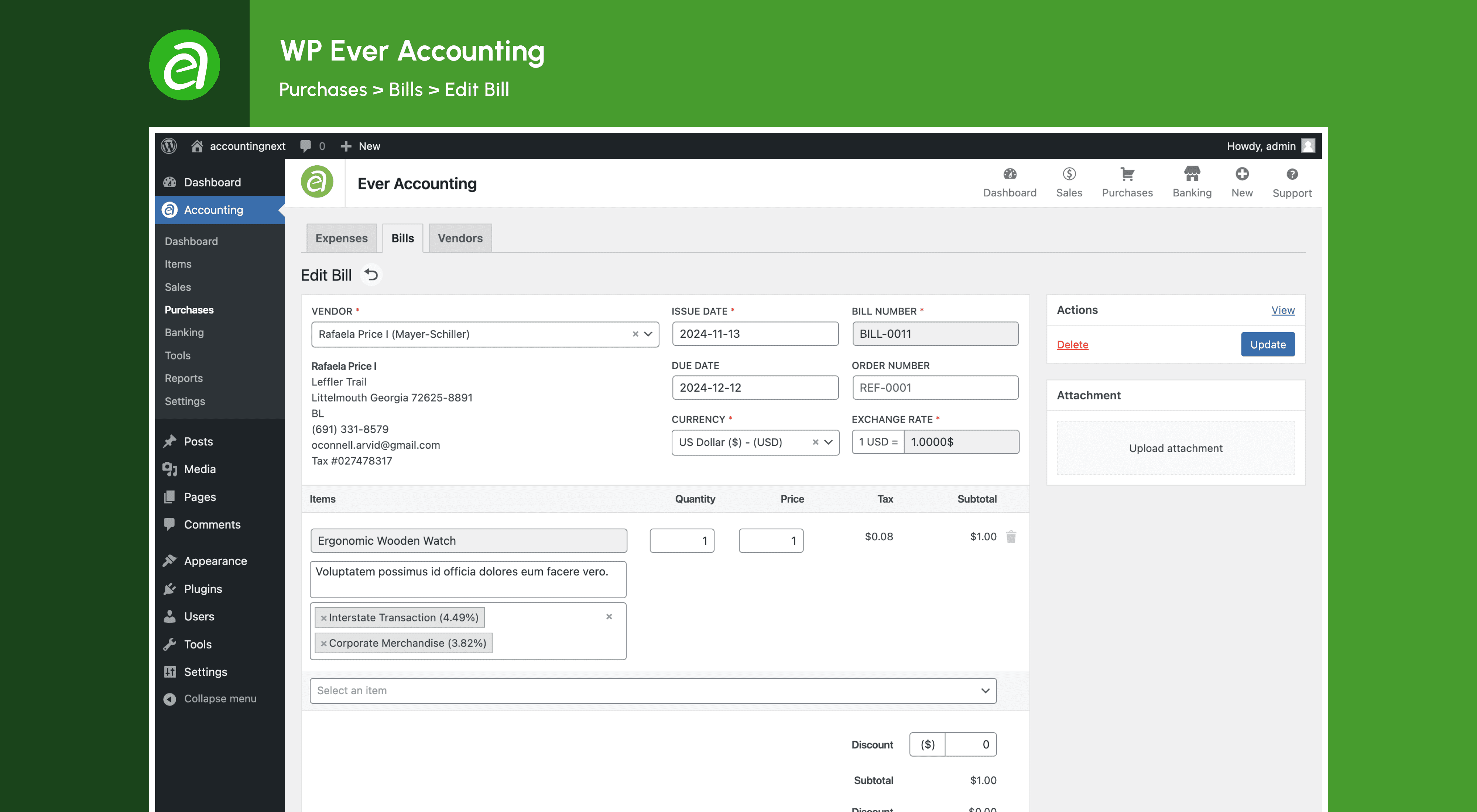
Add/Edit Bill: Add or edit bills with ease.
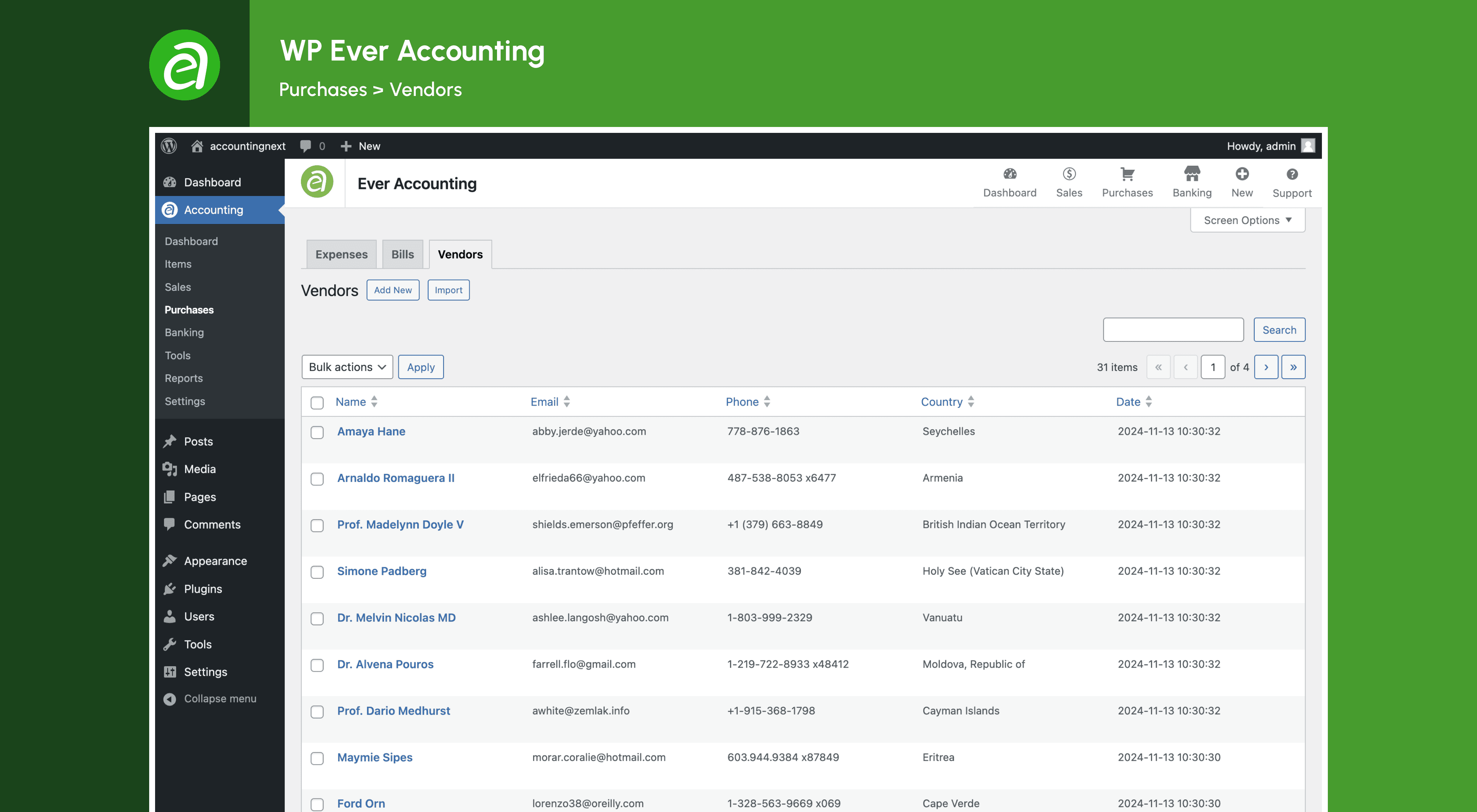
Vendors: List of all vendors.
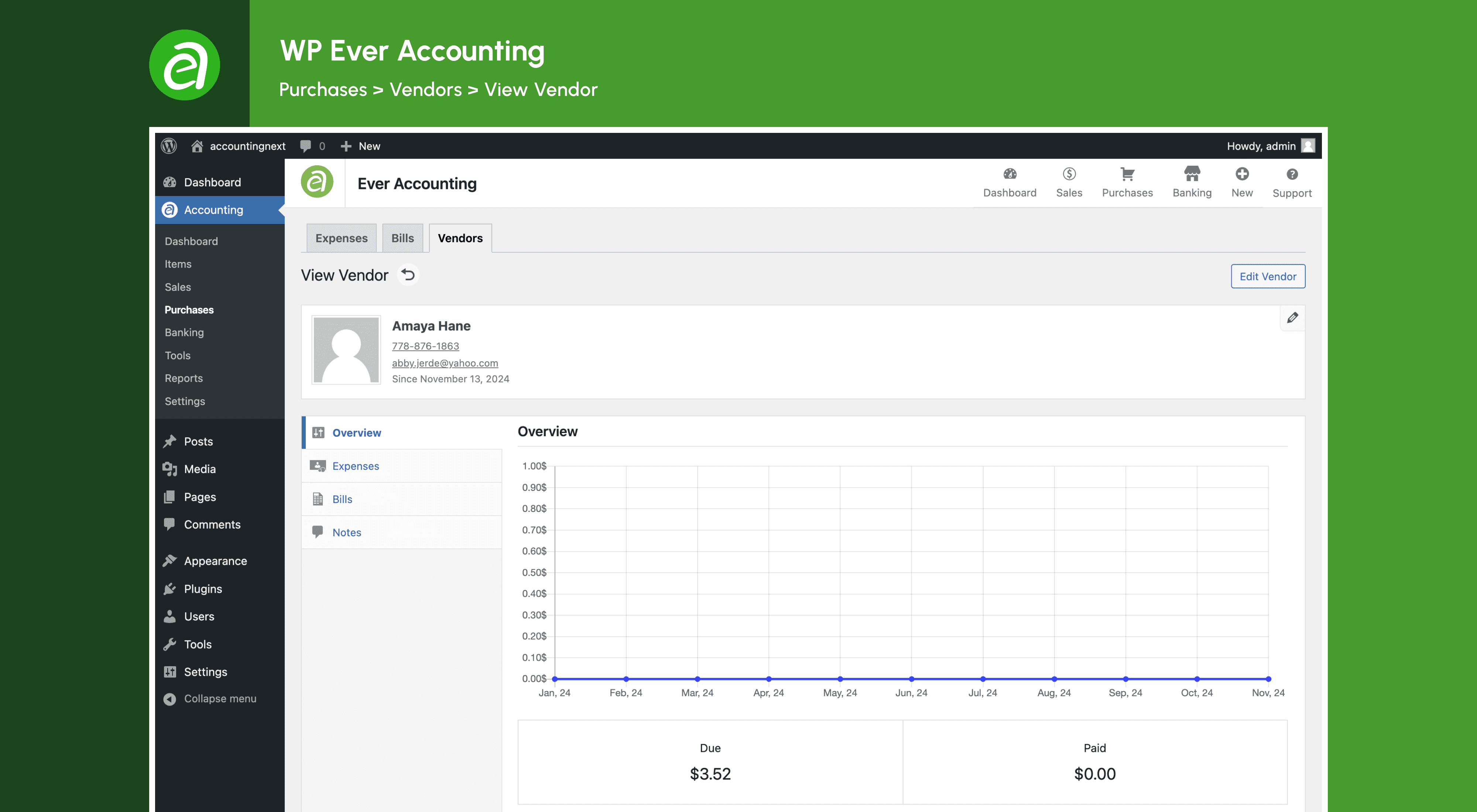
View Vendor: View detailed information about a vendor.
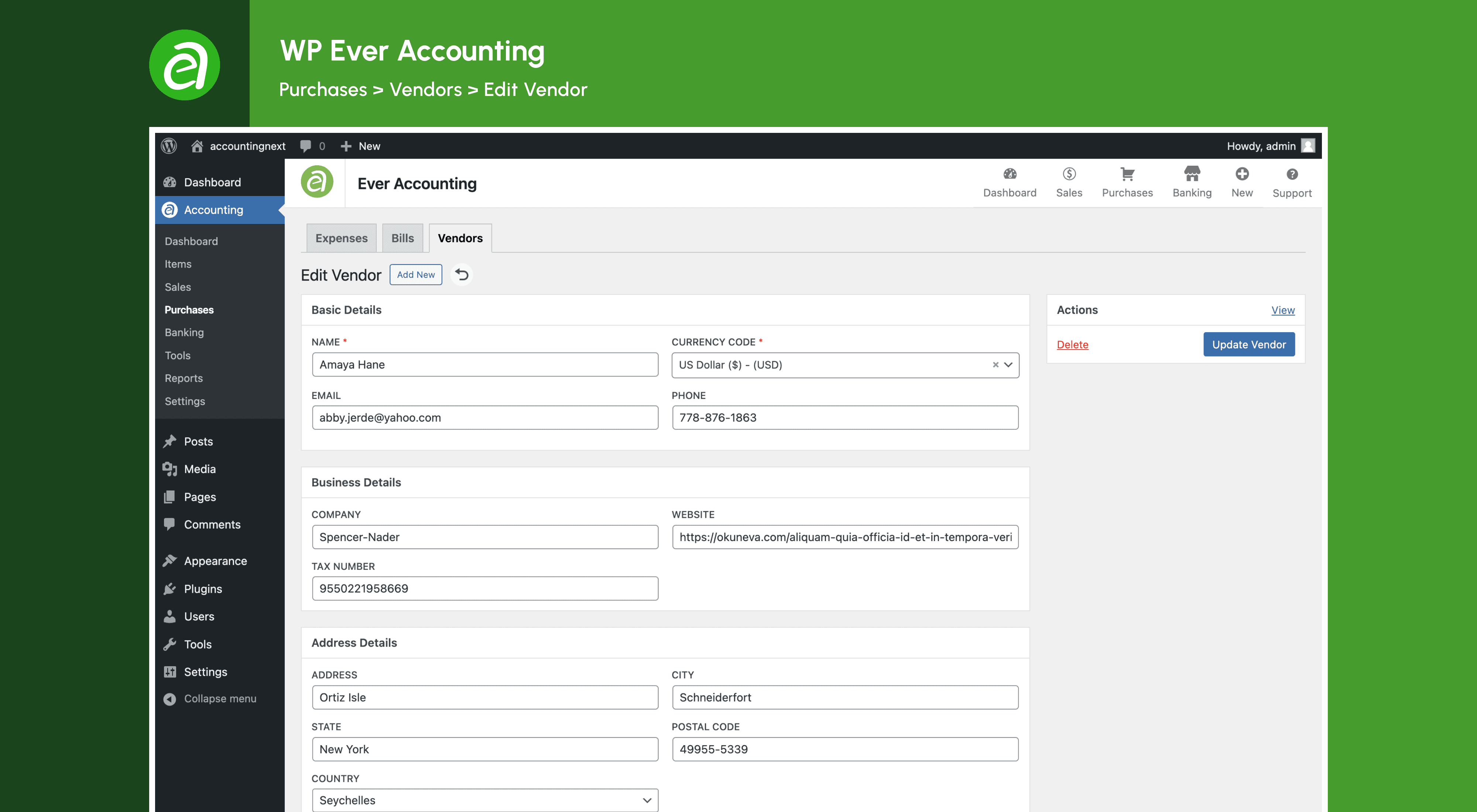
Add/Edit Vendor: Create or edit vendors with ease.
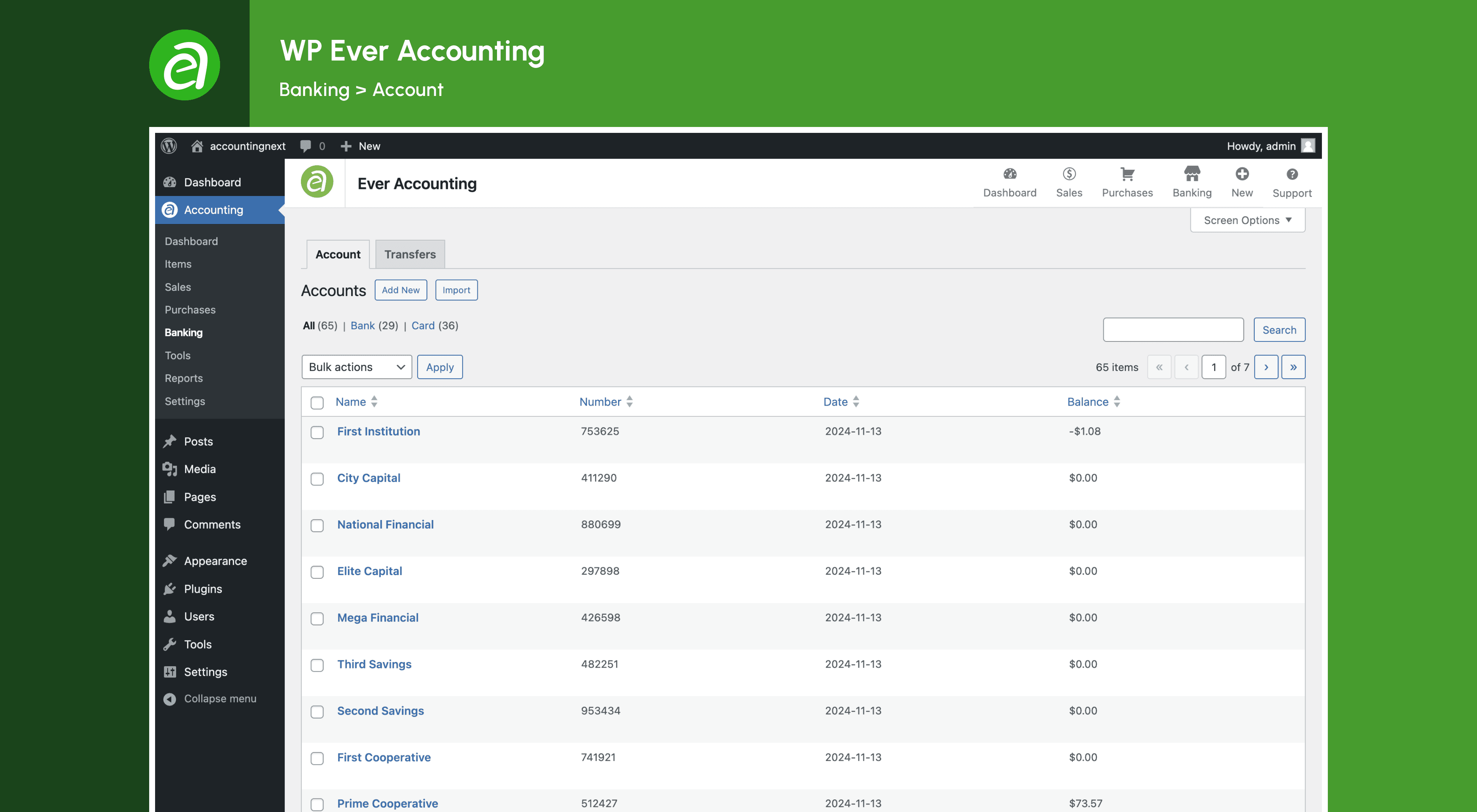
Accounts: List of all accounts.
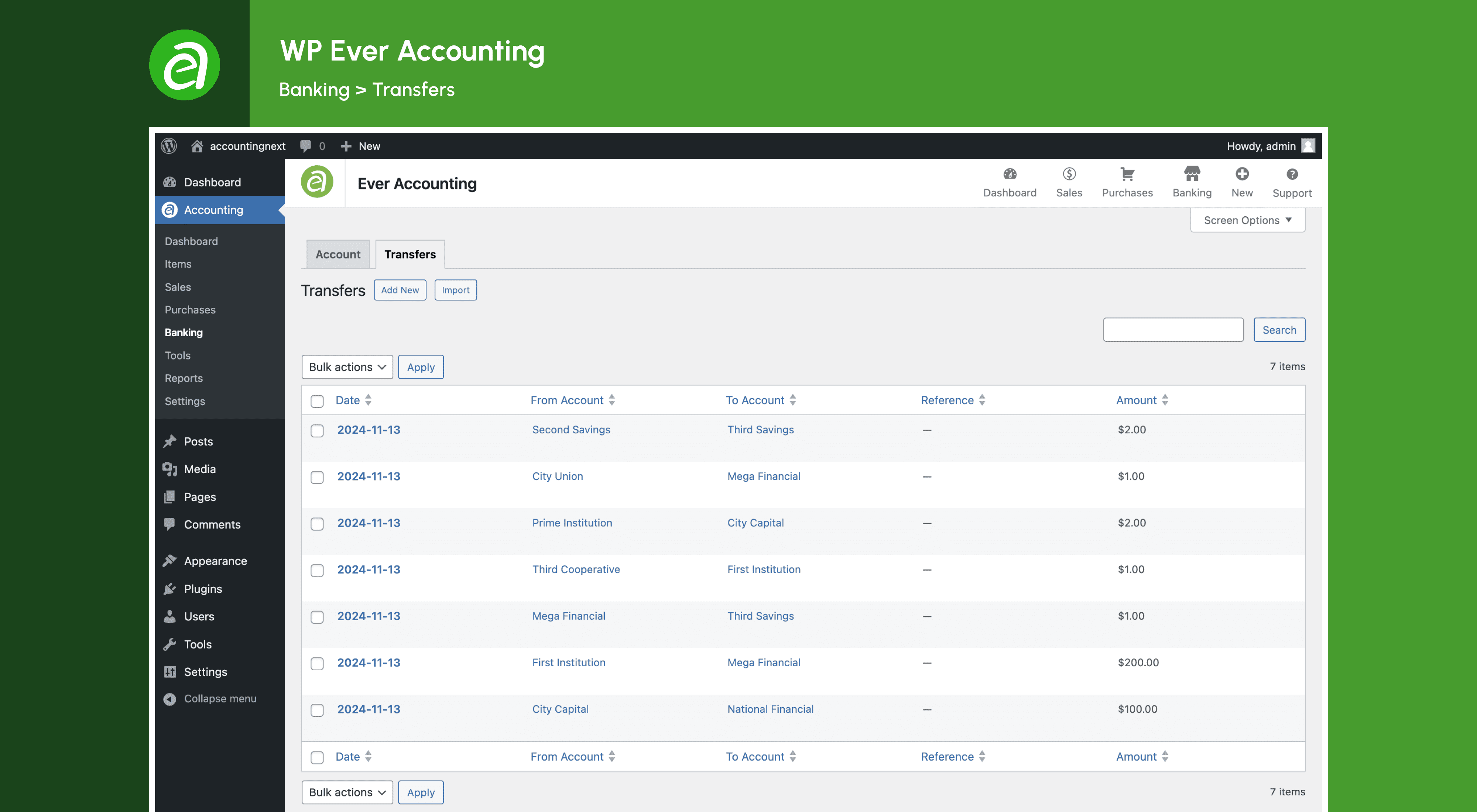
Transfer: Transfer funds between accounts.
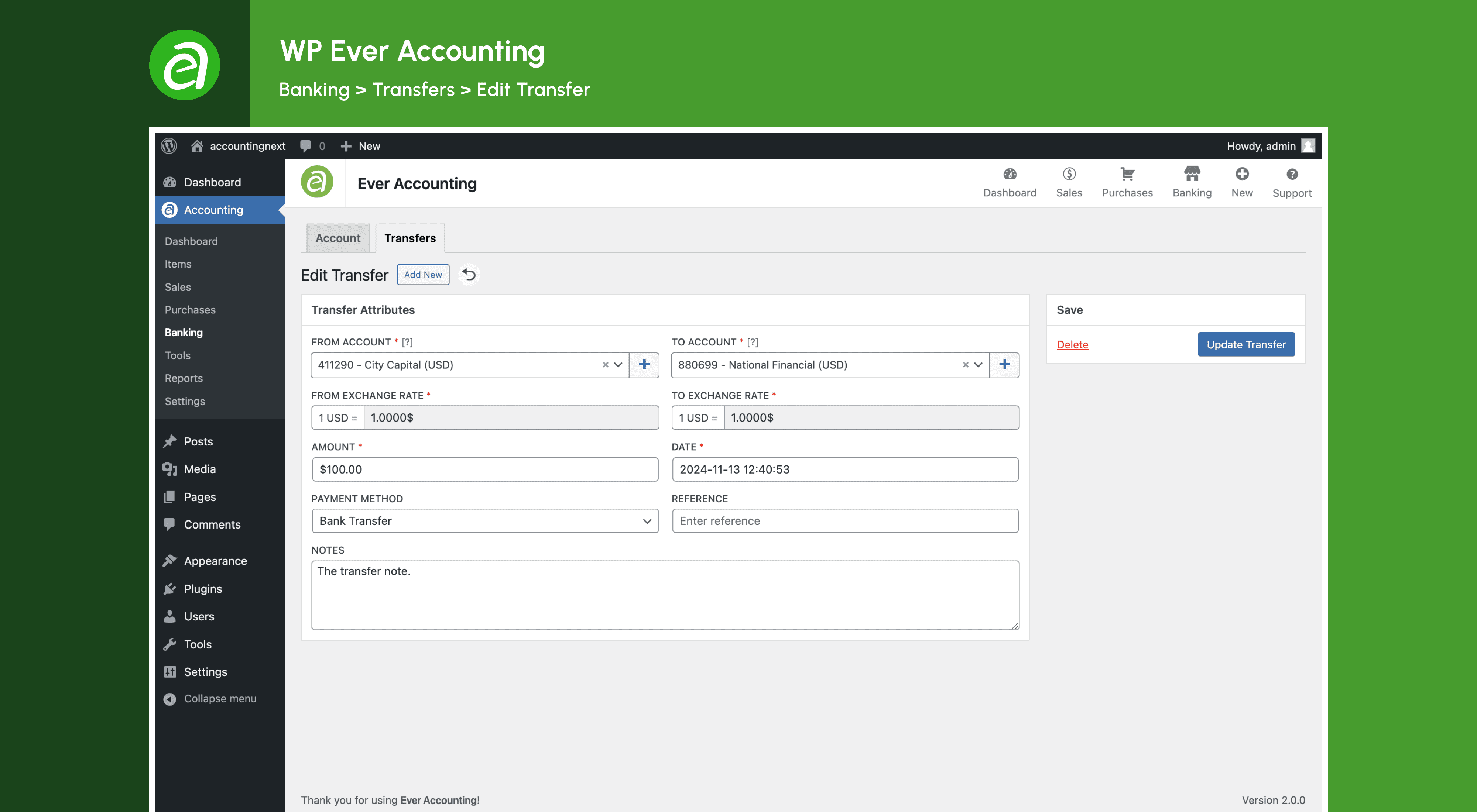
Add/Edit Transfer: Add or edit transfers with ease.
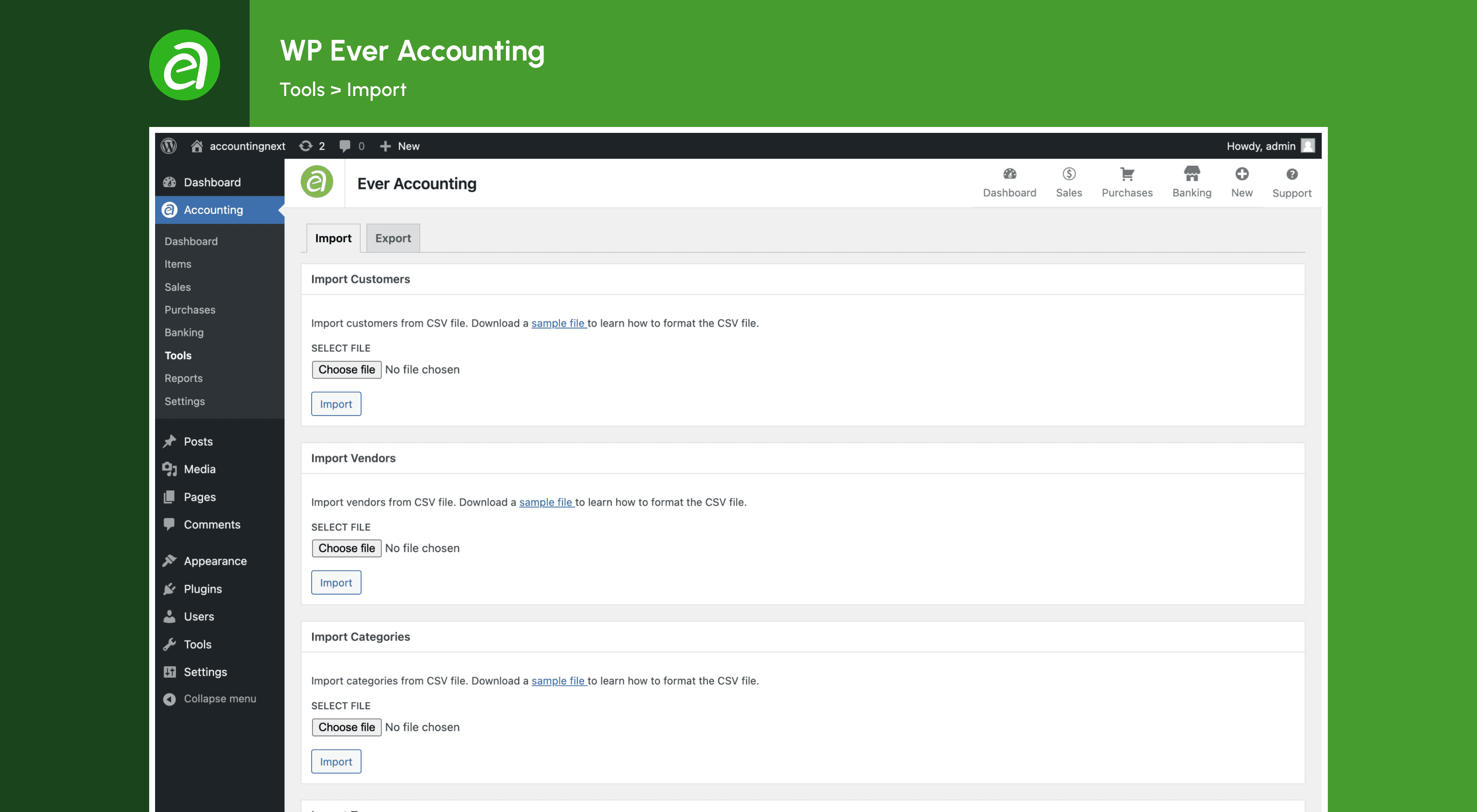
Import: Import data like customers, vendors, revenues, payments, accounts, and transactions.
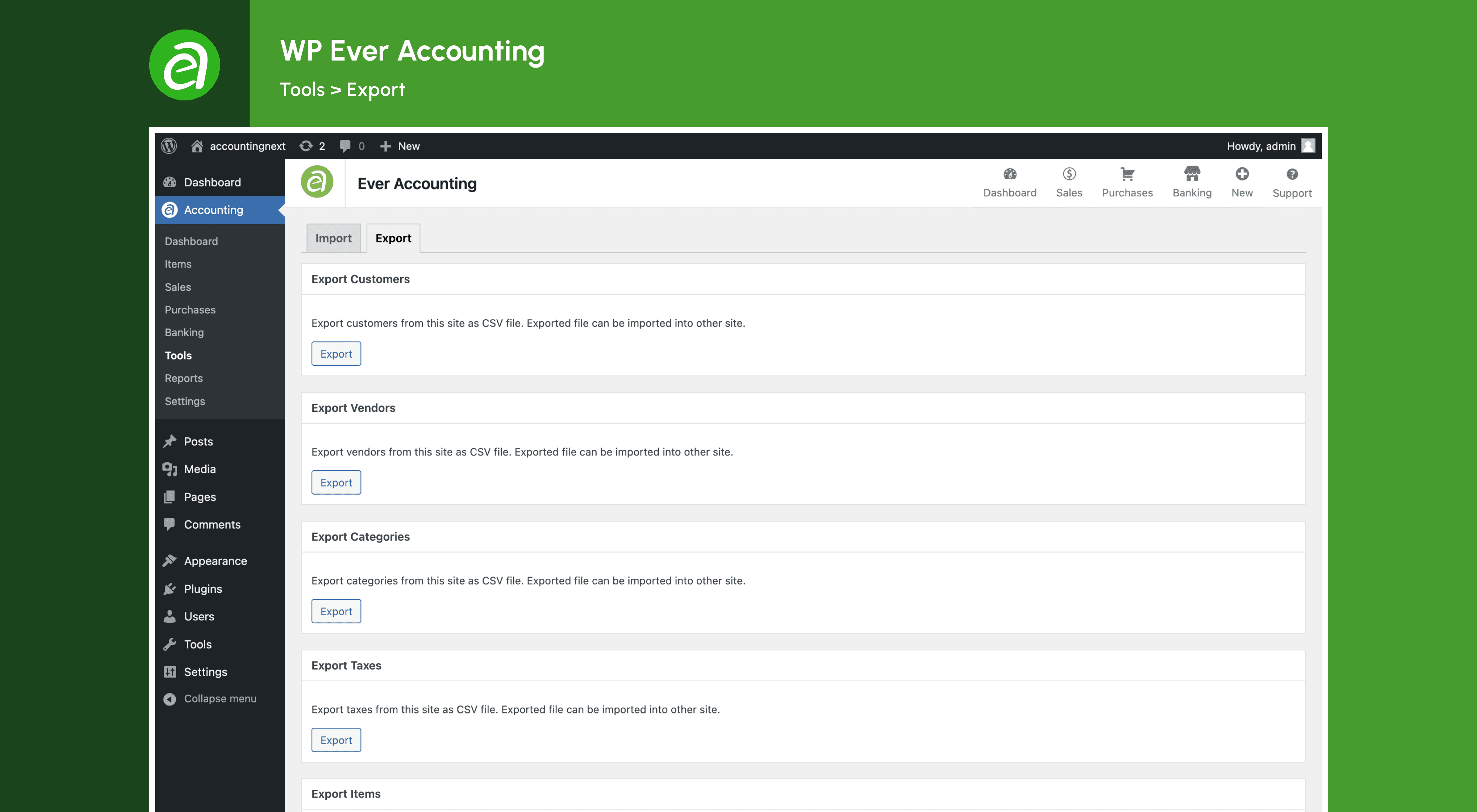
Export: Export data like customers, vendors, revenues, payments, accounts, and transactions.
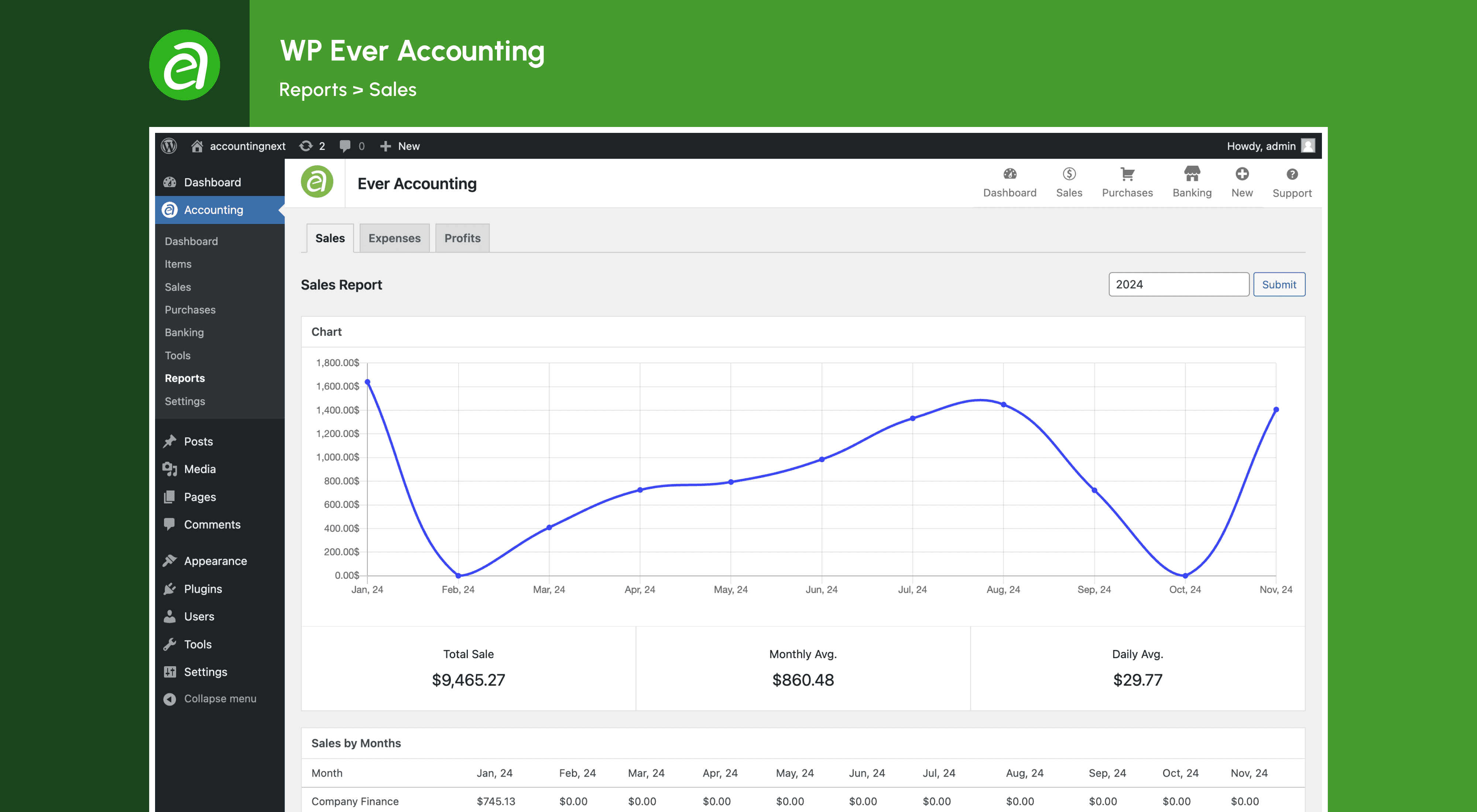
Sales Reports: View detailed sales reports.
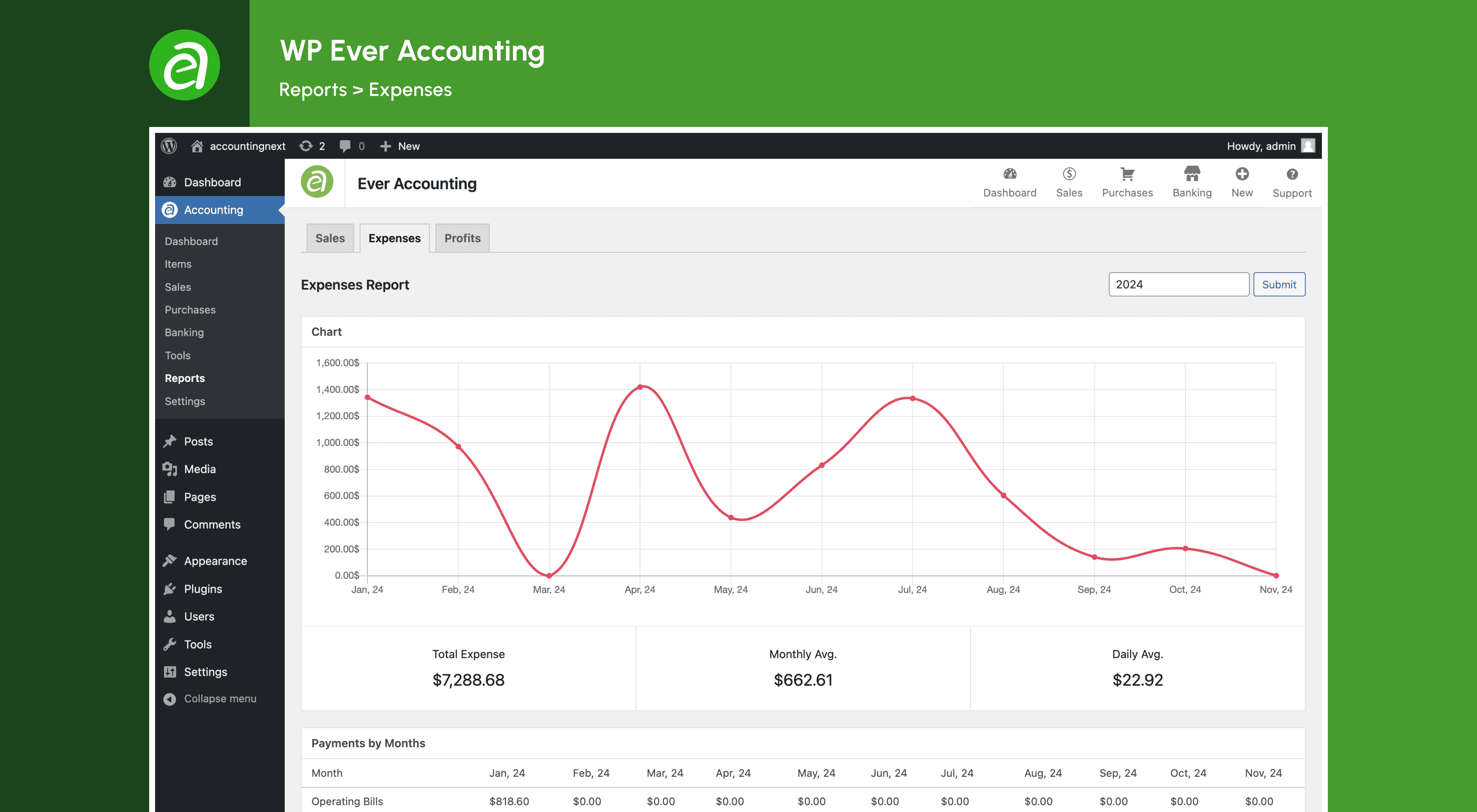
Expenses Reports: View detailed expenses reports.
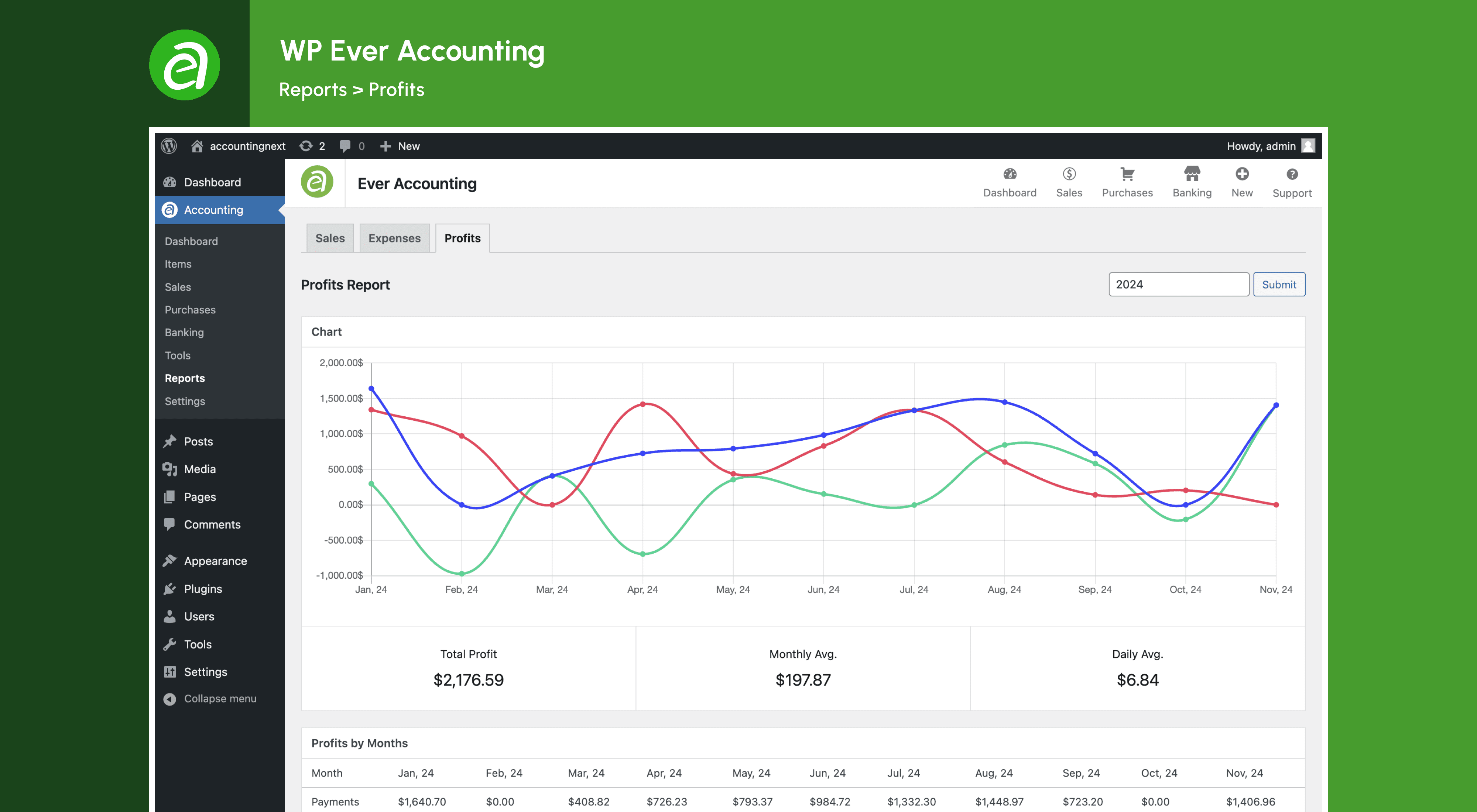
Profits Analysis: Analyze profits and losses.
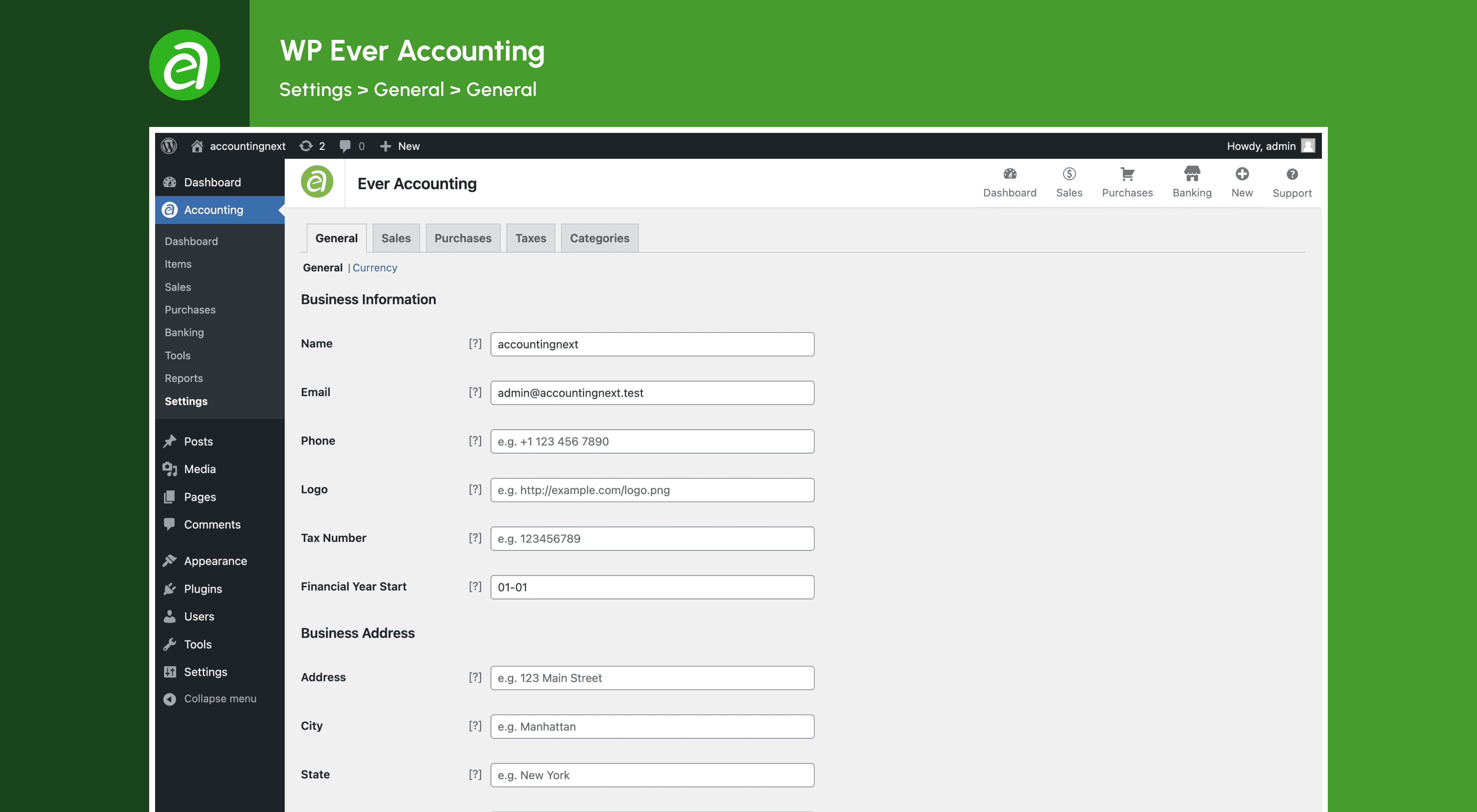
Settings: General settings.
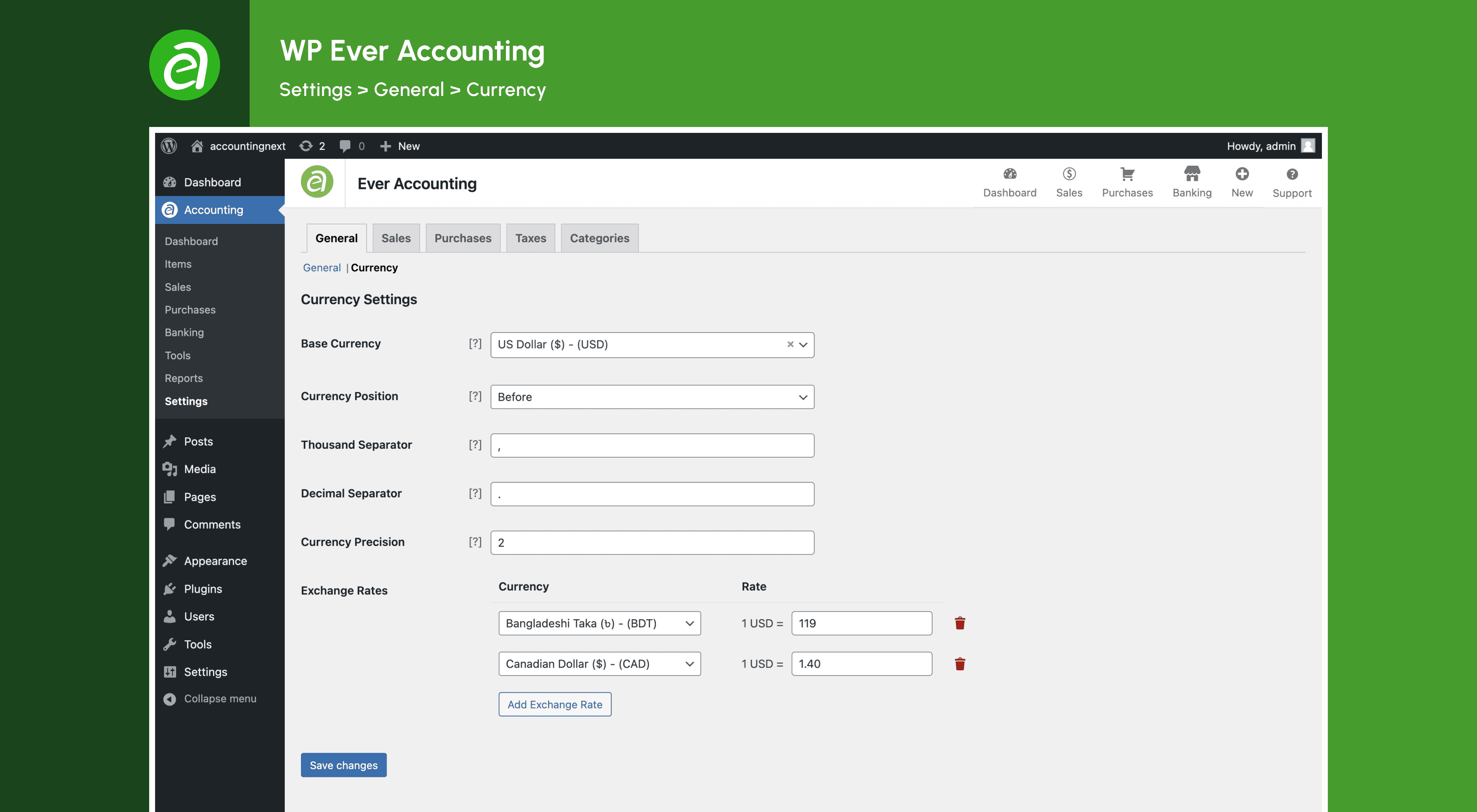
Settings: Currency settings.
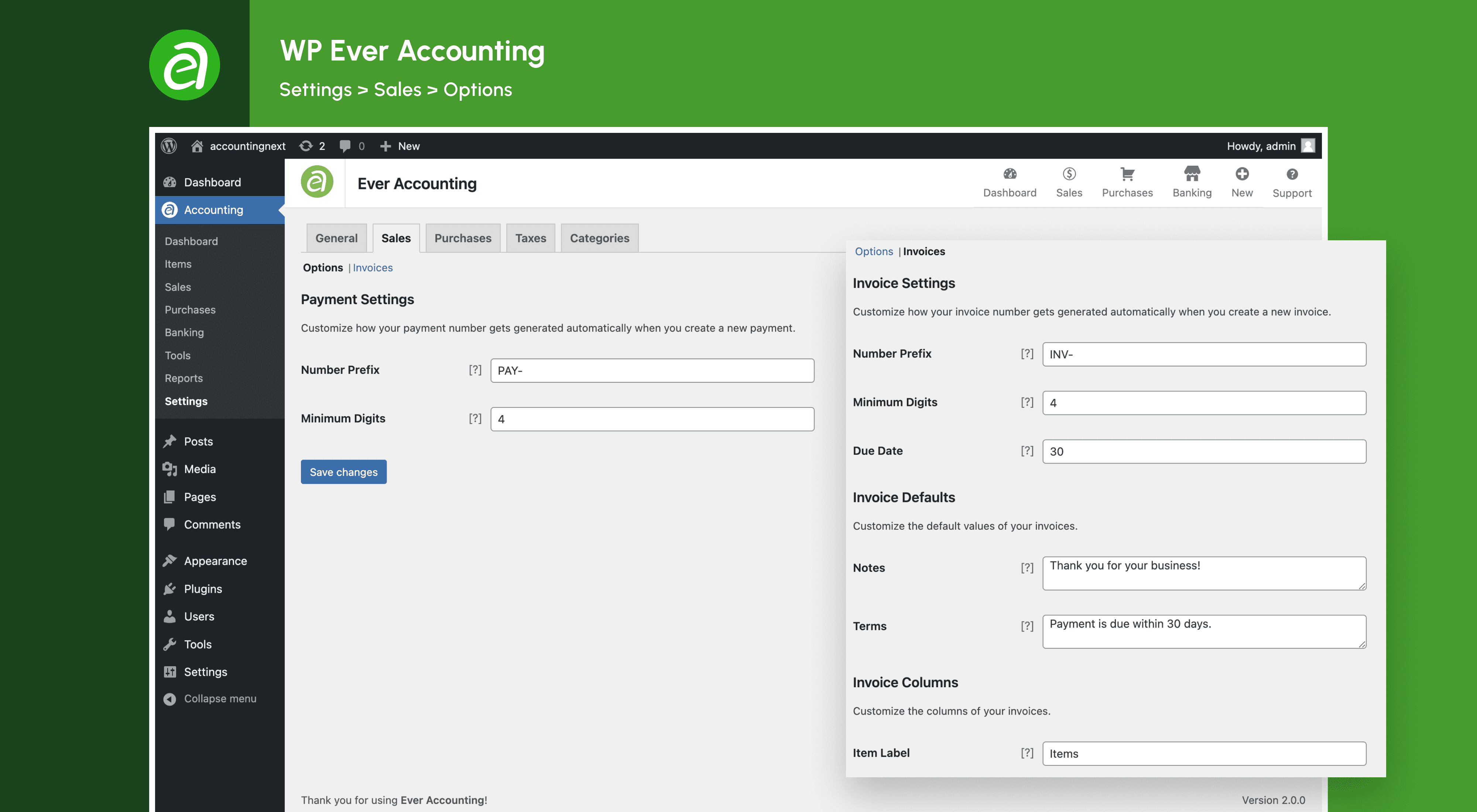
Settings: Sales and Invoices settings.
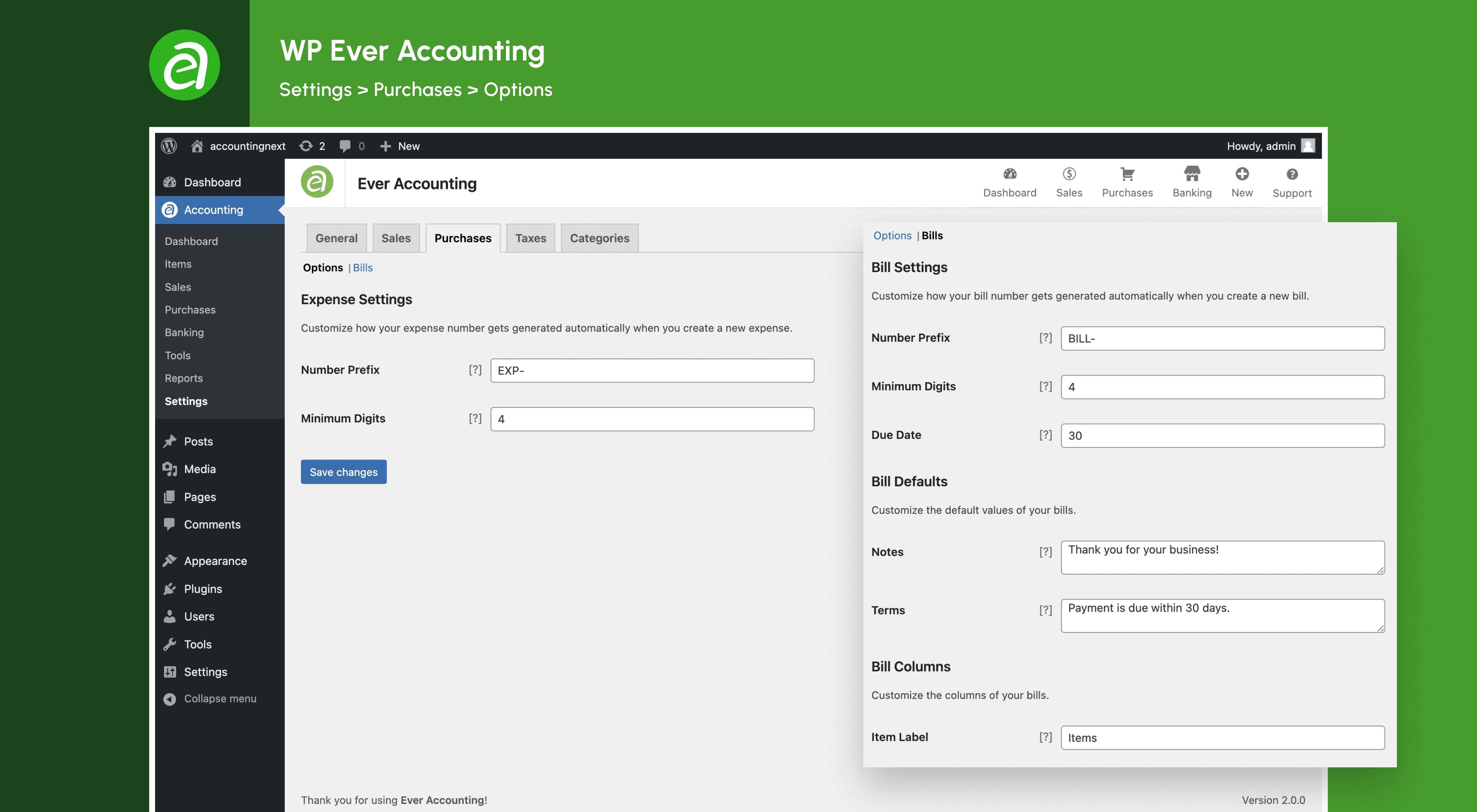
Settings: Purchase and Bills settings.
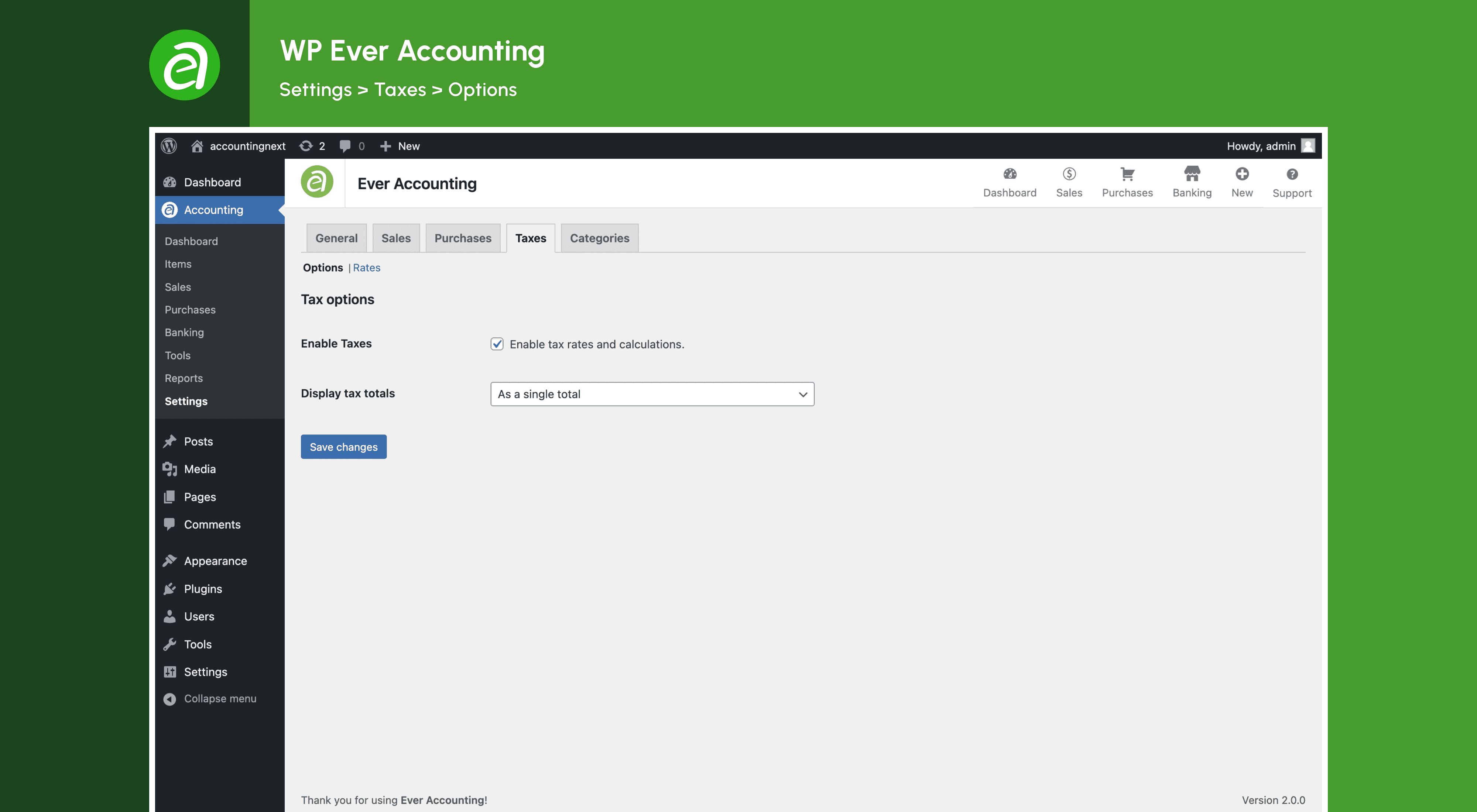
Settings: Taxes settings.
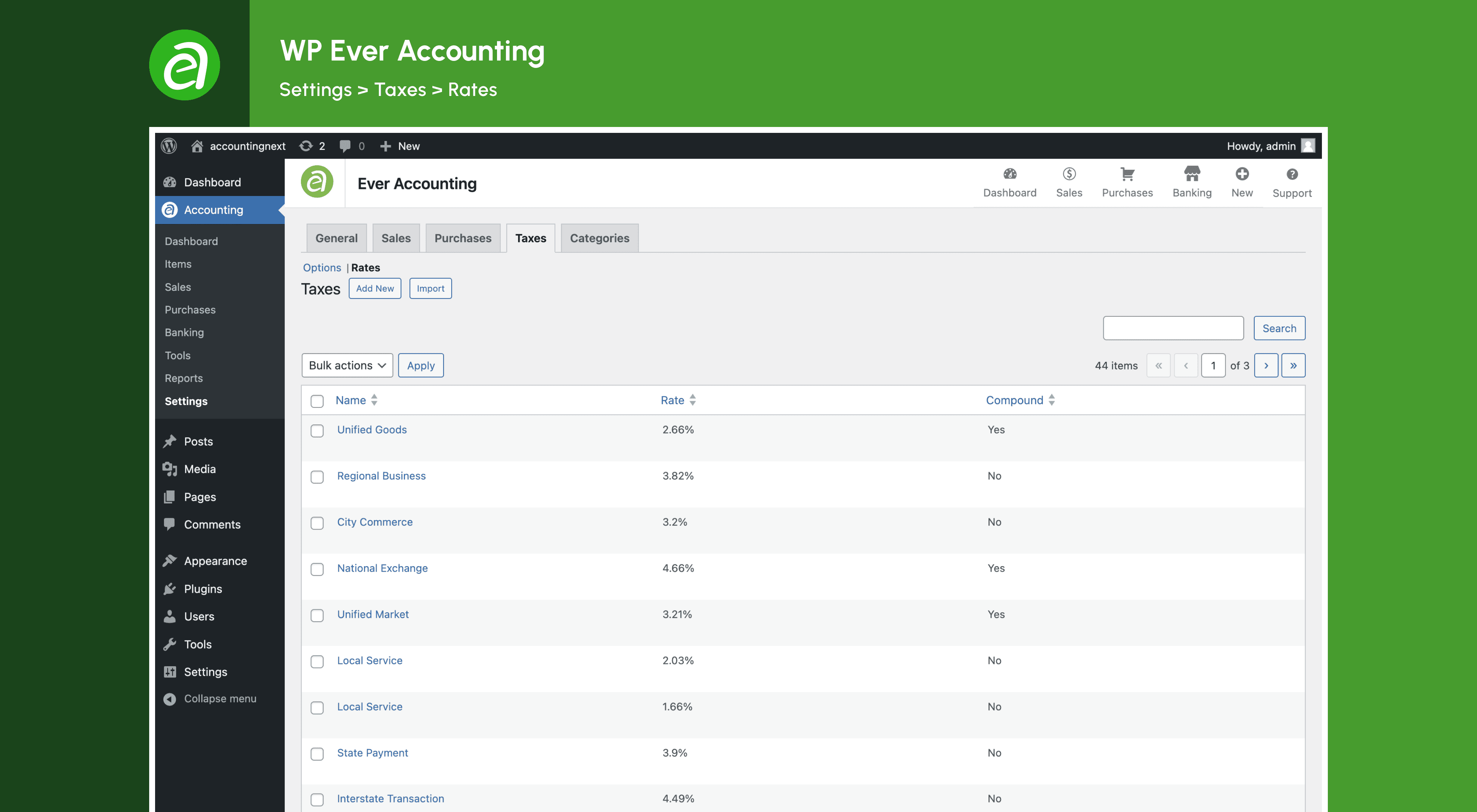
Settings: List of Tax Rates.
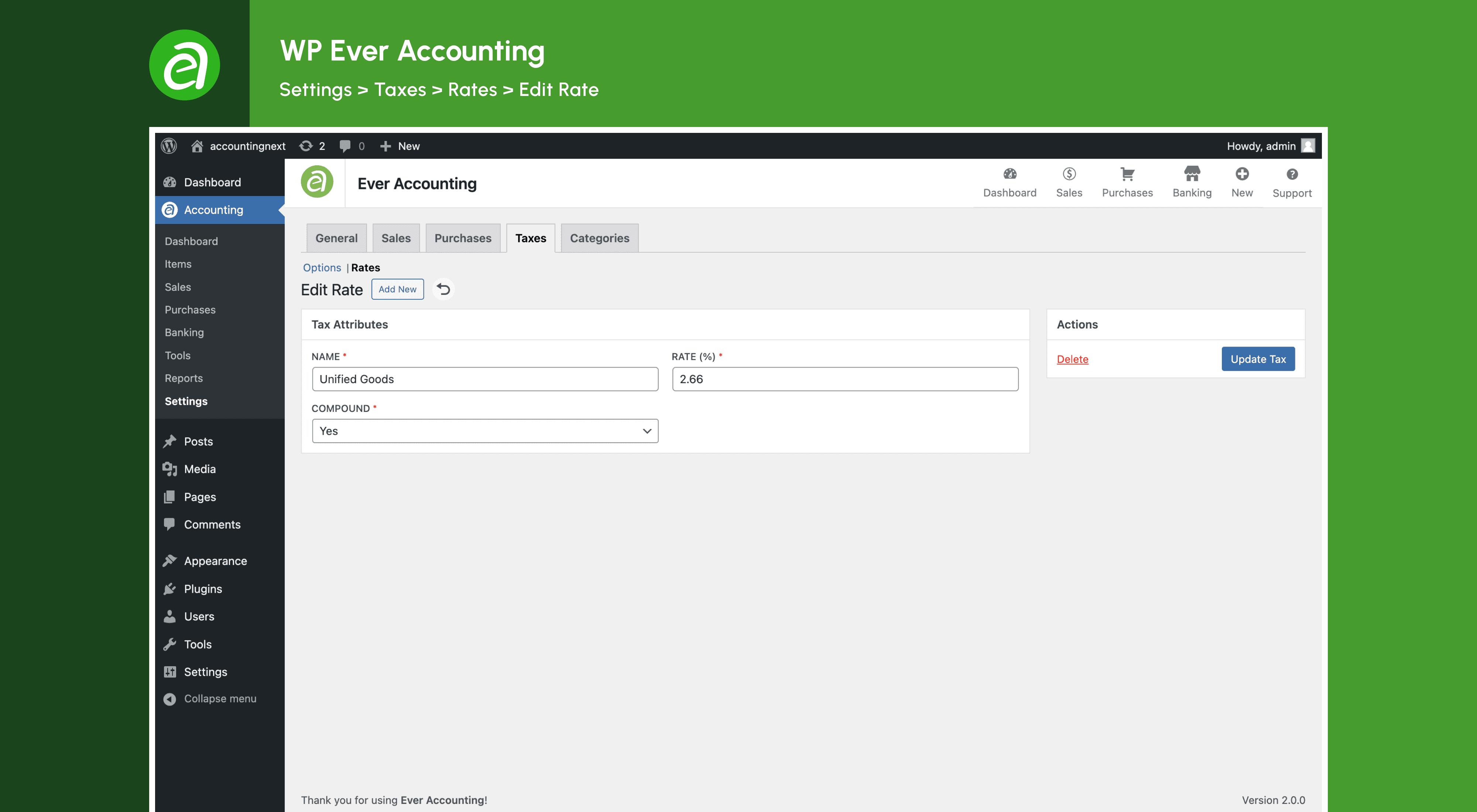
Settings: Add/Edit Tax Rate.

Settings: List of Categories.
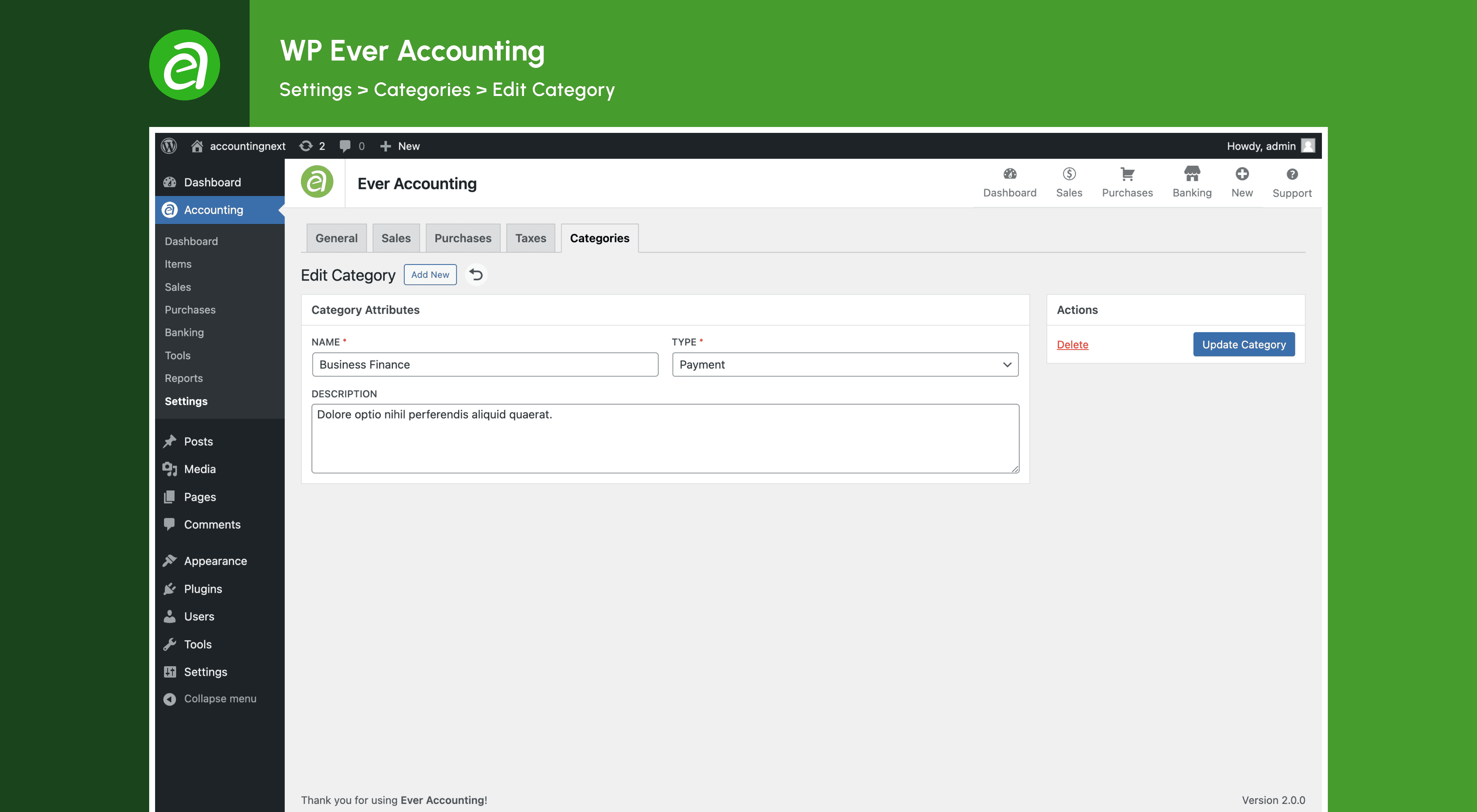
Settings: Add/Edit Category.
Faq
Ever Accounting is a powerful accounting plugin for WordPress. It helps you manage your finances, keep track of income and expenses, send professional invoices, and generate detailed reports.
Ever Accounting offers multi-currency support, detailed cash flow insights, professional invoicing, expense tracking, income tracking, billable expenses, vendor management, customer management, bank account management, deposits & transfers, transaction categorization, product & service management, powerful reporting, bulk import & export, and custom user roles.
Ever Accounting is ideal for small business owners, freelancers, startups, SMEs, accountants, entrepreneurs, WooCommerce store owners, service providers, consultants, agencies, nonprofits, bloggers, affiliate marketers, digital marketers, content creators, e-commerce store owners, and online business owners.
Once installed, Ever Accounting adds an Accounting menu to your WordPress dashboard. From here, access essential submenus such as Dashboard, Items, Transactions, Contacts, Payments, Revenues, Accounts, Transfers, Categories, and Settings. Each section provides powerful tools and data to keep your finances organized.
To install Ever Accounting, upload the plugin files to the /wp-content/plugins/wp-ever-accounting directory, or install the plugin through the WordPress plugins screen directly. Activate the plugin through the ‘Plugins’ menu in WordPress and navigate to WordPress Admin Dashboard > Accounting to start using the plugin.
To configure Ever Accounting, navigate to the WordPress Admin Dashboard > Accounting and access the Settings section. Here, you can customize the plugin settings to suit your business needs.
Yes, Ever Accounting offers multi-currency support. You can track income and expenses in multiple currencies and let the plugin convert them into your base currency automatically.
Yes, Ever Accounting allows you to generate, print, and share professional invoices, including tax and discount options, in your clients’ currency. You can also create and manage bills for accurate financial records.
Yes, Ever Accounting allows you to keep accurate records of business expenses in any currency and record all income transactions to monitor payments. You can also group transactions into categories for quick insights.
Yes, Ever Accounting allows you to organize essential information about your business contacts, including vendors and customers. You can store details such as name, address, email, phone number, and more to keep track of interactions and transactions. You can also create customers to assign revenues and filter transactions made with them.
Yes, Ever Accounting allows you to manage unlimited bank and cash accounts with ease. You can track opening and current balances, deposits, and transfers across multiple accounts. You can use any currency, and the plugin will handle the currency conversion automatically.
Yes, Ever Accounting allows you to add deposits and make transfers across accounts to keep finances organized. The transferred amount will automatically adjust to the account currency.
Yes, Ever Accounting allows you to generate detailed financial reports that give you a clear view of your business performance. You can create smart financial reports and budgets to understand and track what matters most.
Yes, Ever Accounting allows you to quickly import data like customers, vendors, revenues, payments, accounts, and transactions to/from other systems. You can also export most of your accounting records like customers, vendors, revenues, payments, and accounts in CSV format for analysis or to import later.
Yes, Ever Accounting allows you to assign user roles like ‘Accounting Manager’ and ‘Accountant’ with controlled permissions to enhance security. You can control permissions to protect and simplify your management experience.
Yes, Ever Accounting is an open-source project and hosted in your space. You can be sure that your data is safe and nobody can misuse it. Open-source software provides you full privacy.
Yes, Ever Accounting is compatible with WooCommerce. You can track your store’s income and expenses with ease and generate detailed reports. However, you need to install the WooCommerce compatibility extension.
Yes, Ever Accounting is compatible with other WordPress plugins. You can use it with any WordPress plugin to enhance your business operations.
Yes, Ever Accounting is compatible with other WordPress themes. You can use it with any WordPress theme to manage your finances effectively.
Yes, you can use Ever Accounting for your business. The plugin is designed to help small business owners, freelancers, startups, SMEs, accountants, entrepreneurs, WooCommerce store owners, service providers, consultants, agencies, nonprofits, bloggers, affiliate marketers, digital marketers, content creators, e-commerce store owners, and online business owners manage their finances effectively.
Yes, you can use Ever Accounting for your clients. The plugin is ideal for accountants, agencies, consultants, and service providers who manage finances for multiple clients. You can create separate accounts for each client and manage their finances securely.
No, Ever Accounting is designed for single-site use. If you have multiple businesses, you will need to install the plugin on each site separately. You can manage finances for each business independently and keep track of income and expenses effectively.
Yes, you can use Ever Accounting for personal use. The plugin is suitable for individuals who want to manage their finances effectively and keep track of income and expenses. You can use it to create invoices, track expenses, generate reports, and monitor cash flow for personal finances.
Yes, you can use Ever Accounting for non-profit organizations. The plugin is ideal for charities, NGOs, and non-profits that want to manage their finances effectively and keep track of donations, expenses, and revenues. You can use it to create invoices, track expenses, generate reports, and monitor cash flow for non-profit finances.
Yes, you can use Ever Accounting for educational purposes. The plugin is suitable for students, teachers, and educational institutions that want to learn about accounting and finance. You can use it to create invoices, track expenses, generate reports, and monitor cash flow for educational purposes.
Yes, you can use Ever Accounting for affiliate marketing. The plugin is ideal for affiliate marketers who want to manage their finances effectively and keep track of income and expenses. You can use it to create invoices, track expenses, generate reports, and monitor cash flow for affiliate marketing.
Yes, you can use Ever Accounting for blogging. The plugin is suitable for bloggers who want to manage their finances effectively and keep track of income and expenses. You can use it to create invoices, track expenses, generate reports, and monitor cash flow for blogging.
You only need a fully functional WordPress site (minimum version 5.0). Ever Accounting is fully self-contained and requires no additional dependencies. The plugin is designed to work seamlessly with WordPress and provide a powerful accounting solution for small businesses.
Ever Accounting requires PHP 7.4 or higher to function optimally. Please upgrade to avoid compatibility issues. If you are using an older version of PHP, you may experience performance problems or errors.
Yes, you can suggest new features for Ever Accounting. We welcome user feedback and continuously improve the plugin based on your suggestions. If you have an idea for a new feature or improvement, please let us know, and we will consider it for future updates.
Yes, you can request support for Ever Accounting. We offer dedicated support to help you with any issues or queries you may have. If you need assistance with the plugin, please contact us, and we will be happy to help.
Yes, Ever Accounting allows you to customize the plugin settings to suit your business needs. You can configure the settings to match your branding and business requirements.
Yes, you can contribute to Ever Accounting. We welcome contributions from the community to enhance the plugin and make it better for everyone. If you have a bug report, feature request, or code contribution, please submit it, and we will review it for inclusion in the plugin.
Reviews
The future is promising
By 
I have been using it for a while. It works fast. It is functional. It is user friendly. The support service is also very good and fast. There are some minor shortcomings but it is still quite successful. It is promising. I can recommend it to others after using it for a while.
Excellent plugin.
By 
Very useful plugin. Good job.
Excellent Plugin For ERP
By 
Free, simple, easy, and great support best plugin for ERP
Super utile
By 
Uso il plugin per gestire il bilancio della mia squadra ed è fondamentale! Quando ho avuto qualche problema l'assistenza e il supporto sono stati fantastici. Non lo cambierei per nessun motivo! 5 stelle garantite e meritate.
great plugin
By 
Muy buen complemento, me sumo a la traducción del mismo par que mas personas puedan disfrutarlo.
Very user-friendly and powerful!
By 
I love your plugin, it is great and well-organized, easy to use. Thank you so much to WP Ever Accounting. It is very easy to use yet powerful. Let's support this plugin to grow more. Hopefully in the future, you can develop an independent version of your software outside WordPress. Thaaaanks!
like a softbook
By 
it works like as a softbook rather than a software of accounting functions
Fix currency error automatically adding 0000 (4 zeros) to the amount
By 
Hi WP Ever Admin
First of all, thank you very much for your open source addon sharing.
It's amazing.
But I would like to report a very annoying bug that messed up the currency calculation when I removed the 2 00s after the "," of the currency.
Exp: Precision = 2 | and now set: Precision = 0
Problem: When creating a new expense voucher or income money voucher, I set the currency amount to : 100,000
Then save
Then the invoice will show the currency as 1,000,000,000 VND
=> It's more than 4 zeros @@
Please check again and fix this error. Thank you so much
One of the best
By 
Finally, I found it.
By 
Changelog
2.2.7
(27th November 2025)
* Fix: Minor issues are addressed.
* Enhance: Update the plugin notices.
2.2.6
(29th October 2025)
* Fix: Updated plugin naming to comply with WordPress.org trademark guidelines.
* Fix: Removed external CDN dependency – AutoNumeric library now included locally for better reliability.
* Fix: Corrected internationalization text domain.
* Enhance: Added comprehensive developer documentation section with source code locations and build instructions.
* Enhance: Improved readme content clarity and removed promotional language per guidelines.
* Enhance: Updated third-party library documentation with proper license attributions.
2.2.5
(26th October 2025)
* Enhance: Update the plugin notices.
2.2.4
(8th October 2025)
* Fix: Few known issues fixed.
2.2.3
(19th August 2025)
* Fix: Fixed minor issues.
2.2.2
(10th July 2025)
* Enhance: Improved date handling for better compatibility across various time zones.
* Fix: Resolved a minor issue affecting certain date formats.
* Fix: Chart rendering issues in Account overview page.
* Fix: Expense has missing attachment in the view page.
2.2.1
(4th June 2025)
* Enhance: Update the plugin notices to be more user-friendly and informative.
2.2.0
(12th May 2025)
* Fix: When WooCommerce is active, accounting related roles redirect to WooCommerce my account page.
2.1.9
(16th April 2025)
* Fix: Updated the sample CSV import files to include the correct column headers for better compatibility.
* Compatibility: Checked compatibility with the latest version of WordPress.
2.1.8
(10th April 2025)
* Fix: A minor bug fix related to the license activation process.
2.1.7
(10th April 2025)
* Fix: Recent Payments report is not showing the correct data.
* Enhance: Improved the dashboard UI for better usability and readability.
* Fix: Fixed few minor bugs and issues.
2.1.6
(6th April 2025)
* Fix: Fix security issue on settings page.
* Fix: Fix compatibility with php v8.4
2.1.5
(16th March 2025)
* Enhance: Redesigned the expense view screen for better usability and readability.
* Fix: Updated and corrected dummy data for payments and expenses to reflect accurate sample entries.
2.1.4
(25th February 2025)
* Fix: Vendor expenses page is not showing the vendor-specific expenses.
* Fix: Vendor bills page is not showing the vendor-specific bills.
2.1.3
(4th February 2025)
* Enhance: Improved user roles and capabilities to manage Accounting.
* New: Add new role “Accounting Auditor” with read-only capabilities.
* Fix: Few minor bug fixes.
2.1.2
(25rd January 2025)
* Fix: Minor PHP error fixed.
2.1.1
(25rd January 2025)
* Fix: Invoice/Bill not adding items.
* Fix: Invoice/Bill not adding payments.
* Fix: PHP 8.2 compatibility issue.
2.1.0
(23rd January 2025)
* Fix: Invoice/Bill issue date and due date not saving.
* Fix: Invoice/Bill customer/vendor name marked as required.
* Fix: Bills date filter not working.
2.0.9
(19th January 2025)
* Enhance: Improved user roles and capabilities to manage Accounting.
* Fix: Few minor bug fixes.
2.0.8
(6th January 2025)
* Fix: Invoice/Bill not showing contact company name.
* Fix: Missing header row in the exported CSV file containing customer data.
2.0.7
(6th January 2025)
* Fix: Invoice/Bill not showing contact company name.
* Enhance: Improved exchange rate calculation.
* Enhance: Add navigation related payments from the invoice/bill view page.
2.0.6
(30th December 2024)
* Fix: Resolved a language compatibility issue with the report charts.
2.0.5
(23th December 2024)
* Fix: When Invoice/Bill is marked as overdue, the associated payments are deleted.
2.0.4
(5th December 2024)
* Fix: User roles management issue.
2.0.3
(1 December 2024)
* Fix: Remove legacy roles those are not used anymore.
2.0.2
(30 November 2024)
* New: Add filter by date for payments, invoices, expenses, transfers, and bills.
* New: Add button for adding new items in the payment, invoice, expense, transfer, and bill view/edit page.
* Fix: Remove legacy roles and capabilities.
2.0.1
(26 November 2024)
* Fix: Downgrade required PHP version to 7.4
2.0.0
(19 November 2024)
* New: Completely redesigned and rewritten plugin.
* Fix: Major code improvements and bug fixes.
* Enhance: Optimize plugin code & structure.
1.2.0
(21th April 2024)
* Enhance – Optimize plugin code & structure.
1.1.9
(17th April 2024)
* Fix – Showing duplicate items in dropdown.
* Fix – Activate/Deactivate toggle not working.
* Fix – Add invoice note not working.
* Fix – Add bill note not working.
1.1.8
(6th April 2024)
* Fix – Compatability with WP v6.5
* Fix – Few minor bug fixes
1.1.6
(16th August 2023)
* Fix – Compatability with WP v6.3
* Fix – Few minor bug fixes
1.1.5
(24th January 2023)
* Fix: Currency dropdown not showing all currencies.
* Fix: Customer dropdown not showing all customers.
* Fix: Vendor dropdown not showing all vendors.
* Fix: Account dropdown not showing all accounts.
* Fix: Category dropdown not showing all categories.
* Fix: Item dropdown not showing all items.
* Fix: Import not working.
* Fix: Bill mark as paid not working.
* Fix: No account id received error.
1.1.4
(21st November 2020)
* Fix: Missing logo in the setup wizard.
* Fix: Stuck on the setup wizard.
* Fix: Transaction subsub links redirecting to accounts page.
1.1.3
(8th November 2022)
* Fix – Compatibility with WordPress 6.1
* Minor code improvements
1.1.2 (25 March 2021)
- Fix – Cross currency calculation
- Fix – Invalid invoice status
- Enhance – Optimize plugin code & structure.
- Enhance – Add support for extensions.
1.1.1 (22 February 2021)
- Enhance – Tabs rearranged for better UX.
- Fix – Currency conversion precision is not correct.
1.1.0 (01 February 2021)
- Feature – Complete rewrite of the plugin
- Feature – Add invoicing support
- Feature – Add bill support
- Feature – Add items support
- Feature – Add tax support
- Feature – Single details page for customer
- Feature – Single details page for vendor
- Feature – Single details page for Account
- Feature – Customer & Vendor all time income and expense
- Feature – Customer & Vendor all time income and expense
- Feature – Add cash flow report.
- Feature – Enhanced Settings.
1.0.4 (31 October 2020)
- Fix – Translation not working
- Fix – Sort by date is not working
1.0.3 (22 October 2020)
- Fix – PHP v5.6 compatibility
- Fix – Repeat setup wizard
1.0.2 (18 October 2020)
- Feature – Export and import support
- Feature – Multi-Currency support
- Feature – Custom user roles support
- Feature – Cashflow graph
- Feature – Interactive Quick Setup Wizard
- Enhance – Full rewritten plugin
- Enhance – Update Settings options
- Enhance – Updated UI for adding Category, Customer, Account, Vendor and Currency
- Enhance – Updated Dashboard with custom filter options
- Enhance – Added more search option in transactions, sales and expenses list table
1.0.1 (07 December 2019)
- Fix – revenue payment method is not showing
- Fix – transfer date is not saving
- Feature – upload files to own directory
- Feature – Expense by categories dashboard widget
- Feature – Income by categories dashboard widget
- Feature – Contact table payment & expense visibility
- Feature – Income summary report
- Feature – Expense summary report
- Feature – Income vs Expense summary report
1.0 (23 November 2019)
- Initial release