WP fancybox

WP fancybox
Description
WP fancybox plugin adds fancybox lightbox effect to your WordPress website. The lightbox looks great on desktop as well as mobile devices.
WP fancybox Features
- Responsive lightbox popup using fancybox
- Designed with a mobile first approach so it looks great on desktop, mobile and tablet devices
- Quick and easy setup
- Open lightbox popup from either a text link or a thumbnail image link
- YouTube video popup
- Vimeo video popup
- Use a simple shortcode to pop up content in lightbox
How to Use WP fancybox
Image in lightbox
Create a new post/page and use the following shortcode to create a text/image link which will open lightbox once clicked:
[wp_fancybox_media url="https://example.com/wp-content/uploads/images/overlay.jpg" hyperlink="click here to pop up image"]
here, url is the link to the media file that you wish to open in lightbox and hyperlink is the anchor text/image.
[wp_fancybox_media url="https://example.com/wp-content/uploads/images/overlay.jpg" hyperlink="https://example.com/wp-content/uploads/images/thumb.jpg"]
YouTube video in lightbox
[wp_fancybox_media url="https://www.youtube.com/watch?v=Vpg9yizPP_g" hyperlink="click here to pop up youtube video"]
Vimeo video in lightbox
[wp_fancybox_media url="https://vimeo.com/1084537" hyperlink="click here to pop up vimeo video"]
Alternate Text for an Image
[wp_fancybox_media url="https://example.com/wp-content/uploads/images/overlay.jpg" hyperlink="https://example.com/wp-content/uploads/images/thumb.jpg" alt="Thumbnail image description"]
Custom CSS
You can specify your own CSS class in the shortcode to customize a text/image link.
[wp_fancybox_media url="https://www.youtube.com/watch?v=Vpg9yizPP_g" hyperlink="click here to pop up youtube video" class="custom_class"]
Multiple CSS classes can be separated with a space. For example:
[wp_fancybox_media url="https://www.youtube.com/watch?v=Vpg9yizPP_g" hyperlink="click here to pop up youtube video" class="custom_class custom_class2"]
For detailed documentation please visit the WordPress fancybox plugin page
Installation
- Go to the Add New plugins screen in your WordPress Dashboard
- Click the upload tab
- Browse for the plugin file (wp-fancybox.zip) on your computer
- Click “Install Now” and then hit the activate button
Screenshots
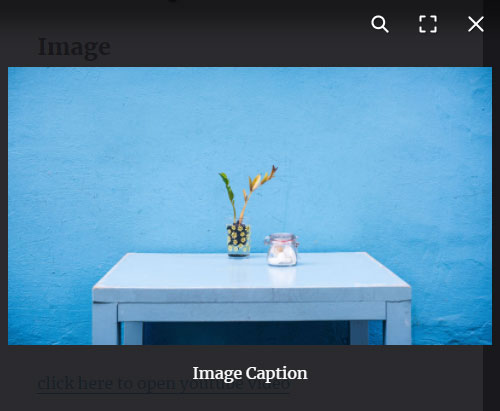
Image popup in lightbox

YouTube video Demo in lightbox

Vimeo video Demo in lightbox
Faq
Yes.
Yes.
Yes.
Reviews
Perfect!
By 
Nice looking at it works!
By 
Changelog
1.0.4
- Updated to fancybox 5.0.36.
1.0.3
- Updated to fancybox 4.
1.0.2
- Made some security related improvements in the plugin
- Updated fancybox to 3.5.7
1.0.1
- First commit