WP Flex Contact Form

WP Flex Contact Form
Description
Contact Form made in Flex / Flash.
Since spam-bots can’t handle Flash (untill now 11-2009), this is a spam free solution for a contact form without using a CAPTCHA etc.
Installation
Use the following steps to install the Flex Contact Form
- Upload the wp-flex-contact-form folder to the
/wp-content/plugins/directory - Activate the plugin through the ‘Plugins’ menu in WordPress
- Fill the options page ‘Settings -> Flex Contact Form’
- Place
[fcf]on the page and the Flex Contact Form will appear (450×400 pixels)
Screenshots
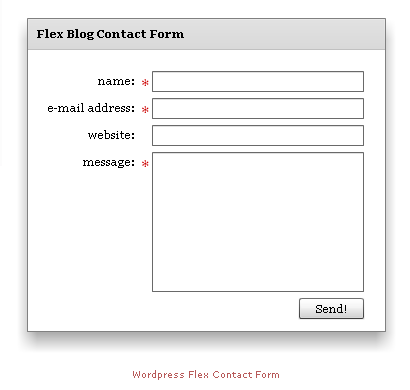
This shows the look of the Flex Contact Form

This shows the Contact Form Options page
Faq
Do i need Flash Player for this Contact Form?
Yes you do.
How do I add the contact form to a post/page?
You need to add the [fcf] to the body of the post/page in the editors HTML mode.
What is the size of the contact form?
450×400 (widthxheight in pixels)
Reviews
Changelog
0.2
- Language support. Option to change the label, button and error/success message texts.
- Change of the size of the contact form to 450×400 px.
0.1
- First version. Simple Flex/Flash Contact Form with a few options.