WP-Force Images Download
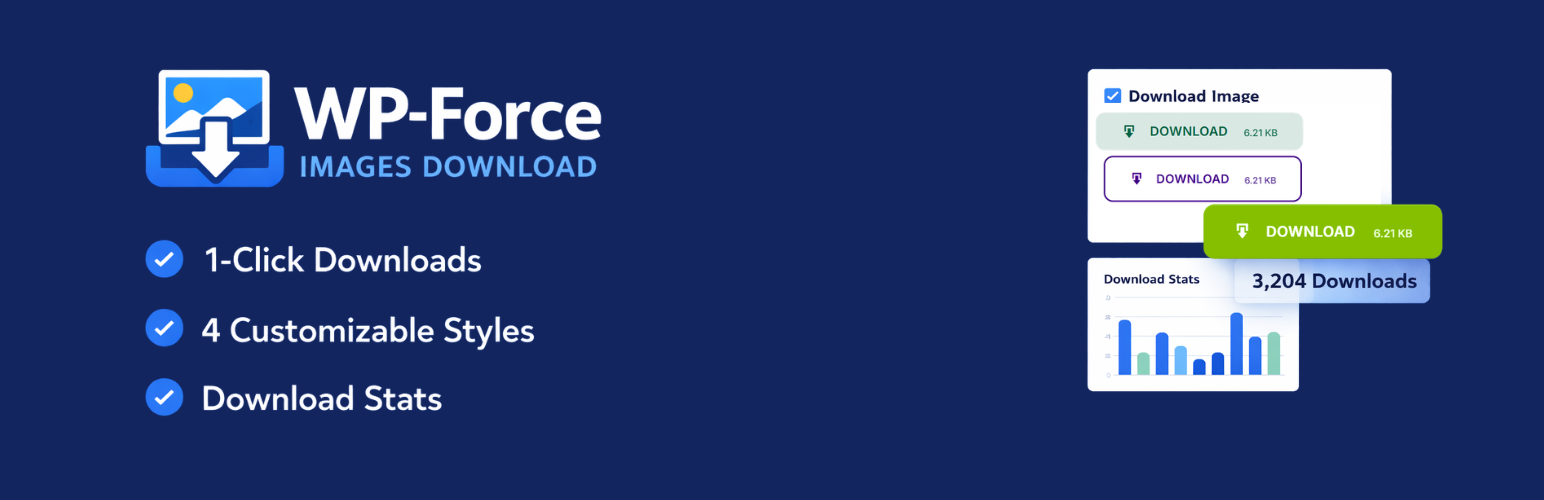
WP-Force Images Download
Description
WP-Force Images Download is the most complete, lightweight, and developer-friendly image download plugin for WordPress. Designed for photographers, wallpaper sites, digital asset stores, creative agencies, and content creators — it transforms any image into a secure, one-click force download with a pixel-perfect branded button.
Whether you need a simple [wpfid] shortcode or full programmatic control with PHP template tags, this plugin covers every use case with zero performance overhead.
🚀 Why WP-Force Images Download?
Most download plugins are bloated. This one is different:
- Featherweight — Loads only one CSS file + one JS file on the frontend. No jQuery dependency for core functionality.
- SaaS-grade Admin UI — Tabbed settings page with Live Button Preview so you see exactly what visitors will see before saving.
- Future-proof — Uses
wp_check_filetype()instead of hardcoded whitelists, so WebP, AVIF, HEIC and any new format WordPress adds is automatically supported. - Accessible — Buttons are semantic
<button>elements with ARIA labels, full keyboard support, and WCAG 2.1 AA contrast compliance across all 4 styles. - Conflict-safe — All hooks, query args, nonce actions, and option keys use the
wpfid_namespace to eliminate conflicts with any other plugin.
✨ Core Features
🎨 4 Premium Button Styles
Choose from four professionally engineered CSS button styles — all powered by CSS custom properties (--wpfid-color, --wpfid-text) for effortless theming:
- Solid — Bold, filled CTA button with subtle elevation shadow.
- Outline — Transparent background with a crisp colored border. Text color adapts on hover.
- Soft / Ghost — Tinted semi-transparent background (powered by
color-mix()). Elegant and modern. - Text Only — Minimal styled link, zero background or borders. Perfect for inline usage.
🖼️ Universal Color System
Set a global button color and text color once in the settings. Override them per-post using shortcode attributes. Supports HEX (#2271b1), RGB (rgb(255,0,0)), RGBA, and natural language color names (MidnightBlue, Tomato, DodgerBlue).
👁️ AJAX Live Preview
The settings page features a real-time sticky preview widget powered by WordPress’s native wpColorPicker. Every change you make — style, color, icon, file size toggle — reflects instantly in the preview. No save reload check cycle.
⚡ AJAX Downloads (Zero Reload)
When AJAX Downloads are enabled, visitors click the button and the file downloads immediately in-page using the Fetch API + Blob URL approach. No new tab opens. No page reloads. No redirect confusion.
📊 Download Stats Dashboard
Every download is tracked using WordPress post meta. View a sortable, paginated analytics table from WPFID > Stats Dashboard in your admin. See which images are most popular, filter by date, and export data.
🤖 Auto-Attach Button
Zero coding required. Enable Auto-Attach and the download button is automatically injected before or after post content on any public post type that has a featured image. Toggle per post type (Post, Page, custom CPTs).
🔐 Email Gate
Require visitors to enter their email address before the download begins. The email is captured via AJAX (no page reload), securely saved to the database, and then the download starts automatically. Collected emails are viewable in the database or Stats page.
Note: The Email Gate uses a server-signed token cookie (HMAC via wp_hash()) to verify submissions — not a plain cookie that could be forged.
🔒 Login Gate / Require Login
Restrict downloads to logged-in users only. Unauthenticated visitors are redirected to the WordPress login page and returned to the download after successful authentication.
📐 Image Size Picker
When enabled, a dropdown appears on the download button allowing visitors to choose between registered WordPress image sizes (Thumbnail, Medium, Large, Full, or any custom size registered by your theme).
🔢 Download Counter
Optionally display the total download count directly below the button. Powered by post meta for instant reads and lightweight writes.
📁 Bulk Rename / Filename Templates
Control exactly what filename visitors receive when they download, using a powerful variable templating system:
%site_name%, %post_title%, %post_id%, %filename%, %timestamp%, %rand%, %md5%
Example: [wpfid new_name="%post_title%_%rand%"] produces My-Post-Title_48291.jpg
🌐 Modern Format Support
Powered by native wp_check_filetype(). The plugin automatically supports every image MIME type WordPress recognizes — including WebP, AVIF, HEIC, SVG, PNG, JPEG, GIF, BMP, ICO, and any future format added to WordPress Core. No configuration required.
🛡️ Enterprise-Grade Security
– All form submissions verified with WordPress nonces (dual nonce on every download)
– Email gate uses HMAC-signed cookies — immune to cookie-forgery attacks
– Rate limiting: 30 requests per minute per IP prevents download abuse
– Full input sanitization and output escaping on every field
– PHP-level MIME type verification via finfo_open() on actual file contents
– Session-aware download handler via admin-post.php + admin-ajax.php
– defined('ABSPATH') || die() guard on every file
🖼️ Watermarking (Advanced)
Automatically composite a watermark image onto downloaded photos. Supports PNG transparency. Preserves original image format (JPEG stays JPEG, PNG stays PNG).
🗜️ Gallery / ZIP Download
Use the [wpfid_gallery ids="1,2,3"] shortcode to let visitors download multiple images as a single ZIP bundle.
🧩 Gutenberg Block
A native block available in the WordPress block editor. Configure button title, color, custom link, size picker, and download count toggle — all from the Inspector sidebar.
🔌 Elementor Widget
A dedicated Elementor widget lets Elementor users insert download buttons with full control from the Elementor panel — no shortcode knowledge required.
🛠️ Usage
Basic Shortcode
Place in any Post, Page, or Widget:
[wpfid]
With Custom Label
[wpfid title=”Download HD Wallpaper”]
With Specific Image URL
[wpfid link=”https://example.com/my-image.jpg”]
With Color Overrides
[wpfid color=”#e83e8c” textcolor=”#ffffff”]
Combined Example
[wpfid title=”Get the Image” color=”MidnightBlue” textcolor=”white” new_name=”%post_title%”]
Gallery / ZIP Download
[wpfid_gallery ids=”10,20,30″ title=”Download All Images (ZIP)”]
PHP Template Tag (for theme developers)
Or use the direct function call:
📋 Shortcode Attributes Reference
Attribute
Default
Description
title
Download
Button label text
link
(featured image)
Direct URL to the image to download
color
Settings value
Button background color (HEX, RGB, or color name)
textcolor
Settings value
Button text/icon color
new_name
Settings value
Filename template for the downloaded file
class
(empty)
Additional CSS class(es) on the button wrapper
size_picker
Settings value
"true" / "false" — show image size dropdown
show_count
Settings value
"true" / "false" — show download count below button
📈 SEO, GEO & AI Optimization
Semantic HTML5 Output
Every download button is a native <button> or <a> element with descriptive title attributes and aria-label support. No div-soup, no generic onClick handlers — pure semantic markup that search engine crawlers and AI language models can interpret correctly.
Schema & Structured Data Ready
The plugin output is compatible with DigitalDocument and ImageObject schema markup. You can wrap the shortcode output in your own schema markup to signal to Google that this is a downloadable asset.
Core Web Vitals Safe
– CSS is loaded with wp_enqueue_style() with versioned cache-busting
– JavaScript is deferred (loaded in footer) and only runs on pages with the shortcode
– Zero render-blocking resources introduced
– No external font or icon CDN calls — uses WordPress Dashicons (already loaded)
– File-size display is transient-cached (6 hours) — no live HTTP request on every page view
Translation Ready (GEO / i18n)
Every user-facing string is wrapped in __(), esc_html__(), or esc_html_e() translation functions with the wp-force-images-download text domain. Compatible with WPML, Polylang, Loco Translate, and TranslatePress for multilingual and geographic market targeting.
AI / LLM Crawler Compatibility
The plugin generates standard HTML anchor elements with meaningful title and download attributes, making button intent clear to AI-powered crawlers (GPTBot, Google Bard, Applebot) without requiring additional structured data.
Installation
Method 1: WordPress Plugin Repository (Recommended)
1. Go to Plugins > Add New in your WordPress Dashboard.
2. Search for WP Force Images Download.
3. Click Install Now, then Activate.
Method 2: Manual Upload
1. Download the plugin .zip file.
2. Go to Plugins > Add New > Upload Plugin.
3. Choose the zip file and click Install Now.
4. Click Activate Plugin.
Method 3: FTP/SFTP
1. Unzip and upload the wp-force-images-download folder to /wp-content/plugins/.
2. Activate via Plugins in WordPress admin.
After Activation
– A branded notification banner appears welcoming you to v2.6.
– Navigate to WPFID > Settings in your admin sidebar.
– Use the 🎨 Button Design tab to style your button with the Live Preview.
– Use the ⚙️ Behaviour & Features tab to enable Email Gate, Login Gate, Auto-Attach, etc.
– Deploy [wpfid] anywhere in your content.
Screenshots
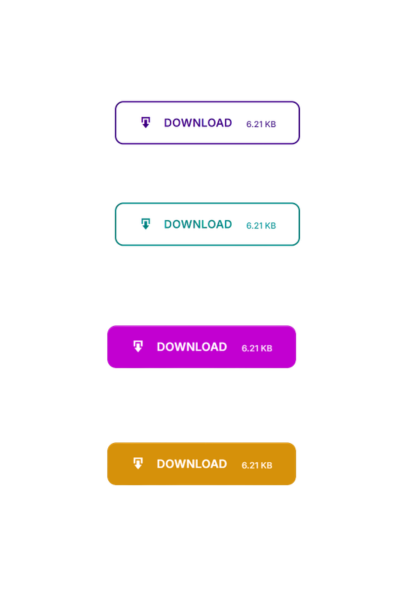
Live Button Preview — Real-time sticky preview widget that updates as you change colors and styles.
Faq
Simply add the shortcode [wpfid] to any post or page. The plugin will automatically detect the post’s featured image and force-download it. If you want a specific image, use [wpfid link="https://your-image-url.com/image.jpg"].
Navigate to WPFID > Settings in your WordPress admin sidebar. The settings page has three tabs: Button Design, Behaviour & Features, and Shortcode Help.
Go to WPFID > Stats Dashboard. Every download is tracked automatically. You’ll see a table with post titles, download counts, last downloaded time, and direct links.
When “Require Email” is enabled, visitors see an email input field next to the download button. After entering a valid email and clicking the button, the email is saved to the database and the download starts automatically — all without any page reload. Collected emails are stored in wp_options under wpfid_collected_emails. The gate uses a cryptographically signed cookie token so it cannot be bypassed by simply setting a cookie manually.
When “Require Login” is enabled, clicking the download button redirects unauthenticated users to the WordPress login page. After a successful login, they are returned to the original page.
Yes. The plugin uses WordPress’s native wp_check_filetype() function instead of a hardcoded whitelist. This means it automatically supports every image format WordPress recognizes — including WebP, AVIF, HEIC, PNG, JPEG, GIF, SVG, BMP, ICO, and any format added in future WordPress updates.
Yes, in two ways: (1) Set universal colors in WPFID > Settings > Button Design — this applies to all buttons site-wide. (2) Override per-post using shortcode attributes: [wpfid color="#ff0000" textcolor="#ffffff"]. Color values can be HEX, RGB, RGBA, or English color names like Tomato, MidnightBlue, DodgerBlue.
Yes. Use the new_name attribute in the shortcode: [wpfid new_name="%post_title%_%rand%"]. Or set a global rename pattern in WPFID > Settings > Behaviour & Features > Rename Pattern. Available variables: %site_name%, %post_title%, %post_id%, %filename%, %timestamp%, %rand%, %md5%.
Yes. AJAX download mode uses the Fetch API to retrieve the file as a binary blob and triggers the download via a programmatic anchor click. It works for all image formats and falls back gracefully to a normal form POST in older browsers.
No. The plugin is carefully optimized: CSS and JS only load on pages where the shortcode is used, all assets are versioned for cache efficiency, no render-blocking scripts, no external CDN calls, and the button output is pure semantic HTML5. File-size display results are cached in transients for 6 hours.
Yes. A native Gutenberg block (WPFID Download Button) is available directly in the block inserter under the Widgets category. Configure all button settings directly in the Inspector sidebar. You can also use the Shortcode block with [wpfid].
Yes. The shortcode works in any content area. Auto-Attach can be enabled for any registered public post type, including WooCommerce products. WooCommerce purchase gating is also available via the product_id parameter.
Use <?php echo do_shortcode('[wpfid]'); ?> anywhere in your template files. Or use the direct template tag: <?php wp_fid( 'Download', '#2271b1' ); ?>.
The Require Email feature collects email addresses entered voluntarily by users. You are responsible for disclosing this in your privacy policy. The emails are stored in your own WordPress database (never sent to a third party). We recommend adding a consent checkbox or linking to your privacy policy near the email field using Custom CSS or hooks.
Yes. The endpoint GET /wp-json/wpfid/v1/download/{attachment_id} returns a signed download URL for headless or external clients. If “Require Login” is enabled in settings, the endpoint automatically requires authentication. The returned URL includes valid nonces for 24 hours.
Reviews
Unique
By 
Fantastic. Is difficult to find another plugin like this.
thanks
Really this is awesome
By 
Nice
By 
Changelog
2.6 — Security, Bug Fixes & Download Engine
Download
* Fixed: Same-site images (WordPress uploads) were fetched via wp_remote_get() instead of served from disk — downloads failed on all standard installs.
* Fixed: Content-Length used strlen() on binary data; changed to mb_strlen($data, '8bit') for correct byte count under mbstring.func_overload.
* Fixed: Temp directory used core constant WP_TEMP_DIR; now uses plugin-specific WPFID_TEMP_DIR to avoid conflicts on managed hosts.
* Fixed: PHP extension check ran against the full URL instead of only the file extension, causing false 403s on URLs with .php in the domain/path.
* Fixed: URLpath mapping broke when stored URL scheme (http) differed from home_url() scheme (https); scheme is now stripped before comparing.
* Added: Files over 5 MB are streamed in 64 KB chunks via fread() to avoid PHP memory exhaustion.
Email Gate
* Fixed: wpfid_handle_save_email() never set the HMAC auth cookie after saving the email — every subsequent download was rejected with 403.
* Fixed: AJAX fetch calls missing credentials: 'same-origin'; browser discarded the Set-Cookie response so the cookie never reached Step 2.
* Fixed: Server HTML error pages (e.g. wp_die()) were being offered as a download blob instead of surfacing as a user-facing error.
* Fixed: Returning visitors triggered duplicate rows in wpfid_collected_emails; both AJAX handlers now check before inserting.
* Security: Email Gate cookie replaced from a plain 1 flag (forgeable) to a server-signed HMAC token (wp_hash(email|expiry)), verified server-side.
* Security: Legacy wpfid_submit_email AJAX action had no nonce; nonce now generated, localized, and verified before processing.
* Security: Email gate modal was rendered on every frontend page even when the feature was disabled; now skipped when inactive.
JavaScript
* Fixed: Unclosed JSDoc comment (*/ removed by a prior edit) turned wpfidHandleEmailGate() and the entire IIFE into a comment block — email gate crashed and AJAX download intercept never registered, causing all forms to open in a new tab.
* Fixed: Stray e;\n} after the catch block created a syntax error; wpfid-ajax.js rewritten from scratch.
* Fixed: AJAX catch fallback used arguments.callee (illegal in strict mode); replaced with named function handleWpfidSubmit.
Admin
* Fixed: Live Button Preview showed inconsistent results across tabs — on Features/Help tabs form fields are absent so updatePreview() fell back to hardcoded defaults. PHP now injects saved values as wpfidSavedPreview; used as fallback when fields are not in the DOM.
* Fixed: Duplicate wpfid_verify_advanced_features() filter caused the login gate check to run twice per download; removed the redundant registration.
* Fixed: wpfid_admin_scripts() used $_GET['page'] instead of the $hook_suffix parameter; corrected.
* Fixed: Admin notice dismiss URL echoed without esc_url().
REST API
* Security: /wpfid/v1/download/{id} had no authentication (__return_true); now respects the global Require Login setting.
Download Handler
* Fixed: Content-Type set twice — application/force-download silently overwrote the correct MIME type; legacy header removed.
* Fixed: Download counter incremented before confirming a successful file stream; now increments only after the file is fully served.
Watermark
* Fixed: Watermark processor always output JPEG regardless of source format, destroying PNG transparency; now outputs the matching format (JPEG/PNG/WebP).
Gutenberg Block
* Fixed: Block registered with deprecated category: 'common' (removed WP 5.5.3); changed to 'widgets'.
* Fixed: Block script dependency listed deprecated 'wp-editor'; changed to 'wp-block-editor'.
Core / Misc
* Fixed: register_activation_hook() called from inc.php (included file) instead of the main plugin file; moved to wp_fid.php.
* Performance: get_option('wp_force_images_download_options') cached in a static variable — at most one DB query per PHP request instead of 6+.
* Performance: File-size display cached in transients for 6 hours; no longer fires a live wp_remote_head() on every page load.
* Consistency: Both email-saving handlers now use the same ['email','post_id','time'] object format with duplicate-entry checks.
2.5 — Major Platform Update
- NEW: Completely redesigned admin settings into a 3-tab interface (Button Design / Behaviour & Features / Shortcode Help) for dramatically improved UX.
- NEW: Email Gate — Visitors must enter an email address before downloading. Email is captured via AJAX, stored in the database, and the file downloads immediately — no page reload.
- NEW: Login Gate — Restrict downloads to logged-in users. Unauthenticated visitors are redirected to the login page and returned after authentication.
- NEW: Version-aware admin activation notice — A modern branded notice appears for new installs and upgrades, linking directly to the correct WPFID settings menu.
- NEW: Graceful fallback — If no image exists for a post and no
link=attribute is provided, a styled info notice is displayed instead of a broken download or HTML file. - NEW: Section cards in the Behaviour & Features tab with icon headings and v2.5 version badges for quick scanning.
- NEW: Shortcode Help tab with a full reference table — always accessible without scrolling.
- IMPROVED: Live Button Preview widget is now sticky in the sidebar and works across both settings tabs.
- IMPROVED: Dismiss handler for admin notices is now conflict-safe — bails immediately on every other admin page with zero performance overhead.
- IMPROVED: All nonces scoped with descriptive action names — zero conflict with any other plugin or theme using generic nonce names.
- FIX: Settings were not propagating correctly for logged-out users. Root cause was WordPress/browser JS caching due to version number staying at
2.0. Version bumped to2.5to bust all caches. - FIX:
settings_fields()/do_settings_sections()pattern replaced with direct callback invocations inside tabs, eliminating rendering artifacts from the legacy WordPress Settings API output. - SECURITY: All
$_GETand$_POSTsuperglobals in new handlers properly passed throughsanitize_text_field( wp_unslash() )before use.
2.0 — Feature Expansion
- NEW: Download Counter — Track every download with post meta. Displays inline below the button.
- NEW: Stats Dashboard — Dedicated admin sub-page showing most downloaded images sorted by count.
- NEW: AJAX Downloads — Seamless in-page downloads using Fetch API + Blob URL. No new tab, no page redirect.
- NEW: Image Size Picker — Dropdown lets visitors choose registered WordPress image sizes (Thumbnail, Medium, Large, Full).
- NEW: Auto-Attach Button — Inject download button before or after post content automatically based on post type.
- NEW: Rate Limiting — Built-in protection (30 downloads/minute/IP) using WordPress transients.
- NEW: Universal Color System — Set site-wide button color and text color from the admin dashboard using WP Color Picker.
- NEW: Real-Time Live Preview — Preview button appearance in the admin sidebar as you change settings.
- NEW: 4 Button Styles — Solid, Outline, Soft/Ghost, Text-only. All CSS variable driven with hover animations.
- NEW:
textcolorshortcode attribute — Override text/icon color per button. - IMPROVED: Replaced hardcoded MIME type whitelist with
wp_check_filetype()for automatic WebP, AVIF, HEIC support. - IMPROVED: Replaced deprecated
current_time('timestamp')withtime(). - IMPROVED: Replaced custom byte formatter with native WordPress
size_format(). - REMOVED: Legacy
fd.phpdirect download handler (replaced by secureadmin-post.phphandler). - SECURITY: Added nonce verification to all form handlers.
- SECURITY: Added dedicated top-level WPFID admin menu to replace the settings under Settings > General.
1.9
- SECURITY: Fixed CVE-2025-11809 — Added full sanitization and escaping for all shortcode attributes.
- Codebase reviewed and passed WordPress Plugin Check (plugin-check) standards.
1.8
- Added detailed inline documentation for all functions.
- Improved plugin architecture and loading performance.
1.7
- NEW: Custom CSS class support in shortcode (
classattribute). - NEW: Template tag support for renaming downloaded files.
- FIX: Zero-byte downloaded files bug resolved.
- FIX: Template tag not downloading picture bug resolved.
- Added detailed inline documentation.
1.6
- Fixed remote file inclusion (RFI) vulnerability.
- Security hardened throughout.
- Custom CSS textarea added in admin to style the download button.
1.5
- Bulk rename feature introduced.
- Basic button theming and style options added.
- Improved security and performance.
1.4
- Shortcode
new_nameattribute for per-post file renaming. - Global rename pattern option in admin settings.
- Admin settings page introduced.
1.3
- Expanded MIME type support (additional image types).
- Security hardened.
1.2
- Added
linkattribute to[wpfid]shortcode for custom image URLs.
1.1
- Shortcode support introduced.
- Basic button styling and color options.
1.0.0
- Initial public release.