WP Maps – Google Maps, OpenStreetMap, Mapbox, Store Locator with Search, Filters & Listings
WP Maps – Google Maps, OpenStreetMap, Mapbox, Store Locator with Search, Filters & Listings
Description
WP Maps is a free WordPress map plugin for Google Maps, OpenStreetMap, and Mapbox, with advanced features like search, filters, paginated listings, sorting, marker categories, custom marker icons, and marker clustering included in the free version.
Create interactive maps for store locators, business directories, service areas, contact pages, and location listings without paying for essential mapping features. Organize locations into categories with their own marker icons, help visitors find locations using search and filters, and display results with sorting, pagination, and marker clustering. Whether you need a simple location map or a full-featured directory, WP Maps gives you a wide range of features to build with for free.
Perfect for:
- Business directories and listings
- Store locators
- Service area maps
- Contact pages
- Map and listing based WordPress projects.
Features
Free Version
- Create complete maps with custom markers, search, filters, and paginated listings — all included in the free version.
- Choose Google Maps, OpenStreetMap, or Mapbox as your map provider, with easy switching between them.
- Create multiple maps with multiple locations and listings.
- Enable sorting and pagination for listings.
- Custom blocks added for Gutenberg, Elementor and Divi page builders with Live Map Preview in backend.
- Get a directions link for every listing record, linking out to the official Google Maps website.
- Enable marker clustering from the backend to group markers on the map.
- Automatically update the map center based on filtered markers.
- Display maps easily using shortcodes.
- Display maps in posts, pages, and widgets.
- Manage listing and marker infowindow content from the backend using dynamic placeholders.
- Auto-center the map using custom latitude and longitude, the visitor’s location, or backend-assigned locations.
- Fully GDPR-compliant Google Maps integration for privacy-friendly usage.
- Draw circles, squares, polygons, and custom shapes on the map.
- Display infowindows on click or hover for shapes, similar to marker infowindows.
- Display a circle and marker at the center location of the map.
- Show or hide markers on page load.
- Supports Snazzy Maps.
- Use custom or pre-built marker icons.
- Open marker infowindows on click or hover.
- Add bounce and drop animation effects to markers on map load.
- Center or zoom the map on marker click.
- Show listings below the map with search and filters.
- Reset map button to restore the map to its original state.
- Predefined color schemes for listings.
- Custom color schemes for listings.
- Show infowindow when a listing title is clicked.
- Custom map color schemes.
- Set primary and secondary colors.
- Add custom CSS.
- Responsive and mobile-friendly design.
- Enable or disable zoom, fullscreen, map type, scale, Street View, camera, and “Locate Me” controls.
- Position map controls at different locations on the map.
- Limit map panning using SW/NE coordinates.
- Enable KML/KMZ, traffic, transit, and bicycling layers.
- GeoJSON support.
- Import/export settings via JSON.
- Localization ready.
- Add custom styling.
- Works with all major page builders and themes.
- Fully documented with step by step and easy to understand instructions.
- Cross-browser compatible — tested with all major browsers including Chrome, Firefox, and Safari.
Pro Version WP MAPS PRO Version.
- Includes everything in the free version, plus powerful premium features:
- Multiple designs and layouts for marker infowindows.
- Multiple designs and layouts for listing records.
- Display blog posts, pages, or any existing data (custom post types) from your WordPress site with just a few clicks.
- Display posts using custom fields.
- Display posts using the Advanced Custom Fields (ACF) plugin.
- Create unlimited custom filters in the backend based on custom fields, taxonomies, or ACF fields — ideal for complex map searches.
- Enable searching and filtering using URL parameters — great for sharing filtered map views.
- List and grid-style listing layouts.
- Allow users to filter markers by location and radius (in kilometers or miles).
- Filter markers based on marker categories.
- Filter markers based on custom taxonomy terms of any custom post type.
- Display multiple custom routes between locations directly on your map for a seamless navigation experience.
- Customize color, opacity, and weight for each route.
- Directions API integration to allow users to get directions between locations on the map.
- Add custom HTML, images, or videos as map controls for interactive, branded maps.
- Prevent overlapping markers with automatic spiderfier effects — perfect for clustered or identical locations.
- Enable smart tabs for Categories, Directions, Routes, and Nearby Amenities to enhance user experience.
- Admins can apply additional customization to infowindows and listing layouts from the backend.
- Apply country restrictions on search results and autosuggestions for more accurate results.
- Advanced feature: Integrate with Microsoft Clarity, Google Analytics 4, Meta Pixel, and Zapier to track marker click events.
- Access 25+ additional add-ons available with the Pro version, offering extended functionality.
- Use SVGs as marker icons — choose from pre-built options or upload your own.
- Automatic Geocoding — Automatically fetches latitude and longitude for any location that Google recognizes.
- Automatically center the map based on assigned locations.
- Show nearby amenities like ATMs, banks, and stores to provide useful local context.
- Draggable markers and option to open infowindows by default on page load.
- Categorize locations for better organization and filterable maps.
- Choose from 100+ ready-to-use colorful markers via Map Icons Collection.
- Multilingual ready — supports WPML and other translation plugins.
- Compatible with WordPress Multisite, with network-wide activation support.
- Easily style maps using Snazzy Maps.
- Built-in search control to locate places directly on the frontend map.
- Install sample data to get started quickly.
- Role-based access control for backend pages.
- Seamless upgrade to Pro — no data loss when switching from free to paid.
Live Demos
Important Links
Use Cases – Map Solutions for Every Business
WP Maps helps you build advanced maps with listings for any industry. From store locators to real estate maps, here are popular use cases where you can use our plugin :
- 🛍️ Retail Store Locator – Showcase nearby outlets, branches, or chain locations
- 🍽️ Restaurant Locator – Help users find your cafes, diners, or food franchises
- 🏠 Real Estate Property Map – Display properties with filters for listings
- 🏥 Hospital & Clinic Map – Show medical centers, diagnostic labs & walk-ins
- 🏋️ Gym & Fitness Center Locator – Promote local gyms, yoga studios & wellness hubs
- 🛒 Shopping Mall Directory – Build interactive directories with category filters
- 🏨 Hotel & Resort Locator – List resorts, BnBs, and vacation rentals by location
- 🚗 Car Dealership Map – Map showrooms, service centers, and authorized dealers
- 🏦 Bank & ATM Locator – Help customers locate ATMs and branches
- 💊 Pharmacy Finder – Display medical stores and 24/7 pharmacy locations
- 💅 Salon & Spa Locator – Show salons, nail bars, and beauty spas nearby
- ✂️ Barber Shop Locator – Map grooming centers, barbershops, and hair stylists
- 🎓 School & University Maps – Display educational institutions with filters
- 🎤 Event Venue Locator – Help users find event halls, venues, and stadiums
- 🎬 Cinema & Entertainment Map – List theaters, gaming zones, and arcades
- 🖼️ Museum & Art Gallery Locator – Showcase local exhibitions and museums
- 🏛️ Government Office Map – Map municipal offices, courts, or embassies
- 📦 Post Office & Courier Center Locator – Find shipping centers and drop boxes
- ⛪ Religious Center Locator – Show churches, mosques, temples, or community halls
- 📚 Library Map – Display public and academic library locations
- 🐾 Veterinary & Pet Store Map – Highlight vets, clinics, or pet supply stores
- 🔧 Hardware & Home Services Map – Show electricians, repair centers, or hardware stores
- 💼 Co-working Space Locator – Help users find shared office spaces or business hubs
- 🏗️ Construction & Project Map – Showcase new projects or development plots
- 🍷 Wine & Liquor Store Map – Find wine shops and liquor outlets with filters
- 🚴 Outdoor & Sports Store Map – Locate gear shops, bike rental points, etc.
- 🧸 Toy Store Locator – Promote branded or local toy stores
- 🌻 Garden Center & Nursery Map – Help users find garden shops and nurseries
- 📖 Bookstore Locator – Showcase independent and chain bookstores
- 📱 Electronics Store Map – Map mobile, computer, and appliance retailers
- 👗 Clothing Store Locator – Help users find fashion outlets and boutiques
- 🛠️ Service Center Locator – Map repair centers for electronics, cars, or devices
- ⚖️ Legal & Consultancy Locator – List law firms, advisors, and service offices
- 📄 Insurance Office Map – Show agents, offices, and policy assistance centers
- 🚛 Dealer & Warehouse Locator – Display regional warehouses and distributors
- 🍼 Childcare & Preschool Finder – Help parents locate daycares and nurseries
- 🛒 Supermarket & Grocery Store Map – Show supermarkets, mini-markets, or organic stores
💡 Whether you’re running a small local shop or a global brand, WP Maps helps you build responsive, searchable, and filterable maps tailored to your business.
How It Works
- Add your locations from Add Location
- Create a map from Add Map and assign locations
- Use the shortcode (from Manage Maps) in posts, pages, or widgets
Note: Google Maps requires an API key. OpenStreetMap and Mapbox works without a key.
Try It Now
Explore the plugin instantly using the WordPress Playground:
👉 Try WP Maps
Installation
- Upload the wp-google-map-plugin folder to the
/wp-content/plugins/directory. - Log in to your WordPress dashboard and navigate to Plugins.
- Locate WP Maps in the plugin list and click Activate.
- After activation, go to WP Maps > Tools.
- Scroll to the Install Sample Data section.
- Enter
YESto confirm and click the Create Sample Data button.- This will create 2 sample categories, 5 sample locations, 2 demo routes, and 1 sample map for demonstration.
Note: Installing sample data is optional, but highly recommended for new users to explore plugin features quickly.
Screenshots
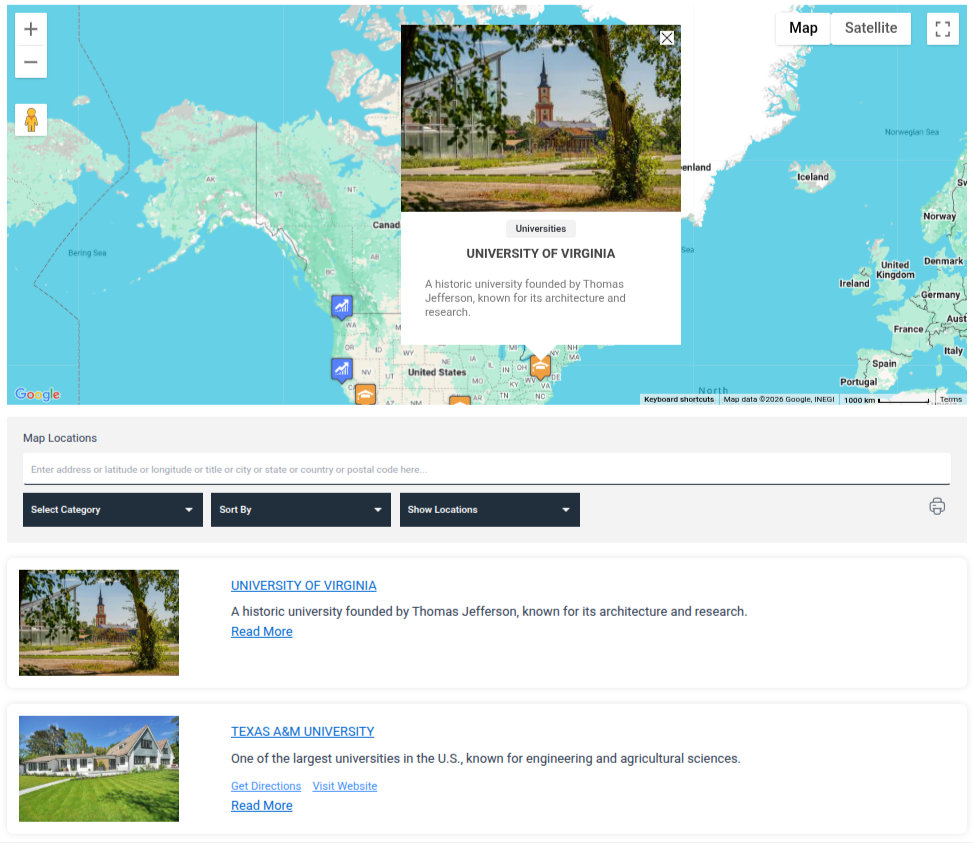
Google Map Page – Add and manage maps using Google Maps as the provider
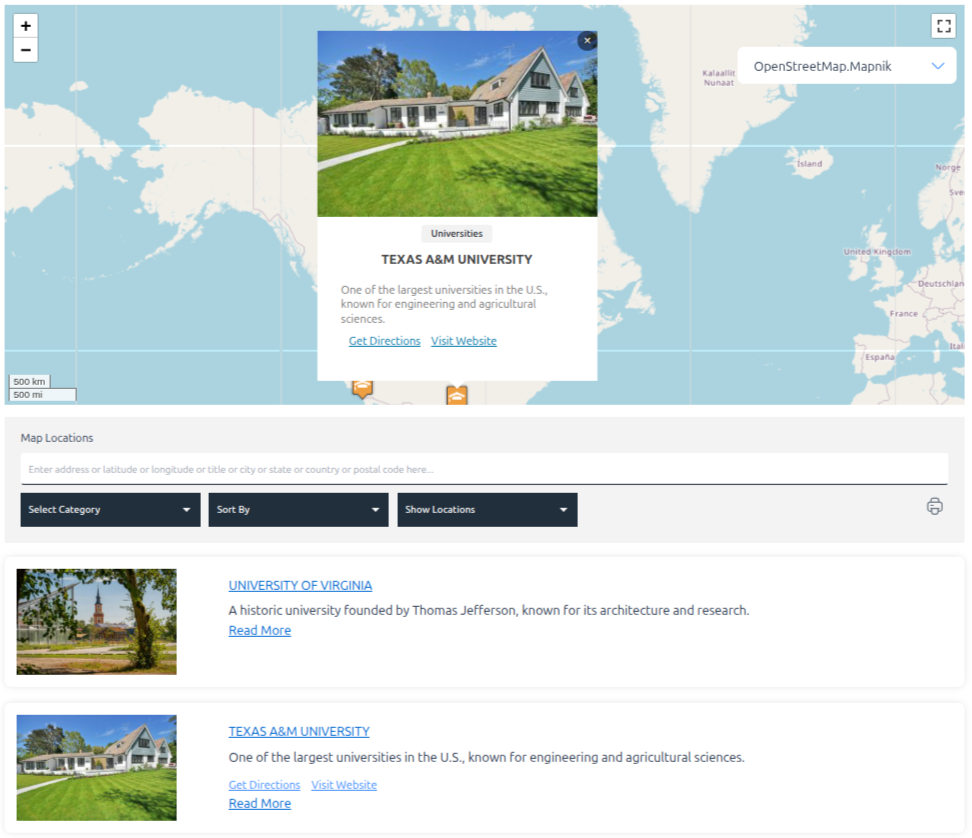
Open Source Map Page – Create maps using OpenStreetMap or Leaflet
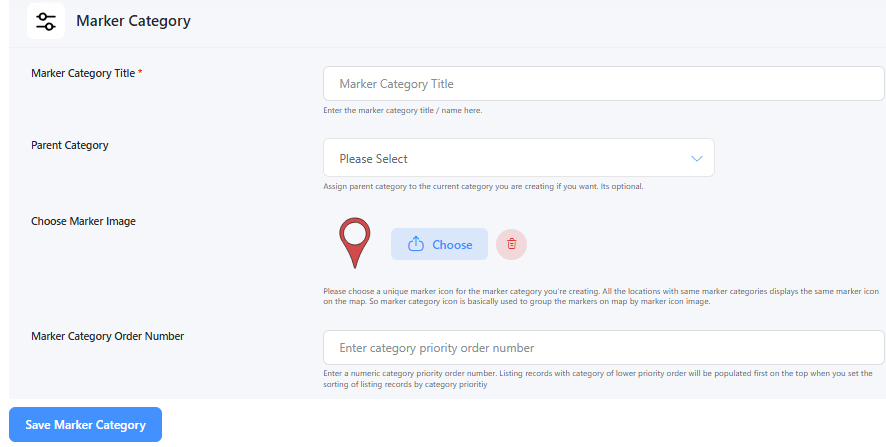
Add Marker Category – Create categories to group markers (e.g., Hospitals, Restaurants)
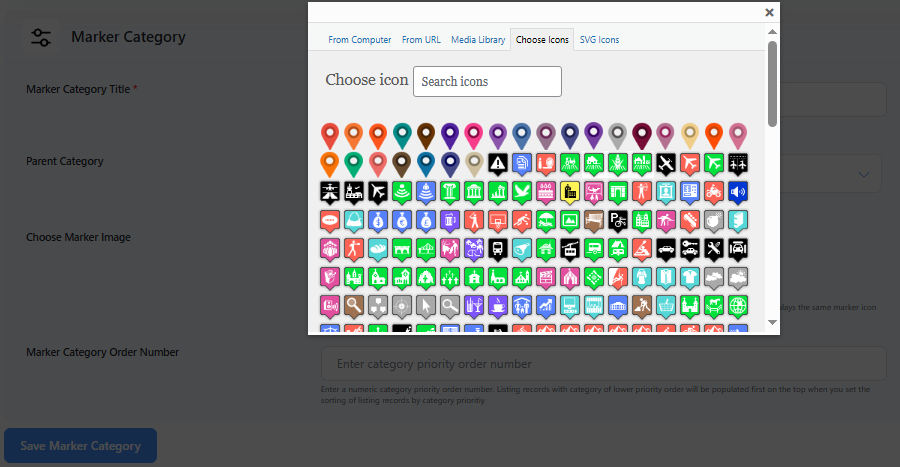
Assign Marker Icon to Category – Set a default icon for each marker category
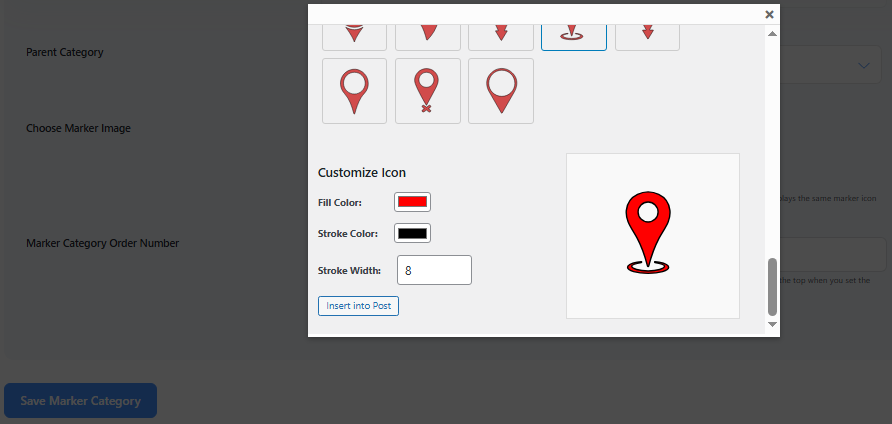
Assign SVG Marker Icon – Upload and assign custom SVG icons to marker categories
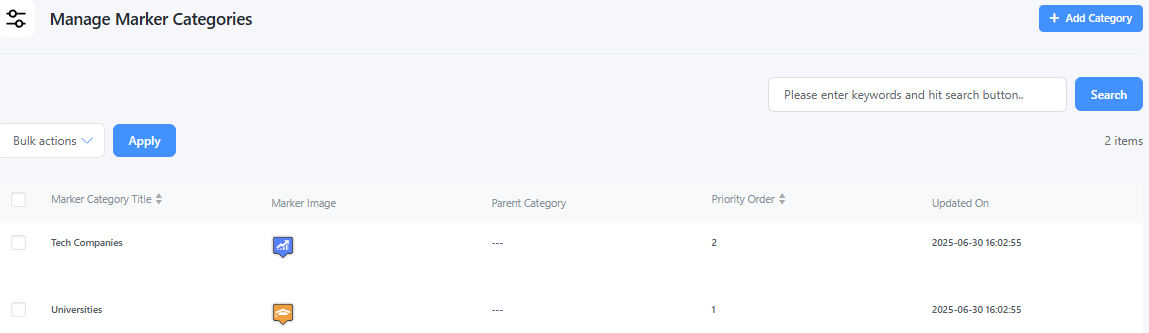
Manage Marker Categories – Edit, delete, or organize your marker categories
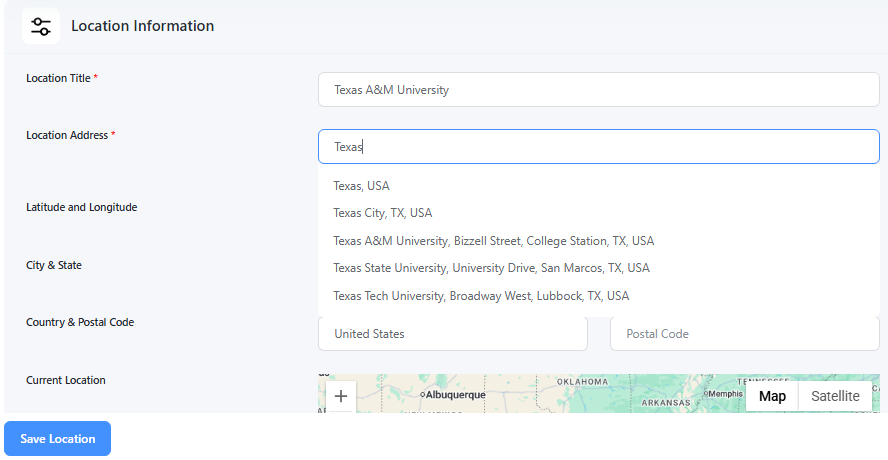
Add Location Page – Add new locations with address, coordinates, and other details
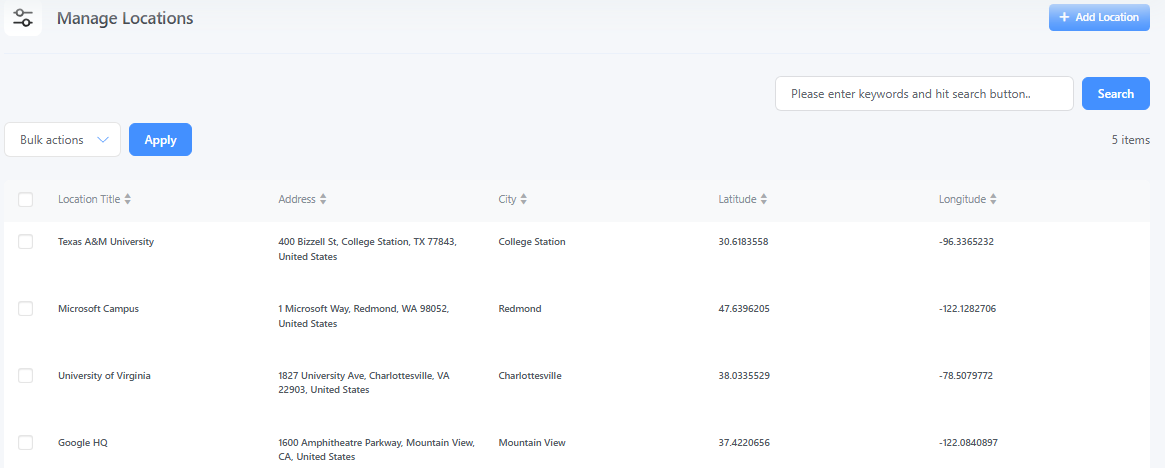
Manage Location Page – View, edit, or delete all added locations
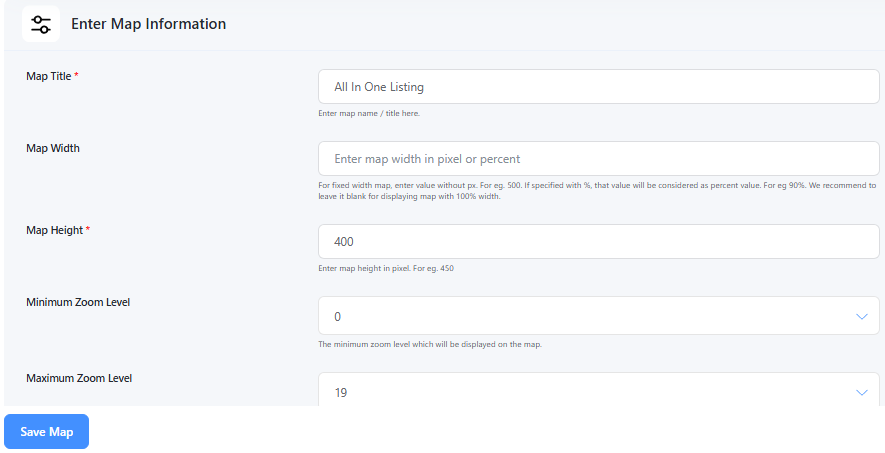
Add Map Page – Create a new map with layout, zoom, and marker options
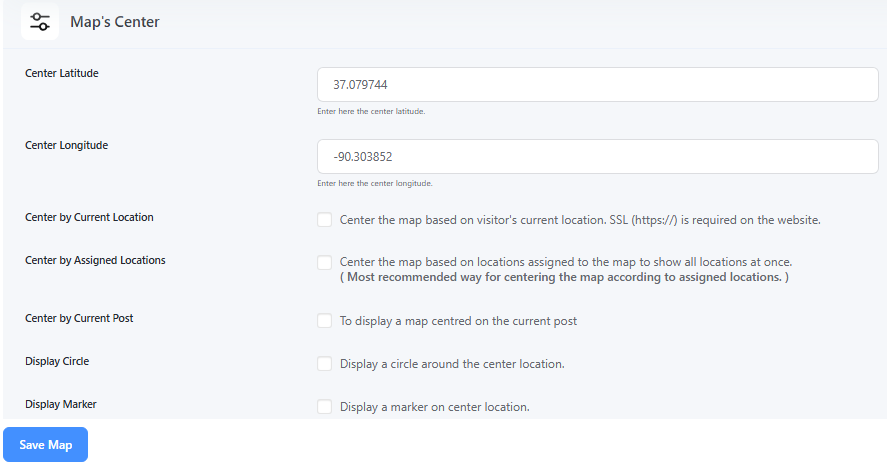
Map Center Settings – Set the default center and zoom level for the map
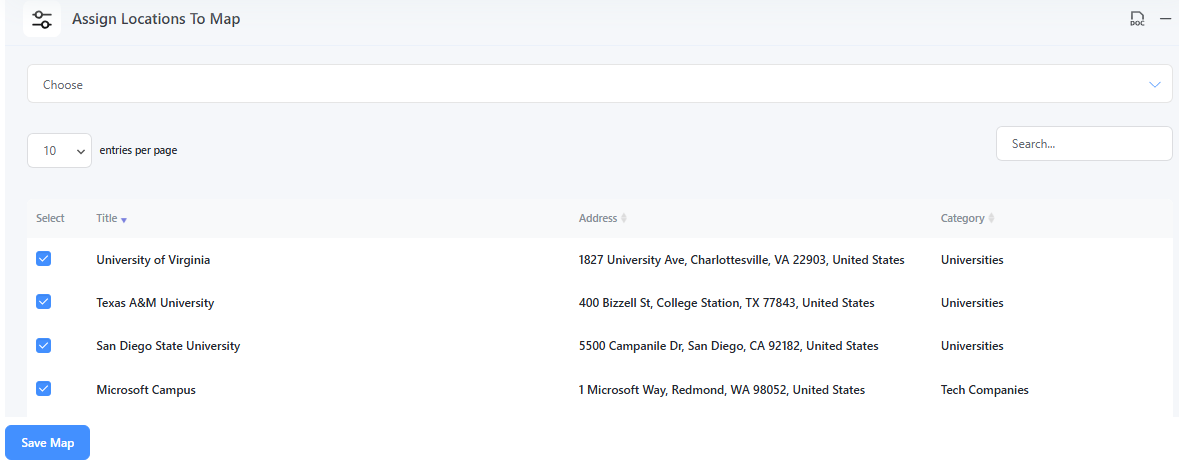
Assign Locations to Map – Attach selected locations to a specific map
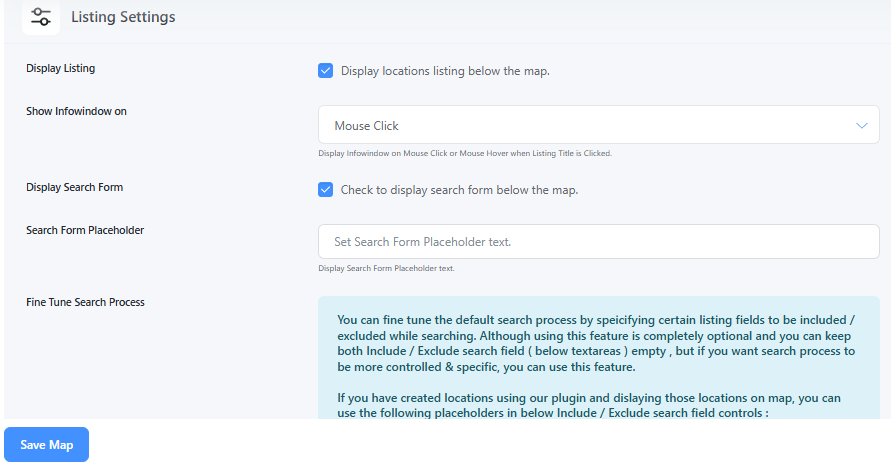
Map Listing Settings – Customize how location listings appear next to the map
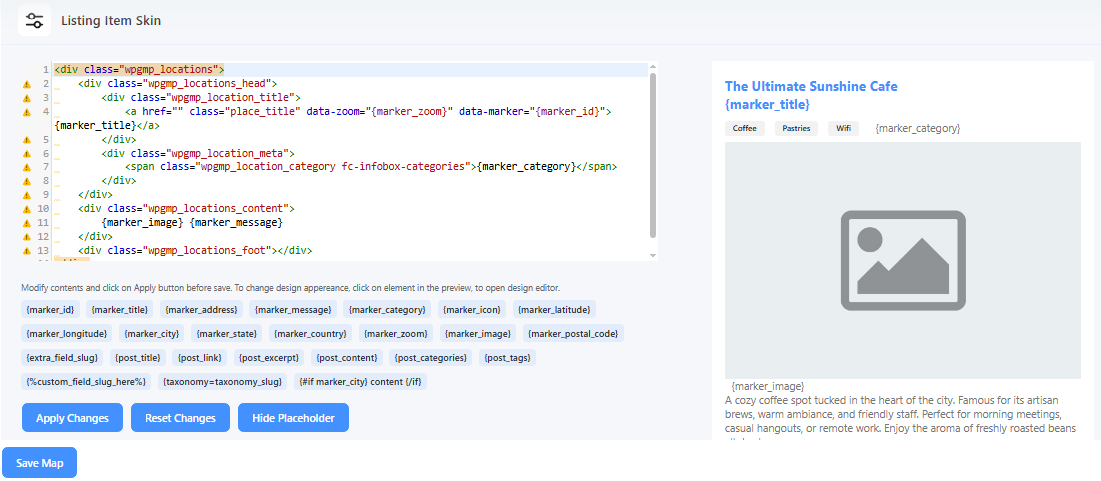
Listing Item Skins – Choose from different styles for listing item design
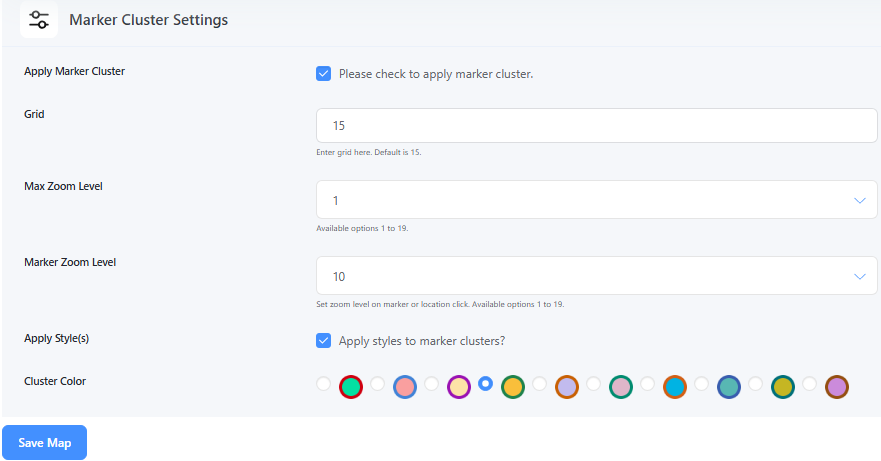
Marker Cluster Settings – Enable clustering of nearby markers for better performance
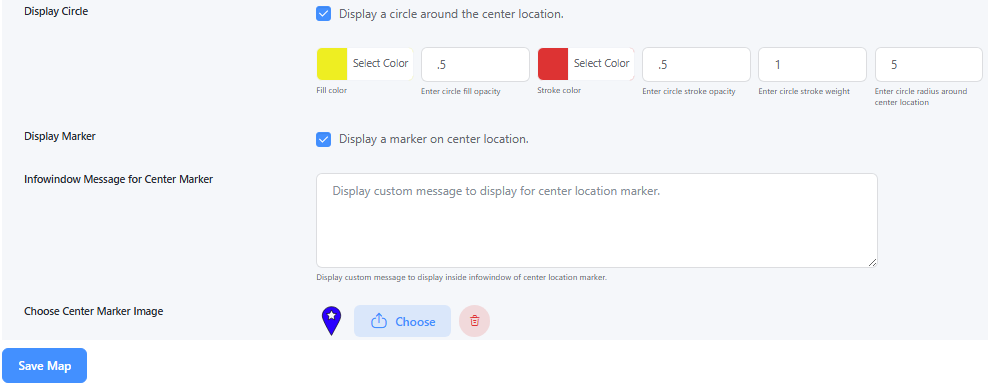
Map Center Display – Show a circle or marker at the map’s center point
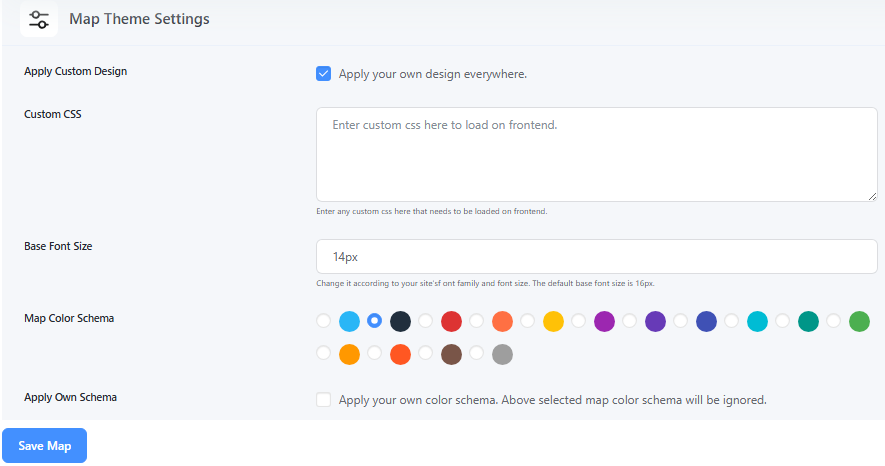
Map Theme Settings – Change the map appearance using pre-built themes or styles
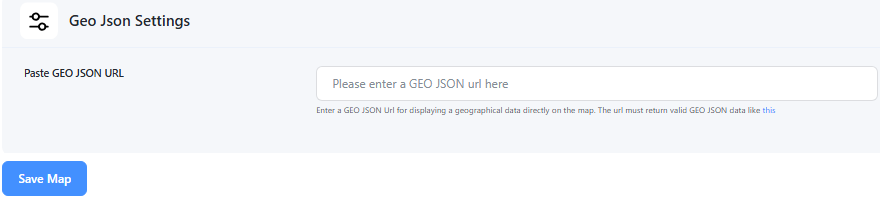
GeoJSON Settings – Upload and display GeoJSON shapes or regions on the map
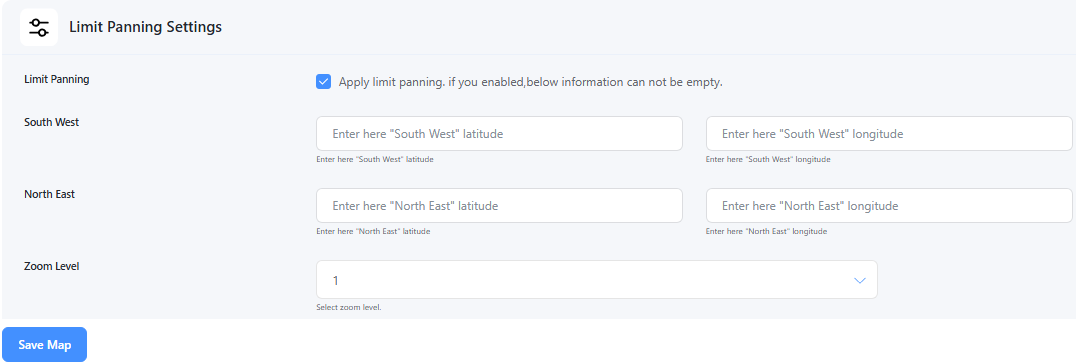
Limit Panning Settings – Restrict map movement beyond a certain boundary
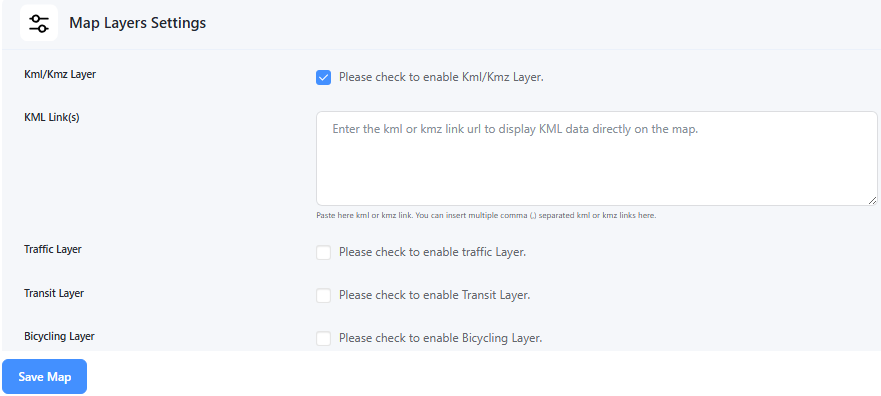
Map Layers Settings – Toggle layers like traffic, transit, or bicycle routes
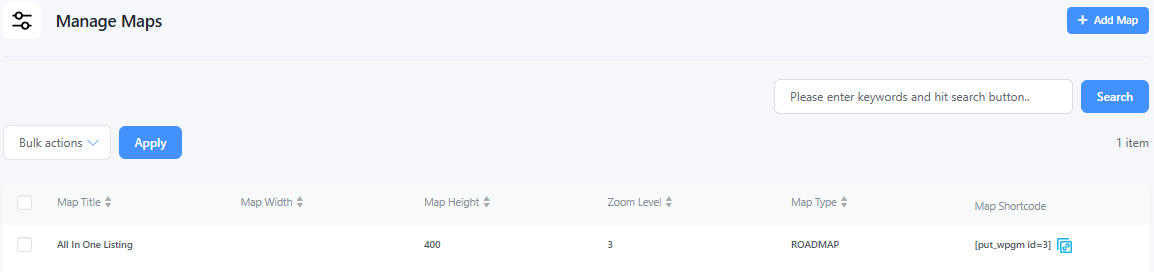
Manage Maps Page – View, edit, or delete all your saved maps
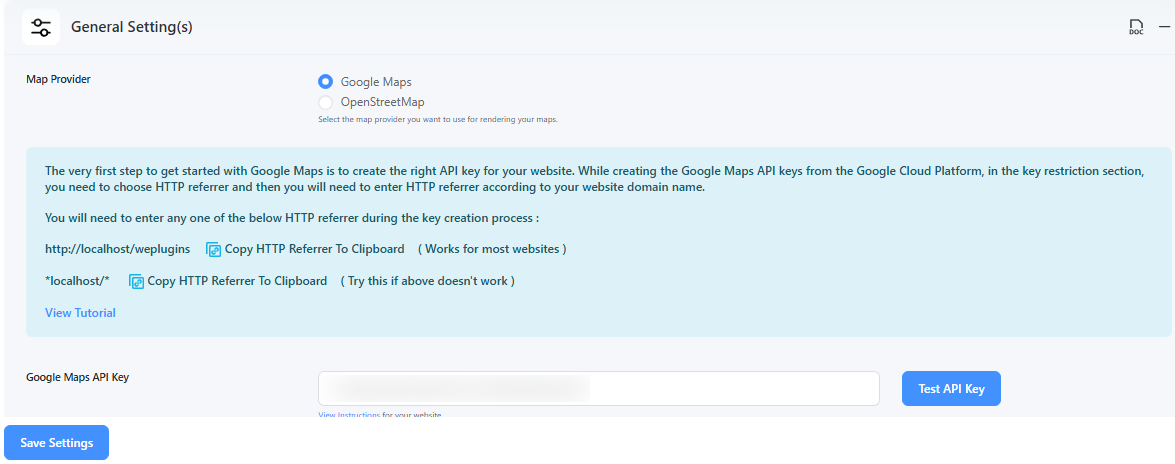
Google Map Provider Settings – Configure API keys and features for Google Maps
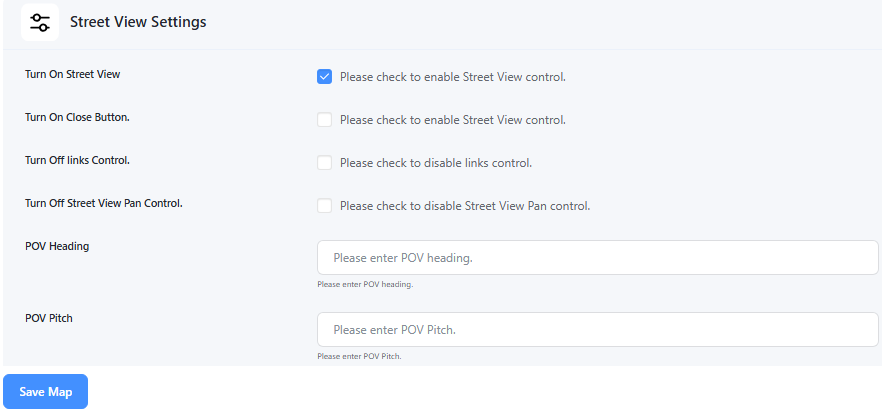
Street View Settings – Enable or disable Google Street View on the map
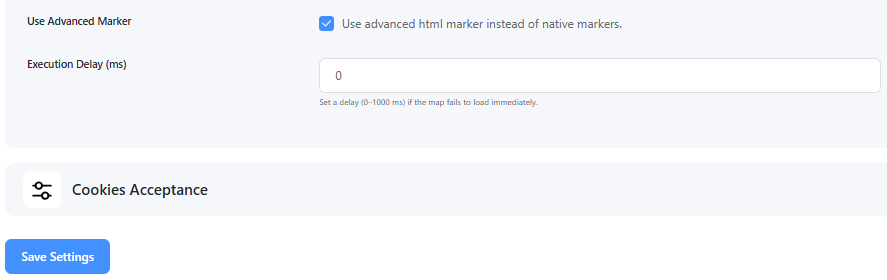
Advanced Marker Settings – Customize marker animations, z-index, behavior, etc.
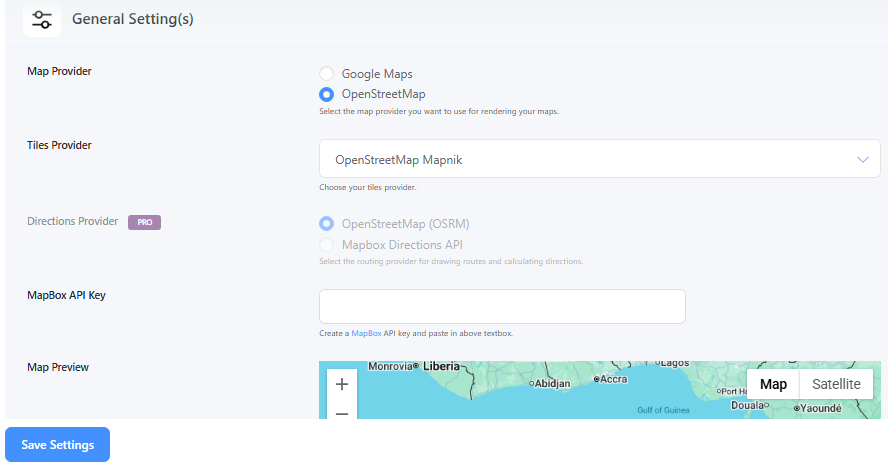
Open Source Map Provider Settings – Configure options for Leaflet/OpenStreetMap usage

Store Locator Functionality - Display a perfect store locator on frontend with radius range filter.
Faq
You can try using WP Maps plugin to creating beautiful interactive map with custom markers, filters and listing. You can also setup a store locator map using this plugin.
WP Maps can be used to create store locators, business directories, real estate maps, service area maps, location listings, and other interactive WordPress maps.
Install and activate WP Maps, then go to the WP Maps menu in your WordPress admin panel. For the quickest setup, go to WP Maps > Tools and click Create Sample Data to create a demo map. You can also create a map manually by adding marker categories, locations, and assigning those locations to a map. If you want to create a Google Map, add your Google Maps API key first by provided instructions.
Only if you choose Google Maps as your map provider. OpenStreetMap does not require a any API key. You can select your preferred map provider from the WP Maps settings.
Each map you create has a unique shortcode that you can use to display it in WordPress posts, pages, widgets, and any other area that supports shortcodes. Just copy the shortcode and paste it wherever you want the map to appear.
Yes. Unlike many map plugins that put search, filters, listings, and marker clustering behind a paid plan, WP Maps includes searchable listings, smart filters, sortable and paginated listings, and marker clustering in the free version.
Not in the free version — this requires Pro. The Pro version supports advanced features such as displaying existing WordPress data on maps using custom fields or Advanced Custom Fields (ACF), creating multiple custom filters based on custom field values, filtering custom post types using custom taxonomies, radius search, route directions, and more.
You can customize the listing and InfoWindow to a limited extent in the free version. The Pro version offers multiple layouts and templates for both, including grid view, list view, and more.
Google Maps is a good choice if you want a feature-rich mapping experience, including Google’s map styling and Street View. Google Maps Platform also offers free monthly usage thresholds for eligible services, although API key and billing setup are required. It is easy to set up, you just need to create an API key for your website. OpenStreetMap and Mapbox are good alternatives if you prefer other map providers. You can change the provider anytime from WP Maps settings without losing your saved locations or markers.
You can create multiple maps and locations and assign different locations to different maps. This makes it easy to organize locations for different businesses, stores, directories, and other types of content.
Yes. You can upload your own PNG or SVG marker icons, or choose from more than 100 pre-designed marker icons included with WP Maps.
Yes. WP Maps lets you create marker categories and assign a different marker icon to each category. You can then assign these categories to your locations, allowing each location to be displayed on the map with the appropriate marker icon.
Yes. WP Maps doesn’t collect or store any visitor data itself, so there’s nothing to share or process in the first place. The plugin only makes the API requests needed to render the map tiles from your chosen provider (Google Maps, OpenStreetMap, or Mapbox) — no tracking, no cookies, no personal data handling on our end.
Our plugin provides a shortcode which can be added to any page using the Gutenberg editor or any popular page builder like Elementor or Divi that supports shortcode.
Yes. WP Maps is designed to work with standard WordPress caching plugins. If a map does not load after enabling JavaScript minification, combination, or deferral, try excluding WP Maps scripts from those optimizations.
Yes. Visit WP Maps Tutorials for documentation, guides, and tutorials.
You can get support by creating a support ticket through our support system. Our support team can help with questions, configuration, and troubleshooting. Visit WP Maps Support to create a support ticket.
Reviews
NOT a Responsive Map plugin
By 
I bought WP Maps Pro expecting it to be fully responsive, but it relies on fixed height settings for desktop, tablet, and mobile rather than adapting naturally to the viewport or container.
That may be acceptable for simple use cases, but it breaks down in modern responsive layouts, especially when the map is placed beside another element in a column and needs to match height dynamically.
For a premium plugin, this feels outdated. If you only need fixed device-based heights, it may work for you. But if you expect truly responsive behavior, this plugin is disappointing.
Awesome Support and Great Plug In
By 
Awesome plug in with so many options. Support is top tier. Quick and reliable. Thanks!
great support & top plugin
By 
The plugin is very good, beautiful and easy to use.
Support Team very professional, helpful and fast
good plugin, quick & helpful response
By 
Thank you for your quick help!
Now, everything works!
Amazing plugin, great support
By 
The plugin works like a charm, very easy to manage, and a really good attention by their support team.
They only feature I miss is to be able to filter the locations in the admin area, to be managed more easily.
Rapid Repsonse Team!
By 
WP Maps is a plugin I've been using for several years across several sites, all good. Had a small issue on a dev site recently, with the zoom function not behaving - following some initial Q&A with the support consultant, I provided admin access and they sorted it pronto. Thanks you so much!
Confused
By 
I would have gladly given a 'FIVE' Star rating for the many months I have successfully been using WP Maps but for some strange reason, all gone haywire. 'Not showing correctly on Website and informed 'Billing Not Activated' then 'API Not Activated', all of which I have activated but map still not showing.
Went back to basic with location and although map shows correctly in Google Maps when I try to test in sandbox 'Ooops something went wrong'?
Really helpful
By 
Super helpful and professional service. Quick to respond - thank you very much
Non Displaying Map Fixed In a Jiffy
By 
I look after a client's website which I inherited along with the installed WP Maps plugin so I was unfamiliar with it. After many months and regular updates something knocked out the map and it stopped working. I tried everything I coudl think of but could not get teh map back again.
So I contacted support.
They jumped on the issue right away. They logged into the site and made the necessary change to make the map work again. They switched my page from using a Widget to display the map to a Raw Code block using the map shortcode. (About the only thing I didn't try).
It is always refreshing to experience support to this high standard when you need it. I was very impressed. Thank you for your help. And this was on the plugin's free version.
Good plugin and good support
By 
I've installed the plugin on 2 websites, creating some interactive maps with listings. First I had problems with the maps working correctly, but after I contacted support, they helped me and fixed the problem. Some caching plugin interfered with WP Maps. Now everything is working perfectly.
Thank you
Changelog
5.0.2
- New: Store Locator feature added.
- New: “WP Maps” Gutenberg block. Choose a map from a dropdown, with a live preview in the editor.
- New: “WP Maps” Elementor widget. Choose a map directly, with a live preview in the editor.
- New: “WP Maps” Divi module. Choose a map directly, with a live preview in the Visual Builder.
5.0.1
- New: Added OpenFreeMap tile provider support for OpenStreetMap.
- New: Added transparent styling for map controls.
- New: Added admin popup notifications for API errors, making it easier to identify issues such as invalid or restricted API keys.
5.0.0
- New: Added an option to configure the CARTO API key when using CARTO as the map tile provider.
- Security: Hardened map location data handling to ensure that only valid numeric location IDs are stored.
- Security: Improved handling of IN() conditions in the internal query builder by properly escaping each value individually.
- Fixed: Addressed a potential SQL injection vulnerability involving map location data in specific configurations.
4.9.9
- New: Added Heatmap functionality to visualize the density of locations on the map.
4.9.8
- Security: Removed the unused check_products_updates AJAX action.
- Security: Improved validation of request-supplied values used by AJAX handlers.
- Security: Fixed a Local File Inclusion vulnerability
- Security: Restricted dynamic AJAX method dispatching to an explicit allowlist to prevent unauthorized method execution and recursive invocation.
4.9.7
- Security: Added capability validation to the wpgmp_ajax_call AJAX endpoint to prevent unauthorized access.
4.9.6
- Fix : load Google Maps API v3.64 to prevent DrawingManager deprecation issues,
4.9.5
- Fix : Fixed an authenticated stored XSS vulnerability in the
location_messagesparameter by improving input sanitization and output escaping. - Fix : Resolved Select2 dropdown style conflicts with other plugins by applying plugin-specific CSS selectors in the backend styles.
4.9.4
- Fix : Resolved a conflict with Font Awesome 4 icons not rendering correctly when the map is loaded.
- Fix : Frontend UI issue fixed.
4.9.3
- Added : Drawing feature (allows users to draw shapes such as polygons, polylines, rectangles, and circles on the map).
- Fix : Fixed file upload security issues for custom templates by improving sanitization and adding permission checks.
4.9.2
- Fix : Dispatch an event within apply_filters to retrieve map_obj.
- Fix : Fix the security issue in the shortcode parameter.
- Fix : Fix the sql injection security issue.
- Fix : Small UI changes for frontend map and listing.
4.9.1
- Fix : Implemented escaped and safer google maps HTML output.
4.9.0
- Fix : Fixed plugin version number.
4.8.9
- Fix : Applying WordPress’s native security and escaping functions in the security class.
4.8.8
- Fix : Reported security issue related to shortcode attribute fixed.
4.8.7
- Fix : Reported security issue related to file control fixed.
- Fix : Sample csv download functionality fixed.
4.8.6
- Add : Search and Category placeholder settings now work correctly with OpenStreetMap.
- Add : Plugin script and style files will not load on another pages.
4.8.5
- Add : Fix Autosuggest selected address displays the formatted address.
- Add : Fix the frontend Font Awesome console error.
- Add : Fix the category parameter handling in the shortcode.
4.8.4
- Add : API Key missing message display if opensource provider selected fixed.
4.8.3
- Add : Updated the doc for Infowindow Message for Locations.
- Add : Fixed the Undefined wpgmp_api_key error.
4.8.2
- Add : Fixed the Fatal error htmlspecialchars_decode().
- Add : Fixed the search control error.
4.8.1
- Add : Fixed the png marker default size issue.
- Add : Infowindow open on wrong area issue fixed.
- Add : Search control autosuggest issue fixed.
4.7.4
- Add : Fixed the empty latitude and longitude vaildation error message.
4.7.3
- Add : Fixed the _load_textdomain_just_in_time issue.
- Add : Fixed the headers already sent issue.
4.7.2
- Add : Fixed the security issues related to map controls.
4.7.1
- Add : Fix the issue of Camera control position.
4.7.0
- Add : Fix the cookie consent hook callback issue.
- Add : Add Camera control manageable settings.
4.6.9
- Add : Copy map shortcode by icon functionality added.
4.6.8
- Fix : compatible with cookiebot plugin.
- Fix : Backup Table Constant issue solved.
4.6.7
- Fix : Some backend strings were not translatable for site admins.
4.6.6
- Fix : Fix some Deprecated messages.
4.6.5
- Fix : Async loading of Maps API stopped.
- Fix : Compatible with PHP Version 8.2.12
4.6.4
- Fix : Made it compatible with GTM(Google Tag Manager).
4.6.3
- New : Added feature of CodeMirror editor for Infowindow Message for Locations backend.
4.6.2
- Fix : Security issue fixed
- New : Backend UI improved
4.6.1
- New : Gutenberg map block component added
4.6.0
- New : API loaded asynchronously for faster map page load.