Wp Hard Mailer

Wp Hard Mailer
Description
Create two textareas, one for create a form template and other for a mail template.
The first one can be included on any page(s)/post(s)/sidebar. The advantage of this methos is have all control on your form. PHP tags will be scaped.
The second textarea determines a template mail that the form. On the template you can use [names] to put your content anywhere.
Sample:

This email was send by [name]

---

[message]
Installation
Upload the Wp Hard Mailer plugin to your blog, Activate it. Access the config settings.
1, 2, 3: You’re done!
Screenshots
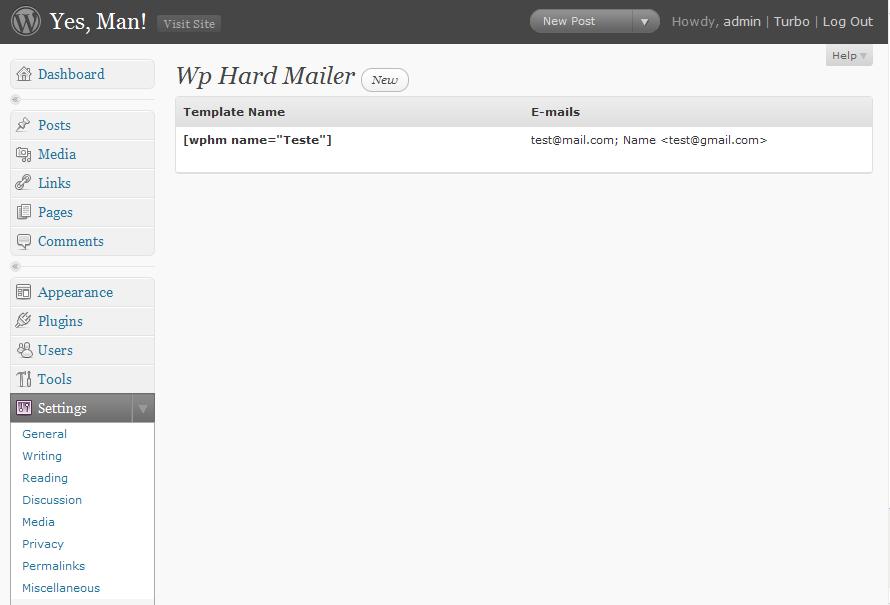
List of templates. See, your short tag is generated, you just need to Ctrl+c and Ctrl+v on yor post/tag.

Edit your form template.

Put your template form on your post.

You can change the reciver mail, passing the mail algument.

You can put the form on your templates, using the simple
wpHardMailerfunction.
Faq
Can I use the plugin in my templates
Yes, you can! Just put this code on your template file:
<?php if (function_exists('wpHardMailer')) wpHardMailer('name of template'); ?>
How can I change the recivers on wpHardMailer function
Send an params (array or string) to the funcion.
<?php wpHardMailer(array('name'=>'template name', 'mail'=>'Mike|mike@visie.com.br')) ?>
or
<?php wpHardMailer(array('name'=>'template name', 'mail'=>'Mike|mike@visie.com.br')) ?>
Can I use the same form on deiferent areas changing only the reciver?
Yes, you can! on you shortcode put the mail arg.
[wphm name=”simple mail” mail=”example@test.org”]
TinyMCE Hacking
The editor TinyMCE removes no real tags when you change from html view to visual view. So, if you pass the mail argument like this.
Mike <mike@visie.com.br>
The tinyMCE remover the reciver mail. So, you have to pass the name and mail separated whit pipe | character. Like this.
Mike | mike@visie.com.br
How can I send o multiple recivers?
Just separe all mail by ; character.
Mike | mike@visie.com.br ; Julio | julio@visie.com.br