WP Hook Finder

WP Hook Finder
Description
WP Hook Finder is your assistant for developing on top of an advanced parent theme, theme framework or high-end WordPress plugin. Hook Finder scans a theme or plugin of your choice and lets you know of any custom actions or filters that have been added and which functions hook on to which actions or filters.
Installation
Installing WP Hook Finder is really easily. Simply follow the steps below:
- Upload the
wp-hook-finderfolder to the/wp-content/plugins/directory - Activate the plugin through the ‘Plugins’ menu in WordPress
- Visit the “Tools -> Hook Finder” screen.
Screenshots
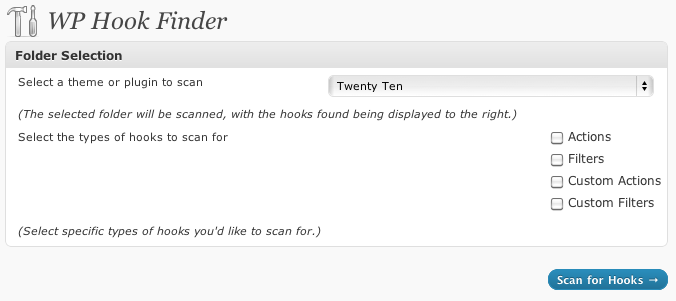
The WP Hook Finder main screen, before a scan.

The display once WP Hook Finder has scanned a theme or plugin.
Faq
So, how does this plugin work anyway?
Using WP Hook Finder couldn’t be any easier. The plugin requires no additional setup once activated.
To start using WP Hook Finder, visit the “Tools -> Hook Finder” screen, select the folder you’d like to scan and click the “Scan for Hooks” button. It’s as easy as that!
Reviews
Changelog
1.0.0
- First release!