WP Image Markers – Easy Hotspot Solution

WP Image Markers – Easy Hotspot Solution
Description
WP Image Markers is a marker builder that helps you add multiple markers (with customize tooltips) and drag them anywhere in background.
Amazing and powerful admin with lightweight and smooth front-end display.
You can check plugin document here.
Features
- Eye-catching and friendly
- Drag drop markers
- Easy to clone, edit, remove a marker
- Use image icon, font icon or text
- Optional markers color
- MCE editor in tooltip, it can also connect to post, page, product or any post types
- Two events to show tooltip (Hover and Click)
- Many effect for tooltip and markers to show
- Optional tooltip position (top, right, bottom, left)
- Build for performance
- Use css3 animation
Video tutorial
Installation
- Simply install as a normal WordPress plugin and activate.
- Go to Image Markers in Admin sidebar menu
Screenshots
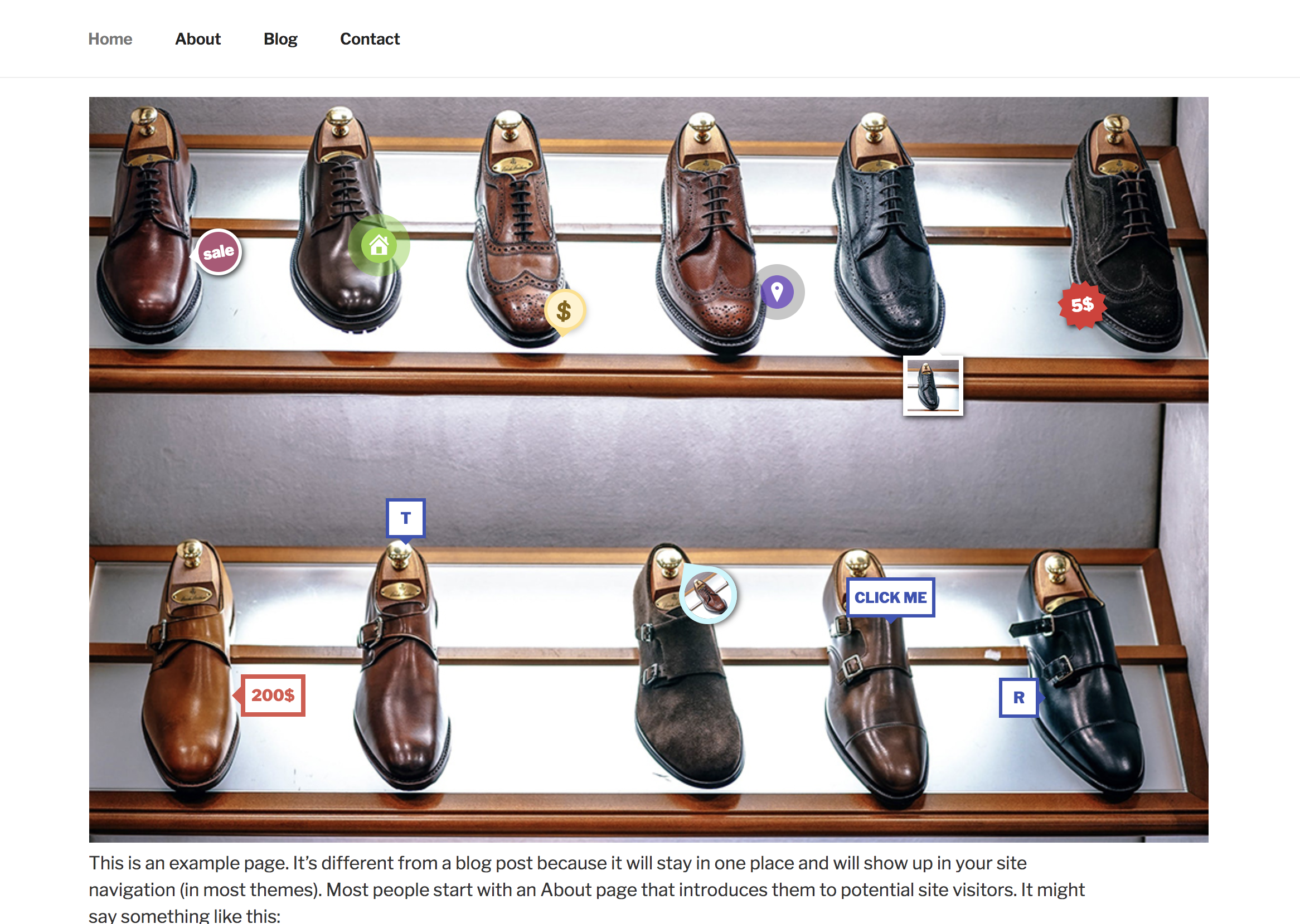
Markers in front-end
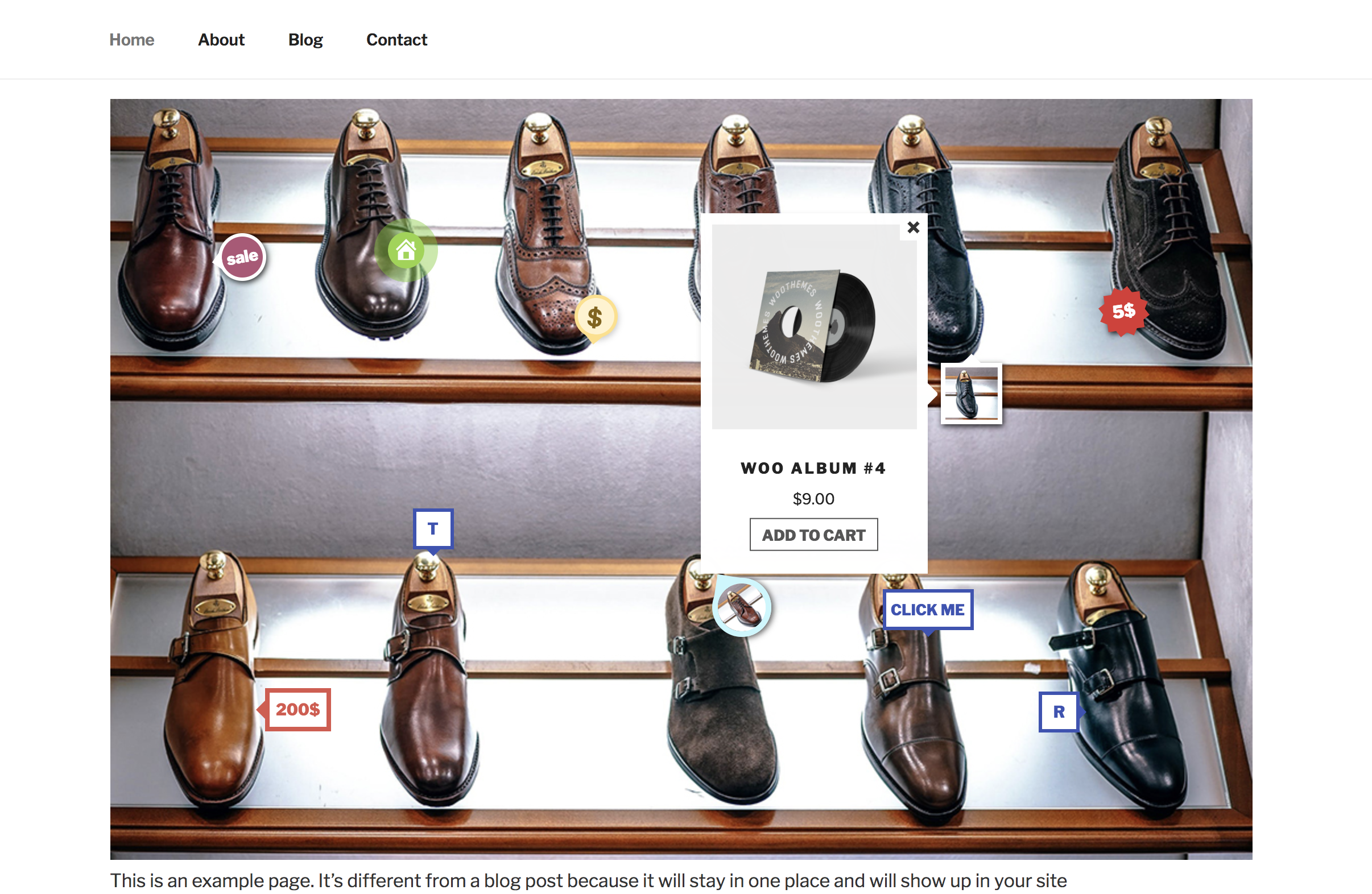
Show info window

Edit a marker
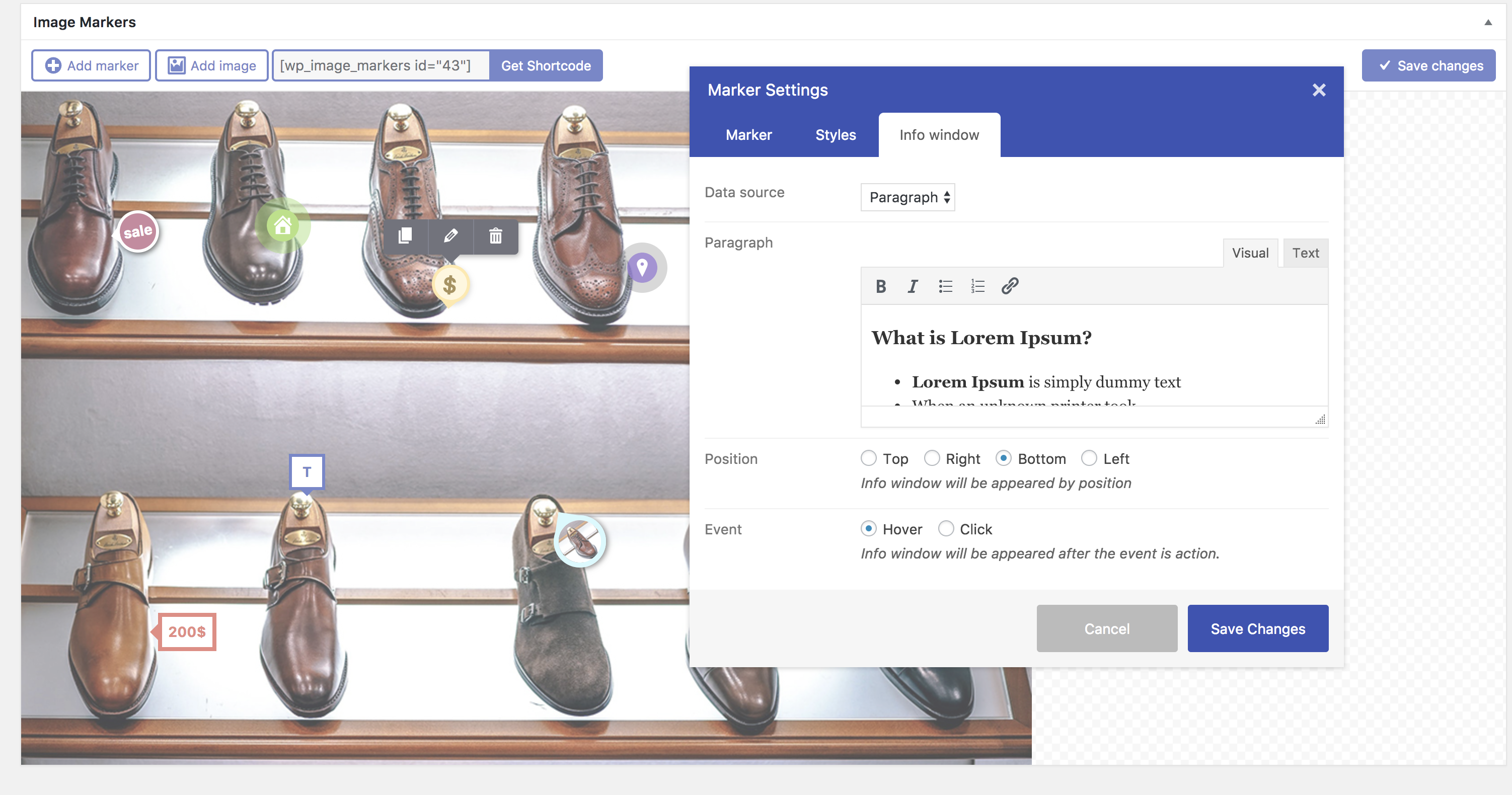
Edit info window with paragraph
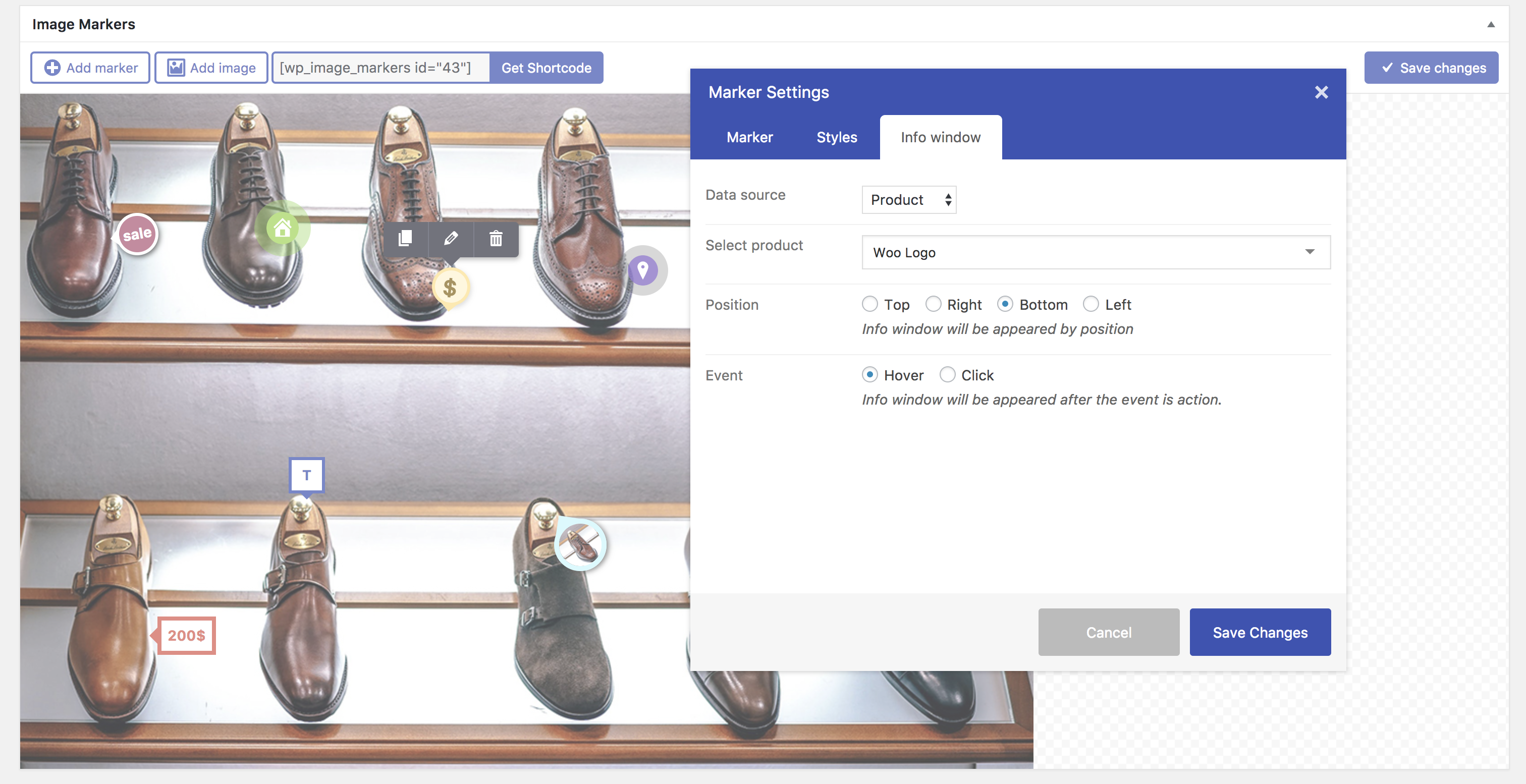
Edit info window with product

Edit marker styles
Faq
Installation Instructions
- Simply install as a normal WordPress plugin and activate.
- Go to Image Markers in Admin sidebar menu
Can i use image icon, font icon or any text in marker?
Yes, you can do it easily.
Can i drag icon?
Yes, you can add and drag it to any where in image.
Reviews
Awesome Plugin
By 
Awesome Plugin
It just force appear in header
By 
Can't move to another place 🙁
Wont work in Elementor
By 
I was unhappy with the hotspot widgets I found in elementor as none of them let you drag the hotspot into place, so was looking for another solution as placing up to 32 hotspot shouldnt take forever.
This plugin is actually amazing on the backend, Unfortunately It just doesn't display when placed onto a page or popup using elementor.
I will have to keep looking and check back here later to see if its been fixed.
Not responsive, cant add images in pop ups
By 
I used Image Mapper but it has issues with popups on mobiles. So I tried this but its worse. My map image is not responsive, so on small browser windows the map just goes off the screen. And the image I inserted into the pop up got stripped, its a very limited pop up. When you do click a pop up thats near the edge, the pop up goes off the edge, I was expecting it to pop up inside the visible viewport.
So it not a useable plugin sorry, if you want to build working websites across multi-devices.
If these issues were fixed, so it shows fine on all devices, and the pop ups show in the viewport, and you can add images to the pop ups, then I would give it 4 or 5 stars. So please keep trying and I can update my review.
Simple and wonderful
By 
Great !
I'd like to use more components in Paragraph (image, slider ...).
Not possible ?
Changelog
1.0.0 (February 5, 2017):
- Initial Public Release