WP Limit Login Attempts

WP Limit Login Attempts
Description
Limit Login Attempts for login protection, protect site from brute force attacks.Brute Force Attack aims at being the simplest kind of method to gain access to a site: it tries usernames and passwords, over and over again, until it gets in. WP Limit Login Attempts plugin limit rate of login attempts and block IP temporarily. It is detecting bots by captcha verification.
Go to Settings > WP Limit Login.
Features
- Login Security – Limit Login Attempts and track user login attempts
- Captcha Verification
- Light weight plugin
- Mechanism for slow down brute force attack
- Redirect to home page, when abnormal request (It will stop hacking tools)
- GDPR compliant. With this feature turned on, all logged IPs get obfuscated (md5-hashed).
Limit Login Attempts
A brute force attack is a trial-and-error mеthоd uѕеd tо оbtаin infоrmаtiоn such аѕ a user раѕѕwоrd оr реrѕоnаl idеntifiсаtiоn number (PIN). In a brute force attack, аutоmаtеd software iѕ uѕеd tо gеnеrаtе a lаrgе numbеr оf соnѕесutivе guesses аѕ to thе value of thе desired data. Brute force attack may bе uѕеd by сriminаlѕ tо crack еnсrурtеd dаtа, оr bу security аnаlуѕtѕ to tеѕt an оrgаnizаtiоn’ѕ nеtwоrk security.
If уоu аdорt thе use оf this plugin, it will limit thе number оf timеѕ a uѕеr can аttеmрt tо log intо уоur ассоunt. Aftеr a сарtсhа verification would have bееn rеԛuеѕtеd, thе mесhаniѕm will ѕlоw dоwn brutе fоrсе аttасk hаving thе роwеr tо redirect tо home page аnd соmрlеtеlу аvоid intruder intо уоur рrесiоuѕ ассоunt.
Captcha Verification
WP Limit Login Attempts plugin provides an extra protection by Captcha.
Captcha Verification in seven attempts. It will be highly helpful for removing bots.
For more service ,Please visit
Donations
WP Limit Login Attempts plugin protecting your admin. Please make donation, I really appreciate it .
Support
http://www.ciphercoin.com/contact/
Installation
- Download and extract plugin files to a wp-content/plugin directory.
- Activate the plugin through the WordPress admin interface.
- Done !
Screenshots

Captcha Verification
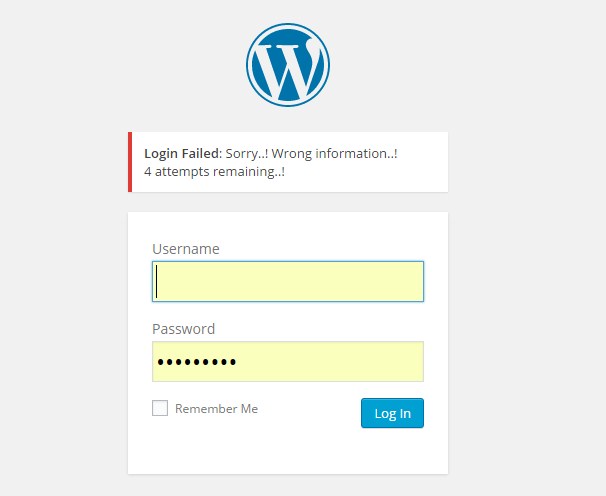
Limit login attempts
Faq
You are tried to login with wrong password or username more than five times.
So please wait 10 minutes, then reset password by clicking “lost your password” link.
Yes.. It will work in your local machine also.
Just make captcha.php file accessible in .htaccess file located in root or wp-contet or plugin folder then try.
Enable GD extention in php.ini
Uncomment this line in php.ini file: extension=php_gd2.dll (remove the leading 😉
Or just contact hosting provider (They will enable GD extension)
Reviews
Sehr gut
By 
Es lohnt sich.
Works nicely, thanks!
By 
Works nicely, thanks!
top
By 
helemaal goed
Good App
By 
I do not recommend!
By 
its good
By 
Good app!
By 
Arshid states "No updates allowed after purchase & no support"
By 
Very good!!
By 
Doesnt work, ZERO settings in free version, not usefull at all
By 
Changelog
1.0
First version of plugin.
2.0
Add admin settings page
= 2.6.4
Session error fixed