WP-Memory-Usage

WP-Memory-Usage
Description
WP-Memory-Usage is a lightweight but powerful WordPress plugin that monitors and displays memory usage directly in your WordPress admin area.
This tool is essential for site administrators and developers who need to keep an eye on the memory consumption of their WordPress installation, helping to identify potential issues and optimize performance.
What the plugin shows:
In the admin footer (every admin page):
* Current memory usage vs. WordPress limit (with percentage)
* Current memory usage vs. PHP limit (with percentage)
* Server IP address and server name
* PHP version
In the Dashboard widget (“Memory Overview”):
* PHP version, architecture (32/64 bit), max execution time
* WordPress memory limit (WP_MEMORY_LIMIT), WordPress admin limit (WP_MAX_MEMORY_LIMIT), PHP memory limit
* Current peak memory usage with a visual progress bar (colour-coded: green / orange / red)
* Link to the Threshold Alerts settings page
Memory Alerts Tabs (since 2.0.0):
Log events, set thresholds (Warning / Danger / Critical), monitor memory usage…
Why Use WP-Memory-Usage?
Excessive memory usage leads to slower sites, HTTP 500 errors, and failed background jobs (cron, imports, backups). WP-Memory-Usage gives you the information you need to act before users are affected — without overwhelming you with notifications.
Features
- Admin menu: See at settings “Memory Alerts”
- Real-time memory display in dashboard and every admin page footer
- Colour-coded progress bar (green / orange / red) for instant status recognition
- Set Thresholds: Set values for three threshold levels (Warning, Danger, Critical) and switch on/off logging
- Set how to measure: Use peak memory?
- Set Logging: Log Ajax, Rest, Admin, Cron, favicon, OK
- Set how to alert: Mailadress, intervals for rotating and deleting logfiles
- History tab: show latest logged requests
- Digest tab: browse and review past aggregated requests
- Actions tab: practical guidance on what to do when you receive an alert
- Memory Thresholds tab: current settings and assessment & recommendations
- Check Installation tab: all ok for using this plugin?
- Clean uninstall: removes all options, cron jobs, and log files on deletion
- New Logo for the Plugin
PluginCheck-Plugin Status
Plugin is compatible with PluginCheck-Plugin. Note regarding “trademarked_term”: “WP-Memory-Usage” and “wp-memory-usage” are today considered restricted terms. This plugin entered the WordPress repository in 2009, when those terms were permitted.
Credits
Copyright 2009–2013 by Alex Rabe, 2022– Bernhard Kux
Screenshots
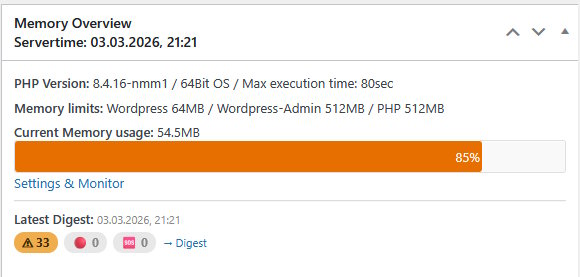
Dashboard widget – Memory Overview with progress bar and digest summary,show latest digest status badges (warn / danger / critical)
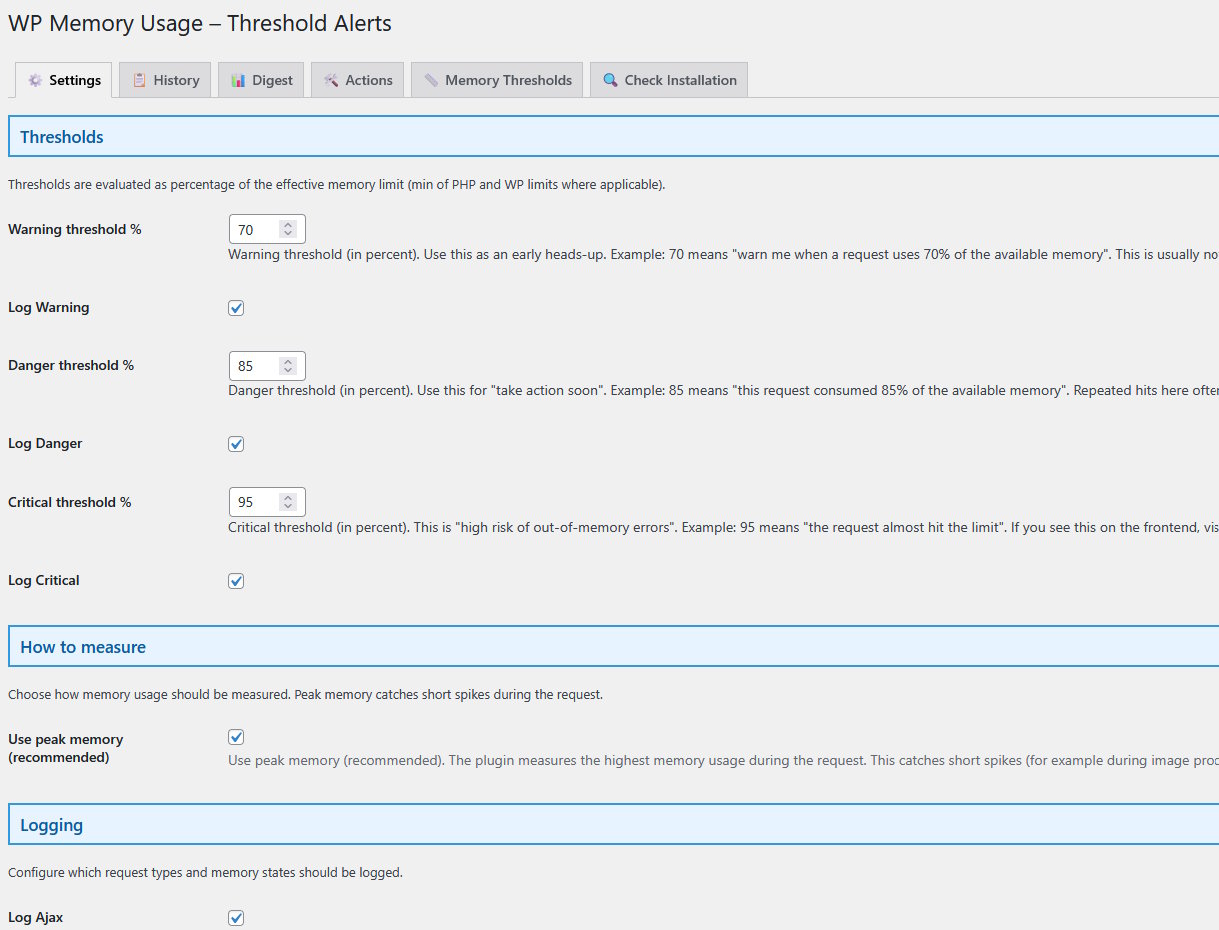
Threshold Alerts settings tab – thresholds, logging options, email options...
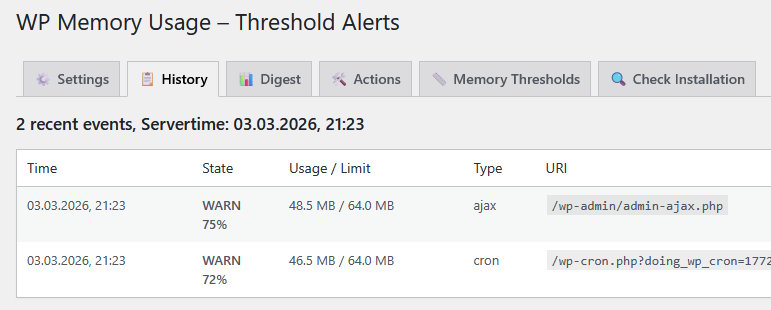
History tab – recent requests with context
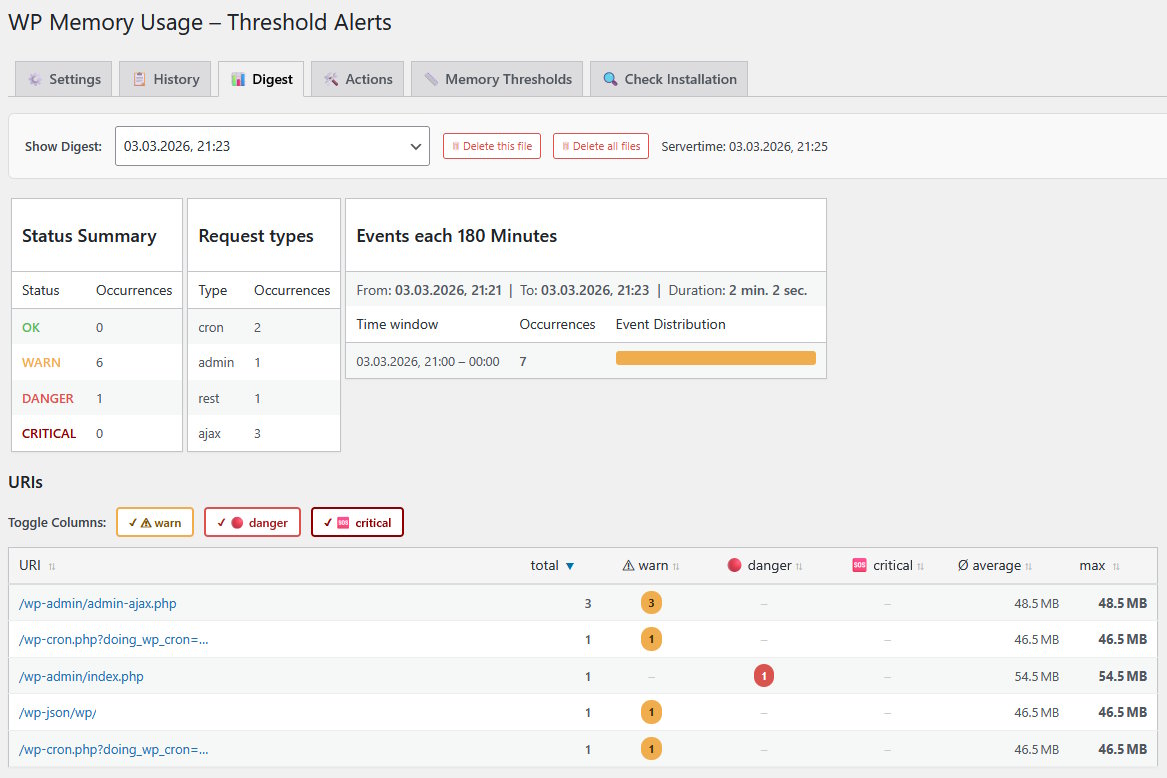
Digest tab – summary review
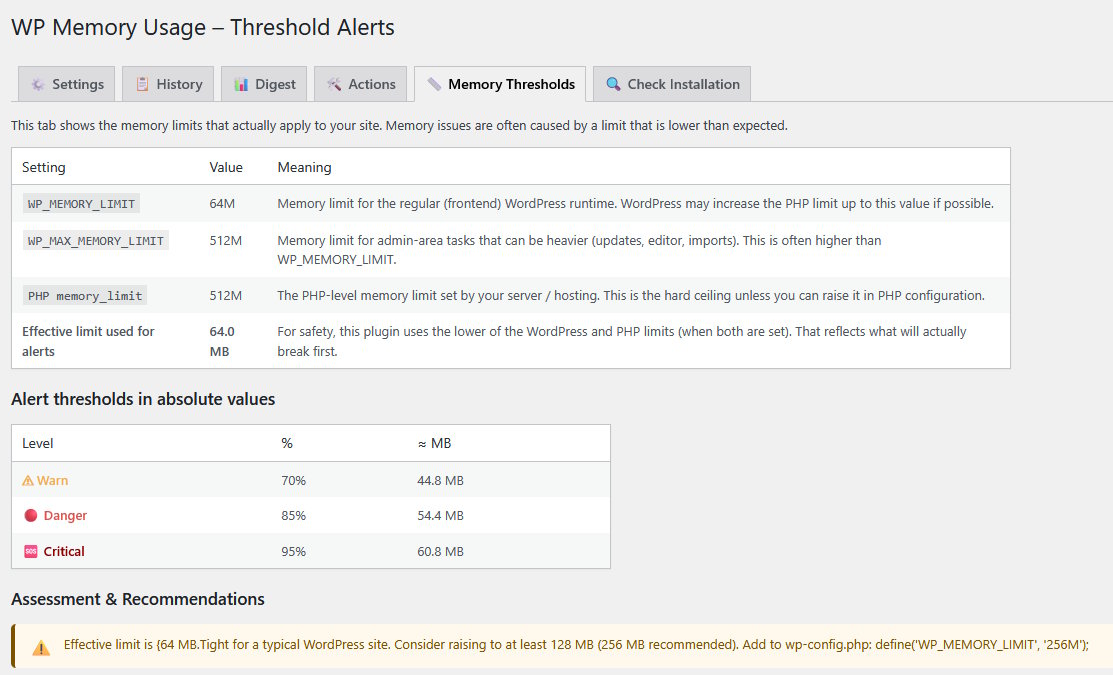
Memory Thresholds tab - show current settings, assessment & recommendations
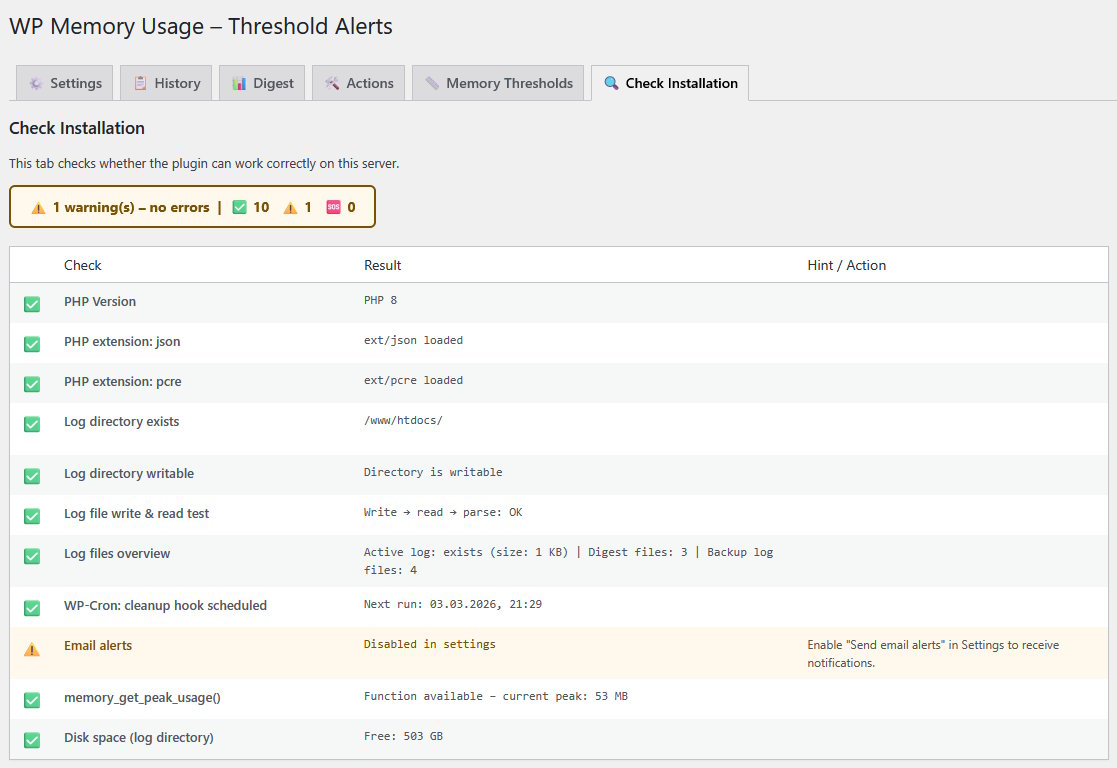
Check Installation tab - can the plugin work correctly?

Admin footer – memory usage, PHP version, and IP address on every admin page
Faq
The plugin shows memory information in three places: in the WordPress dashboard as a “Memory Overview” widget, in the admin footer on every backend page and in detail at the plugins tabs.
The plugin shows the PHP version, operating system, WordPress and PHP memory limits, current memory usage (in MB and as a percentage), as well as the server IP address and PHP max execution time.
Switch on the logging options in the plugins tabs and measure the memory consumption. the Digests tab will show you the memory-hungry requests. Then you might switch off plugins to see the difference.
Yes.
Reviews
Helped fix site performance problems
By 
I originally found this becuase I was trying to monitor memory usage to help diagnose poor site performance. It works well for that. However, it also has a tab with a lot of other statistics and it was some of these that helped me track down some opcache issues. Site load times went from TTFB of about 2.25s to 0.6s after tuning! I am very thankful for this plugin, you should give it a try if you are trying to get some very useful stats. The inclusion of an AI prompt is also very nice as it might help you figure out what the numbers are telling you.
Displays the memory limit & current memory usage
By 
Minimal, clear and useful. This plugin helped me to monitor the memory size on comfortable way. A little but nice debug tool.
5 Stars Useful plugin
By 
Sloppy
By 
Plugin is reporting 2MB php memory when all other tools, including my host, reports 2GB. This typo is preventing me from getting some other plugin support.
Great plugin! Simple and Useful.
By 
Super
By 
Lite info super
Great !
By 
Great plugin thanks 🙂
I like it!
By 
I like it!
Changelog
2.0.0
- New: Admin-Backend Tab Settings, History, Digest, Actions, Memory Thresholds, Check Installation
- Improved: Dashboard widget shows latest digest status badges (warn / danger / critical)
- New: Logo
- Removed: Manual “Multiple Memory Measurement”
1.2.12
- NEW: Provide data for server monitoring via API
- The plugin is compatible with PluginCheck Version 1.8.0
1.2.11
- Plugin ok with WP 6.9
- Compatible with PluginCheck Version 1.7.0
1.2.10
- Ok with WordPress 6.5.4
- PluginCheckPlugin Version 1.0.1 ok, except trademarked_term
- Changes to pass PluginCheckPlugin: escaping output, gmdate() instead of date()
1.2.9
- BUGFIX: Fixed calculating “Average MB”, which could cause “PHP Deprecated” warning. Thank you @dimalifragis.
- Ok with WordPress 6.4.3 and 6.5-RC
1.2.8
- Fixed situation when WP_MEMORY_LIMIT or WP_MAX_MEMORY_LIMIT is not set, which gives a PHP-Warning when using PHP 8.X. Thank you @PowerMan
- Improved I18N. Thank you @alexclassroom