WP Post Author – Author Box, Multiple Authors, Guest Authors & Custom Avatars

WP Post Author – Author Box, Multiple Authors, Guest Authors & Custom Avatars
Description
Author Box, Multiple Authors, Guest Authors, Local Avatars, Post Ratings & Registration Forms for WordPress
WP Post Author is a powerful and flexible WordPress plugin that provides a complete solution for displaying author information, managing multiple authors and guest authors, hosting local avatars, collecting post ratings, and creating user registration & login forms—without writing code.
Whether you need a simple Author Bio Box or a complex system for Co-authors, this plugin is ideal for blogs, news portals, magazines, and multi-author websites looking to improve credibility, engagement, and editorial workflows.
Live Demo | Documentation | Video Tutorials | Support
🚀 Key Highlights
✅ Beautiful and customizable Author Box & Author Bio
✅ Assign multiple authors (co-authors) to a post
✅ Create and manage guest authors without user accounts
✅ New: Local Avatars & Custom Avatars via Media Library (Stop Gravatar!)
✅ Built-in post rating system for reader feedback
✅ Recommended posts to boost engagement
✅ Visual login & registration form builder
✅ Fully compatible with Gutenberg blocks, widgets, and shortcodes
✅ Translation-ready and modern theme-friendly
🛠 Key Features
🧑💼 Professional Author Box
- Customizable Layouts: Display author info on single posts and author pages with full control over titles, alignment, and shapes.
- Auto-Append: Automatically insert the author bio box after post content for consistent branding.
- Local Avatars (New): Upload custom profile images directly via the Media Library. Bypass Gravatar to improve site performance and privacy (GDPR friendly).
- Multiple Display Options: Use the built-in Gutenberg Block, Widget, or Shortcode for total placement flexibility.
⚡ PRO Features:
* Interactive Profile Tabs and Latest/Top-rated posts.
* Advanced color schemes and layout typography controls.
* Author performance ratings.
👥 Co-Authors & Multiple Authors
- Collaborative Publishing: Assign multiple registered users to a single post or page.
- Easy Management: Add, update, or reorder authors directly from the WordPress post editor.
- SEO Optimized: Correctly attributes content to all authors for search engine credibility.
⚡ PRO Features:
* Dedicated “Single & All Author Profile” Gutenberg blocks.
* Author ratings and profile tabs for multi-author layouts.
👨👩👧👦 Guest Authors (No Account Required)
- Unlimited Guest Profiles: Create and manage guest authors without cluttering your WordPress User database.
- Full Profile Control: Add custom bios and social links for external contributors easily.
⚡ PRO Features:
* Enable Guest Author ratings and specialized profile blocks.
⭐ Post Rating & Engagement
- Interactive Feedback: Allow logged-in users to rate your content to increase engagement.
- Global Controls: Enable or disable ratings site-wide or on a per-post basis.
⚡ PRO Features:
* Top-Rated Posts Block: Display your most popular content automatically.
* Advanced Analytics: View rating data directly in your dashboard.
💡 Recommended Posts (PRO)
- Smart Engagement: Automatically append suggested content to keep readers on your site.
- User-Centric: Display posts based on user preferences and categories.
- Custom Layouts: Advanced filtering options with full Gutenberg block support.
🧩 Drag & Drop Registration Form Builder
- Custom Forms: Create visually appealing User Registration and Login forms without code.
- Security First: Built-in support for Google reCAPTCHA v2 & v3 to prevent spam.
- Shortcode Ready: Display forms anywhere using
[awpa-registration-form]or[awpa-user-login].
⚡ PRO Features:
* Custom social profile fields and dedicated landing page selection.
🌐 Social Link Integration
Automatically connect and display icons for all major platforms:
* Facebook, Instagram, YouTube, Twitter (X), LinkedIn, Email, and Personal Websites.
🎨 Theme Integration
WP Post Author works with all properly coded WordPress themes.
To display multiple authors in your theme:
<?php
if(class_exists('WP_Post_Author')){
    awpa_ma_multi_authors_list_post();
}
?>
We are also working for the enhancement of the feature.
🎯 Recommended Themes
WP Post Author works with all modern WordPress themes and has been tested with:
- NewSpare – Full Site Editing (FSE) Theme
- CoverNews
- ChromeNews
- MoreNews
- ReviewNews
- Newsphere
- Twenty Twenty-Five
- Astra
- Ocean WP
- Blocksy
- Kadence
- Generatepress
- Neve
- And all themes from AF Themes
🧩 Other Plugins by AF themes
If you find WP Post Author useful, you may also like:
TemplateSpare: 1000+ starter templates and full site import/export solution.
EleSpare: News, magazine, and blog addons for Elementor.
BlockSpare: News, magazine, and blog addons for Gutenberg (Block Editor).
License
GPLv2 or later
http://www.gnu.org/licenses/gpl-2.0.html
This program is free software; you can redistribute it and/or modify it under
the terms of the [GNU General Public License][] as published by the Free
Software Foundation; either version 2 of the License, or (at your option) any
later version.
This program is distributed in the hope that it will be useful, but WITHOUT ANY
WARRANTY. See the GNU General Public License for more details.
Installation
- Download to your plugin directory or simply install via WordPress admin interface.
- Activate.
- WP Post Author blocks, widgets, shortcodes will be available for WordPress.
- Shortcode [wp-post-author] will be workable.
- If configuration instructions needed, go to WP Post Author admin menu and follow the methods.
Screenshots

Post Author Bio Box with Social Icons

Multiple Authors Box - Co-Authors and Guest Authors

Post Rating Section
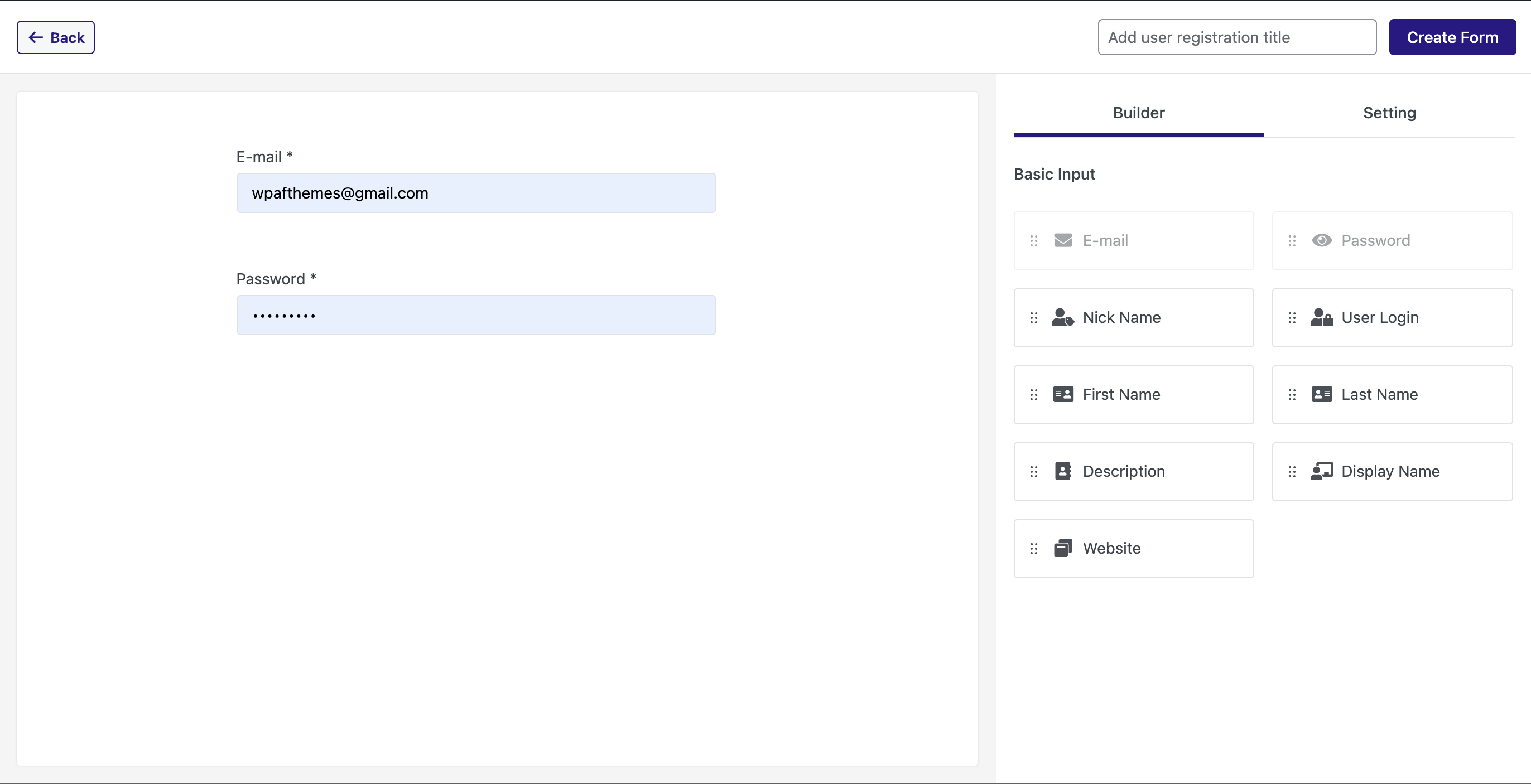
User Registration Form Builder
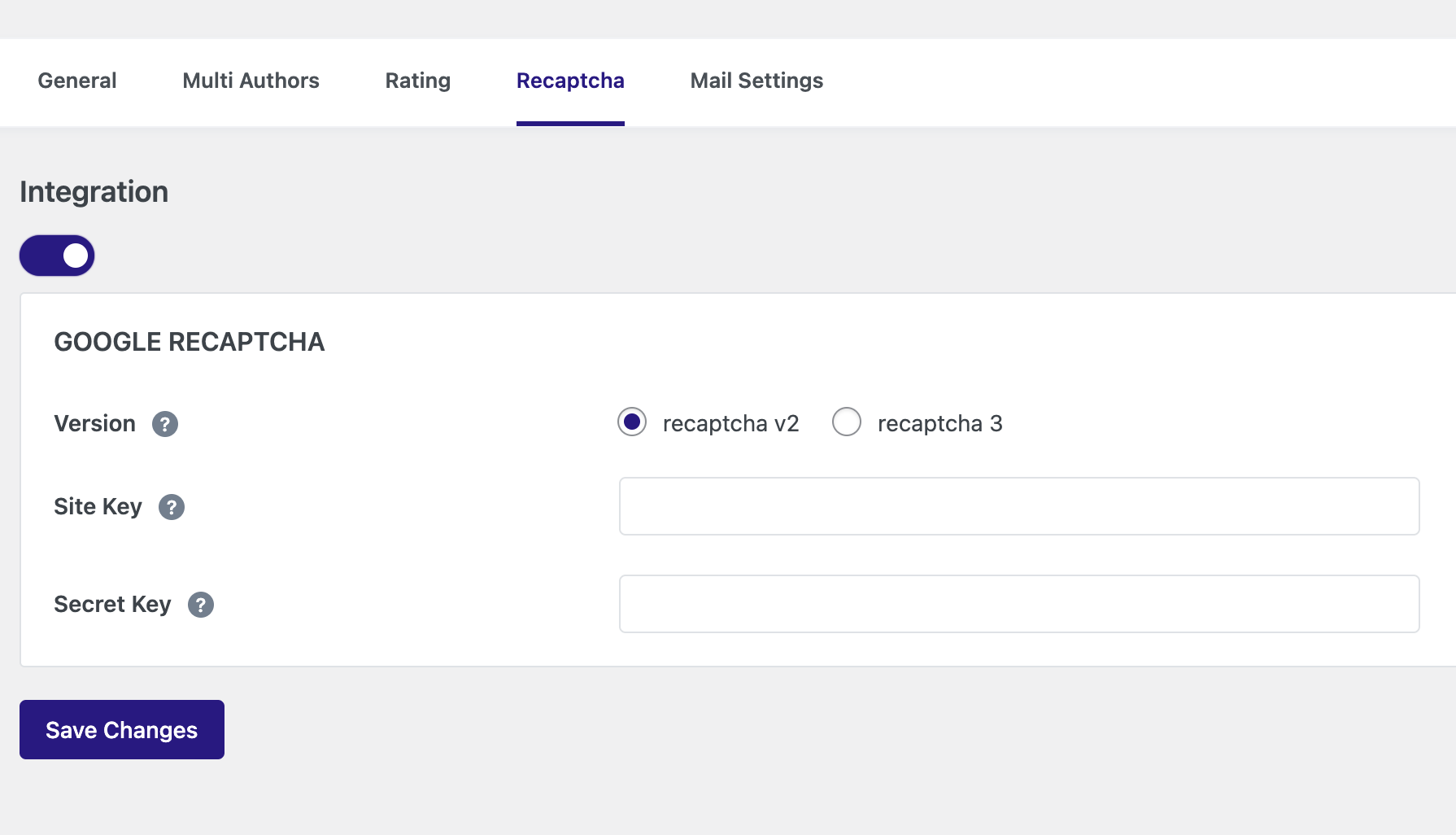
ReCaptcha V2/V3 Settings
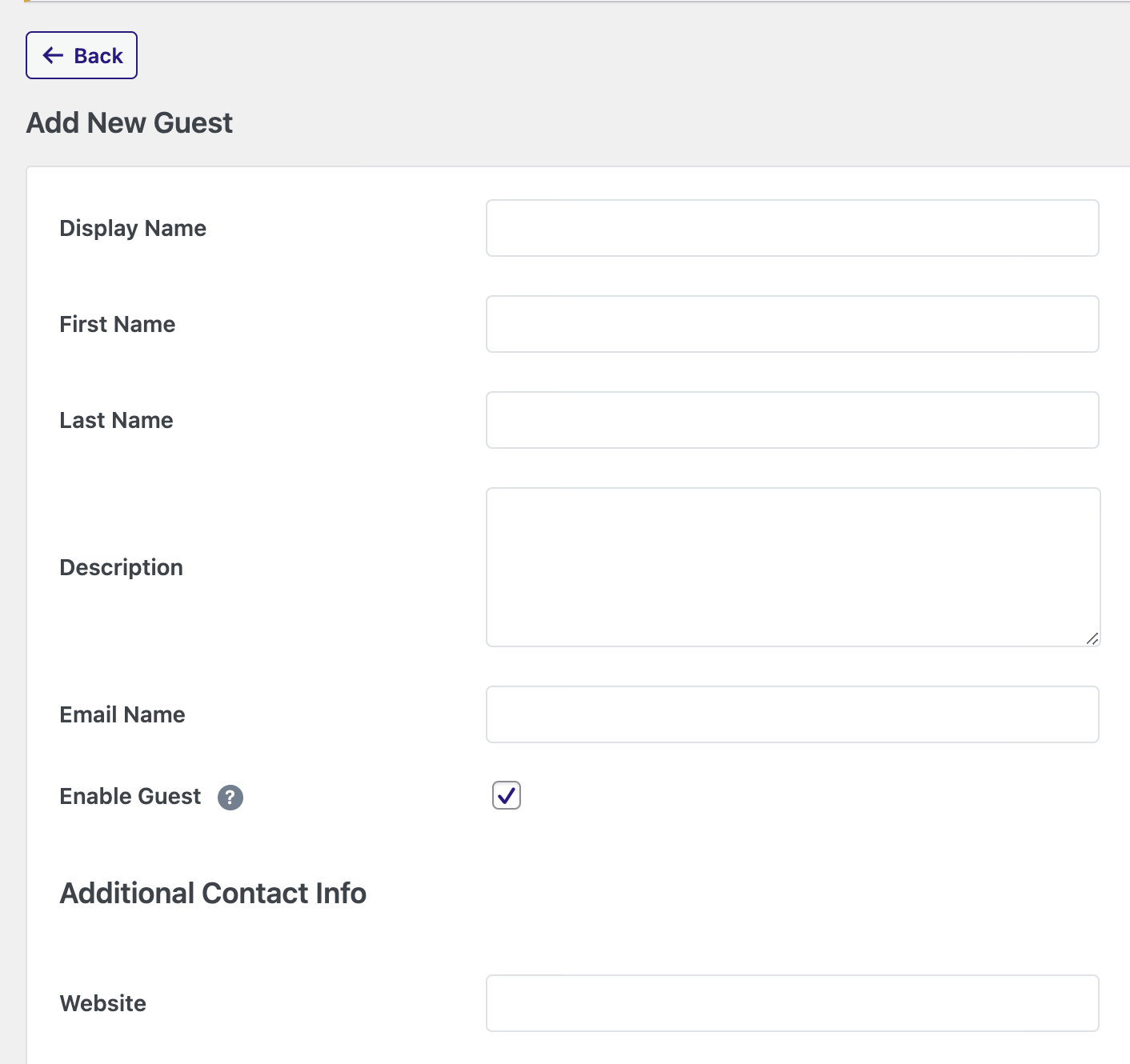
Guest Author Registration Form
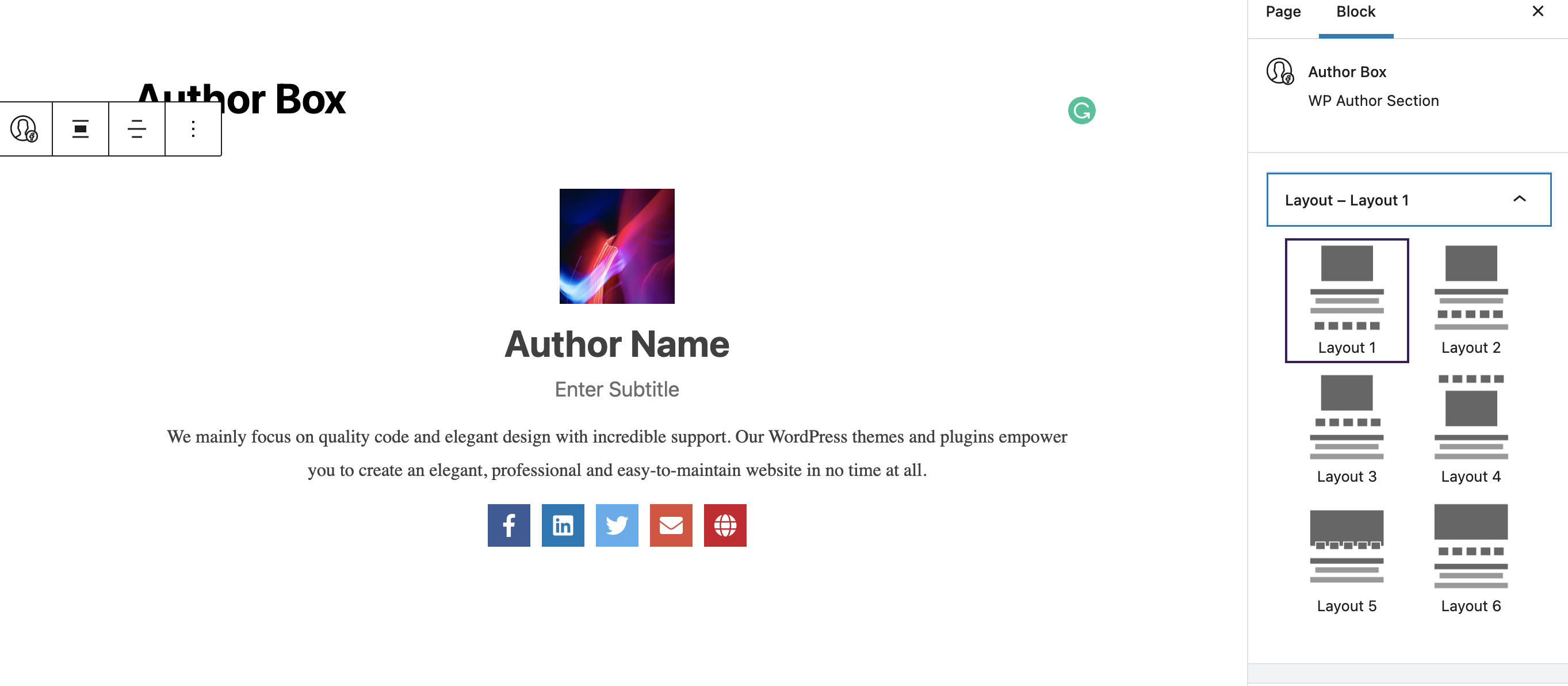
Author Box Block

Author Registration Block
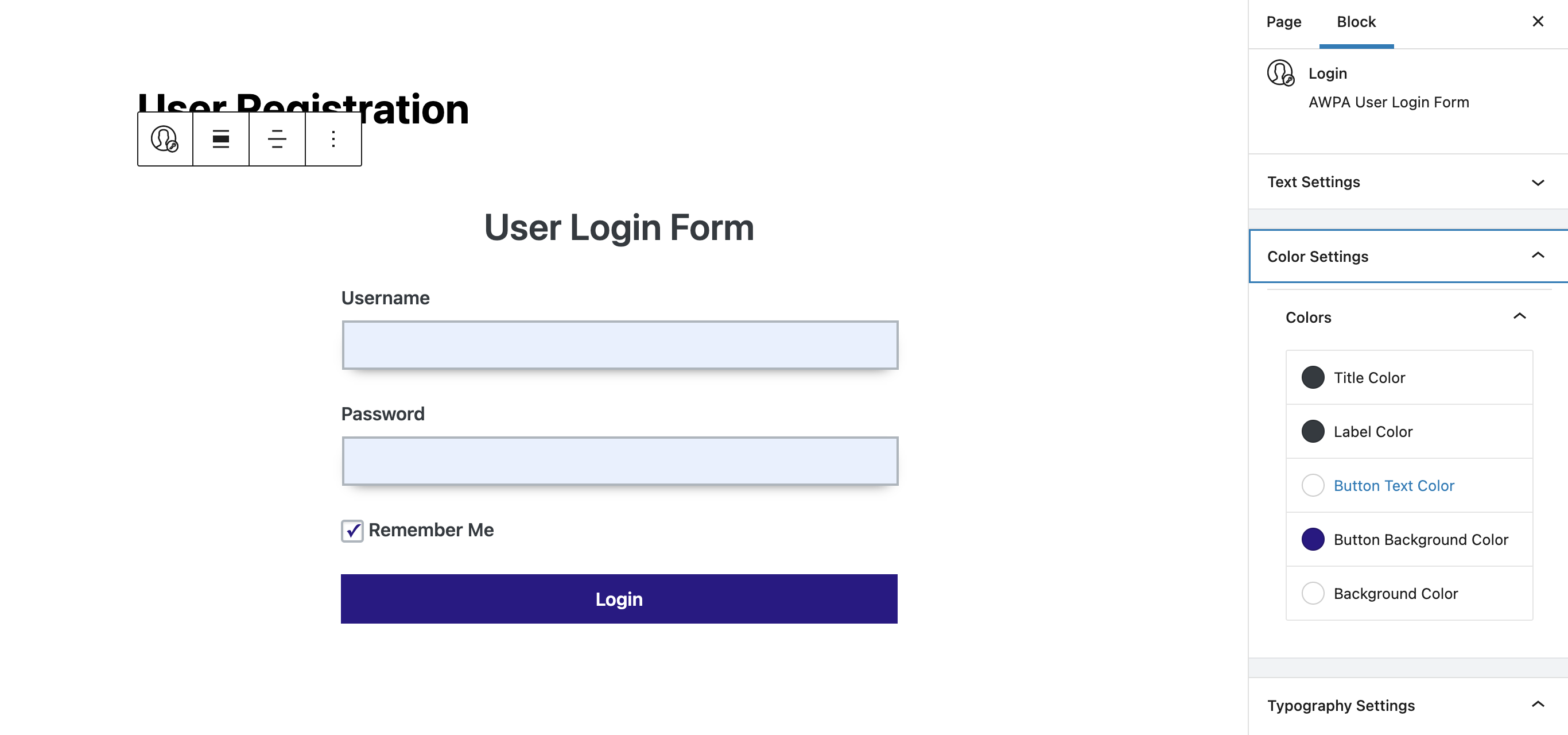
Author Login Block
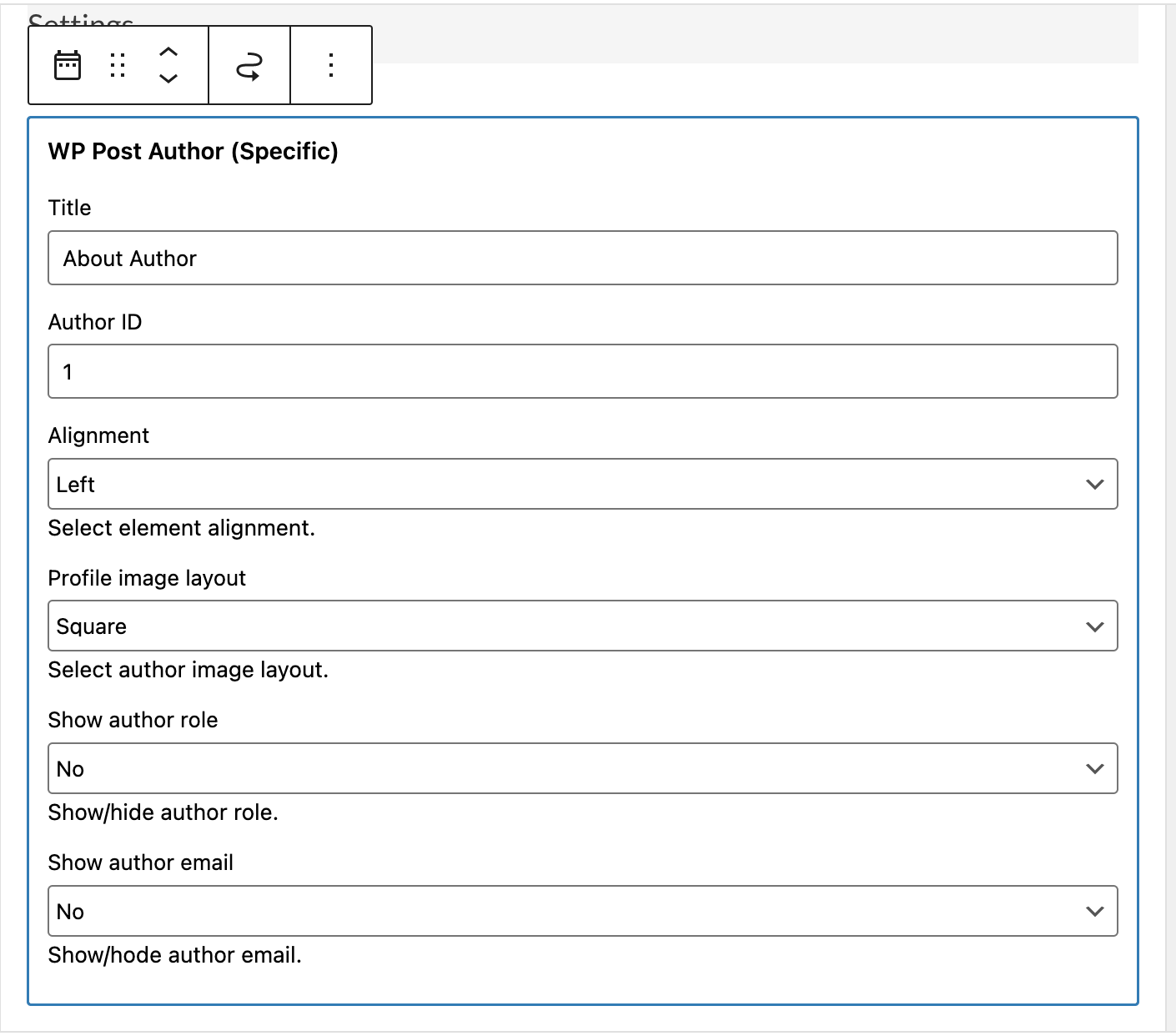
Author Box Widget
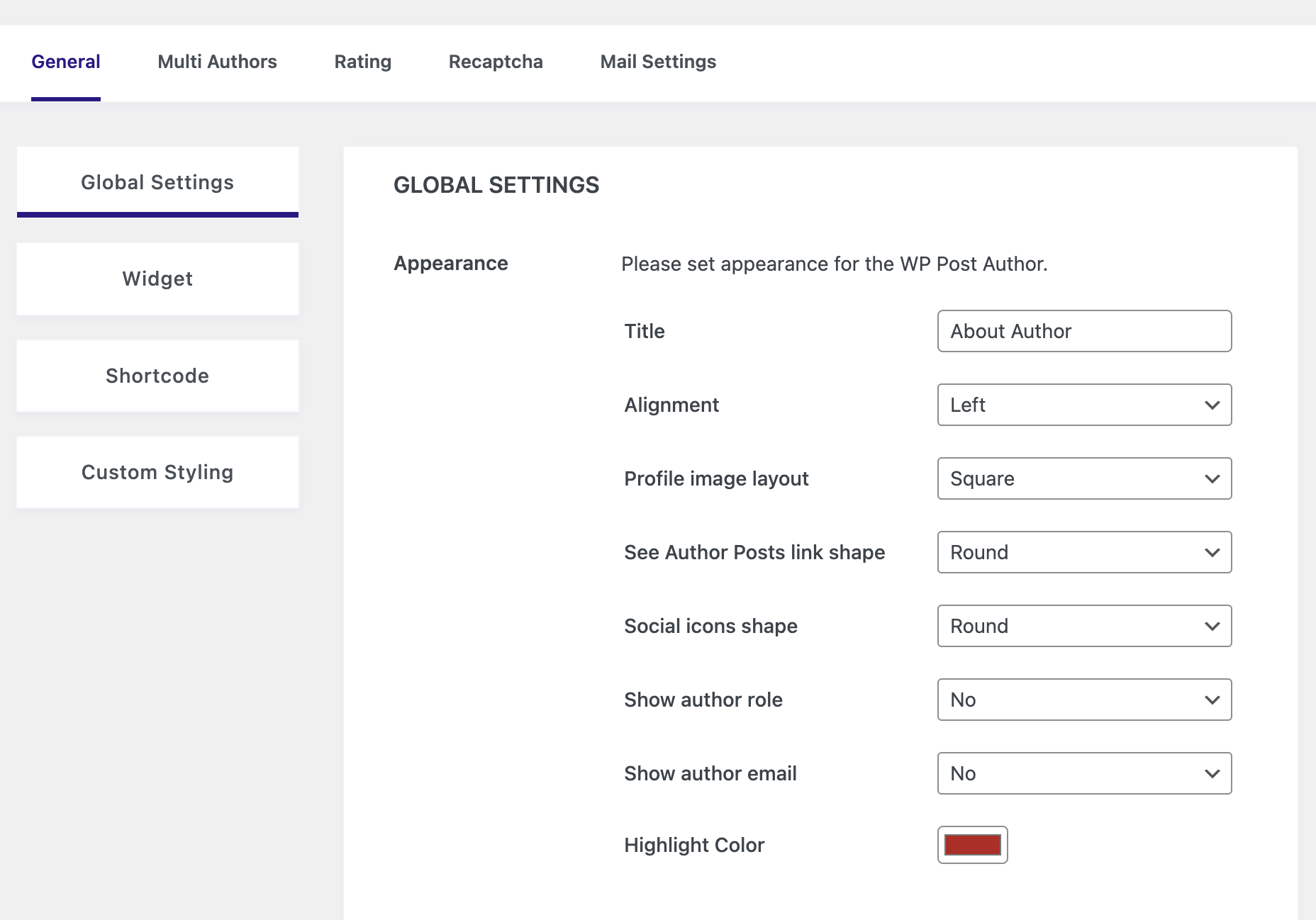
WP Post Author Setting Panel
Reviews
I love
By 
I love it
Doesn't even work right
By 
Can't exactly use the plugin when it doesn't work. Avatar doesn't show up no matter what I do, and the only suggestion from documentation is to go to an admin menu that doesn't exist. Uninstalling.
still trying to figure it all out
By 
this is the last time i'm writing this
Fantastic
By 
Wonderful plugin 👍
It's great and cool
By 
One can easily choose this plugin and get the most outcome of it.
Very useful
By 
I am very happy with it! It works great.
great tool
By 
Works well, does what its supposed to do. About the best you can hope for out of a plugin
A very easy to use and feature rich plug-in
By 
A simple to understand and use plug-in with nice features for Blog Owners and Authors .
top
By 
ghjft
Hola Bienvenido a Belleza y Cosmetología
By 
Changelog
3.9.0
- New: Local Avatars support – Users can now upload and assign custom profile pictures directly via the WordPress Media Library.
- New: Performance optimization – Option to bypass Gravatar and host avatars locally for faster page loads and improved privacy (GDPR friendly).
- New: AJAX-powered avatar management on the user profile page for a seamless experience.
- Update: Enhanced security with strict nonce verification for all profile and avatar updates.
- Update: WordPress 6.9 compatibility check and general script optimizations.
- Update: Improved file handling for generated avatar sizes to comply with WP guidelines.
3.8.3
- Update: Security Improvement
- Update: General Improvement
3.8.2
- Update: Security Improvement
- Update: General Improvement
3.8.1
- Update: Security Improvement
- Update: General Improvement
3.8.0
- New: Login page selection option added
- New: Register page selection option added
- New: Post Ratetd users list added
3.7.5
- Update: Security Improvement
- Update: General Improvement
3.7.4
- Update: Query Optiomzation
- Update: Scripts Optiomzation
3.7.3
- Update: Speed Optiomzation
- Update: Query Optiomzation
- Update: Scripts Optiomzation
3.7.2
- Update: Security Improvement
- Update: Rating API Improvement
- Update: General Improvement
3.7.1
- Update: Security Improvement
- Update: Multi-author Improvement
- Update: General Improvement
3.7.0
- Update: Security Improvement
- Update: Multi-author Improvement
- Update: General Improvement
3.6.8
- Update: Security Improvement
- Update: General Improvement
3.6.7
- Update: Security Improvement
- Update: General Improvement
3.6.6
- Update: Security Improvement
- Update: General Improvement
3.6.5
- Update: Rating Improvement
- Update: General Improvement
3.6.4
- Update: Rating Improvement
- Update: General Improvement
3.6.3
- Update: Rating Improvement
- Update: General Improvement
3.6.2
- Update: Review Star with title Improvement
- Update: Rating Improvement
- Update: General Improvement
3.6.1
- Update: Star ratings on post title Improvement
- Update: Blocks keywords Improvement
- Update: Video tutorials provided on the dashboard
- Update: General Improvement
3.6.0
- Update: Co-Author Posts Improvement
- Update: PHP 8.2 Compatibility Improvement
- Update: FontAwesome 6 Loaded
- Update: Twitter Icon Change
3.5.5
- Update: Author Posts Improvement
- Update: Rating General Improvement
3.5.4
- New: Display rating posts title option added
- Option Area: Navigate to WP Post Author Dashboard > Rating > Show Reviewed Rating with Post Title
- Update: WP Post Author Module Improvement
- Update: WP Post Author Dashboard Improvement
- Update: WP Post Author Shortcode Improvement
- Update: General Improvement
3.5.3
- Update: WordPress 6.3 Compatibility
- Update: General Improvement
3.5.2
- Update: Multi Author archive title improvement
- Update: General Improvement
3.5.1
- Update: General Improvement
3.5.0
- New: Post Rating System introduced
- Update: Registration form display based on WordPress settings
- Update: General Improvement
- Update: Fixed some design glitches
3.4.0
- Update: General Improvement
- Update: Readme file
3.3.0
- Update: API Improvement
- Update: Readme file
3.2.0
- Update: API Improvement
- Update: Readme file
3.1.2
- Update: Multi author meta box keys
- Update: Readme file
3.1.0
- Update: User permission maintied to add specific user based on roles
- Update: User permission maintied to edit post for specific user roles
3.0.0
- New: Multiple Post Authors support (Co-authors and Guest Authors)
- New: Multiple Post Authors box support (Co-authors and Guest Authors)
- New: Author registration form builder panel
- New: Guest Authors entry panel
- New: WordPress (Gutenberg) block for WP Author Box
- New: WordPress (Gutenberg) block for WP Author Registration
- New: WordPress (Gutenberg) block for WP Author Login
- New: Settings for reCaptcha V2 or V3 configuration
- New: Settings for SMTP configuration
- New: [awpa-registration-form] shortcode for Registration form
- New: [awpa-user-login] for login form
- New: Co-authors byline function for the theme
- Update: Fixed some design glitches
2.0.4
- WordPress 5.8 Compatibility Check
2.0.3
- Improvement: Image upload issue for Custom Author Box widgets
- Update: Fixed email show/hide issue
- Update: Fixed email url issue
2.0.2
- Update: Image upload issue
- Update: Fixed some design glitches
2.0.1
- Update: Plugins details
2.0.0
- Update: 2 New author widgets added
- Update: 2 New social links added(Instagram, Youtube)
- Update: Fixed offset issue
- Update: Compatibility check with latest WP 5.5