N-Media Post Front-end Form

N-Media Post Front-end Form
Description
This plugin renders a beautiful Front-end form with Title input and Description editor to allow users to save their Custom Posts. Featured image and Taxonomies also can be attached by Front-end. All is well described in following video:
How to use
Simple use this shortcode: [nm-post-front]. And then set plugin options from: Admin -> Post Front menu.
Features
- Specify any Custom Post Type
- Enable/Disable Rich Editor
- Enable/Disable Media Upload
- Enable/Disable Featured Image
- Set published or private when save.
- Show/Hide Taxonomy
- Exclude Taxonomy
- Exclude Term
Pro Features
- Meta data attachment
- Manage saved Post for Members
- We are thinking for PRO features. You are Welcome to share your thoughts for PRO and get PRO version free.
Installation
- Upload plugin directory to the
/wp-content/plugins/directory - Activate the plugin through the ‘Plugins’ menu in WordPress
- After activation, you can set options from
Post Frontendmenu
Once the plugin is installed,add this shortcode [nm-post-front] where you want to show frontend post form.
Screenshots

Admin panel with options

Front end Post From

Taxonomies and Featured image(front)
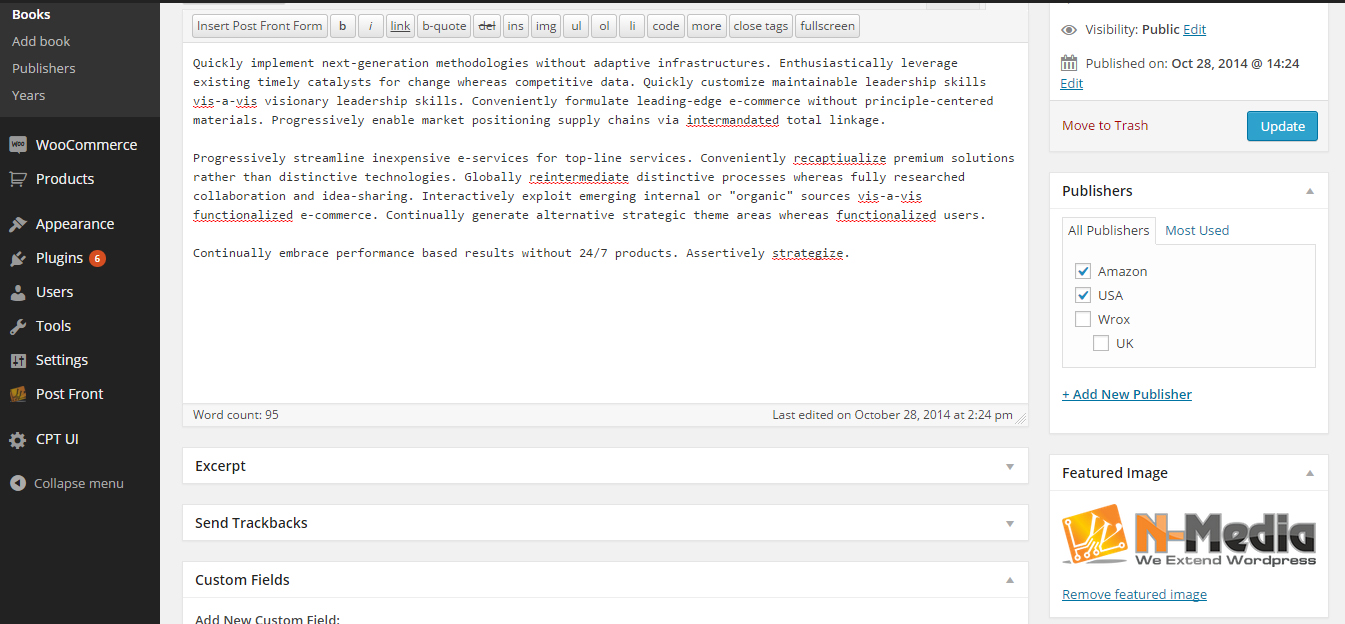
Taxonomies with options (admin)
Faq
- All these posts will be saved as Custom Post type specified by Admin.
- Yes it allows.
- Yes.
- Yes, beautifully.
Reviews
Awesome Front end post editor form
By 
N-Media launched another plugin 'Post Front end'. Allow members to submit post using nice front end form.
Changelog
1.0
- It is first version, and working perfectly
1.1
- Arbitrary File Upload Vulnerability issue fixed