Simple User Registration

Simple User Registration
Description
A Simple WordPress plugin to turn your site into a membership site. It will generate all necessary pages required for
any membership site. Awesome drag and drop field editor creates signup page so quickly. Members can manage profile on
frontend. For More Detail See Video Below:
See More Videos
How to use
Plugin Features
- Unlimited Members Forms
- Auto Generate Member Pages
- Manage Redirects
- User Profile
- Dashboard
- Profile Based URL
- Edit Profile
- New User Notifications
- Translation Ready
Pro Features
- Multi-step Registration
- More Input Fields
- Change Password
- Restrict Pages by Role
- Hide Admin Bar
- Member Direclty
- Auto Login
- Email Verification
- Manual Verification
- Activate/Deactivate Members
- Singup By Role
- GDPR Settings
- Email Templates
- Templates Override
- Fields Privacy Control
- Redirects by Role
- Fields Icons
- Form Design
- Login PopUp
- Google reCAPTCHA
- Integration with MailChimp and SendinBlue
Visite for more detail
Quick Message to Members
Since version 4.3, Admin can message via email to selected members from Dashboard with subject. See screenshot-16
Installation
- Upload plugin directory to the
/wp-content/plugins/directory - Activate the plugin through the ‘Plugins’ menu in WordPress
- After activation, you can set options from
WP Registermenu
Screenshots

Login Form

Singup Form

Multi Step Registration

Password Reset Form

Profile Page

My Account Page

Dashboard
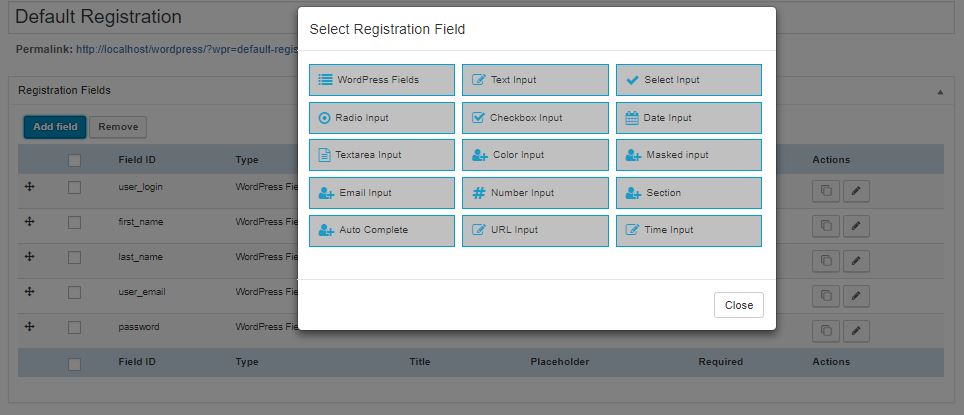
Singup Form Builder

Singup Form Builder

Settings - General

Settings - Pages

Settings - Google reCaptcha
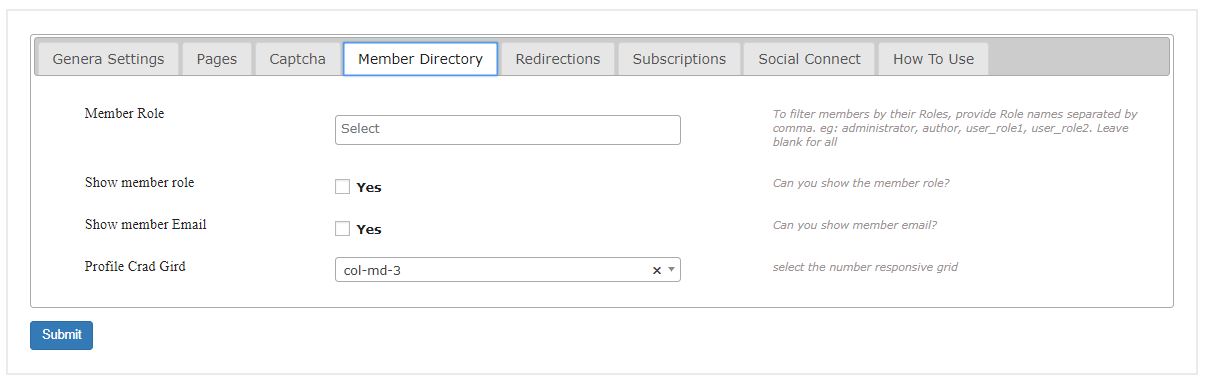
Settings - Member Directory
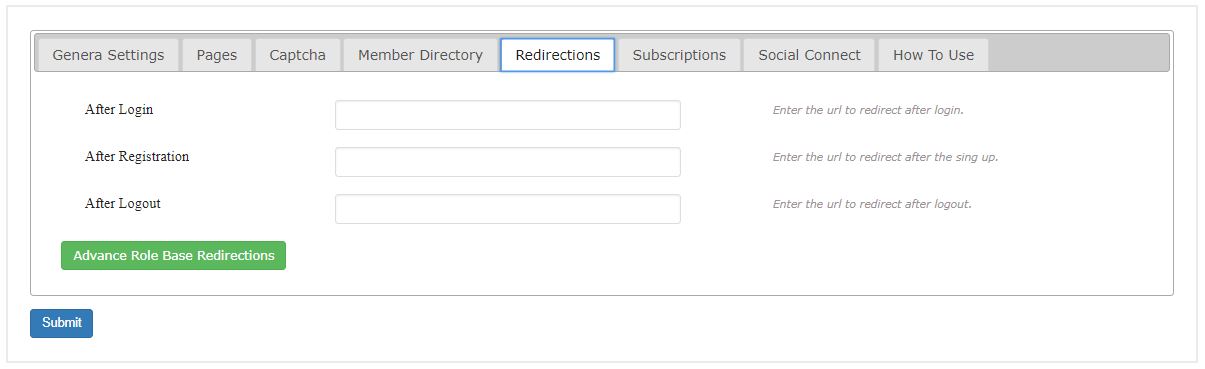
Settings - Redirects

Settings - MailChimp/SendinBlue Ingtegration
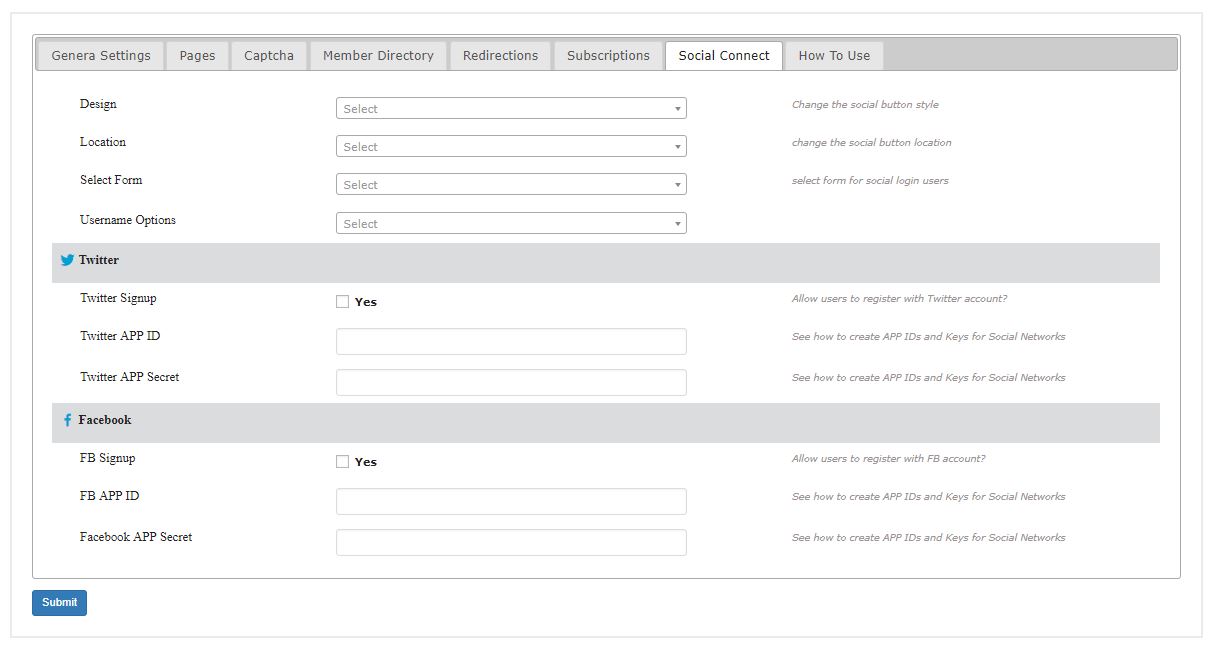
Settings - Social Connect
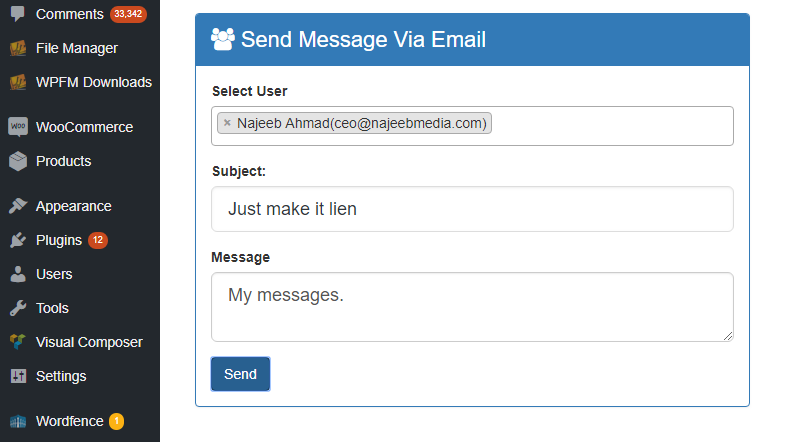
Send message via email to members from Dashboard
Faq
- All fields are saved as User Meta (update_user_meta)
Reviews
Plugin Did Not Work
By 
Did not work for me but super customer support
By 
Very efficient tool !
By 
The Worst Plugin and Support In The World
By 
fantastic
By 
Amazing Plugin, Covers Multiple Needs
By 
Excellent Plugin.
By 
Issue when installed plugin
By 
I have activated this plugin to my site. But when user registers the site then no password is sent to user so user can not login to site.Please cooperate me and guide me properly
Here is link of my registration page
http://jankay.com.pk/retirement2/user-registration/
Simple is great.
By 
Like the simplicity.... so don't have to remember lots of stuff for later changes.
Very fast bug fix
By 
This is good packet, but I found one bug: "Last chacter is missing when automatic subscription email is sent. This is very annoying bug. My company's name now shows "Tuima Visio" instea of correct form "Tuima Vision". This bug is also visible in Vimeo's training video. "N-Media Registration Plugin" is in form "N-Media Registration Plugi". Last "n" is missing."
But this bug was fixed less than 24 hours (version 1.7 fix). I'm very happy.
Changelog
6.9
- SECURITY FIX: Fixed unauthenticated privilege escalation via role injection in registration form. Role/capability keys are now stripped from user-supplied core fields before account creation. Reported by Khaled Alenazi (Nxploited).
6.8
- CRITICAL SECURITY FIX: Fixed privilege escalation vulnerability (CVE-2026-0844)
- SECURITY FIX: Added authorization checks to prevent users from editing other profiles
- SECURITY FIX: Implemented meta key whitelisting to prevent capability manipulation
- SECURITY FIX: Enhanced protection against wp_capabilities modification
- SECURITY FIX: Added authorization to admin-only functions
- SECURITY FIX: Removed password storage in user meta
- SECURITY FIX: Disabled debug mode for production
6.7
- CRITICAL SECURITY FIX: Fixed Stored XSS vulnerability (CVE-2025-12160)
- SECURITY FIX: Removed unauthenticated access to admin message functionality
- SECURITY FIX: Added proper input sanitization and output escaping
- SECURITY FIX: Added nonce verification for admin message actions
6.6
- CRITICAL SECURITY FIX: Fixed CSRF vulnerability in user status update functionality
- SECURITY FIX: Added capability checks for admin actions
- SECURITY FIX: Enhanced input validation and sanitization for admin functions
- SECURITY FIX: Added nonce verification to prevent unauthorized status changes
6.5
- SECURITY FIX: Added CSRF protection for account deletion functionality
- SECURITY FIX: Fixed XSS vulnerability in error parameter handling
- SECURITY FIX: Added input validation for order ID parameter
- Security: Enhanced parameter sanitization across plugin
6.4 February 1, 2025
- Security: Fixed privilege escalation vulnerability in user registration
- Security: Implemented allowlist for user meta keys during registration
6.3 January 29, 2025
- Bug fixed: Some css issue fixed caused in last release :).
6.2 January 29, 2025
- Bug fixed: Conflict with some javascript due to overlay. Now it is fixed.
6.1 December 26, 2024
- Bug fixed: Signup form broken js issue fixed
6.0 October 27, 2024
- Feature: New UI for all forms with responsive and smart css.
- Bug fixed: Security related issues fixed
- Feature: Updated for WordPress latest version
5.5 January 14, 2024
- Feature: Now admin can manually verify users after signup.
5.4 January 11, 2022
- Tweaks: WP Latest version updated
- Bug fixed: Login/register page redirect error issue fixed
5.3 May 23, 2021
- Tweaks: Settings for pages not can be nulled
- Tweaks: Compatible with WordPress latest version
5.2 April 24, 2021
- Bug fixed: Javascript issue fixed.
5.1 Sun 27, 2020
- Feature: Now Create Awesome WordPress Registration Forms in Steps.
5.0 May 12, 2020
- Bug Fixed : Mailchimp error fixed during registration process.
4.9 Sep 9, 2019
- Bug Fixed : Render Recaptcha on Signup form.
4.8 July 30, 2019
- Feature: User have choice to enable or disable email registration field.
4.7 June 02, 2019
- Feature: User have choice to remove the icon on the input field.
4.6 May 21, 2019
- Bug fixed: User role redirection after login.
4.5 February 11, 2019
- Options to dequeue our Plugin style or script.
4.4 January 9, 2019
- Tweaks: Some wp standard added as per stated by WP.
4.3 November 29, 2018
- Admin can send a short message via email to user from Dashboard
4.2 November 1, 2018
- Bug fixed: Send password in email using var %PASSWORD%
- Bug ffixed: Multiple checkbox values now showing in email and edit user page
= 4.1 October 29, 2018 - Feature: Registration fields in Emails (PRO)
- Feature: Register user by Role(s)
- Feature: WPR Fields Display in User Edit in Admin
- Bug fixed: Email vars missing for password
- Bug fixed: Show alert to admin if wp core fields (username, email) is not present.
= 4.0 September 22, 2018 - Unlimited Forms
- Better UI for Fields
- Profile Editing
- Warnings Removed
- GDPR Ready
2.0 June 15, 2016
- Bug Fixed: Field drag drop issue fixed
1.9 May 23, 2016
- Bug Fixed: Some standard missings.
- Bug Fixed: Warnings removed
1.8 April 12, 2016
- Added: Logout button added in login and registration templates.
1.7 February 25, 2016
- Bug fixed: Email from name last character was missing it’s fixed now.
1.6
*Added: Some admin UI element added
1.5
- On login page user will not be redirected to WP Dashboard if wrong login found.
1.4
- Page access restriction for members only
- Page access restriction by Role (PRO Feature)
1.3
- text localized for translation in login form
- some changes in settings
1.2
- When user is logged then Registration page will not render the signup form but say ‘Hi username’
- When user is logged then Registration page will not render the login form but say ‘Hi username’
1.1
- Email subject is changed
- Email is being sent with admin email and Site title as email header
1.0
- It is first version, and working perfectly