WP Remote Request Check

WP Remote Request Check
Description
Checks if the WordPress HTTP API is able to be used by making calls using wp_remote_request().
A textfield allows entering URLs. If left blank, the request will use http://google.com.
Returned response contains a success or fail message with details. (Response code, response message, and the used URL are displayed on the screen.)
If the request fails, the error or WP_Error object will also be shown via var_dump() at the bottom of the page, making debug just a little bit easier.
Installation
- Upload to your plugins folder, usually
wp-content/plugins/ - Activate the plugin on the plugin screen.
- Go to Tools -> Rmt Request Check
- Click on “Check”
Screenshots
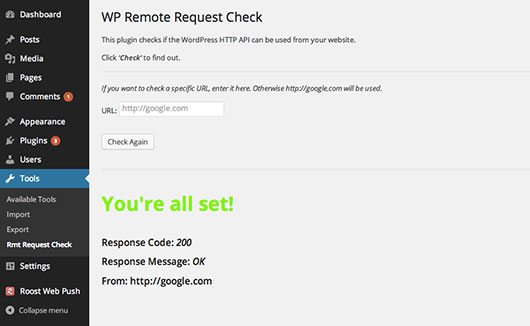
Admin page of the plugin showing a successful request