WP Search with Algolia

WP Search with Algolia
Description
Easily integrate the powerful search tool Algolia AI Search & Discovery directly into your WordPress website. Quickly index all of your website’s content and provide lightning fast and accurate search results within minutes!
Built and supported by WebDevStudios, the website agency behind Custom Post Type UI, WP Search with Algolia immediately improves search on your website. Your users will be impressed!
Enable Autocomplete and Instantsearch to immediately provide a more robust search experience to your visitors. Plus, you receive full control over the look, feel, and relevance of your users’ search experience.
Features
- One-click indexing of all content in WordPress
- Relevant, faceted ready search results in milliseconds with native typo-tolerance from Algolia AI Search & Discovery
- Super granular control on search content relevancy and content positioning
- Language-agnostic
- WordPress hooks and filters available for easy customization of indexed content.
This plugin requires API keys from Algolia. API keys are free for small personal projects and non-commercial use. Learn more about commercial use pricing.
WP Search with Algolia Pro
WP Search with Algolia Pro is our premium add-on, built by the same team. It runs alongside this plugin and picks up where the free version stops.
Index any custom field, no code required. (New in Pro 1.7) Drag custom fields into your Algolia index from a visual screen. The Meta Field Mapper auto-detects fields from Advanced Custom Fields (ACF), Meta Box, CMB2, and native WordPress post meta, then lets you drop them into Searchable Attributes or Attributes for Faceting and reorder them to tune ranking. No PHP, no filters, no developer required.
Know your index is healthy. (New in Pro 1.7) An index health panel and dashboard widget surface configuration and indexing problems. See the live index status of any post right on the edit screen, and re-index a single post with one button instead of re-running everything.
Catalog-grade WooCommerce search. Index SKUs, standard and variable pricing, short descriptions, image sizes, and product dimensions or weight. Rank by total sales and product ratings. Control whether sold-out, hidden, and “shop only” products are indexed. Send add-to-cart, remove-from-cart, begin-checkout, and completed-order events to Algolia.
One search box for an entire network. Aggregate every subsite in a multisite network into a single Algolia index, exclude specific sites, and track per-site indexing status from the network sites list.
Respect the editorial rules you already set. Indexing honors “noindex” decisions from Yoast SEO, All in One SEO, Rank Math, SEOPress, and The SEO Framework, plus per-post controls in the editor.
Unlock Algolia’s advanced AI. Pro turns on Algolia Insights tracking, so your site collects the interaction data that semantic search, AI re-ranking, dynamic personalization, and shopping guides need to work.
Free vs Pro
Both versions index posts, pages, custom post types, terms, and users, and both power Autocomplete and InstantSearch. Everything below is only in Pro:
- Custom fields without code — free requires writing PHP filters; Pro gives you a drag-and-drop screen.
- Index health panel and dashboard widget — not available in free.
- Per-post index status and one-click re-index — not available in free.
- WooCommerce product data (SKU, pricing, dimensions, ratings) — not available in free.
- WooCommerce event tracking for Algolia AI — not available in free.
- Multisite network-wide indexing — not available in free.
- SEO plugin “noindex” mirroring — five SEO plugins supported; not available in free.
- Direct technical support — free is supported through the community forums.
WP Search with Algolia Pro is $99, and includes six months of updates and technical support plus a 30-day money-back guarantee.
Pro requires WordPress 6.5 or higher, PHP 8.1 or higher, and WP Search with Algolia 2.10.2 or higher. These are higher than this free plugin’s own minimums, so check your server before purchasing.
Ready to go Pro? Check out WP Search with Algolia Pro on Pluginize!
Links
- WebDevStudios
- Algolia
- Documentation
- Support
- Feature requests and bugs
- WP Search with Algolia Snippet Library
This plugin is a derivative work of the code from the Search by Algolia – Instant & Relevant results plugin for WordPress, which is licensed under the GPLv2.
Installation
From your WordPress dashboard:
- Visit Plugins > Add New
- Search for “WP Search with Algolia”
- Activate WP Search with Algolia from your Plugins page
- Click on the new menu item “Algolia Search” and enter your API keys
- Read the step by step configuration guide
Screenshots
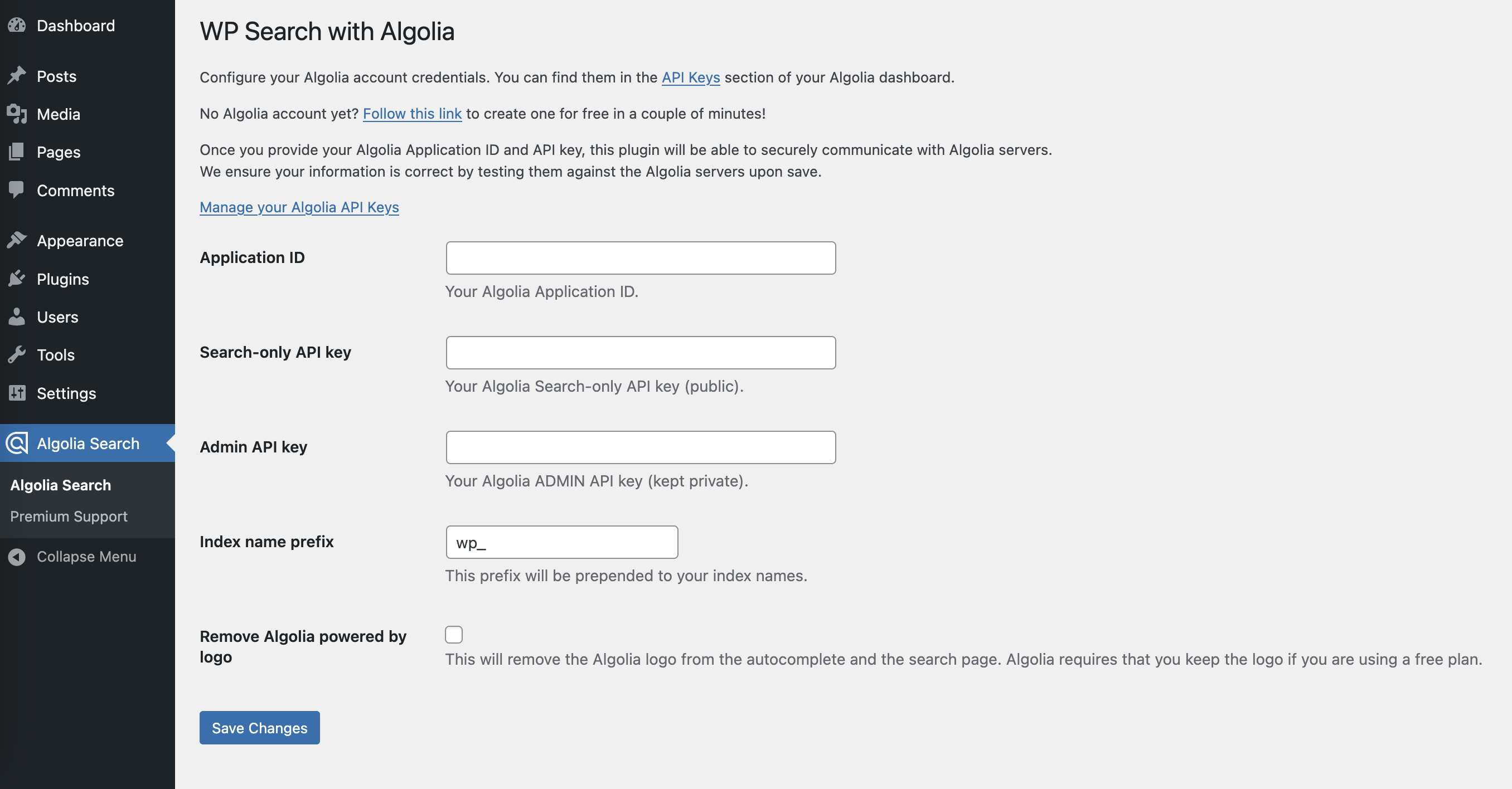
Algolia Settings
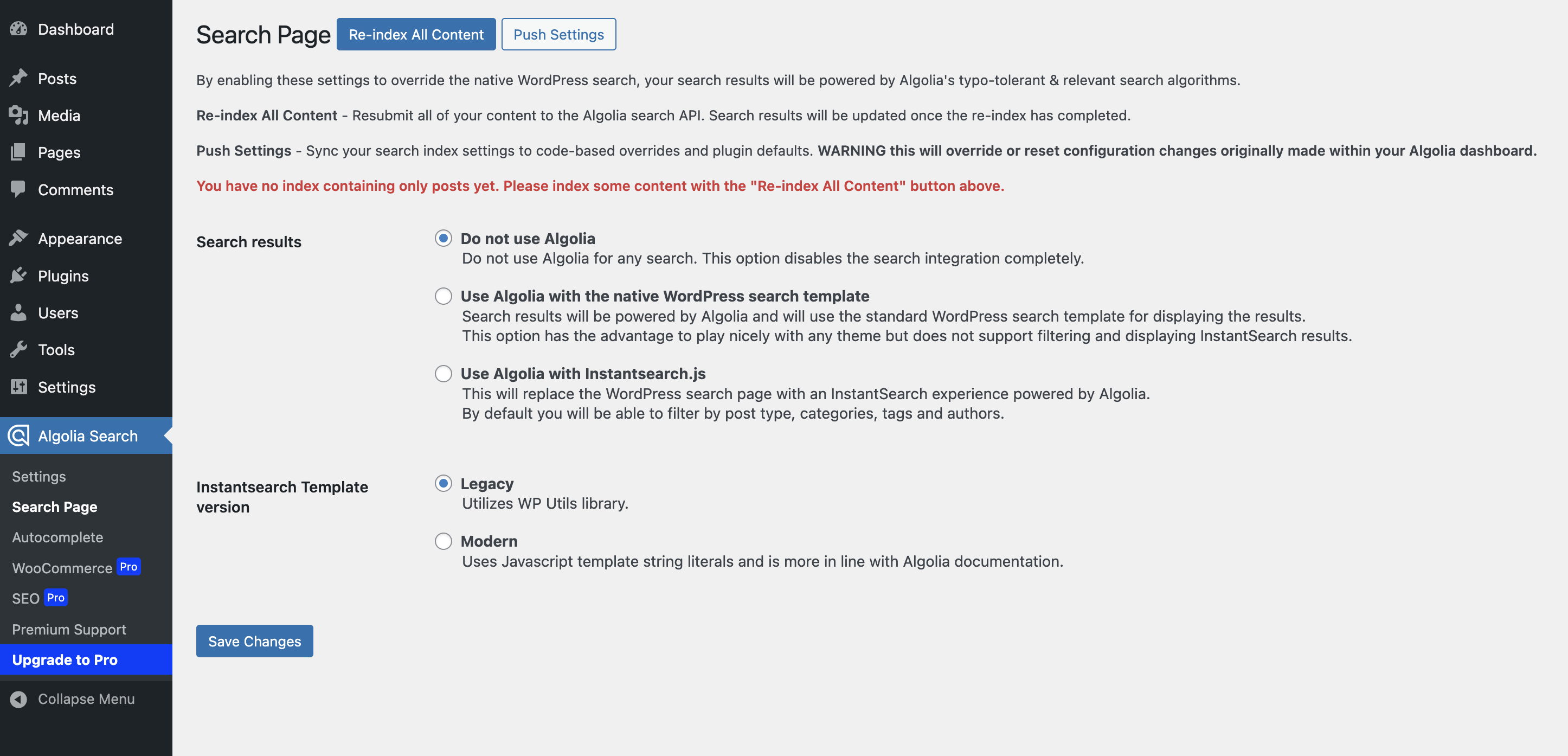
Search Page Settings
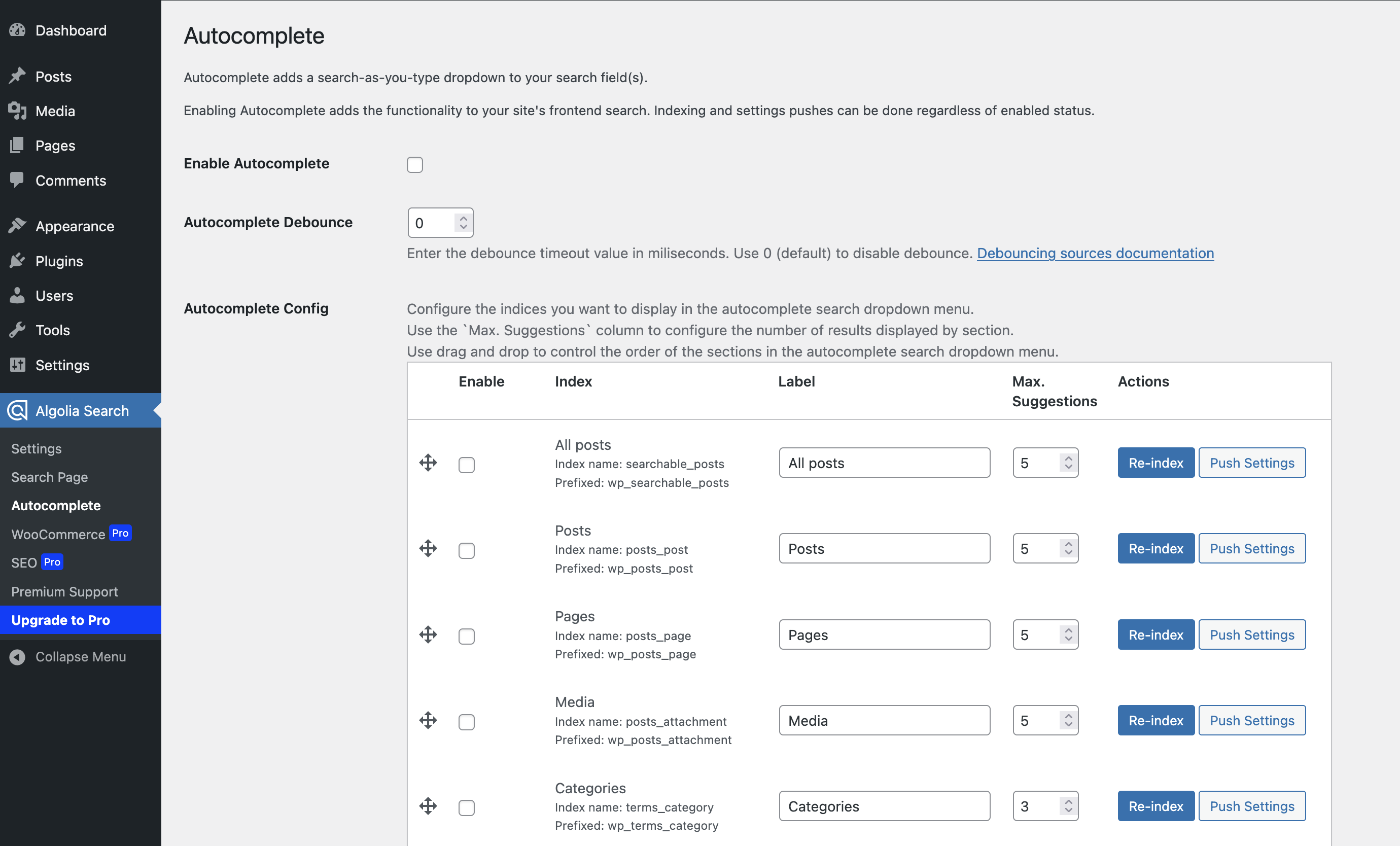
Autocomplete Settings
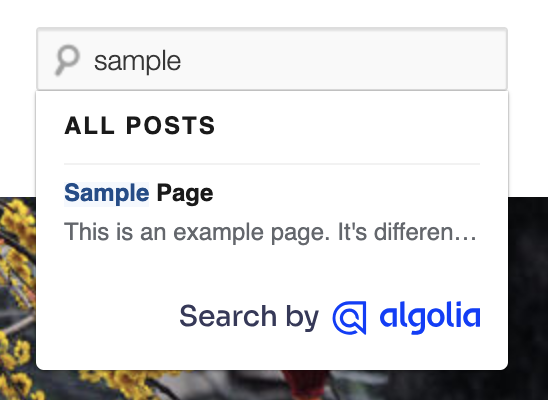
InstantSearch Dropdown
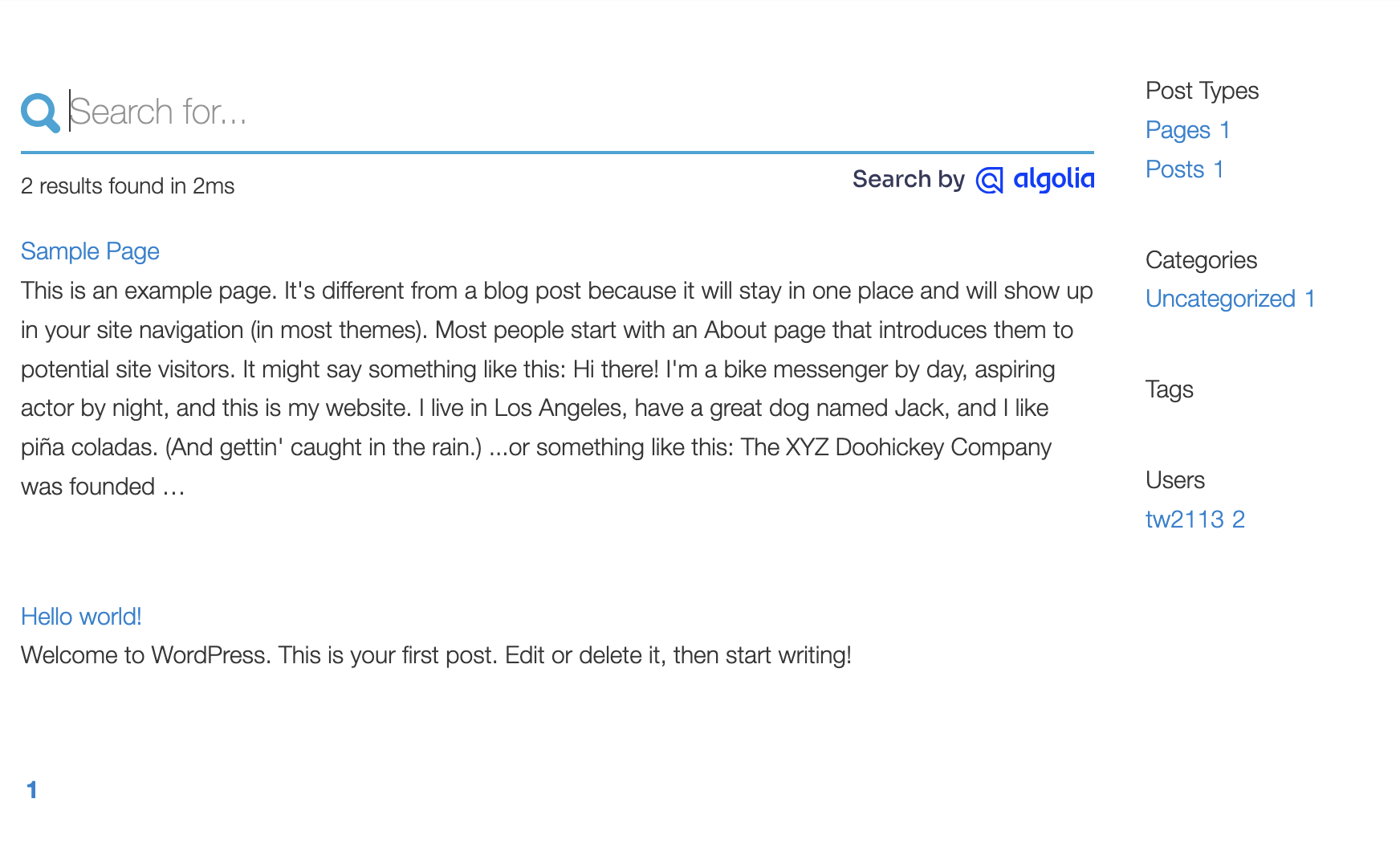
Search Results
Faq
WP Search with Algolia Pro adds six things to this plugin:
- Meta Field Mapper — map ACF, Meta Box, CMB2, and native post meta fields into your index from a drag-and-drop screen, with no PHP.
- Index health — a health panel and dashboard widget, per-post index status in the editor, and a one-click re-index for a single post.
- WooCommerce — SKUs, standard and variable pricing, short descriptions, image sizes, dimensions and weight, sales and ratings as ranking signals, control over sold-out and hidden products, and cart/checkout/order event tracking.
- Multisite — push every site in a network into one index, exclude specific sites, and monitor per-site indexing status.
- SEO — mirror “noindex” settings from Yoast SEO, All in One SEO, Rank Math, SEOPress, and The SEO Framework, plus per-post controls.
- Algolia AI — Insights tracking that feeds semantic search, AI re-ranking, personalization, and shopping guides.
Yes. WP Search with Algolia Pro is an add-on, not a replacement. Keep this plugin installed and active — Pro extends it, and will deactivate itself if this plugin is not present.
Pro requires WordPress 6.5 or higher, PHP 8.1 or higher, and WP Search with Algolia 2.10.2 or higher. These minimums are higher than this free plugin’s, so confirm your server meets them before purchasing. Once this plugin is installed, the Algolia Search Upgrade to Pro screen checks your site against all three and tells you where you stand.
Yes. The Algolia Team no longer supports their original plugin. The engineering team at WebDevStudios has forked the original plugin, and is now maintaining it.
Yes. Because Algolia no longer supports their plugin, you will no longer receive updates. WebDevStudios uses Algolia on many of its projects, and is committed to maintaining this plugin.
- Requires WordPress 6.2.9+
- PHP version 8.1 or greater
- MySQL version 5.0 or greater (MySQL 5.6 or greater is recommended)
- cURL PHP extension
- mbstring PHP extension
- OpenSSL greater than 1.0.1
- Some payment gateways require fsockopen support (for IPN access)
Visit the WP Search with Algolia server requirements documentation for a detailed list of server requirements.
- For help setting up and configuring WP Search with Algolia please refer to the user guide.
- For extending or theming the Autocomplete dropdown, see the Autocomplete Customization guide.
- For extending or theming the Instant Search results page, see the Search Page Customization guide.
Yes. This plugin should work with most themes that do not override the default WordPress search behavior. Instant Search results page may require some styling to make it match nicely. See the Search Page Customization.
All development is handled on GitHub.
Reviews
Excellent plugin
By 
I’ve seen a real improvement in user engagement since installing this plugin. It delivers accurate search results that directly impact sales. Plus, the support team is top-notch—fast replies and regular feature updates make this a must-have.
Crazy fast, super easy to get up and running
By 
An excellent way to get Algolia search working on a WordPress site. Easy index setup and auto-synching out of the box with the free version. Impressive!
Insanely Fast.
By 
I was benchmarking an alternate plugin on a website with thousands of products, and we ended up sitting with over 1 million lines in a table that was used to index search results. Not exactly sustainable, and not fast. Since switching to this plugin we have enjoyed, in some cases, under 100ms response times to auto-complete searches.
I did have to splurge for the pro version due to needing to upload product data from WooCommerce, but again. 100ms. An external server handles the search overhead so your site doesn't need to do any heavy lifting. You can log into Algolia and manage the ranking and re-ranking criteria, search parameters, and how it looks in the results.
Suitably impressed.
Instantly Solved My Search Speed Problem
By 
When I say this plugin drastically improved my site's search speed, it's an understatement. My website would take anywhere between 15 to over 30 seconds to load search results. This was AFTER image optimization, caching, and plugin cleanup.
After Algolia though, my products popup probably less than two seconds after search. It also wasn't super difficult to setup. The only downside which is understandable is the fact that the more premium WooCommerce features are paid. Still I would happily recommend this plugin to anyone looking for faster search.
Does not work with flatsome
By 
It doesn't work with flatsome theme.
1. autocomplete/livesearch is not working. Basically the wordpress autocomplete is used instead of algolia.
2. If you try to implement "instant search" it looks totally broken out of box design wise. Not only that but you don't get the "instant search". You still have to press "enter" to get any result.
3. Obviously it's not working with woocommerce not even in a trial mode. I didn't buy the woocommerce/pro version because the standard version failed to work (see above).
Best way to integrate Algolia search with your site
By 
This is effectively a continuation of the official Algolia WordPress plugin that Algolia abandoned in favor of focusing on their main product/services. Thankfully, WebDevStudios stepped up to the plate and released this plugin to keep it alive with their own set of updates & ongoing support.
I've been using this plugin since the very beginning (having used the official plugin from Algolia before that) and it's been a seamless transition with it being straightforward to use & customize if/when needed in these past years, for example having custom facets/filters being added to the search results page template / allowing linking to a specific set of search filters & queries / etc. which then uses the official Algolia implementation for that aspect of things so it's well documented (this also then shows a warning in the site admin if/when a customized search template in the theme is then left using an outdated version which might warrant being checked and/or updated as needed [then updating the version stated in that template file to get rid of that notice in that process.])
Developer support for this plugin has always been receptive & responsive when it comes to both bug fixes as well as potential features to add in a future update.
I find it difficult to try to find a better value and/or better overall search provider for WordPress than Algolia, and at that point, there doesn't look to be a better method to integrate it with a site quickly & effectively than what this plugin provides (easy to get up and running while customizable in the ways one would expect if/when needed.)
dont buy pro - prodct search not working
By 
I try a lot to make it work but the search not show products
dont buy
no support
Excellent Plugin
By 
I've been using this plugin for the past (two?) years, customers love it, the ability to filter results in Algolia and prioritise our best sellers is well worth the features. Given our small usage in Algolia, the cost per month pays for itself 1000x.
Well worth the investment - Thank you webdev & associates, your work is appreciated!
Works very well for me
By 
Fantastic plugin with great support!
By 
Changelog
Follow along with the changelog on GitHub.
3.0.1
- Fixed: Fatal error (
RuntimeException: Item is not supported on this index.) when a post shared a taxonomy term with an unrelated post type, or when a child post (e.g., a WooCommerce product variation) didn’t match its parent’s index.
3.0.0
- Updated: Migrated the bundled Algolia SDK from v3 to v4.
- Updated:
algoliasearchJS client bumped from 4.18.0 to 4.25.2. - Security: Fixed missing authorization checks on the re-index and push-settings admin AJAX actions; both now require the
manage_optionscapability and a valid nonce. - Fixed: WPCLI – Prevent index clearing when using
--allbut not specifying--clearas well. - Fixed:
Algolia_Index::get_index()no longer returnsfalseafter the Algolia SDK v4 migration, preventing a fatal error in Pro (and any other SDK v3-style integration) when checking a post’s index status. - Changed: Minimum required PHP version bumped to 8.1 to match the bundled Algolia SDK v4’s own requirement.
2.14.1
- Fixed: Settings, Autocomplete, and Native Search admin notices no longer appear on unrelated wp-admin screens (e.g. WooCommerce Edit Order).
2.14.0
- Added:
Algolia_Proclass as the single source of truth for Pro feature data, pricing, requirements, and outbound links. - Added: Pro requirements check so you can confirm your site meets Pro’s WordPress, PHP, and plugin version minimums before purchasing.
- Updated: Pro feature descriptions across the admin and readme now reflect Pro 1.7.
- Updated: Pro promotion is hidden throughout the admin when WP Search with Algolia Pro is active.
- Updated: WooCommerce and SEO screens are no longer registered at all when Pro is active.
- Deprecated:
Algolia_Utils::pro_cta_content(), replaced byalgolia_pro_render_feature_cards().
2.13.1
- No code changes.
- Updated: reduced minimum WP version to return compatibility with ClassicPress
- Updated: Reduced “Premium Support” admin menu priority.
2.13.0
- Updated: Bundle Autocomplete 1.x as an available update. Not set to default.
- Updated: revises and updates Admin UI AJAX responses.
- Added: filter on search query value for “use with native template” searches and withing
pre_get_postscallback.
2.12.0
- Updated: Admin pages and Premium support UI refresh.
- Fixed: Prevent errors in WordPress Health panel if no application/api keys configured yet.
2.11.3
- Fixed: minimum requirement discrepancies in readme and defined constant.
- Updated: cleaned out some unused CSS selectors from really old functionality.
- Updated: make use of
.cardclass from WP core for more consistant styling. - Updated: Admin notice around term updating when term is assigned to many posts.
2.11.2
- Fixed: Valid Search key checks for new applications.
2.11.1
- Fixed: Fatal error if not able to retreive searchable posts index object.
- Fixed: Fatal error potential for non-set debounce array index.
2.11.0
- Updated: Algolia PHP client (addresses PHP 8.4 compatibility notices)
- Updated: UI wording to match Algolia references and Instantsearch notes.
- Fixed: Return JSON error instead of echo exception message and continue to throw exception.
- Added: Inline documentation for various custom filters and actions.
- Added: Output custom debounce values in Autocomplete settings UI.