WP Simple HTML Sitemap
WP Simple HTML Sitemap
Description
HTML sitemap helps website visitors navigating through a website. Simple HTML Sitemap plugin provides facility to generate shortcode and show HTML sitemap using generated shortcode. If you are running WordPress website having large number of CMS pages and blogs, this plugin can be really useful for you. This plugin is very simple and easy to use, yet it provides various configuration options to generate sitemap shortcode and place it anywhere on the website.
Features Overview
- Easy to install and configure
- Offers wide variety of settings for pages and posts
- Helpful in SEO as Google still values the HTML sitemap
- Provides options to generate shortcode and use on any page or post
- Allows interlinking pages and post easily
- Allows saving generated short code for the reuse
Page shortcode example and parameters
Here is an example of shortcode to generate HTML Sitemap for pages
[wshs_list post_type="page" name="Page Sitemap" order_by="title" show_image="true" image_width="30" image_height="30" content_limit="140" show_date="true" date="created" date_format="F j, Y" depth="4" layout="single-column" position="left"]
Explanation of parameters:
- post_type=”page” – This shortcode will generate HTML sitemap of pages
- name=”Page Sitemap” – You can specify sitemap heading (title)
- order_by=”title” – Pages will be ordered by title alphabetically in ascending order
- order=”asc” – Values can be asc or desc
- child_of=”” – To specify the parent page by adding parent page ID
- show_image=”true” – A small image of all pages will be included, if it is not available then placeholder image will be shown
- image_width=”30″ – Images will be 30 pixels wider
- image_height=”30″ – Height of the image will be 30 pixels
- content_limit=”140″ – Excerpt will be included under the post title with maximum 140 characters
- show_date=”true” – The date will appear for all items in the sitemap
- date=”created” – Date when the page was created
- date_format=”F j, Y” – How the date will appear (in this case it will be like June 29, 2018)
- layout=”single-column” – To show the sitemap in single column or in two columns
- position=”left” – For two-columns, you can choose to show sitemap in left or right column
- horizontal=”true” – This will generate sitemap having horizontal view
- separator=” |” – Allows to add separator like ‘|’ or ‘/’ or ‘\’
- exclude=”100,122,155″ – Comma separated list of post IDs to exclude from the sitemap.
Post shortcode example and parameters
Here is an example of shortcode to generate HTML Sitemap for posts
[wshs_list post_type="post" name="Post Sitemap" order_by="title" show_image="true" image_width="30" image_height="30" content_limit="140" show_date="true" date="created" date_format="F j, Y" layout="single-column" taxonomy="category" terms="wordpress-plugins"]
Explanation of parameters:
- post_type=”post” – This shortcode will generate HTML sitemap of posts
- name=”Post Sitemap” – You can specify sitemap heading (title)
- order_by=”title” – Posts will be ordered by title alphabetically in ascending order
- show_image=”true” – A small image of all pages will be included, if it is not
- image_width=”30″ – Images will be 30 pixels wider
- image_height=”30″ – Height of the image will be 30 pixels
- content_limit=”140″ – Excerpt will be included under the post title with maximum 140 characters
- show_date=”true” – The date will appear for all items in the sitemap
- date=”created” – Date when the page was created
- date_format=”F j, Y” – How the date will appear (in this case it will be like June 29, 2018)
- layout=”full” – To show the sitemap in full page or in half view
- position=”left” – For half layout, you can choose to show sitemap in left or right column
- taxonomy=”category” – To include custom taxonomy
- terms=”wordpress-plugins” – To include term of the custom taxonomy
- horizontal=”true” – This will generate sitemap having horizontal view
- separator=” |” – Allows to add separator like ‘|’ or ‘/’ or ‘\’
- exclude=”100,122,155″ – Comma separated list of post IDs to exclude from the sitemap.
Important note: If you like to generate a sitemap having both posts and pages, you need to use two shortcodes. One for the pages and another for the posts.
If you like learn more about shortcode parameters and other configuration options available at admin area, please take a look at here Simple HTML Sitemap Plugin
Please feel free to connect with me in case if you find any difficulties using this plugin, I’ll remain attentive to comments. You can use this form to connect with me https://freelancer-coder.com/contact-wordpress-developer/
Installation
Installation process is very simple for Simple HTML Sitemap Plugin. Ways to install plugin:
Installation with FTP:
  1. Download Simple HTML Sitemap Plugin.
  2. Extract plugin.
  2. Upload Simple HTML Sitemap Plugin directory to the '/wp-content/plugins/' directory.
  3. Go to Plugins option from left menu and activate 'Simple HTML Sitemap' plugin from the list.
Installation with Upload method via WordPress admin panel:
  1. Download Simple HTML Sitemap Plugin.
  2. Go to plugins page by clicking on Plugins menu item from left menu.
  3. Click on 'Add New' option.
  4. Upload the plugin and activate.
Screenshots
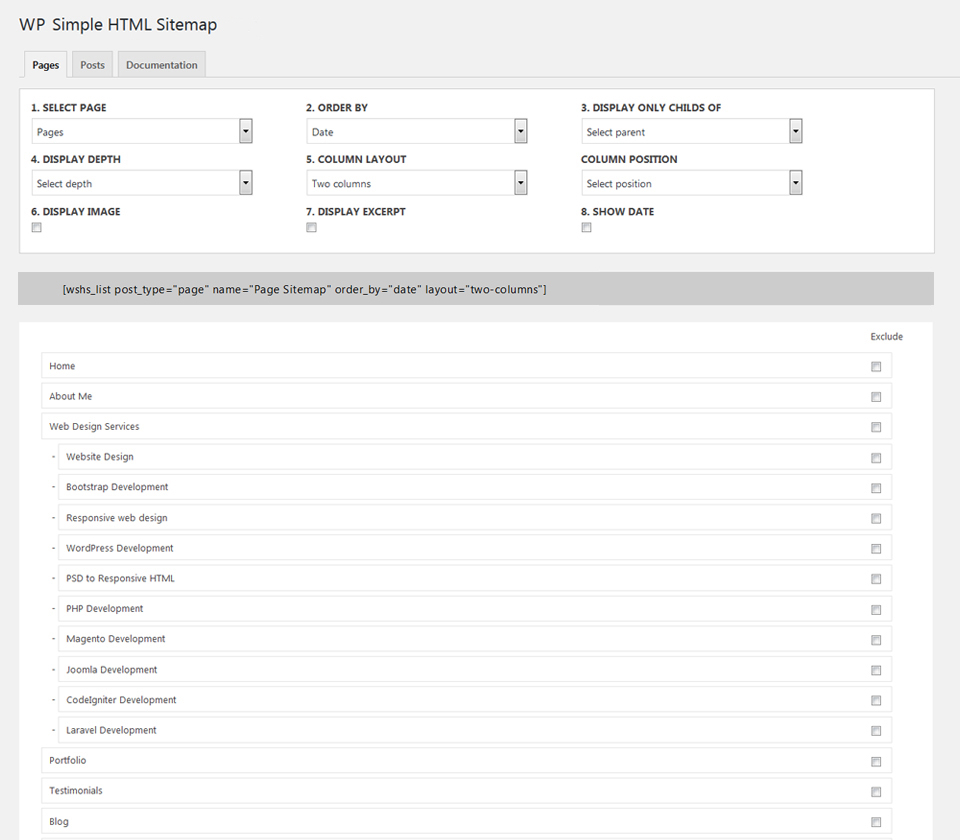
Page Sitemap Configuration Options
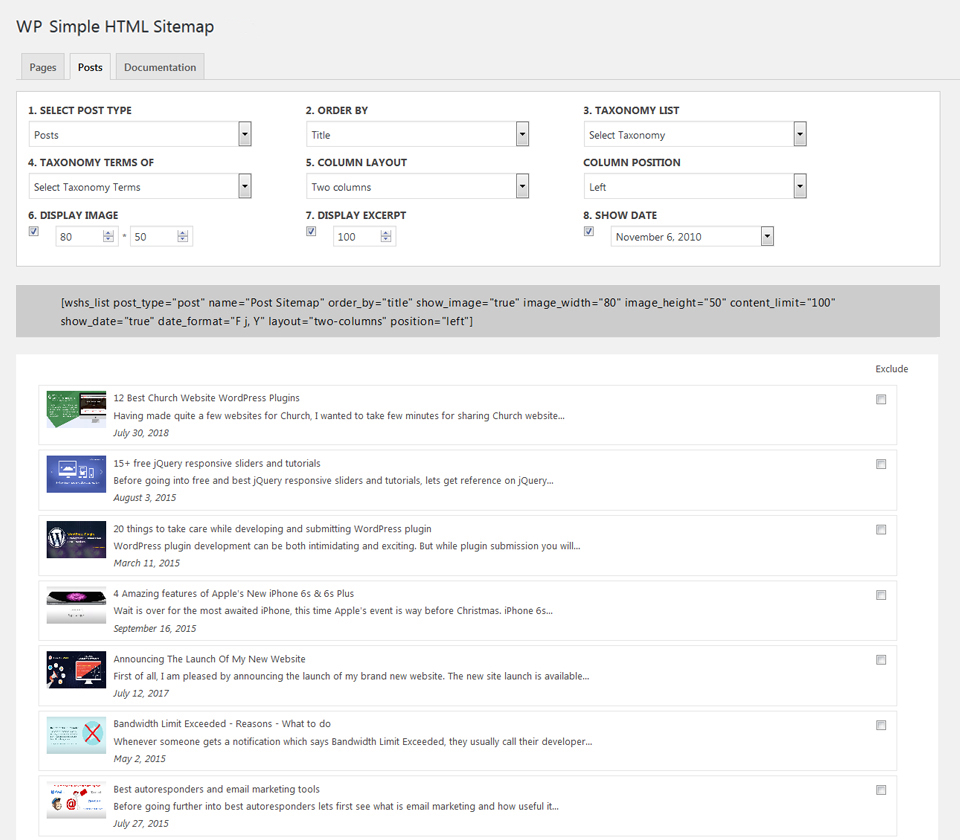
Post Sitemap Configuration Options
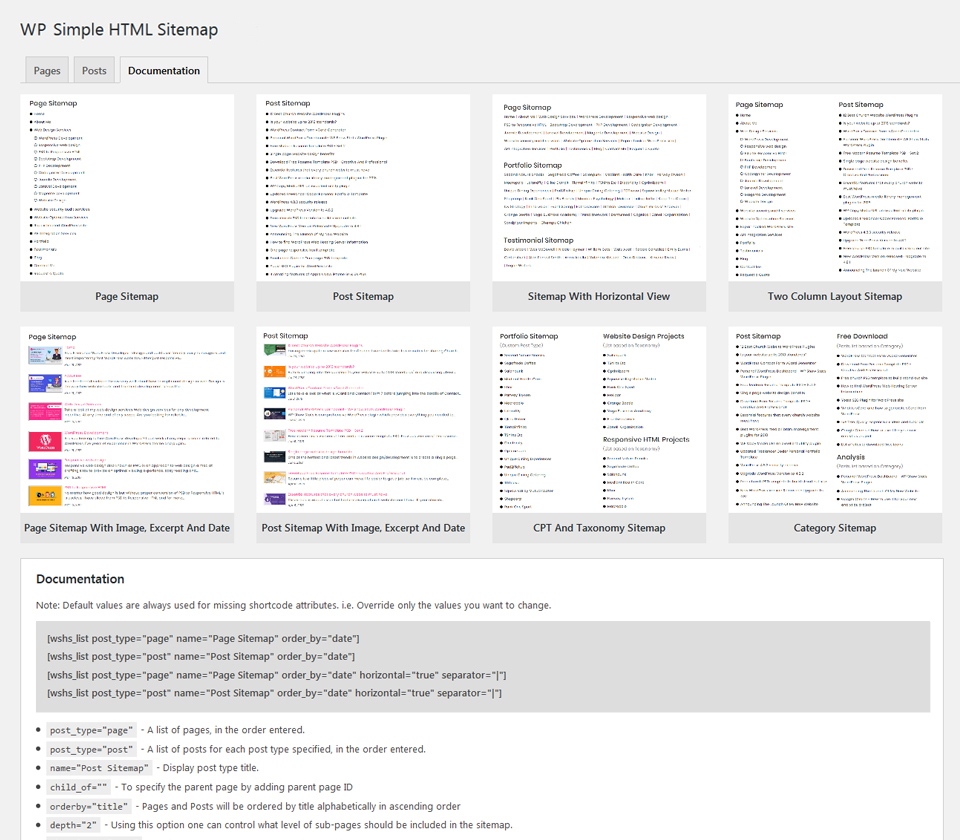
Documentation With Shortcode Overview
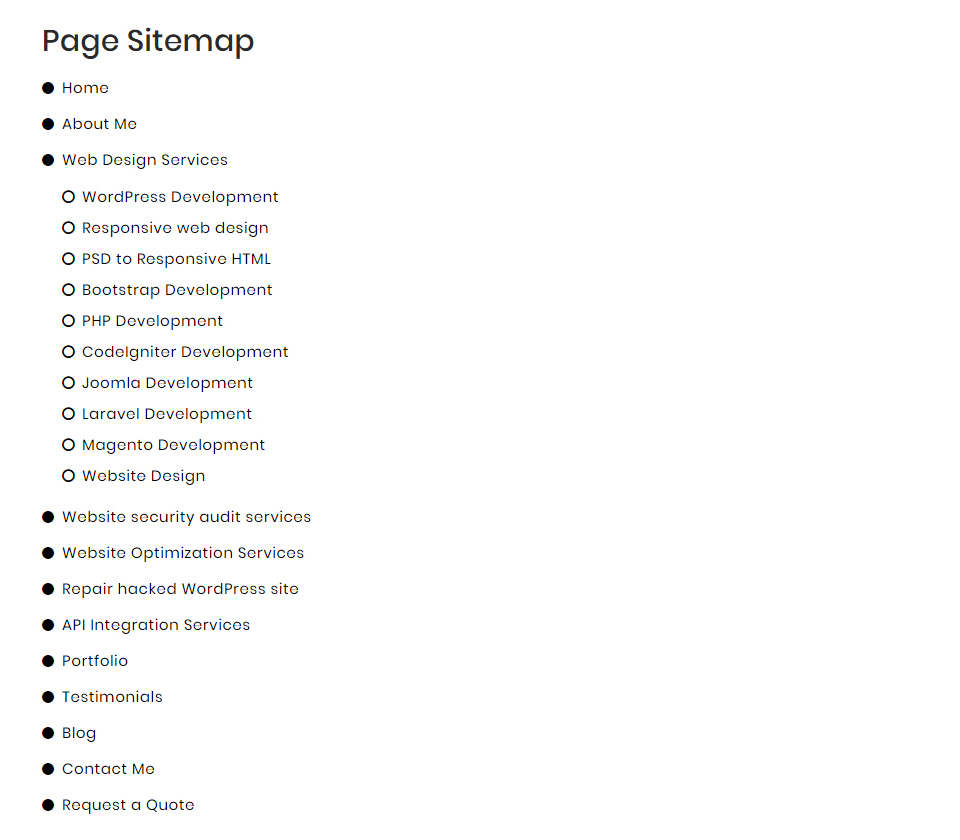
Page Sitemap
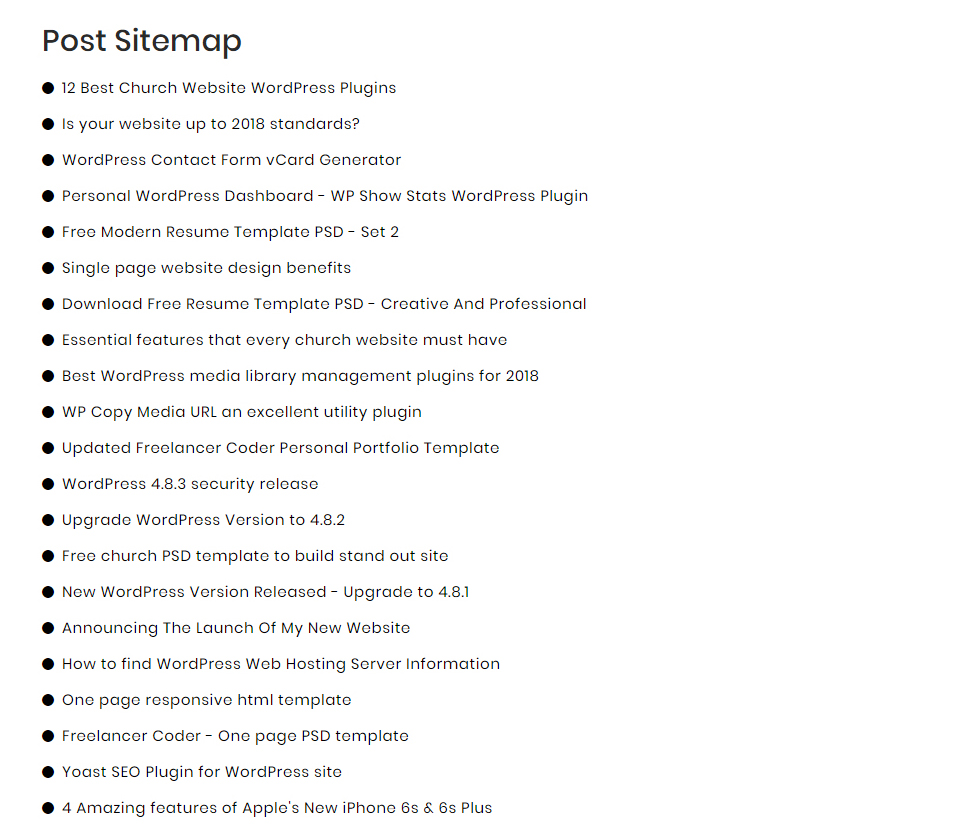
Post Sitemap
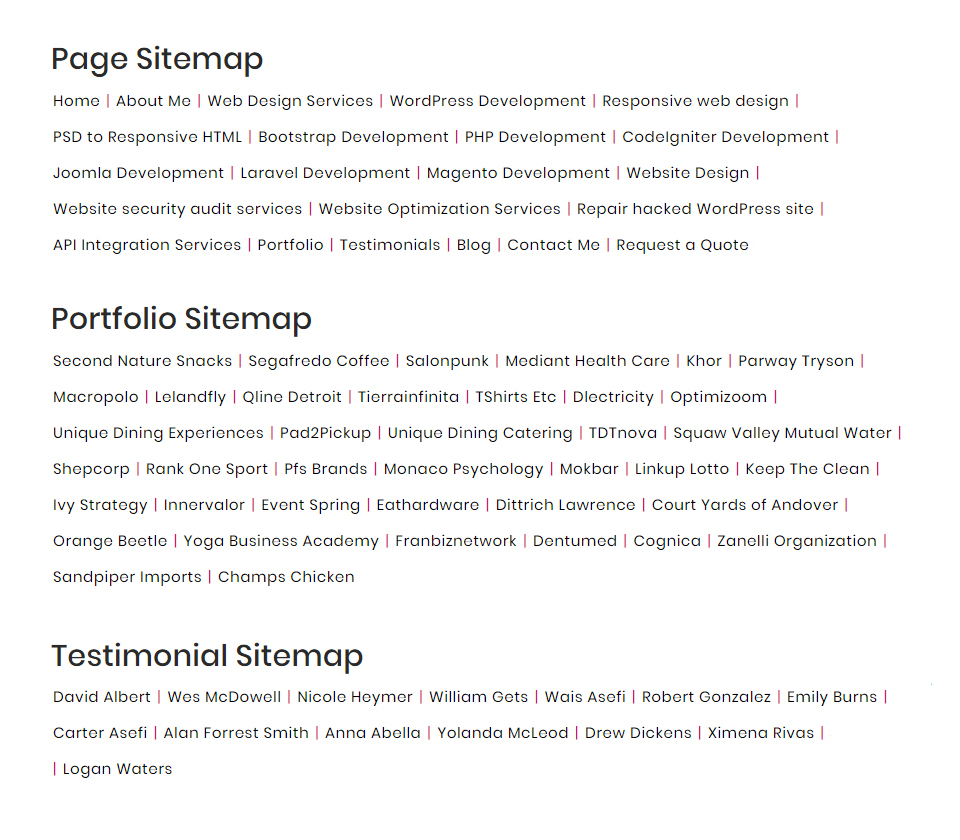
Sitemap With Horizontal View
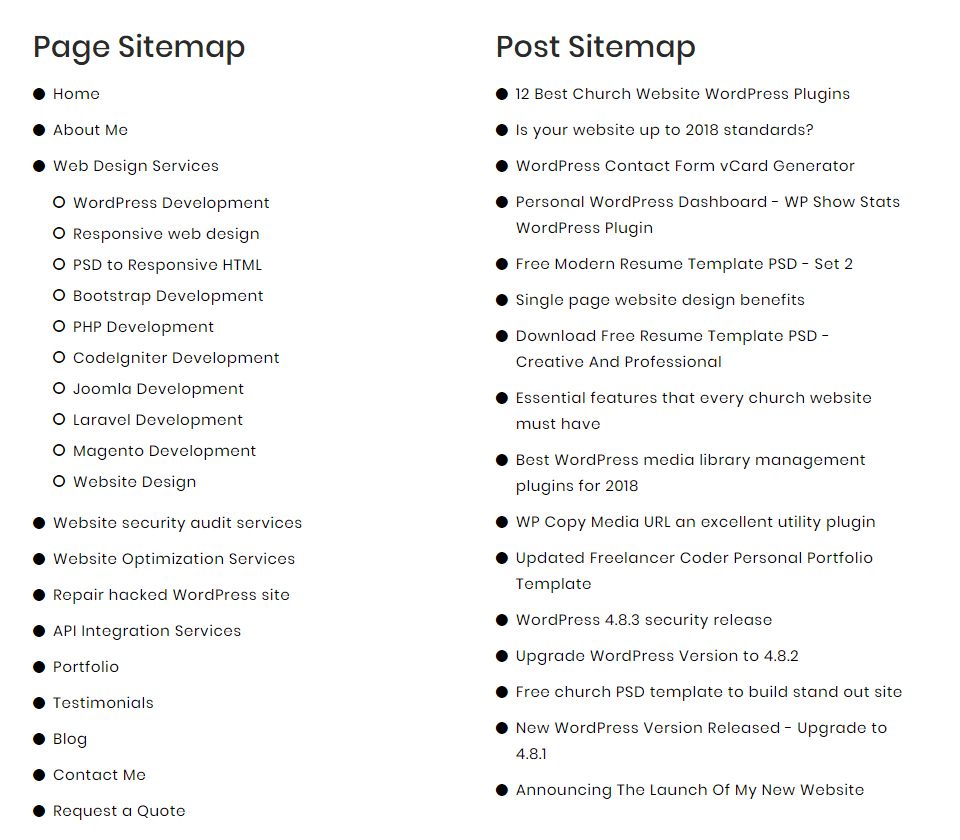
Two Column Layout Sitemap
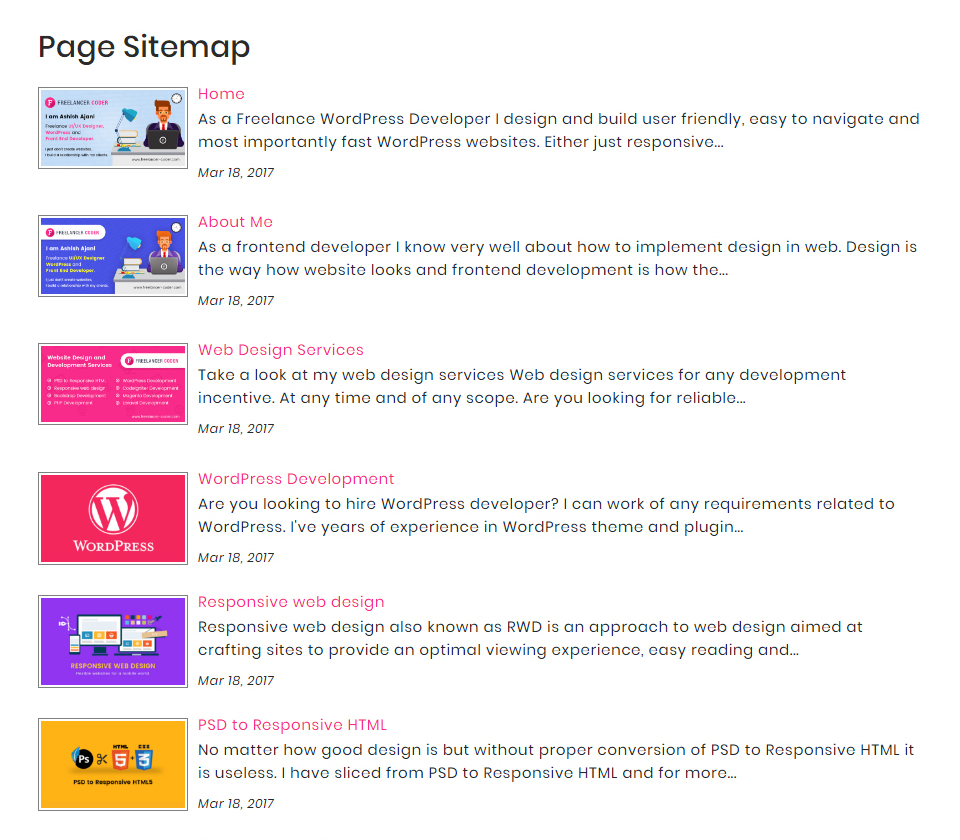
Page Sitemap With Image, Excerpt And Date

Post Sitemap With Image, Excerpt And Date
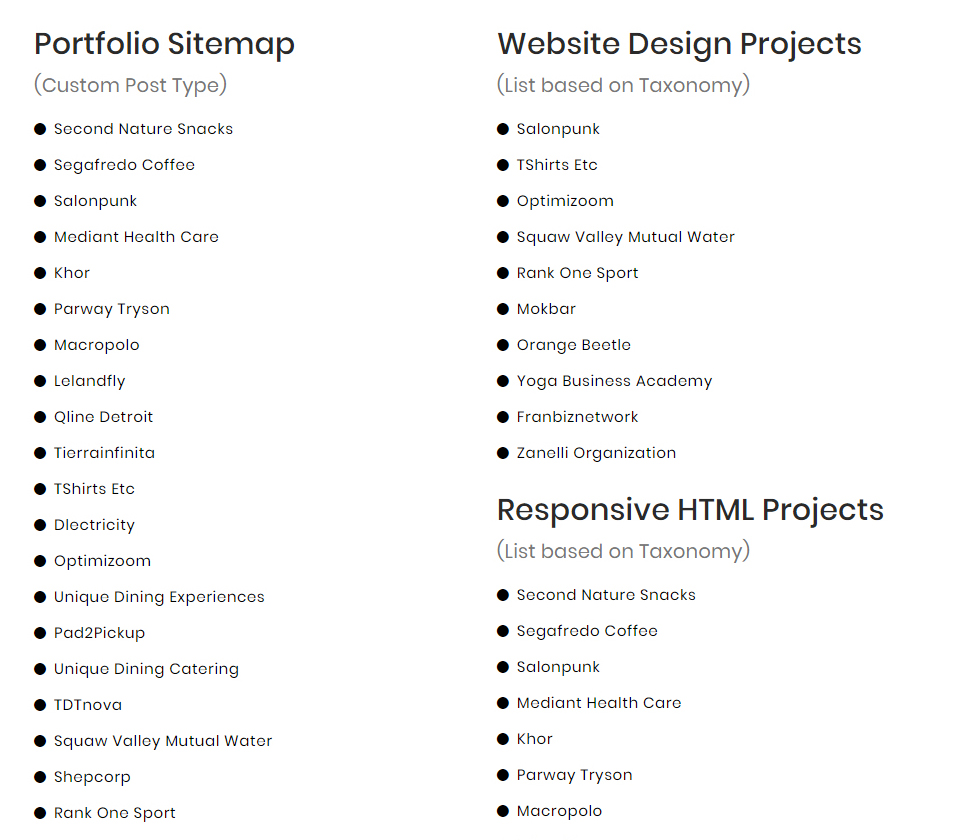
CPT And Taxonomy Sitemap

Category Sitemap
Faq
Yes, I will provide support for any of the query, please allow 48 hours to get back to you.
Share details about issue/bug via plugin support option or reach at me through my portfolio website http://freelancer-coder.com.
Reviews
Perfect - no fuss, no bloat, just a simple sitemap plugin.
By 
Perfect plugin - simple, does what it says with no problems or messing around. Thanks for making it!
Does exactly what it says it does
By 
Really easy to use. There is no hidden features that you can't access because you have to pay. This is just a good honest plugin that works and really helps.
Thank you!
Excellent plugin
By 
Enfin un plugin simple à mettre en œuvre, efficace, rationnel et même gratuit !
Bravo au développeur et merci à lui, je suis enchanté.
Il y a même la possibilité - et cela très simplement - de rajouter des images en un clic aux liens automatiquement créés !
I'm glad I found this plugin...
By 
Лучший плагин для Html карты сайта
By 
Simple and easy
By 
Knowledgeable devs and great support
By 
At Last - Great Plugin!
By 
Perfect!
By 
Best, simple, amazing so far!
By 
Changelog
3.9
- Resolved vulnerability issues and tested with the latest WordPress version.
3.8
- Resolved a warning related to time function
3.7
- Resolved issues pointed out by WordPress plugin review team.
- Issues including Internationalization standards, Sanitized-Escaped-Validated data, used proper escaping, disallowed direct file access, etc…
3.6
- Resolved issues pointed out by WordPress plugin review team.
- Issues including Internationalization standards, Sanitized-Escaped-Validated data, used proper escaping, disallowed direct file access, etc…
3.5
- Updated plugin name to resolve trademark violation.
- Resolved vulnerability issues, updated security, and tested with the latest version.
3.4
- Resolved vulnerability issues, updated security, and tested with the latest version.
3.3
- Removed unauthenticated AJAX actions to resolve broken access control vulnerability.
- Resolve an crtical error when no posts or pages found.
3.2
- Updated security standards
- Added ability to define limit of items to include in sitemap
- Added an option to allow website admin to disable the default css of the plugin
3.1
- Removed unwanted error logs
3.0
- Resolve an issue related to exclude parameter
2.9
- Updated security standards.
2.8
- Resolved vulnerability issues, updated security, and tested with the latest version.
2.7
- Resolved issue of post shortcode and improve security
2.6
- Resolved vulnerability issue and Updated security.
2.5
- Resolved vulnerability issue and tested with the latest release of WordPress.
2.4
- Updated security.
2.3
- Updated security and resolved the vulnerability issue.
2.2
- Tested with the latest release of WordPress.
2.0
- Resolved an error and made the plugin compatible with PHP 8.
- Corrected menu item image
- Added a placeholder image to show on listing page
- Added ability to order by ascending or descending
- Added an option to save the generated short-code
1.0
- Initial release of this plugin