WP Smart Import : Import any XML File to WordPress

Plugin Banner

WP Smart Import : Import any XML File to WordPress

by Xylus Themes

Download
Description

WP Smart Import : Import any XML File to WordPress

The most powerful solution for importing any CSV and XML files to WordPress. Create Posts and Pages any Custom Posttype with content from any XML or CSV file.

Features

  • Import any XML file into WordPress
  • Import any CSV file into WordPress
  • Import data into any post type
  • Import Large Files
  • Advanced Field mapping using drag and drop UI
  • Save import as a template for use it in another import
  • Save import file for reuse it later.
  • Local and Remote Image (Media) Import
  • Manage Import
  • Import Insight with data of post create and update

This plugin can be installed directly from your site.

  1. Log in and navigate to Plugins & Add New.
  2. Type “WP Smart Import” into the Search input and click the “Search” button.
  3. Locate the “WP Smart Import” in the list of search results and click “Install Now”.
  4. Click the “Activate Plugin” link at the bottom of the install screen.

It can also be installed manually.

  1. Download the “WP Smart Import” plugin from WordPress.org.
  2. Unzip the package and move to your plugins directory.
  3. Log into WordPress and navigate to the “Plugins” screen.
  4. Locate “WP Smart Import” in the list and click the “Activate” link.
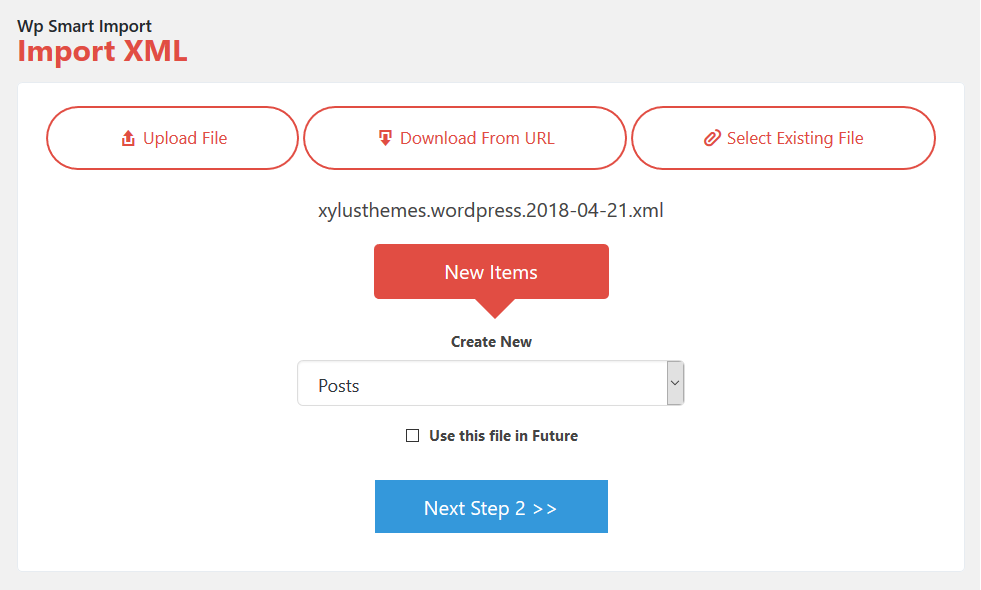
  1. Step 1: Select File ( Upload file, From URL & Select Existing File)
    Step 1: Select File ( Upload file, From URL & Select Existing File)

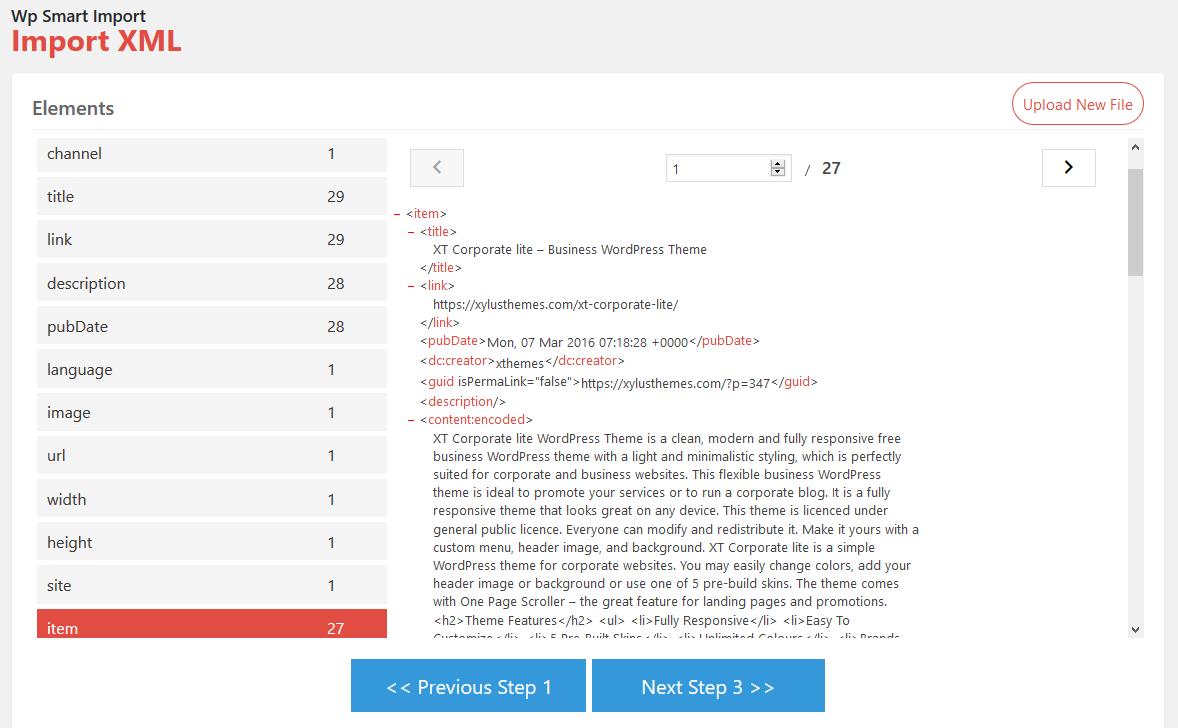
  2. Step 2: View File structure & select element.
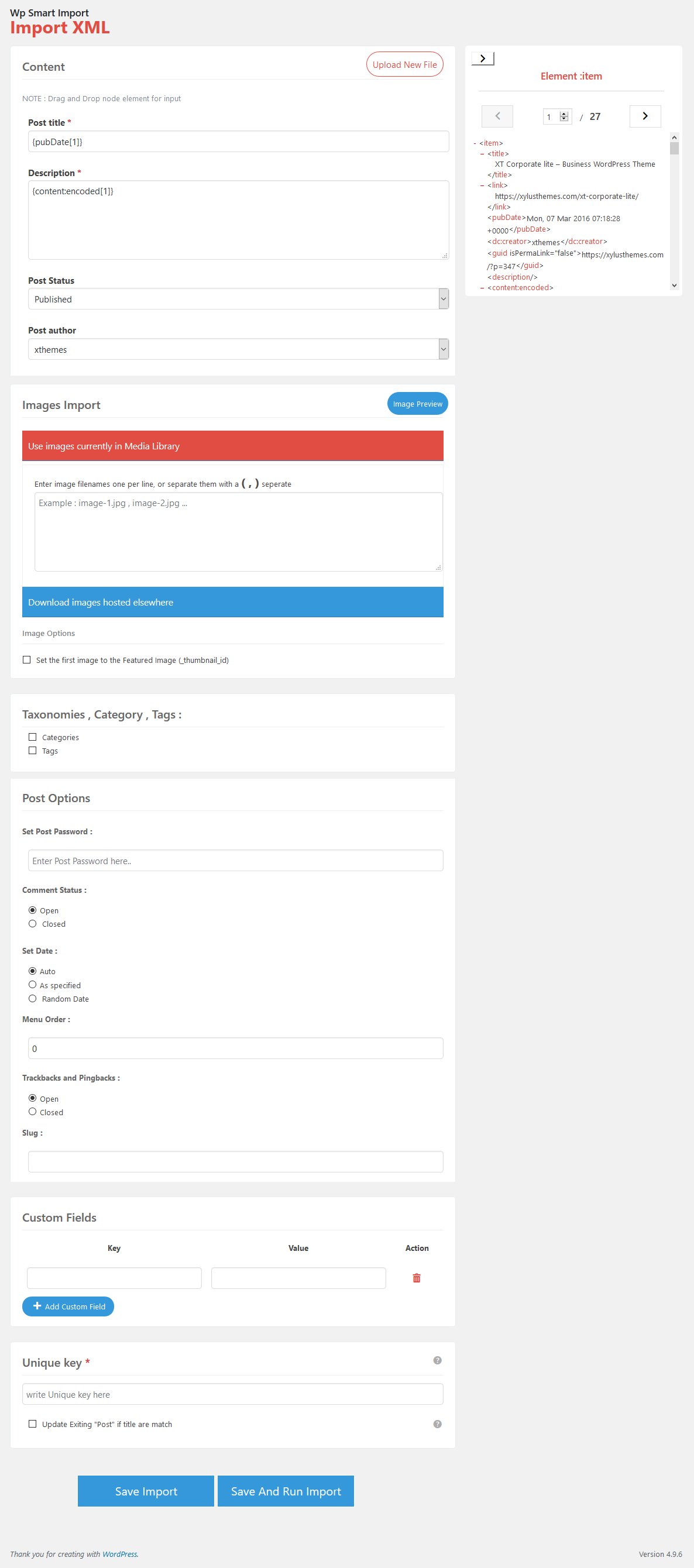
    Step 2: View File structure & select element.

  3. Step 3: Map Fields

    Step 3: Map Fields

  4. Step 4: Run Import

    Step 4: Run Import

  5. Import in progress..

    Import in progress..

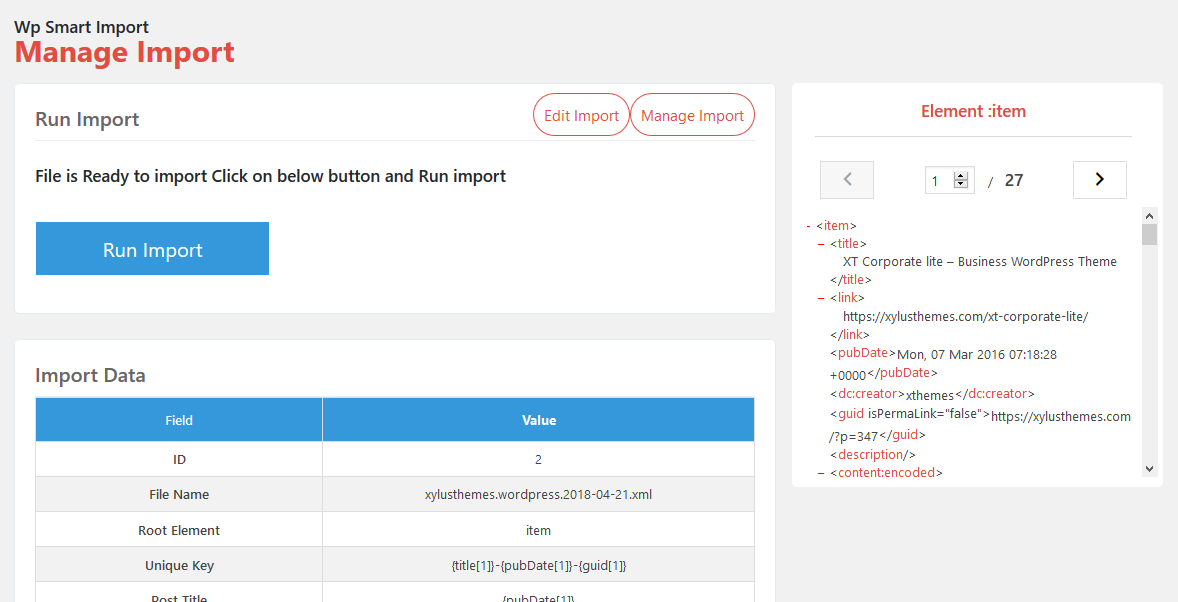
  6. Manage Imports

    Manage Imports

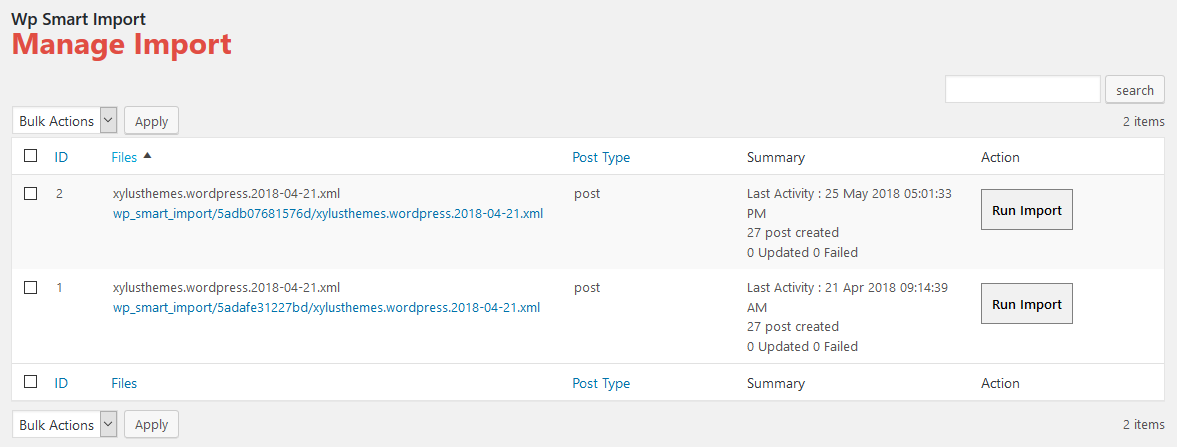
  7. Manage Files

    Manage Files

It imports, sort of...

By trevorberman on January 27, 2022

Pretty unintuitive UI and didn't work very well. Some of the fields mapped didn't show up at all (like images from URL, or creator and short description as custom fields). I ended up with some basic (unformatted, bare text) posts that will still take significant work to clean up. If your XML has lots of good data, skip this plugin and use another solution that will be less head-scratching to figure out and more effective at duplicating the posts you're trying to import.

Excellent customer support + plugin

By f3735462 on August 6, 2021

I had an import issue and it was resolved within a week and a bit. very helpful support. highly recommended. plugin works great. no need for wocommerce add on plugin subscription fees. its an all in one solution for importing products. works fantastically. Big thanks to the support team . Im very very happy.

Best XML importer plugin i have ever used before

By Puneet (puneet234) on June 12, 2021

Best plugin with a lot of good premium features in the plugin. Recommendations - 1. - Please add a visual text editor toolbox for content section during import. 2. - Add find and replace feature for whole XML file during import to replace text, links, etc. Keep it up! Thank You

CSV import doesn't work

By cbubny on December 10, 2020

I tested the CSV import 5 times with multiple csv files and get "Error : file Not Valid". Despite the claim that it supports CSV, it doesn't seem to be the case.

Just what I needed!

By vicmortelmans on November 21, 2019

This plugin does everything and more than most commercial plugins will. I'm going to use it to import a series of articles for which the text and the publication dates are known upfront. I bundle texts, titles, featured image urls and publication dates in an XML and upload to WordPress. The only thing that I'm missing is the ability to import posts with html in the content.

CSV not actually supported; can't update existing, only create new

By laura6 on November 16, 2019

XML files will import just fine, but not CSV--they get a "file not supported" error. Also, this plugin can only create new items, not update existing ones.

Terribly effective

By informatux on November 13, 2019

Excellent plugin for XML Files

No CSV import

By Ken Ivey on September 28, 2019

Plugin advertises CSV import, but apparently this is not the case. When I couldn't upload my simple test csv without the message "Error : file Not Valid", and checked support - there are other complaints but no replies in over 8 months. Sad, looked promising - but for now I'm not working with xml on this project so I must uninstall and look for other options. I hope the author either fixes the csv import or rebrands this plugin to more accurately reflect it's functionality.

Incredible powerful and easy to use

By Arno Kools on March 22, 2019

I've tried out dozens of plugins to sync a xml feed to custom posts with custom fields and this was THE ONLY one that really worked for me. Importing into custom post types with custom fields is allmost always a paid option, without a try-out period, so there might be a few other options. BUT, this plugin allready nails it. Not only is it free, but it's also exceptionaly easy to use. Best interface and workflow in a plugin I've seen in a long long time. I would mark it 'essential' when a cron/schedule / sync option is added. Until then it's just plain awesome allready

Great plugin

By roberro on December 28, 2018

I've tested some of the import plugins and this one was the best of what I've found. The author responded very quickly with the answer to my question. Keep up the good work!

1.1.5

  • FIXED: Conflict with WooCommerce admin classes resolved.

1.1.4

  • IMPROVEMENTS: Support for WP 6.8
  • IMPROVEMENTS: Enhanced security by preventing unauthorized file inclusion, safeguarding against potential exploits.

1.1.3

  • IMPROVEMENTS: Enhanced XSS Protection

1.1.2

  • FIXED: Select Existing File Option Issue

1.1.1

  • FIXED: Download Image Bug
  • IMPROVEMENTS: Support for WP 6.7

1.1.0

  • IMPROVEMENTS: Enhanced protection for XML file processing vulnerabilities during upload and download.

1.0.7

  • IMPROVEMENTS: Fixed XML file processing vulnerabilities during upload to prevent XSS attacks.

1.0.6

  • IMPROVEMENTS: Security by fixing XML file processing vulnerabilities during upload.

1.0.5

  • IMPROVEMENTS: PHP 8 Bugs
  • IMPROVEMENTS: XSS Security Bugs
  • IMPROVEMENTS: Support for WP 6.4

1.0.4

  • IMPROVEMENTS: Support for PHP 8
  • IMPROVEMENTS: Support for WP 6.2

1.0.3

  • FIXED: Security bugs

1.0.2

  • FIXED: jQuery Error

1.0.1

  • FIXED: some bugs.

1.0.0

  • Initial Version.
Back to top