SwatchCraft – Variation Swatches for WooCommerce
SwatchCraft – Variation Swatches for WooCommerce
Description
SwatchCraft replaces WooCommerce’s variation dropdowns with swatches: colour dots, pattern images, size buttons or radio buttons. Shoppers see every option at once, see which ones are out of stock, and pick a variation in one click.
SwatchCraft is the new name and a complete rewrite of WP Smart Variations. The plugin slug is still wp-smart-variations. Everything is free.
Swatches
- Colour swatches with one colour, or two colours split diagonally (“Navy and white”).
- Image swatches for patterns, materials and prints, chosen from the media library.
- Button swatches with the value name or a short label (“XL” for “Extra large”), and radio buttons.
- Automatic buttons: attributes without a swatch type show as buttons, so every product gets swatches without any setup. Switch it off to keep dropdowns for those attributes.
- Set the type on each attribute (Products Attributes), colours and images on its terms, and override both per product in the new Swatches tab of the product data box. Custom attributes of a single product can have swatches too.
- Already use WooCommerce’s colour and image fields on attribute terms? SwatchCraft uses them.
Made for shoppers
- Unavailable combinations are crossed out or hidden; clicking a crossed-out value starts the choice again from it.
- Out-of-stock values are crossed out, left clickable (for backorders) or hidden.
- The chosen value next to the attribute name (“Colour: Navy”), tooltips with the value name, and optionally its price and stock.
- Price, stock, image and add to cart update exactly as with dropdowns: WooCommerce still runs the form, so themes and plugins that work with variations keep working.
- Accessible: each attribute is a radio group with arrow-key navigation, and screen readers hear the names of colour and image swatches.
- Large products (hundreds of variations) work too: SwatchCraft follows WooCommerce when it loads variations one at a time.
- Works without JavaScript: the dropdowns stay until the swatches can work.
Extras
- Swatches on product cards in the shop, categories and related products. Choosing a swatch shows that variation’s image on the card and links to the product with the value already chosen. Works with classic shop templates and the Product Collection block.
- Variation image galleries: add more images to each variation. Choosing it shows them in the product gallery.
- Variations table: every variation with its image, price, stock and a quantity field, added to the cart in one go. Show it below the add-to-cart form, instead of it, or only on chosen products, or place it anywhere with the Variations Table block or the
[swatchcraft_table id="123"]shortcode.
For any theme
- Works with block themes and classic themes, on phones and desktops.
- Round, rounded or square swatches in three sizes, styled with CSS custom properties so your theme can restyle them.
- A settings page with a live preview: WooCommerce SwatchCraft.
- Compatible with WooCommerce order storage (HPOS) and the cart and checkout blocks.
- No external services, no tracking.
Installation
- Install SwatchCraft from Plugins Add New and activate it. WooCommerce must be active.
- Your variable products now show buttons instead of dropdowns.
- For colour or image swatches, go to Products Attributes, edit an attribute (for example “Colour”) and choose Colour or Image as its swatch type. Then open Configure terms and pick a colour or image for each term.
- Adjust the look and the extras under WooCommerce SwatchCraft.
Screenshots
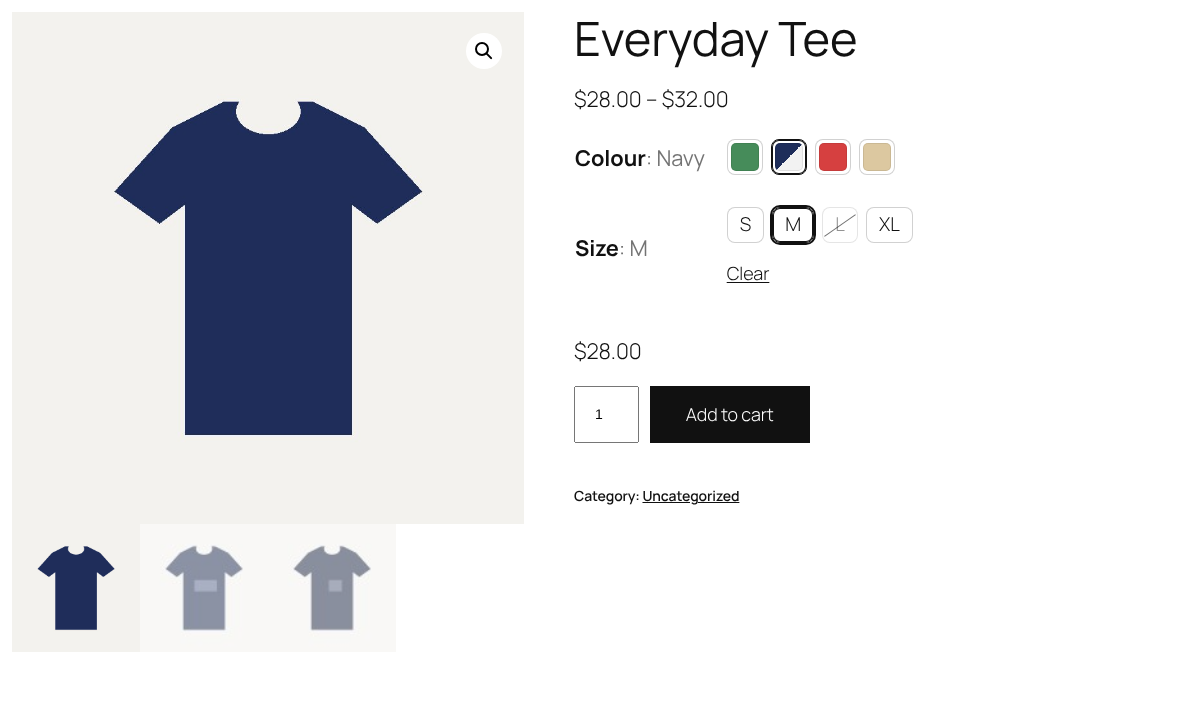
Colour and size swatches on a product page, with the chosen values next to the attribute names.
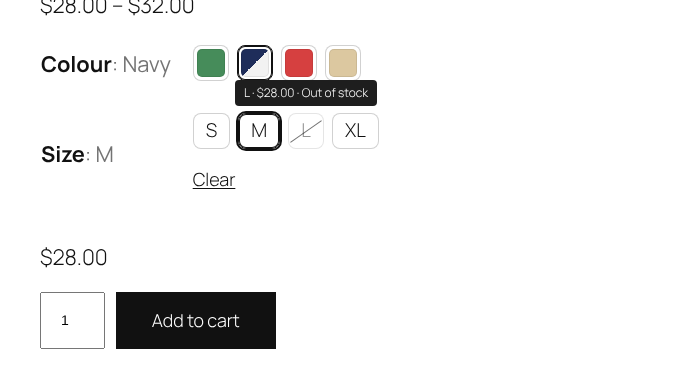
Out-of-stock and unavailable values are crossed out; tooltips show the price and stock.
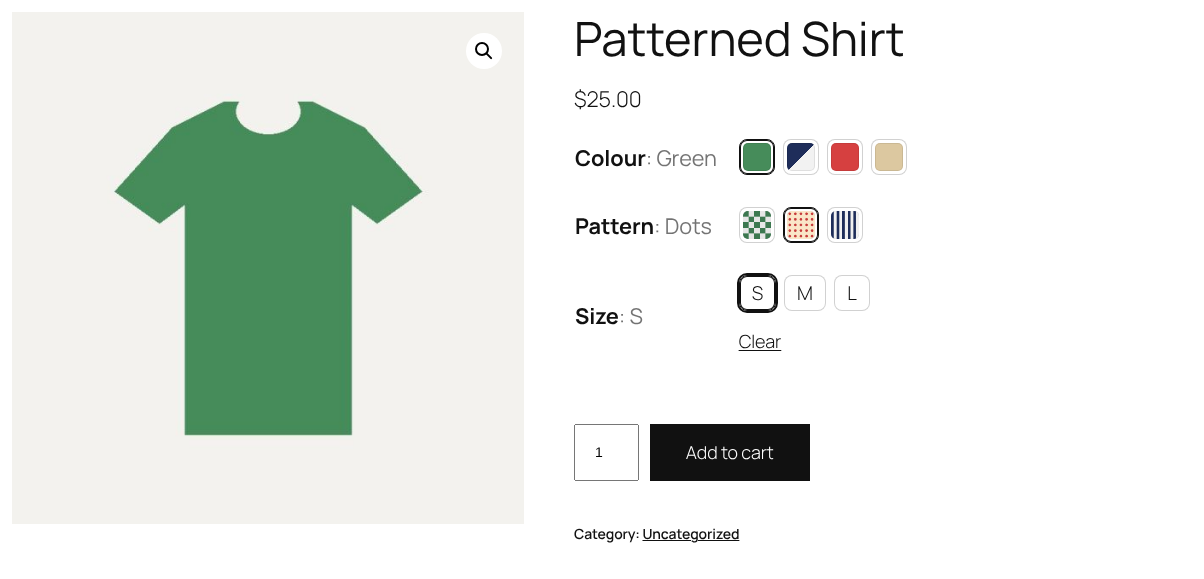
Image swatches for patterns, together with colour and size swatches.
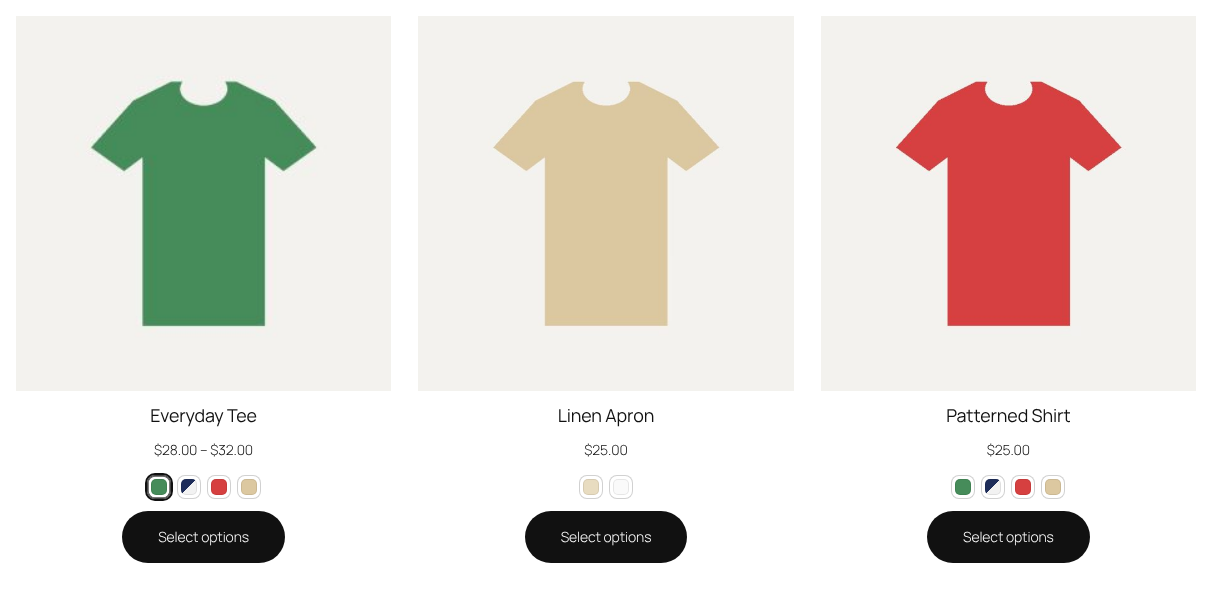
Swatches on product cards in the shop: choosing one shows that variation's image.
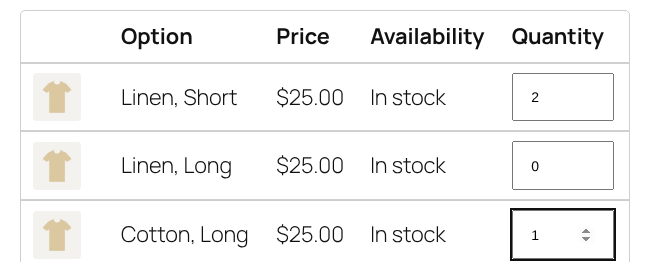
The variations table: choose quantities and add several variations to the cart at once.

The settings page with a live preview.
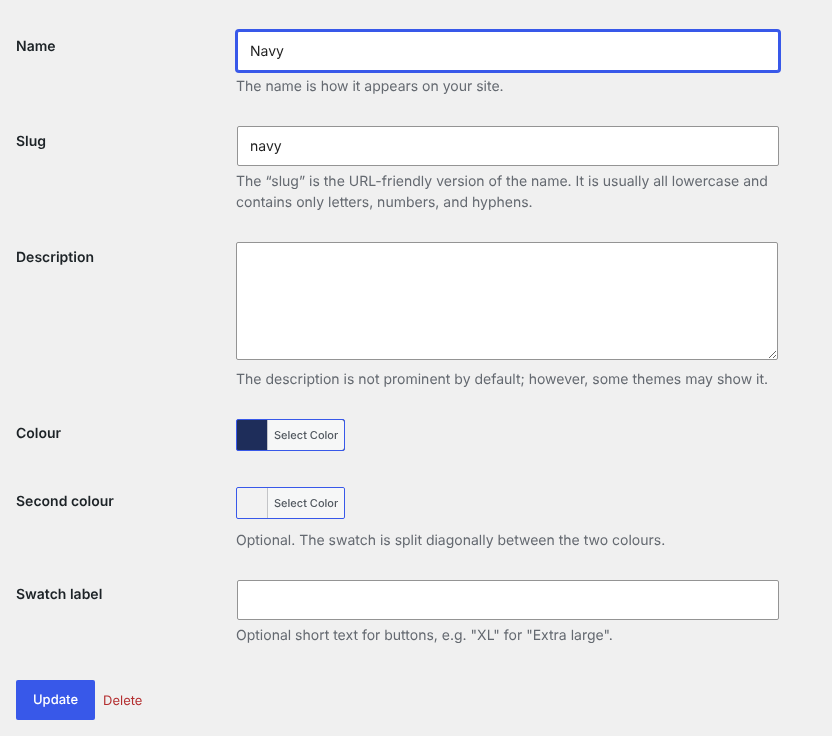
Colours and images on attribute terms, with an optional second colour and short label.
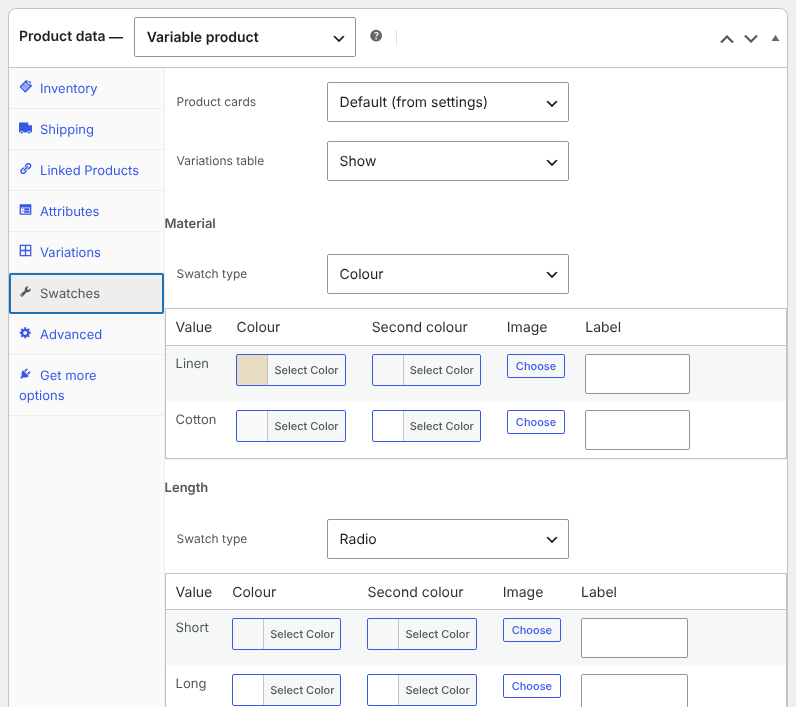
The Swatches tab of a product: swatch type, colours and images for each attribute, product cards and the variations table.
Faq
Version 1.0 turned WP eCommerce variation dropdowns into radio buttons. If WP eCommerce is still active on your site, that behaviour stays. SwatchCraft 3.0 adds swatches for WooCommerce. Version 1.0 stored no data, so there is nothing to move.
No. Attributes without a swatch type show as buttons automatically. Set a colour or image type once on a global attribute and all products using it get those swatches. The product’s Swatches tab is only needed for exceptions and for custom attributes of that product.
Edit the term (for example “Navy and white”) and fill in both Colour and Second colour. The swatch is split diagonally between them.
Yes. Choose Dropdown as the swatch type of the attribute, or of the attribute on one product. To keep dropdowns everywhere except where you chose a type, switch off “Buttons for attributes without a swatch type” in the settings.
Products with more variations than the “Large products” setting (30 by default) load variations one at a time from the server, as WooCommerce does. Their stock is known only once a variation is chosen. Raise the setting (up to 500) if your server is fast enough to send all variations with the page.
The one you choose under WooCommerce SwatchCraft Product cards. Automatic picks an attribute with “Show swatches on product cards” ticked, otherwise the first colour or image attribute. A product can hide its card swatches in its Swatches tab.
Choose the shape and size in the settings, or override the --swatchcraft-size, --swatchcraft-radius, --swatchcraft-gap, --swatchcraft-border, --swatchcraft-active and --swatchcraft-surface CSS custom properties in your theme.
Yes. The swatchcraft_attribute_type and swatchcraft_attribute_options filters change the swatch type and the values of an attribute, swatchcraft_loaded fires when SwatchCraft has loaded with WooCommerce, and the variations table adds to the cart through the swatchcraft/v1/cart REST route.
Reviews
Changelog
3.0.0
- New: renamed to SwatchCraft and rewritten from scratch for WooCommerce.
- New: colour (one or two colours), image, button and radio swatches for variation attributes, set on attributes and terms, with per-product overrides.
- New: automatic buttons for attributes without a swatch type, including custom product attributes.
- New: unavailable and out-of-stock values crossed out or hidden, the chosen value next to the attribute name, and tooltips with price and stock.
- New: swatches on product cards, with image swap and links to the chosen variation.
- New: variation image galleries.
- New: variations table with bulk add to cart, as a block, a shortcode or on product pages.
- New: settings page with a live preview under WooCommerce SwatchCraft.
- New: keyboard and screen reader support, and dropdowns kept when JavaScript is off.
- Improvement: the WP eCommerce radio buttons of version 1.0 load from a script file instead of inline code, only where WP eCommerce runs.
- Requires WordPress 6.5, PHP 7.4 and WooCommerce 9.0 or later.
1.0
- Radio buttons for WP eCommerce variations.