WSMS (formerly WP SMS) – SMS & MMS Notifications with OTP and 2FA for WooCommerce
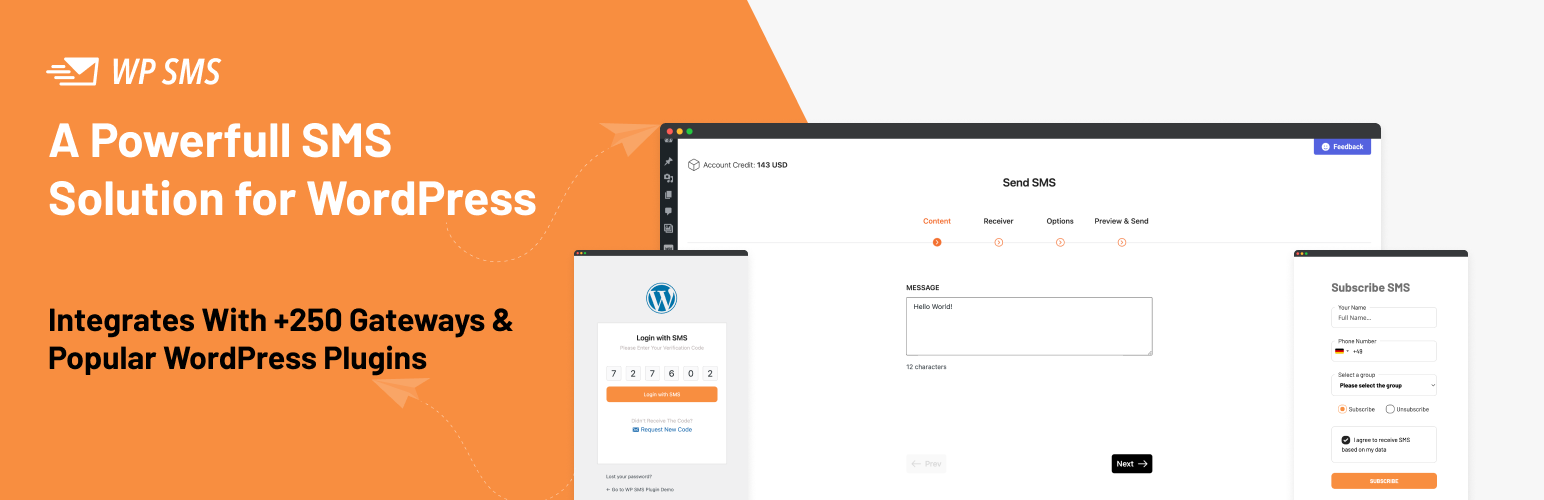
WSMS (formerly WP SMS) – SMS & MMS Notifications with OTP and 2FA for WooCommerce
Description
WSMS lets you send SMS/MMS notifications, one-time passwords (OTP), and two-factor authentication (2FA) messages straight from WordPress. It supports a wide range of SMS gateways and integrates with popular e-commerce and form builder plugins.
Use WSMS to:
– Keep customers updated on WooCommerce orders
– Collect subscribers with SMS newsletter forms
– Secure logins with OTP & 2FA
– Alert admins about new users, logins, or updates
– Run marketing campaigns with scheduled or bulk SMS
👉 Check out the demo | View screenshots | See supported gateways | Explore integrations | Documentation
✨ Key Features
- Send SMS/MMS: Send messages through your choice of supported SMS gateways.
- E-Commerce & Form Integration: Seamlessly integrates with popular e-commerce platforms and form builders.
- OTP & 2FA: Add extra login security with one-time passwords and two-factor authentication.
- Mobile Login: Let users log in with their mobile number.
- Admin Alerts: Get notified when new users register, posts are published, or WordPress updates are available.
- Newsletters & Widgets: Build SMS newsletter forms with shortcodes, widgets, or Gutenberg blocks.
- Two-Way SMS (All-in-One): Receive and reply to SMS messages inside WordPress.
- Bulk & Scheduled SMS: Send to multiple recipients at once, immediately or on schedule.
- Third-Party Integration: Connect with external services and automation platforms.
- Messaging Button: Let visitors reach you instantly via messaging channels.
- GDPR Compliant: Built with privacy and compliance in mind.
💎 Upgrade to WSMS All-in-One
Unlock additional features with All-in-One — the plan that gives you access to all premium add-ons in one package.
With All-in-One you get:
– Secure login & registration with OTP & 2FA
– Scheduled & recurring SMS/MMS
– Two-way SMS inbox
– Enhanced e-commerce features (login, checkout verification, order updates)
– Membership platform integrations
– Advanced form builder SMS capabilities
– Marketing automation integrations
– Booking system compatibility
– URL shortening service integration
– All future add-ons included
👉 See All-in-One details & compare features
🐞 Report Bugs & Security
- Found a bug? Open an issue on GitHub.
- Security concerns? Report them via the Patchstack VDP program.
📝 Trademark Notice
WooCommerce, GravityForms, Elementor, Contact Form 7, Twilio, WhatsApp, Clickatell, BulkSMS, Plivo, Zapier, Bitly, and other product names mentioned are trademarks of their respective owners. WSMS is not affiliated with, endorsed by, or sponsored by these companies.
Source Code and Build Instructions
Note: The plugin works out of the box — no build steps required for regular users. This section is for developers who want to modify or contribute to the source code. See the full documentation for user guides.
All source code for minified JavaScript and CSS is included in the plugin under the resources/ directory. Build instructions and full source are available on GitHub.
Third-Party Libraries
Chart.js, flatpickr, intlTelInput, jquery.repeater, jQuery Word and Character Counter, React, Select2, Tailwind CSS, Tooltipster, WP Scoper
Installation
Step 1: Install the Plugin
- Go to Plugins Add New in WordPress admin.
- Search for “WSMS” or “WP SMS”.
- Click Install Now, then Activate.
See Installation for more methods.
Step 2: Configure Your Gateway
- Go to WSMS Settings Gateway.
- Select your SMS gateway provider.
- Enter your API credentials.
- Set your Sender ID.
- Click Save Changes.
See Gateway Configuration for detailed setup.
Step 3: Send a Test Message
- Go to WSMS Send SMS.
- Enter a phone number.
- Type a message.
- Click Send.
If successful, your setup is complete!
Screenshots
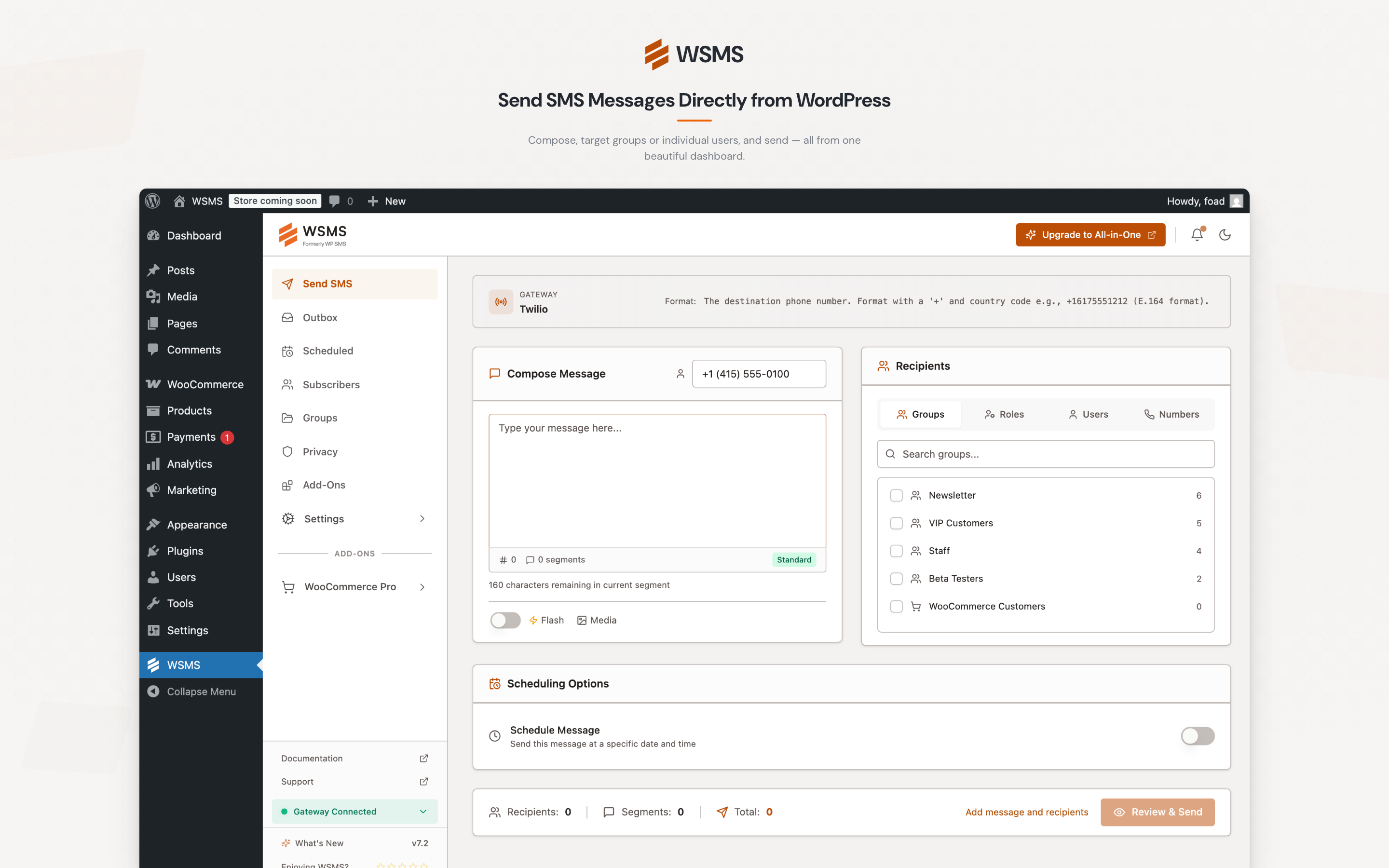
Send SMS via Admin
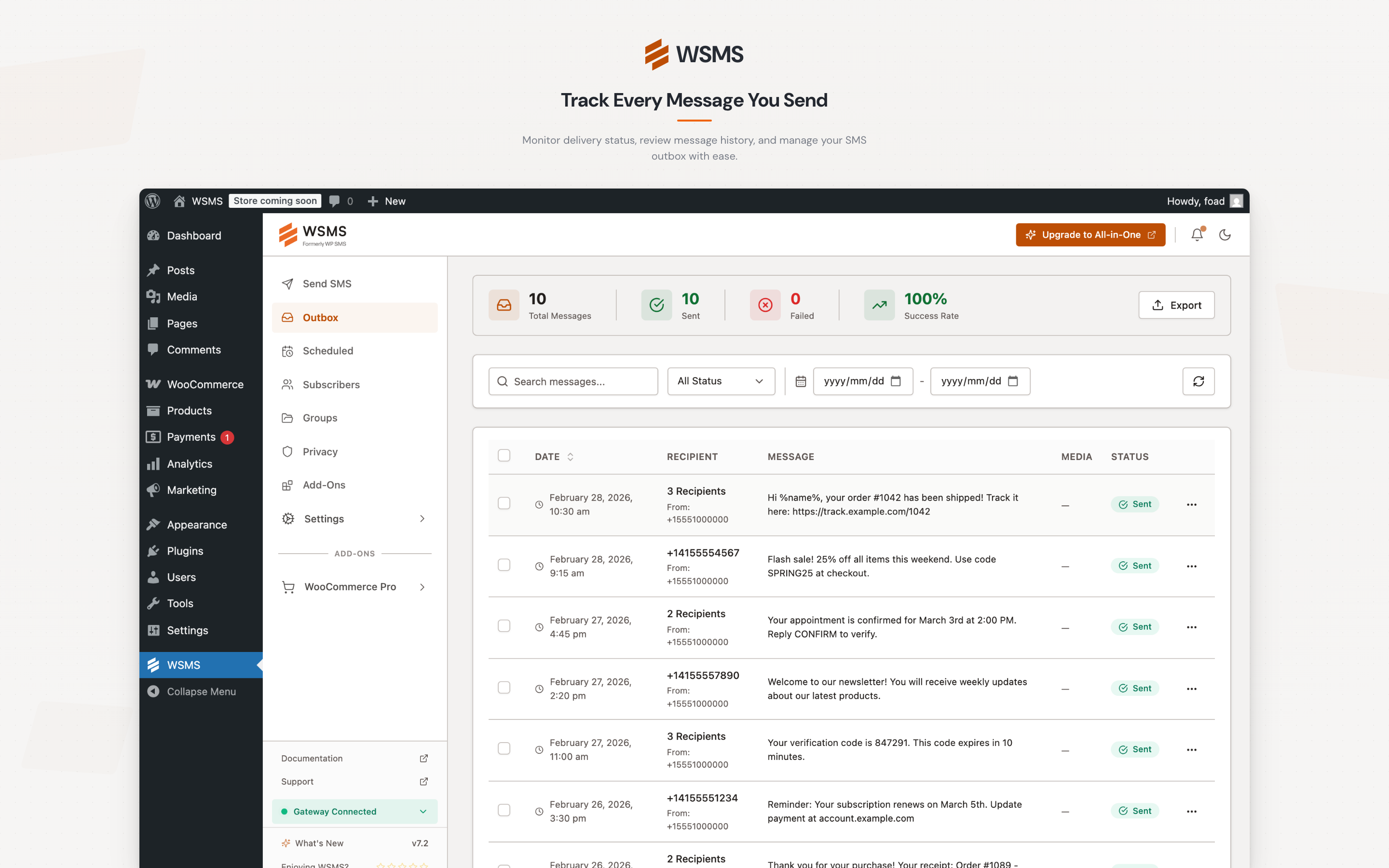
Outbox
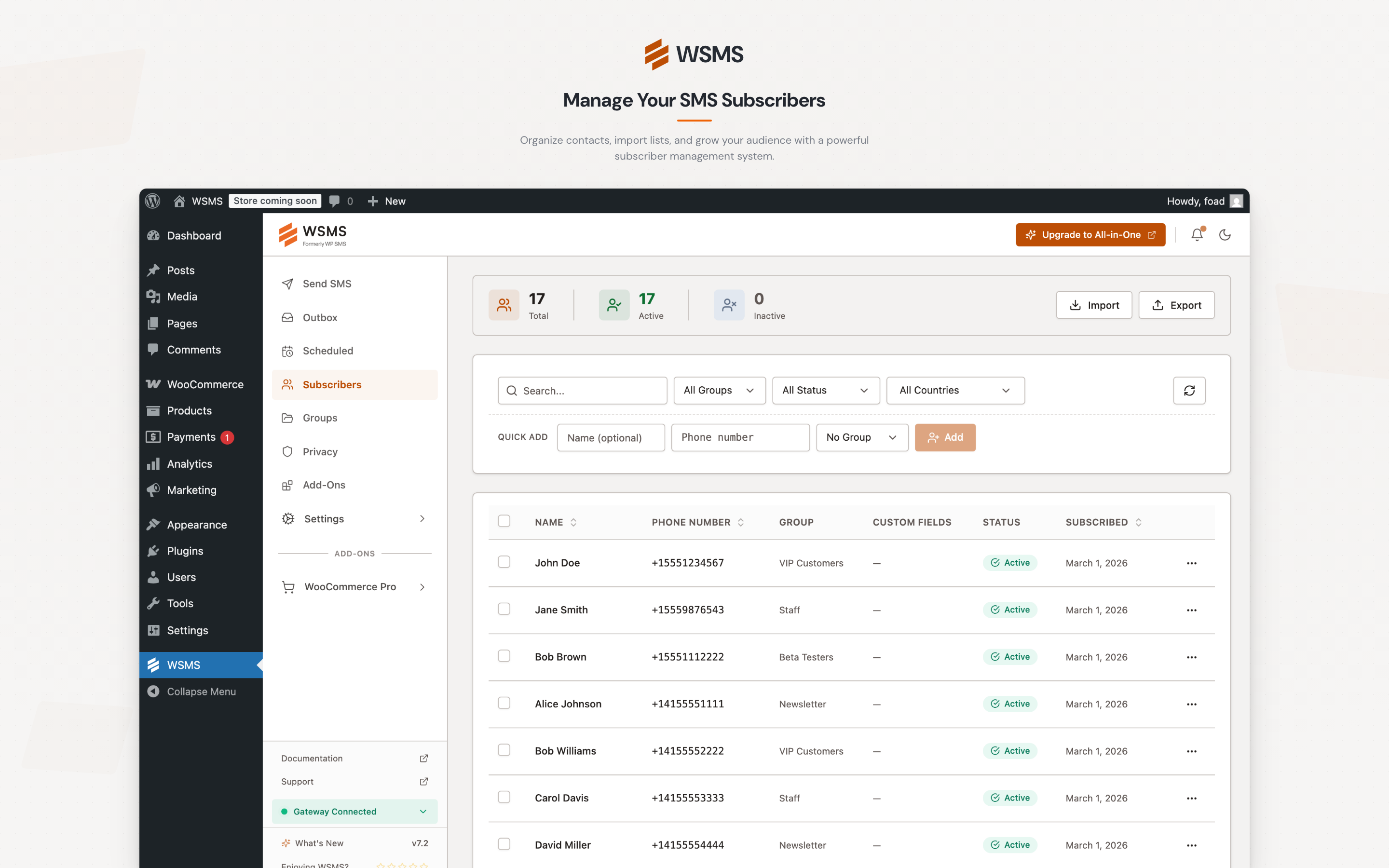
Subscribers Management
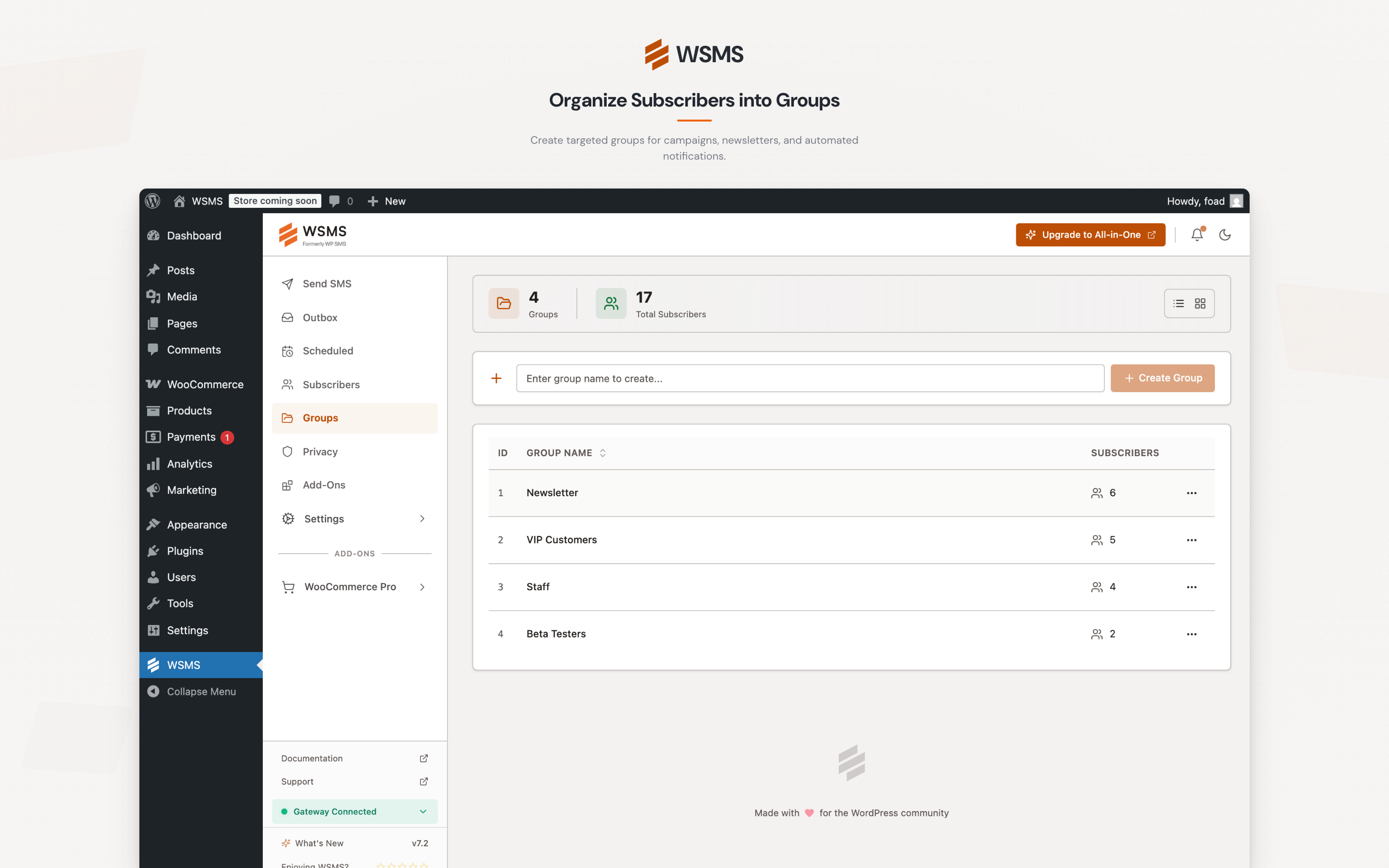
Subscriber Group Management
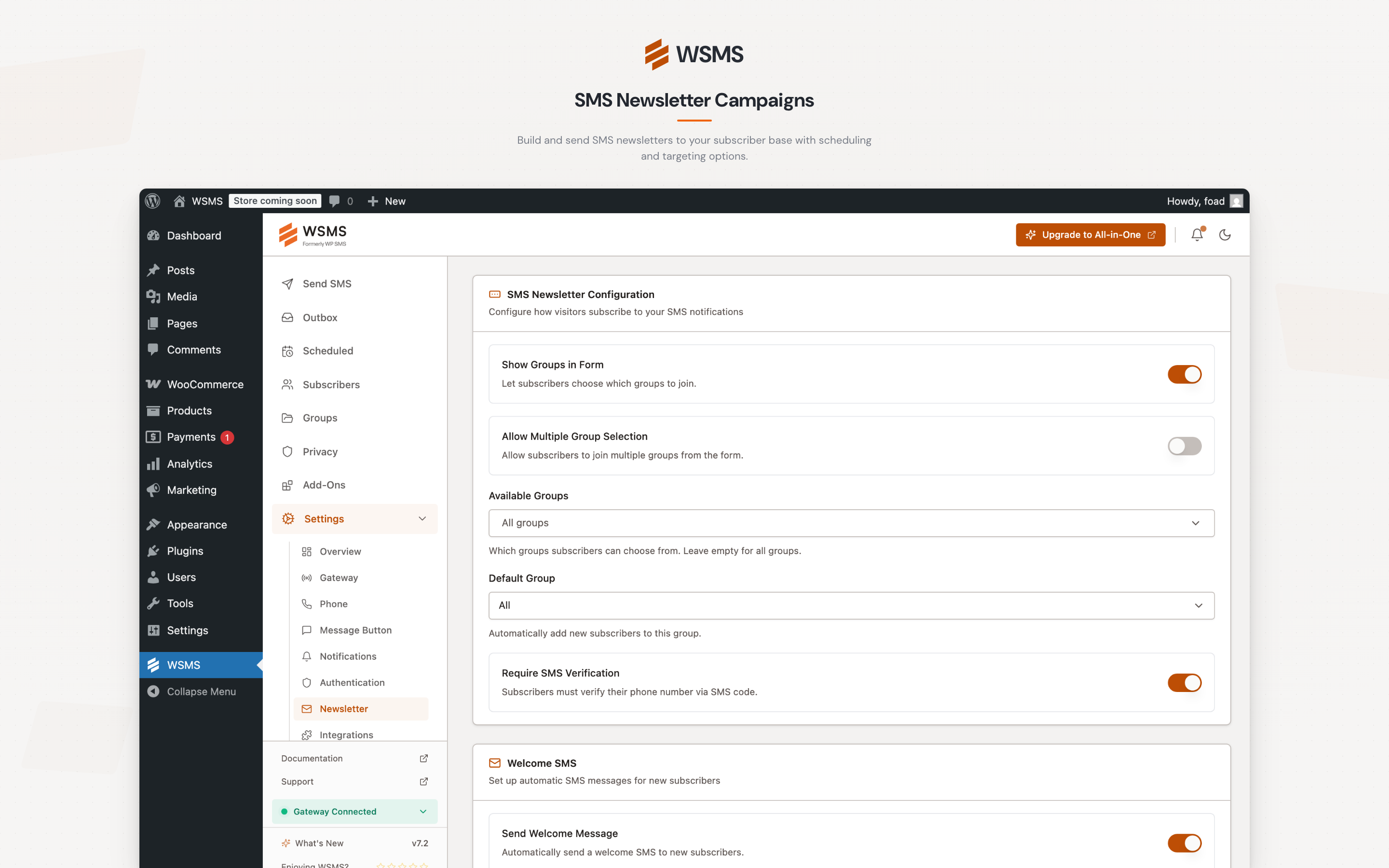
SMS Newsletter Configuration
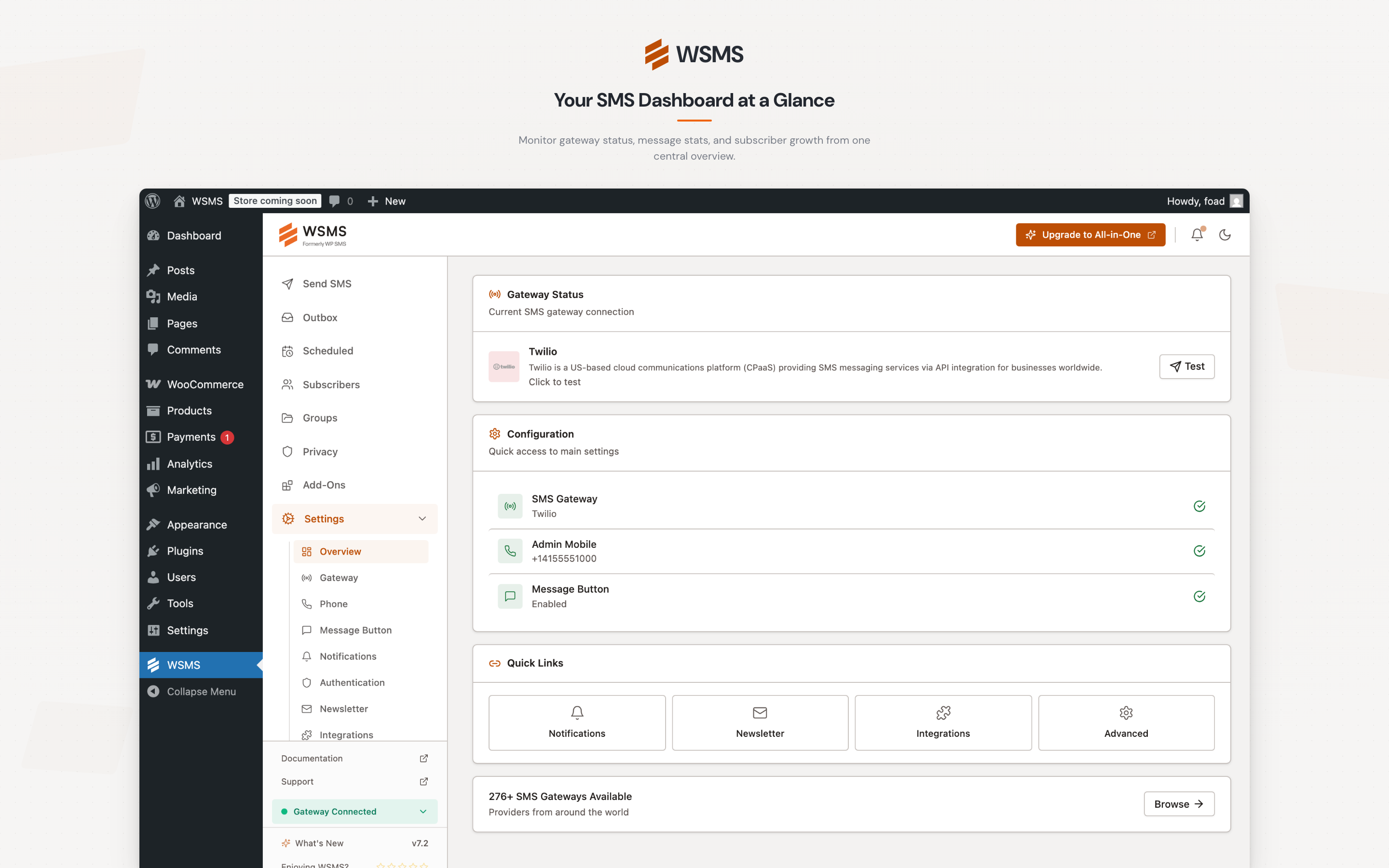
Settings Overview
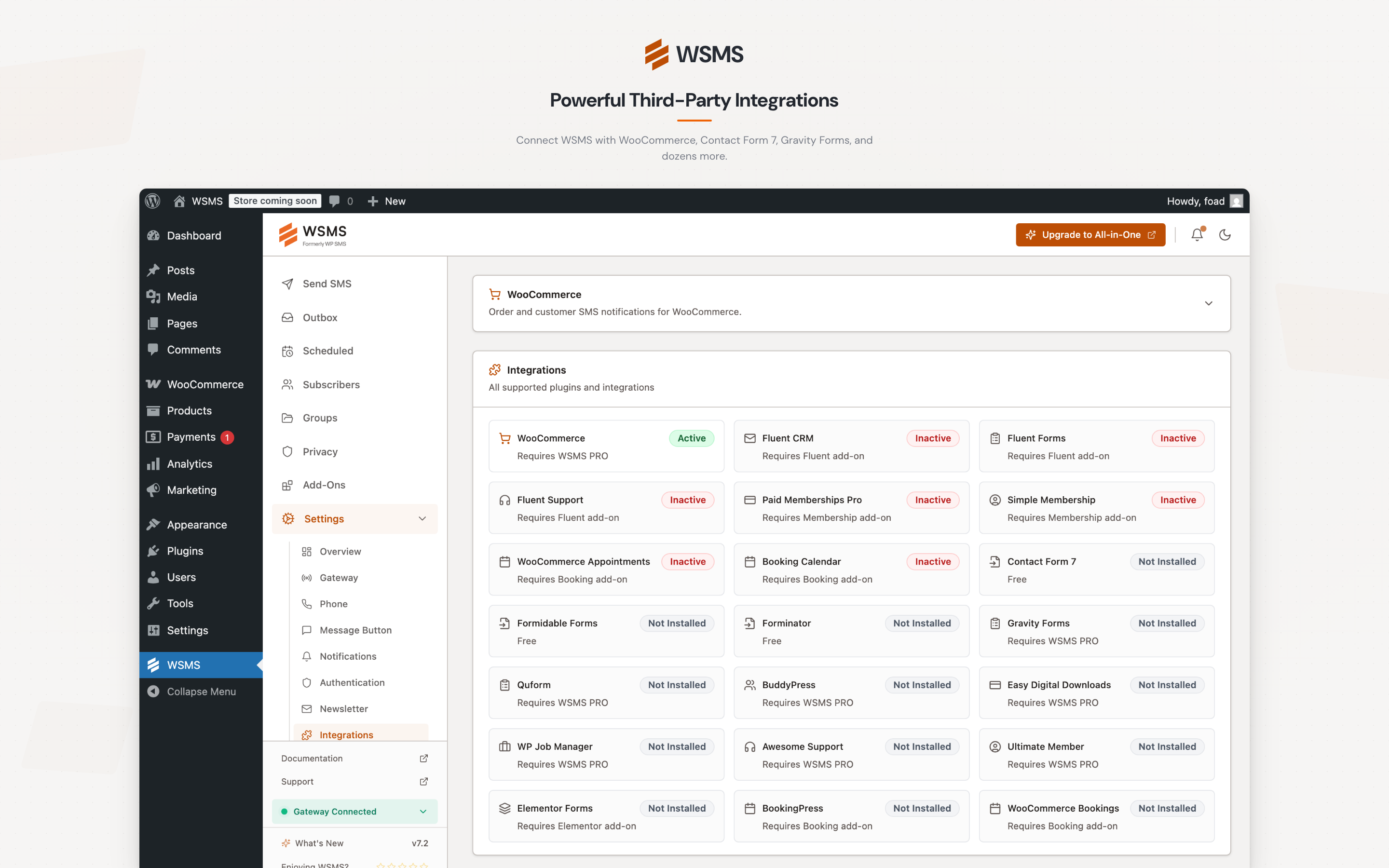
Integrations
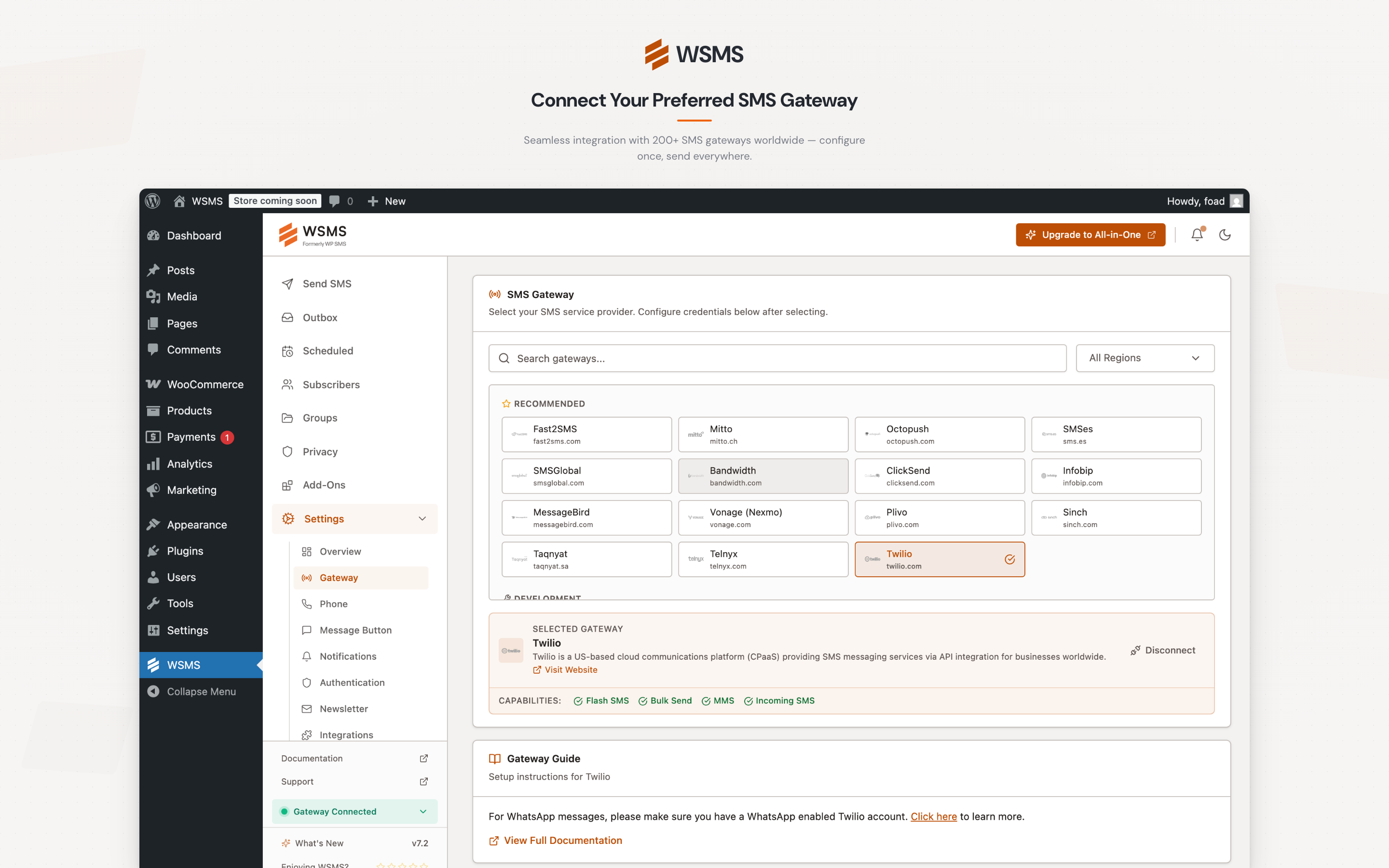
Gateways Configuration
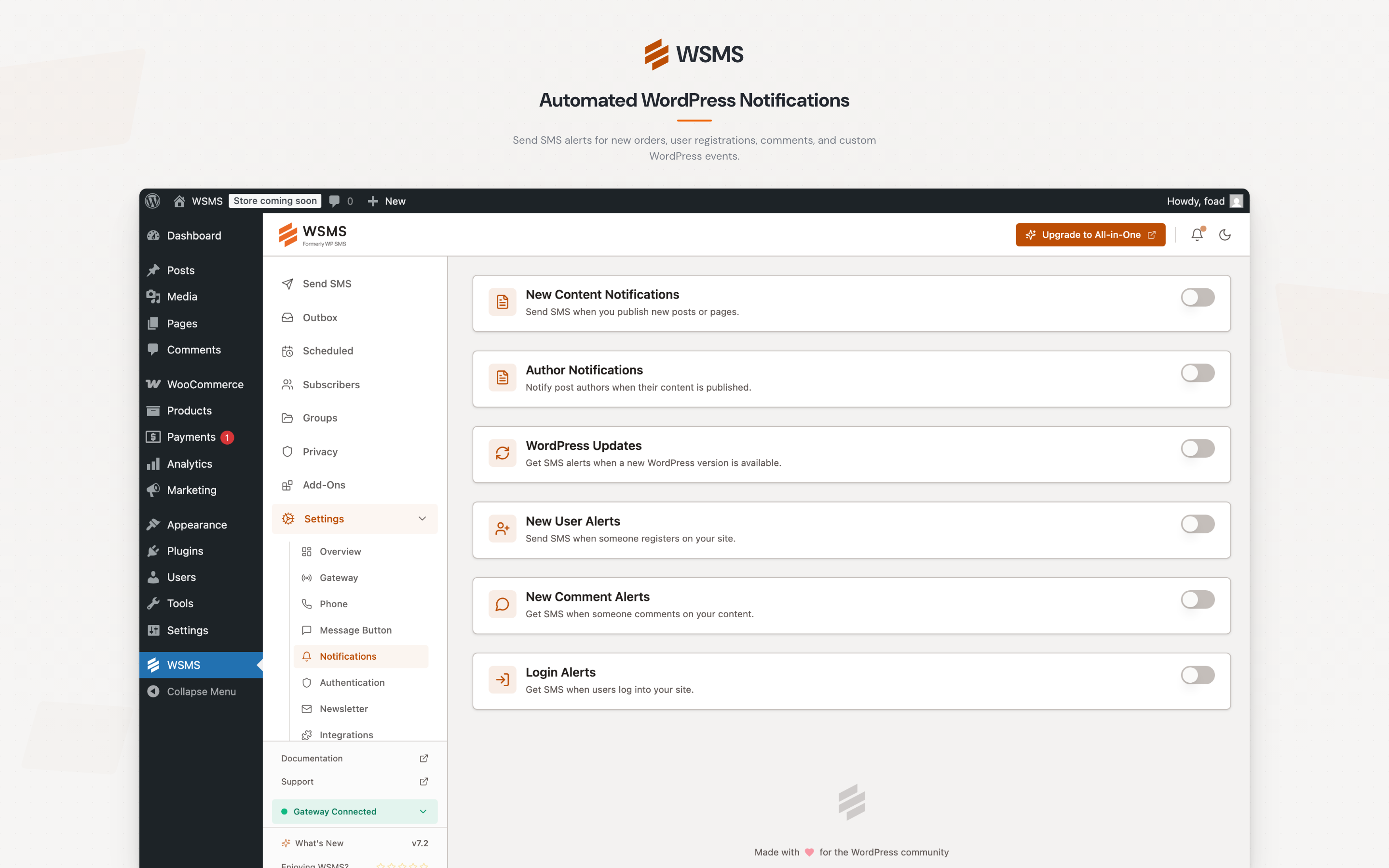
Notifications Management
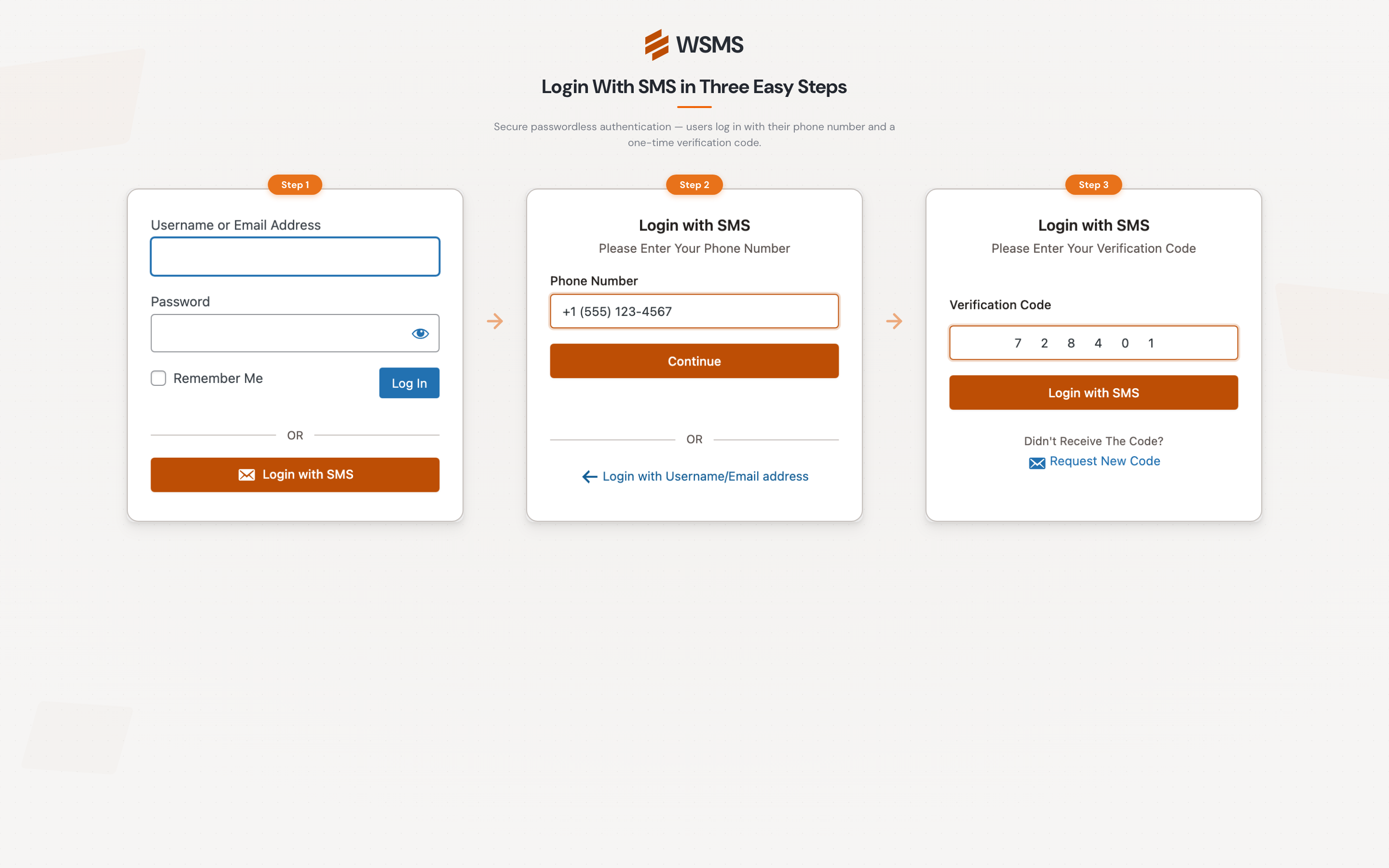
Login With SMS
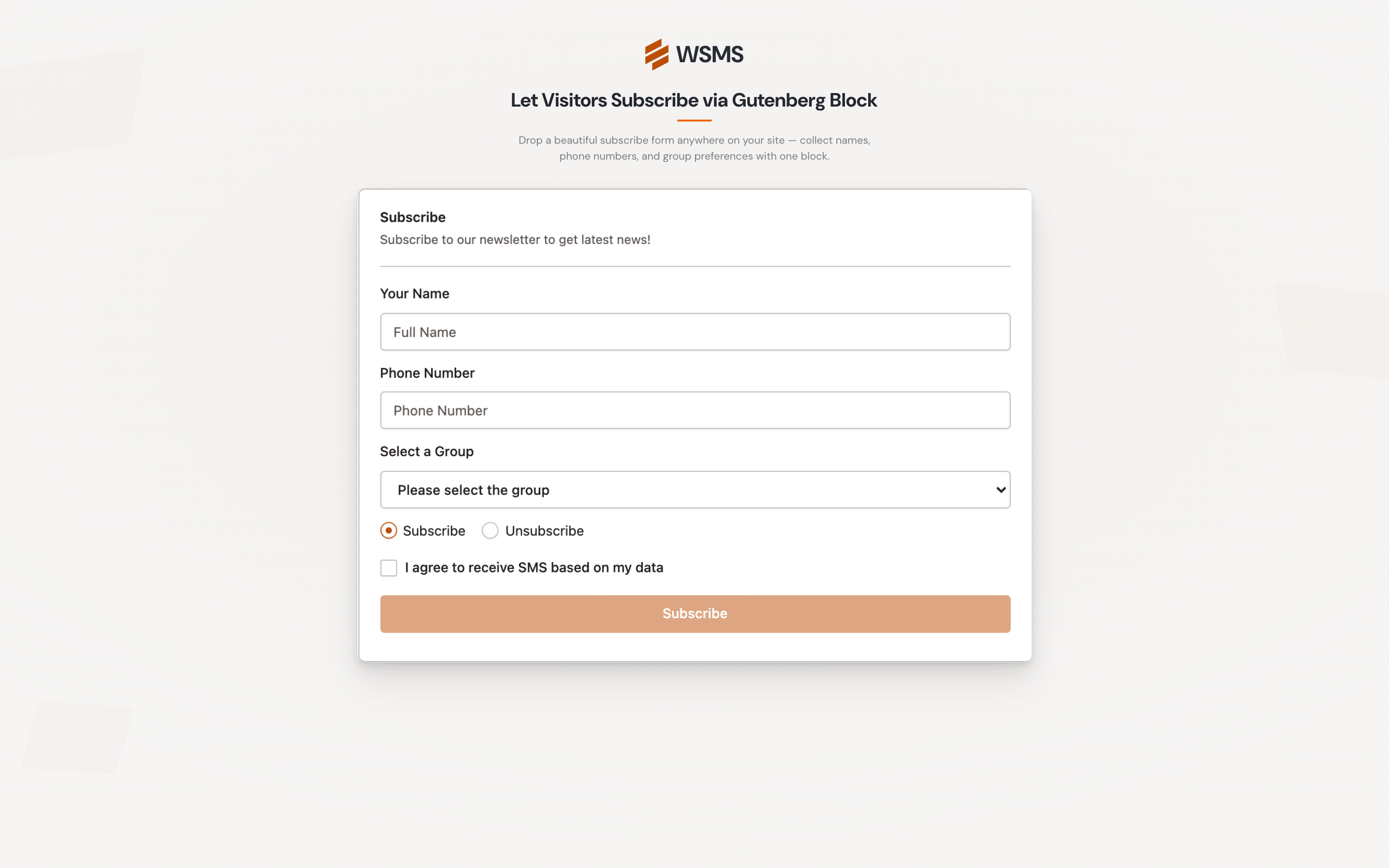
Gutenburg Block: SMS Newsletter Form
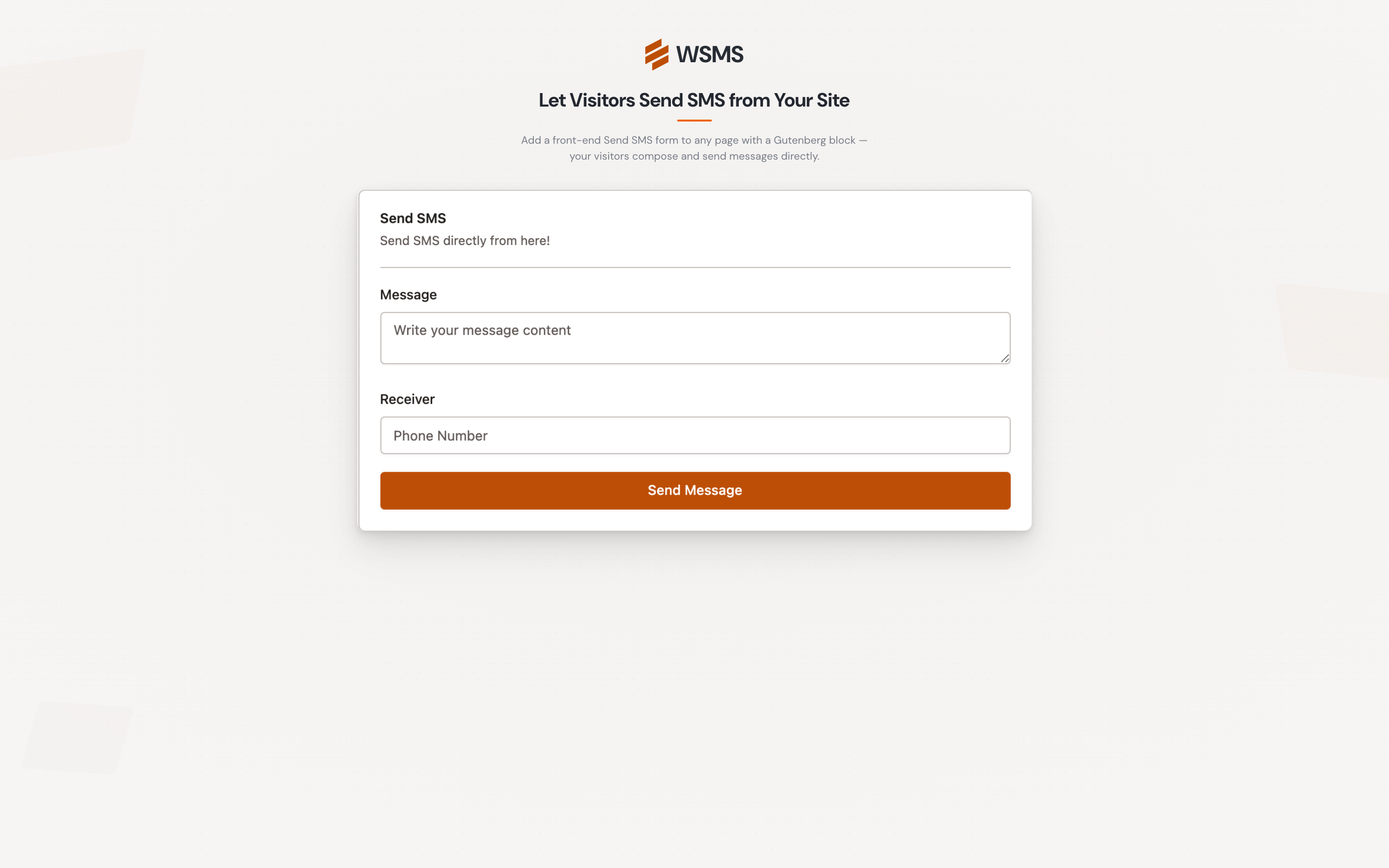
Gutenburg Block: Send SMS Form via website
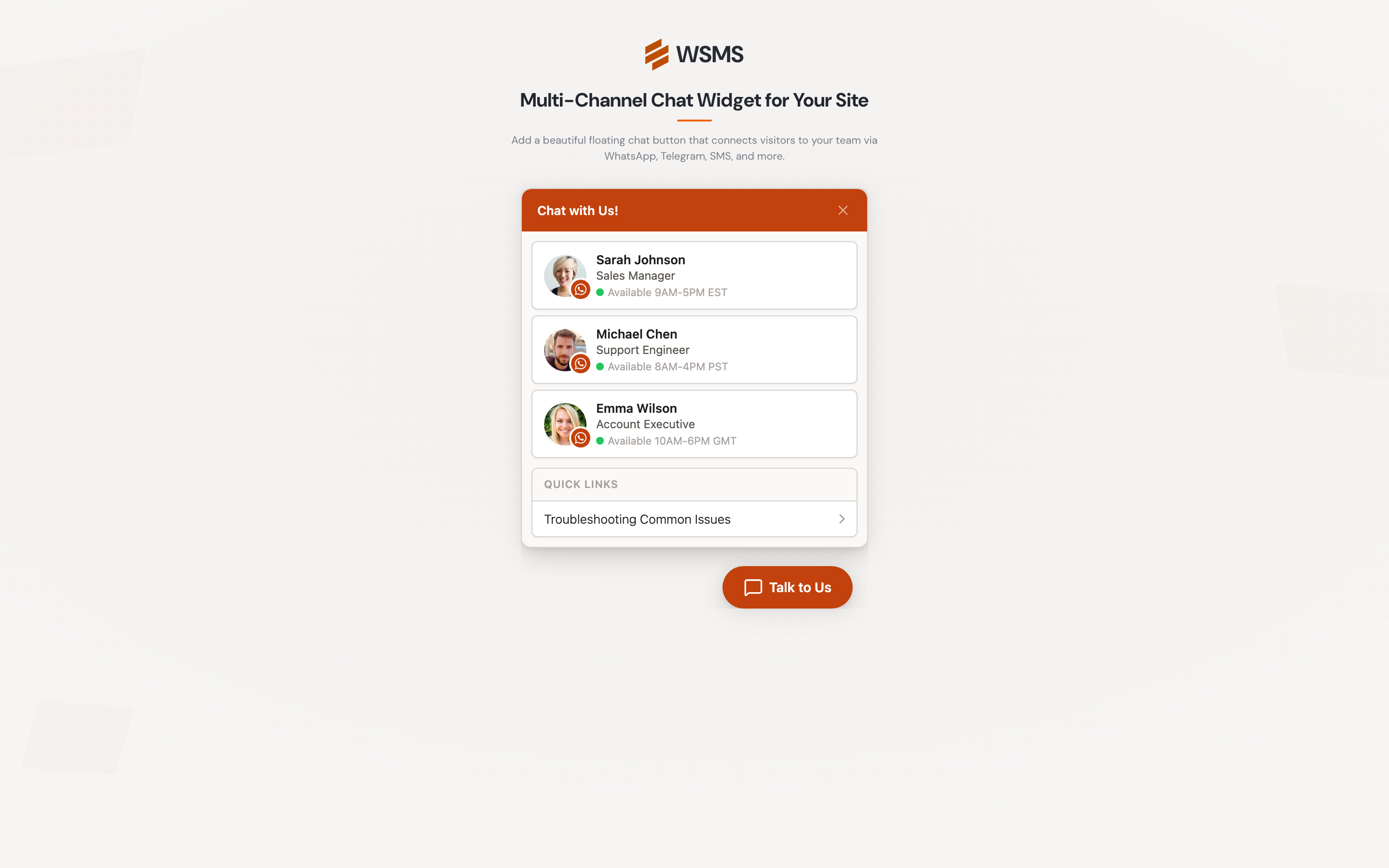
Message Button
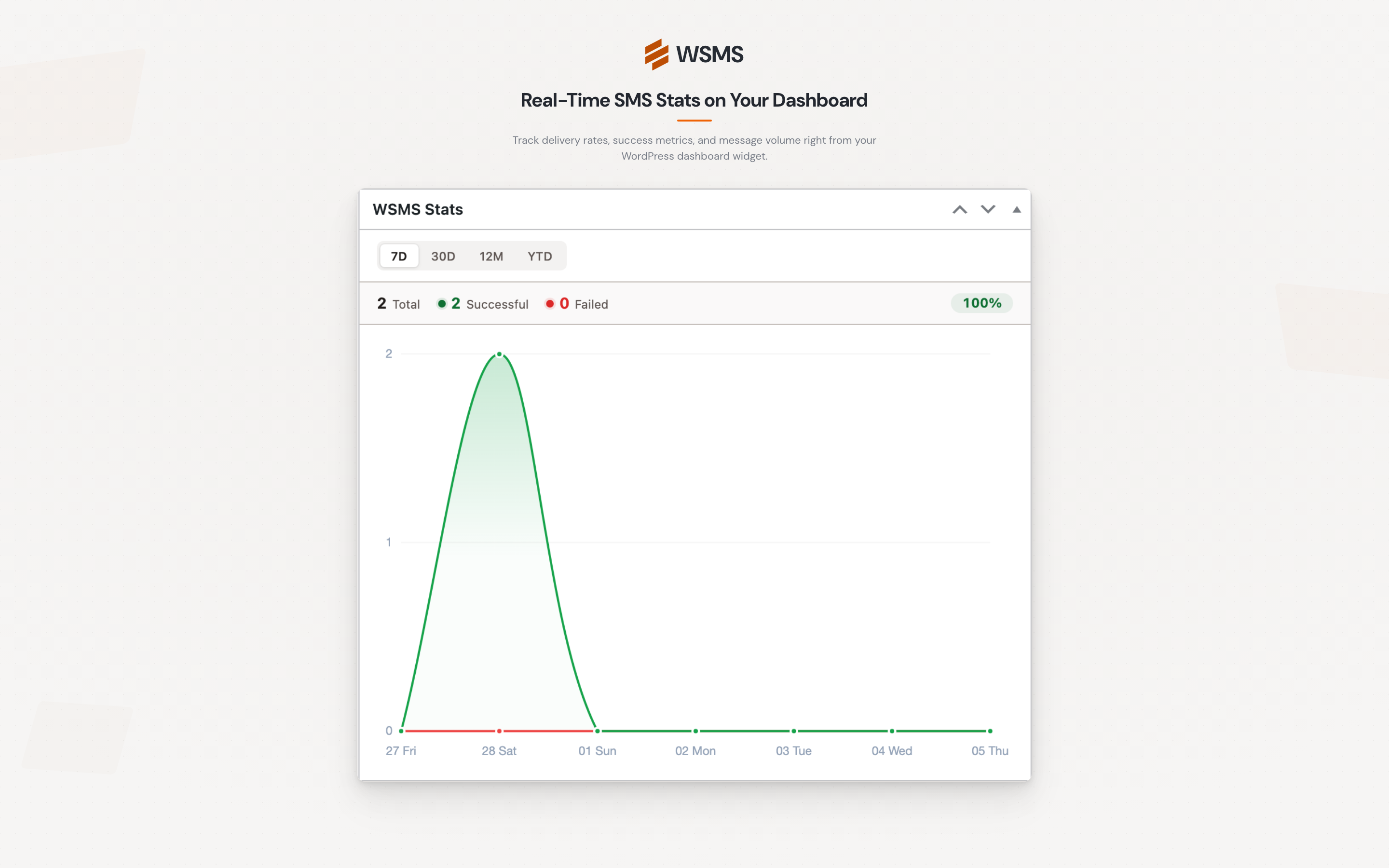
SMS Stats Dashboard Widget
Faq
Any WordPress site that wants to enhance communication with users, customers, or subscribers via SMS. Perfect for businesses, bloggers, and e-commerce stores.
No. WSMS is beginner-friendly and well-documented.
Yes. It includes tools to manage user data responsibly.
Yes. It can handle large volumes with asynchronous sending.
WSMS integrates with popular e-commerce platforms, form builders, membership systems, and marketing automation tools. See the full list of supported integrations on our website.
Unlimited — your SMS gateway plan determines limits.
Yes, if supported by your SMS gateway.
All premium features + all add-ons in one package.
👉 Compare free vs All-in-One
Reviews
Top notch support
By 
Support for this plugin was outstanding. Had an install issue, it got dealt
with in a direct and no nonsense manner. I have total confidence in any
future support I may need for this amazing plugin. Thanks Verona Labs!
Solid Plugin
By 
I've been using the Pro version of this plugin for about a year now with Twilio and I'm happy with it. I requested an improvement after the latest update and the support team added it right away!
Useful Plugin and Excellent Support
By 
I have this plugin with the paid add-on for Twilio gateway and Elementor forms and it has been an excellent tool to allow for immediate SMS notification and autoreply as a lead capture for website visitors submitting lead capture forms. More importantly, the developed provides EXCELLENT support when needed. I highly recommend this plugin
Great Plugin + Amazing Customer Service
By 
We've used this plugin for a while and it has worked fantastically. I recently updated many plugin's on a clients website, however this caused a problem with the phone number being picked up from CF7. I tried troubleshooting before contacting VeronaLabs. I spoke with a Mr. Gandomi and his help was nothing more than exceptional. If you have any problem implementing this with your website, please contact support before giving up, as I'm sure they'll be able to help you out.
✅ Got the Refund - WhatsApp Cloud API OTP Issues
By 
Refund Received Following Support Escalation ✅
I purchased this plugin mainly for OTP-based login using WhatsApp Business Cloud API, but unfortunately it did not meet the advertised functionality.Issues I faced:
- OTP Login Design Limitation
If a user did not sign up with a phone number in the past, or if their phone number is missing/not updated, there is no mechanism to prompt the user to add or update their phone number after login.
This breaks the OTP flow completely and makes it unusable for real-world scenarios. - WhatsApp Business Cloud API OTP Not Working
Even with:- Correct Cloud API credentials
- Approved Authentication templates
- Proper configuration
- Lack of Clear Support for WhatsApp Authentication Templates
The plugin does not clearly support or document how WhatsApp Cloud API Authentication templates should be used. This resulted in repeated failures despite correct setup. - Support & Refund
I contacted support@veronalbs.com requesting cancellation and refund, My email ended up in the spam folder, even though I used Gmail. Since my purchase is covered under the 14-day money-back guarantee mentioned on the website, I expected a response. Unfortunately, there was no reply initially, so I had to contact them via Twitter. After that, they responded and processed my refund.
I hope this feedback helps the team improve both the product and support process.
Bait & Switch
By 
All these claims about the free version support SMS based 2FA. Kind of true . . .UNLESS you happen to use any of the very common SMS Gateways such as Twilio.
2fa and otp need premium account
By 
2fa and otp need premium account
The support for this service is absolutely phenomenal!
By 
The support for this service is absolutely phenomenal!
Good plugin and great support
By 
The plugin is easy to use and their support worked hand in hand with my gateway provider to fix a few issues I faced.
Great overall, good support
By 
Does what it says it does and works great. Interface is a bit slow at times. But otherwise great.
Changelog
v7.2.5 – 2026-05-19
- Fix: Fixed missing field placeholder chips in the Quform integration message body.
- Fix: Fixed
[wp_sms_subscriber_form]shortcode showing an empty group list when “Available groups” is blank; it now falls back to all groups. - Enhancement: Improved the custom gateway with multi-line HTTP Headers/Parameters, a Raw JSON body format, and array values for APIs that require nested structures.
v7.2.4 – 2026-03-15
- New: Added credit balance support for the GuniSMS gateway.
- Fix: Updated EaziSMSpro gateway to use the new API endpoint.
- Fix: Fixed some dashboard strings that were not translatable.
- Fix: Fixed the “Configure now” link in the Default Country Code admin notice not navigating to the correct settings page.
- Fix: Fixed Cellsynt gateway SMS delivery failure by converting E.164 phone numbers.
v7.2.3 – 2026-03-09
- New: Added per-page selector to all list pages (Subscribers, Outbox, Groups, Scheduled, Campaigns, Two-Way Inbox), allowing users to choose how many items to display per page.
- Enhancement: Minor improvements.
v7.2.2 – 2026-03-09
- Enhancement: Redesigned the phone number migration wizard with a simpler 5-step flow, progress tracking, and improved safety messaging.
- Enhancement: Added a phone number normalization wizard to standardize numbers for improved delivery reliability.
- Enhancement: Phone numbers are now automatically normalized into a consistent international E.164 format for better compatibility across integrations.
- Enhancement: Improved default country code setup and validation during onboarding and settings configuration.
- Enhancement: Added admin tools to monitor recent phone number normalization failures.
- Enhancement: Improved subscriber search and duplicate detection across phone number variations.
- Enhancement: Improved phone number display in RTL admin layouts.
- Enhancement: Tested compatibility up to WordPress v7.0.
- Enhancement: Improved security for admin AJAX endpoints.
- Fix: Improved validation messages to better identify invalid phone number input.
- Fix: Fixed missing country data issue causing empty dropdowns and validation problems.
- Fix: Fixed subscriber form group assignment when global group visibility is disabled.
- Fix: Improved OTP verification and rate limiting for normalized phone numbers.
v7.2.1 – 2026-03-17
- New: Added Contact column to the Two-Way inbox, showing subscriber name or WordPress user display name for each sender.
- Fix: Fixed gateway initialization issue for 4jawaly, 1s2u, 160au, 0098sms, and 18sms gateways.
- Fix: Fixed sms.to gateway request config passed as params instead of query args.
- Fix: Removed unused username/password fields from sms.to gateway.
- Fix: Fixed Textplode gateway not stripping
+prefix from phone numbers, causing send failures.
v7.2 – 2026-03-08
- New: Redesigned admin interface with improved user experience.
- Enhancement: Updated PHP requirement to version 7.4.