WP Sync for Notion – Notion to WordPress
WP Sync for Notion – Notion to WordPress
Description
With our Notion to WordPress integration, WP Sync for Notion, you can publish content from Notion directly to your WordPress website and keep your pages in sync without Zapier or Make.
The free version allows you to synchronize Notion pages to WordPress with their content and structure preserved.
For advanced use cases, Notion WP Sync Pro+ unlocks powerful features such as database synchronization, field mapping, Custom Post Types, Advanced Custom Fields (ACF) support, and SEO integrations — ideal for professional and content-driven websites.
Learn more and compare features with the
Notion WP Sync Pro+ version.
Features
Connect Notion pages
- Sync Notion pages to WordPress
- Keep page content and supported blocks in sync
- Manual or automatic synchronization
Connect Notion databases (Pro+ only)
- Sync structured Notion databases to WordPress
- Map Notion database properties to WordPress fields
- Create content from databases instead of static pages
- Set up and publish unlimited connections
Database synchronization and property mapping are available in the
Pro+ version.
Display Notion content in WordPress
- Publish content as Posts or Pages
- Display content in Custom Post Types (Pro+)
- Assign Post Status and Author (Pro+)
- Advanced Custom Fields (ACF) support (Pro+)
These features make Pro+ ideal for headless CMS and editorial workflows.
See Pro+ features.
Keep your Notion design or customize it
- Supports most Notion blocks (text, lists, tables, images, columns…)
- Display content via Gutenberg block
- Use shortcodes with Elementor, Divi or any page builder (Pro+)
- Dedicated “Notion Content” Custom Post Type (Pro+ only)
Advanced synchronization & automation
- Manual or automatic synchronization
- Webhook-triggered synchronization (Pro+)
- Control sync behavior (add / update / delete)
- Designed for large-scale content imports (Pro+)
Advanced automation and scalability are available in the
Pro+ version.
How to unleash your plugin’s full potential?
WP Sync for Notion works great for syncing pages, but the Pro+ version unlocks its full power for professional use cases.
With Pro+, you can:
* Sync Notion databases instead of only pages
* Map database properties to WordPress fields
* Use Custom Post Types and Advanced Custom Fields
* Improve SEO with Yoast and upcoming SEO integrations
* Handle large imports and complex content structures
Compare Free and Pro+ features on the
official comparison page.
External services
This plugin connects to the Notion API to synchronize content into WordPress.
Service endpoint: https://api.notion.com
What is sent and when:
- When a connection is created, edited, or tested: the Notion integration token (API key) and the requested page or database ID are sent to the Notion API to retrieve metadata.
- On each manual or scheduled sync: the Notion integration token, the requested page/database IDs, and any configured query parameters (filters, pagination cursors) are sent to the Notion API. The API returns the page or database content (titles, properties, blocks) which is then stored in WordPress.
Notion Terms of Service: https://www.notion.so/notion/Terms-and-Privacy-28ffdd083dc3473e9c2da6ec011b58ac
Notion Privacy Policy: https://www.notion.so/notion/Privacy-Policy-3468d120cf614d4c9014c09f6adc9091
Troubleshooting
If you don’t see your pages, make sure they are shared with your Notion integration.
If needed, logs are available via FTP in the following folder:
/wp-content/uploads/notionwpsync-logs
Support
Open a ticket via the WordPress support forum
Installation
- From your WordPress Dashboard, go to “Plugins > Add New”.
- Look for our plugin into the search bar: WP Sync for Notion.
- Click on the ‘Install Now’ button of the plugin, and wait a few seconds.
- Click on the “Activate” button (also available in “Plugins > Installed Plugins”).
- That’s it, WP Sync for Notion is ready to use, find it in the sidebar.
Screenshots
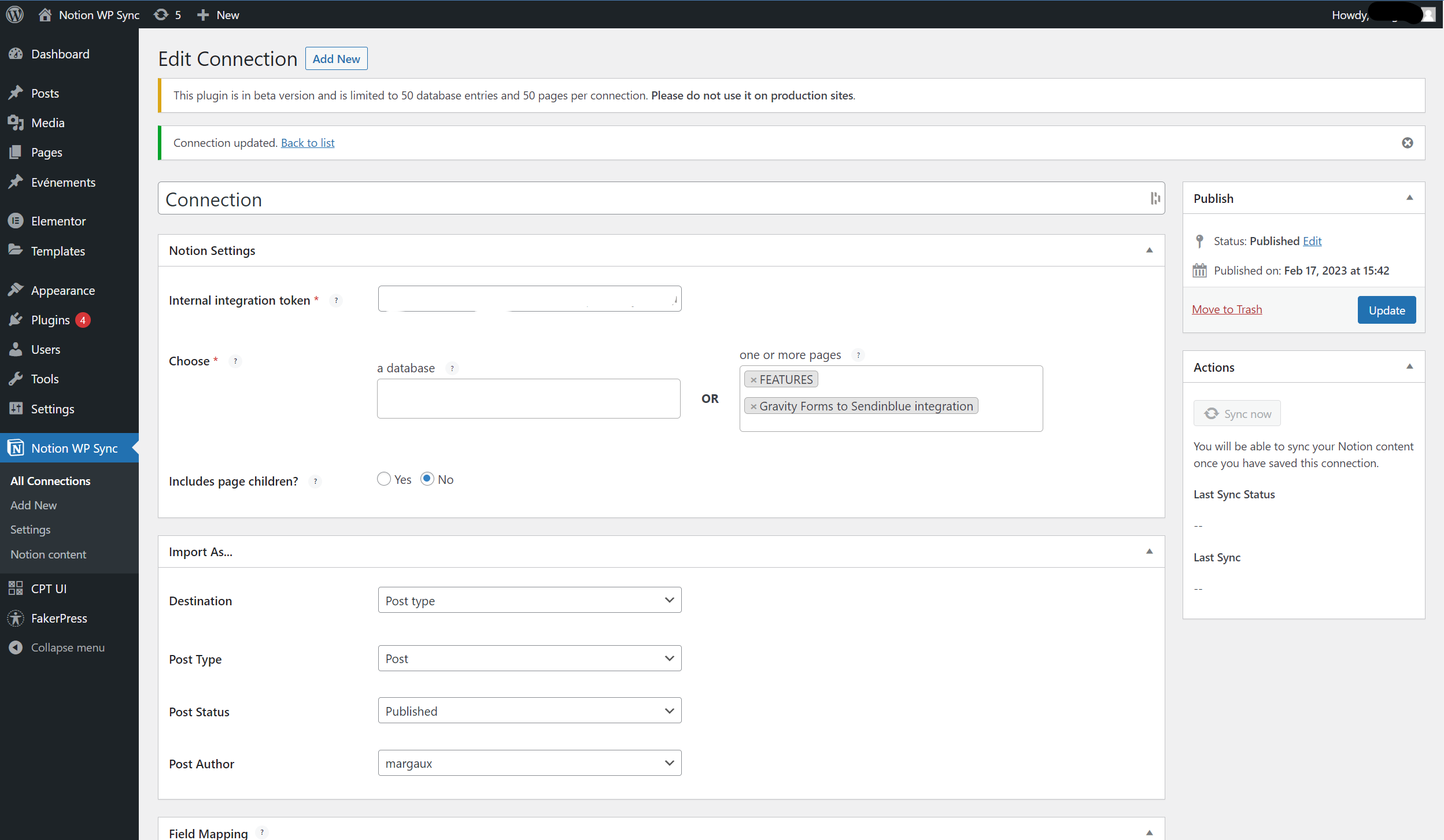
Edit connection
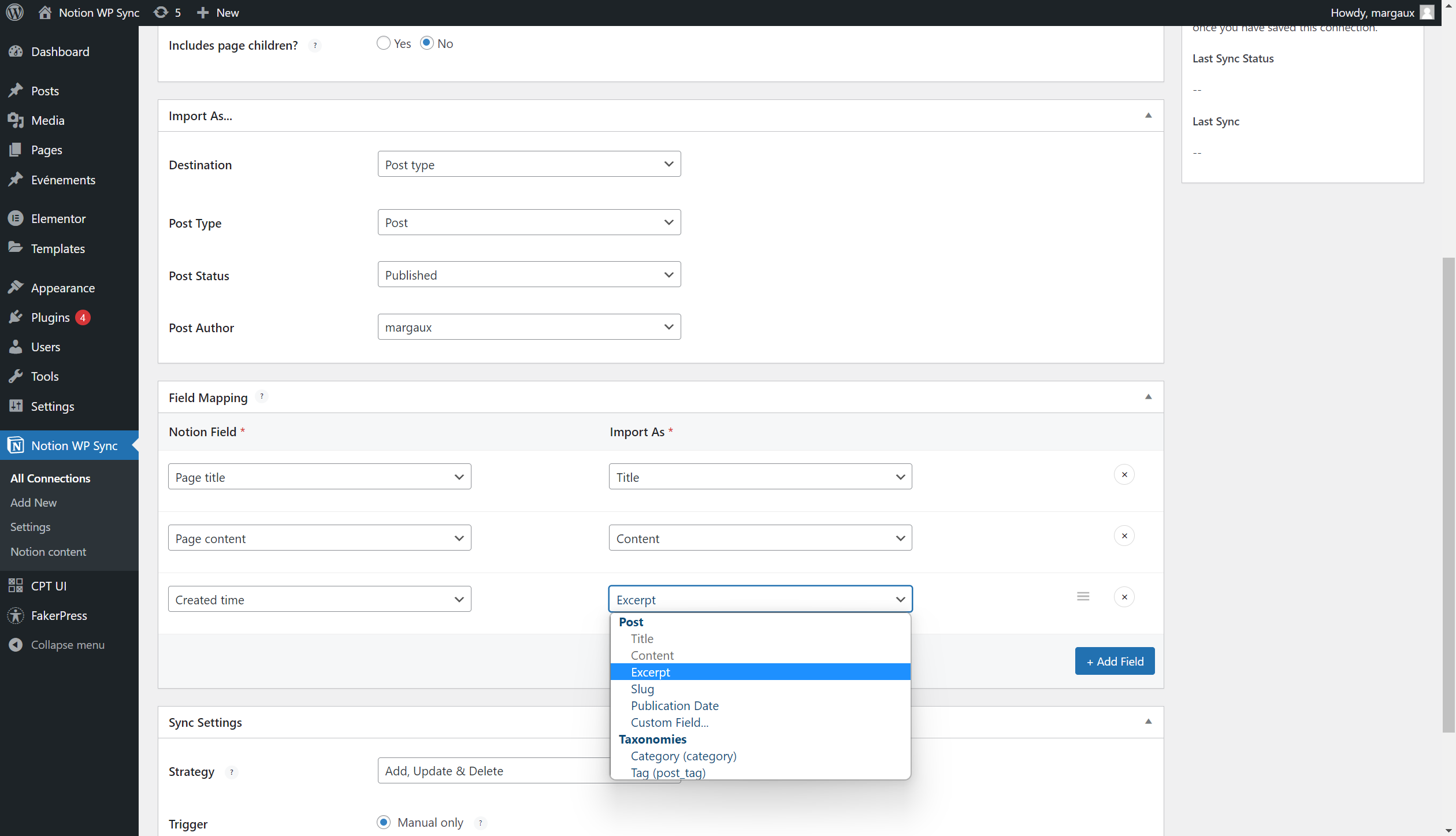
Field Mapping

Configure synchronization

Notion content block & Shortcode
Faq
Notion is an all-in-one digital workplace combining note-taking, task management, project management and document collaboration.
WP Sync for Notion uses Notion’s API to send data. Creating a Notion account is free. You can generate an Internal Integration Token from your Notion integrations page.
Yes. Notion offers a free plan that allows unlimited pages and blocks and provides API access.
Once you publish a connection, synchronization runs automatically based on your settings. You can also manually trigger a sync at any time using the “Sync Now” button.
WP Sync for Notion (Free) allows you to synchronize Notion pages to WordPress.
Notion WP Sync Pro+ adds advanced capabilities such as:
* Database synchronization
* Property mapping to WordPress fields
* Custom Post Types
* Advanced Custom Fields (ACF)
* SEO integrations
* Improved performance and scalability
See the full comparison on the
Notion WP Sync Pro+ page.
Make sure your integration is shared with your Notion pages. You can follow the official Notion instructions to grant access to your integration.
If you need assistance, open a ticket on the WordPress support forum.
Reviews
Helpful Support and Smooth Notion-WordPress Sync
By 
Thank you to the WP Connect team, especially Stephane, for their quick and helpful support. I had some difficulties setting up the WP Sync for Notion plugin, but with their assistance, it's now working properly.
Adding content to our WordPress site will now be much easier for me and my colleagues. 🙏
Great No-Code Product
By 
I use WP Connect to sync 10 different post types on a recurring schedule. It is easy to navigate and simple to set up. Cristian in support has been very helpful diagnose any issues that occur. If you don't want to create or upkeep your own integration between Notion and WordPress, WP Connect is the way to go.
Pretty Useless Unless You Pay for It
By 
I'm sure the fully paid version is great. Only, the free version paywalls a key feature in order for it to actually be fully used. The 3-page connection limit makes it redundant to even use, since if you are going to import notion pages, you want to be importing a lot of content. So I guess I won't be using it. Sucks that a lot of plugins fall into this trap.
No-coders will love it!
By 
This plugin is the missing bridge between Notion and WordPress. You can now write content in Notion, map it to WordPress and publish it. Useful for flexible teams!
I write in notion, it appears in wordpress. Magic !
By 
The best of both wordpress and nocode worlds brought together with this plugin. I can offer my clients to manage the content of their wordpress directly from Notion. Great !
A long awaited plugin with so much potential
By 
Finally a plugin that will allow to import Notion pages to WordPress easily! Features look awesome, can't wait to explore all the possibilities offered by this plugin 😍
Finally! A game-changer plugin!
By 
Thank you so much for this plugin. It's been a long time I wondered "But why it has not been built yet?". Just tried it, it works well and it's easy to configure!
I can't wait for the pro version.
Changelog
1.7.2
Release Date: 14th August 2026
- Compatibility with WordPress 7.0
- Improvement: Document the Notion API as an external service in the readme
- Improvement: Remove the WP Connect logo from the admin header and enlarge the plugin title
- Fix: Prevent content from being deleted when a sync is interrupted or a new sync starts before the previous one finishes
1.7.1
Release Date: 20th Jan. 2026
- Security: Fix Broken Access Control ; add missing user capability check on ajax request