Dynamic Team Manager – Team Member Showcase with grid, slider, table Elementor widget & shortcode
Dynamic Team Manager – Team Member Showcase with grid, slider, table Elementor widget & shortcode
Description
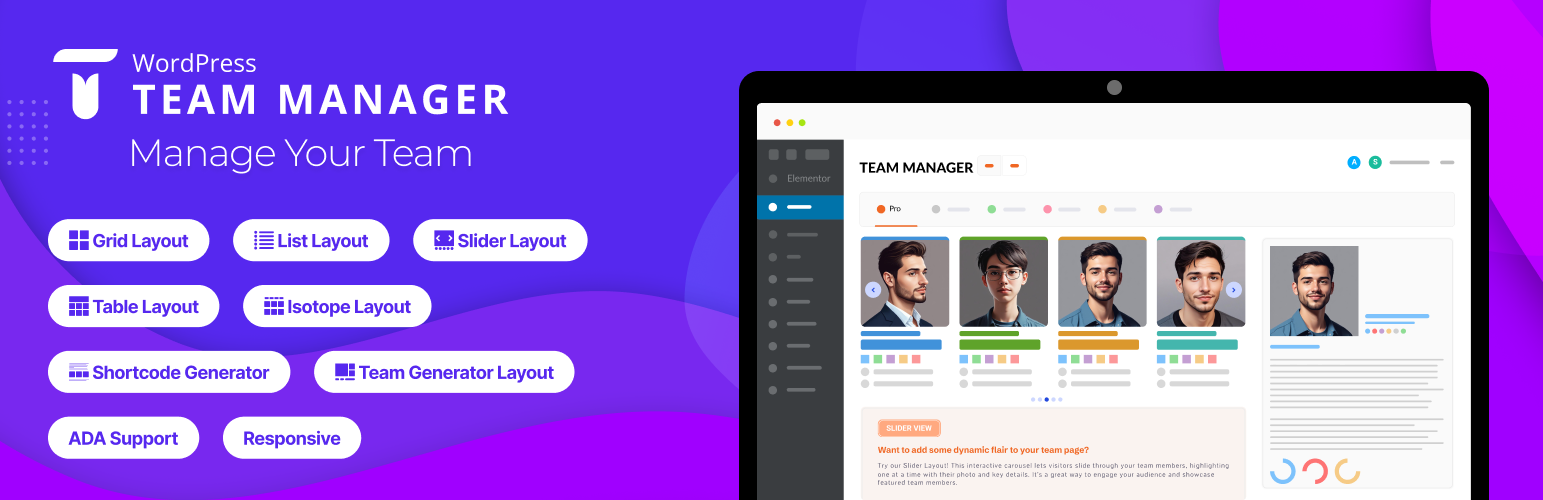
WP Team Manager helps you create professional team displays. With fully customizable layouts, responsive design, and Elementor integration, it lets you showcase team members in grid, list, slider, table or isotope pro formats. Highlight names, roles, bios, and social media links to create a team section. Suitable for businesses, nonprofits, and creative teams with performance and SEO optimization.
The plugin offers five layout presets and styling options. Create team member sections on your site. Displaying members of a team or staff is the main purpose of the plugin, it can also be used to showcase other types of content that combine images and text, allowing for creative applications!
For displaying and managing the members of your staff, team, or workforce.
👉 Live Demo | Documentation | Support | Go Pro 👈
🏆 How To install Dynamic Team Manager:
Why Dynamic Team Manager is Important?
Your visitors want to know more about the people who make up your company or organization because it matters. Showcase your team members to build trust and credibility between your business and your customers. Enhance your team members page design with Dynamic Team Manager.
We believe that you shouldn’t need to be a programmer or hire a developer to create a beautiful team members page on your WordPress site. That’s why we built the ultimate WordPress Team Manager plugin that’s both EASY and POWERFUL.
🏆 How To add new team Member:
🏆 Fields available for input:
- Team/Member name – Member Name
- Short Bio – A brief description of the team member.
- Long Bio – A detailed description of the team member with a rich text editor.
- Job Title – The official role/designation of the team member.
- Email Address – The professional email contact.
- Telephone (Office) – Office contact number for business inquiries.
- Mobile (Personal) – Personal mobile number for direct contact.
- Location – The geographical location or office branch of the team member.
- Years of Experience – Number of years the team member has been in their profession.
- Social Profile – Show all popular social profile links.
- Member Skill – Show member skills with Skill Name and Percentage.
- Member gallery – Display additional images of a team member.
You can easily show/hide and customize every field.
🏆 Available Shortcode Builder Layouts:
👉 Grid Layouts: The WordPress Team plugin’s grid layout arranges your posts in a responsive and visually appealing grid format, making it easy for visitors to browse through multiple posts at once while maintaining a clean and organized presentation on your website.
👉 Slider Layout: The plugin provides a list layout option that displays your posts in a clean and structured format, allowing readers to easily scan through titles, excerpts, and meta information in a familiar and user-friendly layout.
👉 List Layouts: For an engaging layout, the plugin incorporates a slider feature that displays featured posts or categories in a rotating carousel format, allowing visitors to easily navigate through highlighted content.
🏆 Elementor Widget
You can display team members with Elementor widget with customization options.
🏆 Elementor Table layout
With Table layout display team members’ details, such as names, photos, designations, and social media links, in an organized layout.
**🏆 Elementor Isotope layout (Pro) **
The Isotope layout in the WP Team Manager plugin offers a dynamic, filterable team showcase for WordPress. Ideal for large teams, it allows visitors to sort members based on categories or roles. Fully responsive and optimized for SEO, this interactive layout enhances user experience with smooth filtering animations and custom styling options.
🏆 Features of The Team Plugin
- Create unlimited teams, members.
- 5 Unique layouts (Carousel, Grid, Table, list and Isotope).
- Fully responsive and mobile-ready.
- Shortcode Generator.
- Multiple team shortcodes on one page.
- Clean design and fast performance.
- Simple and intuitive settings panel-no coding required!
- Select Team Group
- Control columns in different devices.
- Control total members to display.
- Display random order & order by members.
- Display show this ids only (Example:1, 2, 3)
- Display remove ids from list (Example:4, 5, 6)
- Margin or space between members.
- Member border, radius, and background color.
- Show/hide every element of a member.
- Social icon position, margin, and color.
- Choose the image size from the available crop sizes.
- Photo/Image box background color.
- Image hover effect.
- Customizable options.
- Touch enabled carousels.
- Fully translatable
- Multisite supported.
- Accessibility for disabled people.
- Custom CSS options.
- Cross-browser supported.
- Compatible with any theme.
- AJAX-powered live search and taxonomy filtering (Pro).
- Dynamic pagination with compact layout and ellipsis.
- Multi-widget support with scoped search/filter per instance.
- WPML-compatible translatable labels and settings.
- Caching support for large datasets with automatic clearing on post updates.
- New developer action hooks for customizing output and extending templates.
- And many more options.
👉 Carousel controls:
- Enable AutoPlay
- Slide scrolling speed
- Slide to scroll
- Pause on hover
- Show/hide navigation
- Navigation color
- Show/hide pagination bullets
- Pagination color and active color
- Auto height etc.
👉 Page Builders Ready
- Gutenberg
- Elementor
👉 Free AI & Automation Features:
* Telegram Notifier – Notify your group/channel when team members are added or updated.
* Profile Sync Agent – Send updates to Google Sheets/Airtable via n8n automation.
👉 AI & Automation Pro Features:
* Slack Agent – Send updates directly to Slack channels.
* FAQ Bot – AI assistant to answer questions about your team.
* Onboarding Guide – Auto-generate an onboarding page for each new hire.
Installation
- Upload
wp-team-managerto the/wp-content/plugins/directory - Activate the plugin through the ‘Plugins’ menu in WordPress
- A new Team tab will be available in the admin section
Screenshots

Grid Layout 1

Grid Layout 2
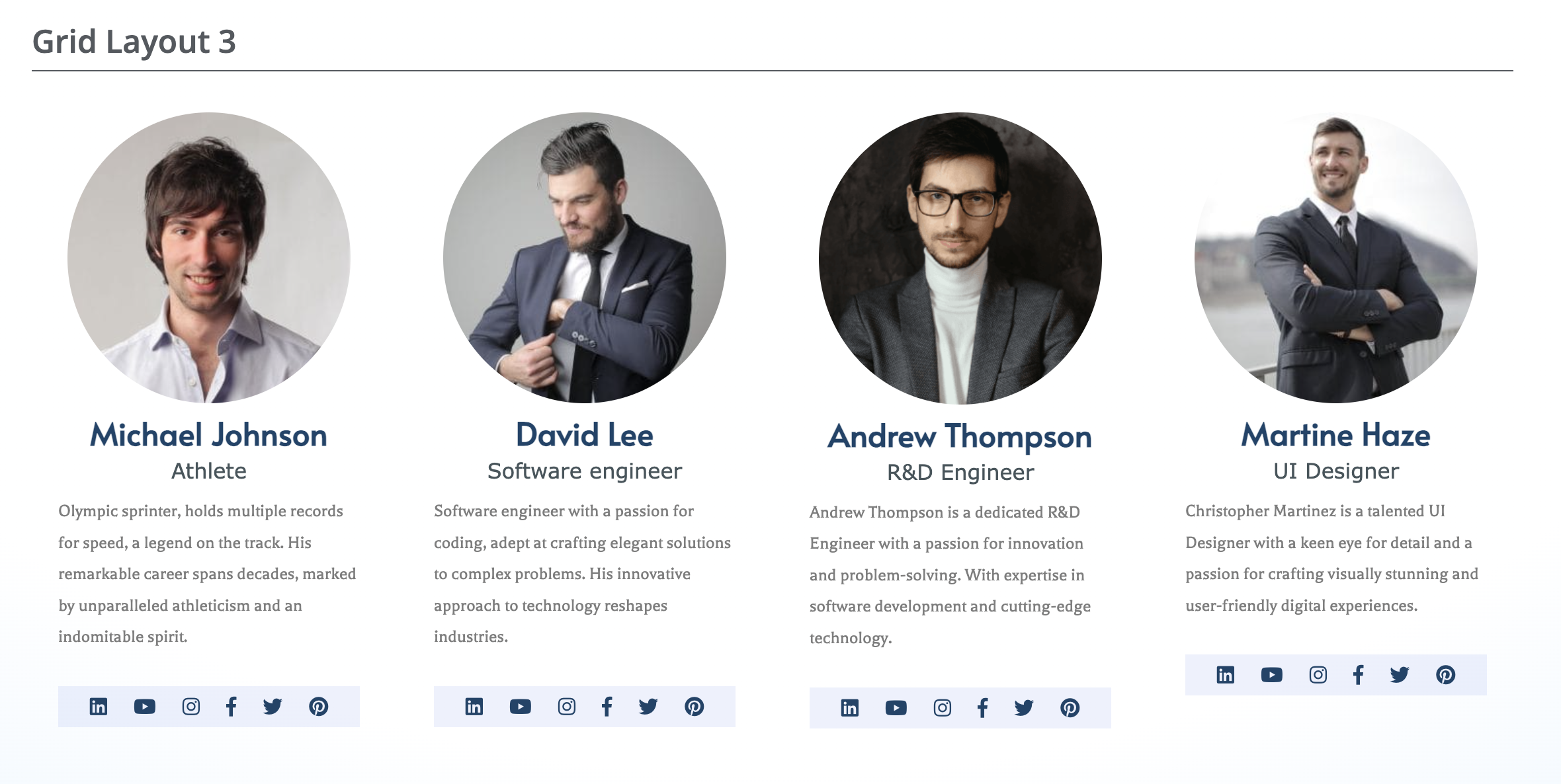
Grid Layout 3
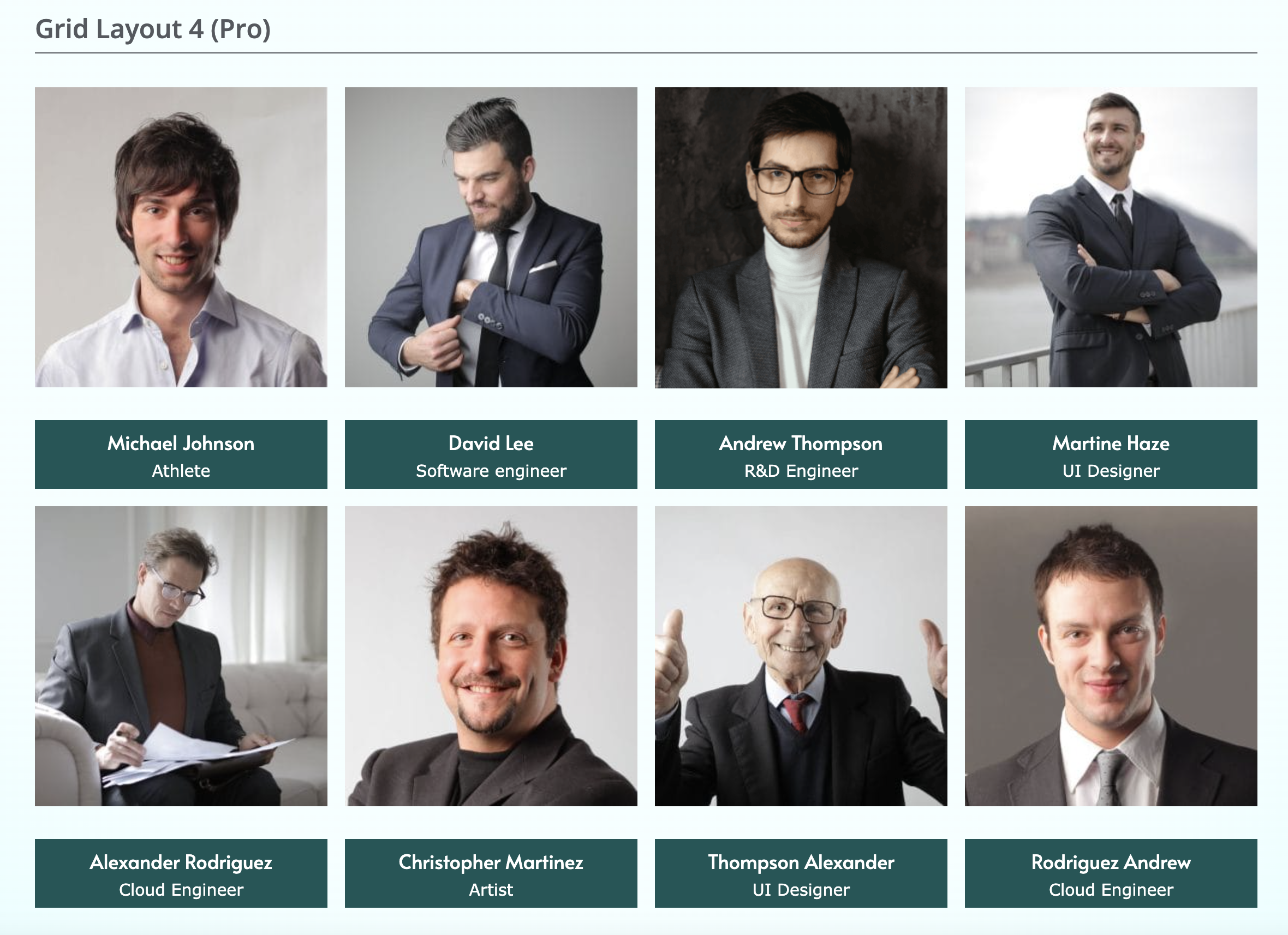
Grid Layout 4
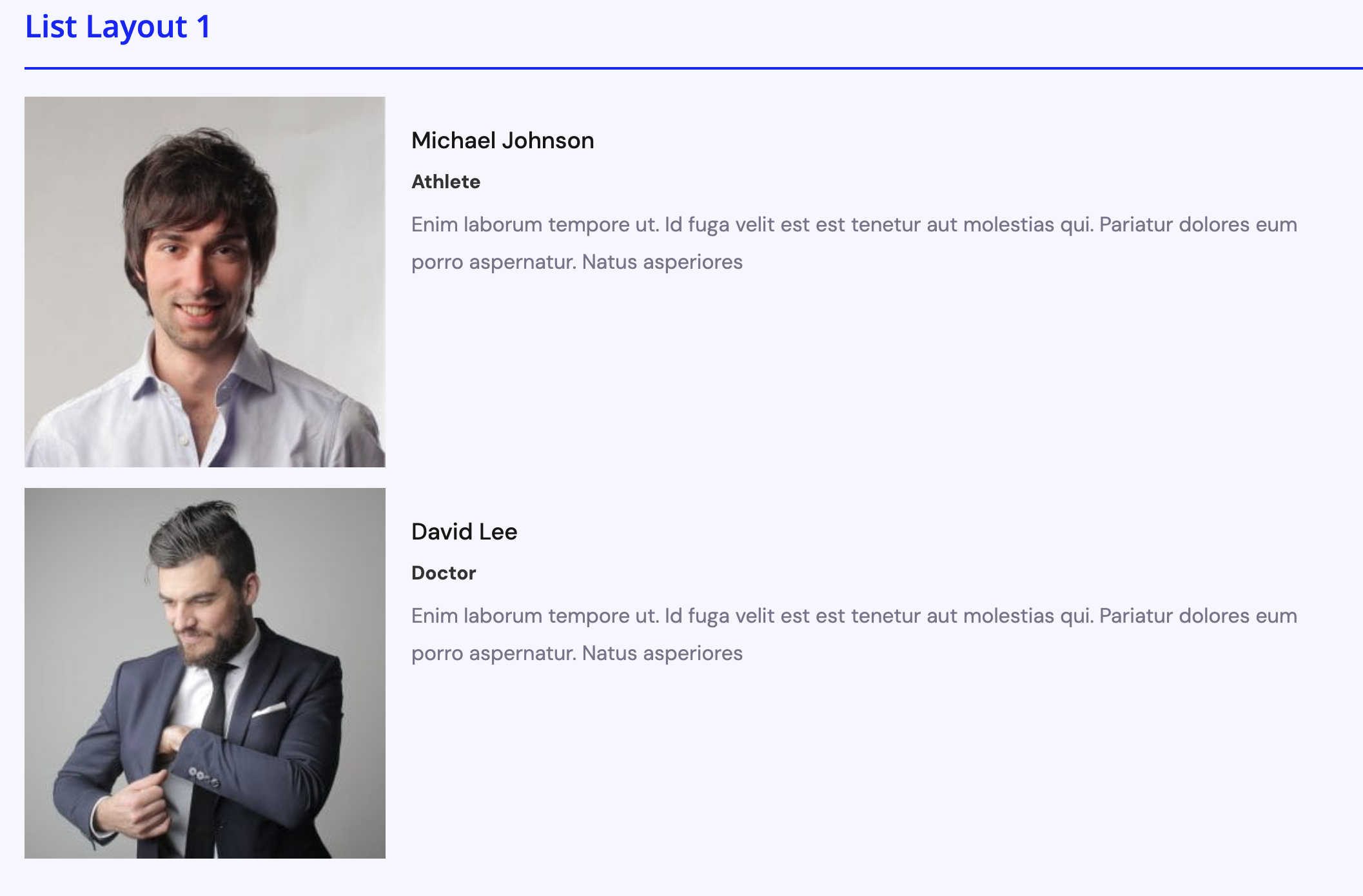
List Layout 1
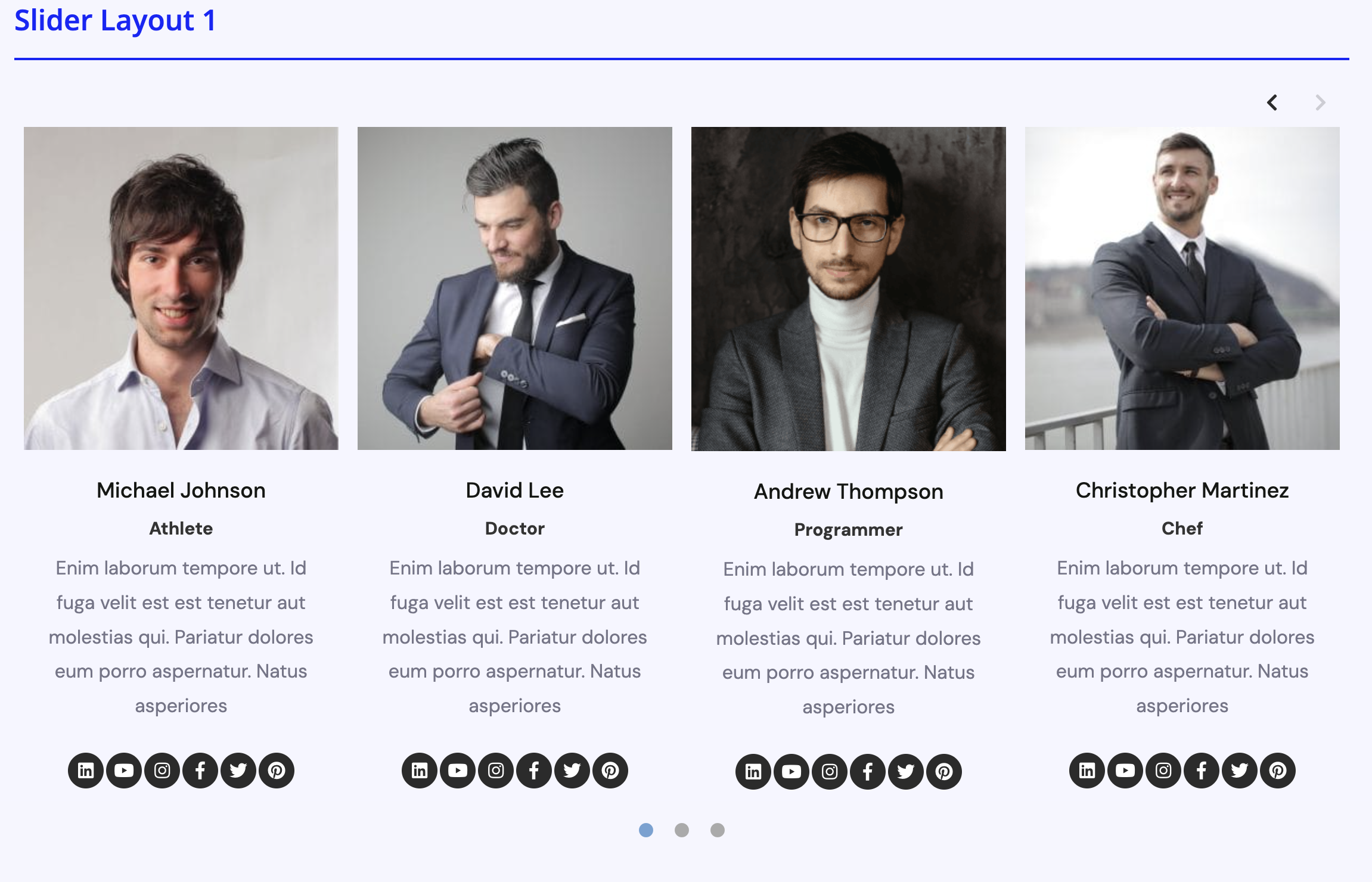
Slider layout 1
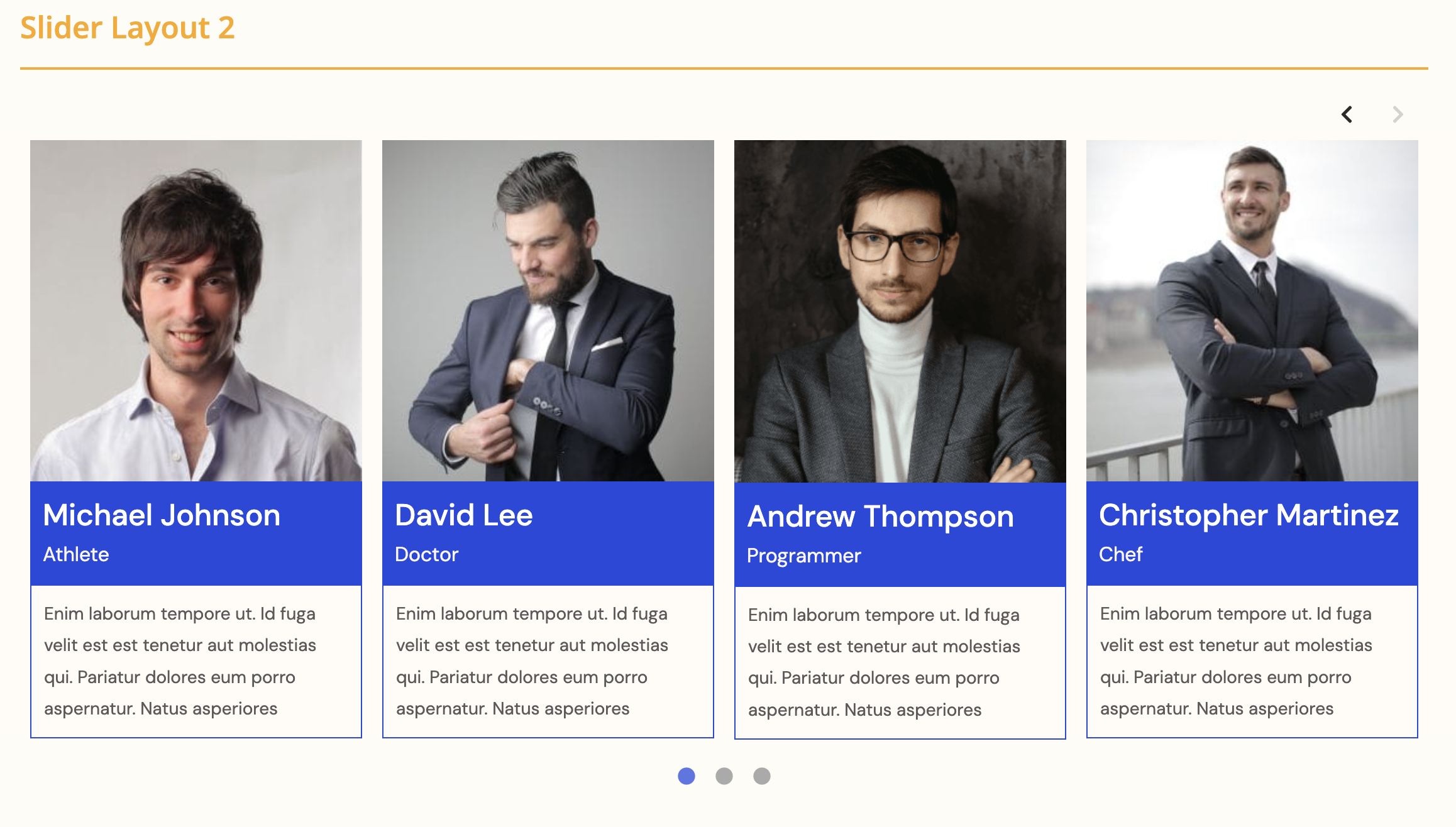
Slider layout 2
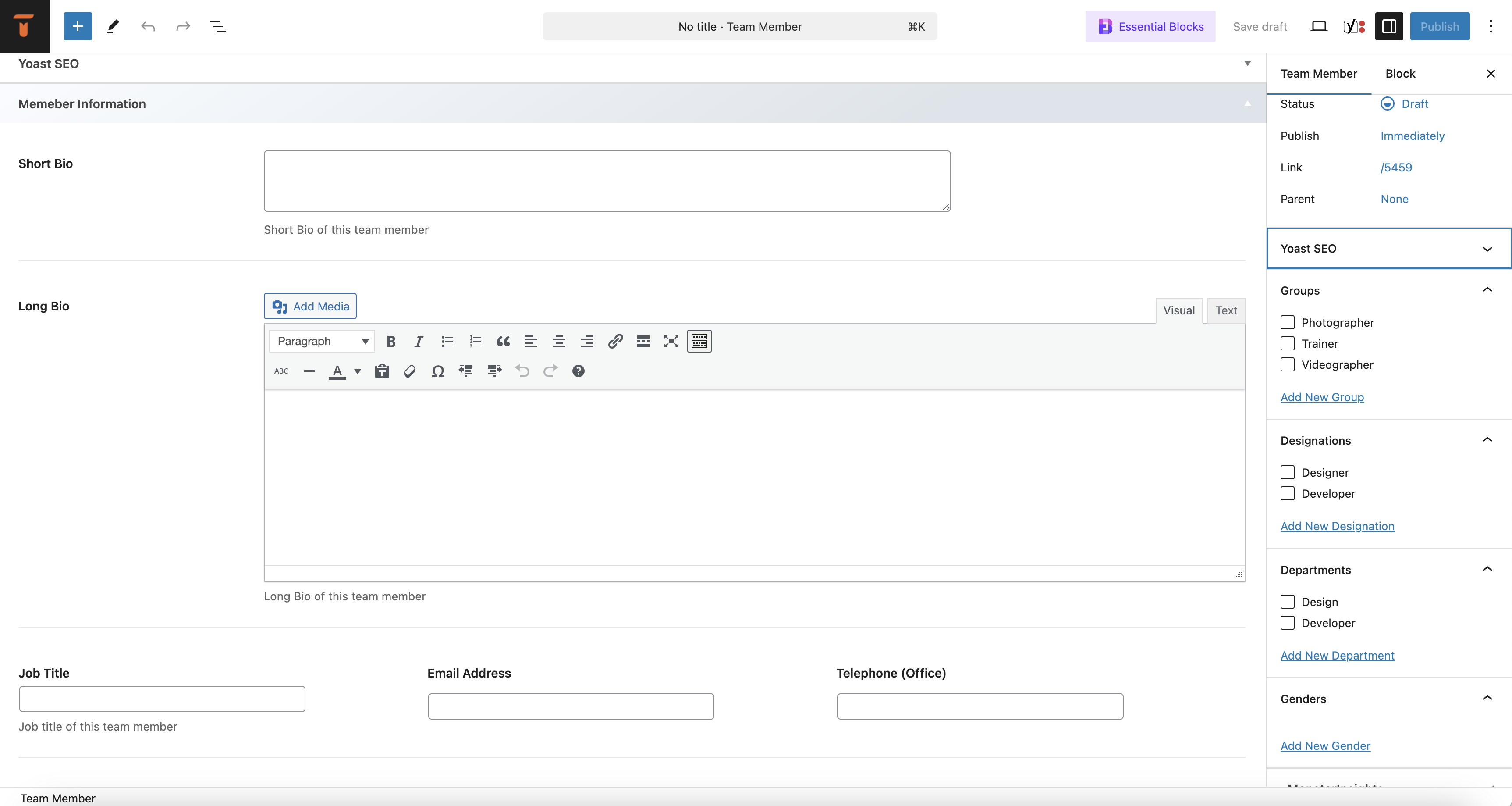
Add new Team Member
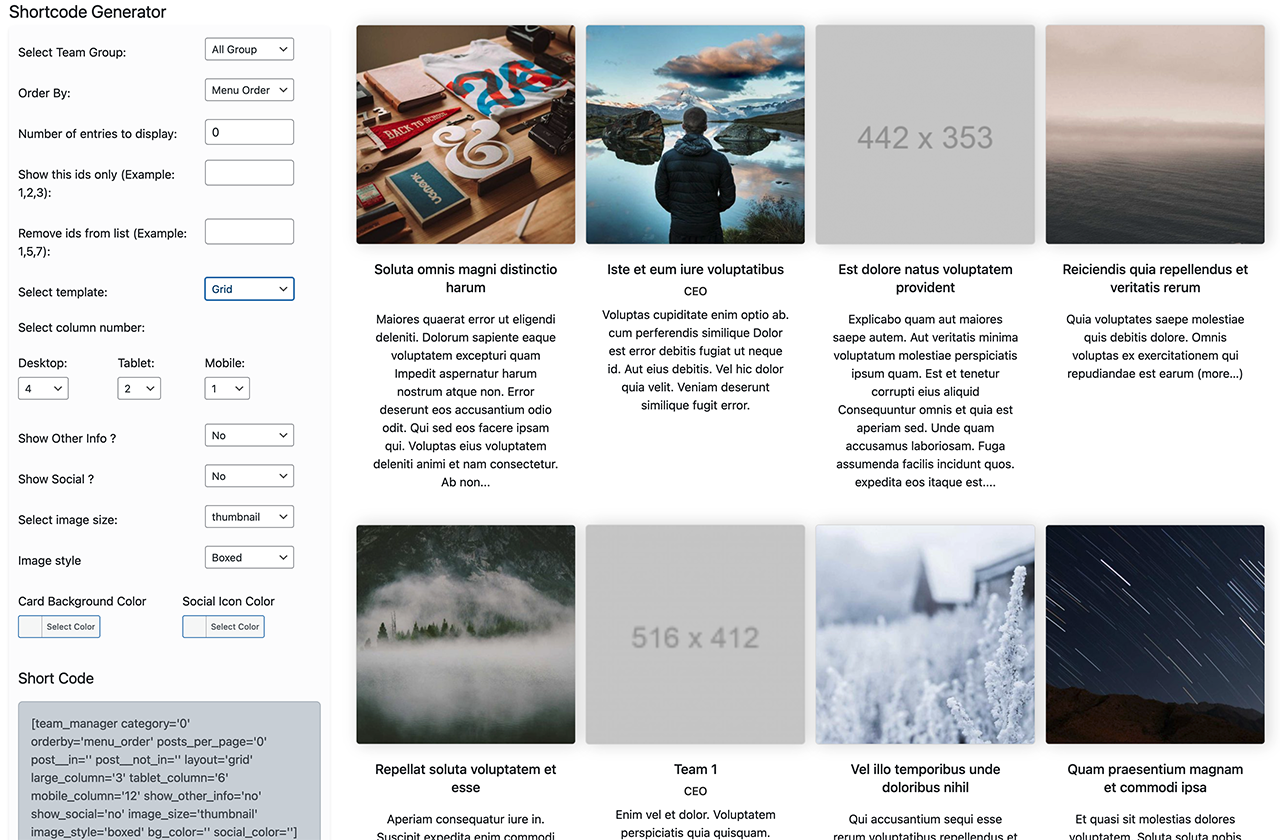
Short Code Generator
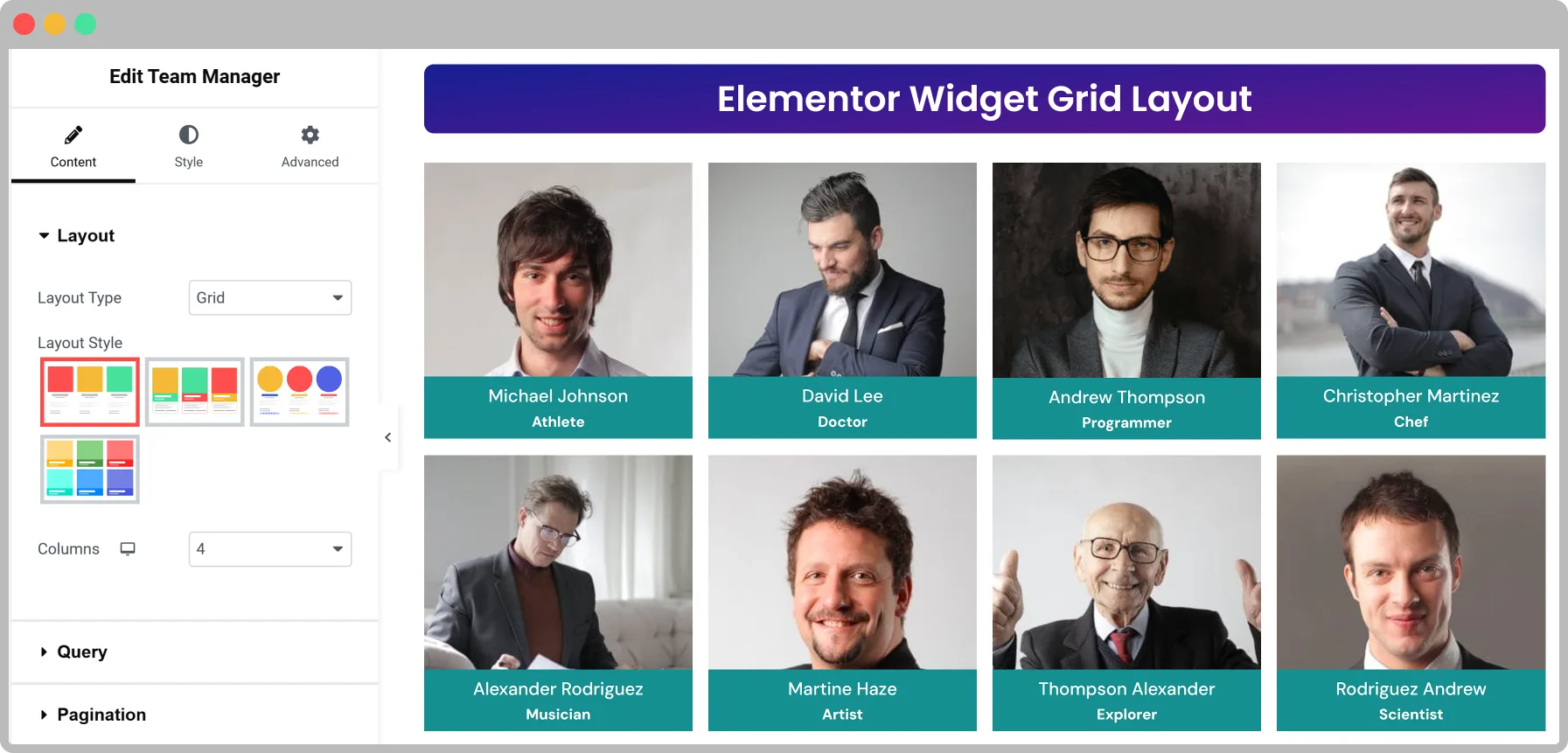
Elementor Widget
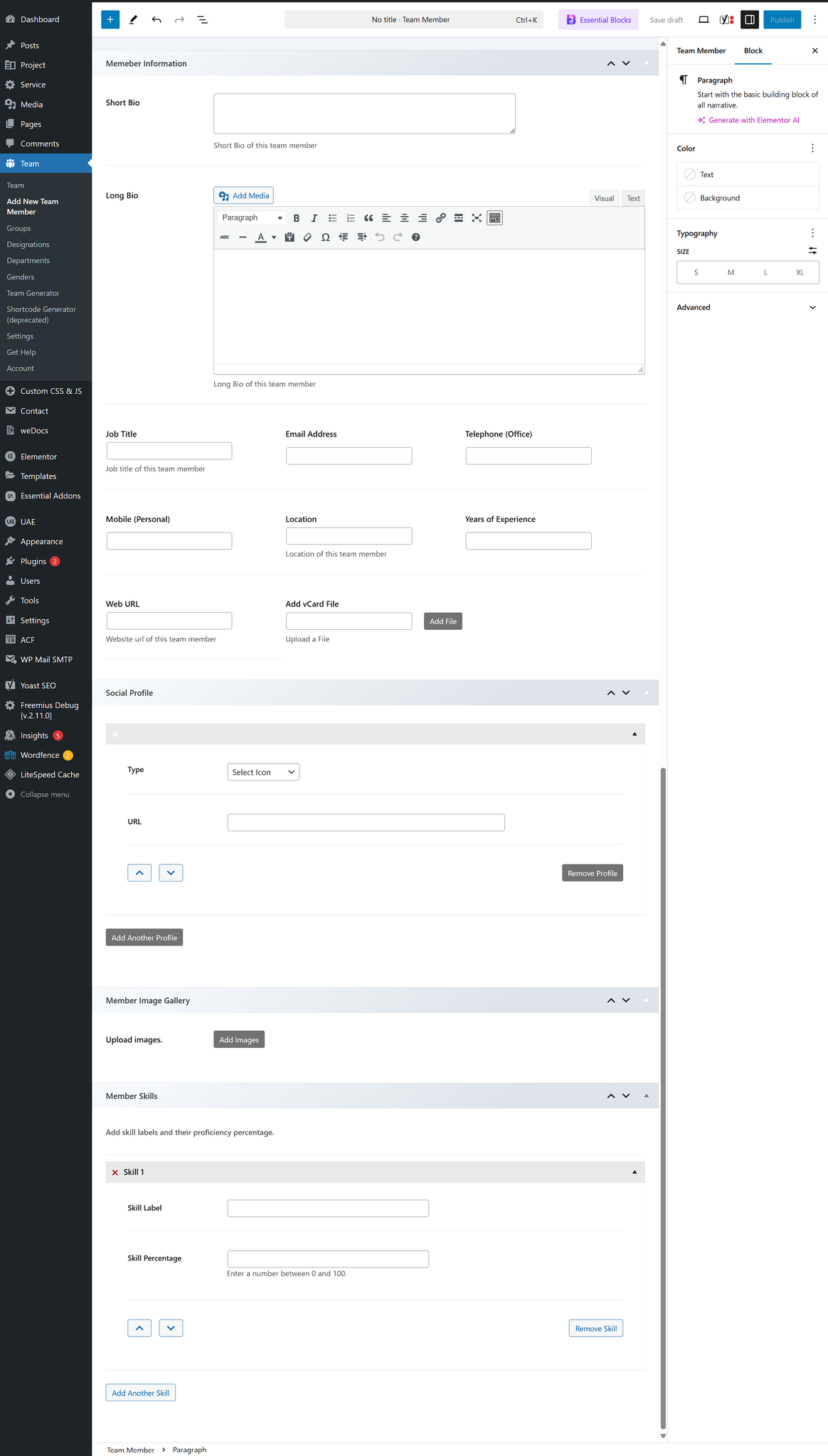
Team generator
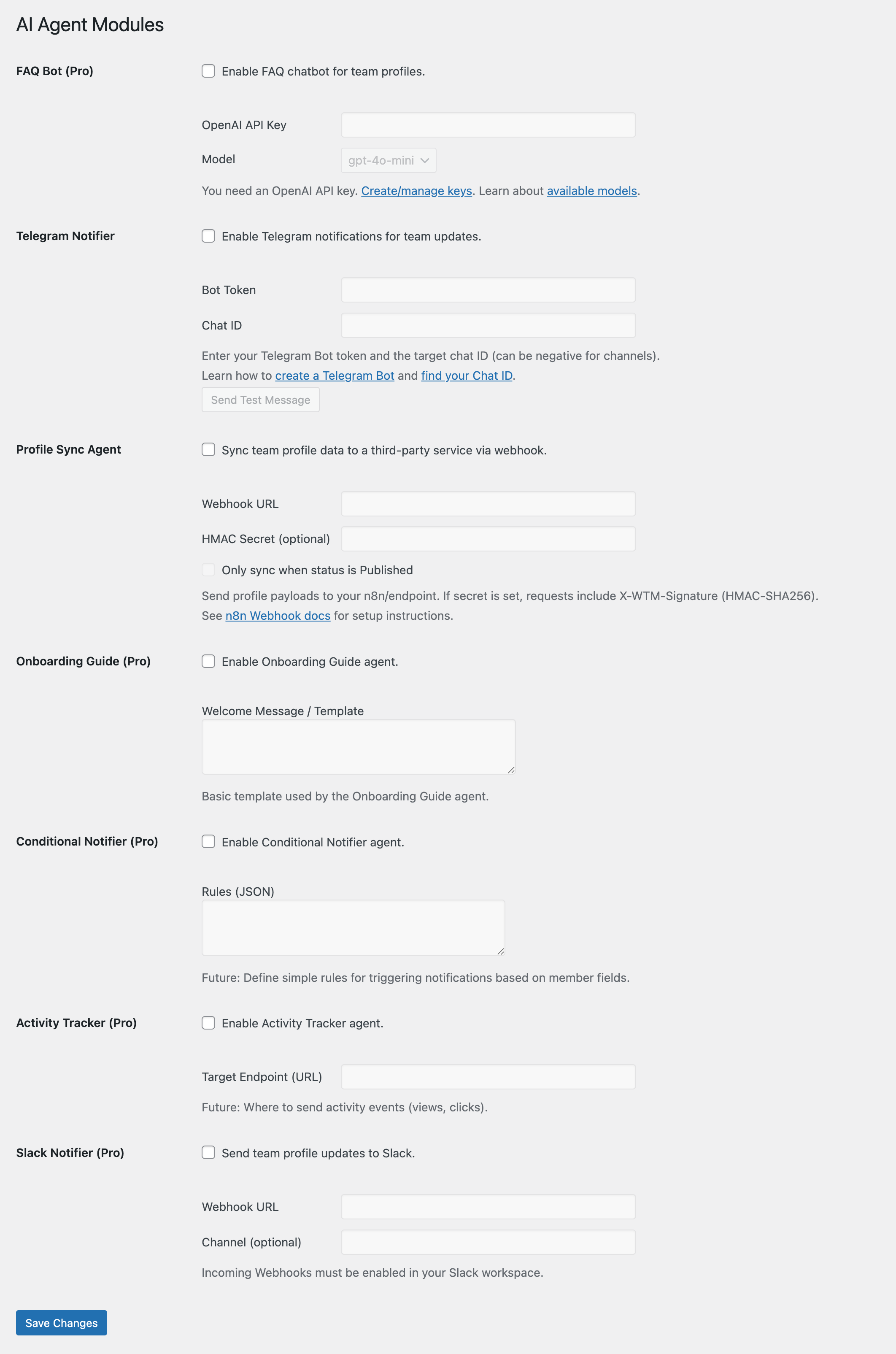
AI Agent
Faq
Yes, this plugin works with any theme. Contact our support if you face any issues.
Yes, we have added slider layout options.
Yes, it supports social profile integration.
You can create shortcodes using the shortcode generator under the Team menu.
You can disable it in the team manager settings page.
You can see the ID in the ID column on the team members list.
Team manager lists all available image sizes. To change default image sizes, go to Settings > Media.
Yes! WP Team Manager works perfectly with the Elementor Team Member Widget, allowing you to easily design and customize your team showcase using Elementor’s drag-and-drop interface.
Go to Team Manager AI Agents Telegram Notifier.
Enter your Telegram Bot Token and Chat ID. You can create a bot using @BotFather and get the chat ID from @userinfobot. Once saved, new or updated team members will trigger a message to your Telegram group or channel.
Use the Profile Sync Agent (free).
1. Sign up for a free n8n account or install it on your server.
2. Create a webhook workflow in n8n that sends data to Google Sheets or Airtable.
3. Paste the webhook URL into the Profile Sync Agent settings.
Every time a team member is added or updated, the data will be sent to your automation workflow.
No. Only AI-powered modules like the FAQ Bot require an OpenAI (or compatible) API key.
Modules such as the Telegram Notifier or Profile Sync Agent don’t require AI credits.
Pro unlocks:
– Slack Agent (send updates to Slack channels)
– AI FAQ Bot
– Onboarding Guide
– Advanced layouts and customization
Visit WP Team Manager Pro to upgrade.
- Enable debug logging in Team Manager Settings Advanced Enable Debug Log.
- Check the generated log file for errors (path shown in settings).
- Make sure your API keys and webhook URLs are correct.
Yes. WP Team Manager works with Gutenberg, Elementor, Beaver Builder, and other major page builders. You can use the shortcode generator to insert layouts anywhere.
Yes. AI Agents are modular. Simply leave their settings blank and they won’t run.
Please email us at dynamicweblab@gmail.com or Submit a request
Reviews
Works well and Dev keeps it updated!!
By 
Thanks!!
Awesome Free Team Manager Plugin
By 
I really love this plugin as it provides all features for free, and easy to set up.
Great and Very Functional and useful!!!
By 
This plug in has helped many people through our website to get jobs and find what they need for their productions. 100% recommendable!!!
Functional flexible this plugin
By 
So easy to use
By 
Great plugin, and so easy to use. I have bought two but this one is much better.
Buddy
Very good, very easy
By 
Great work here, Maidul.
My only criticism is that I could not change the size of the images without upsetting ALL images in the entire site!
This one works
By 
After trying many others that almost work it is great to have this working straight away.
I like the sort order option for team members.
I really like the option of different social media links for each staff members, rather than some which have every one the same.
I have 'fancy' bullet points in the content section now, so reading is easy
5 Stars for me.
Functional, flexible and reliable
By 
Love the functionality of the plugin - very flexible/modular.
Have been using now for 1.5 years - not a single problem, will go easily from upgrade to upgrade, nothing brakes, no settings get lost.
One afterthought: it is relatively hard to optimize team-list performance. Image sizes fully depend on WP media library settings and in many cases sub-optimal image files may be delivered.
Hope 4.4+ versions of WordPress will improve that.
Changelog
2.4.6
- Implemented centralized pro feature validation system
- Added server-side validation for all pro settings to prevent database manipulation
- Fixed 40+ template files to properly validate pro feature access
- Added pro-aware sanitizers for global settings (single_team_member_view, tm_custom_labels, team_image_size_change, tm_schema_markup, tm_meta_description)
- Fixed critical bug in single-team_manager.php with missing enable_links parameter
- Implemented defense-in-depth with multiple validation layers
2.4.5
- Style: Updated pricing and upgrade button styles in onboarding.
- Security: Fixed a security issue.
2.4.4
- Security: Added sanitize_file_name() to clean template names for FSESupport
- Security: Added path verification to prevent directory traversal for FSESupport
- UI Improvements: Dashboard styling
2.4.3
- pricing Table button style update
- bug fix Initial loading
- Settings default color issue fix
2.4.2
- Enhanced: Search box design improvements for better user experience
- New: Hover animations added for interactive elements
- New: Live search functionality with popup display
2.4.1
- Fix Treat not found issue
2.4.0
- New: Modern Admin Dashboard with performance metrics and quick actions
- New: Guided Onboarding Flow for new users
- New: Performance monitoring with real-time metrics display
- New: One-click quick actions (sample team creation, cache clearing, image optimization)
- Enhanced: Modern admin interface with improved user experience
- Enhanced: WordPress 6.8 compatibility
- Improved: Admin navigation and workflow optimization
2.3.17
- Change plugin name for trademark compliance
2.3.16
- Add html support for short bio on list layout
2.3.15
- Performance: Improved Telegram notification performance by using non-blocking requests.
- Security: Popup team id validation.
2.3.14
- UI Improvements: reorganized settings panels for clearer usability.
- UI Improvement: Separated Toolbox tabs into “Getting Started”, “Recommended”, “Changelog”, and “Join the Community”.
- Migration Tool (Free): Added a basic migration tool to import team members from other plugins.
- Import/Export (Free): Added support for importing and exporting team members via CSV.
- New Pro Fields: Resume URL, Hire Me URL
- Freemius Integration: Improved handling of free vs. pro user restrictions on individual fields.
- Settings UI: Added toggle UI for enabling/disabling certain features like Debug Log and AI Agents.
- Code Cleanup: Removed inline styles and replaced with consistent CSS class-based styling.
- Resolved CSS conflicts with grid layout on specific themes.
2.3.13
- Added 4 new Pro layouts for the Slider.
- Added 2 new Pro layouts for the Grid.
- Added 1 new Pro layout for the List style.
- Improved Team Generator settings by hiding/showing certain layout-based options.
- Updated Table Layout 2 design for the Free version.
2.3.12
- New: Added “Team Generator” List Layout Style 3 — a fresh and modern design option for displaying team members.
2.3.11
- New: Added “Team Generator” Grid Layout Style 3 — a fresh and modern design option for displaying team members.
2.3.10
- New: Telegram Notifier (Free) – Send team updates to Telegram groups/channels.
- New: Profile Sync Agent (Free) – Push updates to Google Sheets/Airtable via n8n.
- New: Slack Agent (Pro) – Notify Slack channels on team updates.
- New: FAQ Bot (Pro) – AI-powered Q&A assistant for your team.
- New: Onboarding Guide (Pro) – Personalized onboarding pages for new hires.
- Security: Whitelisted risky shortcode attributes.
- Performance: Added
no_found_rowsto improve query efficiency. - Docs: Expanded AI Agents & Automation guides.
2.3.9
- Team Details Page PHP warning Issue fix
- Search Result Not Found Message added (Pro)
- Update Ajax Pagination Filter (Pro)
2.3.8
- Enabled multi-widget support with isolated search and filter contexts.
- Implemented output caching in get_team_data() for better performance.
- Automatically clears cache on team post save/update.
- Improved WPML compatibility with suppress_filters support.
- Added new action hooks around layout templates for extensibility.
- Updated Elementor widgets and shortcode builder UX.
- Various UI/UX and frontend performance enhancements.
- Updated pagiantion and search
- isotope layout Query option updated Order, Orderby, date rang, keyword, avoid sticky post.
- Add few custom actions on single team template
2.3.6
- Add excpert, revision and comment support
- Update isotope layout (pro)
2.3.5
- Update version
2.3.4
- Added more control for team widget
- Update css
- Add a new Control
- Isotope Table Layout Added
- isotope Ajax search
- Isotope Pagination
2.3.3
- Added more control for team widget
- Fix a php warning
2.3.2
- elementor Table layout 1 readmore button added
- elementor Table layout 2 readmore button added
2.3.1
- add condition for error log
- Update elementor widget icons
2.3.0
- Added two new table templates for the Team Generator layout
- Refactored AJAX loading logic for improved Pro compatibility
- Wrapped all error_log() calls in WP_DEBUG checks for production safety
- Enhanced Elementor layout rendering logic to support new template structure
- Improved template path sanitization and validation in fallback loaders
- Minor performance optimizations and security hardening
2.2.9
- Improve AJAX handling reliability for Load More functionality
- Fix AJAX callback issue for Pro version
- Update documentation reference links
- Fix typo in social profile label
- Added 2 new table templates for Team Generator
2.2.8
- Added short bio control in team generator
- Added New Feature Gutenberg block
- Update css for slider
- Add WPML support
2.2.7
- Fix load more class not found issue
2.2.6
- Update read more position on elementor widget
- Update gallery css
2.2.5
- Fix settings for team generator
- Update css
2.2.4
- Fix securty issue on team settings page
- Add few settings on elementor and settings page
- Update css for list layout
- Update helper function for performance
- Update single page template
2.2.3
- Update css for list layout
2.2.2
- Added New list layout for elementor widget
- Added few new settings for elementor
- Improved code for performance and security
- Remove few old template file
- Update PO file
2.2.1
- Added flush_rewrite_rules
- update single team file
2.2.0
- Add Layouts of Grid and Slider
- Add Skills Progress bar in grid Layout, slider Layout, List Layout.
- Add Feature Image gallery popup
- Update few security issues
2.1.23
- Update table css
2.1.22
- Fix list layout not displaying social icon bug
2.1.21
- Improve css for table 1 and 2 layout
2.1.20
- Update helper function for table layout 2
2.1.19
- [Bug] Fix js issue for slider
- Update css for slider
2.1.18
- [Bug] Search empty issue
2.1.17
- [Bug] fix Optional parameter $layout declared
2.1.16
- Add new Team Generator grid style (Style 2)
- Improve plugin folder structure
- Add new Elementor Table style (Style 2)
2.1.15
- Improve CSS for table and list layout
2.1.14
- [Bug] add include on elementor block
- Add new Elementor Table style (Style 1)
2.1.13
- [Security Fix] Add sanitize_file_name() and trim for post id on admin.
- Updated support link and added document link.
2.1.12
- [Security Fix] Fix a Local File Inclusion issue.
2.1.11
- Add Read More link
2.1.10
- Add new Elementor grid style (Style 6)
- Css update for memeber image gallery
2.1.9
- Add new Elementor grid style
- Updated style layout icons for Elementor Widget
- Small css fix for list layout
2.1.8
- Add shortcode on admin
- Update elementor control name
2.1.7
- [Bug] add wp_kses_post on elementor member block
- Update team admin layout
- Update Style type with image control for elementor widget
- Clean up php code
2.1.6
- [Feature] Add Style 2 layout for Elementor widget
2.1.5
- [Security] Use wp_kses_post for memeber area
2.1.4
- [Feature] Add Free tempalte on elementor widget
- [Feature] Add Slider control
- [Feature] Updated team builder admin layout
2.1.0
- Add Elementor Widget
- New Team Design module
- Add image gallery
- Add slug change options
- Admin style update
- Admin performance update
- New isotop layout
- Make Shortcode generator (deprecated)
2.0.17
- Add Gender Taxonomy
- Add effect on image hover
2.0.16
- Add Long Bio
2.0.15
- Update list layout css
2.0.14
- Update WP Version compatibility
- Update admin menu name
2.0.13
- Update Read Me
2.0.12
- Bring Back Team single view with new design
- Added Slider Layout
2.0.11
- Remove Open New window Settings
- Few data escaping fix
- Social Font size css
2.0.10
- Fix permalink issue
2.0.9
- Add new fields for general information
2.0.8
- Fix Short Code Generator
2.0.7
- Fix PHP warning
2.0.6
- Add short code Preview on setting page
- Bring back image style settings
- Remove list default BG bug
- Fix custom css not working
2.0.5
- Fix Category 0 bug
2.0.4
- Fix team_groups filter bug
2.0.3
- Add HTML support on Bio
- Show/hide “Show Other Info” section
2.0.2
- Update CSS
2.0.1
- Fix Few security check lists
- Update CSS
- Remove image style option
- Remove single team view template
2.0.0
- Remove a third party script causing security issue
- Add Font Awesome Icons
1.6.9
- Remove Social icon type, Social icon size, Open social links on new window Settings
- Clean up code
- Remove some php warning
1.6.8
- Fix bug on shortcode generator
- Added Short Bio field
- Updated Custom Meta box style
1.6.7
- Added Font Awesome icon support
- Added color, column and Hide team member info option on short code
- Improved coding
1.6.6
- Update meta box class
- Cleanup code and remove team icon
1.6.5
- Fix shortcode not working on text widget bug
1.6.4
- Add Instagram
- Update css for mobile devices
- Fix some style issue
- Fix translation bug
1.6.1
- Enable team member search
- Add team member details page
- Disable single team member view settings option
- Add language support
- Add telephone hyperlink
1.6.3
- Make compatible up to version 4.5
- Fix translation bug
1.6.0
- Fix open in new window bug for website link
- Added ID column on the team manager tab
1.5.9
- Fix tag bug
1.5.8
- Fix Design layout bug
1.5.7
- Added design layout option on setting page.
- Show selected member only using shortcode.
- Improved UI design.
1.5.6
- Make compatable with qTranslate plugin and clean up coding
1.5.5
- Translation text is updated
1.5.4
- Link open on new window option is added on settings page
1.5.3
- Clean up some code
1.5.2
- Remove some notice
1.5.1
- Fix order bug
1.5
- Fix some bug
1.4
- Fix wrong placement of shortcode
1.3
- Add image size support
1.2
- Add email field on team member page
- Add featured image support
1.1
- [Bug] Fix php bug
1.0
- Initial Release