WP Theme Exporter

WP Theme Exporter
Description
If you want to export theme or plugin to a zip with some setting like ignore file extension, ignore folder…, then
WP Theme Exporter is a best choice for you.
Installation
- Simply install as a normal WordPress plugin and activate.
- Go to Tools/WP Theme Exporter
Screenshots
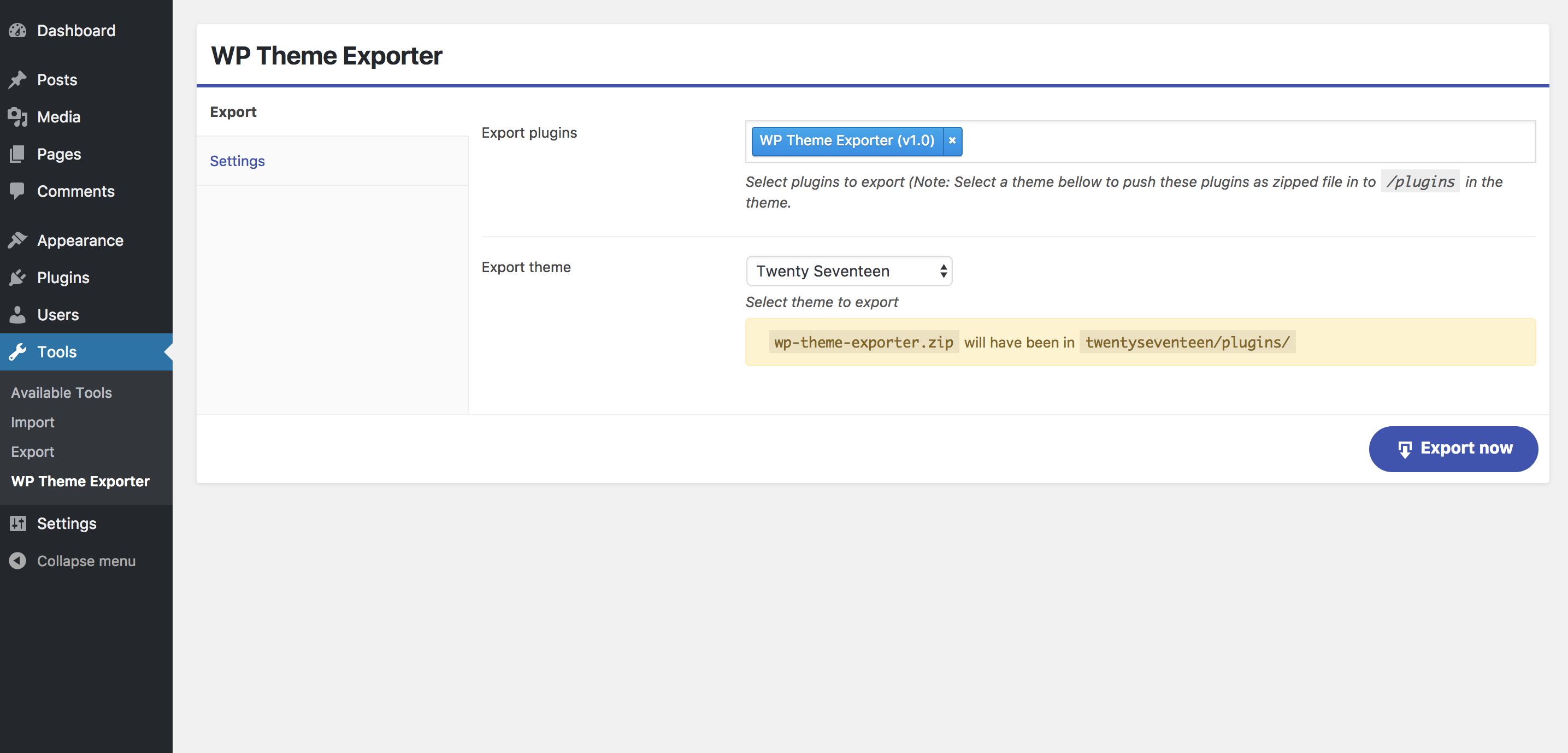
Settings

Export

Exported files
Faq
Installation Instructions
- Simply install as a normal WordPress plugin and activate.
- Go to Tools/WP Theme Exporter
Does the plugin lost my files after export?
No, your file can not be lost.
I want export a theme, but before export theme i want to push some plugin as zip files to a folder in theme, can plugin do it?
Yes, you can select some plugin and a theme that you want to do this.
Reviews
Avoid!
By 
Did a scan through the code... plugin creates a directory with 777 permissions for exporting files to, which you should never ever do!
Toolkit for developer
By 
Very easy export theme for developer. One click and submit theme. Amazing!!!
Easy to export theme and plugins
By 
Very easy to export theme and plugins, goodjob.
Changelog
1.2 (January 23, 2018):
- Add ignore folder and ignore extension
1.1 (October 05, 2017):
- Fix bug cannot export with no warning
1.0 (September 26, 2017):
- Initial Public Release