Social Chat – Click To Chat App Button
Social Chat – Click To Chat App Button
Description
Premium | Demo | Documentation | Discord
WhatsApp Chat for WordPress allows your customers to click a button and open a conversation from your website directly to your “WhatsApp” or “WhatsApp Business” phone number. This plugin includes a Whatsapp button where you can include a pre-set message, which will be automatically be the first message in the conversation.
Formerly WhatsApp Chat
This plugin was formerly known as “WhatsApp Chat”. WordPress forced us on August 8, 2019 to change the name of the plugin due to use of the “WhatsApp” word in the name. We apologize for the problems that the downtime may have caused to you.
Why WhatsApp?
WhatsApp is these days, the most popular instant messaging application in the world. Is available in more than 100 countries and supporting more than 50 languages.
This means most of our users use WhatsApp as their main contact method, and they probably have been using it for years. Therefore, offering easy access from our website is a good way to convert those visitors into customers.
Generating leads is the key to every business success, and the Social Chat button can help you to increase your overall sales and reach this goal.
WhatsApp Button
With the Social Chat button, your visitors will be allowed to send a message directly to your phone number. To start configuring it, you have to go to the button tab inside the Social Chat section that you can find in your admin dashboard.
Inside the button tab, you wil be able to switch between two different layouts, and to define if you want to include rounded edges, also the position where you want to show the WhatsApp button, the text to be displayed inside, the WhatsApp phone number and the default user message.
Social Chat Box
Social Chat also allows you to include a box to show some contact information and a personalized message. This box can be activated through the Box tab inside the Social Chat section, and there also you can define the header and footer message, contact name, phone, work, and an avatar.
Social Chat Features
- WhatsApp button
- WhatsApp contact box
- WhatsApp button and box colors
- Add custom icon in the WhatsApp button
- Two button layouts
- Hide the button based on post types and taxonomies
- Add rounded or square borders
- Vertical and horizontal position
- Custom button text
- Custom user message
WhatsApp Message Dynamic Variables
Synce version 5.0.6 you’re able use variables in your WhatsApp Button or contact messages.
{SITE_TITLE} ➡ Is replaced by the current site title
{SITE_URL} ➡ Is replaced by the current site url
{SITE_EMAIL} ➡ Is replaced by the current site email
{CURRENT_TITLE} ➡ Is replaced by the current page title
{CURRENT_URL} ➡ Is replaced by the current page url
WooCommerce WhatsApp Message Variables
Since version 8.1.9, WooCommerce users can use product-specific variables in their WhatsApp messages:
{PRODUCT_TITLE} ➡ Is replaced by the product name
{PRODUCT_URL} ➡ Is replaced by the product URL
{PRODUCT_PRICE} ➡ Is replaced by the product price
{PRODUCT_SKU} ➡ Is replaced by the product SKU
{PRODUCT_ID} ➡ Is replaced by the product ID
🎁 New!! WooCommerce WhatsApp
Since version 6.0.1 you can include a WooCommerce WhatsApp button in the Single product pages to allows your users to prompt a custom message to your WhatsApp App.
The WhatsApp Button can be included directly on your WooCoomerce product pages next to the “Add to cart” button.
Also you can include WooCommerce WhatsApp button in the next actions:
- Before “Add To Cart” form
- Before “Add To Cart” button
- After “Add To Cart” button
- After “Add To Cart” form
- After “Additional information”
🎁 New!! WooCommerce Archives WhatsApp
Since version 8.1.9 you can display a customizable WhatsApp button on WooCommerce archive pages, including:
- Shop page
- Product category archives
- Product tag archives
- Product brand archives (for plugins that support it)
You can configure a custom message, button style, and position for each archive type. The button supports all WooCommerce product variables, making it easy for customers to inquire about products directly from archive pages.
WhatsApp Premium
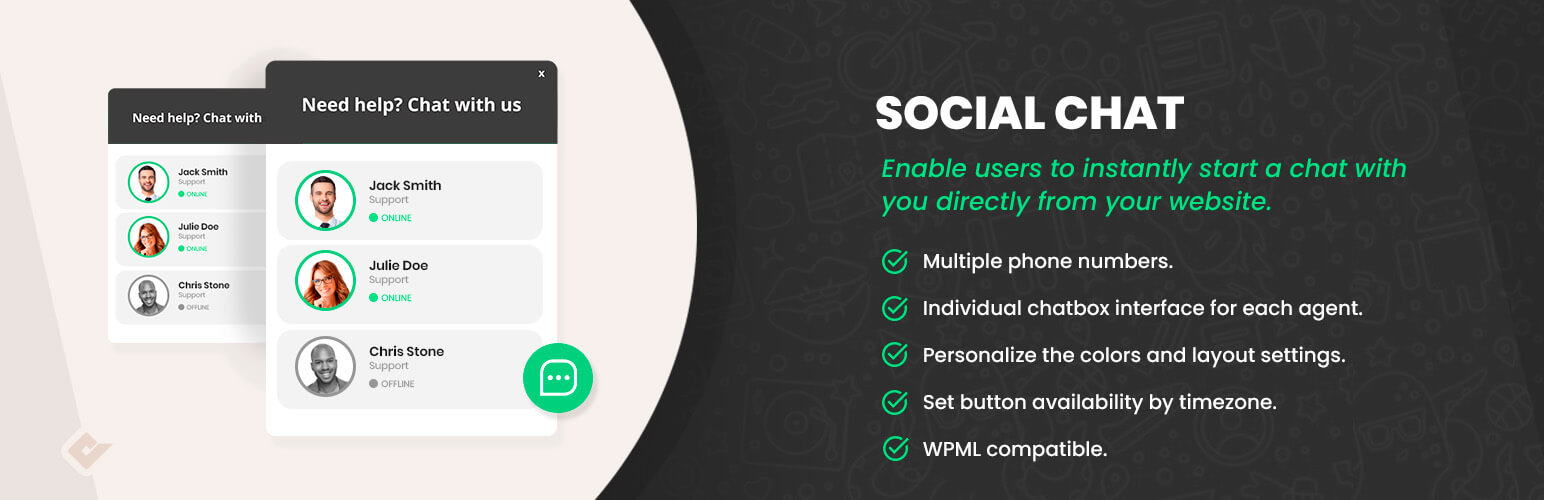
The premium version of the Social Chat plugin allows you to include multiple team member agents, distinguishing their names and labels inside. The contact box helps to provide direct contacts to the different support areas of your site.
A new option to display a chatbox for each agent is included. This box will be displayed when the user clicks on the WhatsApp contact, and you can define custom message to be shown from each contact. Your users will be able to type the message that will be sent to the WhatsApp contact phone.
Finally, we’ve included an option that allows you to select between more than fourteen icons to be included at WhatsApp button, and allowa full integration with the WordPress live customizer.
AI-Powered Chatbots (Beta)
Build intelligent chatbots with our visual flow builder – no coding required! Create smart conversations using a simple drag-and-drop interface to convert visitors into customers. Design conversation flows with connected blocks, deploy instantly to your contacts, and boost engagement with AI-powered responses. Join our Discord community to get early access and help shape this revolutionary feature.
Social Chat Premium Features
- AI-Powered Chatbots with visual flow builder
- Multiple WhatsApp phone numbers
- Chatbox interface for each WhatsApp phone number
- Customize each WhatsApp contact welcome message
- Allow users to send the first message to your WhatsApp
- GDPR consent checkbox with customizable message
- Display WhatsApp button based on custom post types and taxonomies
- Display WhatsApp Button business hours
- Display WhatsApp Contacts business hours
- Google Analytics v3 events
- Google Analytics v4 events
- WhatsApp group support
WhatsApp Button Installation
- Go to the Plugins Menu in WordPress
- Search for “Social Chat WP”
- Click “Install”
- Click “Activation”
- Go to the Social Chat options in the dashboard
WhatsApp Button Shortcodes
Our WhatsApp plugin support shortcodes to add WhatsApp button or box inside any post or widget.
You can change the shortcode attributes to customize the WhatsApp phone number, styles or welcome message.
Developed by
Faq
You can contact us trough this channels
Support Forum | Support Ticket | Discord Community
Yes, this option is available in our premium version
Yes, Social Chat WP is fully GDPR compliant and does not store any personal data. The premium version includes an advanced GDPR consent feature that displays a customizable checkbox with your privacy notice. Users must accept the consent before they can interact with contacts or send messages, ensuring complete compliance with data protection regulations.
Yes, every user of your website will be able to see the number of WhatsApp you are using. For this reason we advise you to not use a WhatsApp number that you want to keep private.
Omit any zeroes, brackets or dashes when adding the phone number in international format, including your country code, area and regular phone number.
Use: 15551234567
Don’t use: +001-(555)1234567
- Brazilian Portuguese (thanks to Dionizio Bach)
Reviews
Great product
By 
Would like to choose which reviews to show, if possible, but besides that, no complaints.
fast setup | can put to use immediatley
By 
No Fancy setups and invites to add unnecessary things.. fast simple effective good thanks
BAD BAD BAD
By 
The plugin can not be deactivated and deleted. Support is poor. Do not take it.
The best for its purpose
By 
I've tested some plugins and by far this is the best one.
I'm starting now, hopefully it helps.
By 
I've started working on my company's website myself. I have high expectations from the various WP plugins.I'm starting now, hopefully it helps.
Very nice
By 
Veru useful plugin
Extension
By 
Usefull extansion and intersting
great support
By 
fast and precise support
Perfecte
By 
Tot bé
Great Plugin
By 
Easy to use and good for small businesses
Changelog
8.2.0
- Improve: WooCommerce product pages now use dynamic product variables by default
- Improve: WooCommerce archive pages now use site-specific variables by default
8.1.9
- Feat: Add WooCommerce Archives button support (shop, categories, tags, brands)
- Feat: Add WooCommerce product dynamic variables (PRODUCT_TITLE, PRODUCT_URL, PRODUCT_PRICE, PRODUCT_SKU, PRODUCT_ID)
- Feat: Add device visibility control for WooCommerce buttons
8.1.8
- Feat: Add admin menu better tooltips & helpers
8.1.7
- Feat: Update rating request notice
8.1.6
- Feat: Add WooCommerce button preview
8.1.5
- Fix: RTL support
- Fix: Admin menu menu loading preview
8.1.4
- Fix: WooCommerce HPOS compatibility
- Feat: Customize tab
8.1.3
- Feat: WooCommerce compatibility
8.1.2
- Fix: Header & footer headings sizes
- Fix: Display default new contact settings
8.1.1
- Fix: Premium bot redirect block
8.1.0
- Fix: WordPress compatibility
- Fix: Premium compatibility
8.0.9
- Fix: Legacy admin menu settings
- Fix: Premium compatibility
8.0.8
- Fix: WhatsApp contacts modal and button close button color
8.0.7
- Fix: Color picker alpha
8.0.6
- Fix: WP Rocket compatibility
8.0.5
- Fix: Button image layout
8.0.4
- Fix: Discord invite link
8.0.3
- Fix: Add rating support for premium bots feature
8.0.2
- Fix: Improve admin menu tabs navigation
- Fix: Improve time days multiselect
- Fix: Header and footer field sync issue in Box settings
8.0.1
- Fix: LocalStorage store name
8.0.0
- Feat: Premium Bots feature support (coming soon)
- Fix: GDPR cookie consent now properly disables contact interactions and message sending when not accepted
- Fix: Outside click detection improved in admin preview to prevent unintended box closures
- Fix: Admin menu settings tabs now implement save/cancel pattern instead of auto-save to prevent unintended changes
- Fix: WooCommerce tab button rounded property properly disabled in settings
Older versions:
https://plugins.svn.wordpress.org/wp-whatsapp-chat/trunk/changelog.txt