WPAvatar

WPAvatar
Description
Replace Gravatar with Cravatar, a perfect replacement of Gravatar in China.
More information at https://wpavatar.com
Privacy Terms https://wpavatar.com/privacy
How to use the WP Avatar:
For the first time use, you only need to activate this plugin without any action.
Installation
Starting with WPAvatar consists of just two steps: installing and setting up the plugin. WPAvatar is designed to work with your site’s specific needs, so don’t forget to go through the WPAvatar configuration wizard as explained in the ‘after activation’ step!
Install WPAvatar form within WordPress
- Visit the plugins page within your dashboard and select ‘Add New’;
- Search for ‘WPAvatar’;
- Activate WPAvatar from your Plugins page;
- Go to ‘after activation’ below.
After Activate
- Setting Menu: Go to ‘Setting’ => ‘Avatar’;
- Choose ‘yes’ or ‘no’, save;
- You’re done!
Screenshots
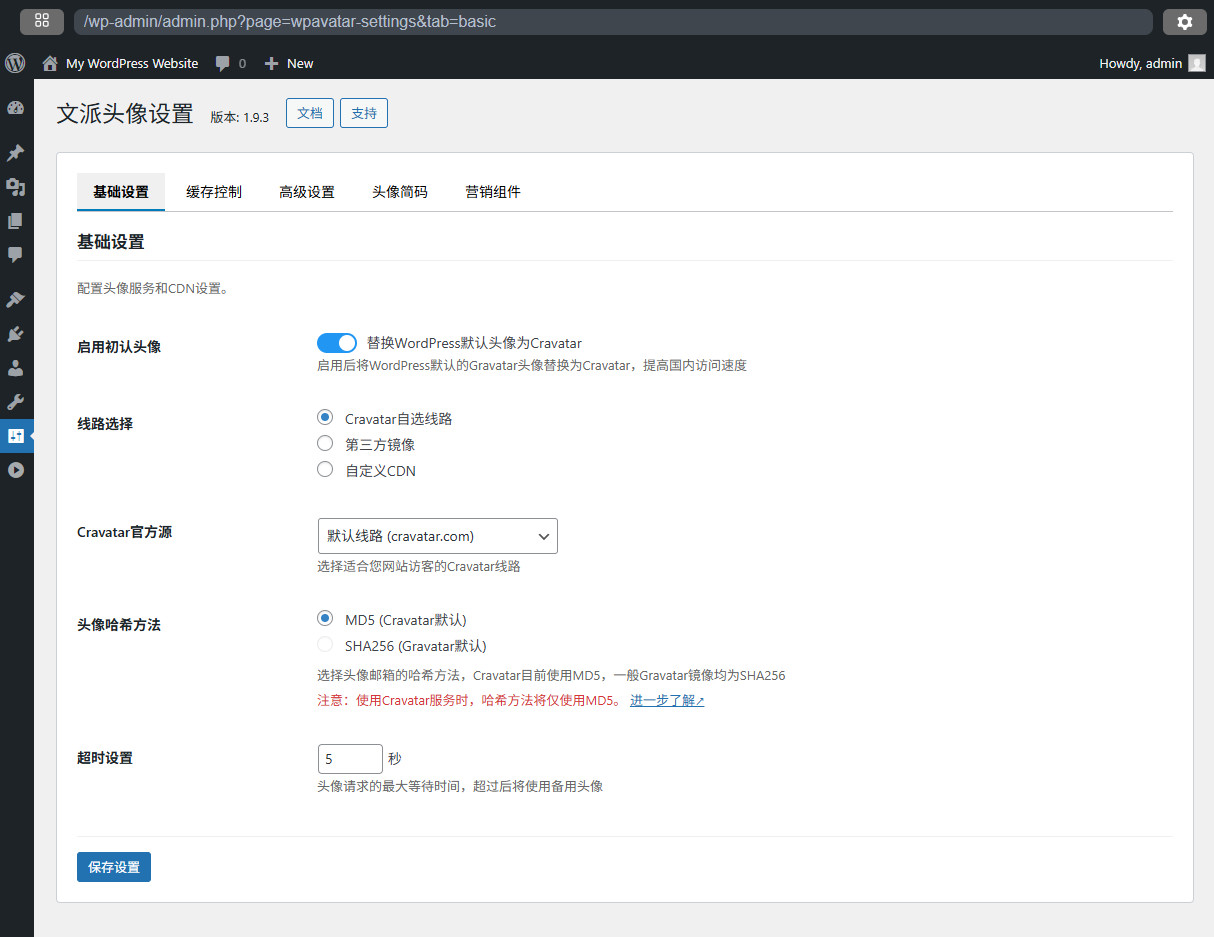
Setting Page
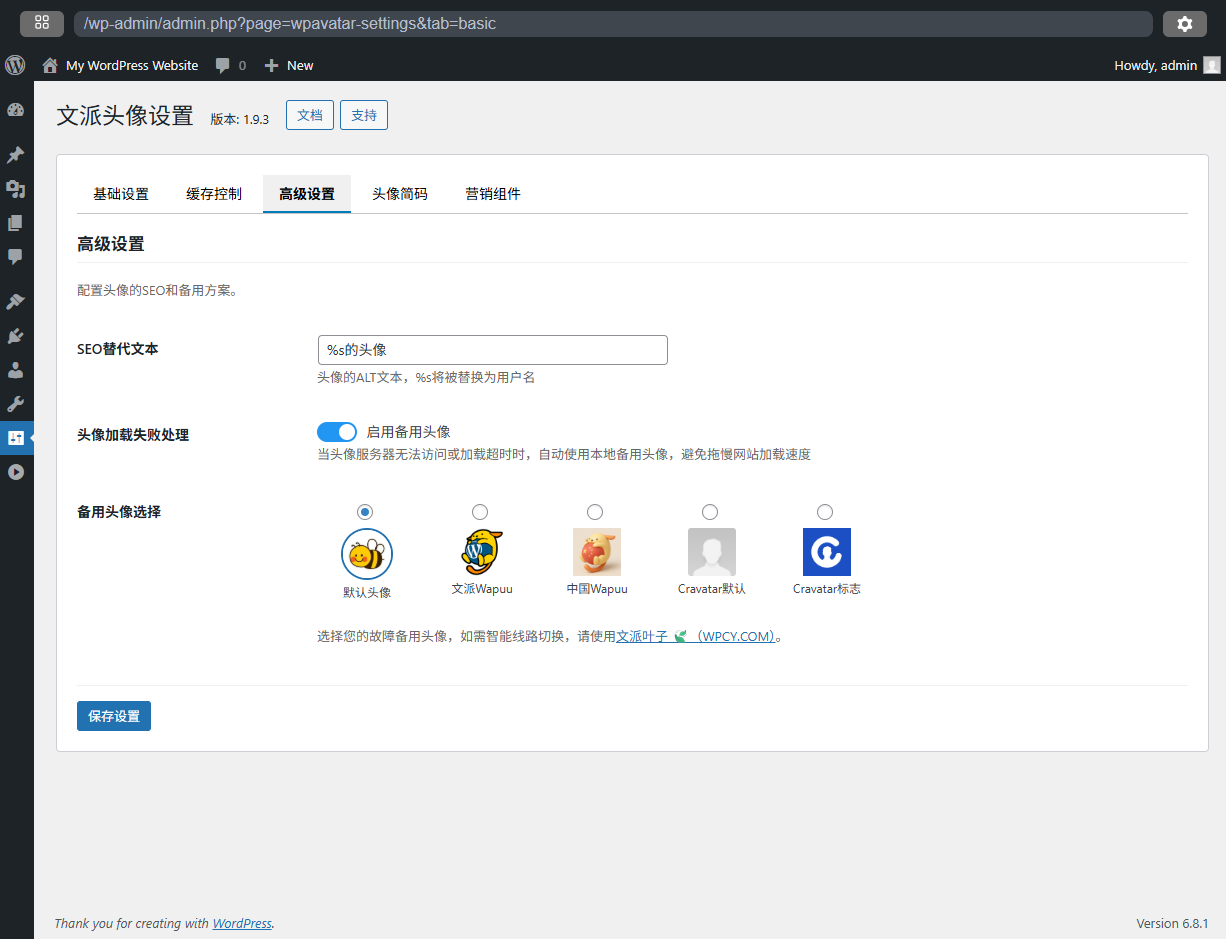
Advanced Setting
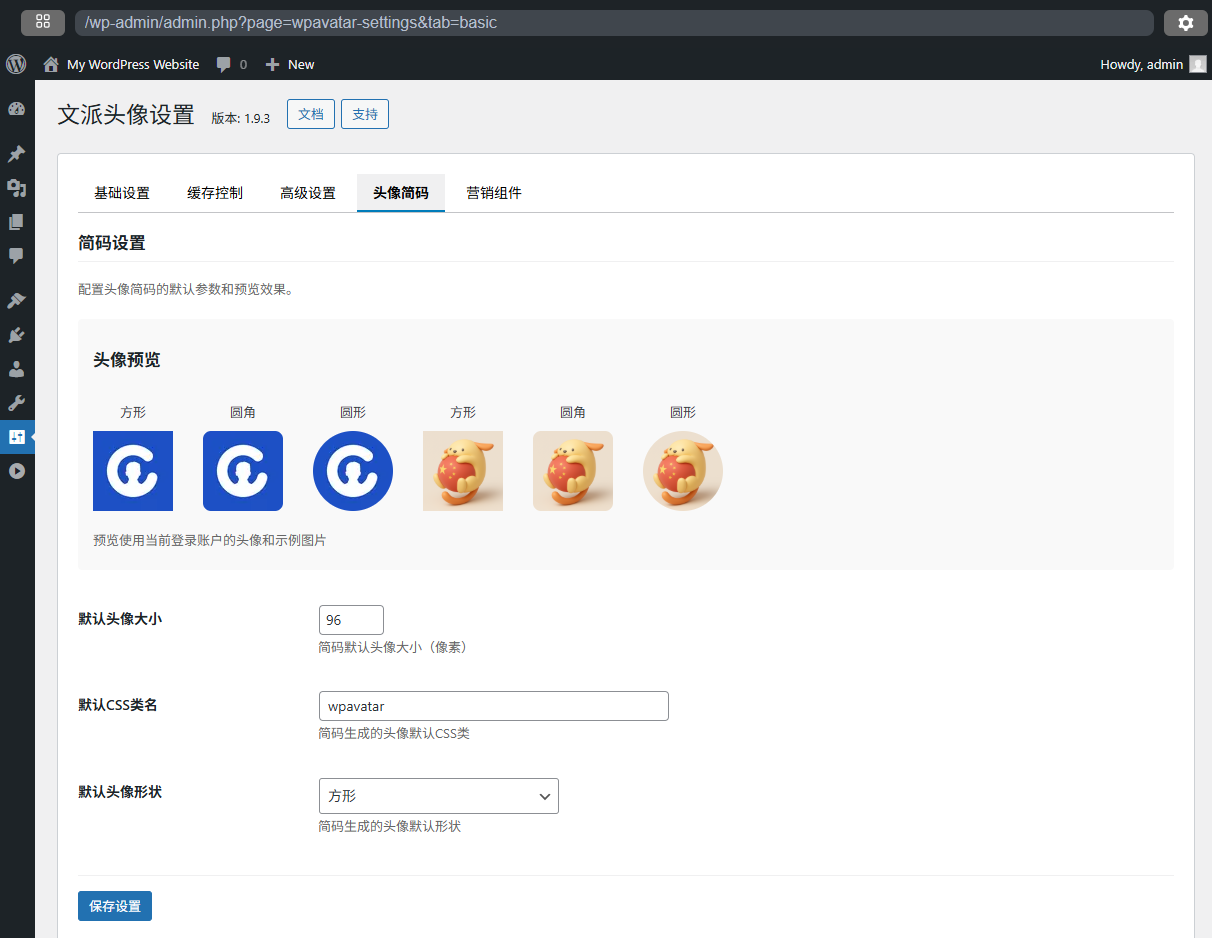
WPAvatar Shortcodes
Faq
The Gravatar server was blocked by mainland China and could not be accessed normally for a long time, seriously affecting the speed of the WordPress website.
Cravatar is an avatar service in China built by the WenPai.org team.
All WordPress websites in China, as well as businesses and individuals who want to do business in China.
We are the first WordPress agency in China, Welcome to China and nice to meet you.
Please submit issues here: https://github.com/WenPai-org/wpavatar/issues, we will fix it in the next version, thank you for your feedback!
Reviews
Gravatar更新头像后一直不更新
By 
访客在gravatar更了头像,已经过了半个月了,但是我的wordpress中显示的仍然是访客的旧头像。cravatar并不会跟随gravatar更新头像。
Changelog
1.9.4
- Security Update: Fixed an XSS vulnerability in the admin interface
- Improvement: Added proper escaping to all URL output
- Optimization: Improved overall plugin security
1.9.3
- See https://wpavatar.com/changelog
1.0.0
- Released first edition