WPB Product Tabs Manager for WooCommerce – Add, Edit, Re-order, and Remove Tabs

WPB Product Tabs Manager for WooCommerce – Add, Edit, Re-order, and Remove Tabs
Description
Live Demo | Pro Demo | Upgrade to Pro!
How important is custom product tabs manager for WooCommerce?
WooCommerce Tab Manager is a must for online stores. Customizing the tabs for particular products is easy, which makes shopping easier and enables you to provide clients with more pertinent information. Without it, sales and satisfied customers cannot increase.
How can the tab manager WooCommerce increase the conversion rate of your website?
The WPB Product Tabs Manager for WooCommerce Plugin is essential for online store owners looking to enhance their product pages. This plugin enables users to add custom tabs to their product pages, providing customers with more detailed information about their products.
Firstly, with this plugin, users can create unlimited custom tabs to display various types of content, such as images, videos, or text. Additionally, the plugin provides a user-friendly interface, making it easy to manage and customize the tabs to fit the store’s needs.
Moreover, the WPB Product Tabs Manager for WooCommerce Plugin is compatible with all WordPress themes, ensuring seamless integration into the online store’s design. Additionally, it is fully responsive, making it accessible to customers on any device, be it a desktop, tablet, or mobile phone.
Furthermore, the plugin allows users to set global tabs that apply to all products or individual tabs that only apply to specific products. This feature gives users complete control over the content displayed on each product page, enhancing the overall shopping experience for customers.
In conclusion, the WPB Product Tabs Manager for WooCommerce Plugin is a valuable tool for any online store owner looking to provide their customers with comprehensive product information. Its user-friendly interface, compatibility, and customization options make it a must-have plugin for any WooCommerce store.
Features:
- Add custom tabs in woocommerce product page.
- Any content can be added to the tab content.
- Shortcodes, iframes, images, videos, and tables are all supported for the tab content.
- The custom tabs have an easy way to rearrange them.
- With the tab visibility method, any tab can be turned on or off with a simple checkbox.
Additional Features in WooCommerce Tab Manager Premium:
- Adding tabs only for particular products, categories, or tags.
- Tabs with different information for each product, Adding information to a tab from the product edit page.
- Adding custom tabs when creating a new product.
- Easy drag and drop tab reordering system.
- Add, Rename, Reorder and Remove any Product Tabs.
- Conditional tabs. The tab can be shown only if the user logged in or not logged in.
- Any custom product meta value can be shown in the tab content using a shortcode.
- Tab icon and subtitle support.
- Disable all or some of the default WooCommerce tabs.
- Content override for the default WooCommerce tabs.
- Showing the tabs as an accordion.
- Five different skins for tabs.
- Tab content editing using the Elementor.
- Tab style management.
- WPML, Polylang, GTranslate and all others multi-language plugin support.
Video Documentation:
You may also like our other WooCommerce plugins.
WPB WooCommerce Products Slider
WPB WooCommerce Related Products Slider
Woocommerce Image Zoom
WooCommerce LightBox
WPB Product Size Charts for WooCommerce
Request a Quote for WooCommerce
Installation
-
Install it as a regular WordPress plugin
-
Active the plugin.
-
In the dashboard, go to Tabs. And add your tabs by clicking Add new tab.
-
After publishing the tab, your tab will be added to the product page.
Screenshots
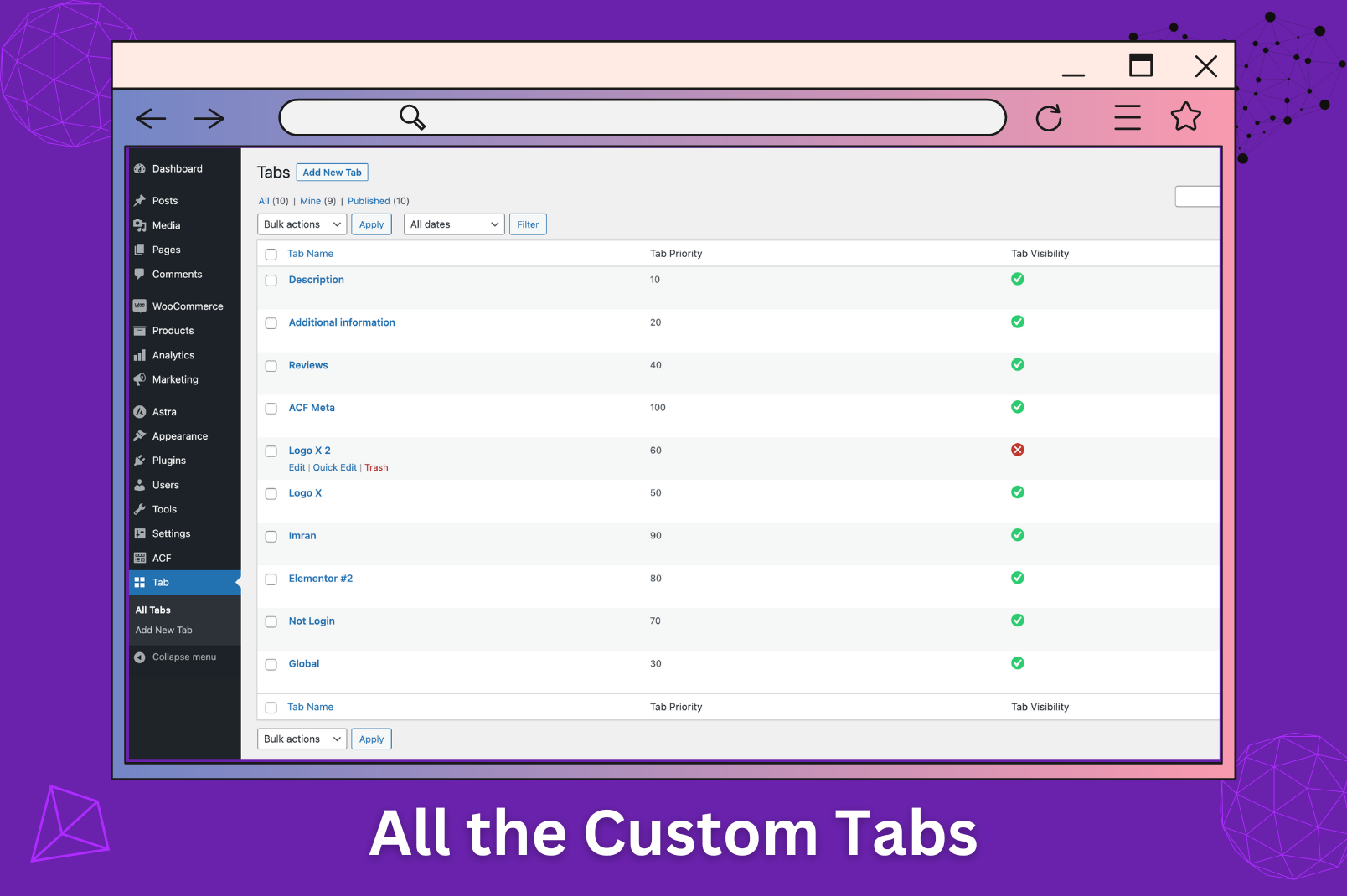
Custom product tabs manager.
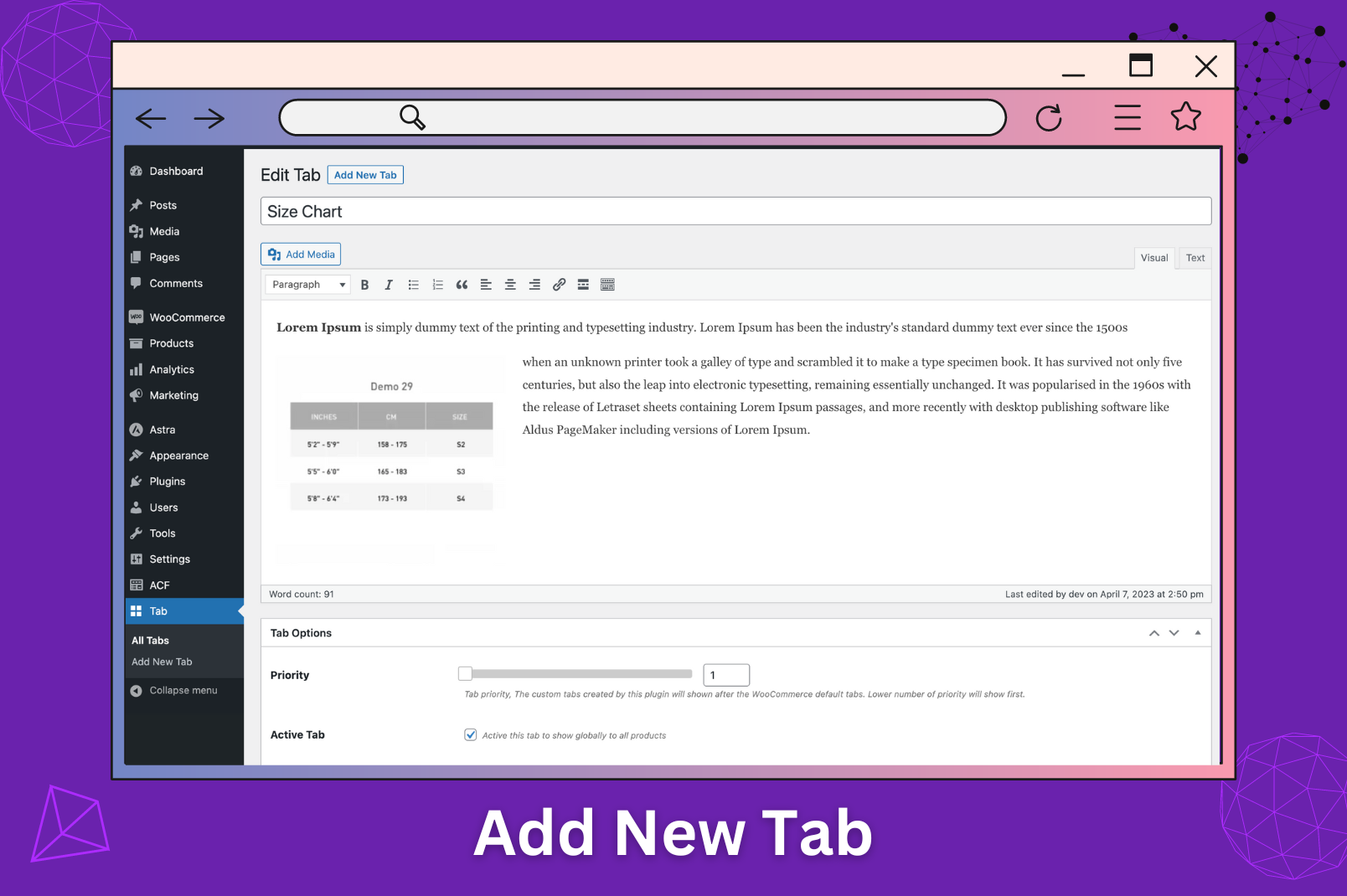
Product tabs manager for woocommerce.
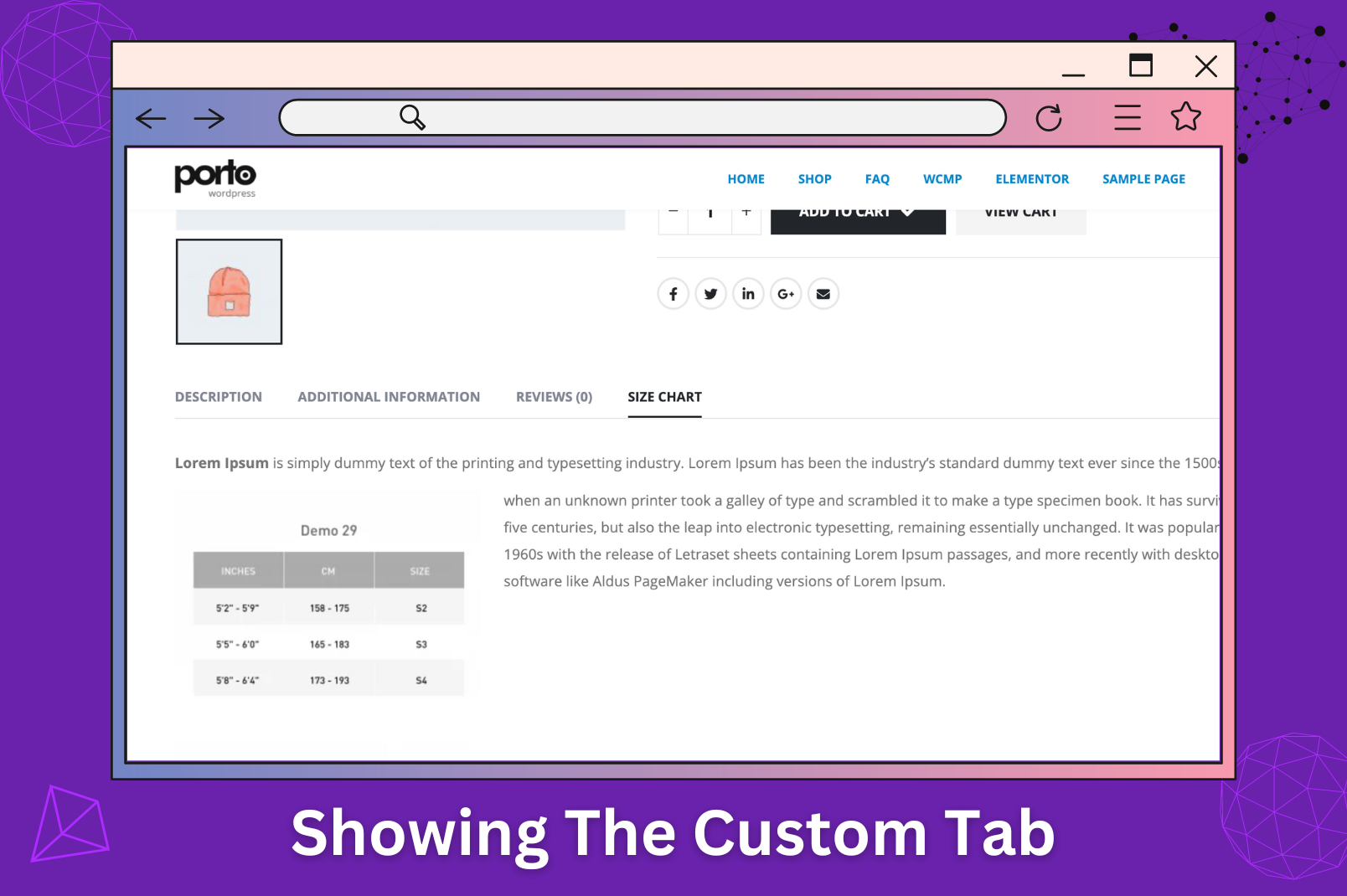
Tab manager woocommerce.
Faq
When you add a new tab, you will see a slider for tab priority below the tab content. The lower number of tabs will show first.
Reviews
it's the best product tabs!
By 
I am so excited. I finally found the plugin I wanted. I spent almost a week looking for the right product tab plugin.
WPB is the best. Let me tell you why. It meets many of my requirements. Irman's online help is very fast. I can't believe that it only costs more than 40 US dollars and I can use it forever!
I use woodmart and elementor. Woodmart cannot add more than 3 tabs, and you cannot apply tabs to a category with one click. WPB can not only apply tabs to categories, individual products, and tags with one click, but also add them on the product edit page without the need for the WPB page. It can also adjust the order.
The best thing is that you can edit the page with elementor and it supports WPML. WPB is really great and deserves to be known by more people.
In addition, if you want vertical tabs like me, please try this plugin. Although there are not many custom styles to choose from for vertical, it can indeed cover the annoying tabs style of woodmart. I tried many tab plugins and failed. Only WPB succeeded.
I am happy for my week's hard work. In addition, under my suggestion, the tab optimization of mobile pages will also be launched soon.
I wish you all the best.
Fantastic plugin and even better support
By 
Great Plugin. Great Support. Even added an additional feature for me. Incredible! You can purchase this with an absolute good feeling.
Perfect
By 
Weak text editing settings.
By 
Don't Waste Your Money On This Plugin - Donate To Charity Instead
By 
Can't customize content for each products
By 
Great Support. Nice Product.
By 
Had an issue/conflict with my theme and the developers/support addressed it very quickly and released an update - like within an hour. Now it works great. This is a great plugin - works brilliantly.
Great plugin to fit my needs
By 
Really useful plugin to manage unlimited number of custom tabs. Very easy to use and customize to fit my needs.
Easy to use
By 
It's simple and really very easy to use. Thanks.
Worked perfectly
By 
Worked perfectly, thanks very much
Changelog
version 1.0
- Initial release
version 1.0.1
- A bug was fixed for the enable/disable tab.
version 1.0.4
- Added WordPress 4.7 and WooCommerce 2.6.8 support
version 1.0.5
- Added WordPress 4.9 and WooCommerce 3.2.3 support
version 1.0.6
- Added WordPress 4.9.4 and WooCommerce 3.3.1 support
version 1.0.7
- Added WordPress 4.9.6 and WooCommerce 3.3.5 support.
version 1.0.8
- Added WordPress 4.9.6 and WooCommerce 3.4.0 support
version 1.0.9
- Added WordPress 5.0.2 and WooCommerce 3.5.3 support.
- Gutenberg compatibility added.
version 1.0.9
- Added WordPress 5.1.1 and WooCommerce 3.6.1 support.
version 1.1.1
- Added WordPress 5.1.2 and WooCommerce 3.6.2 support.
version 1.1.2
- Added WordPress 5.2.1 and WooCommerce 3.6.4 support.
version 1.1.3
- Added WordPress 5.2.4 and WooCommerce 3.7.1 support.
version 1.1.4
- Added WordPress 5.3 and WooCommerce 3.8.1 support.
version 1.1.6
- Added WordPress 5.4 and WooCommerce 4.0.1 support.
version 1.1.7
- Admin notice issue fixed.
version 1.1.8
- Tested with WooCommerce 4.1.0 and WordPress 5.4.1
version 1.1.9
- WPML Support added.
- Tested with WooCommerce 4.1.1 and WordPress 5.4.1
version 1.2.0
- Admin meta updated.
version 1.2.1
- Tested with WooCommerce 4.2.2 and WordPress 5.4.2
version 1.2.2
- Tested with WooCommerce 4.4.1 and WordPress 5.4
version 1.2.3
- jquery migrate helper issue fixed.
version 1.2.4
- Tested with WooCommerce 4.8.0 and WordPress 5.6
version 1.2.5
- Tested with WooCommerce 5.0.0 and WordPress 5.6.1
version 1.2.6
- Regular Update.
version 1.2.7
- Tested with PHP 8
version 1.2.8
- Tested with WooCommerce 7.3.0
version 1.3
- Tested with WooCommerce 8.3.1
version 1.4
- Fix: the_content filter is removed to the tab content.
- Tested with WooCommerce 9.7.0