WpDev Studio Cart Drawer with Bundle Discounts for WooCommerce

WpDev Studio Cart Drawer with Bundle Discounts for WooCommerce
Description
WpDev Studio Cart Drawer with Bundle Discounts for WooCommerce replaces WooCommerce’s default cart page detour with a slide-out side cart drawer, so customers can review their order and check out without ever leaving the page they’re shopping on.
Key Features
- AJAX side cart drawer — opens automatically after “Add to Cart” instead of redirecting to the cart page
- Quantity-based bundle discounts with configurable tiers (e.g. buy 2-3 for 5% off, 4-8 for 10% off, 9+ for 20% off)
- Per-product discount tier overrides via a “Bundle Pricing” tab on the product edit screen
- Free shipping progress threshold shown in the cart
[arch_buy_now]shortcode for standalone “Buy Now” buttons that add a product and open the cart- Optional AJAX add-to-cart on the single product page
- Customizable cart title, checkout button text, and accent color
- HPOS (High-Performance Order Storage) compatible
Installation
- Upload the
wpdev-fly-cart-for-woocommercefolder to the/wp-content/plugins/directory, or install the plugin zip via Plugins Add New. - Activate the plugin through the ‘Plugins’ menu in WordPress.
- Make sure WooCommerce is installed and active.
- Configure options under WordPress admin Dashboard Flycart.
Screenshots
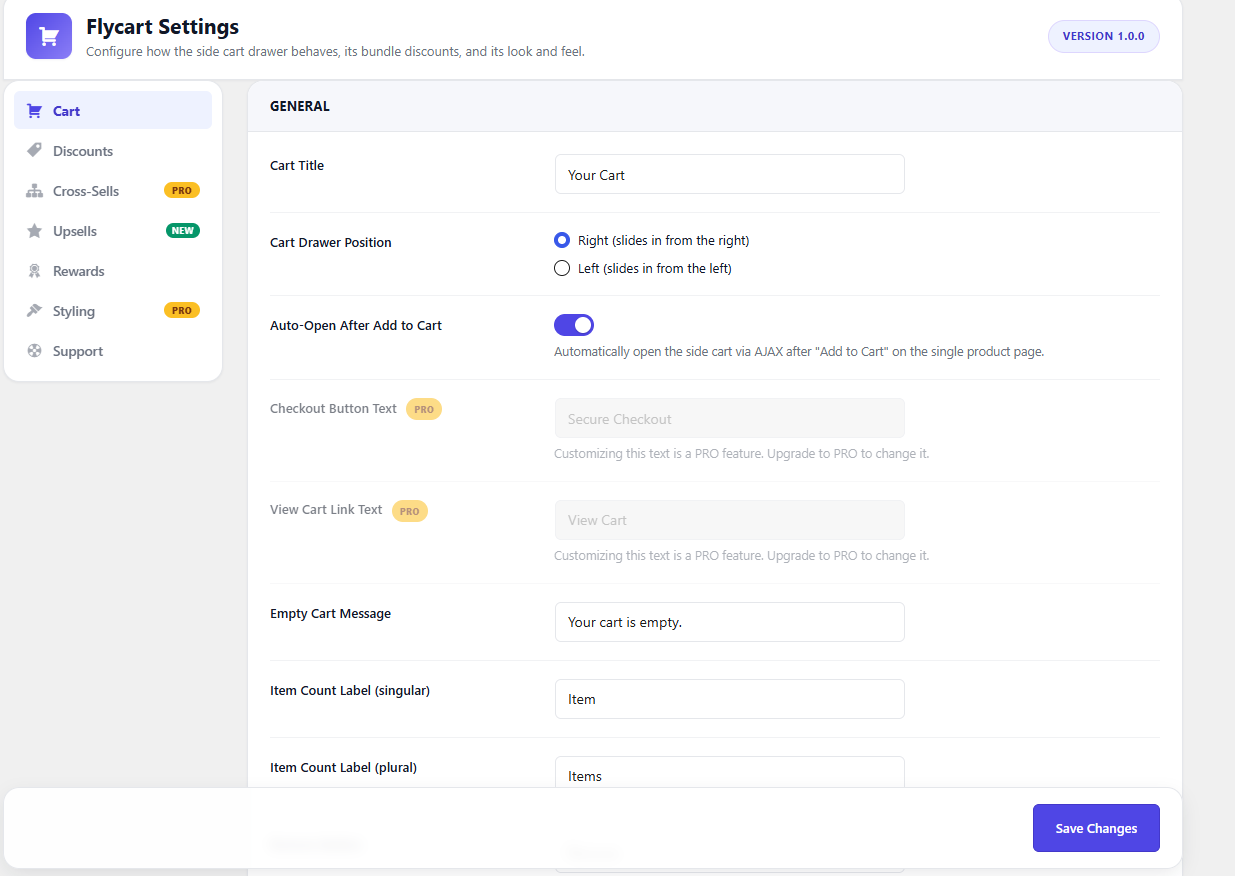
Cart Options
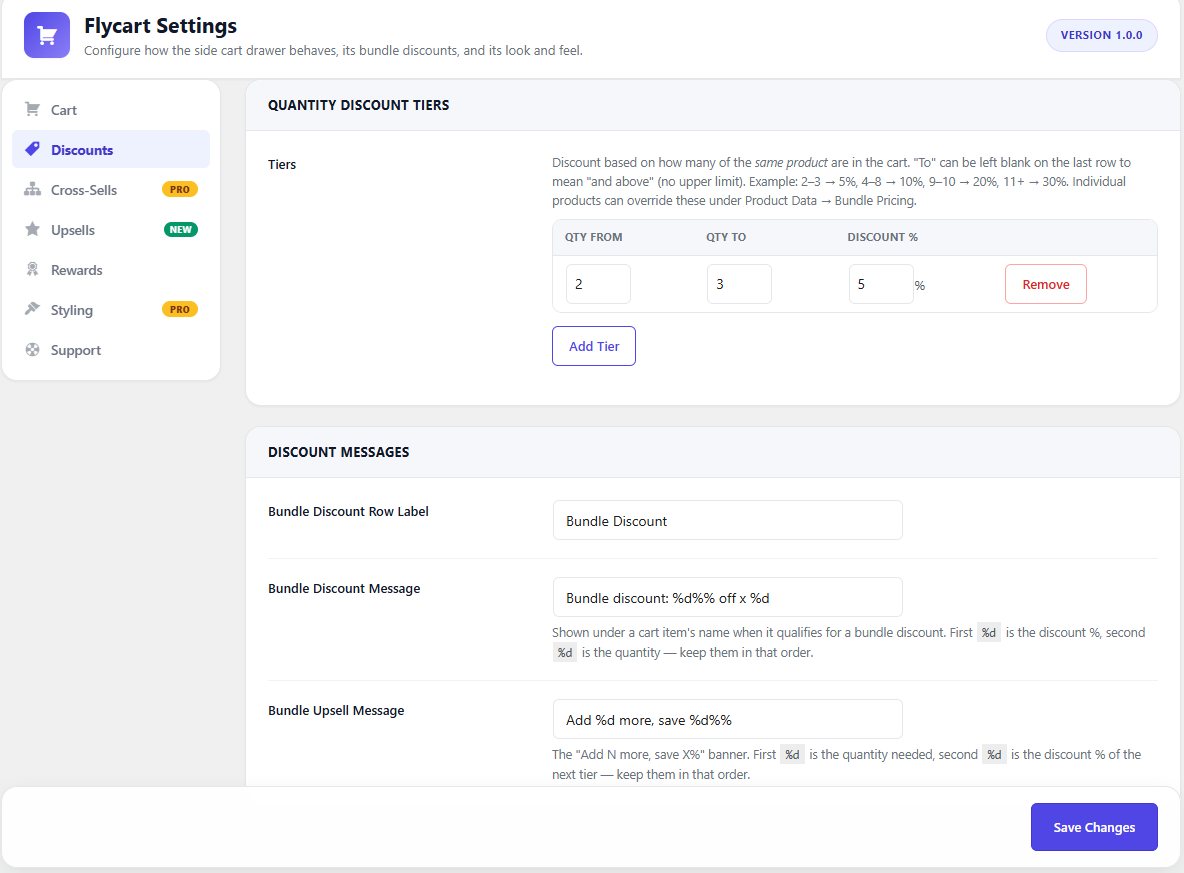
Discounts
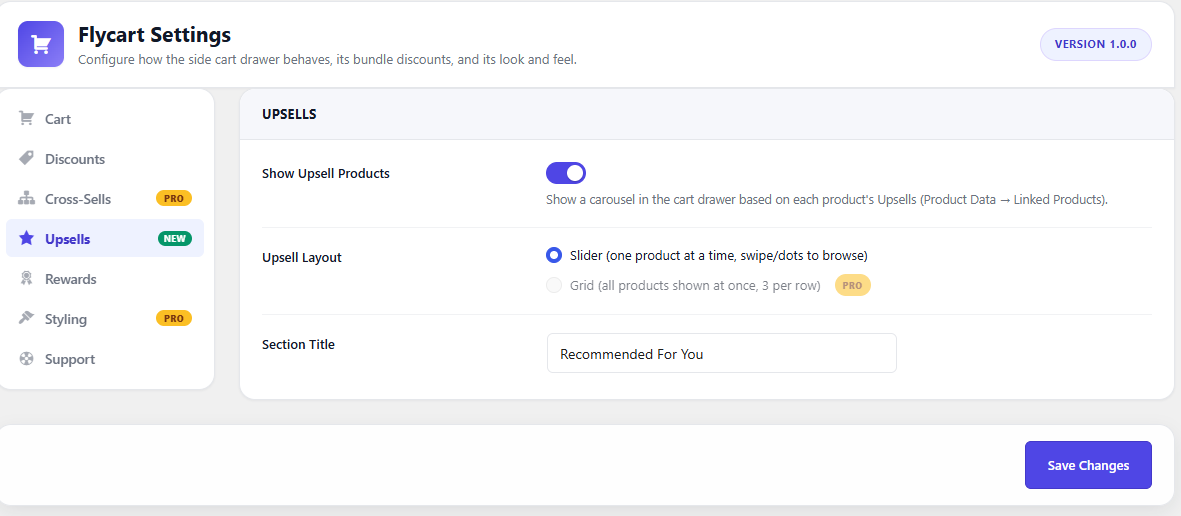
Upsell configuration
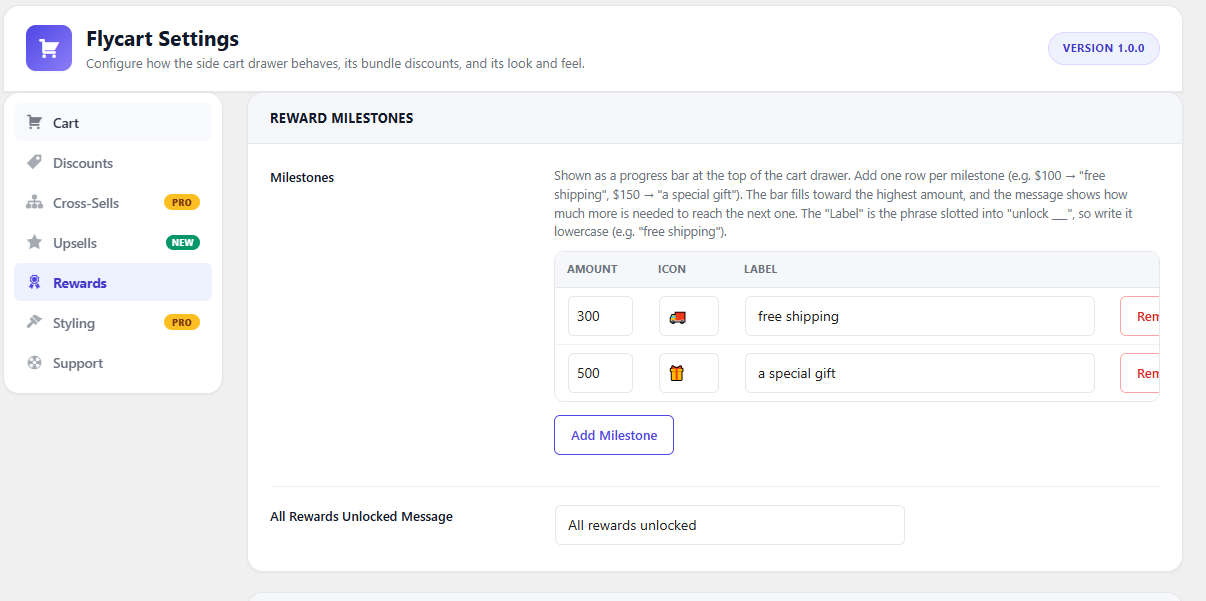
Rewared Setting
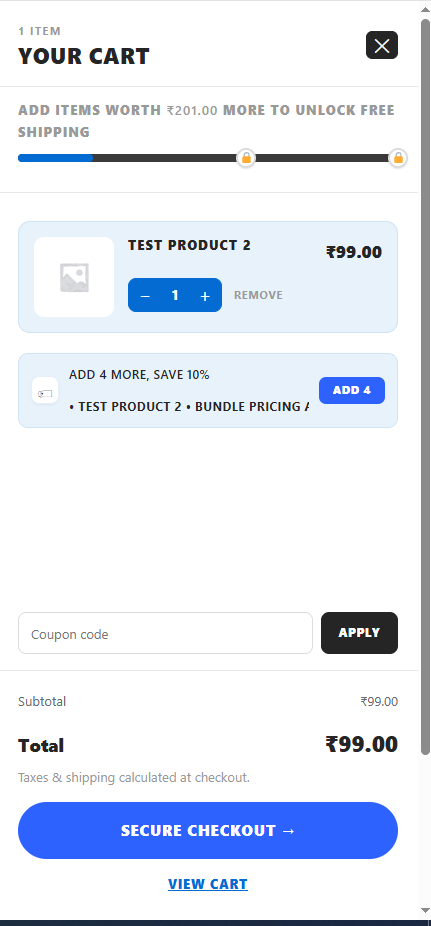
Side card front view
Faq
Yes. The plugin checks for WooCommerce on load and shows an admin notice if it isn’t active.
Yes. Each product has a “Bundle Pricing” tab in the Product Data panel where you can override the global quantity discount tiers.
Yes, compatibility is declared explicitly.
Reviews
Changelog
1.0.1
- Date-10.08.2026 – Coding Bug(Fixed).
1.0.0
- Initial release.