WPDevHub Troubleshooting Guides

WPDevHub Troubleshooting Guides
Description
Create feature rich troubleshooting guides for your website visitors to follow
Installation
- Unzip the contents of
wpdevhub-troubleshooting-guides.zip - Upload the full
wpdevhub-troubleshooting-guidesfolder to the/wp-content/plugins/directory - Activate the plugin through the ‘Plugins’ menu in WordPress
- Access the Troubleshooting Guides plugin through the links on the left of WordPress administration panel.
Screenshots
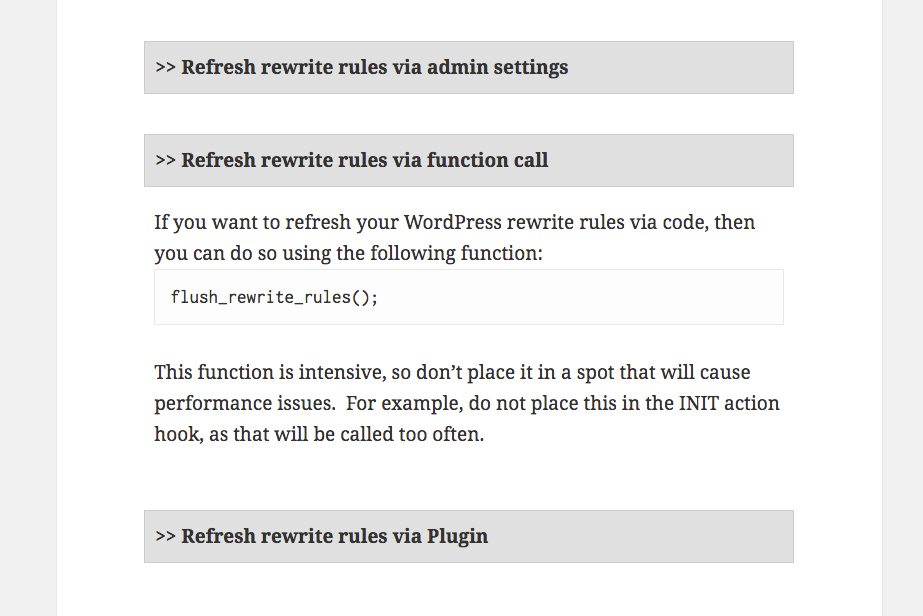
The WPDevHub Troubleshooting Guides plugin allow you to present step-by-step instructional content in an organized fashion that is easy to read for your users.

The plugin is built directly into the WordPress post editor system as a custom post type. This allows content to be used as a standalone post.

Basic editor functionality has been extended allowing you to easily add as many troubleshooting steps as needed.

Final content is then provided to readers in an organized fashion that looks natural with standard WordPress designs and templates.

The plugin also uses the built in WordPress taxonomy tools to create custom Guide Categories as desired.

Additional settings are provided to help control and extend the capabilities of the plugin.
Faq
How can I get help?
Visit https://www.wpdevhub.com for any and all support inquiries.
Reviews
Works great
By 
Changelog
1.0.0
- Initial Product Release
1.1.0
- Fixes and improvements
2.0.0
- Added support for Virtual Pages
- Added settings and controls
2.1.0
- Fixes and improvements
2.2.0
- Performance optimizations
2.3.0
- Better styling support
2.4.0
- Improvements for MU installations
2.5.0
- Optimizations and improvements
2.6.0
- Fix URLs for CSS support under SSL
2.7.0
- Fix issues with bad URLs
2.8.0
- Fix problems related to flushing rewrite rules
2.9.0
- WordPress 5.0 support
- Various bug fixes