WPHobby WooCommerce Product Filter

WPHobby WooCommerce Product Filter
Description
WPHobby WooCommerce Product Filter is a flexible WooCommerce Plugin
make your visitors can select products by its categories, products attributes, tags, products taxonomies and price.
This plugin comes with built in widgets that you can use to place as many instances of attributes as you needed.
WPHobby WooCommerce Product Filter Pro
Like WPHobby WooCommerce Product Filter Free Version? Here’s you can get WPHobby WooCommerce Product Filter Premium Version and have more features.
Installation
- Unzip the downloaded zip file.
- Upload the plugin folder into the
wp-content/plugins/directory of your WordPress site. - Activate
WPHobby WooCommerce Product Filterfrom Plugins page.
Screenshots
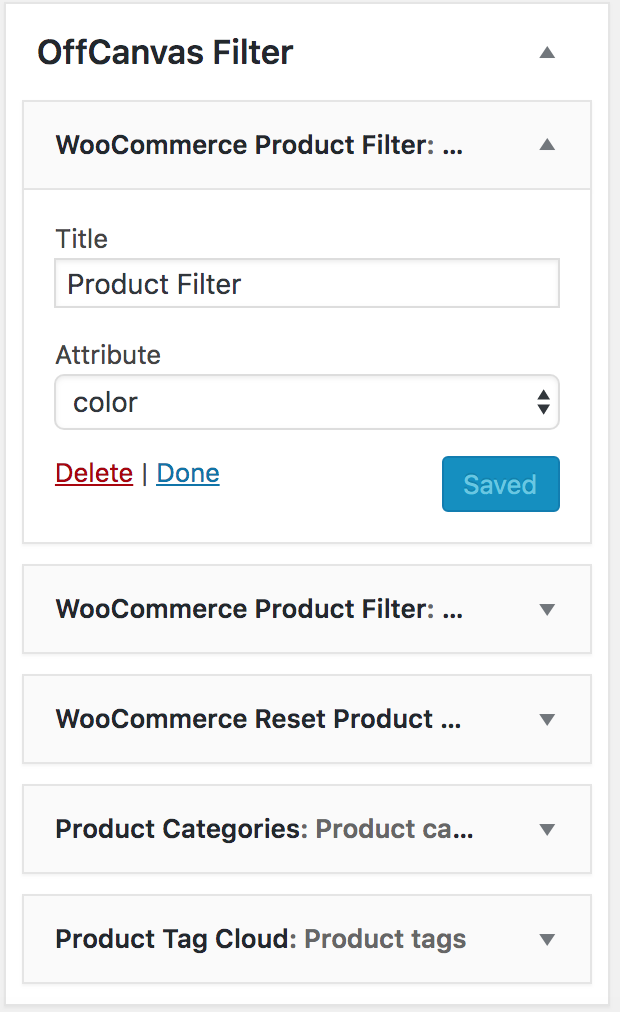
Admin - Appearance -> Widget: WooCommerce Filter Widget List Style

Admin - Appearance -> Widget: WooCommerce Filter Reset Button

Frontend: WooCommerce Widget in off-canvas sidebar

Frontend: Reset button and active filters

Admin - Filter -> General Settings

Admin - Filter -> Help & Guide
Faq
you need to assign the widget to the sidebar of the Shop page. And you also need to have WooCommerce Product Attributes assigned your product.
Reviews
Changelog
1.0.0
Initial release