WPRAG Smart Search

WPRAG Smart Search
Description
WPRAG Smart Search adds a block-first search experience to WordPress. It ships a Gutenberg search block with live results and automatic taxonomy filter facets, all running locally on your own WordPress database with zero external calls and no account required.
How it works
The plugin builds a local inverted index with weighted relevance scoring, so a match in a higher-weighted zone (for example the title) can count for more than a match in the body, and it surfaces taxonomy facets automatically based on the current result set. Until you build the index, it falls back to a weighted WP_Query search, so search works the moment you activate the plugin.
Features
- Gutenberg search block (
WPRAG Search) with live results, inspector controls, and full block-styling support (colors, spacing, typography). - Weighted relevance scoring — configurable per-zone weights (title, content, excerpt, taxonomy, custom fields, author, comments).
- Local inverted index with optional English stemming, built and stored entirely in your own database.
- Taxonomy filter facets — an automatic sidebar of category, tag, and custom-taxonomy filters derived from the current result set.
- Live AJAX results — results render without a page reload.
- Post-type and exclusion controls — choose which post types are searchable and exclude specific post IDs.
- Rate-limited REST API — the public
/wp-json/wprag-search/v1/searchendpoint is capped at 60 requests per minute per IP. - WordPress.org compliant — no external HTTP calls, no tracking, no account.
- Translation-ready — single text domain, full internationalization.
Privacy
This plugin makes no external HTTP requests. All search runs locally against your WordPress database. It does not transmit visitor data off your site, and it bundles no analytics, tracking pixels, or affiliate links. You can verify this with any network inspector or server-side HTTP monitor.
Want AI-powered semantic search?
WPRAG (wprag.ai) is a separate managed service that provides AI-powered semantic search — search that understands meaning, not just keywords, and can generate answers from your content. This free plugin does not require WPRAG and has no connection to the service. If your site grows beyond what keyword search can handle (support docs, knowledge bases, large content libraries), the plugin’s Upgrade tab explains the difference and how to get started. If you install the paid WPRAG Connector, this free plugin automatically stands down so there are no duplicate menus or blocks.
Development
This plugin ships its complete, unminified source. The compiled files in dist/ are generated from the source in src/ (including the shared core in src/shared/) with webpack. Everything needed to rebuild them — including the minified dist/js/blocks.js and dist/js/search-block.js — is bundled in the plugin, with no external repository required.
To regenerate the compiled assets from the plugin itself:
npm installnpm run build
Installation
- Upload the plugin ZIP via Plugins > Add New > Upload, or install it directly from the Plugin Directory.
- Activate the plugin.
- Open the WPRAG menu in the admin sidebar:
- Search Settings — choose searchable post types, results per page, and toggles.
- Search Index — configure and build the local index (one click).
- Upgrade — learn about AI-powered semantic search.
- Add the WPRAG Search block to any page or post.
Screenshots

Live search results on the front end with a taxonomy filter sidebar and fully custom block styling — colors, rounded corners, and spacing are all block settings.
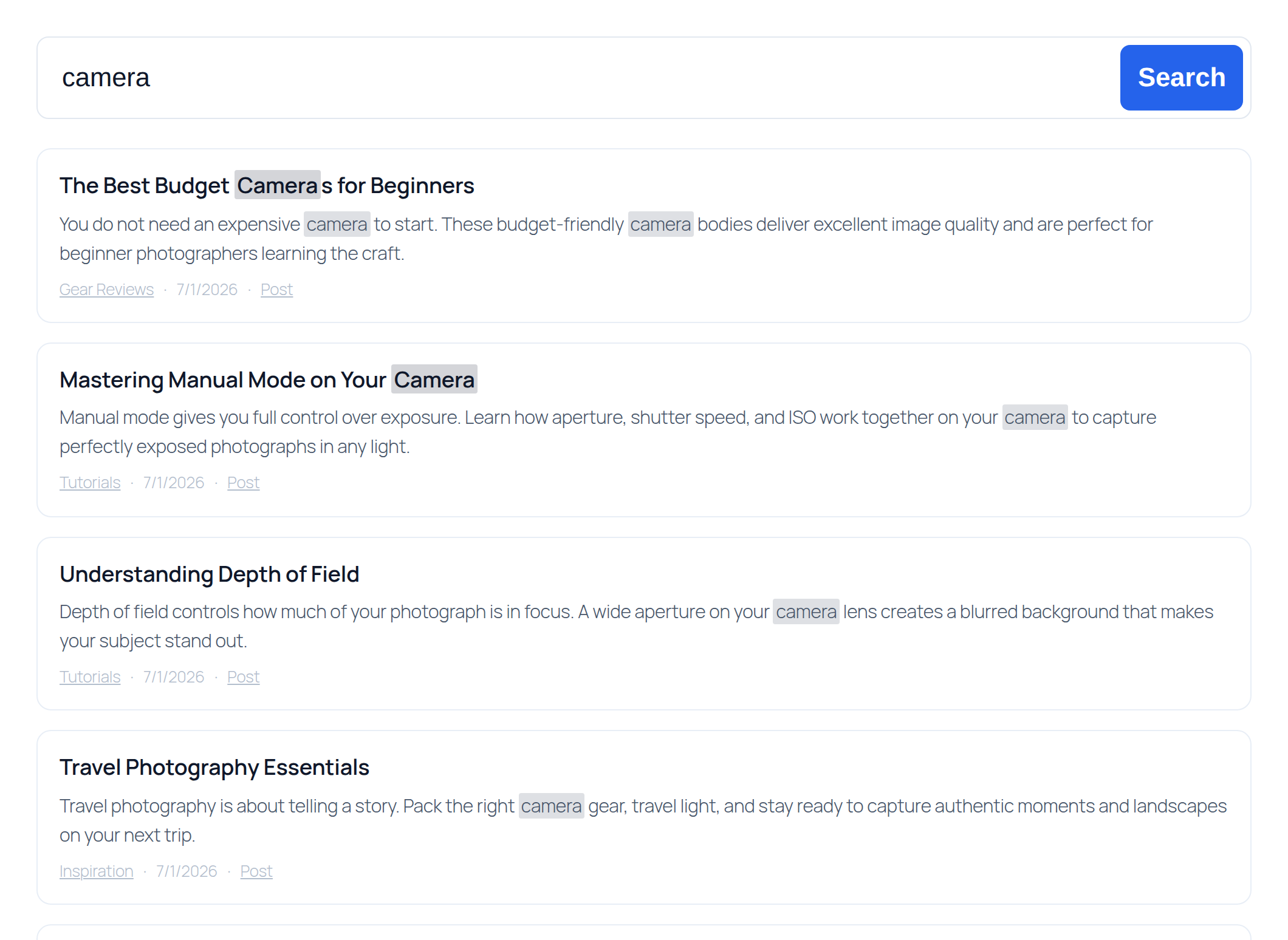
The same search block styled to match a clean, light theme. Every color, radius, and spacing value comes from the block's built-in style controls.
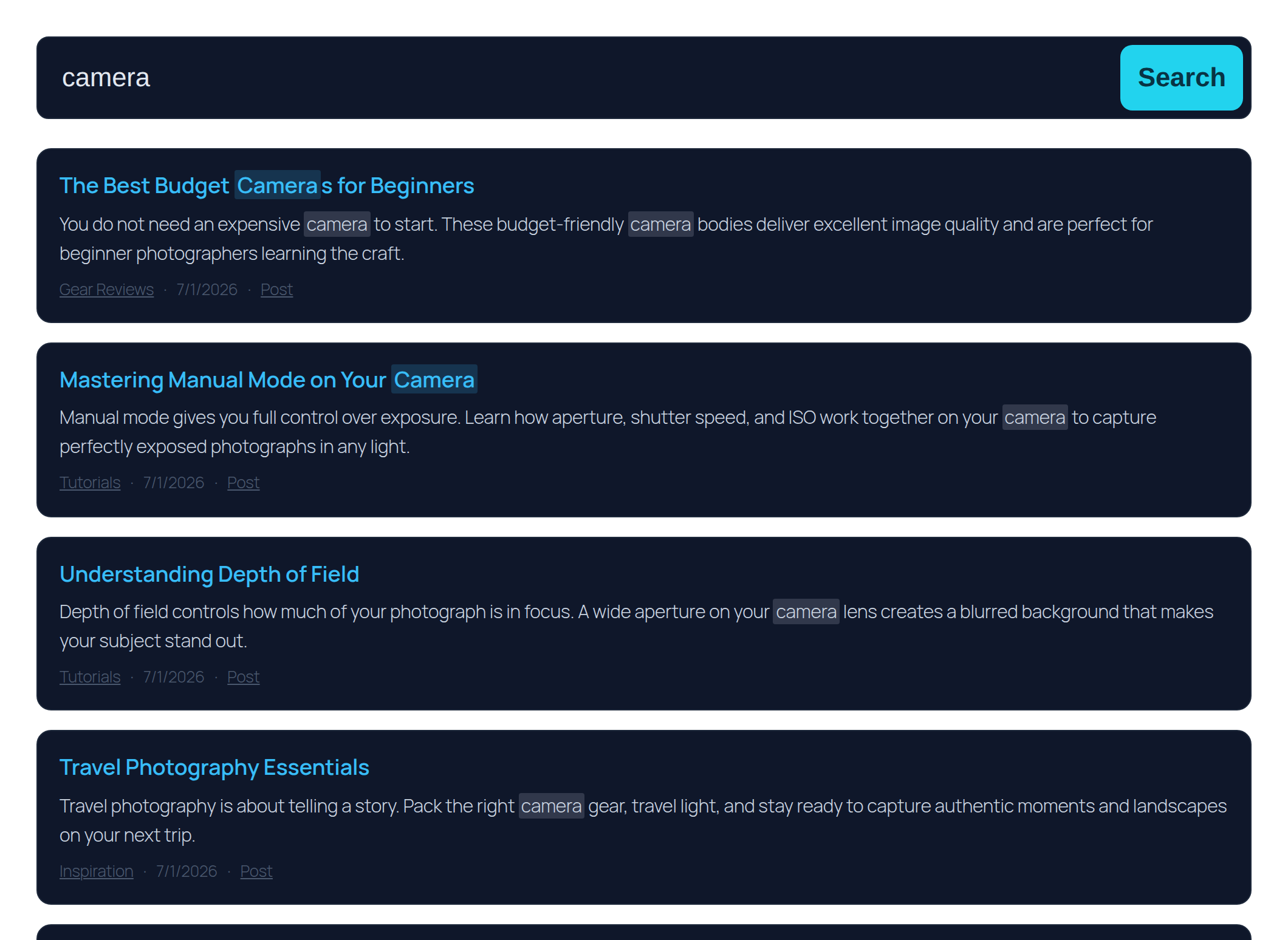
A dark, high-contrast treatment of the search block, achieved entirely with those same style controls — no custom CSS.
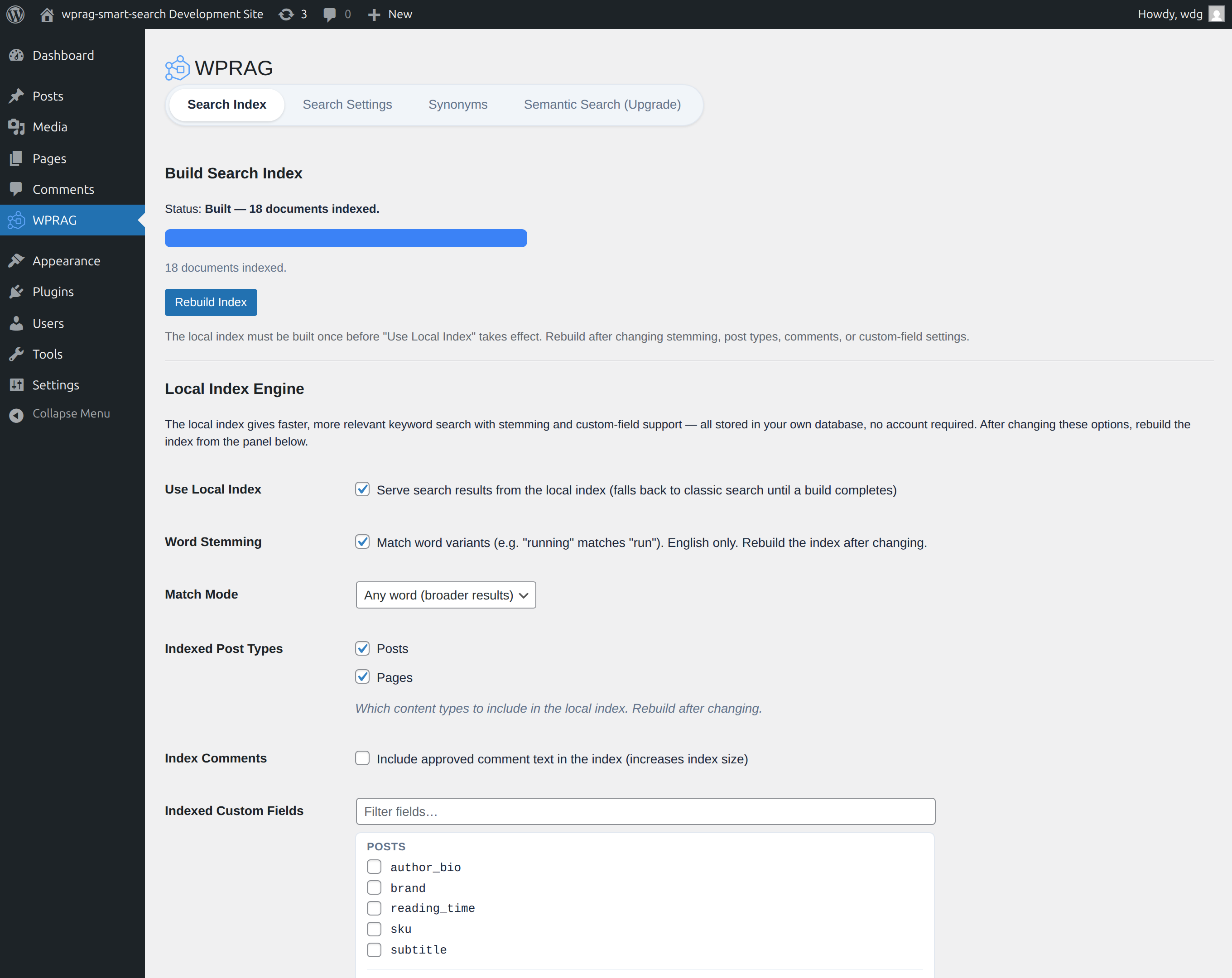
The Search Index tab: build the local inverted index in one click, then tune stemming, searchable post types, and indexed custom fields.
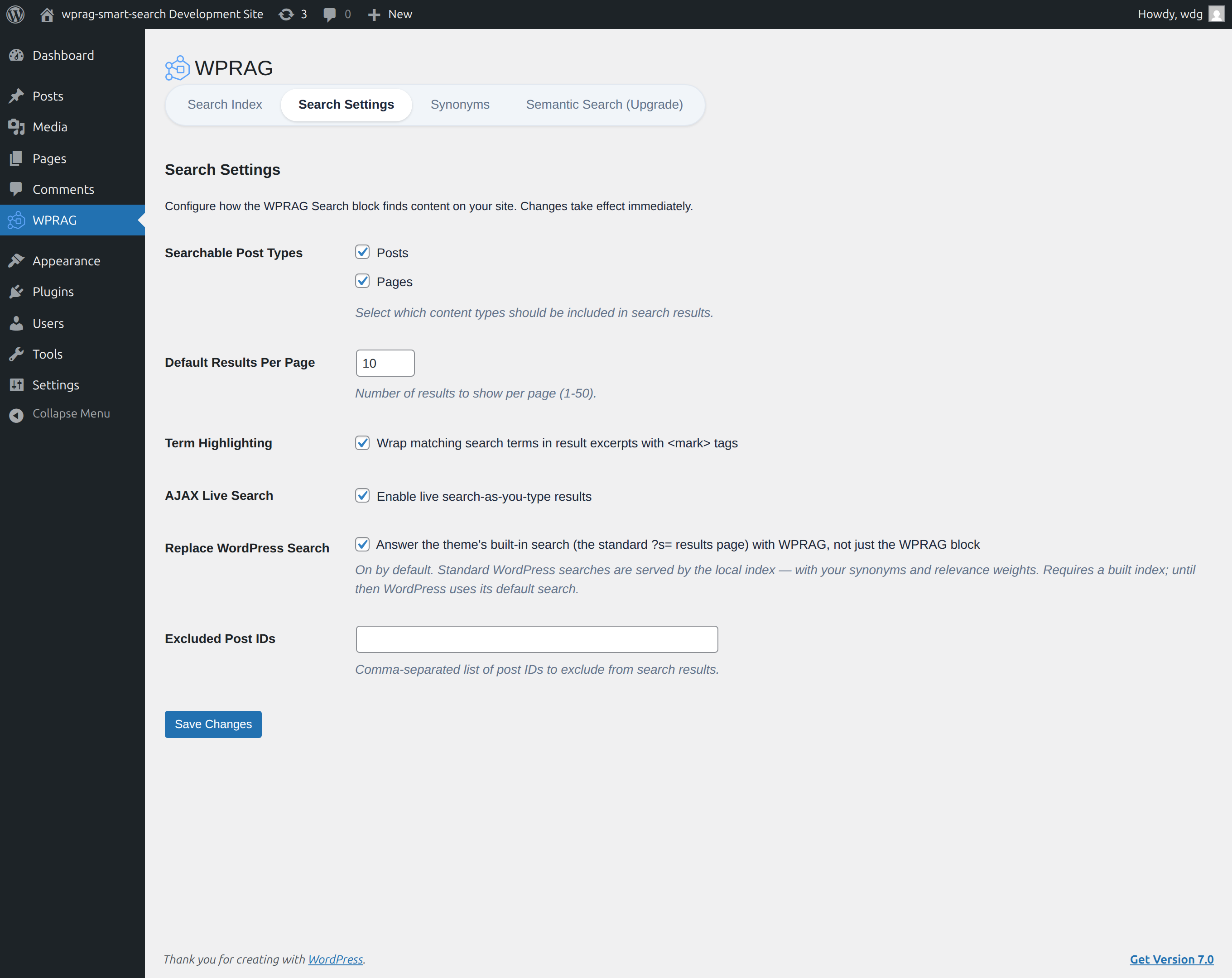
The Search Settings tab: choose searchable post types, results per page, term highlighting, live AJAX results, and core-search replacement.
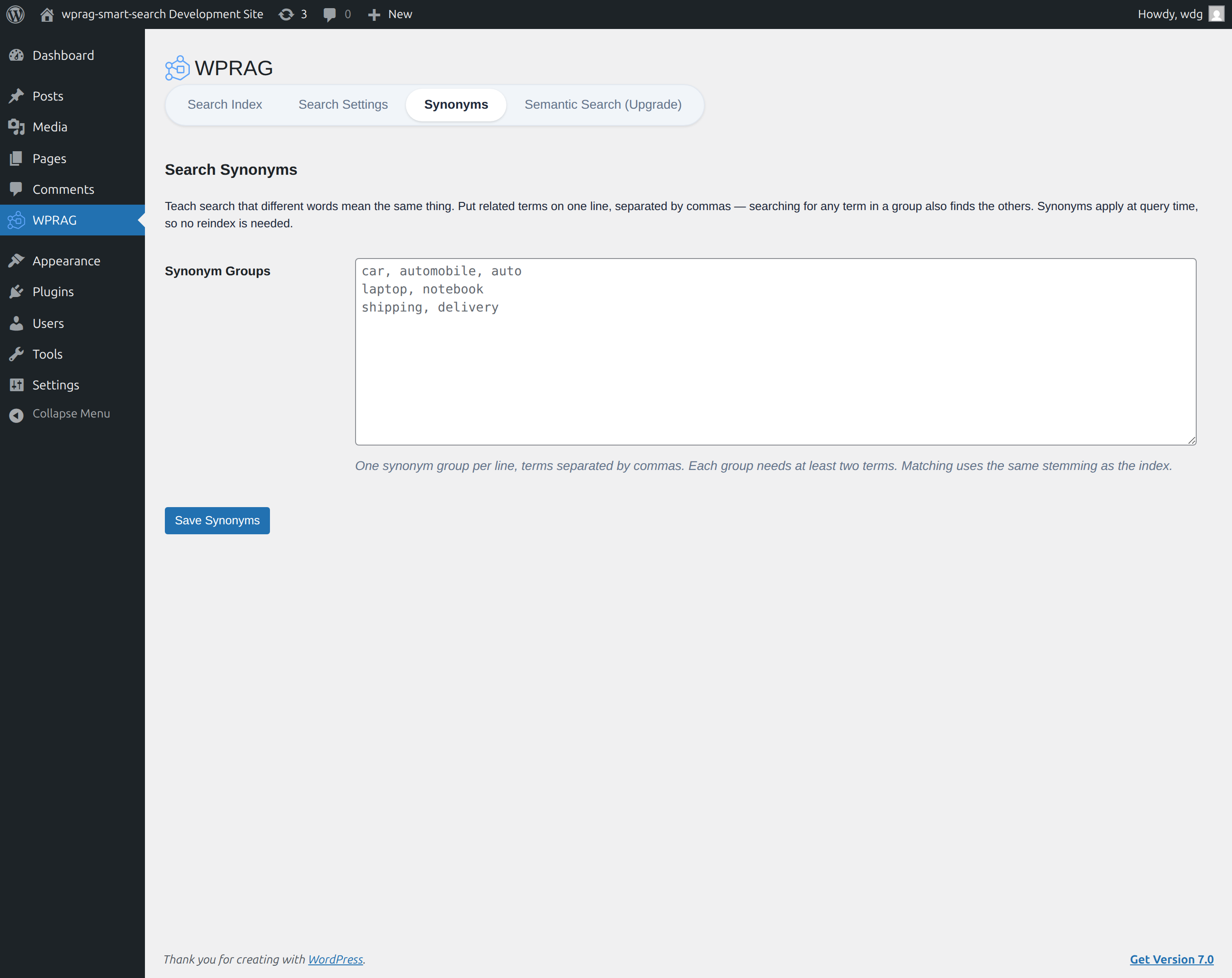
The Synonyms tab: teach search that different words mean the same thing, applied at query time with no reindex required.
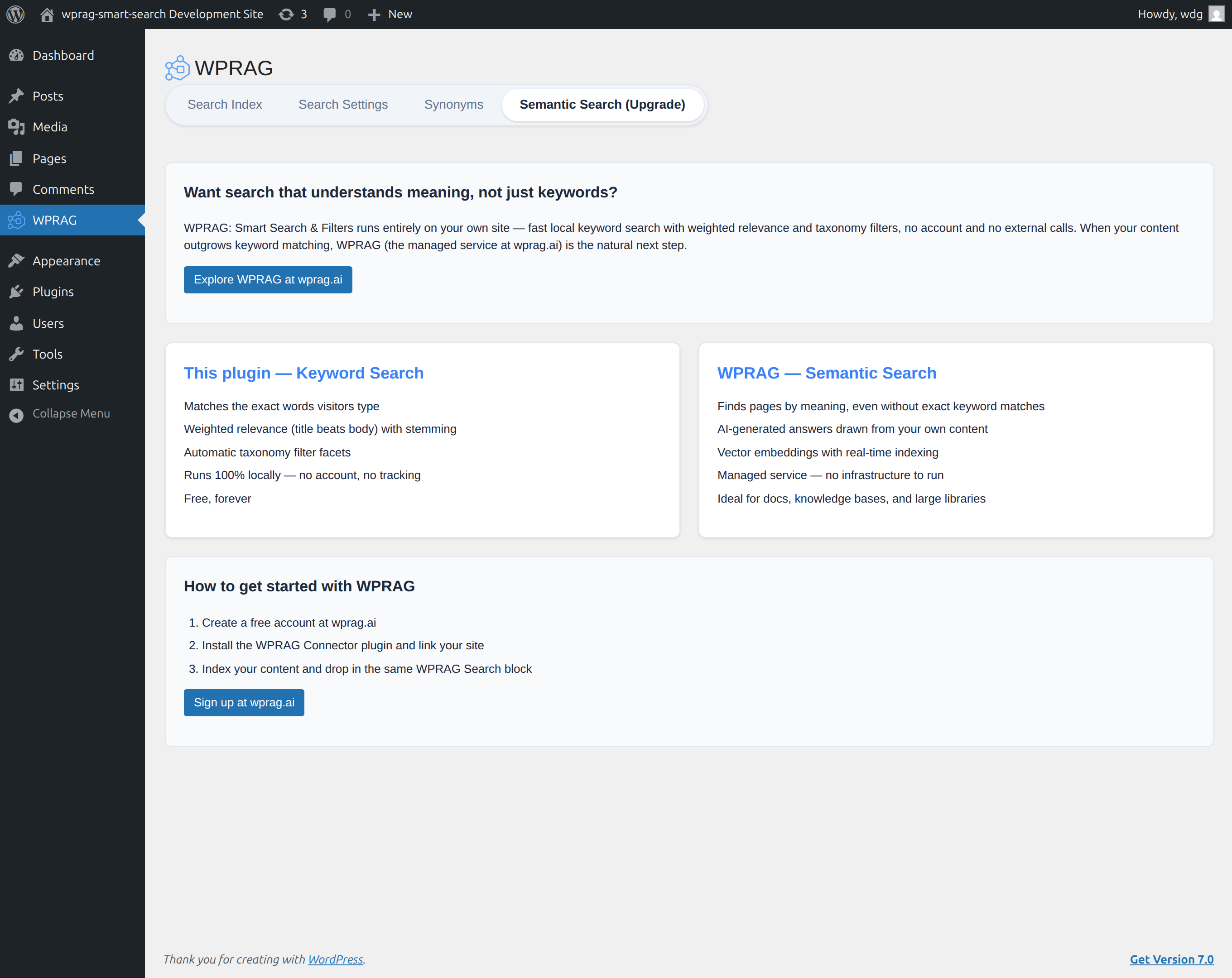
The Upgrade tab, explaining WPRAG's optional AI-powered semantic search (a separate managed service).
Faq
No. It works completely standalone with no account and no external service. WPRAG is a separate, optional paid product for AI-powered semantic search; nothing in this plugin depends on it.
No. All search happens locally using your WordPress database. You can verify this in your browser’s network inspector or a server-side HTTP monitor.
No. Search works immediately using a weighted WP_Query engine. Building the local index (Search Index tab) makes search faster and more relevant on larger sites, and the plugin upgrades to it automatically once the build completes.
Each content zone (title, excerpt, content, taxonomy terms, custom fields, author, comments) has a configurable weight. A match in a higher-weighted zone counts for more, and results are ordered by total score with newer content breaking ties.
Yes. All public post types and taxonomies are available in the settings and in the block’s filter controls.
Yes. All frontend markup uses scoped .wprag-search-block classes. Override them in your theme or child theme CSS, or use the block’s built-in color, spacing, and typography controls.
No. Queries are capped at 50 results per request, the public REST endpoint is rate-limited per IP, and the local index uses standard database indexes.
Reviews
Changelog
1.0.1
- Renamed the plugin to WPRAG Smart Search (display name, author, and links) to align with the WPRAG brand; functionality is unchanged.
- Refreshed the block name to “WPRAG Search” and its category to “WPRAG”.
- Updated the plugin icon (transparent background) and directory banner.
1.0.0
- Initial release.
- Gutenberg WPRAG Search block with live results and taxonomy filter facets.
- Local inverted index with weighted relevance scoring and optional stemming.
- Weighted WP_Query fallback so search works before the index is built.
- Branded admin with Search Settings, Search Index, and Upgrade tabs.
- Rate-limited REST API (
/wp-json/wprag-search/v1/search).