ShopWP

ShopWP
Description
**Important: This plugin will stop working on March 1st, 2024. Please upgrade to ShopWP Pro to continue using the plugin.
Thanks y’all,
– Andrew
—
Sell Shopify products on WordPress with ShopWP. Buy buttons? We got your covered. Easily embed product buy buttons on any page with simple shortcodes and blocks. Send your customers directly to the Shopify checkout, or add products to the built-in ShopWP cart instead. We have all the shortcodes and blocks you need to build a uniquely branded ecommerce experience on WordPress.
Not only that, but ShopWP lets you sync your products into WordPress to easily create product detail pages.
Ditch the slow and complicated ecommerce solutions like Woo. Whether you need WordPress to power a whole storefront or just a landing page, ShopWP will provide beautiful layouts and give your customers the confidence they need to buy from you.
We believe your store should authentically represent your brand. It shouldn’t cost tens of thousands of dollars to build a shopping experience. We want to empower entrepreneurs and small businesses to create eCommerce shops that rival the big players.
Features
- Simple to use buy buttons
- Sync product / collection detail pages
- No iFrames
- 10 shortcodes for displaying products
- Built-in cart experience
- SEO optimized
- Filtering and sorting functionality (Pro only)
- Show variants as buttons instead of dropdowns (Pro only)
- Show products in carousels or modals (Pro only)
- Subscription products via Recharge extension (Pro only)
- Direct checkout (Pro only)
See the full list of features here
ShopWP Pro
Use discount code 15OFFPRO to save 15% off when upgrading to ShopWP Pro. Take your store to the next level with awesome features like: subscription products, template overrides, filtering / sorting, automatic post syncing, dedicated support, and more! Save 15% off ShopWP Pro
Links
Installation
From the WordPress dashboard:
- Visit Plugins > Add New
- Search for ShopWP
- Activate ShopWP from your Plugins page
- Click on the new menu item called ShopWP
- Within the Connect tab, click the “Begin the connection process” button
- Follow the wizard to connect your Shopify store. We’ve created a guide.
Screenshots

Connect your Shopify store to WordPress

Sync your Shopify store
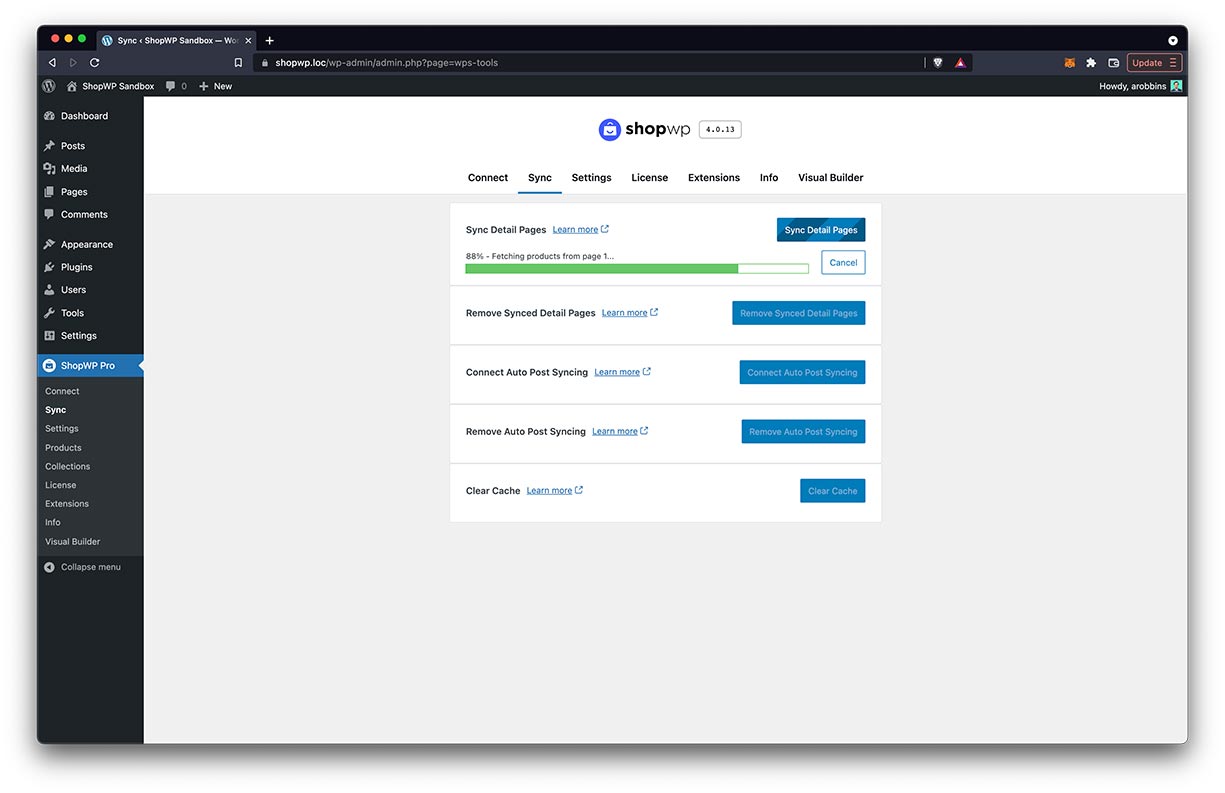
Example of the syncing process running
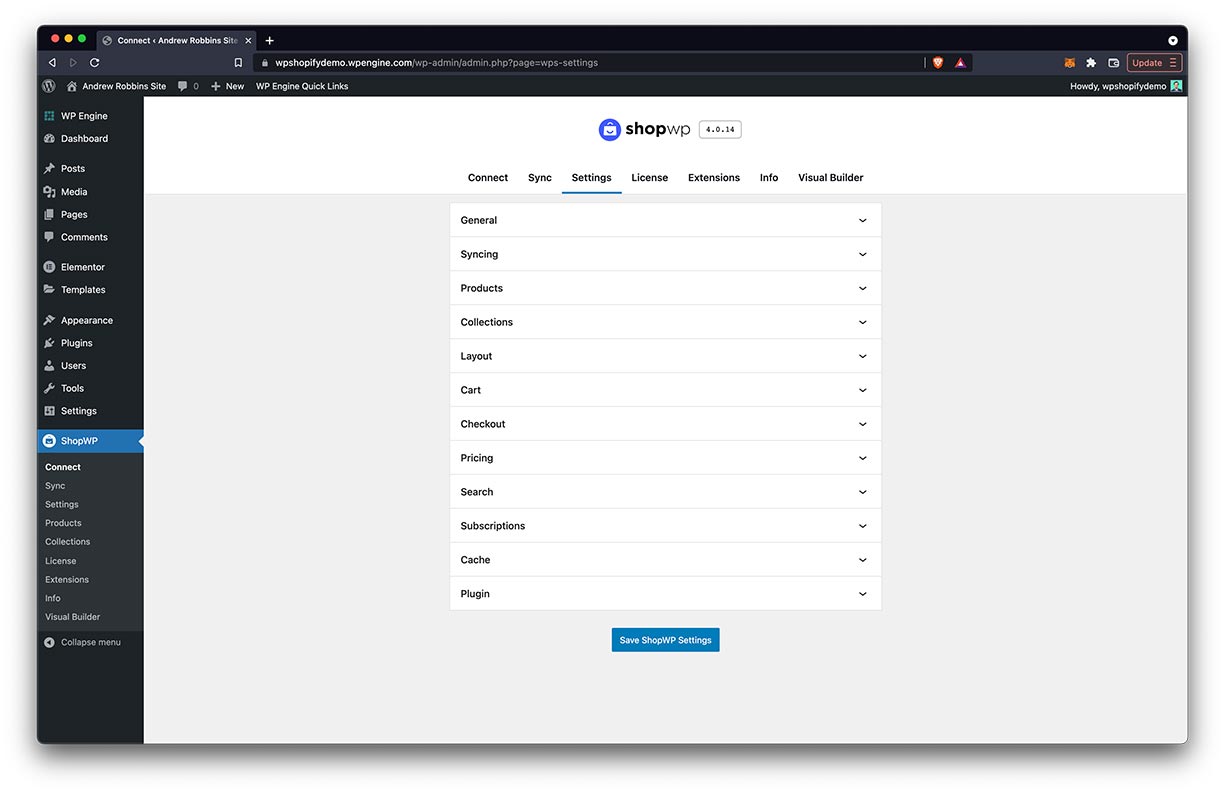
How the plugin settings appear
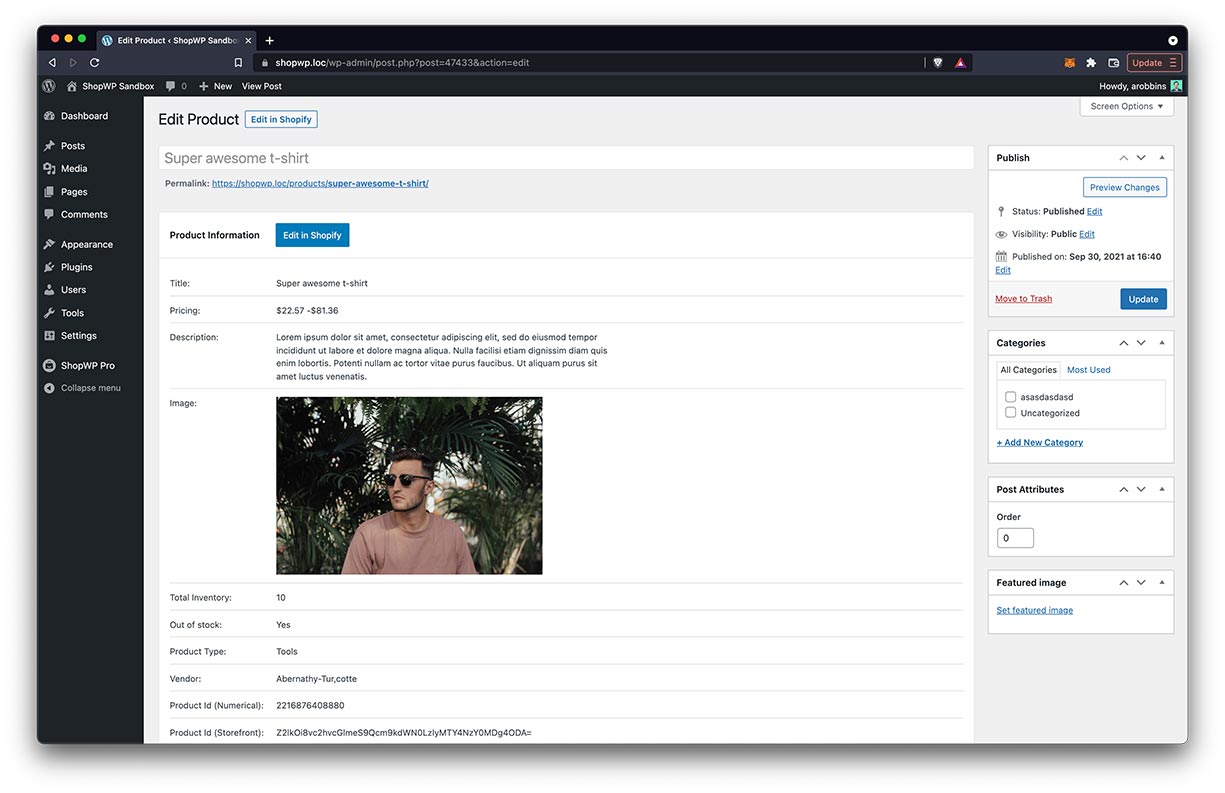
Edit screen of the product detail page

List of product posts
Faq
Read the full list of FAQ
You can think of WordPress as the frontend and Shopify as the backend. You still manage your store data inside Shopify (e.g., changing prices) and those changes automatically show inside WordPress. ShopWP is bundled with its own fly-out cart experience and allows you to sell directly on WordPress. When the user is ready to checkout, they’re redirected to the defalt Shopify checkout page to enter payment information.
After installing the plugin, you can connect your Shopify store by following the easy to use wizard. After connecting, you can display your products in the following ways:
- Using the default pages “example.com/products” and “example.com/collections”
- Shortcodes
- Programmatically through the plugin’s Render API
You can also create product detail pages by syncing the product posts.
We’ve gone to great lengths to ensure we’ve conformed to all the SEO best practices including semantic alt text, Structured Data, and indexable content.
They used to, but it has been discontinued.
Instead, Shopify has moved their attention to the buy button embed; allowing users to show products with a JavaScript code snippet. The main drawback to this is that Shopify uses iFrames for the embed which limits the ability for layout customizations. Additionally, managing multiple JavaScript embeds can get annoying really fast.
In contrast, ShopWP creates an iFrame-free experience allowing you to sync Shopify data directly into WordPress. We also save the products and collections as custom post types which unlocks the native power of WordPress itself.
The only “Unfortunately no. We rely on the main Shopify API which doesn’t expose third-party app data. However the functionality found in many of the Shopify apps can be reproduced by other WordPress plugins.
Documentation on how to display your products can be found here.
ShopWP does not handle any portion of the checkout process. When a customer clicks the checkout button within the cart, they’re redirected to the default Shopify checkout page to finish the process.
Absolutely! In fact this is our recommendation if you intend to only sell on WordPress. More information on Shopify’s Lite plan
Absolutely! ShopWP doesn’t prevent you from using Shopify on other platforms like Facebook or using a Shopify theme directly.
Reviews
Support has (almost) checked out
By 
No replies to tickets and their "sign up for private slack channel" forwards you to a purchase landing page. Yes, this was from a paid license. Absolute joke.
Update: found a link to get into the slack channel (of three links, the other one forwards you to slack sign up page with approved domains). Finally got an answer that didnt work, but provided me enough info to figure it out. Developer says more support resource is on the way. 3 stars.
Doesn't Work and Zero Support
By 
This software does not work at all and the author NEVER responds to support requests. We were unable o make this soiftware work AT ALL with Shopify and could not get any support from the author after many requests.
Do not waste your time with this garbage and it's disinterested author.
Great Plugin for easy Shopify integration
By 
Development on the plugin is active and we've always received 5 star customer service any time we've had a question.
Great support from Andrew
By 
I've had amazing support from Andrew. He has helped me with an out of the box question (showing that orders are from ShopWP app as separate from the ones made on the Shopify store/site). He was incredibly helpful and kept at it until we worked out a fix (and he's even going to update the plugin!).
Personally I have had no problems with the app at all. I'll upgrade to the Pro for the auto sync but the free version has synced well and the cart seems to also work well for us.
Thanks Andrew!
Amazing Experience!!!
By 
Very fast and seamless install of ShopWP Pro. However, when the rubber met the road, we ran into a sync issue. We reviewed all the documentation on errors, but none applied. We reached out to support and within a couple of hours Andrew contacted us. He worked with us continuously and resolved the matter quickly. Great customer support and an amazing experience!
Quick setup and support
By 
Critical need. Solid plugin. Stellar support.
By 
Great plugin and amazing support!
By 
Great plugin and excellent support
By 
Excellent plugin with great support
By 
Changelog
The full changelog can be found here
Note: If you’re upgrading from version 3.x, please read through the migration guide first
5.2.4
- Updated: Updated Readme
5.2.3
- Updated: Updated the free trial language in the upgrade notice
5.2.2
- Updated: Added upgrade text
5.2.1
- Updated: Added compatibility notice
5.2.0
- Updated: Changed text in plugin upgrade notice
5.1.11
- Improved: Updated the language in the README file
5.1.10
- Added: Support for WordPress 6.3.2
5.1.9
- Fixed: API syncing / connection issues
5.1.8
- Added: New upgrade notice
5.1.7
- Fixed: Occasional performance issues due to
buyer_identityoption values
5.1.6
- Fixed: Error: “Field ‘metafields’ is missing required arguments: identifiers”
5.1.5
- Added: Yotpo product reviews extension! Learn more
- Improved: Updated various broken links within the plugin settings
5.1.4
- Improved: Removed unused code from two years ago. Cleaning things up a bit.
- Dev: Updated npm dependencies
5.1.3
- Fixed: Broken products pagination when using Yotpo reviews
- Fixed: Yotpo reviews were not showing properly in list view
- Improved: Layout of product featured image now properly fills space
- Improved: Added additional structure data to Yotpo reviews
5.1.2
- Fixed: Resolved minor bugs in the Yotpo reviews functionality
- Improved: Quantity border color now matches color of variant buttons
5.1.1
- Added: WordPress
6.0support - Added: Support for the upcoming Yotpo Reviews extension
- Fixed: WPML conflict causing products not to load
- Fixed: Bug causing sync to fail occasionally when global $TRP_LANGUAGE is defined as
en_US - Fixed: Missing pagination on collection pages
- Fixed: Bug preventing the collection product settings from being applied consistently
- Fixed: Default collections listing template now correctly shows all collections
- Fixed: Bug when linking to modal and with active buy button
- Improved: Better error handling when a product has been removed from the ShopWP sales channel
- Dev: Updated ShopWP compatibility MU plugin version
5.1.0
- New Cart toggle links
- New Storefront component now provides a search field
- New Product image carousel can now show thumbnails
- Fixed The
on.cartTogglehook now works again - Improved Removed the minimum quantity line item notice within the cart
- Improved Added ShopWP tier indication within admin settings header
- Improved Cart “close” event is not properly scoped to the cart DOM element
- Improved Cart terms checkbox style
- Improved Now showing upgrade notice for ShopWP Collections
- Dev Added new JavaScript action:
on.itemsLoad - Dev Added new JavaScript filter:
before.cartLineItems - Dev Added new JavaScript filter:
after.cartLineItems - Dev Bumped Shopify API to
2022-07 - Dev Added new shortcode attribute:
image_carousel_thumbs
5.0.5
- Fixed: conflict with TranslatePress causing broken rest_url errors
- Fixed: cart colors were not being properly applied
- Fixed: Bug causing products to duplicate when using carousel if total products is less than carousel slides to show
- Fixed: Bug causing Storefront component to crash when deselecting collections
- Fixed: Bug causing Storefront component to crash when no products are found
- Fixed: Bug causing the
Product Createwebhook to fail - Improved: Removed BlueHost banner inside ShopWP admin settings
- Improved: Cart icon background color
- Improved: Added skeleton loader to cart footer if slow connection detected