WP Sitemap

WP Sitemap
Description
Full Shortcode
[sitemap type=”post” style=”1″ number=”-1″ order=”DESC” cat=”” cat_name=”” author=”” year=”” month=”” ignore_sticky=”1″ offset=””]
Major Features
- Use Shortcode
- More Customize
- 4 Style Layout
Shortcode
- Page list [sitemap type=”page” style=”1″]
-
Post List [sitemap] or [sitemap type=”post” style=”2″ number=”25″]
-
For more customize [sitemap type=”page/post/(post type)” style=”1/2/3/4″ number=”-1(unlimited),5,10,50…” order=”DESC/ASC” year=”2015/2014….” month=”1(Jan)/2/3….”]
Ex– [sitemap type=”post” style=”1″ number=”-1″ order=”DESC” cat=”” cat_name=”” author=”” year=”” month=”” ignore_sticky=”1″ offset=””]
Installation
Best is to install directly from WordPress. If manual installation is required, please make sure that the plugin files are in a folder named “wpsitemap” (not two nested folders) in the WordPress plugins folder, usually “wp-content/plugins”.
Screenshots
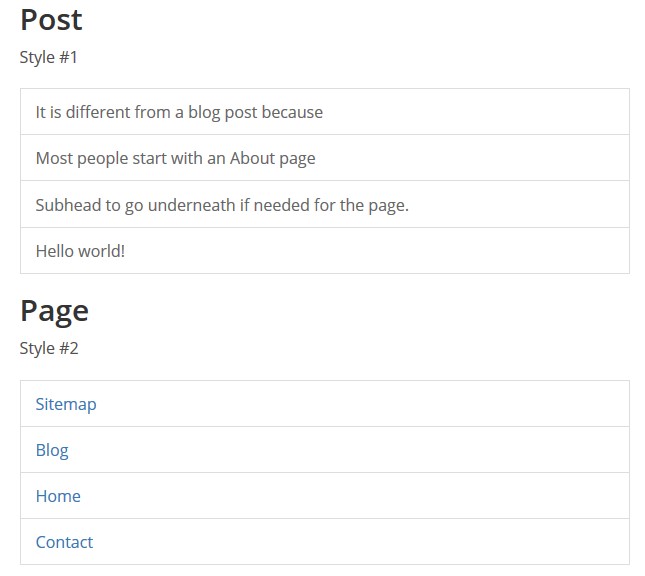
This screen shot description corresponds to screenshot-1.(png|jpg|jpeg|gif). Note that the screenshot is taken from the /assets directory or the directory that contains the stable readme.txt (tags or trunk). Screenshots in the /assets directory take precedence. For example,
/assets/screenshot-1.pngwould win over/tags/4.3/screenshot-1.png(or jpg, jpeg, gif).
This is the second screen shot1. Sitemap Style 1 & Style 2 and Page list & Post list
Reviews
Perfect for an Archive page of all your blog posts.
By 
I love this plugin! And I was surprised to see there was no reviews for it. This plugin was exactly what I was looking for. Once you add the shortcode to any of your pages, it creates a reverse-chronological, beautifully-styled list of all your blog posts. I wanted to have a simple, easy-to-browse archive page for my readers, so that they can look at all the blog posts in a list. This plugin does exactly what I need. Thank you to the developer!
Changelog
1.0.0
- initial release