WPSP Ad Blocker Alert
WPSP Ad Blocker Alert
Description
WPSP Ad Blocker Alert checks whether a visitor’s browser is blocking ads, using two tests (a CSS bait element and a script bait request), and shows a notification popup over blurred page content.
Features
- Detects common ad blockers, including uBlock Origin, AdBlock Plus, Brave Shields and AdGuard
- Customizable notification message (HTML allowed)
- Blur + popup overlay with adjustable intensity and colors
- Permanent or temporary display mode
- Whitelist specific URL paths to bypass detection on chosen pages
- Random element IDs on every page load, which makes the popup harder for filter lists to target
- Inline script delivery: the detection script is printed into the page instead of loaded from a separate file
- Test mode: append
?wpsp_ad_blocker_alert_test=1to any URL to preview without an ad blocker - Debug mode: append
?wpsp_ad_blocker_alert_debug=1to see a diagnostic overlay
Upgrade to Pro
WPSP Ad Blocker Alert Pro adds:
- Polite Notice — non-blocking top banner instead of a hard popup
- Content Paywall — hides content below the fold with a gradient gate
- Email Opt-in — show a newsletter signup form as the gate (Mailchimp integration included)
- Analytics Dashboard — charts and tables tracking blocked vs clean visits over time
- Consent / GDPR mode — skip detection if the visitor hasn’t accepted cookies
- Export opt-in emails to CSV
Installation
- Upload the
wpsp-ad-blocker-alertfolder to/wp-content/plugins/ - Activate the plugin via the Plugins menu
- Go to the WPSP Ad Blocker Alert menu item in the main admin sidebar to configure
Screenshots
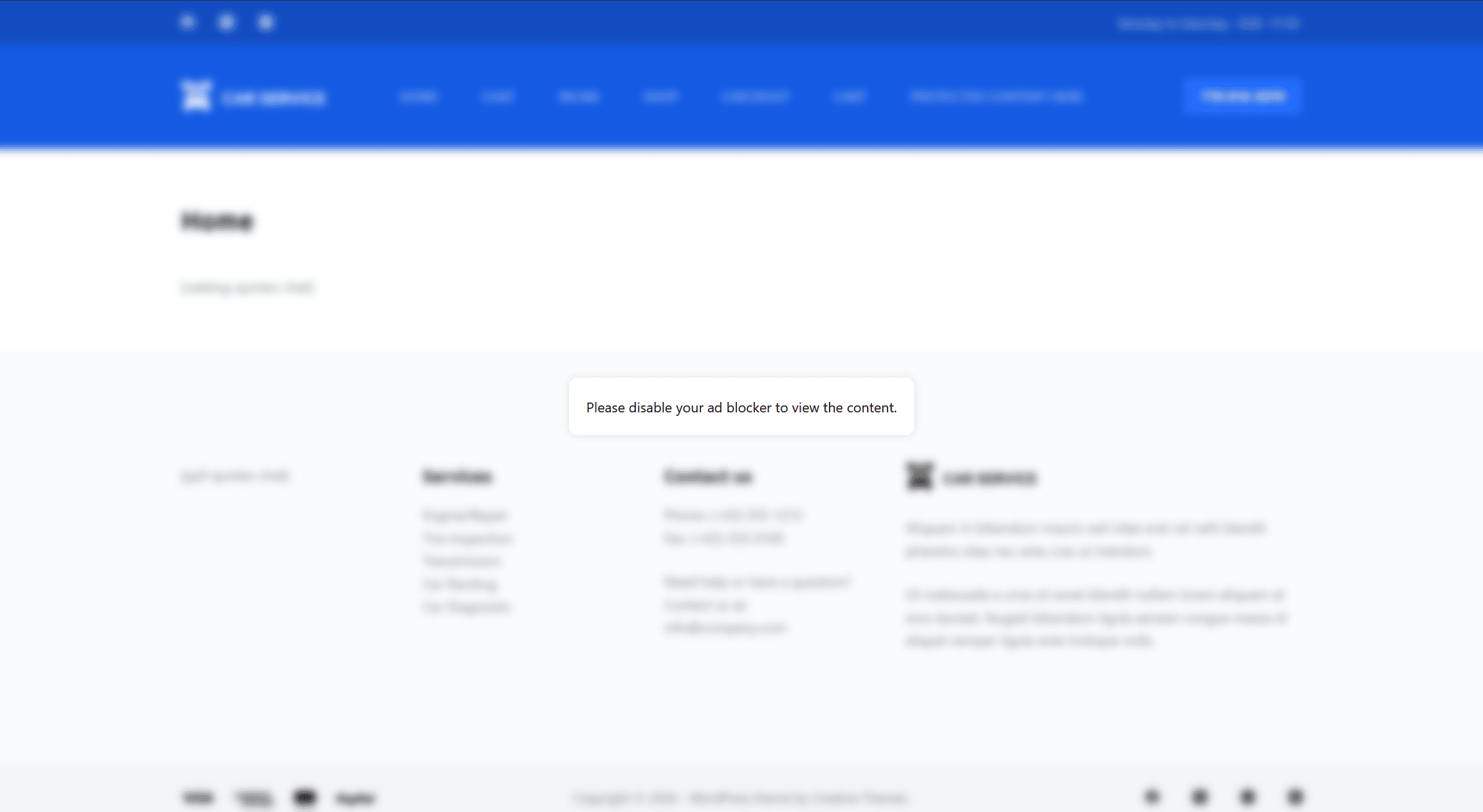
The blur + popup overlay as seen by a visitor with an ad blocker enabled.

Settings → Basic tab.

Settings → Style tab.

Settings → Display tab (permanent or temporary display, and how long the temporary notice stays).
Faq
No. Detection runs in the visitor’s browser, nothing is stored or sent anywhere, and the plugin sets no cookies and makes no requests to outside servers.
Yes. Detection runs in the visitor’s browser, so cached pages are not a problem.
The plugin tests whether typical ad elements and ad scripts are blocked, so it works with common blockers such as uBlock Origin, AdBlock Plus, Brave Shields and AdGuard. No detection method is perfect: a blocker that is configured not to block these tests, or a visitor with the blocker paused for your site, will not be detected.
Yes. Append ?wpsp_ad_blocker_alert_test=1 to any URL on your site to force the popup to appear.
Yes. It appears on every page the visitor loads, unless that page is on your Whitelist URLs list.
No, WPSP Ad Blocker Alert is designed for single-site use only.
Ask on the WordPress.org support forum — the Support tab in the plugin’s own settings links there too. WPSP Ad Blocker Alert Pro customers get priority support instead of the forum queue.
Reviews
Changelog
4.4.7
- Fixed: the settings page no longer scrolls to unrelated notices on every visit.
- Improved: background requests (AJAX, cron) are no longer redirected by the plugin screen checks.
4.4.6
- Fixed: a blank line in the whitelist no longer switches the detection off for the whole site.
- Fixed: the popup no longer appears for visitors on a poor connection, or when the bait file is missing.
- Fixed: the popup fits small screens and no longer covers the Customizer or post previews.
- Fixed: an invalid colour value no longer causes errors, and a zero popup duration becomes one second.
4.4.4
- Initial release on WordPress.org.