Connect Claude & ChatGPT to WordPress (MCP) – AI SEO + AEO Score
Connect Claude & ChatGPT to WordPress (MCP) – AI SEO + AEO Score
Description
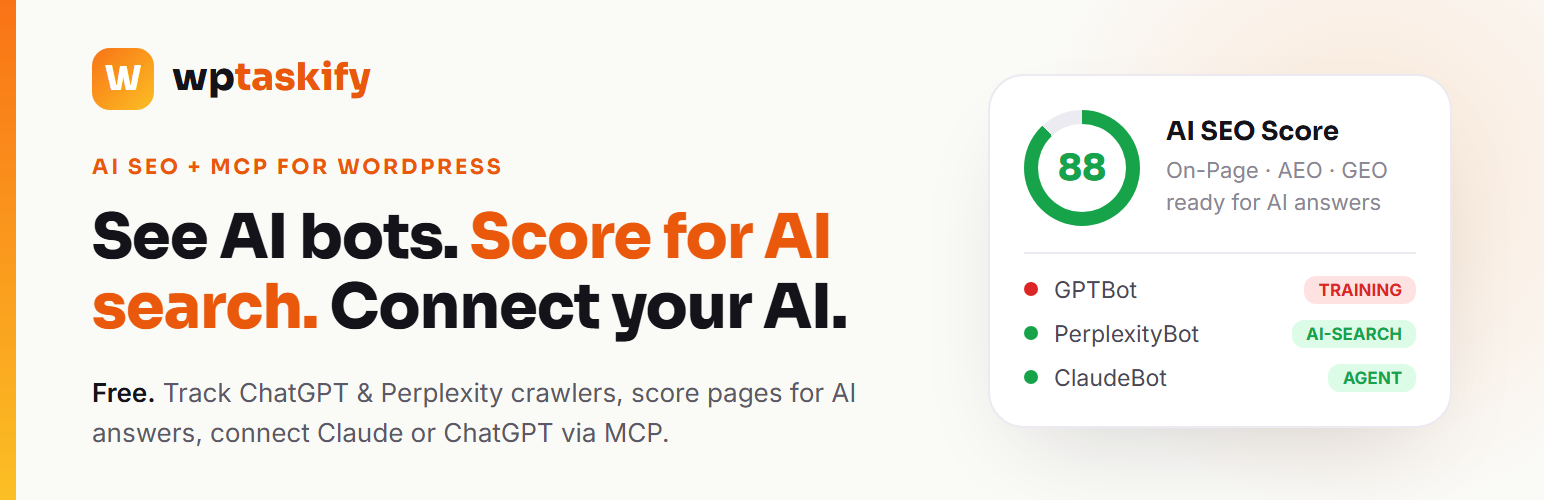
Search Signal is a free AI-SEO plugin for the AI-search era. ChatGPT, Perplexity, Google AI Overviews and Claude now answer your customers directly and cite sources, and AI bots crawl your content around the clock. This plugin gives you three things no classic SEO plugin does – it shows you which AI bots crawl your site, it scores every page for AI answer engines (AEO/GEO), and it lets you optionally connect your own AI (Claude or ChatGPT) via MCP to manage SEO for you – on top of all the classic SEO essentials (meta, schema, sitemap, WebP). No account needed, no vendor lock-in, free forever.
See and control the AI crawlers on your site
- AI crawler log – which AI bots visited (GPTBot, ClaudeBot, PerplexityBot, Google-Extended, CCBot, Bytespider and more), when, and on which pages. Runs entirely on your own site – no external service.
- Bot classification – every bot is sorted into Training (takes content to train models), AI-Search (can cite you and send traffic) and Agent (a real person’s AI visiting now), so you know exactly who to allow or block.
- One-click AI Access Control – allow or block any AI bot by type; the plugin writes the correct robots.txt rules for you (block the training scrapers, keep the AI-search bots that cite you).
- AI referral traffic – see visitors who arrived from an AI answer (ChatGPT, Perplexity, Gemini, Copilot).
- Dead-link finder for AI – spot the 404s AI bots hit so you can fix them.
Score your content for AI answer engines (AEO / GEO)
- AI SEO Score – a site-wide scorecard across On-Page, Technical, AEO (answer-engine optimization) and GEO (generative-engine / AI-citation), measured from your own published content.
- Per-post AEO Analyzer – checks each post for a direct answer, an FAQ block, citation-readiness, a clear entity definition and freshness – the signals AI engines actually use to cite you.
- Brand Visibility – see how an AI assistant describes your brand today and what to improve (optional, uses the wptaskify service – see External services).
Optional: connect your own AI via MCP (Claude, ChatGPT & more)
Search Signal is also an MCP (Model Context Protocol) connector for WordPress. Connect your own Claude or ChatGPT once, and your AI can read your SEO data and apply fixes for you – write meta and AEO content, add schema, and optimize posts – all on your instruction.
- Bring your own AI – no lock-in. Use whichever AI you already pay for (Claude or ChatGPT). There is no bundled, per-action AI fee.
- You stay in control. The connector works on your instruction only; you approve changes, and everything above works fully without ever connecting.
- Secure by design. Connecting creates a scoped WordPress Application Password; you can disconnect any time.
This MCP connector is completely optional – every crawler, AEO and classic-SEO feature works on its own with no account and no external requests.
Classic SEO, done right (all free)
- SEO title & meta description with a live Google-style snippet preview
- Focus keyword with a real-time SEO score
- Open Graph (Facebook) and Twitter Card tags
- Canonical URLs and noindex control
- JSON-LD structured data: Organization, WebSite, Breadcrumb, Article, Product, FAQPage, HowTo
- Automatic llms.txt (the AI-crawler guide file), plus an optional XML sitemap you can turn on
- On-the-fly image WebP for faster pages (originals kept – SEO-safe)
- robots.txt editor
Why Search Signal
- Built for AI search, not just Google. Classic SEO plugins optimize for blue links; Search Signal also wins you AI citations and shows you the AI bots most SEO tools ignore.
- Free forever, no account. The crawler log, bot control, AEO score, schema, sitemap, meta and WebP are all free and work with zero setup.
- Bring your own AI. The optional MCP connector uses the Claude or ChatGPT you already have – no second AI subscription, no lock-in.
- Honest by design. The plugin is clear about what robots.txt can and can’t block, and what data (if any) leaves your site.
External services
This plugin can OPTIONALLY connect to the third-party service wptaskify (https://wptaskify.com). It contacts wptaskify only when YOU take an action – never automatically in the background. If you never click Connect or run a Brand check, this plugin makes no external requests.
- Connect to AI: When you click “Connect to AI”, the plugin creates a WordPress Application Password and sends your site URL, WordPress username, account email, and that Application Password to wptaskify so an AI assistant you authorize can manage your SEO. Clicking “Disconnect” sends your site URL to wptaskify to remove the connection. While connected, the plugin checks your connection/plan status by sending your site URL to wptaskify.
- Brand Visibility: When you click “Check what AI says about my brand”, the plugin sends your site URL and brand/site name to wptaskify, which asks an AI model and returns the answer. Requires an active connection.
- Why: So an AI assistant you authorize can read and write your SEO on your instruction, and so we can show how AI describes your brand.
- Service provider: wptaskify – Terms of Use: https://wptaskify.com/terms – Privacy Policy: https://wptaskify.com/privacy
Google Analytics (only if YOU enable it): If you enter a Google Analytics 4 Measurement ID in the plugin’s settings, the plugin loads Google’s analytics script (https://www.googletagmanager.com/gtag/js) on your public pages so Google can measure your traffic. This happens only when you have set a GA4 ID; leave it blank and no Google script is loaded. Data (page views and visitor information) is sent to Google under your own Analytics account.
- Service provider: Google – Terms of Service: https://policies.google.com/terms – Privacy Policy: https://policies.google.com/privacy
Installation
- Upload the plugin to
/wp-content/plugins/, or install it from Plugins > Add New. - Activate it.
- Edit any post or page – the SEO box appears below the editor with a live snippet preview and score.
- Open wptaskify > AI Traffic to see which AI bots crawl your site and control their access.
- (Optional) Open wptaskify > Dashboard > Connect to AI to let Claude or ChatGPT manage your SEO.
Faq
Yes, free forever. The AI crawler log, bot control, AEO score, schema, sitemap, meta, WebP and robots.txt tools are all free and work without any account. The optional MCP connector uses your own AI (Claude or ChatGPT), so there is no bundled AI fee either.
MCP (Model Context Protocol) is the open standard that lets AI assistants like Claude and ChatGPT securely work with your apps. With Search Signal you can optionally connect your own AI once, and it can then read your SEO data and apply fixes on your instruction – write meta and AEO content, add schema, and optimize posts. You bring your own AI (no lock-in), you approve changes, and you can disconnect any time.
No. Connecting is optional. Everything except Brand Visibility works with no account and no external requests. Connect only if you want your own AI (Claude or ChatGPT) to manage your SEO for you.
Most MCP plugins just connect AI to WordPress; most SEO plugins only optimize for Google’s blue links. Search Signal does both, with a focus classic tools miss: it tracks and classifies the AI bots crawling you, scores your pages for AI answer engines (AEO/GEO), and adds the optional bring-your-own-AI connector – all free.
It writes the correct robots.txt rules for you. Reputable bots (OpenAI, Anthropic, Google, Perplexity) obey robots.txt; some ignore it. For hard blocking, use a firewall or CDN. The plugin makes this honest and clear in the UI.
It logs bots that identify themselves in their user-agent. Some AI agents browse anonymously and cannot be detected from server logs – the plugin says so and never claims otherwise.
Yes, both.
Run one SEO plugin at a time to avoid duplicate meta tags.
Nothing, unless you click Connect or run a Brand check. See “External services” above for exactly what is sent and when.
Reviews
WP Taskify has completely changed the way I work with WordPress
By 
I use WP Taskify extensively to manage, develop and optimize a professional WordPress website, and I am genuinely impressed by this tool.
The integration with ChatGPT completely changes the way you can work with WordPress. Tasks that previously required a lot of time and numerous manual steps can now be handled much more efficiently, while still keeping control over what is being done.
Studio is particularly powerful and has become indispensable to the way I work.
Beyond the quality of the plugin itself, I also want to highlight something especially important: the quality of the support and Saurabh’s commitment to his users.
He is extremely responsive, listens carefully to feedback and pays real attention to situations encountered through professional, real-world use. Suggestions and issues are taken seriously, and the product is evolving quickly.
WP Taskify has become important enough in my workflow that I have now decided to use it for a second, completely different WordPress project as well.
It is quite rare for a tool to genuinely change the way you work. For me, WP Taskify is one of those tools.
I highly recommend it to anyone who wants to discover a new and powerful way of working with WordPress and artificial intelligence.
5 stars, absolutely deserved. ⭐⭐⭐⭐⭐
Changelog
1.0.8
- Fixed: local-business details (opening hours, phone, address, service areas, etc.) now appear in the schema even when the “Business type” is left as “Not a local business”. Previously they only showed after a business type was selected, so opening hours could be saved but not output.
1.0.7
- Critical fix: the 1.0.6 update could trigger a fatal error (“Call to a member function add_rule() on null”) on some sites, because a rewrite-rules refresh ran too early during load. The refresh now happens safely on the
inithook. Please update immediately.
1.0.6
- New: the XML sitemap now has a clean, human-readable design when opened in a browser (a styled page with a URL table instead of raw code), while search engines still read it as a normal XML sitemap.
- Hardening: the sitemap output is now guarded against stray whitespace or a byte-order mark added by other themes/plugins, which is the usual cause of the “your sitemap appears to be an HTML page” warning in Search Console.
1.0.5
- New: full Local Business schema. Set a business type (Plumber, Electrician, Restaurant, Store, Dentist, and more) plus phone, email, address, map coordinates, price range, founding year, service areas, opening hours and a license/credential – the plugin outputs valid LocalBusiness structured data. All optional; leave the business type on “Not a local business” and nothing changes.
- New: more page schema types – WebPage, Service, ContactPage, CollectionPage, AboutPage – with an optional Service name and a Breadcrumb parent picker per page.
- Improved: pages now use WebPage schema and posts use Article (previously every page was marked as an Article, which search engines flag as incorrect). A page with an explicit schema type is unchanged.
- Improved: BreadcrumBList now follows the page hierarchy (Home > Parent > Page), matching the visible breadcrumb. Top-level pages are unchanged.
- New: automatic FAQ schema – any page with
<details><summary>question blocks now emits FAQPage structured data with no extra setup. - Fixed: the XML sitemap no longer lists the home page twice when a static front page is used.
- All of the above is also readable and writable by your connected AI (Claude / ChatGPT) via the REST API.
1.0.4
- XML sitemap is now an opt-in choice (Tools > XML sitemap), OFF by default, so the plugin never replaces a sitemap your site already uses. Sites that were already using the wptaskify sitemap keep it on automatically after updating – no change for you.
1.0.3
- Listing: clearer title, description and tags so people searching for how to connect Claude or ChatGPT to a self-hosted WordPress site can find the plugin. No functional changes.
1.0.2
- Security (hardening): raw tags in the optional “head code” box are now only accepted from users who have the unfiltered_html capability. On single-site this is unchanged for administrators; on multisite, site administrators (who do not have unfiltered_html) can still add verification and tags but no longer a raw , matching WordPress’s own capability model.
- Privacy: one-click Connect now hands the application password to wptaskify.com over a server-to-server request instead of a browser redirect URL, so the credential no longer appears in the URL. Existing connections are unaffected.
1.0.1
- Security: the term-seo and author-seo REST read endpoints now require the manage_options capability (the same as their write endpoints), so archive SEO metadata is not readable by lower-privileged roles.
- Reliability: the SEO score calculator no longer assumes the mbstring extension is present. It falls back to the core string functions when mbstring is unavailable, preventing a possible fatal error on hosts without it.
1.0.0
- Initial release: AI crawler log with Training/AI-Search/Agent classification, one-click AI Access Control (robots.txt), AI referral tracking, dead-link finder, AI SEO Score, per-post AEO Analyzer, Brand Visibility, SEO meta + focus keyword + score, schema (Article, FAQ, HowTo, Product, Organization, WebSite, Breadcrumb), Open Graph, Twitter Cards, canonical, noindex, XML sitemap, llms.txt, image WebP, robots.txt editor, and an optional AI connector.