WP Telegram Login & Register

WP Telegram Login & Register
Description
Let the users login to your website with their Telegram and make it simple for them to get connected and let them receive their email notifications on Telegram.
Why Telegram Login?
- Removes the lengthy registration forms
- Removes the need for captchas
- Removes the need for email verification
- No “forgot password?” stuff
- Provides enough information about the user
Features
- Safe, secure and easy login method
- Relies upon SHA-256 hashed data strings
- User data is trustworthy – verified by Telegram
- Can be used to prevent spam registrations
- Easy to install and set up for the admin
- Can be used to let new users sign up
- Existing users can connect their Telegram account
- Users can be given any desired role on the website
- Login button can be displayed anywhere
- Can be extended with custom code
Widget Info
Goto Appearance > Widgets and click/drag WP Telegram Login and place it where you want it to be.
Alternatively, you can use the below shortcode.
Inside page or post content:
[wptelegram-login button_style="large" show_user_photo="1" corner_radius="15" show_if_user_is="logged_in"]
Inside the theme templates
<?php
if ( function_exists( 'wptelegram_login' ) ) {
    $args = array(
        // 'show_user_photo' => false,
        // 'corner_radius'   => 15,
        // 'button_style'    => 'large',
        // 'show_if_user_is' => 'logged_out',
    );

    wptelegram_login( $args );
}
?>
or
Telegram Web App data
The plugin can also handle the data sent by the Telegram Web App. Simply send window.Telegram.WebApp.initData query string to this URL:
http://<your-website.com>/?action=wptelegram_login&source=WebAppData
The final URL might look like this:
http://<your-website.com>/?action=wptelegram_login&source=WebAppData&query_id=XXXX&user=XXXX&auth_date=XXXX&hash=XXXX
The plugin will:
- Validate the data for you
- Create a user account for the user if it doesn’t exist
- Login the user to the website in the context of your Web App.
Note: You need to use the same bot token for both the plugin and the Web App.
Excellent Support
Join the Chat
We have a public group on Telegram to help set up the plugin and discuss issues, features, translations, etc. Join @WPTelegramChat
For rules, see the pinned message. No spam, please.
Get in touch
- Website wpsocio.com
- Telegram @WPTelegram
- Facebook @WPTelegram
- Twitter @WPTelegram
Contribution
Development takes place in our Github monorepo, and all contributions welcome.
Installation
Automatic installation
Automatic installation is the easiest way — WordPress will handle the file transfer, and you won’t need to leave your web browser. To do an automatic install of the plugin:
- Log in to your WordPress dashboard
- Navigate to the Plugins menu, and click “Add New”
- In the search field type “wptelegram-login” and hit Enter
- Locate the plugin in the list of search results
- Click on “Install Now” and wait for the installation to complete
- Click on “Activate”
Manual installation
Manual installation method requires downloading the plugin and uploading it to your web server via your favorite FTP application. The official WordPress documentation contains instructions on how to do this here.
Updating
Automatic updates should work smoothly, but we still recommend you back up your site.
Screenshots
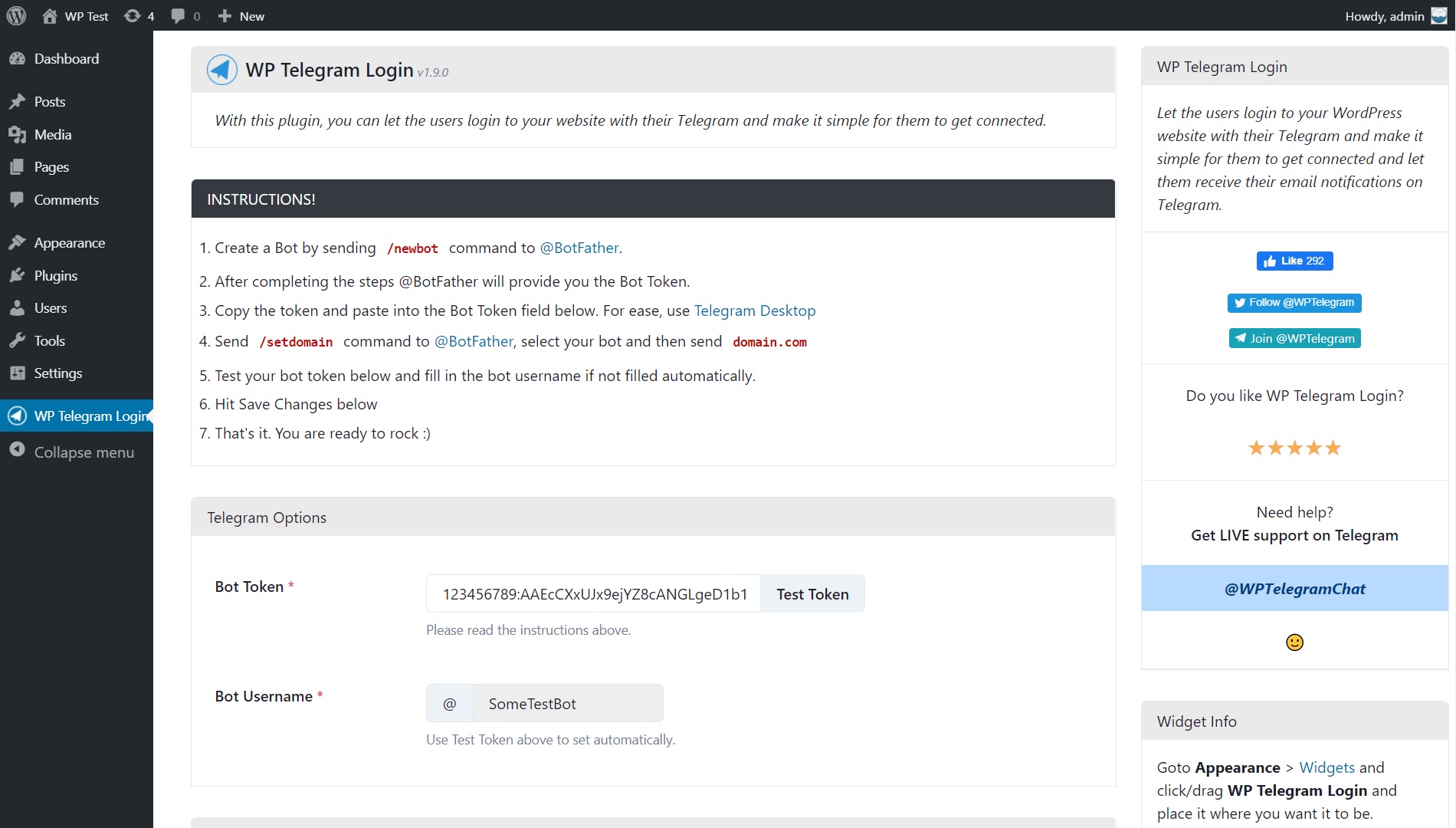
Settings Page
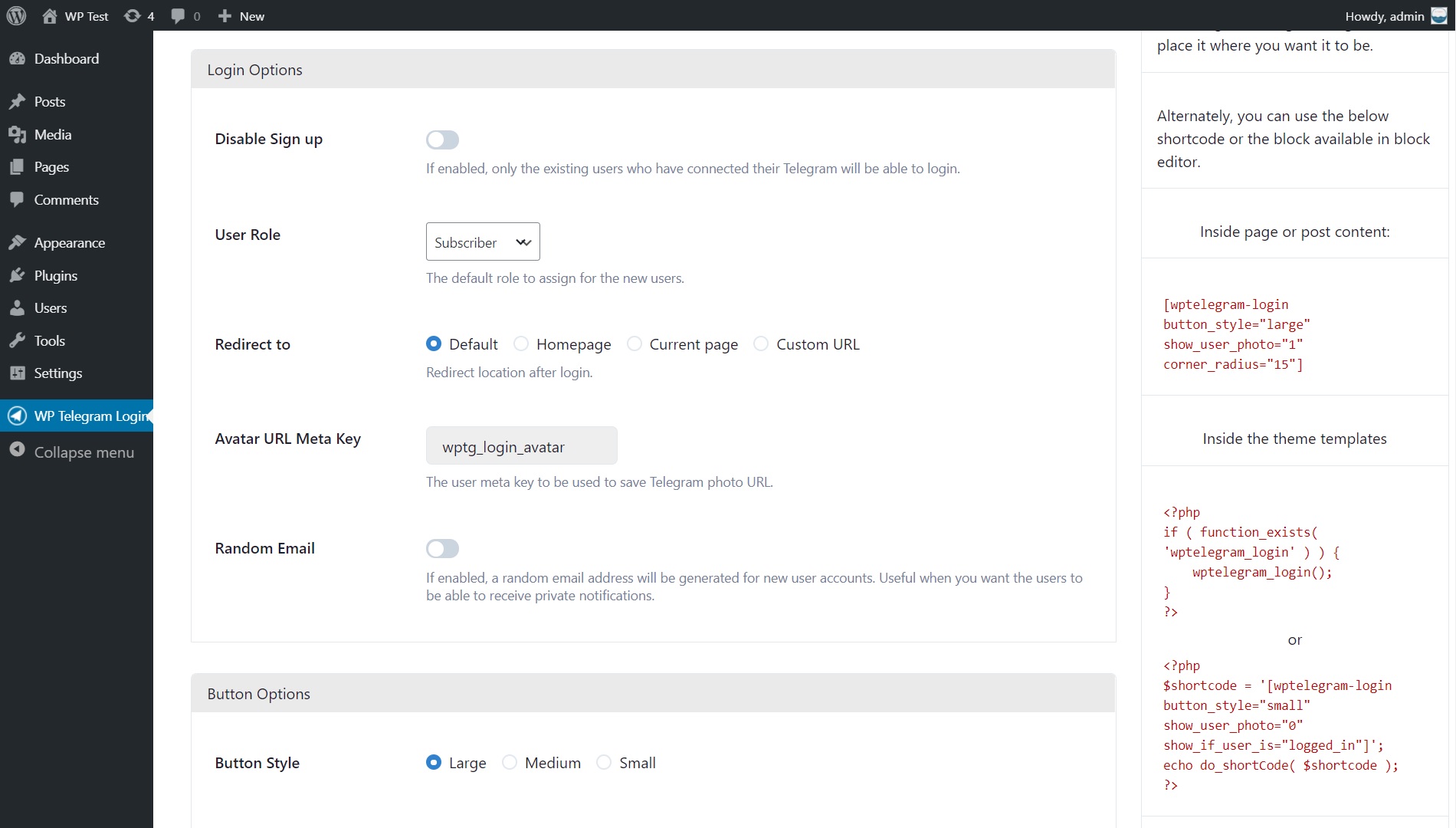
Settings Page (Cont...)

Settings Page (Cont...)
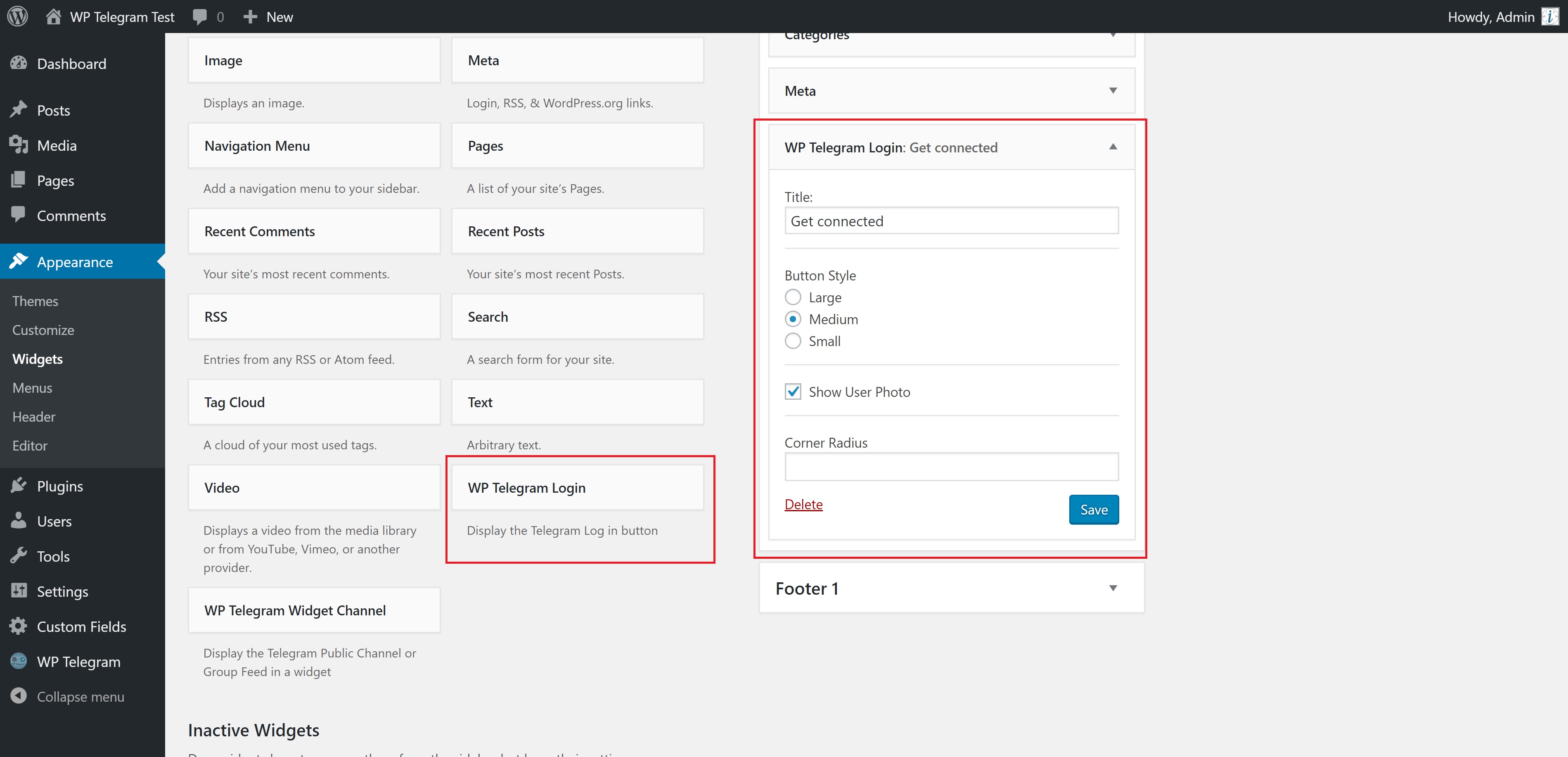
Widget Settings (back-end)
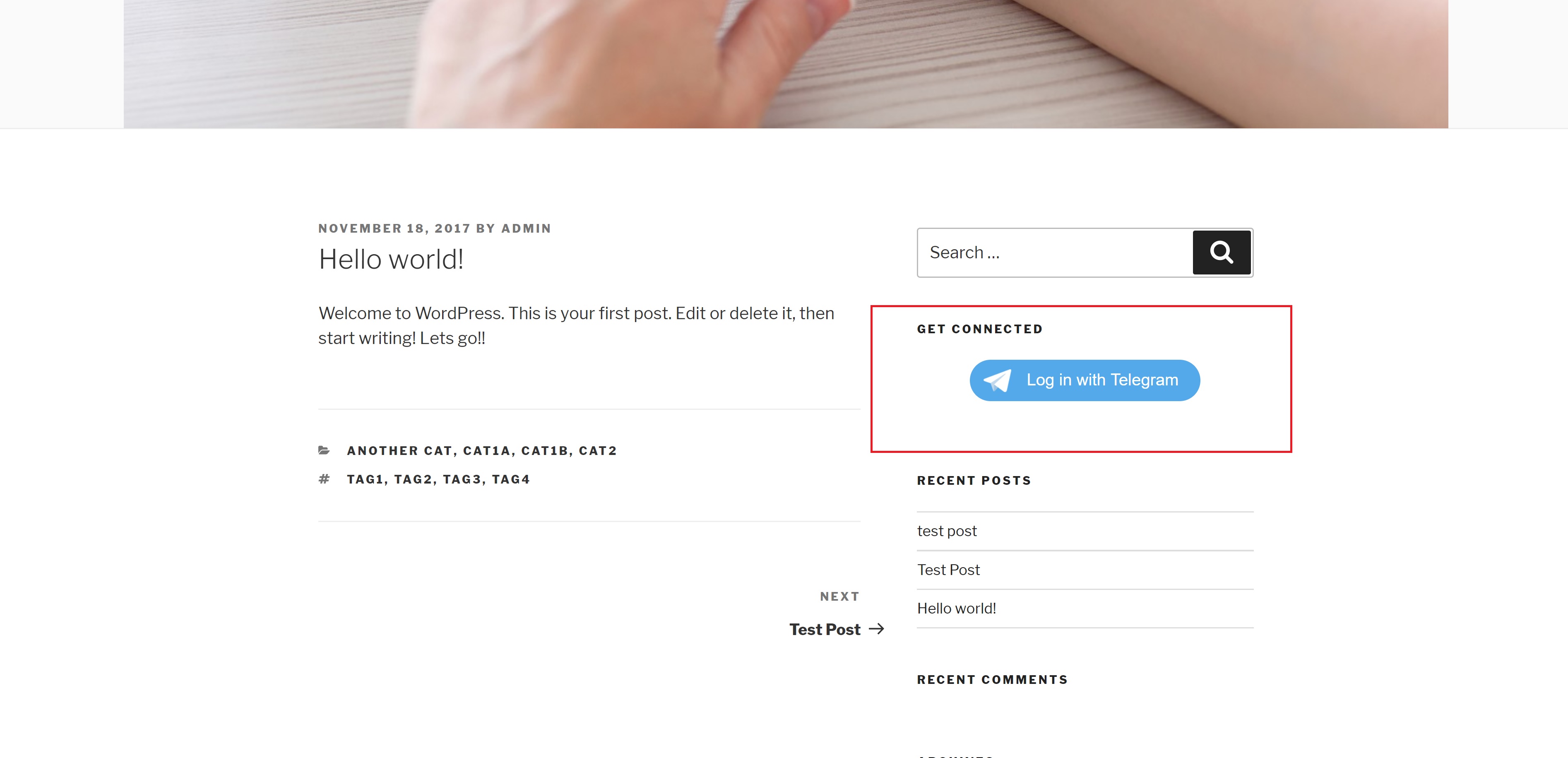
Widget View (front-end)

Login and Register page
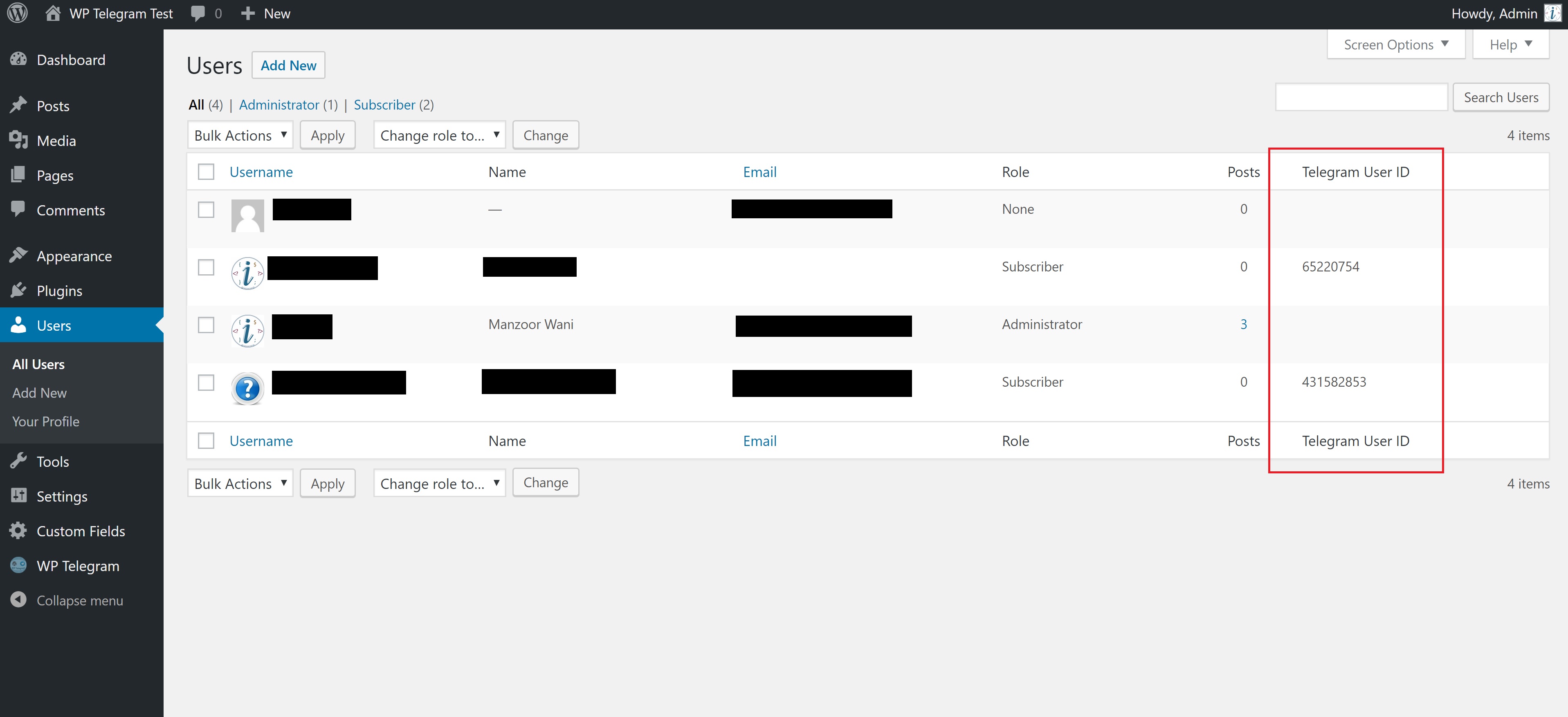
User List Table (for admin)
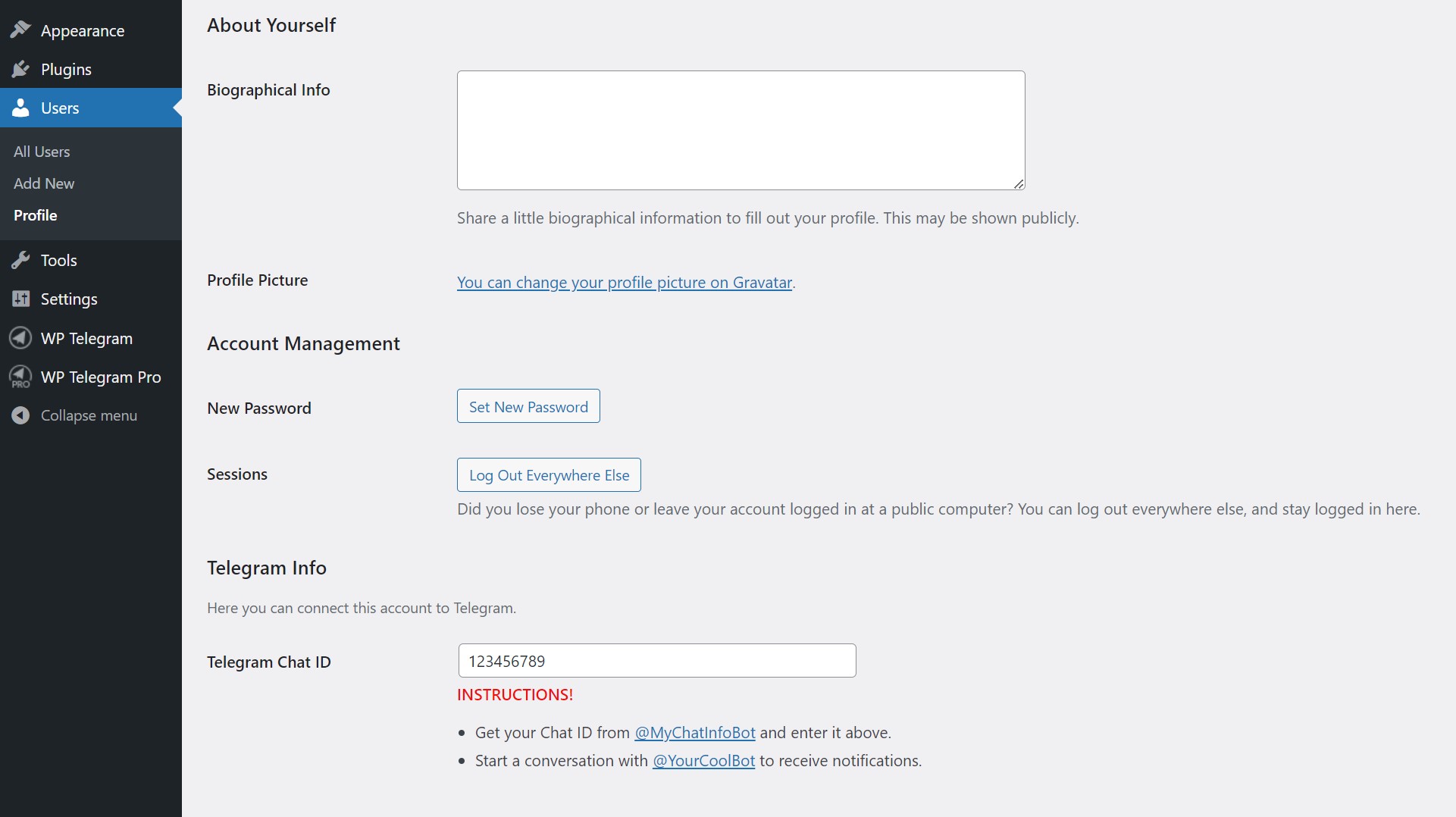
User Profile (wp-admin)
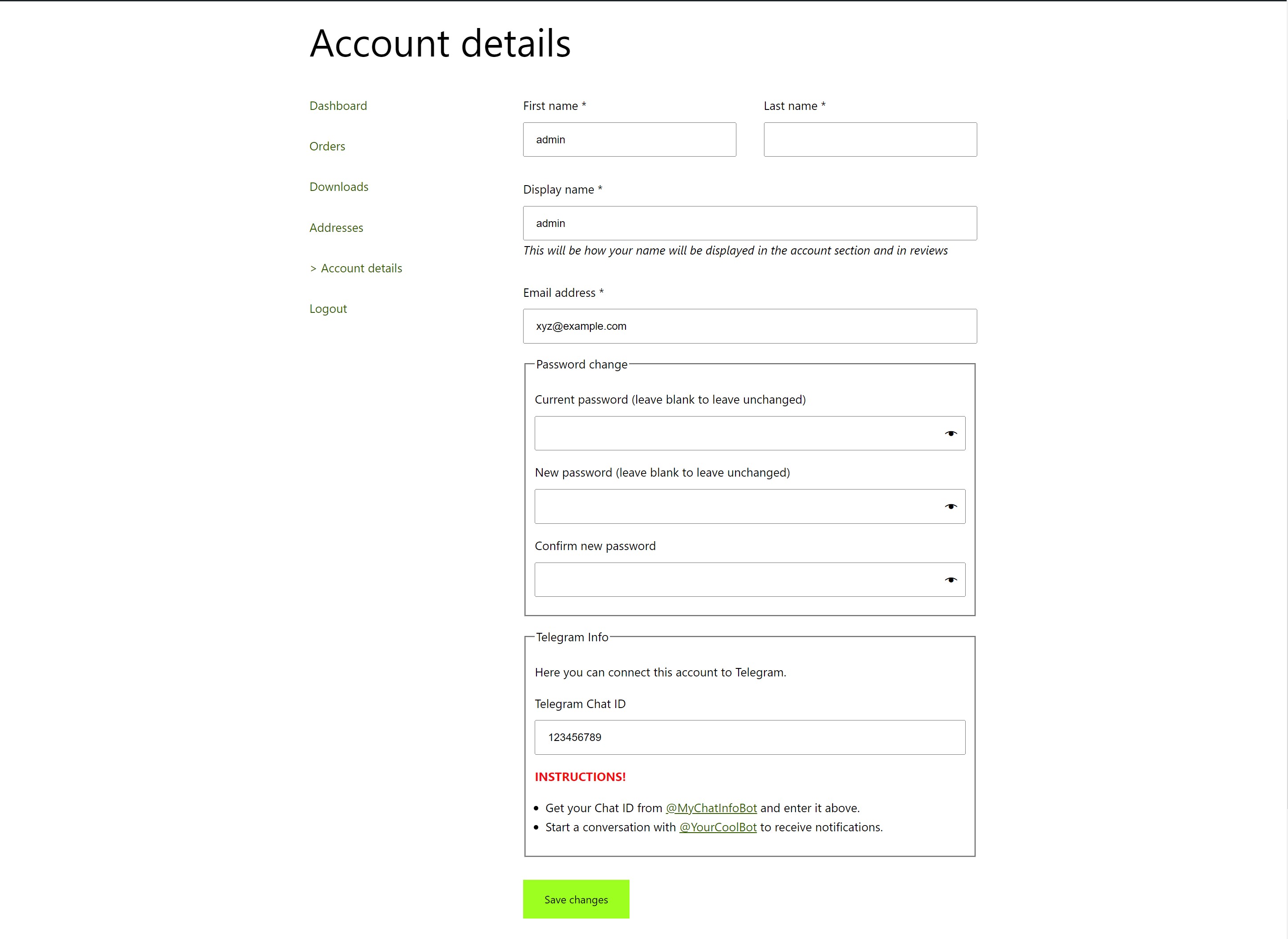
WooCommerce Account Page
Faq
Sorry, that’s not possible because Telegram allows only a single button per page.
Please follow the instructions given on the WP Telegram Login settings page.
It looks like you missed one that says to send the /setdomain command to @BotFather.
Reviews
Great Telegram related plugins
By 
Great plugins and supports from the plugin author. Been using few plugins related to Telegram from the same author. Hopefully the author could produce more plugins related to Telegram such as Telegram Mini Apps, Telegram Star, Telegram bot (ability to control bot from wp). Thanks always for this great plugins and great support. Keep up the good work.
Очень классный плагин — установил и всё GOOD
By 
add_filter('wpsocio\wputils\options_wptelegram_login_get_bot_token', function ($value) {
    return BOT_TOKEN;
});

add_filter('wpsocio\wputils\options_wptelegram_login_get_bot_username', function ($value) {
    return BOT_USERNAME;
});

add_filter('wpsocio\wputils\options_wptelegram_login_get_redirect_to', function ($value) {
    return 'custom_url';
});

add_filter('wpsocio\wputils\options_wptelegram_login_get_redirect_url', function ($value) {
    return admin_url('edit.php?post_type=product&page=bot');
});

add_filter('wpsocio\wputils\options_wptelegram_login_get_disable_signup', function ($value) {
    return true;
});

add_filter('wpsocio\wputils\options_wptelegram_login_get_show_user_photo', function ($value) {
    return true;
});

add_filter('wpsocio\wputils\options_wptelegram_login_get_lang', function ($value) {
    return defined('BOT_DEFAULT_LANGUAGE') ? BOT_DEFAULT_LANGUAGE : 'en';
});
not work
By 
in telegram mini-apps
High quality plugin and great support
By 
I just tried WP Telegram Login and WP Telegram Login Pro, and I have to say it's an excellent plugin with a lot of features. The support team is also very helpful, offering direct chat for instant assistance instead of email, which is fantastic.
Working awesome
By 
Great job, thanks
Seamless Integration and Exceptional Support!
By 
I recently integrated the WP Telegram Login & Register plugin into my website, and I couldn't be happier with the results. This plugin offers a seamless and efficient way for users to log in and register through Telegram, adding a new level of convenience to the user experience.
What truly sets this plugin apart, however, is the outstanding support provided by the development team. When I encountered a specific customization challenge, the support team not only responded promptly but also went above and beyond to create a tailored solution for my needs. Their friendly and professional approach made the entire process smooth and enjoyable.
The plugin itself is well-designed, easy to configure, and functions flawlessly. The Telegram integration is a game-changer, offering a secure and user-friendly alternative for login and registration. Plus, the customization options provided by the plugin allow for a seamless integration with the overall look and feel of my website.
In conclusion, the WP Telegram Login & Register plugin exceeded my expectations, not only in terms of functionality but also in the level of support provided. If you're looking for a reliable and user-friendly solution with exceptional customer service, look no further. I highly recommend this plugin to anyone seeking a top-notch Telegram login and registration experience for their WordPress site.
Simple & Best telegram API Plugin
By 
Simple & Best telegram API Plugin
прекрасная поддержка
By 
все мои вопросы были решены в течении 1 минуты в чате поддержки.
превосходные разработчики этого решения.
самое главное правильно и точно задавать вопросы !!!
Great plugin and support
By 
Pretty self explanatory and easy to use. Following the instructions will give you the wanted result. Very important - use SAVE after inserting the api key. I lost 30m because i couldn't realized that i didn't press save 🙂
Great plugin and great support.
By 
Tried to solve the problem, but not with my knowledge. I contacted support and described my problem. I was incredibly surprised, the author issued an update for me the next day where everything worked in the best way. This, of course, does not mean that it will always be like this for everyone (not everything can be done, people are calmer 😀 ), but it seems to me that the solution that I was looking for and implemented by the developer is useful not only for me and I came across very early ones in the forum threads similar questions poorly asked.
The plugin itself works perfectly and performs all the functions assigned to it.
Thanks a lot!