WPvivid — Backup, Migration & Staging
WPvivid — Backup, Migration & Staging
Description
WPvivid Backup & Migration Plugin offers backup, migration, and staging (create a staging site on a subdirectory to safely test WordPress, plugins, themes and website changes) as basic features.
WPvivid Backup & Migration for MainWP
WPvivid Backup & Migration for MainWP is now available to download.
WPvivid Backup & Migration for MainWP allows you to set up and control WPvivid Backup & Migration plugins for all child sites directly from your MainWP dashboard.
WPvivid Backup & Migration Pro is Now Available
- Customize everything to backup
- Create staging sites and push staging sites to live
- Incremental backups
- Database backup encryption
- Auto backup WordPress, themes, and plugins
- WordPress multisite backup
- WordPress multisite staging
- Create a fresh WP install
- Advanced remote backups
- Advanced backup schedules
- Restore remote backups
- Migrate a site via remote storage
- Migrate a childsite (MU) to a single WordPress install
- White label WPvivid Backup & Migration Pro
- Control user access to WPvivid Backup & Migration Pro
- More amazing features
See a review video on WPvivid Backup & Migration Pro:
Get WPvivid Backup & Migration Pro
Core Features
1. Easy Backups
Easily create a backup of your WordPress site. You can choose to backup the entire site(database+files), all files, or database only.
2. Auto Migration
Clone and migrate your WordPress site to a new domain with a single click. WPvivid Backup & Migration Plugin supports site migration from dev environment to a new server, from dev environment to a new domain or from a live server to another.
3. Create A Staging Site
Create a staging site on a subdirectory of your production site to safely test WordPress, plugins, themes and website changes. You can choose what to copy from the the live site to the staging site.
4. Scheduled Backups
Set a schedule to run backups automatically on your website. You can set the backups to run every 12 hours, daily, weekly, fortnightly, monthly, choose backup items and destination.
5. Offsite Backup to Remote Storage
Send your backups offsite to a remote location. WPvivid Backup & Migration Plugin supports the leading cloud storage providers: Dropbox, Google Drive, Amazon S3, Microsoft OneDrive, DigitalOcean Spaces, FTP and SFTP.
6. One-Click Restore
Restore your WordPress site from a backup with a single click.
7. Cloud Storage Supported
WPvivid Backup & Migration plugin supports Dropbox, Google Drive, Microsoft OneDrive, Amazon S3, DigitalOcean Spaces, SFTP, FTP. WPvivid Backup & Migration Pro also supports Wasabi, pCloud, Backblaze, WebDav and more.
Minimum Requirements to use WPvivid Backup & Migration plugin
- Character Encoding UTF-8
- PHP version 5.3
- MySQL version 4.1
- WordPress 4.5
External Services
This plugin can optionally connect to third-party storage providers — Google Drive, Dropbox, Microsoft OneDrive, Amazon S3, DigitalOcean Spaces, and FTP/SFTP servers — to store backup files. When remote storage is enabled, backup archives and required authentication tokens are sent to the selected service’s API. Use of these services is subject to their own terms and privacy policies.
Installation
Install WPvivid Backup & Migration Plugin
1.Go to your sites admin dashboard.
2.Navigate to Plugins Menu and search for WPvivid Backup & Migration.
3.Find WPvivid Backup & Migration and click Install Now.
4. Click Activate.
Screenshots
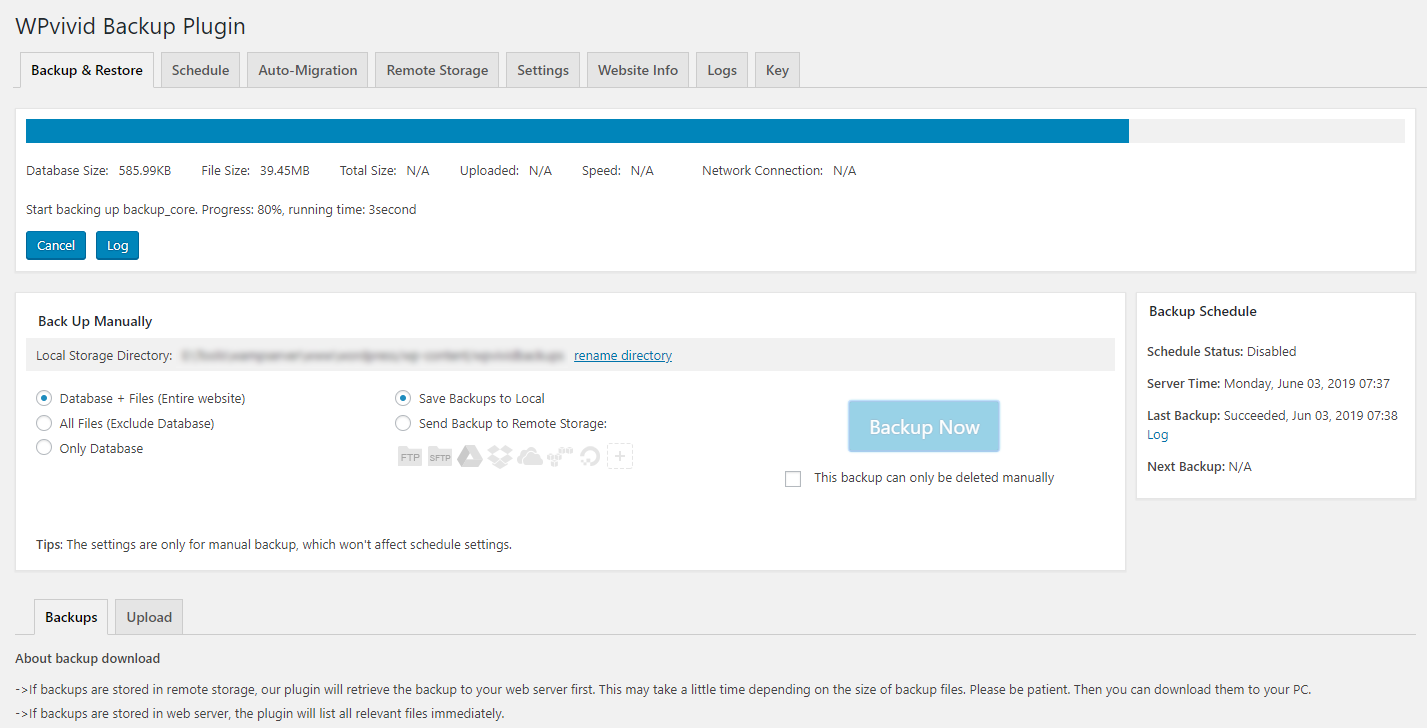
Backing up a site
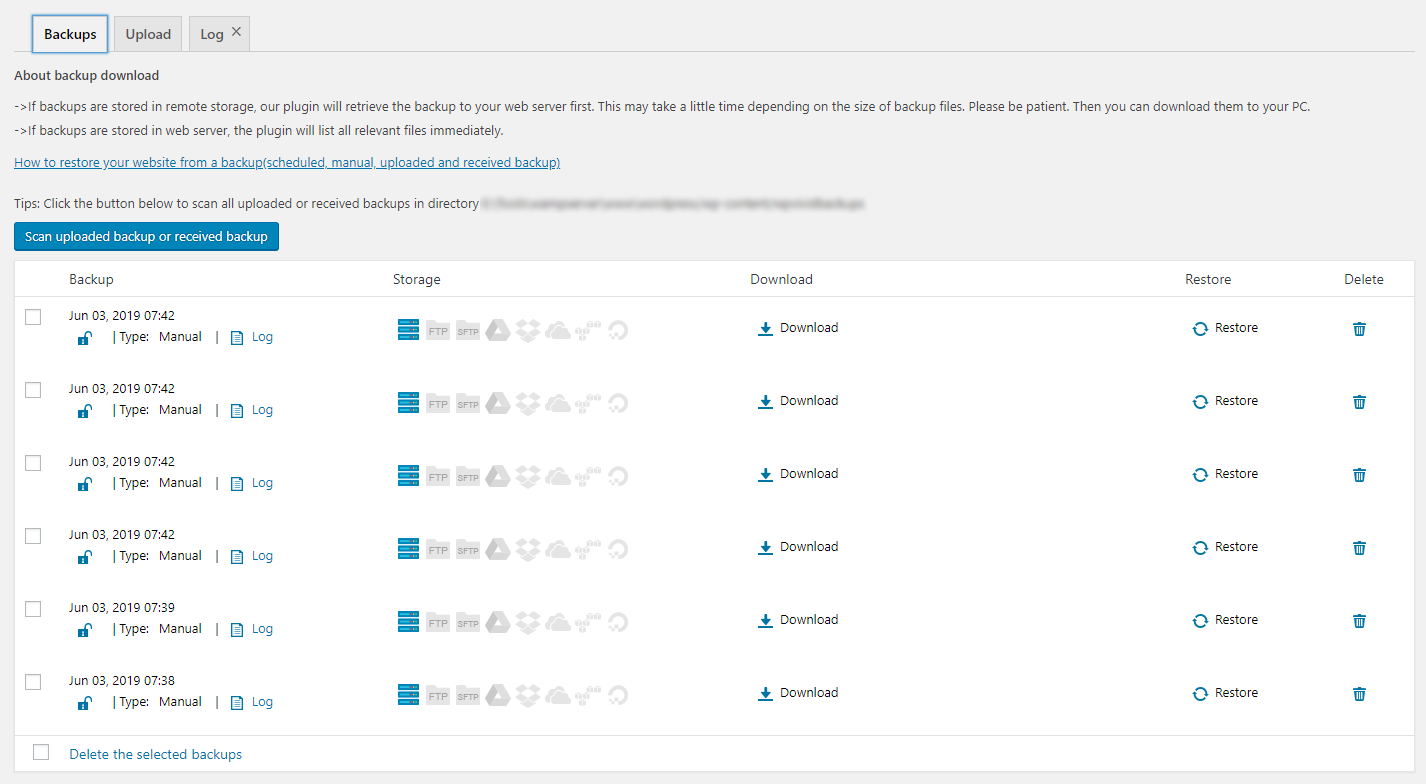
Backup list
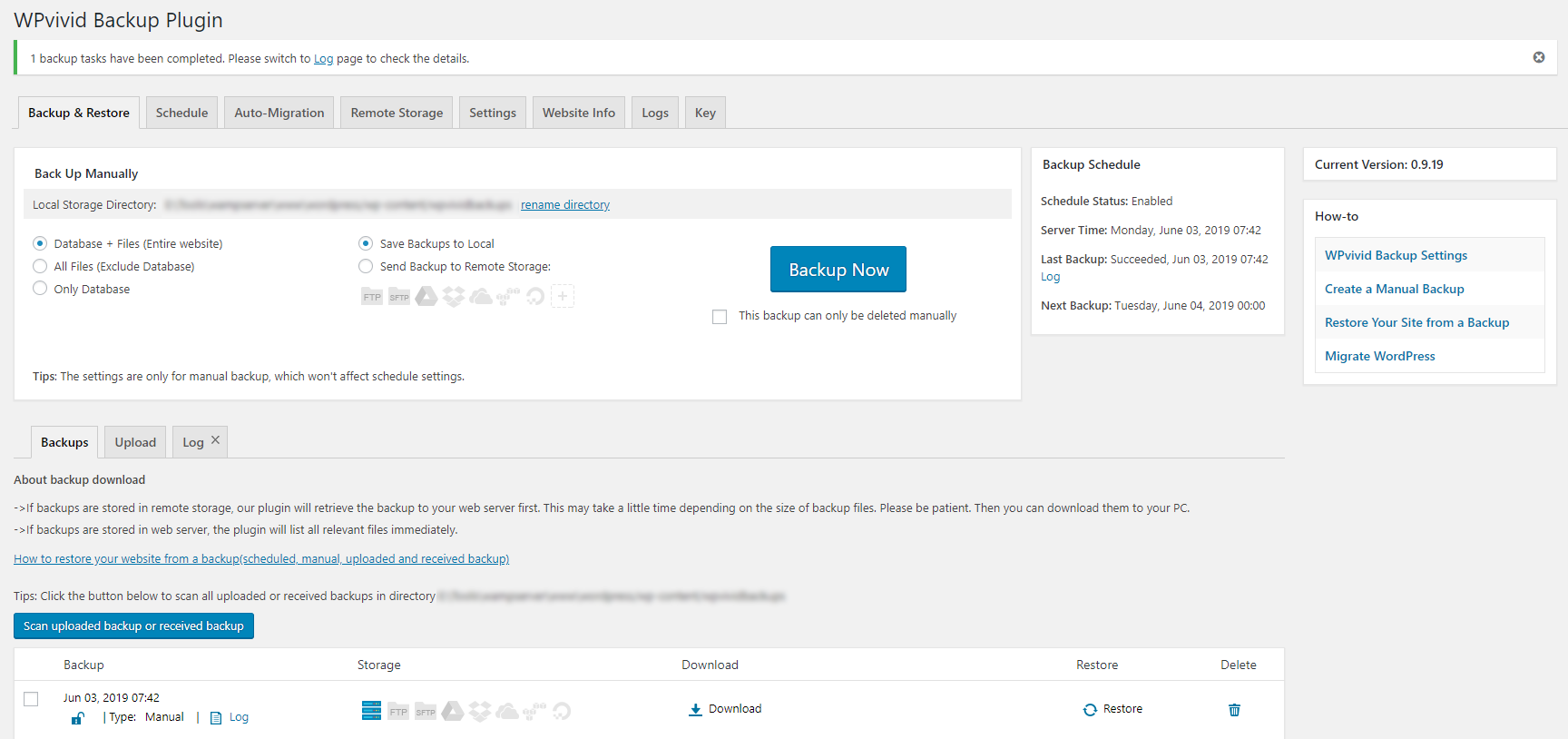
WPvivid Backup & Migration plugin Dashboard
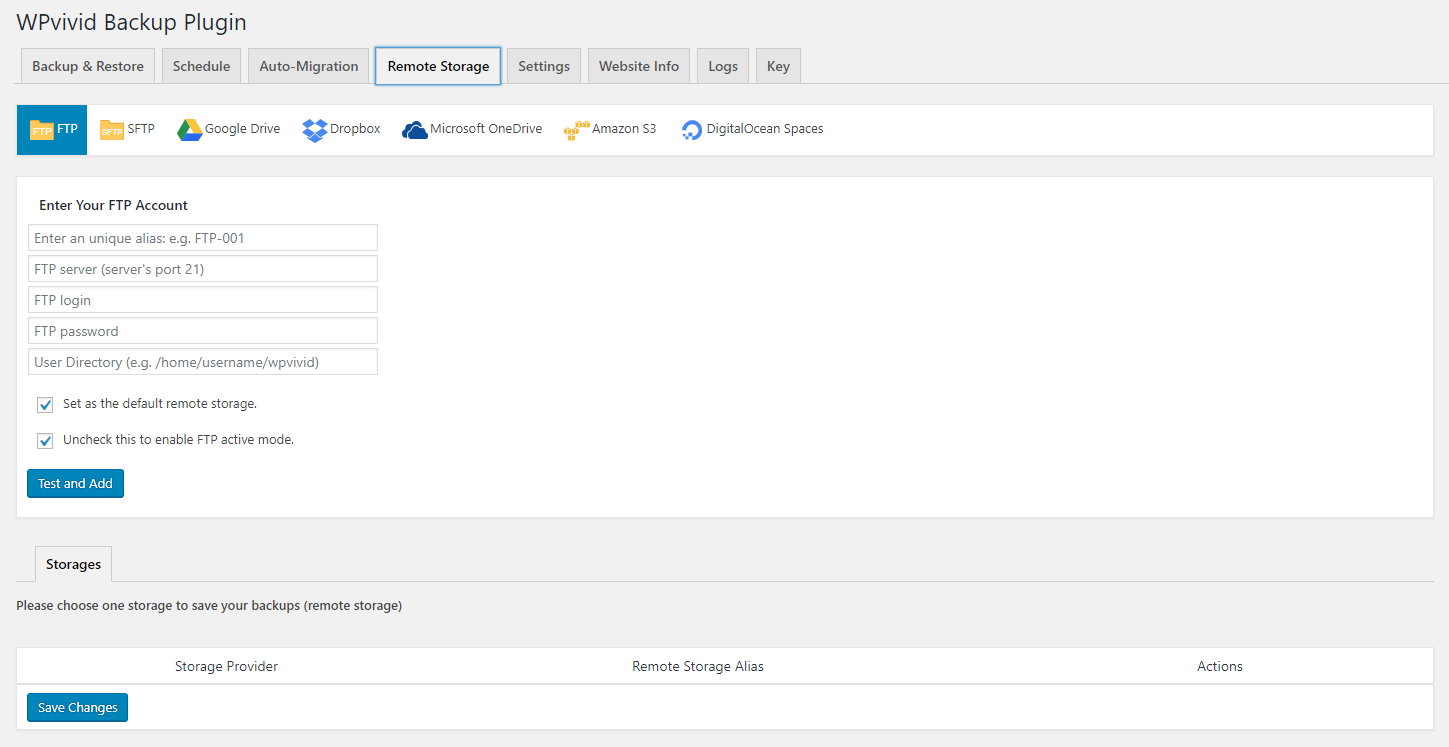
Configure remote backups
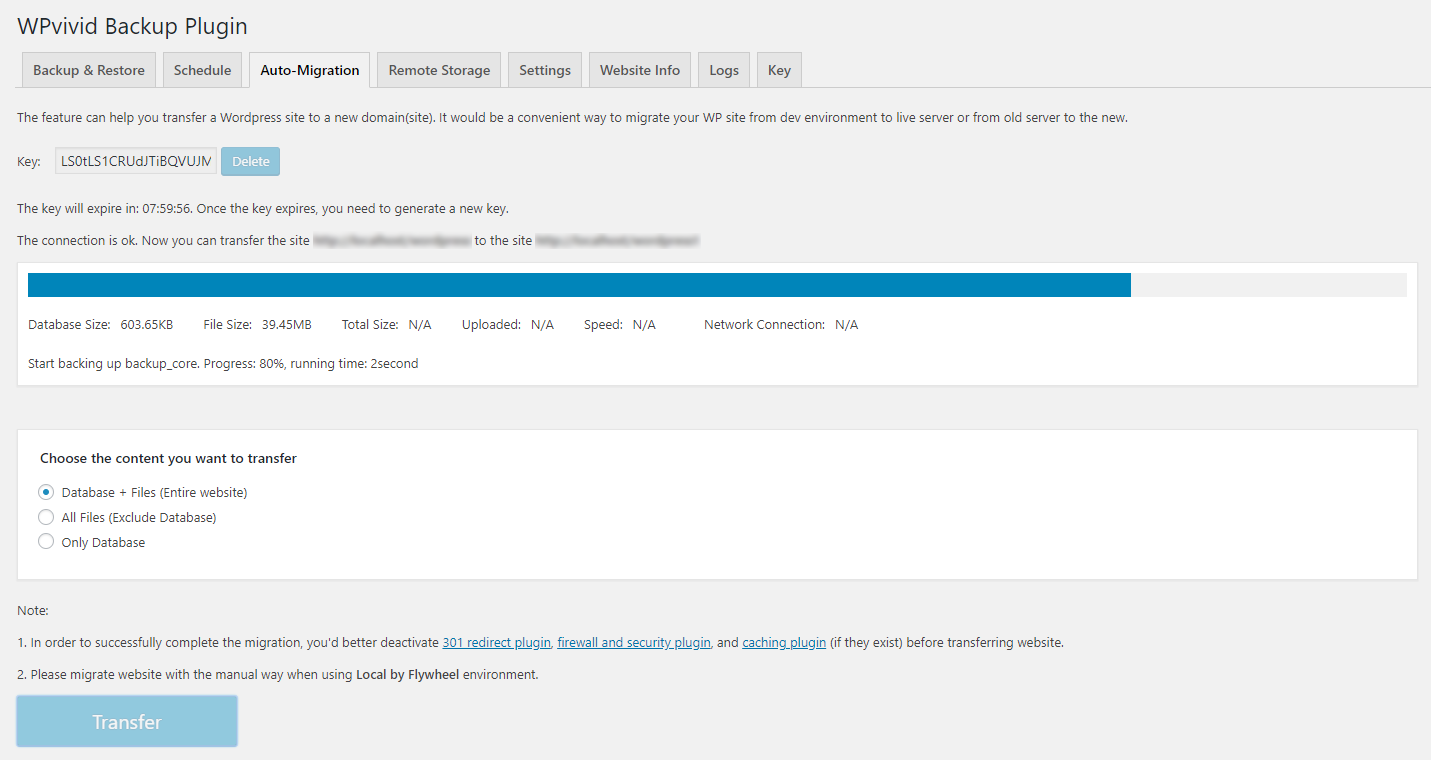
Migrate a WordPress site to a new domain
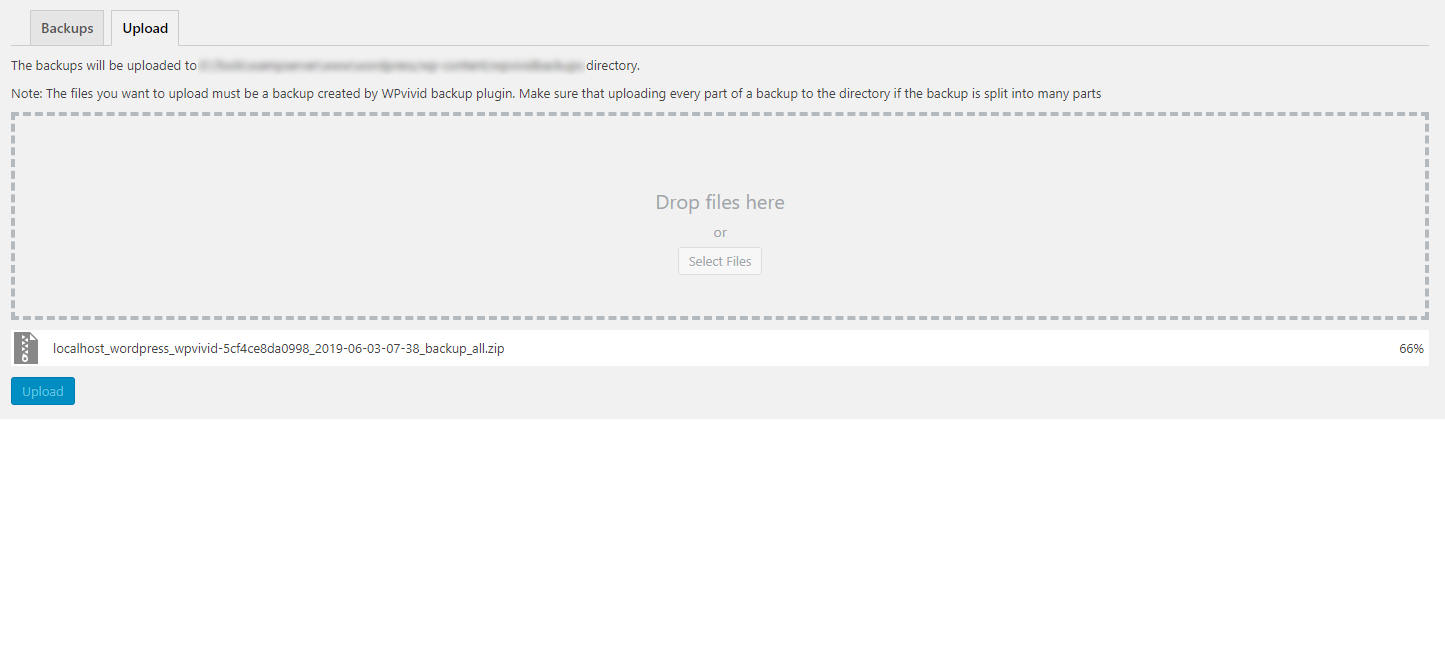
Upload a backup to restore or migrate
Faq
As the name says, WPvivid Backup & Migration Plugin is an all in one free WP backup & migration plugin that enables you to easily clone and migrate a WordPress site to a new domain, to perform manual backups and schedule automatic backups of your WordPress site, to backup to cloud storage and restore backups directly from your sites admin dashboard.
Yes, WPvivid Backup & Migration Plugin supports migration of a WordPress site.
Yes, the migration feature is completely free.
Out of the box WPvivid Backup & Migration Plugin supports Dropbox, Google Drive, Amazon S3, Microsoft OneDrive, DigitalOcean Spaces, FTP, and SFTP.
Yes, all the cloud access is free.
Yes, you can use WPvivid Backup & Migration Plugin to restore a WordPress site from a backup. With no limits, no strings attached.
Yes, absolutely. Whenever you need help, start a thread on the support forum for WPvivid Backup & Migration Plugin, or contact us.
Yes, we do. Here are the guides for migrating your site to a new host, creating a manual backup, restoring your site from a backup, and more on our docs page.
Reviews
Easy to use and reliable
By 
Of all the backup plugins I tried, this one stands out for ease of use. Working with MainWP is another huge plus. Thanks for the great work!
Really Helped Standardise and Backup
By 
I only run a few sites — a couple of personal ones and a few for my local community. WPvivid has helped me set up a base site and clone it to additional sites, giving me a consistent starting point after I’d given up on WordPress a couple of years ago.
Migrating the first site was a little tricky, but mainly because I was learning the process from scratch. The second site took about a quarter of the time: cloned, backup configured and run, and left with a consistent starting point.
I really couldn’t ask much more from the free version of a plugin. Highly recommended.
Very good plugin
By 
I really like the WPvivid DB plugin. It’s very quick at creating backups and makes migrating sites extremely easy.
Reliable and Easy to setup
By 
I have been using for a few years and I can always depend on my backups which is very important to my clients and myself
Great plugin
By 
I just love this plugin. It helps me a lot. I'm download my backup and upload on my sandbox for testing. I had 0 problems so far
Fantastic
By 
I started using this backup plugin four days ago and have already installed it on 60+ websites. I am really floored by the plugin.
Amazing
By 
Excelent!
A fantastic backup and staging plugin — better than UpdraftPlus
By 
I’ve been using WPvivid Backup Pro and I’m genuinely impressed. In my experience, it is more complete, intuitive, and pleasant to use than UpdraftPlus, despite the latter being more widely known.
The plugin offers a rich set of features, a clear interface, and reliable tools for backups, migrations, cloud storage, and website management. The staging feature is particularly excellent: it makes creating a safe testing environment simple and convenient, which is invaluable when updating plugins, testing changes, or troubleshooting a website without affecting the live site.
The lifetime licence is another major advantage and provides excellent long-term value.
I recently contacted the support team about a technical issue that ultimately came from my hosting provider’s security layer, not WPvivid itself. The team responded quickly and helped me investigate the problem. Their support was professional and responsive throughout.
WPvivid deserves to be much better known. It is an excellent WordPress backup and staging solution that I can wholeheartedly recommend.
Excellent migration plugin — handled a large WordPress site when another plugin
By 
I used WPvivid to migrate a fairly large WordPress/WooCommerce site, around 1.6 GB, from one hosting plan to another.
I first tried Duplicator, but it failed because of my host’s server limits while trying to build the large archive. WPvivid handled the migration seamlessly by splitting the transfer into smaller parts. It even recovered automatically from a timeout and resumed without me having to restart the whole process.
The migration included my pages, products, images, theme, plugins, WooCommerce settings, orders, payment configuration, and database. After restoring the backup on the new hosting plan, the site looked and worked exactly as expected.
The interface is straightforward, the auto-migration feature worked very well, and the fact that this was available in the free version was especially impressive.
For anyone moving a larger WordPress site and running into server limits with other migration tools, WPvivid is definitely worth trying.
5 stars.
Outstanding Support
By 
As plugin developers ourselves, it is so refreshing to find another plugin development company that prides themselves on providing exceptional support. We use this plugin over Updraft and other backup plugins because it supports SFTP out of the box.
Changelog
0.9.136
- Upgraded the phpseclib3 library for improved SFTP cloud storage compatibility.
- Fixed: Database Snapshot settings were not included when exporting plugin settings.
0.9.135
- Fixed some vulnerabilities in the plugin code. Special thanks to Badr Azeez. Alex Thomas, and Wordfence Argus for reporting and assisting with the fixes.
0.9.134
- Fixed two vulnerabilities in the plugin code. Special thanks to Meher Sudhakar Abbireddi, reconnaissance, and WPScan for reporting and assisting with the fixes.
0.9.133
- Fixed some vulnerabilities in the plugin code. Special thanks to Duc Manh, Nir Yehoshua, and WPScan for reporting and assisting with the fixes.
- Optimized the plugin code.
0.9.132
- Fixed a vulnerability in the plugin code.
0.9.131
- Fixed two vulnerabilities in the plugin code. Special thanks to Nir Yehoshua from Cipher Security Labs for reporting and assisting with the fixes.
0.9.130
- Fixed: A PHP deprecated warning could be logged after backups were successfully uploaded to Dropbox on PHP 8.2.
0.9.129
- Fixed a vulnerability in the plugin code.
0.9.128
- Added full compatibility and support for WordPress 7.0.
- Fixed: Creating a staging site with an independent database would fail if the live site’s database credentials contained single quotes.
- Fixed some UI styling issues introduced in WordPress 7.0.
0.9.127
- Added upload and download chunk size options for Google Drive.
- Updated scheduled backup start time to a random time between 00:00:00 and 00:30:00 UTC.
- Fixed an issue with unused image scanning under PHP 8.5.
0.9.126
- Optimized the plugin code.
0.9.125
- Fixed: Backup uploads to remote storage could fail in certain server environments.
- Successfully tested with WordPress 6.9.4.
0.9.124
- Fixed a vulnerability in the plugin code.
- Fixed a UI display bug on cloud storage editing page.
0.9.123
- Improved: Automatically exclude WPvivid JSON file when uploading backup files to avoid upload failure.
- Fixed: SFTP uploads could fail in certain server environments.
- Fixed: Some used images would be incorrectly scanned as unused.
- Fixed: Typos in backup email reports.
0.9.122
- Added automatic exclusion of macOS .DS_Store files during backup and migration.
- Successfully tested with WorPress 6.9.
0.9.121
- Fixed a vulnerability in the plugin code.
0.9.120
- Successfully tested with PHP 8.4.13.
- Successfully tested with WordPress 6.8.3.
0.9.119
- Changed backup schedule’s start time to a random time between 00:00:00 and 00:15:00 UTC to prevent possible server overload from the simultaneous backup of many sites.
0.9.118
- Fixed: Downloading backups could fail on servers where Output Buffering was enabled.
0.9.117
- Fixed a vulnerability in the plugin code.
- Fixed: Pages in some Elementor sites could not be properly migrated.
0.9.116
- Fixed: Backup to OneDrive might fail in some cases.
- Successfully tested with WordPress 6.8.1.
0.9.115
- Successfully tested with WordPress 6.8.
0.9.114
- Fixed: Restore could fail when restoring from a lower WordPress version in some cases.
- Fixed: Adding SFTP storage could fail in PHP 8.4 environment.
- Optimized the plugin UI.
0.9.113
- Added 4 backup performance modes for different scenarios.
- Fixed a vulnerability in the plugin code.
- Successfully tested with WordPress 6.7.2.
0.9.112
- Fixed: Backup status could not be properly caught on LocalWP sites with Nginx server.
- Optimized the plugin code.
0.9.111
- Fixed: Backups to SFTP would fail on sites of PHP 8.2.26-nmm1 and 8.3.14-nmm1.
- Optimized the plugin code.
0.9.110
- Added an option to include symlink folders in a backup.
- Fixed: Could not connect to SFTP on sites of PHP 8.2.26 and 8.3.14.
- Fixed: Quick Snapshot popup would appear upon each page loading.
- Successfully tested with WordPress 6.7.1.
0.9.109
- Fixed a warning that would appear with WordPress 6.7.0.
- Optimized the plugin code.
- Successfully tested with WordPress 6.7.0.
0.9.108
- Fixed a vulnerability in the plugin code.
- Fixed: WP Cerber plugin was excluded from a backup by default.
0.9.107
- Fixed: Backups to GoogleDrive could fail with an error of ‘Will not follow more than 5 redirects’ in some environments.
- Fixed some PHP warnings of ‘Return type of WPvivid_Google_Collection’ that would appear in some environments.
- Fixed a vulnerability in the plugin code.
0.9.106
- Fixed a vulnerability in the plugin code.
- Fixed: Could not send email report when the address contain ‘-‘.
- Optimized the plugin code.
0.9.105
- Fixed: Uploading backups to OneDrive failed with a 401 error in some environments.
- Optimized the plugin code.
0.9.104
- Updated: Autoload of WPvivid options is set to ‘No’ by default.
- Fixed: Downloading backup files could fail in some environments.
- Fixed: Uploading backups to GoogleDrive could fail in some environments.
- Fixed some bugs in the plugin code.
- Optimized the plugin code.
0.9.103
- Fixed: Restore would fail when a backup contained mu-plugins/wp-stack-cache.php.
- Fixed some bugs in the plugin code.
- Refined and optimized the plugin code.
- Successfully tested with WordPress 6.6.
0.9.102
- Added: Cloud storage tokens are now encrypted in the database.
- Added: lotties folder (if any) will be included in backups by default.
- Fixed: Domain could not be replaced during migration in some cases.
- Fixed: Adding Digital Ocean Space would fail in some cases.
- Fixed: Images added via ACF plugin would be scanned as unused.
- Fixed some bugs in the plugin code.
- Optimized the plugin code.
0.9.101
- Fixed: Retention settings did not work for scheduled backups.
- Fixed: Scanning unused images would fail in some cases.