WS Form LITE – Drag & Drop Contact Form Builder

WS Form LITE – Drag & Drop Contact Form Builder
Description
Create Professional, Mobile-Friendly, Accessible Forms for WordPress – For Free!
WS Form LITE is a powerful, feature-rich form builder that lets you create fully styled, responsive, and accessible forms. Unlike other plugins, WS Form LITE includes premium-quality features at no cost, such as unlimited forms, customizable styling, submission exporting, and robust anti-spam protection. Perfect for websites of all sizes, WS Form LITE empowers you to build smarter forms with ease.
Choose from single-click templates or build your own form for WordPress using the unique drag and drop form editor.
Create Beautiful Forms with Ease
WS Form LITE includes an incredibly powerful and intuitive form styler, enabling you to design stunning forms directly within WordPress. Whether you’re matching your site’s branding or building custom layouts from scratch, WS Form’s Styler gives you full control over the appearance of your forms, no coding required.
Included Features
- Unlimited Forms
- Unlimited Submissions
- Unlimited Styles
- Accessibility Friendly
- CaptchaFox
- Clean HTML 5 Code
- Cloudflare Turnstile Captcha
- Data Sources
- Drag and Drop Layout Editor
- Elementor Angie Integration
- Framework Friendly (Bootstrap, Foundation)
- GDPR Ready
- Google reCAPTCHA
- hCaptcha
- MCP Server
- Mobile Friendly
- Multiple Tab Forms
- Responsive Forms
- Section Library
- Send Unlimited Emails
- Single Click Templates
- Styler
- Translation
- Variables
How to Create a Form in WordPress
- Go to WS Form > Add New.
- Choose a template or start from a blank form.
- Use the drag-and-drop editor to add fields.
- Click “Publish” and embed the form using your preferred page builder.
Page Builders
Add forms to your website using your favorite WordPress page builder:
- Beaver Builder
- Block Editor (Gutenberg)
- Breakdance
- Bricks
- Classic Editor
- Divi 4
- Divi 5
- Elementor
- Etch
- Oxygen
For other builders simply use the WS Form shortcode!
Spam Protection
WS Form includes a powerful, multi-layer spam protection system to block unwanted submissions automatically. You get both built-in defenses and integrations with leading anti-spam services.
Built-in Defenses
- Honeypot to silently trap bots
- WordPress NONCE validation
- Field validation (client-side and server-side)
- Duplicate submission detection and blocking
- IP rate limiting and throttling
- Keyword, domain, user agent, and IP blocking rules
- Optional server-side custom validation hooks
Anti-Spam Fields and Integrations
- AbuseIPDB
- Akismet
- CaptchaFox
- Clearout
- Cloudflare Turnstile
- Google reCAPTCHA
- hCaptcha
- Works alongside third-party services such as CleanTalk and OOPSpam
Multilingual Forms and Translation
Translate your forms using your favorite multilingual plugin, or create different forms per language:
Upgrade to PRO
This plugin is the free LITE edition of WS Form PRO.
The PRO edition comes with unrivaled additional features:
- 65+ Feature Rich Field Types
- Calculated Fields
- Cascading Select, Checkbox and Radio Fields
- Conditional Logic
- Conversational Forms
- Data Encryption
- Debug Console
- E-Commerce
- Repeatable Sections
- Save Progress
- Signatures
- Statistics
- Track Visitors
… and more!
PRO Integrations
- Airtable
- Akismet
- Amazon S3
- AutomatorWP
- ActiveCampaign
- Authorize.Net Accept
- AWeber
- Bento
- Brevo (Sendinblue)
- Campaign Monitor
- Clearout
- Constant Contact
- ConvertKit
- dotdigital
- Drip
- Dropbox
- Fluent CRM
- Freshdesk
- GetResponse
- Google Address
- Google Drive
- Google Map
- Google Sheets
- Groundhogg
- HighLevel
- HubSpot
- iContact
- InstaWP
- Klaviyo
- Laposta
- LeadConnector
- Mailchimp
- MailerLite
- MailPoet
- Mailster
- Make
- Modula
- Mollie
- Moosend
- Notion
- OpenAI
- PayPal Checkout
- Pipedrive
- Post Management
- Salesforce
- Slack
- Stripe Elements
- Twilio
- User Management
- Webex
- WooCommerce
- WP Fusion
- Zapier
- Zendesk
- Zoho CRM
…. or use the Webhook action to integrate with your own custom APIs or external systems.
PRO Custom Field Plugin Compatibility
Theme / Framework Support
WS Form is compatible with all WordPress themes, and also outputs native HTML for the following front-end frameworks:
- Bootstrap 5+
- Bootstrap 4.1-4.5.x
- Bootstrap 4.0
- Bootstrap 3.x
- Foundation 6.4+
- Foundation 6.0-6.3.1
- Foundation 5.x
Performance
WS Form was built with enterprise level performance in mind. WS Form does not interfere with the loading of other page or post content on your website and isolates submission records to ensure as your website grows your page load speed is not affected.
All form code is HTML 5 compliant and if your website theme uses a framework such as Bootstrap or Foundation WS Form automatically outputs code to suit that framework. This means your form loads as fast as possible without any unnecessary overhead typically found in other form plugins for WordPress.
Click here to learn more about the WSForm performance features.
Extensive Field Types
WS Form comes complete with all the field types you need to build a contact form. Upgrade to WS Form PRO to take advantage of all the form field types available, including:
- Color Picker
- Date / Time
- File Upload
- Google Address
- Google Map
- Google Routing
- hCaptcha
- HTML
- Legal
- Media Capture (Includes QR code reader)
- Message
- Previous Tab / Next Tab
- Price
- Progress Bar
- Range Slider
- Rating
- reCAPTCHA
- Save
- Signature
- Validation
… and more!
For Developers
WS Form PRO comes with a unique debug console that provides you with rapid, form population capabilities (perfect for form testing!), as well as comprehensive event and error logging.
3rd Party Use
WS Form includes the following third party components:
- Date Format by Jacob Wright – Used for formatting server and post dates on the public JavaScript interface.
- Intl-Tel-Input – Used for international telephone input
- Select2 – Used for AJAX select dropdowns
- CanIUse.com – Used for linking to field and field attribute compatibility pages
- Coloris – Used for the color picker in the styler
External Services
WS Form uses the following API endpoints to provide services within the plugin:
-
AbuseIPDB
https://api.abuseipdb.com/api/v2/
This endpoint is called when AbuseIPDB spam protection is enabled to check the submitter IP address, and optionally to report an IP when a submission is marked as spam.
Terms of Use / Privacy Policy -
CaptchaFox
https://api.captchafox.com/siteverify
This endpoint is called when a form is submitted to validate a CaptchaFox field.
Terms of Use / Privacy Policy -
Google reCaptcha
https://www.google.com/recaptcha/api/siteverify
This endpoint is called when a form is submitted to validate a reCaptcha field.
Terms of Use / Privacy Policy -
hCaptcha
https://hcaptcha.com/siteverify
This endpoint is called when a form is submitted to validate an hCaptcha field.
Terms of Use / Privacy Policy -
Turnstile
https://challenges.cloudflare.com/turnstile/v0/siteverify
This endpoint is called when a form is submitted to validate a Turnstile field.
Terms of Use / Privacy Policy -
WS Form – Knowledge base popular articles
https://wsform.com/plugin-support/knowledgebase_content.php
This endpoint is called when the support sidebar is opened to show popular knowledge base articles.
Terms of Use / Privacy Policy -
WS Form – Knowledge base search
https://wsform.com/plugin-support/knowledgebase_search.php
This endpoint is called when a knowledge base search is performed in the support sidebar to return knowledge article results.
Terms of Use / Privacy Policy -
WS Form – Support ticket requests
https://wsform.com/plugin-support/contact.php
This endpoint is called when a support ticket request is submitted in the support sidebar to create the support ticket and return the ticket ID.
Terms of Use / Privacy Policy -
WS Form – Deactivation feedback requests
https://wsform.com/plugin-support/deactivate_feedback.php
This endpoint is called when deactivation feedback is submitted to provide your feedback to WS Form.
Terms of Use / Privacy Policy -
WS Form – Select, checkbox and radio presets
https://cdn.wsform.com/plugin-support/preset.json
This endpoint is called when the preset option is selected for a select, checkbox or radio field to return the available presets and preset data (e.g. List of countries).
Terms of Use / Privacy Policy
Support
Need help? Check out our extensive knowledge base.
For support, please visit the WS Form LITE support forum.
Installation
For help installing WS Form, please see our Installation knowledge base article.
Screenshots
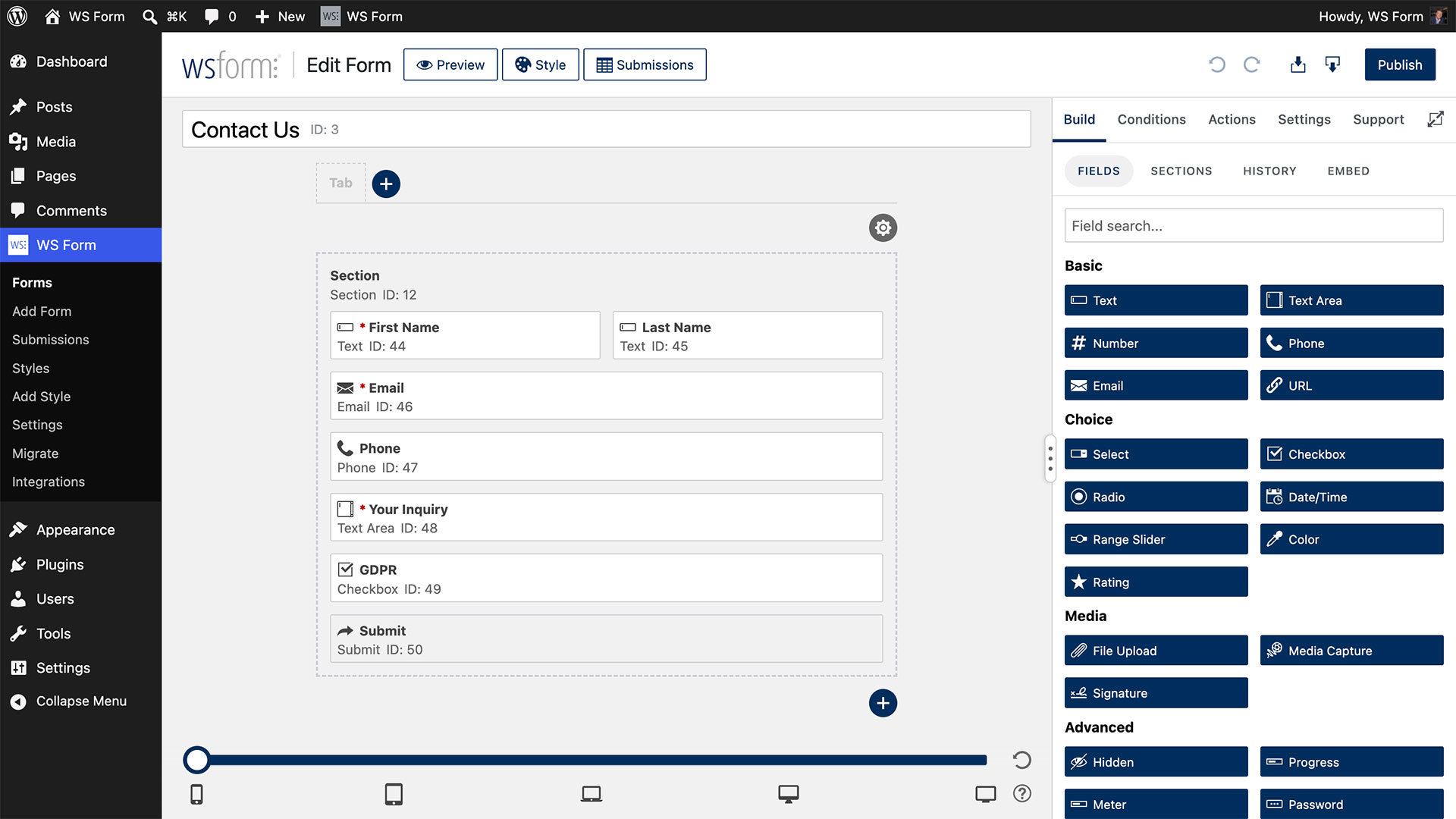
Drag-and-drop form layout editor
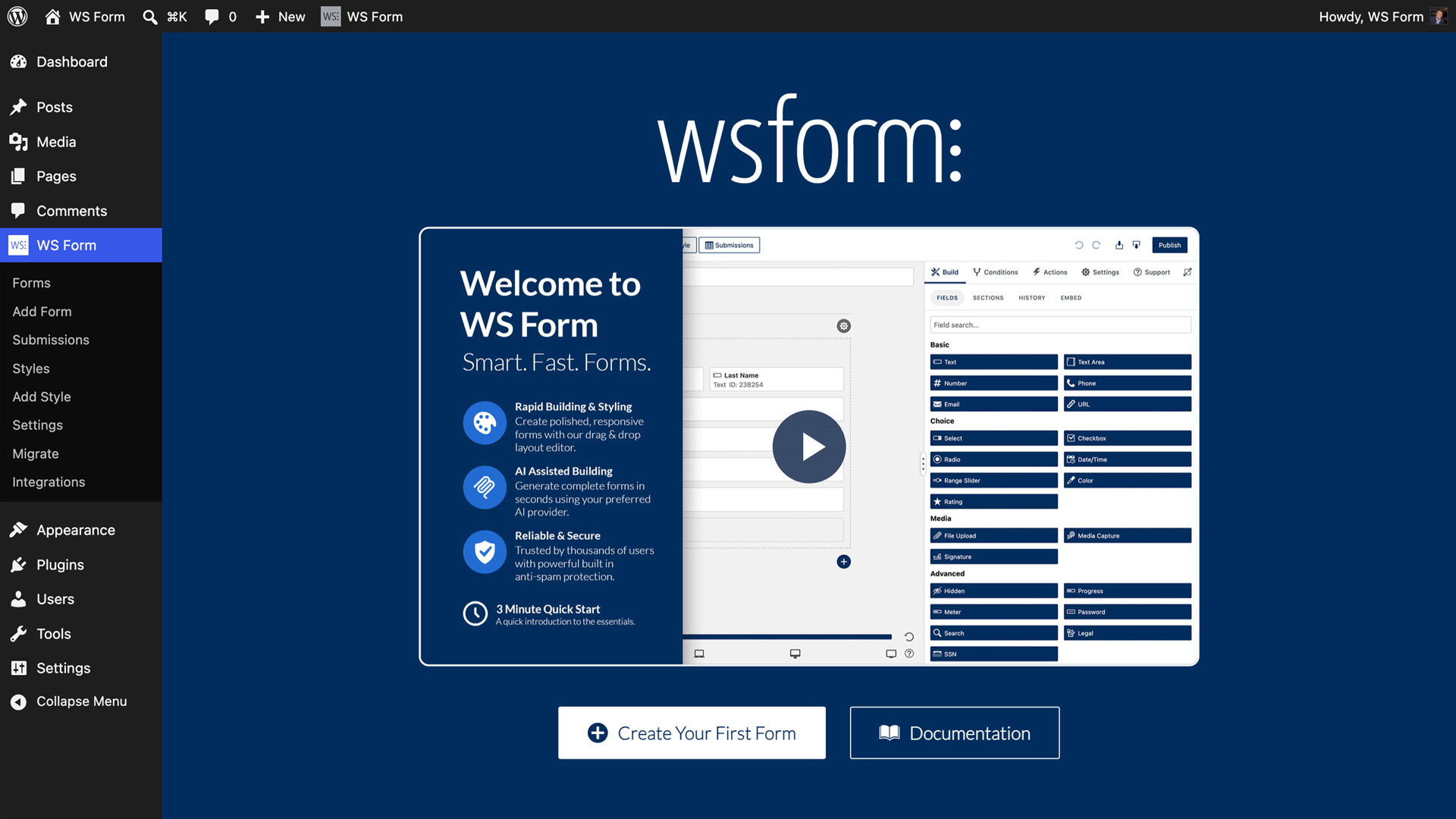
Simple onboarding process
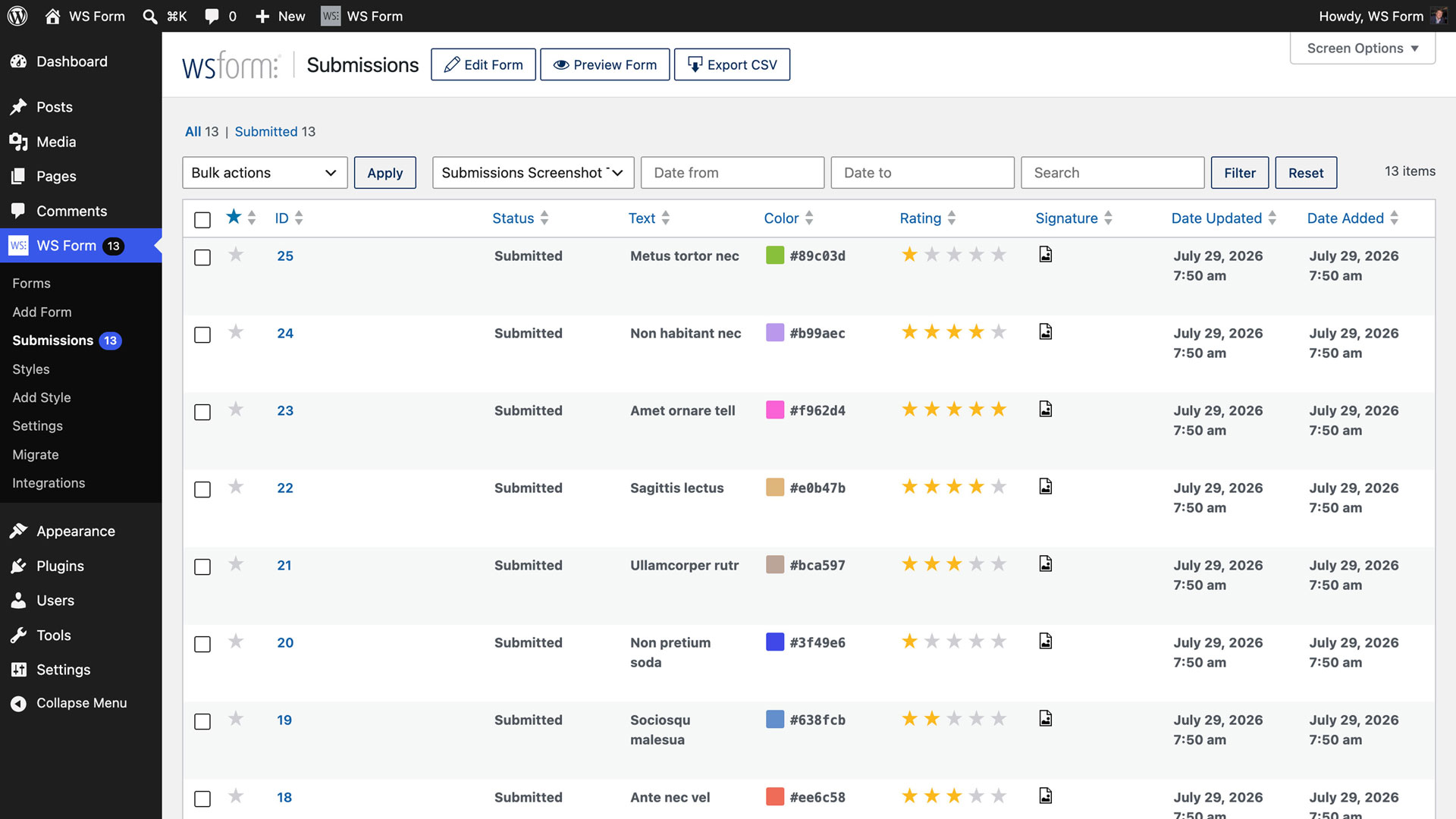
Contact form submissions in WordPress admin
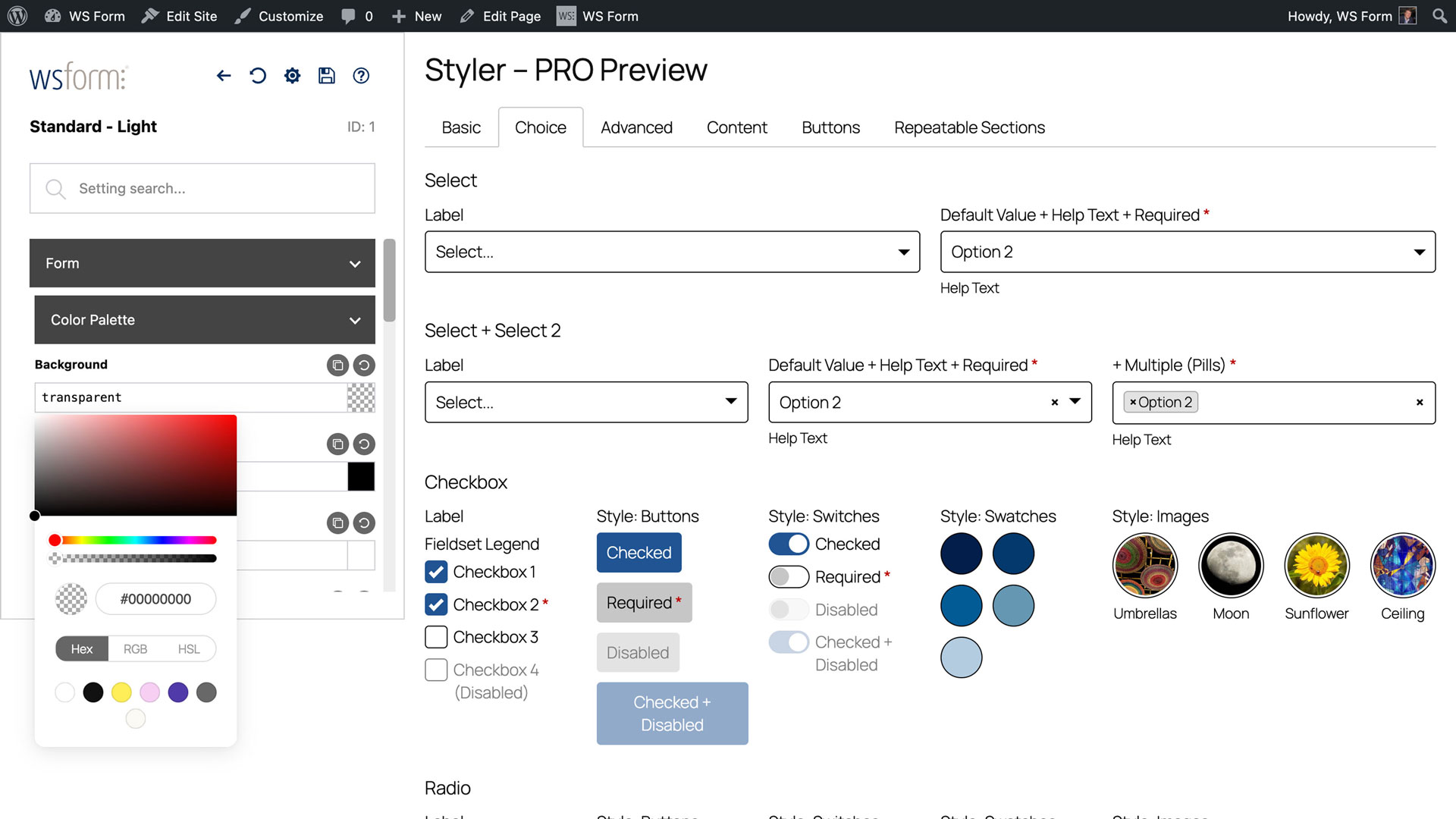
Form Styler for customizing design without code
Faq
Use the WS Form block in the WordPress Block Editor (Gutenberg) or your preferred page builder.
Yes. WS Form includes multiple layers of spam protection including honeypots, nonce validation, IP rate limiting, keyword and domain blocking, and built-in integrations with AbuseIPDB, Akismet, CaptchaFox, Cloudflare Turnstile, hCaptcha, and Google reCAPTCHA. Learn more
Yes, you can export submissions in CSV format directly from the admin area. Learn more
Yes, WS Form integrates with all major WordPress page builders including Elementor, Divi, Bricks, and Beaver Builder. Learn more
Yes, the built-in Styler lets you design fully custom forms without coding. Learn more
Absolutely. WS Form meets modern accessibility standards and includes tools for creating accessible forms. Learn more
Yes, you can upgrade anytime to unlock all field types, integrations, and advanced features. None of your data will be lost.
Yes. WS Form LITE includes per-form translation settings and integrations with Polylang, TranslatePress, Weglot, and WPML, plus a manual workflow. Learn more
Yes, WS Form includes GDPR-friendly features such as explicit consent and data export tools. Learn more
Yes, you can create multi-tab or multi-step forms using the drag-and-drop editor. Learn more
Visit the WS Form Knowledge Base or the Support Forum.
You can report security bugs through the Patchstack Vulnerability Disclosure Program. The Patchstack team helps validate, triage, and handle any security vulnerabilities. Report a security vulnerability.
Reviews
Solid, flexible, and built to work with the rest of your stack
By 
We build WordPress sites for nonprofits and mission-driven organizations, and WS Form has become our default forms plugin. It's rock solid, and it fits into whatever else a client is already running without a fight.
A recent campaign site shows why. It runs on Bricks with FluentCRM behind it:
- It works well with Bricks. One signup form appears in five places across the site. Each placement tells us where the signup came from, just by passing a value in the shortcode. We didn't need to build five copies of the form.
- Styling respects our design system. The style colors can point straight at our site's CSS variables instead of fixed hex codes, and WS Form works out the lighter and darker shades from those variables. When the brand palette changes, the forms change with it. The styles are also easy to override, so they never fight our theme.
- The FluentCRM add-on is thorough. Field mapping, custom fields, tags based on what someone checked, a required consent checkbox as the opt-in, and control over duplicate contacts. It covers what a real list-building setup needs.
- The AI/MCP tools are a real time-saver. A lot of our build work now happens through AI-assisted workflows, and WS Form exposes forms, fields, actions, rules, and styles to those tools. We scaffolded and styled our forms that way, then did the fine-tuning in the form editor.
Small wish list: we'd like the AI tools to keep simple HTML, such as a link in a consent line, and to be able to set mobile field widths. Right now those still need a quick pass in the editor. It's minor next to how much the tools already do.
If your clients live across different builders and CRMs, WS Form is the one that keeps working. Highly recommended.
Excellent form plugin
By 
I switched from Wufoo forms recently and am very happy with WS Forms. It has excellent features and is perfect for my needs. Thank you!
Fast and Super Helpful
By 
Very impressed with WS Form support! I heard back from my inquiry and my issue was resolved lickity-split!
Execellent form plugin. Robust, well made and excellent support
By 
Switched from Gravity Forms years ago, integrates much better with cleaner page builders such as Oxygen, Bricks, Breakdance etc. Support is top notch and really helpful.
Switched from brand X - couldn't be happier!
By 
My site doesn't have a ton of forms - but the ones I have are tricky and have complex functions and linkages. After switching from another package I can only say that I am thrilled with WS Form!
Everything I need is there, is easy to understand and deploy - and more import - is backed with a suburb knowledge base, resources and support.
Well played WS Form!
Phenomenal Plugin
By 
WS Forms is the best! I build websites consistently and every other form plugin I’ve tried - had issues with receiving emails when submissions were made - yet I haven’t had ANY issues with WS Forms. I highly recommend their forms. They are solid, reliable, and you have so many customization options not only with the pro versions but also their addons. Everything is very afforadable. I also recently purchased an add on and it wasnt exactly what I was looking for and in a few HOURS they had it refunded and asked for my feedback. Absolutely wonderful all around!
I highly recommend them to everyone!
Best form builder there is!
By 
I've been using WS Form for years. The Lite version is powerful enough for most sites. But with the Pro version, there's nothing I can't do. And support is second-to-none - replies are fast and always solve my problem. Highly recommend it!
Amazing Form plugin
By 
I've been using WSForm for a couple of years, and can definitely recommend it. It allows you to do basically everything you can imagine, and more. The documentation is very detailed, and the support ultra reactive and helpful.
I use the Agency version but the free version is already packed with lots of features to get you started and try it out!
Great support and product!
By 
A few years ago, I switched all my sites from WPForms to WSForms. Great product and even better support!
Very responsive support who make changes quickly!
By 
I just started with WS Form Pro and wanted to do something specific - turned out WS Form didn't have that function. So I emailed support and the feature was added within 1 business day. Amazing!
Changelog
1.12.15 – 10/10/2026
- Added: Form folders for organizing the forms list https://wsform.com/knowledgebase/form-folders/
- Added: Lock forms so they cannot be edited or moved to the trash until unlocked https://wsform.com/knowledgebase/form-locking/
- Added: Lock styles so they cannot be edited or moved to the trash until unlocked https://wsform.com/knowledgebase/style-locking/
1.12.14 – 10/09/2026
- Added: Create from AI maximum token setting
- Added: Attempts to repair malformed JSON from Gemini in AI calls
1.12.13 – 10/07/2026
- Added: FileBird, HappyFiles and Premio Folders folder selection for files saved to the Media Library
- Changed: Success and information messages use the ARIA status role