WSP MCP – Free MCP Plugin for WordPress: Connect Claude, ChatGPT & AI Agents
WSP MCP – Free MCP Plugin for WordPress: Connect Claude, ChatGPT & AI Agents
Description
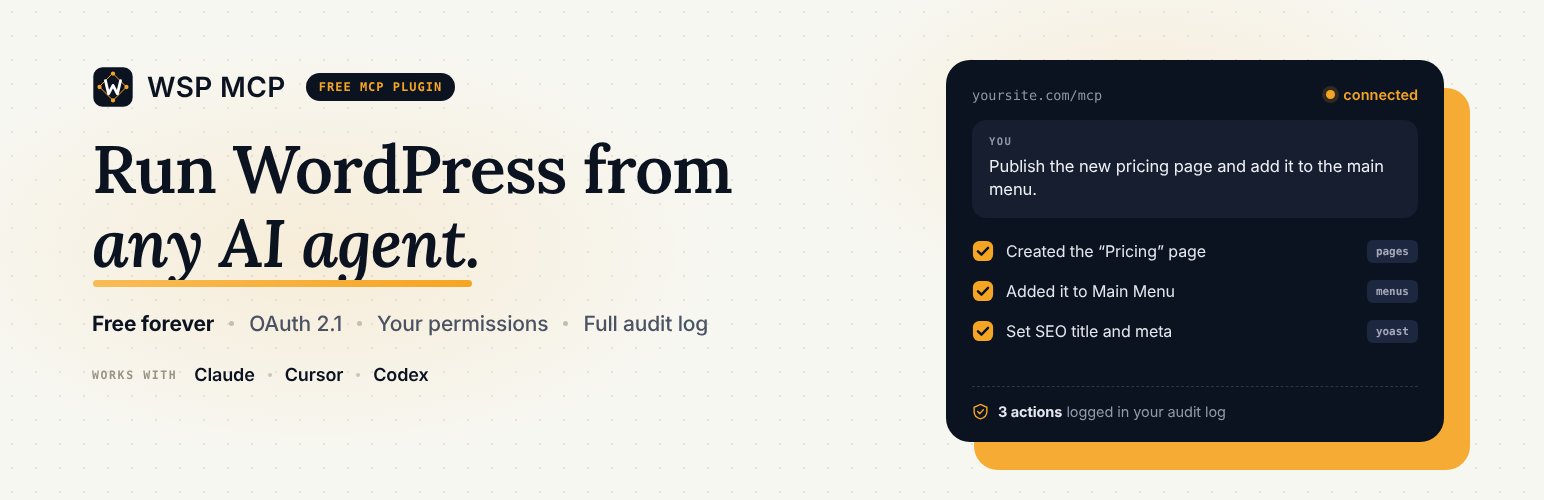
WSP MCP is a free MCP plugin for WordPress. It lets AI assistants like Claude, ChatGPT, Cursor, Codex and Antigravity work directly with your website. Ask in plain English and the AI does the work:
- “Write a blog post about our summer sale and save it as a draft.”
- “Find every page missing a meta description and suggest one.”
- “Show me this week’s WooCommerce orders and mark the shipped ones as completed.”
- “Add a Contact link to the main menu.”
Everything is built in. You don’t need another plugin, an account, or any coding. Install it, copy your connection details, paste them into your AI app, and start chatting.
You stay in control: every tool has its own on/off switch, anything that changes your site is off until you turn it on, and the AI can only do what its WordPress user is allowed to do.
Built and maintained by WebSensePro. Guides and help: wspmcp.com.
Watch: set it up in a few minutes
What is MCP?
MCP (Model Context Protocol) is the standard way AI assistants connect to other apps. Think of it as a plug: once your WordPress site has an MCP plugin, any AI app that supports MCP can read and update your site, with your permission.
Why WSP MCP?
- 100% free. Every feature and every tool, no paid version.
- Easy to connect. A Connection page with ready-made setup for Claude, Cursor, Codex, Antigravity, OpenClaw and OpenCode, with copy and download buttons. Cursor users can connect in one click.
- Safe by default. Only read-only tools are on when you install. You pick what else the AI can do.
- Teach the AI your site. Write an AGENTS.md and CHANGELOG.md once; connected AIs read them first instead of exploring your whole site.
- See everything the AI did. The Audit Log records every action: what, when, and by whom.
- Usage dashboard. See how often the AI is used, which tools are most popular, and how fast they respond.
- Your data stays on your site. Logs and stats are stored in your own database, never sent anywhere.
What your AI can do (200+ tools)
WordPress basics
- Posts and pages: read, write, edit, delete
- Categories and tags
- Comments: read, approve, delete
- Media library: browse, upload images, edit titles and alt text
- Menus: create menus, add or reorder links, assign menu locations
- Users: list, create, edit
- Site settings: title, tagline, permalinks
- Plugins and themes: list, activate, switch
- Custom post types
- Site-wide search
Works with your favorite plugins (tools appear automatically when the plugin is installed)
- WooCommerce: products, variations, orders, refunds, coupons, customers, sales reports, low-stock alerts, reviews
- Yoast SEO and Rank Math: SEO titles, meta descriptions, focus keyphrases
- Elementor: read and edit page layouts, widgets, global colors and page settings
- Ultimate Addons for Elementor: widgets, header/footer templates, layouts
- Advanced Custom Fields: field groups, fields, values, post types, options pages
- Gravity Forms, Contact Form 7 and WPForms: forms, entries, notifications
For safety, the AI can’t add raw code (HTML, JavaScript or CSS) to your pages, and sensitive store tools like refunds and customer data need a shop manager or administrator account.
Installation
- In WordPress, go to Plugins > Add New, search for “WSP MCP”, then install and activate it.
- Open MCP > Settings and switch on the tools you want your AI to use.
- Open MCP > Connection, pick your AI app, and copy (or download) the setup it shows.
- Paste it into your AI app, then restart the app. Done. Ask it something about your site.
Faq
Yes. WSP MCP is completely free and open source (GPL). Every tool, the Audit Log and the dashboard are included. No account, subscription or outside service is needed.
Claude (desktop, web and mobile), ChatGPT, Cursor, Codex, Google Antigravity, OpenClaw, OpenCode, and any other app that supports MCP.
No. Everything is built in.
Tools that change your site are off until you turn them on, and the AI can only do what its WordPress user is allowed to do. You can see every action in MCP > Audit Log, and you can create a new connection key at any time to cut off old ones.
The Connection page gives you a private key to paste into your AI app. Advanced users can use a WordPress Application Password instead.
AI apps load the tool list when they connect. Fully quit and reopen your AI app (not just a new chat) and the new tools will appear.
Watch the step-by-step video tutorial:
Watch the step-by-step video tutorial:
Watch the step-by-step video tutorial:
Reviews
Genuinely useful bridge between an AI agent and WordPress
By 
Genuinely useful bridge between an AI agent and WordPress — the CRUD abilities for posts, pages, and SEO fields work exactly as documented, and the granular per-ability toggle system (read vs. write, group by group) is the right way to do this: it gave me confidence to actually turn it on. One thing I'd love to see down the line is a single-post read ability with full content, any status — filed as issue #38 in Github if useful. Appreciate the fast turnaround on support and the pace of development. Keep it free forever!
Simple and Reliable Plugin
By 
Provides useful features, has a simple interface, and makes the overall experience more convenient. A solid and reliable plugin.
The Time-saver is finally here!
By 
For months, I was looking to automate publishing posts on my WP site and stumbled upon this plugin. It genuinely saves time. Now I just give Claude a doc with an image, and it automatically selects the category, sets the SEO title and meta description, all without me touching the WP dashboard. Highly recommend it if you're looking to connect an AI agent to your site.
Finally – a native, no-compromise MCP server for WordPress
By 
I've been waiting for a WordPress MCP solution that doesn't require juggling multiple plugins or setting up a separate adapter service. This plugin delivers exactly that.
The big differentiator: The built-in native MCP server is the killer feature. You activate the plugin, copy your connection details from MCP > Connection, and you're done.
No WordPress MCP Adapter, no external services, no Docker containers. It just works.
Much needed AI MCP connector plugin
By 
The plugin is easy to install and configure. It offers a practical way to connect AI clients with WordPress and includes useful controls for managing the access. It worked smoothly and the documentation made the setup process simple. Overall, it's a solid plugin with good potential.
Changelog
2.9.6
- Security: hardened authorization checks on post listing, Elementor, Ultimate Addons for Elementor and media upload tools. Update recommended.
2.9.5
- New: Site Context — a new MCP > Context page where you write AGENTS.md (how your site is built and the rules to follow) and CHANGELOG.md (what changed and why). Turn on “Enable Site Context” (off by default) and every connected AI reads them first, so it doesn’t have to explore your whole site. This saves time and tokens. Also available through the
wsp_get_site_contexttool and as MCP resources. Reconnect your AI app after editing. Don’t put passwords or keys in these documents. - New: Update Site Context (
wsp_update_site_context) — lets your AI write or update AGENTS.md and CHANGELOG.md itself (replace, append, or add a new entry at the top). Large files can be sent in chunks. Each document can now hold up to 300,000 characters (was 50,000). Administrators only, OFF by default. - New: WooCommerce store management — 34 tools. Delete products, variations, coupons, categories and tags (products, variations and coupons go to the trash unless you ask for permanent deletion). Manage product categories, tags, global attributes and attribute terms. Read and update WooCommerce settings, tax classes and rates, shipping zones and methods, and payment gateways. Create and update products can now set categories, tags and attributes. Passwords, keys and tokens are always masked and never written back.
- New: Plugin management — Install Plugin from WordPress.org (
wsp_install_plugin), Install Plugin From URL (wsp_install_plugin_from_url, https .zip only), Delete Plugin (wsp_delete_plugin, must be deactivated first) and Update Plugin (wsp_update_plugin). They use WordPress’s own installer and require theinstall_plugins,delete_pluginsandupdate_pluginscapabilities (administrators; respects DISALLOW_FILE_MODS). - Improved: Read Plugins (
wsp_get_plugins) now lists every installed plugin with its active state and available update. Create Category (wsp_create_category) can also create WooCommerce product categories. - All new tools are OFF by default.
2.9.4
- New: Site Editor ability group for block (Full Site Editing) themes — six tools. Read Global Styles (
wsp_get_global_styles) returns the site’s theme.json customizations or the merged effective values, and can list the theme’s style variations. Update Global Styles (wsp_update_global_styles) deep-merges new colors, typography, spacing and block styles, or applies a style variation. List / Read / Create / Update Template (wsp_get_templates,wsp_get_template,wsp_create_template,wsp_update_template) manage block templates and template parts (header, footer, …). All requireedit_theme_optionsand are OFF by default. Custom CSS cannot be set through these tools, and template content is filtered withwp_kses_post(). - New: Widgets & Sidebars ability group for classic themes — eight tools. Read Sidebars, Read Widget Types, Read Widgets and Read Widget list widget areas, available widget types, placed widgets with their settings, and a single widget with its rendered HTML. Create Widget, Update Widget (change settings, move between areas, reorder) and Delete Widget (move to Inactive Widgets, or delete permanently) manage individual widgets; Update Sidebar sets which widgets an area holds and in what order. All require
edit_theme_optionsand are OFF by default. Widget text is filtered withwp_kses_post(). - New: Site Health, Cron & Error Log ability group — six diagnostics tools. Read Site Health runs WordPress’s Site Health checks and returns status, performance and security recommendations plus server and WordPress info (private fields such as database credentials are left out). List / Inspect / Run / Unschedule Cron Event manage existing scheduled background tasks; new tasks cannot be scheduled, and WSP MCP’s own maintenance tasks cannot be removed. Read Error Log returns recent lines of the PHP / WordPress debug log with secrets redacted, and only ever reads that log file. Administrator-only (super admin on multisite) and OFF by default.
- New: Upload / Install Theme (
wsp_upload_theme) — installs a theme generated by your AI agent (sent as theme files) or a theme .zip (base64 or URL), optionally replacing an existing copy and activating it. Uses WordPress’s own theme installer. Requires theinstall_themescapability (administrators; respects DISALLOW_FILE_MODS) and is OFF by default.
2.9.3
- New: 5 Custom Post Type tools — list your custom post types, and list, create, update and trash their items (works with any public custom post type, e.g. books, events, portfolio). Off by default.
- New: About Us page under MCP.
- New: Settings, Connection and About Us links under the plugin name on the Plugins screen.
- Improved: clearer plugin name, description and readme.
2.9.2
- Minor updates.
2.9.1
- New: Create User and Update User tools. Create User auto-generates a password if none is supplied and defaults the role to subscriber; Update User edits email, display name, role, or password. Require
create_users/edit_users. OFF by default. - New: Update Site Info (title, tagline, admin email) and Update Permalink Structure tools. Require
manage_options. OFF by default. - New: Activate Plugin and Deactivate Plugin tools. Require
activate_plugins. Deactivate Plugin refuses to deactivate this plugin, so the MCP connection cannot cut itself off. OFF by default. - New: Themes tool group — Read Themes and Switch Theme. Require
switch_themes. OFF by default. - Changed: Plugin home and docs moved to wspmcp.com. The sidebar tutorial and abilities-directory links now point there.
- Contributed by @dulaj44.
2.9.0
- New: Navigation Menus ability group — nine tools to list menus and their items, create and delete menus, add/update/remove menu items (custom links, posts, pages, categories), list theme menu locations, and assign or unassign a menu to a location. All require
edit_theme_options(the same capability the WordPress menu editor needs) and are OFF by default. Contributed by @dulaj44. - New: Read Post tool (
wsp_get_post) — fetch a single post by ID in any status (draft, pending, private, trash) with its full content, so an AI agent can review a draft before updating it. Requiresedit_postsplus per-post read permission; a Contributor cannot read another author’s private post. OFF by default. Contributed by @dulaj44 (closes #38). - Fixed: Permission-denied and not-found results from the new Read Post tool were being recorded as successful calls in the Audit Log; they are now logged as denied/error like every other tool.
- Fixed: Add Menu Item now rejects an
object_idwhose post type does not match the requestedtype(e.g.type: pagewith a blog post ID) instead of silently storing it.
2.8.0
- New: One-click Claude Connector sign-in. The plugin now runs its own OAuth 2.1 authorization server, so you can connect Claude by pasting only the server URL into Customize > Connectors > Add custom connector — no config file, no API key, no request header. Claude sends you to this site’s own login page; whoever clicks Allow connects as themselves, and Claude can then do only what that WordPress account is permitted to do. Off by default — enable it from MCP > Connection. The existing API key and Application Password methods are unchanged and do not require it.
- New: Analytics & Performance Dashboard in MCP > Analytics — summary cards for total requests, most-used tool, average response time, and error rate; a per-category tool-usage breakdown with lightweight CSS progress bars; and a recent-requests performance log. Built entirely on the existing Audit Log database (
wp_wsp_mcp_audit_log), which now also records each request’s ability category and execution duration in milliseconds — no external service involved. Restricted to administrators (manage_options). - New: “Claude Connectors” tab on MCP > Connection, now the first tab, covering the URL-only connection path above for claude.ai, Claude Desktop and Claude mobile (they share one Connectors screen). The classic config-file method is kept as its own tab.
- New: Configuration Generator on MCP > Connection — pick an AI tool (Claude Desktop, Cursor, Codex, Antigravity, OpenClaw, OpenCode) and an authentication method, and the correct config snippet is built live in your browser with a one-click copy button. Application Password mode never sends your credentials to the server; the header is computed client-side.
- New: Download button beside Copy on every snippet, saving the exact config file directly. Cursor users also get a Connect Cursor Automatically button using Cursor’s official one-click MCP install link.
- Security: The OAuth server ships hardened after a pre-release review — it is off until an administrator enables it, and switching it off disconnects anything already connected; approving a connector requires an account that can edit posts, so opening registration on your site does not open MCP access with it; the consent screen names the exact address access will be sent to and warns that an application’s name is self-assigned and unverified; the consent and error pages cannot be framed (clickjacking); client registration is rate-limited and capped with automatic pruning; and replaying a spent refresh token revokes the whole token family.
- Fixed: OAuth discovery on subdirectory installs (e.g.
https://example.com/test/) could leave a connected connector with “no tools available.” Discovery documents are now served at every URL spelling this install can actually reach, and the two-install-on-one-domain case is disambiguated with a base-path-aware issuer identity. - Fixed: On a site with other active plugins (however many, of whatever quality), a stray PHP notice/warning printed by one of them during an ordinary WordPress hook could land in front of this plugin’s JSON response and break every MCP client’s JSON parser — Claude showed the connector as connected but with “no tools available,” and it could also trigger a “headers already sent” warning on this plugin’s own responses. A new output-buffer guard opens the instant this plugin’s own MCP or OAuth endpoint is requested and discards any such stray output right before the real JSON is sent, regardless of what else is installed on the site.
2.7.1
- Security: Fixed a broken access control issue reported by Patchstack (Ananda Dhakal) as “Authenticated (Contributor+) Broken Access Control”, affecting WSP MCP <= 2.7.0, where the Update Post, Delete Post, Update Page, Delete Page, Update Media, Delete Media and Set Featured Image tools only checked a broad primitive capability (
edit_posts/delete_posts) and not object-level permission. A Contributor authenticating with their own Application Password could edit, publish, unpublish or trash a post, page or attachment owned by an Administrator or Editor once the write tool was enabled. All of these callbacks now load the target object and enforcecurrent_user_can( 'edit_post', $id )/current_user_can( 'delete_post', $id ), restrict each tool to its expected post type, and require the post type’s publish capability before accepting apublish,futureorprivatestatus. New shared helper fileincludes/abilities/guard.php.
2.7.0
- New: Full Audit Log. Every MCP
tools/callrequest is now recorded in a dedicated, self-hosted database table (wp_wsp_mcp_audit_log) — tool name, timestamp, acting user, request IP, and outcome (success, denied, or error). No external API or paid service is involved. - New: MCP > Audit Log admin page to browse, filter (by status or tool), and clear the log. Restricted to administrators (
manage_options), matching every other MCP admin screen. - New: Log entries older than 90 days (filterable via
wsp_mcp_audit_log_retention_days) are pruned automatically by a daily cron task, so the table stays lightweight.
2.6.8
- Fixed: “Session not found or expired. Re-initialize.” on the very first request after
initialize. Clients that sendtools/listimmediately (Claude Desktop via mcp-remote, and any fast script) landed in the same second as theinitializethat created the session, so the expiry-sliding UPDATE wrote the value already stored and MySQL/MariaDB reported 0 changed rows — which the plugin read as a missing session. A zero-row update is now confirmed with an existence check before the session is rejected. Adding a delay before the second request is no longer necessary. Fixes GitHub #30.
2.6.7
- Fixed: The “Copy” buttons on the MCP > Connection page did nothing on sites served over plain HTTP (such as local development hosts). The browser Clipboard API is only available in a secure context (HTTPS or localhost), so the copy now falls back to a hidden textarea when it is unavailable. All six client tabs are fixed.
- Changed: Each ability group header now shows a green “N Enabled” and a red “N Disabled” pill instead of a single “enabled / total” badge, so partially-enabled groups are obvious at a glance. Counts update live as you flip switches.
- New: Sidebar cards on the MCP > Settings and MCP > Connection pages linking to our video tutorials and the full abilities directory at freewordpressmcp.com.
- Compatibility: Verified against WordPress 7.0.3. No plugin changes were required — the kses and HTTP URL-validation fixes in that release are inherited through core APIs. Because this plugin exposes tools to AI agents, we recommend running WordPress 7.0.3 or 6.9.6+ so the SSRF and CSS-injection fixes are in place.
2.6.6
- New: Direct file upload for media.
wsp_upload_media(Upload Media) now accepts base64 file content via a newdataparameter — an MCP client can upload a file attached to the chat straight into the media library without first hosting it at a public URL. Theurlparameter still works as before; pass either one. An optionalmime_typehint anddata:URI prefixes are supported. Only image types (jpg, png, gif, webp) are allowed, decoded bytes are written throughmedia_handle_sideload(), and the tool still requiresupload_files. Fixes GitHub #17.
2.6.5
- New: Elementor Advanced Design Tools — 11 tools for high-fidelity design workflows: get/update active kit, regenerate CSS, get widget schema, duplicate/move element, convert CSS to Elementor settings, get/update page settings, copy styles, and get breakpoints. All off by default under the “Elementor” group. Security: write tools run settings through
wsp_elementor_sanitize_settings()(stripscustom_css,custom_attributes, and dynamic keys);update-active-kitandregenerate-cssrequiremanage_options, the rest requireedit_posts.
2.6.4
- New: WPForms suite — 12 tools (Lite and Pro) covering forms (list, get, describe-schema, get-form-stats, create, update-settings, add-field, update-field, delete) and Pro entries (list, get, delete). All write tools off by default under the “WPForms” group; only registered when WPForms is active. Uses WPForms’ native capabilities:
wpforms_view_forms/wpforms_edit_formsfor forms andwpforms_view_entries/wpforms_edit_entriesfor entries.
2.6.3
- New: Contact Form 7 suite — 10 tools covering forms (list, get, create, update, delete), Flamingo entries (list, get, moderate), form validation, and integrations status. All write tools off by default under the “Contact Form 7” group; only registered when CF7 is active. Uses CF7’s native capabilities
wpcf7_edit_contact_formsandwpcf7_delete_contact_forms;get-integrationsrequiresmanage_options.
2.6.2
- Docs: documented the complete 18-tool Gravity Forms suite (forms, entries, notifications, confirmations) across the readme, plugin docs, and changelog; the 2.6.1 notes under-reported it as 11 tools and omitted the notification, confirmation, and form-settings write tools. Corrected the capability name to
gravityforms_create_form. No behavioral code changes.
2.6.1
- New: Gravity Forms suite — 18 tools covering forms (list, get, create, update, delete, update settings), entries (list, get, update, delete with trash/permanent), notifications (get, create, update, delete), and confirmations (get, create, update, delete). All write tools are off by default; list-forms and get-form are on by default. Uses Gravity Forms’ own granular capabilities (
gravityforms_edit_forms,gravityforms_create_form,gravityforms_view_entries, etc.). Only registered when Gravity Forms is active (class_exists('GFAPI')). - Docs: added a video tutorial to the plugin description and three connection walkthrough videos (OpenClaw, Google Antigravity 2.0, Codex) to the FAQ.
2.6.0
- New: Ultimate Addons for Elementor (UAE) tool suite — 45 tools covering widgets (list, check usage, activate, deactivate, bulk toggle), templates (list, get, create, duplicate, update, trash, restore Header/Footer/Blocks templates), layout building (add sections, add columns, move elements, build from JSON), and settings (UAE settings, theme info, extensions, design-system tokens). All off by default and only registered when UAE is active.
- Fixed: adding an Elementor column no longer creates a container instead — the type validation in the add-container handler now accepts the
columntype. - Security: all UAE string inputs are sanitized with
wp_kses_post(); each tool enforces a strict capability check (edit_posts,publish_posts, ormanage_options).
2.5.0
- New: Full media library tool suite. Adds six media tools — List Media (browse/search by type, keyword, or date), Count Media (counts grouped by MIME type plus a total), Update Media (title, alt text, caption, description), Delete Media (permanent), Upload Media (from a URL), and Upload Media From URL — and repurposes Get Media to return the full metadata of a single attachment by ID. Every tool is off by default and toggled from MCP > Settings.
2.4.1
- Security: ACF field-value write tools no longer accept raw code. Every value written via
update_field()— for posts, users, terms, and options — is now recursively sanitized (arrays walked; each string run throughwp_kses_post()) so<script>/<style>and inline event handlers can no longer be stored through the MCP tools. Legitimate WYSIWYG/HTML field content still works. Addresses the WordPress.org “arbitrary code insertion” review finding.
2.4.0
- New: OpenCode connection tab on the MCP > Connection page — a sixth copy-paste config snippet joining Claude Desktop, Cursor, Codex, Antigravity, and OpenClaw. OpenCode connects natively over remote HTTP (no Node.js bridge); the snippet is a full
~/.config/opencode/opencode.jsonfile with the API key inlined in the header, ready to create and paste.
2.3.1
- Security: Elementor write tools no longer accept raw code. Code-bearing widget types (HTML, Shortcode, Code) are rejected, code-bearing settings (Custom CSS, Custom Attributes) are stripped, and all text settings are sanitized with
wp_kses_post()so scripts cannot be injected via_elementor_data. - Security: ACF options-page value reads now require
manage_options(wasedit_posts), matching the admin-level nature of global options. - Removed: unused legacy
wsp_register_acf_abilities()dual-mode registration helper (dead code, not hooked). - Changed:
Requires at leastnow uses the major-only WordPress version format (6.9).
2.3.0
- New: 27 Advanced Custom Fields tools — field groups (list, get, create, update, delete, import), fields (list, get, create, update, delete, duplicate, sync), values with dot-notation deep get/set (delete, get-all, bulk-update, field object), custom post types, taxonomies, and options pages.
- All ACF tools are off by default and only registered when ACF is active. Structural changes (groups, fields, CPTs, taxonomies, options pages) require
manage_options; value reads/writes enforce per-object capabilities (edit_post,edit_user,list_users,manage_categories,manage_options). - Changed: plugin slug renamed to
wsp-mcp-ai-agents-connector(folder, main file, and text domain) to match the public name ahead of WordPress.org submission. - Breaking: the plugin folder name changed — on existing installs, remove the old copy and activate the renamed plugin. Saved settings, the sessions table, and the API key are preserved.
2.2.0
- Removed: the MCP > Config Files page and the legacy dual-mode Abilities-API / mcp-adapter registration path. The plugin is now native-only.
- Changed: bookmarks to the old Config Files page now redirect to MCP > Connection.
- Breaking: connections made before v2.0 through the WordPress MCP Adapter must be re-created using the native endpoint on MCP > Connection.
2.1.0
- New: 15 WooCommerce tools — products (list, get, create, create variation, update), orders (list, update status, refund), coupons (create, list), order notes, customers, sales report, low-stock alerts, and review moderation.
- All WooCommerce tools are off by default and only registered when WooCommerce is active.
- Financial and PII tools (refund, customers, coupons) require the
manage_woocommercecapability. - Product/variation image URLs are sideloaded safely; SSL bypass is scoped to the single request and environment-gated.
2.0.0
- New: built-in native MCP server — no companion plugin or WordPress MCP Adapter required.
- New: MCP > Connection page with endpoint URL, API key, and per-client config tabs for Claude Desktop, Cursor, Codex, Antigravity, and OpenClaw (native, no adapter).
- New: Application Password + API key authentication; per-tool capability enforcement.
- New: DB-backed session store with daily cleanup.
- Improved: MCP > Settings groups are now collapsible accordions with live enabled/total counts.
- Dual-mode: existing Abilities-API connections keep working when that transport is present.
1.3.0
- Added Yoast SEO abilities (read/update SEO title, meta description, focus keyphrase).
1.2.1
- Added OpenClaw tab to the Config Files page.
1.2.0
- Elementor abilities, modular architecture, auto config generator.