Disable XML-RPC – Dashboard Control

Disable XML-RPC – Dashboard Control
Description
- XML-RPC Control Dashboard provides WordPress administrators with a way of quickly toggling on/off the XML-RPC functionality.
- On initial installation and activation, XML-RPC will be disabled,
- It displays the current enabled/disabled status in the dashboard, helping users avoid leaving access on unnecessarily.
- It features XML-RPC rate limiting functionality, providing some protection to users while XML-RPC is on.
- Rate limiting is on by default, but can be turned off. Note that it’s not perfect security however, and we recommend XML-RPC is disabled after use.
Why Control XML-RPC?
XML-RPC is a WordPress feature that allows remote access to your site. While useful for legitimate applications like mobile apps and remote publishing, it’s frequently exploited for:
- Brute force password attacks
- DDoS amplification attacks via pingbacks
- Spam distribution
- Resource exhaustion
Rate Limiting Protection
When enabled, the plugin automatically limits:
- Failed Authentication – Maximum 5 failed login attempts per hour per IP
- High-Risk Methods – Limits on pingback.ping, system.multicall, and other abuse-prone methods
- IP Validation – Prevents IP spoofing by validating addresses and processing proxy headers correctly
Privacy
This plugin does not collect, store, or transmit any user data outside your WordPress installation. All rate limiting data is stored temporarily using WordPress transients and is automatically cleaned up.
Additional Information
Support
For support, feature requests, or bug reports, please visit the plugin’s support forum.
Contributing
Feedback is welcomed.
Security
If you discover a security vulnerability, please report it responsibly via the WordPress security team or directly to the plugin author.
Installation
- Upload the
xml-rpc-control-dashboardfolder to the/wp-content/plugins/directory - Activate the plugin through the ‘Plugins’ menu in WordPress
- View the dashboard widget on your main admin page or navigate to Settings > XML-RPC Control
- Toggle XML-RPC on/off as needed and configure rate limiting
Screenshots

Dashboard widget showing XML-RPC blocked

Dashboard widget showing XML-RPC enabled
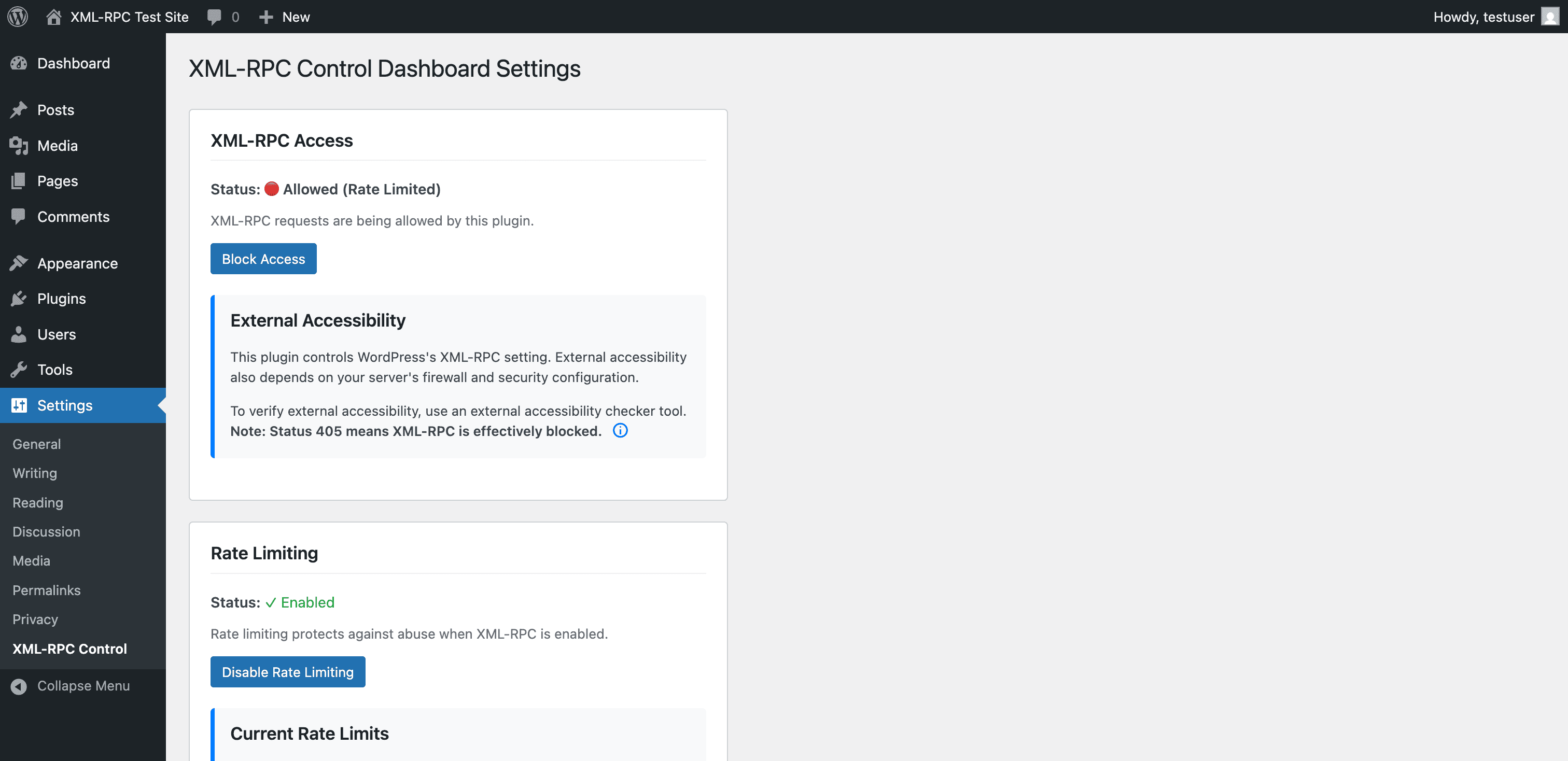
Settings page with enable/disable XML-RPC

Settings page with Rate limiting enable/disable
Faq
If you use WordPress mobile apps or remote publishing tools (like blog editors), you’ll need to keep XML-RPC enabled. The rate limiting feature provides an additional layer of defense against common automated attacks, though we still recommend disabling XML-RPC when not actively needed.
When disabled, all XML-RPC requests will be blocked. This means:
- No remote publishing
- No WordPress mobile app access
- No pingbacks/trackbacks
- Jetpack and similar plugins may have reduced functionality
XML-RPC is blocked by default. If a user unblocks it, then XML-RPC rate limiting is enabled by default, but can be disabled in settings.
Rate limiting tracks requests per IP address using WordPress transients (temporary data). It limits failed authentication attempts and high-risk methods to 5 per hour. This prevents basic automated attacks while allowing normal use.
We don’t recommend users rely on rate limiting to secure their server. Rate limiting provides basic protection against automated attacks but has known limitations in high-concurrency scenarios. When XML-RPC is not needed, we recommend disabling it.
Yes, the plugin works with all caching solutions. Rate limiting hooks into WordPress core authentication and XML-RPC systems, which execute before cached pages are served.
Yes, when XML-RPC is enabled, Jetpack and other plugins that rely on XML-RPC will continue to function normally. The rate limiting protects against abuse while allowing legitimate traffic.
Reviews
Changelog
1.0.1
- Changed plugin name to “Disable XML-RPC – Dashboard Control” for improved search visibility
- No functional changes
1.0.0
- Initial release
- Dashboard widget with quick toggle
- Settings page under Settings > XML-RPC Control
- Optional rate limiting for failed auth and high-risk methods
- Secure by default (XML-RPC disabled on activation)