XypherSEO

XypherSEO
Description
XypherSEO adds a search optimization panel to your post and page editor. It scores the page you are writing against a set of on-page checks, shows you how the page is likely to look in search results and on social networks, and lets you control the meta tags and structured data that WordPress sends to search engines.
Everything in this plugin runs locally on your own site. There is no account to create, no external service to connect to, and no feature that stops working after a period of time.
In the editor
- A live on-page SEO score with a grouped checklist of what passes and what needs attention, plus the specific fix for each item
- Editable SEO title, URL slug and meta description, each with a character counter showing the recommended range
- A search result preview that updates as you type
- Focus keyword and secondary keywords, with a live count of how often the focus keyword appears
- Social previews for Facebook and X, with separate title, description and image fields
- Manual JSON-LD fields for FAQPage, HowTo, Product and any custom structured data you want to output
- A structured data check that reports what is present on the page and what is missing
- Canonical URL and robots meta controls (noindex, nofollow, noarchive, nosnippet, noimageindex)
Site-wide tools
- XML sitemap covering posts, pages, custom post types and taxonomies, with a readable stylesheet when opened in a browser
- Redirect manager supporting 301, 302, 307 and 308 redirects, including regular expressions, with a hit counter for each rule
- 404 monitor that logs missing URLs so you can redirect them
- Breadcrumbs with BreadcrumbList structured data, output with the
[xypher_breadcrumbs]shortcode - Conflict check that warns you when another SEO plugin is writing duplicate meta tags or sitemaps
- Safe mode that stops all front-end output in one click, so you can test whether a display problem is caused by this plugin
Structured data
Article and BreadcrumbList structured data are generated automatically from your post content. FAQPage, HowTo, Product and custom JSON-LD are entered by hand in the Schema tab. Anything you paste is validated as JSON before it is saved, so invalid markup never reaches your pages.
Installation
- Upload the plugin folder to
/wp-content/plugins/, or install it through the Plugins screen in WordPress. - Activate the plugin through the Plugins screen.
- A short setup screen opens once, where you choose which content types show the SEO panel and whether to generate an XML sitemap.
- Open any post or page. The XypherSEO panel appears below the editor.
Bundled assets
This plugin bundles the Poppins typeface, used for the admin interface. Poppins is licensed under the SIL Open Font License 1.1, which is compatible with the GPL. The license text is included in admin/fonts/LICENSE.txt.
Screenshots
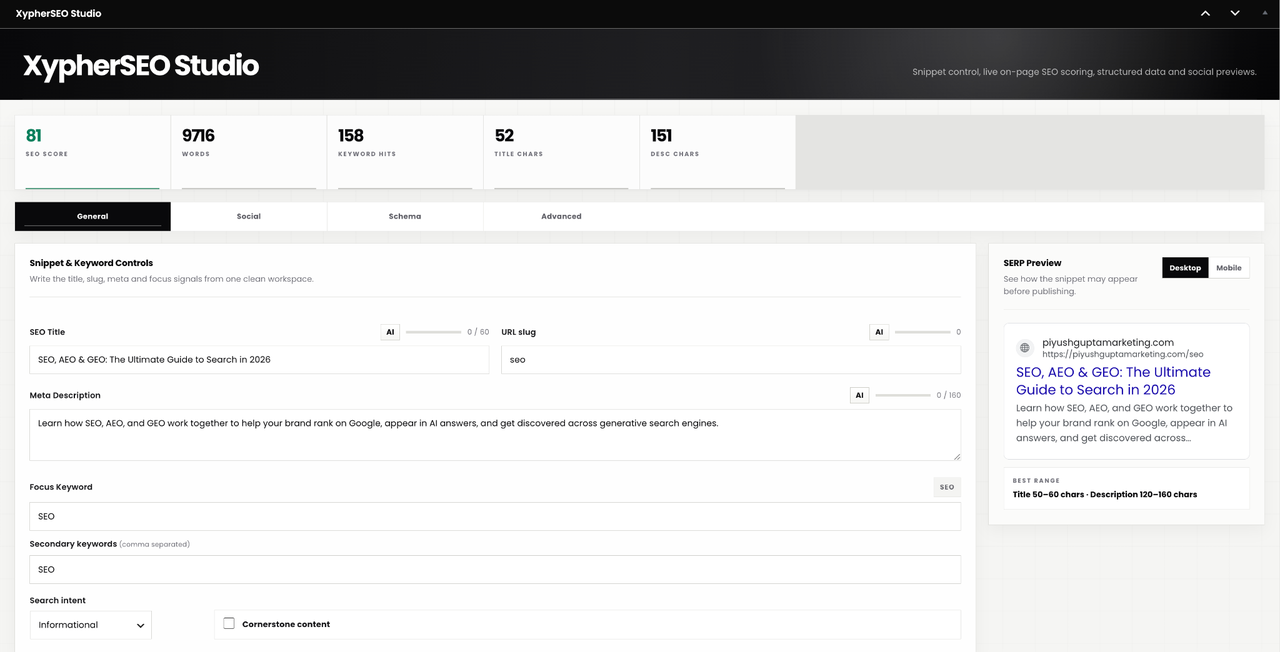
The SEO panel in the post editor, showing the live score and checklist.
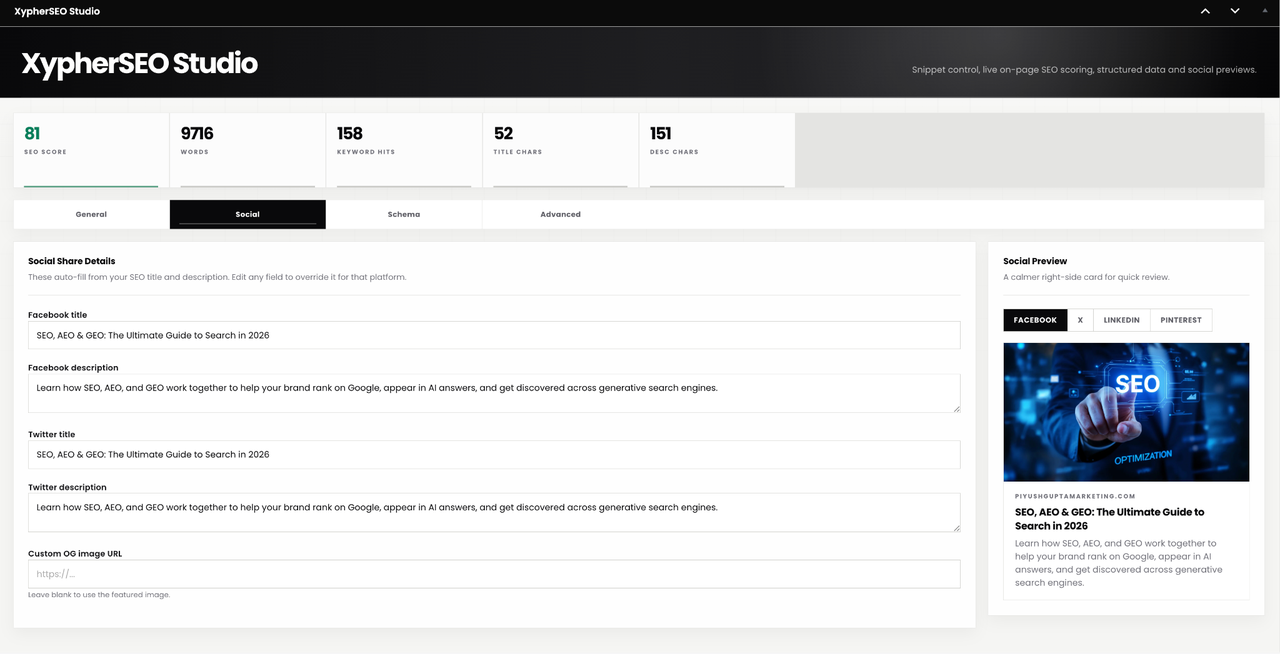
The search result preview with title, URL and meta description.
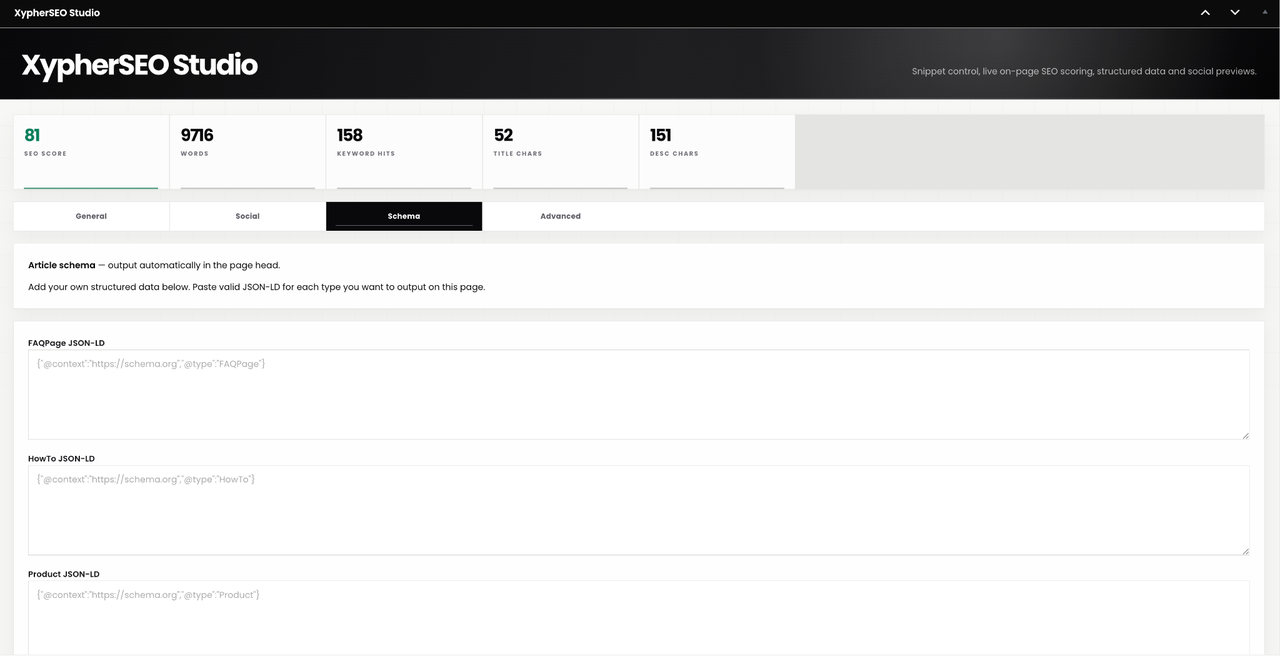
The Schema tab with manual JSON-LD fields.
Faq
No. Every feature runs on your own site. Nothing is sent to an external server.
You can, but you should not. Two SEO plugins will both write meta tags and sitemaps, which produces duplicates. The plugin includes a conflict check that warns you when it detects this. Pick one and deactivate the other.
At /xypher-sitemap.xml on your site, once you enable it. WordPress also has its own core sitemap; the plugin replaces it when the XypherSEO sitemap is turned on.
Open the Schema tab in the editor panel and paste valid FAQPage JSON-LD into the field. It is checked as valid JSON when you save, and output in the page head.
It stops the plugin writing anything to the front end: no meta tags, no structured data, no Open Graph tags, no breadcrumbs. The admin screens keep working. It is there so you can check whether a theme or caching problem is caused by this plugin without deactivating it.
Yes. Deleting the plugin through the Plugins screen removes its options, its post meta and its database tables. Deactivating it leaves your data in place.
Reviews
Changelog
2.0.0
- Security: SEO fields (focus keyword, SEO title, meta description) are no longer readable by anonymous visitors through the REST API. The block editor still shows them to logged-in editors.
- Performance: the redirect ruleset is now cached, so the front end no longer runs a database query on every request; the 404 log is capped so it cannot grow without bound.
- Tested up to WordPress 7.1.
1.9.9
- Rebuilt as a single, fully functional plugin. Every feature is available to every user.
- Structured data is now entered manually as JSON-LD and validated on save.
- On-page SEO scoring with a grouped checklist and per-item fixes.
- Sitemap stylesheet moved to a separate CSS file.
- Text domain corrected to match the plugin slug.
- Added an uninstall routine that removes all plugin data.
1.8.9
- Earlier release.