Yangra Image Resizer

Yangra Image Resizer
Description
When you upload a large image, WordPress automatically scales it to a lower resolution while keeping the original image intact. Over time, this can lead to increased storage usage. This plugin helps you identify large images and resize them to preserve disk space and improve load times on pages where the full image is used.
Yangra Image Resizer scans for images using cron. For convenience, it displays the largest images first. Please be careful when resizing images — it’s important to do this carefully and create a backup first. Yangra Image Resizer continuously scans your images, so you may notice new images appearing on the front page when you revisit.
Features
- Figure out largest size image in your WordPress install
- Easily resize or edit the image
- Hassle free way to optimize your images
Credits
- Bootstrap – UI
Installation
This section describes how to install the plugin and get it working.
- Upload the plugin files to the
/wp-content/plugins/yangra-image-resizerdirectory, or upload plugin zip by going to Upload Plugin section at /wp-admin/plugin-install.php - Activate the plugin through the ‘Plugins’ screen in WordPress admin
Screenshots
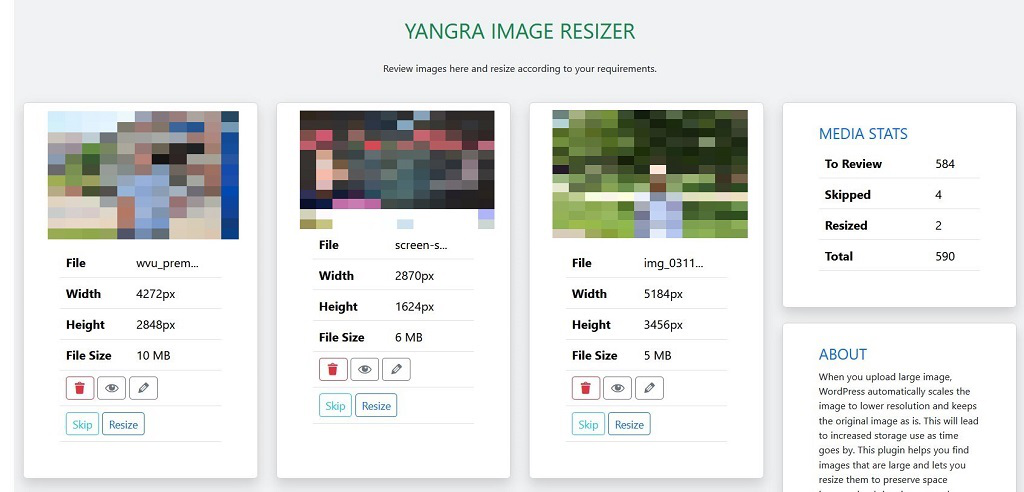
Admin dashboard section of the plugin
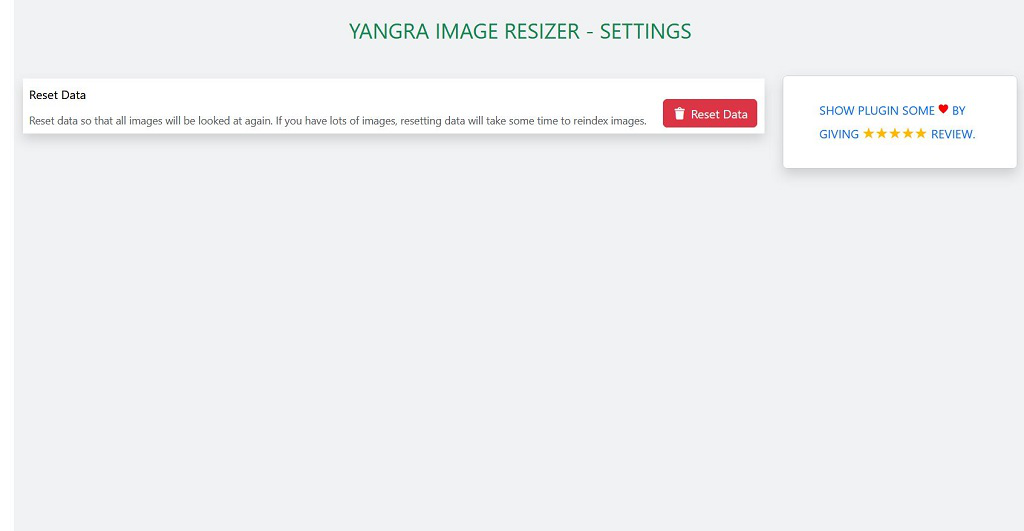
The settings page
Faq
Install the plugin following installation instruction and that’s it. Plugin will start working.
Plugin uses cron to scan for images so once you install and activate the plugin, it will start its work automatically and you will be able to see images within few hours.
Plugin tries to scan few images at a time so if you have lots of images it will take some time to collect data on these images.
Absolutely. Try it out at https://tastewp.org/plugins/yangra-image-resizer/.
Reviews
Changelog
1.0.0 (2025-12-08)
- Initial release