Yangra Image Resizer

Yangra Image Resizer
Description
When you upload a large image, WordPress automatically scales it to a lower resolution while keeping the original image intact. Over time, this can lead to increased storage usage. This plugin helps you identify large images and resize them to preserve disk space and improve load times on pages where the full image is used.
Yangra Image Resizer scans your media library in the background and lists the largest images first. For each image it shows the original size, the size WordPress uses on your site, and where the image is used, so you can decide whether to resize, skip or delete it.
Resizing replaces the original file permanently. Please make sure you have a backup before you start.
Features
- Finds the largest images in your media library
- Resize an image to a new width while keeping its proportions, with a live preview of the new dimensions
- Usage check: finds where each image and each of its generated sizes is referenced in posts, pages, custom fields (including page builder data), widgets and site settings, with links to edit or view them
- Highlights images whose original upload is not referenced, so resizing it will not change how your site looks
- Resize history: a permanent record of every resized image with its dimensions and file size before and after, and the total space saved
- Skip images you want to keep as they are, and restore them later
- Runs in the background with WP-Cron and does not slow down your site’s visitors
Credits
- Bootstrap – UI
Installation
- Upload the plugin files to the
/wp-content/plugins/yangra-image-resizerdirectory, or upload the plugin zip from Plugins > Add New > Upload Plugin. - Activate the plugin through the ‘Plugins’ screen in WordPress admin.
- Open Yangra Image Resizer in the admin menu. Images appear as the background scan finds them.
Screenshots
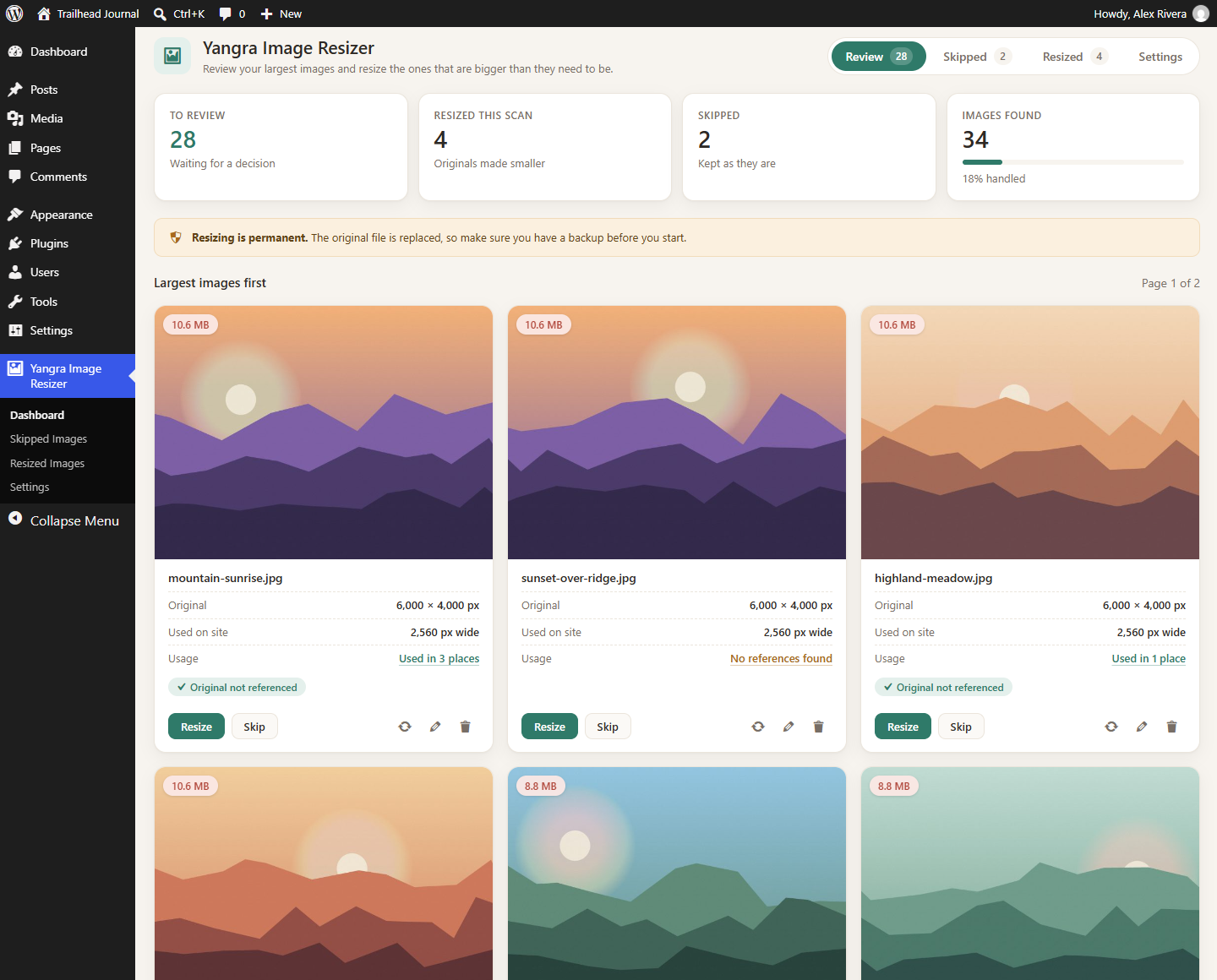
Review page with the largest images first, file sizes and usage
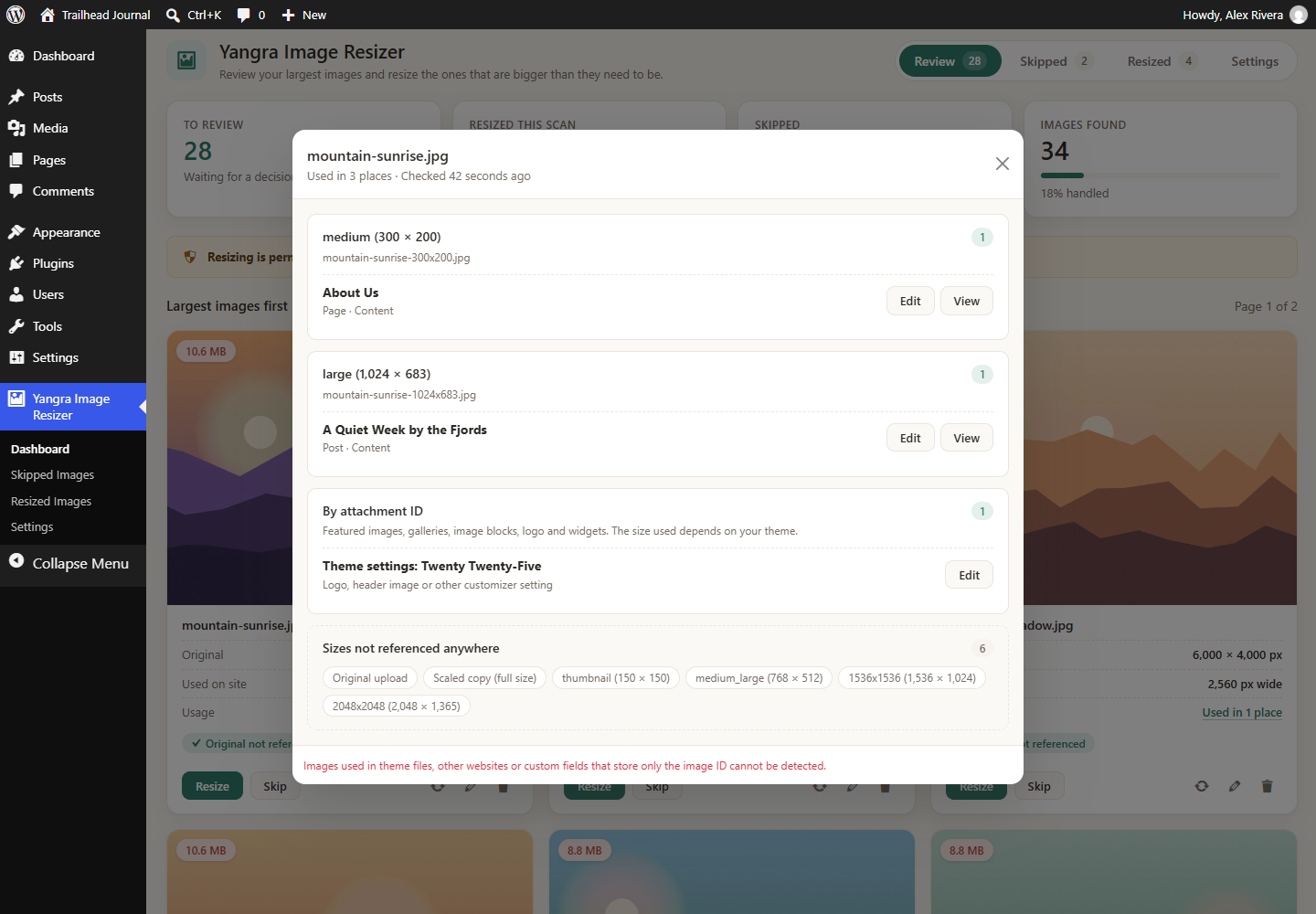
Usage details showing where each image size is referenced
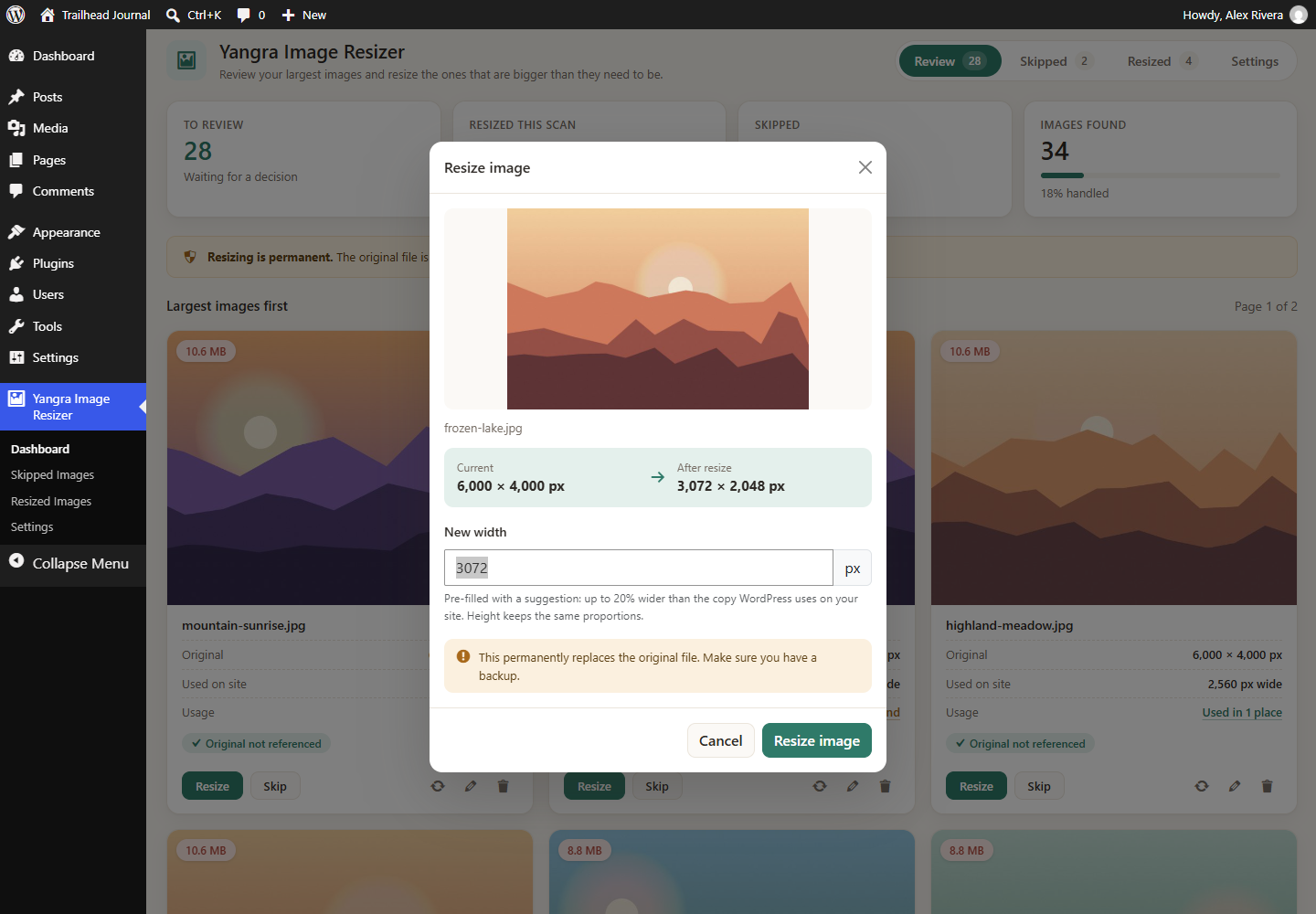
Resizing an image with a preview of the new dimensions
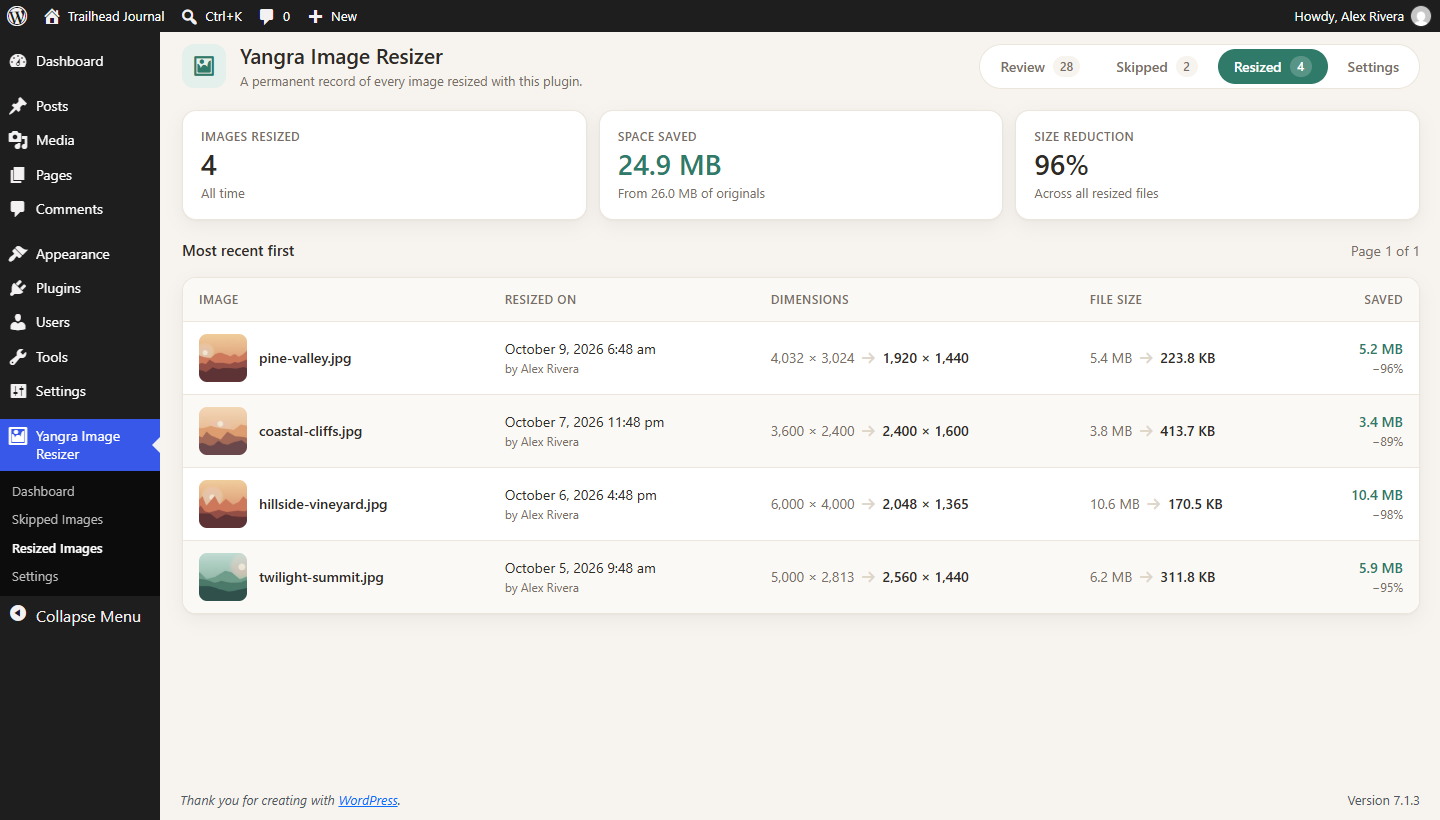
Resize history with space saved
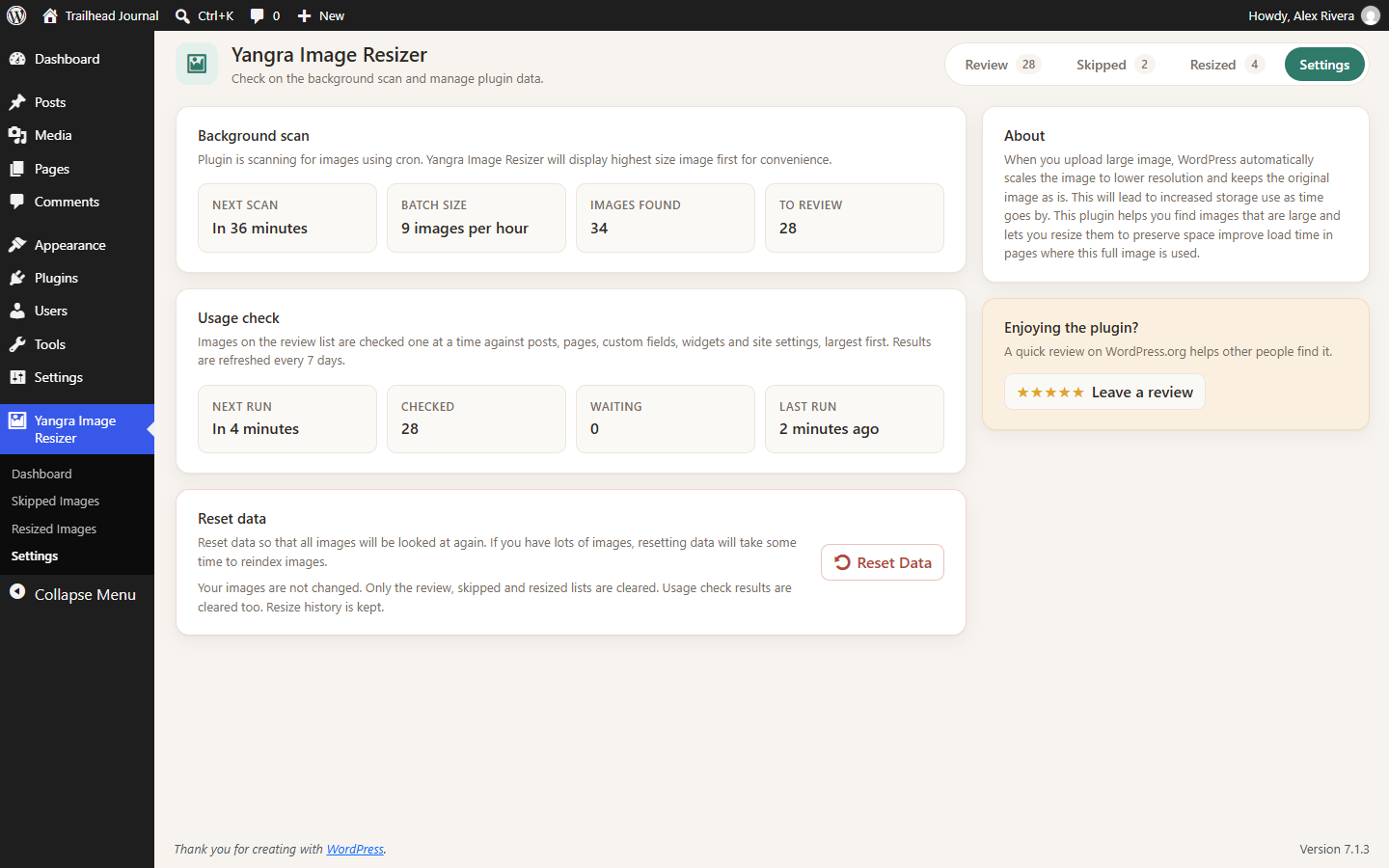
Settings page with background scan and usage check status
Faq
There is nothing to configure. Once activated, the plugin starts scanning your media library in the background.
The plugin checks a few images every hour using WP-Cron, so you will start seeing images within a few hours. Large media libraries take longer to scan completely.
The scan works through your media library a few images at a time so it does not slow down your site. If you have lots of images, it takes some time to collect data on all of them.
Every 10 minutes, the plugin checks images on the review list one at a time, largest first. It looks for each image file and its generated sizes in post content, custom fields, term and user meta, widgets and site settings, and for references by attachment ID such as featured images, galleries, image blocks and your site logo. Results are refreshed every 7 days, and you can request a new check for any image.
Not always. Images used directly in theme files, linked from other websites or emails, or stored in custom fields that only save the image ID cannot be detected. Please check before deleting.
Yes. Resizing replaces the original file and regenerates its smaller sizes. Please make sure you have a backup before you start. The plugin keeps a history of every resize, but it does not keep a copy of the original file.
Deactivating clears the scan and usage check data, which is rebuilt if you activate the plugin again. Resize history is kept until you uninstall the plugin. Uninstalling removes all plugin data. Your images are never changed by deactivating or uninstalling.
Absolutely. Try it out at https://tastewp.org/plugins/yangra-image-resizer/.
Reviews
Changelog
1.2.0 (2026-10-10)
- Added usage check: shows where each image and each of its sizes is used, with links to the posts, pages and settings
- Added resize history page with dimensions, file sizes and space saved
- Added pagination to the review and skipped images pages
- Redesigned admin pages with a cleaner layout, stat tiles and a resize preview
- Fixed errors for images with missing metadata or missing files
- Security: added capability checks to all admin actions
1.1.0 (2026-07-09)
- Added skipped media page
- Compatibility check for new WordPress version
1.0.0 (2025-12-08)
- Initial release