Yatoon Restaurant Menu & Online Ordering with AI Assistant

Yatoon Restaurant Menu & Online Ordering with AI Assistant
Description
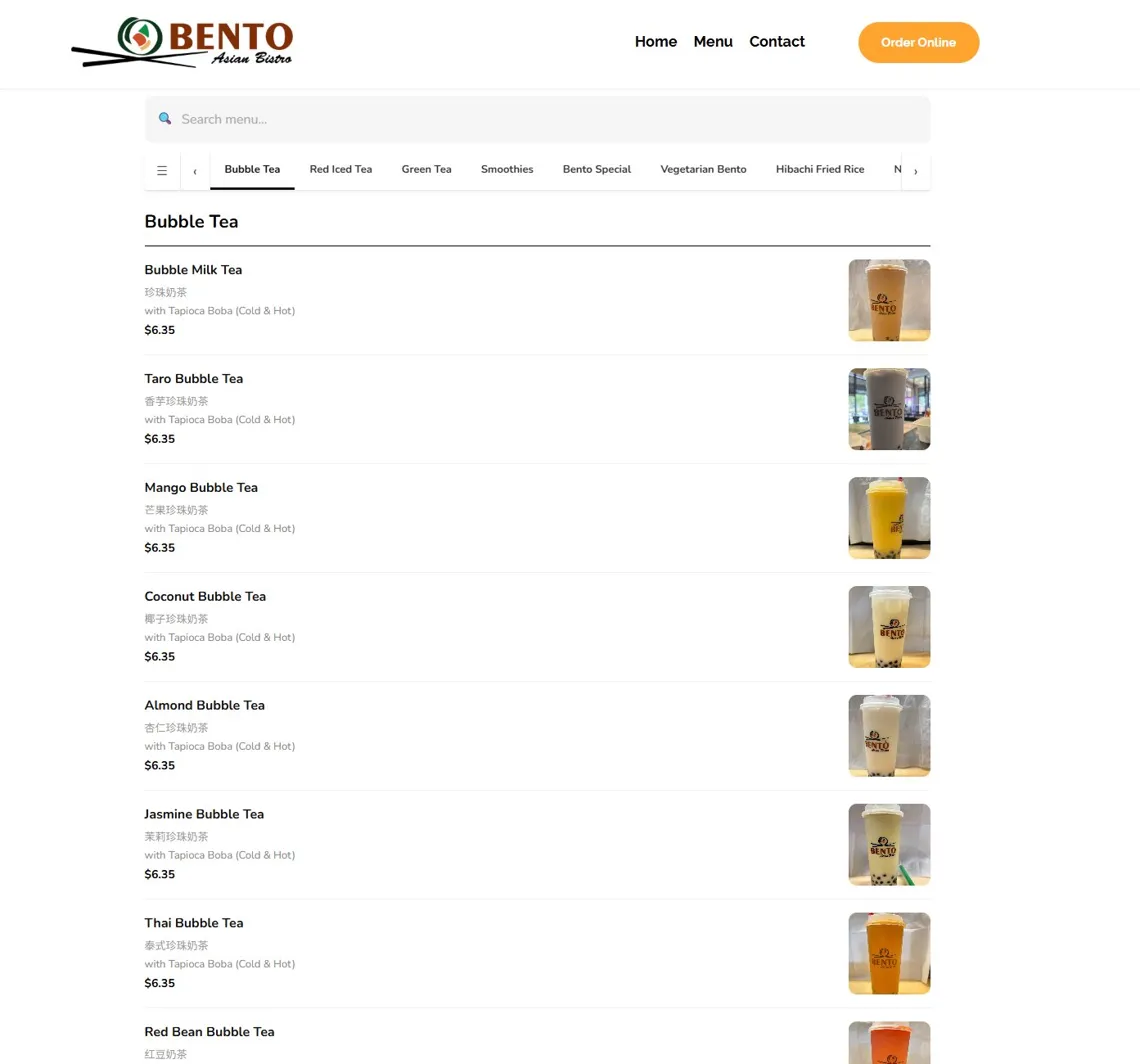
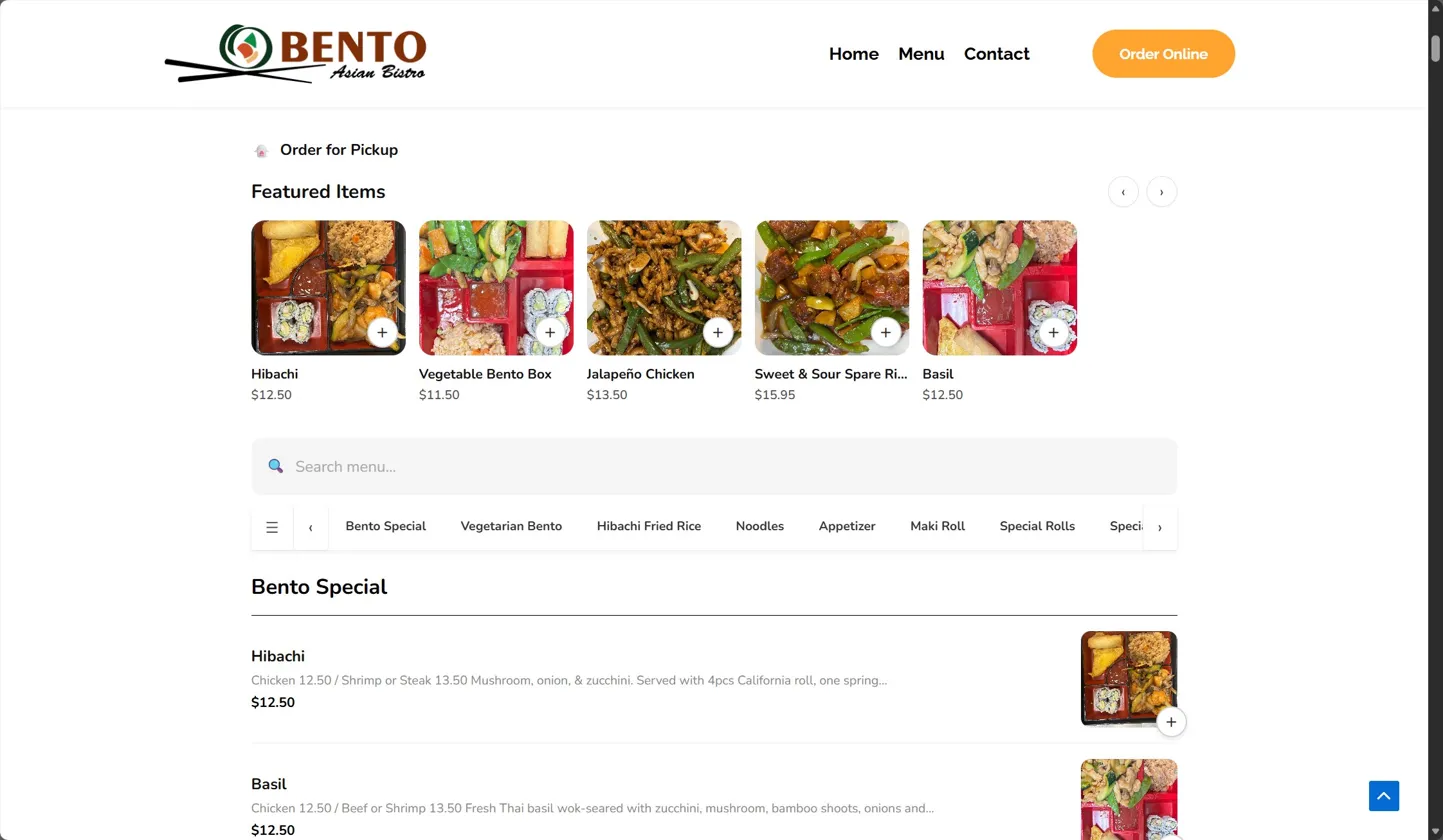
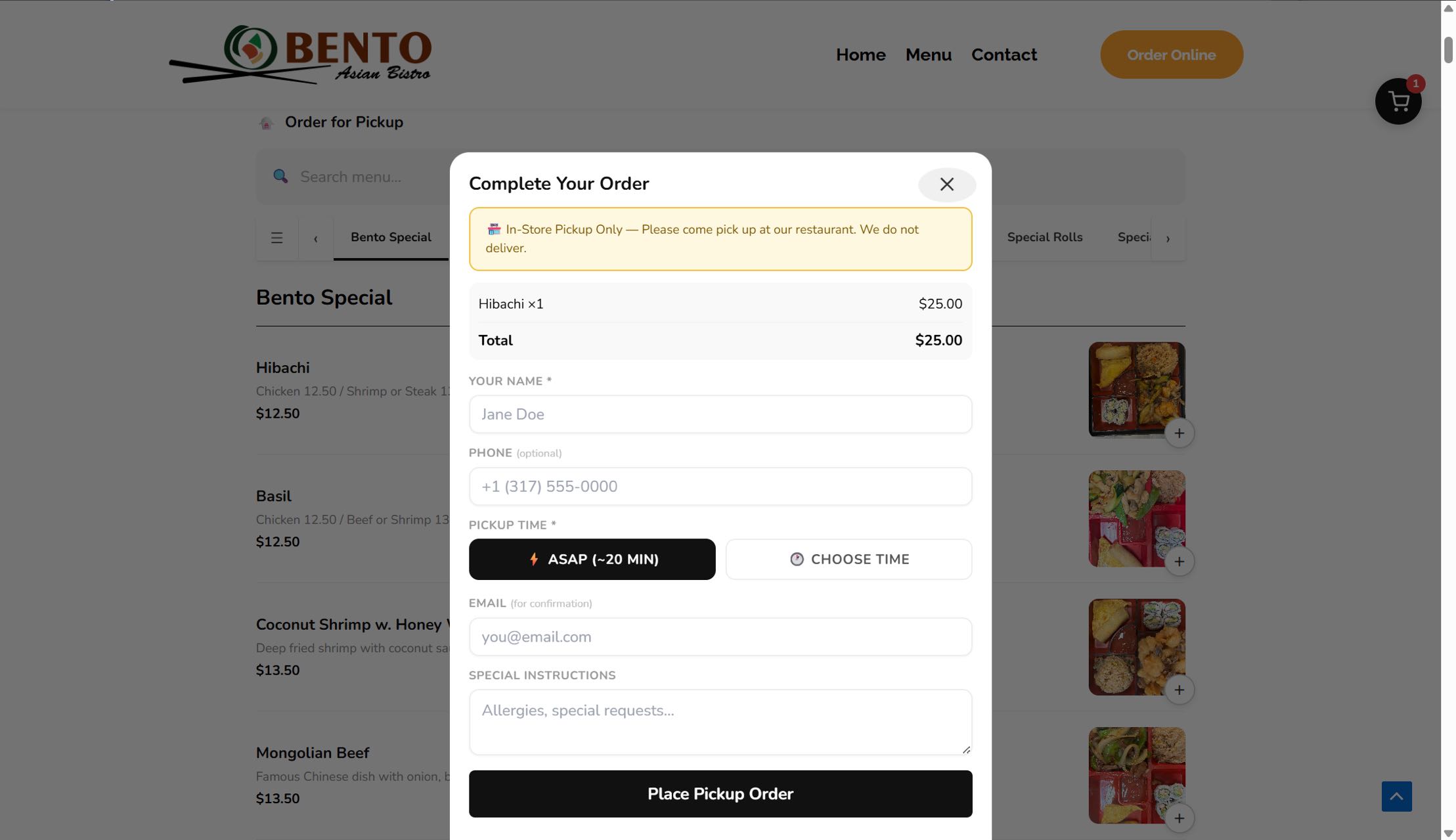
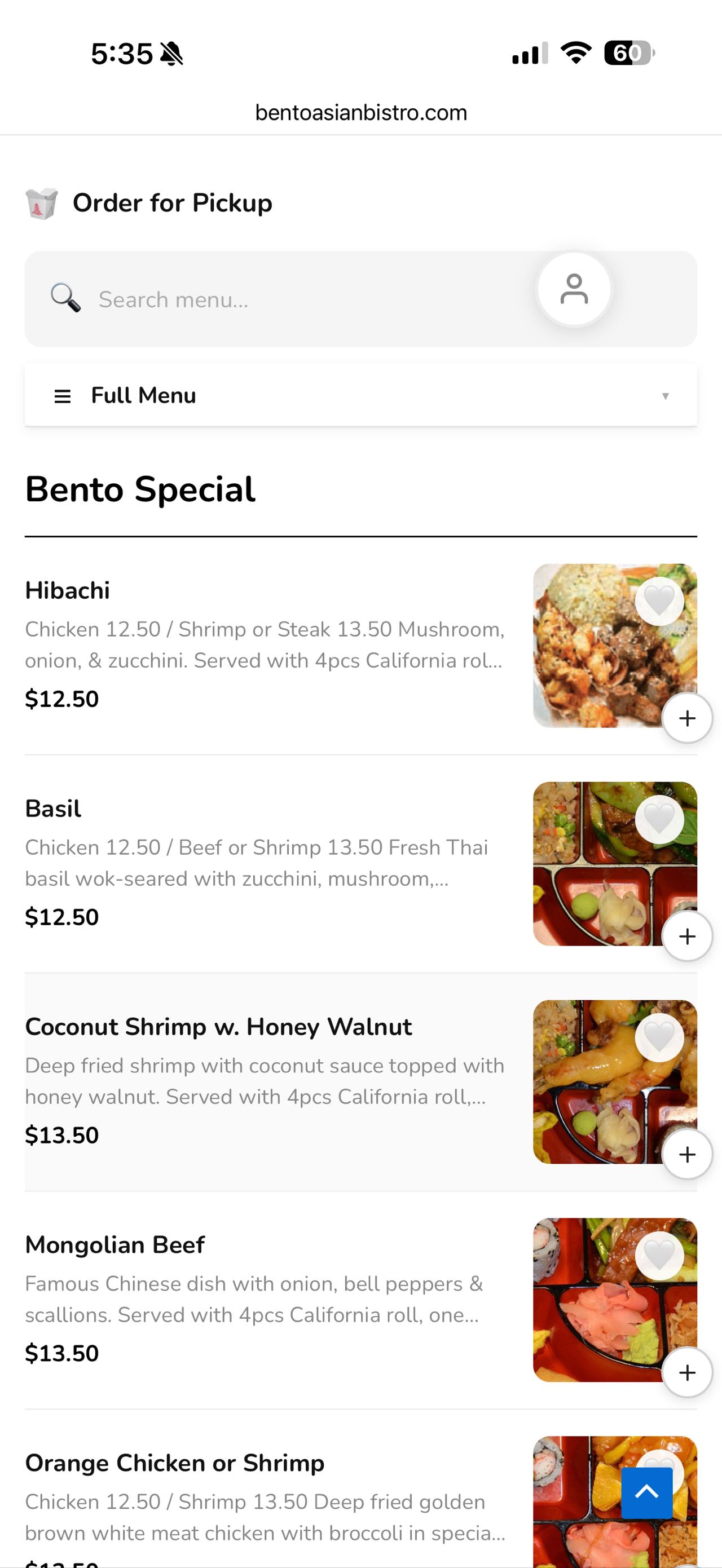
Create a branded restaurant photo menu and accept commission-free pickup orders paid directly to the restaurant. WooCommerce is not required.
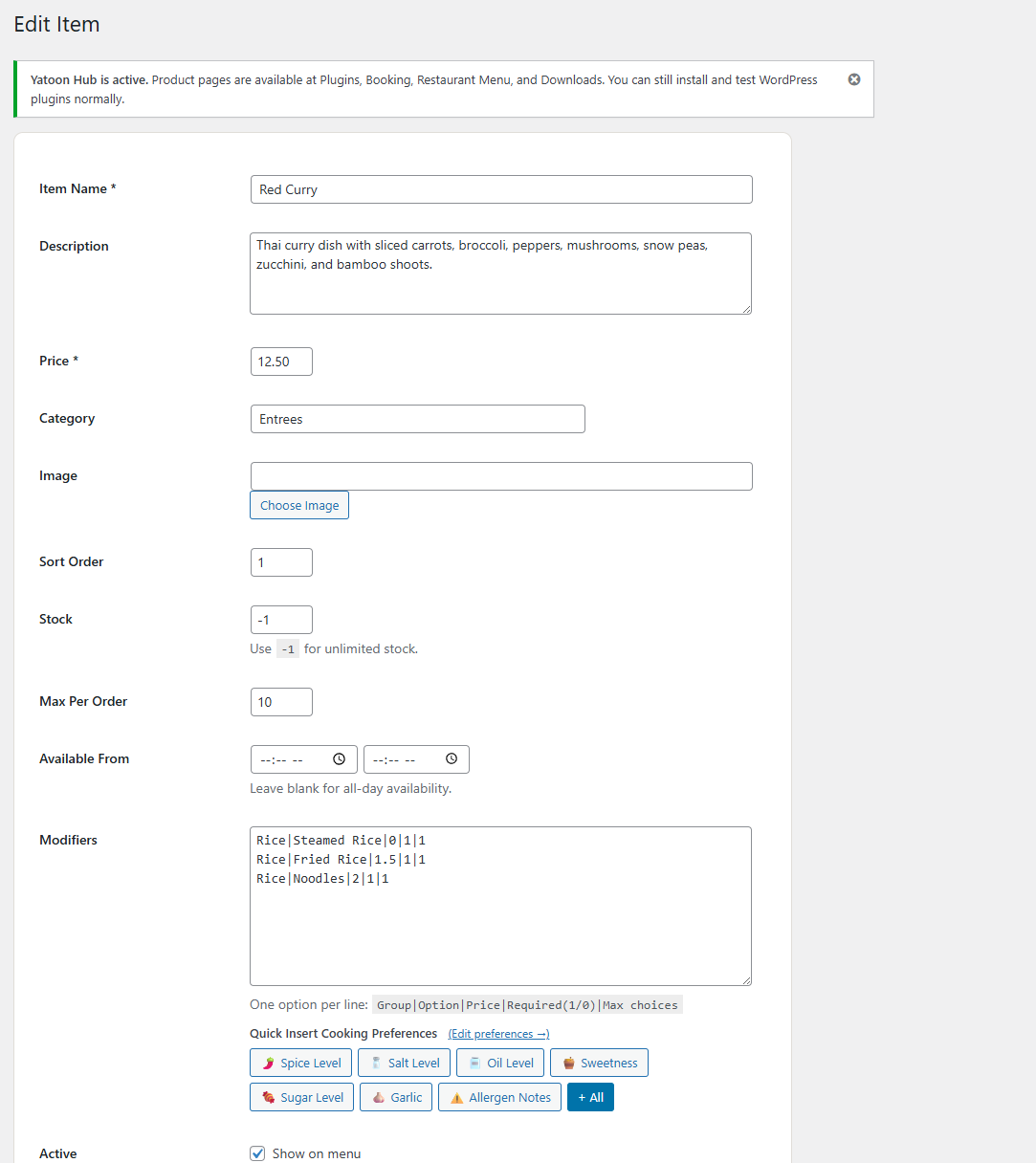
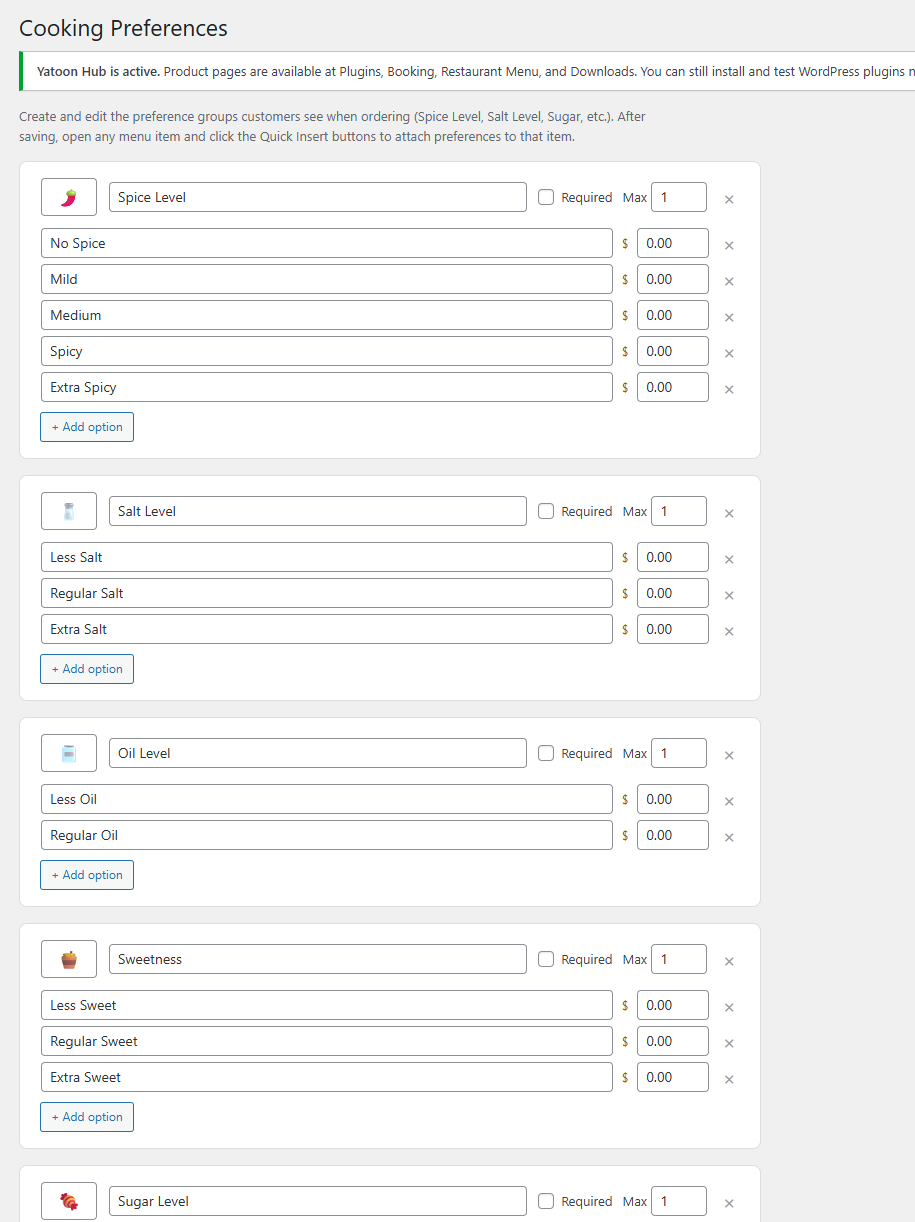
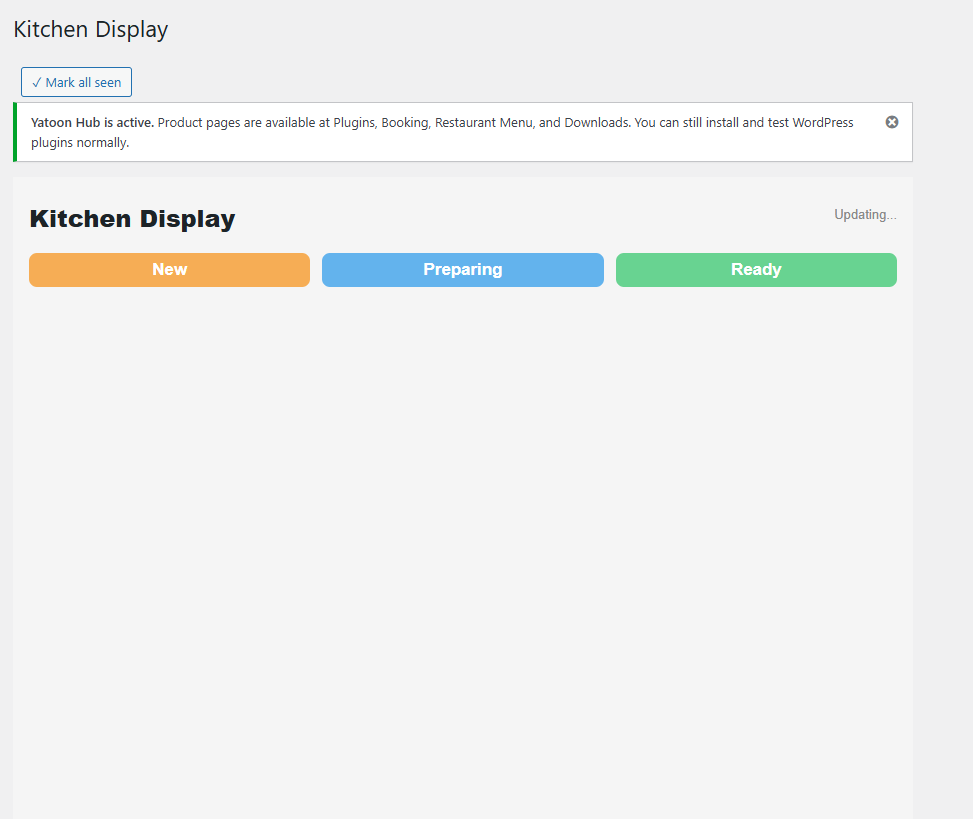
Organize dishes with categories, photos, options, modifiers, allergen notes, stock limits and special instructions. Set prices and currency, restaurant hours and closures, scheduled pickup, customer accounts, email notifications, reservations and a staff kitchen display. The checkout phone country code follows the restaurant country selected in settings.
The optional AI Food Assistant can suggest dishes from your menu when a WordPress AI provider is connected. Normal menu browsing and ordering work without AI. Customers can switch the ordering interface between English (US and UK), Simplified Chinese, Traditional Chinese, Spanish (Mexico and Spain), French and German when the restaurant enables the language selector in Checkout & language settings. Dish names, descriptions, categories and modifier labels can be translated in the background using a configured Google Cloud Translation key. Vietnamese, Korean, Japanese, Portuguese (Brazil), Filipino and Arabic become selectable after their interface catalogue has been generated; Arabic uses a right-to-left layout. Manual translations are protected. Some newer interface labels require the initial translation run even in bundled languages. Optional menu structured data and consent-based analytics help customers discover the menu while leaving analytics under the site’s consent setup.
Translation notes
Translations are provided as a convenience. Google Translate machine translation was used as a starting point for non-English catalogues. English (UK) adapts English (US) spelling and ordering terms; Mexican Spanish uses the Mexico locale, with common customer-facing ordering and checkout text reviewed. The catalogues have not received complete professional native-speaker review and may need local proofreading. Restaurant-written menu content is translated only after the owner configures and runs the translation service or enables automatic updates.
Free includes pickup ordering and pay-at-pickup. It does not include online payment gateways, SMS, delivery or dine-in ordering, table QR ordering, multi-location ordering, sales reports, loyalty campaigns or cloud printing; these are available in Yatoon Pro.
Optional receiver protection is configured in Operations & health. It applies to the entire WordPress site, not separate branch kitchens. Select at least one device currently checking Orders or Kitchen Display. If all selected devices stop successfully polling for the configured 2–30 minutes, new checkouts pause on the next server request without waiting for cron. A successful poll restores availability subject to manual pauses and other ordering rules. Existing paid orders and owned payment recovery are not automatically cancelled or refunded. Browser sleep, closing the receiving tab, logging out or a lost connection may trigger this protection. It does not prove a person accepted an order; retain unaccepted-order escalation and a backup contact channel.
Shortcodes
- [yatoon_menu] – menu and checkout
- [yatoon_kitchen] – logged-in kitchen/operations staff only
- [yatoon_order_status] – customer tracking with the order’s private tracking key/contact
- [yatoon_reservations] – reservation requests
External Services
Freemius provides optional account connection, licensing and updates. Its SDK controls the opt-in connection flow.
Terms: https://freemius.com/terms/ Privacy: https://freemius.com/privacy/
Optional Google sign-in loads Google Identity Services only when a client ID is configured. The identity token is sent to Google for verification.
Terms: https://policies.google.com/terms Privacy: https://policies.google.com/privacy
Optional Facebook login sends the login token to Meta to verify the app and retrieve the chosen profile/email.
Terms: https://www.facebook.com/terms.php Privacy: https://www.facebook.com/privacy/policy/
Optional Apple sign-in loads Apple’s web SDK and verifies the signed identity token against Apple’s public keys.
Terms: https://www.apple.com/legal/internet-services/terms/site.html Privacy: https://www.apple.com/legal/privacy/
The optional AI food assistant sends the customer’s request and available menu descriptions to the provider connected to the WordPress AI Client.
No AI provider keys are collected by this plugin. Provider selection is controlled by the WordPress connector and assistant settings.
Google terms/privacy: https://ai.google.dev/gemini-api/terms and https://policies.google.com/privacy
OpenAI terms/privacy: https://openai.com/policies/terms-of-use/ and https://openai.com/policies/privacy-policy/
Anthropic terms/privacy: https://www.anthropic.com/legal/commercial-terms and https://www.anthropic.com/legal/privacy
Optional translation: after the owner saves a Google Cloud Translation API key, explicit translation jobs and enabled automatic menu updates send dish names, descriptions, categories, option labels and fixed interface phrases to translation.googleapis.com. Tasks run through WordPress cron, continue after the browser closes, and retry on failure. Customer contact details and actual order records are not sent to this translation endpoint. The service may charge by translated character; the connection test translates one short phrase. A Google account sign-in does not automatically provision a billed Cloud project or API key.
Google Cloud terms/privacy: https://cloud.google.com/terms/ and https://policies.google.com/privacy
Optional order spam check: when a site owner enables Cloudflare Turnstile or hCaptcha in the plugin settings, the customer’s browser loads that provider’s script on the checkout, and the one-time check token plus the visitor’s IP address are sent to the provider by the server to verify it. Nothing is sent unless a provider and its keys are configured.
Cloudflare terms/privacy: https://www.cloudflare.com/website-terms/ and https://www.cloudflare.com/privacypolicy/
hCaptcha terms/privacy: https://www.hcaptcha.com/terms and https://www.hcaptcha.com/privacy
Order/contact information is stored in the site’s WordPress database and sent to the restaurant and customer through the site’s configured email service.
New email/password accounts must follow the emailed password setup link before signing in. The WordPress password reset flow also verifies these accounts.
Menu information and integrations
Confirm allergens while editing each dish. An empty allergen list means no information was supplied; it does not mean a dish is allergen-free. Customers should contact the restaurant about allergies and shared preparation areas.
Menu JSON-LD describes the public restaurant menu and prices. It does not guarantee a specific search result format. Sites using another menu schema provider may disable this output with the yatoon_menu_enable_schema filter.
Analytics & integrations offers an optional ecommerce event bridge for your existing Google Tag Manager/GA4 and Meta Pixel setup. It is off by default. No analytics scripts are installed. Forwarding requires explicit visitor consent through your consent manager and the documented YatoonAnalytics.setConsent interface. Customer contact details, addresses and notes are excluded. Configure the associated services and privacy disclosures before enabling this feature.
The Appearance screen offers everyday and seasonal menu themes, including Christmas. You can switch themes at any time; theme selection does not change prices or ordering settings.
Installation
- Upload and activate this Free plugin. Deactivate any other Yatoon edition first.
- Open Yatoon Restaurant Menu > Setup Wizard and create pages.
- Add menu items and configure pickup, currency, email, hours and closed dates.
- Place a test pickup order and verify the staff kitchen screen and emails.
- If upgrading to Pro, install the separate Pro ZIP and activate the license there.
Screenshots
Reviews
Changelog
3.4.6
- Keep queued confirmation emails and reminder deduplication intact when staff change only the table.
- Prevent overlapping table reservations, add dining/cleanup times, version-checked table changes, signed guest cancellation/rescheduling, pending expiry and arrival reminders.
- Synchronize shared reservation and header components between Free and Pro.
- Configure bookable tables and guest services in Reservations; see docs/reservations.md.
3.4.5
- Center mobile next pickup beneath the language selector using matching column widths.
-
Refined mobile header alignment into two paired rows while retaining the desktop layout.
-
Place the next pickup time beside the status badge on phones, with complete dates retained for future pickups.
-
Improved the responsive restaurant header: next pickup and hours stay together, with compact mobile language selection and availability-backed estimates.
-
Added reviewed menu migration and isolated customer/order history archives; fixed desktop column settings and clarified same-day pickup availability. See docs/migration.md for source formats and limits.
-
Pro: direct printing sends plain text in the printer’s font (UTF-8 when the printer reports support, otherwise an ASCII fallback with a warning on the Printer page) and cuts with the protocol header. The kitchen ticket and the receipt print as separate, cut tickets.
- Pro: printing continues while the printer reports paper low. Paper out, cover open, busy and offline states wait without using retries and resume automatically.
- Pro: tickets for cancelled, refunded or deleted orders are not printed and never hold up later tickets; orders awaiting payment review wait.
- Pro: staff are emailed or texted when an order ticket has not printed within a set time (default 10 minutes) or fails, independent of order escalation. Alerts say that the printer needs attention.
- Pro: every outstanding ticket is kept; printed history is limited to 80 tickets and closed tickets to 200 for 7 days.
- Pro: reprints are saved as background tasks, so a busy print queue retries without duplicate tickets.
-
Pro: honor the optional postal-code setting for distance delivery.
-
Fix legacy Chinese sushi-roll and General Tso descriptions, preserving unrelated merchant-authored translations.
- Preserve original dish names during localization so description corrections can match correctly. Repair the known Spanish Kung Pao and Smoothie mistranslations.
- Keep the order confirmation close button neutral and centered despite theme button styles, with a touch-friendly target and visible keyboard focus.
- Centralize pickup schedules, holiday closures, kitchen preparation and future-date controls in Hours & availability; prevent general settings from overwriting those values.
- Add optional site-wide receiver protection. Select receiving devices in Operations & health; stop new checkouts when all selected devices stop successfully checking orders, and resume after reconnection without clearing manual pauses or changing existing orders and payments.
- Refresh receiver heartbeats only after a successful order poll; recover expired staff heartbeat nonces. Keep unaccepted-order alerts separate from device connectivity.
- Clarify listed, unlisted and sold-out dishes and category actions. Refresh pickup availability during idle checkout, without refreshing while the payment button is processing.
- Redesign the live kitchen display: three lanes with countdowns, late highlighting, allergy callouts, one primary action per ticket and flicker-free updates.
- Orders page: structured item list with quantity badges and highlighted special requests; Delete moved into a More menu. Reports: summary cards and bars.
- Menu page: single sticky category bar, correct dish thumbnails and two-column dish cards on desktop.
- Front-end CSS refactor: about 4,480 !important declarations across the menu stylesheets were replaced by scoped selectors (#yatoon-app for the menu and its overlays, plus the kitchen, order-status and reservation roots). About 30 remain, only where a rule must beat an inline style set by JavaScript or style /. Unused legacy rules were removed and menu.css/menu.js ship minified (menu.min.css, menu.min.js) unless SCRIPT_DEBUG is on. Theme authors can override any rule with the same selector prefix.
- The menu and its overlays are wrapped in #yatoon-app, so block themes no longer push the cart drawer, backdrop and confirmation overlay into the content column.
- Update the bundled Freemius SDK to 2.13.5.
- Checkout: on desktop the order summary sits beside the form in a two-column sheet; the price breakdown is collapsed until opened; the pickup estimate is hidden for delivery orders.
- Admin: the many Yatoon Menu pages are grouped into Overview, Service, Menu, Grow and Settings with a two-level navigation bar; secondary pages leave the WordPress sidebar but stay one click away.
3.4.2
- Add configurable kitchen workload capacity shared by ASAP, scheduled orders and unexpired payment holds. Large orders reserve multiple windows and checkout rechecks capacity under the inventory lock.
- Include merchant identity, regional dates, payment status and complete order details in printed receipts and customer emails. Save merchant identity with new orders and support optional branch contact details.
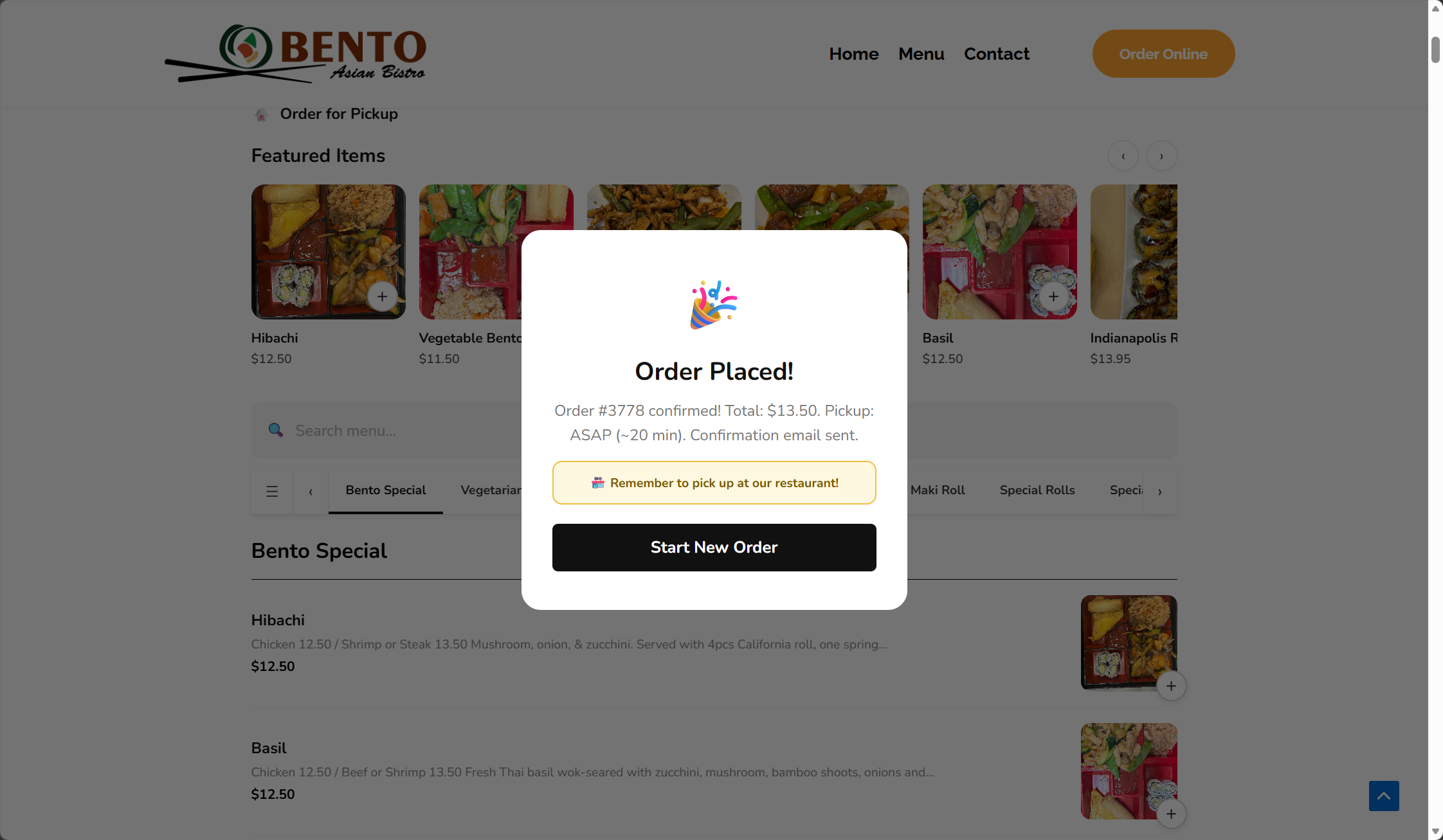
- Add an accessible close control to order confirmation and clear the submitted basket after success.
- Keep recent overdue and staff-confirmed kitchen work reserved. Isolate tickets inactive for more than 24 hours from current capacity without completing or cancelling them; staff can continue preparation to restore their workload. Filter staff review and live-board pages before pagination, and return proper authorization errors. Expiring busy-mode delays remain available.
- Fall back to the restaurant address when an optional location or marketing address is empty.
- Complete translations for the new kitchen, receipt and settings text in the bundled languages; sanitize kitchen workload and category order input and normalize line endings flagged by Plugin Check.
3.4.1
- Add numeric category positions: moving one category automatically shifts the others. Validate saves and reject edits made against outdated category lists.
- Keep same-day pickup available by default; display Today and format future dates for the customer language / region only when future pickup is enabled. Enforce the same restaurant-local date range at checkout.
- Add independent category hide/restore controls; restoring a category preserves each dish’s own visibility. Hidden categories are excluded from public feeds and new checkout validation.
- Complete optional uninstall cleanup for marketing storage and keep consent wording versions independent of release versions.
-
Ship marketing information and upgrade access without the Pro campaign or subscription engine. Existing signed unsubscribe links remain usable after downgrade.
-
Unify centred storefront tool widths and responsive category navigation.
- Pro: optional email/SMS marketing subscriptions, campaign drafts, background sends, lapsed-customer audiences and SMS followups.
- Add signed unsubscribe links, email list-unsubscribe headers and authenticated SMS STOP handling; preserve transactional notifications.
3.4.0
- Integrated the reviewed 3.4.0 fixes; preserve canonical modifier IDs/names for checkout and separate customer display translations.
- Remove redundant closed pickup messages, improve mobile forms, long dish names and empty-image dialogs.
- Persist retryable translation tasks, track source changes, protect manual edits and support a merchant terminology glossary.
- Load JavaScript catalogues for admin, kitchen and table-board handles; honor customer language in public AJAX and order emails; protect personalized ordering pages from shared caching.
- Add operations health, device heartbeats, escalation and authenticated printer receipts.
- Improved mobile menu and checkout layout, restaurant branding, service hours and resilient total calculation. Price details open by default so customers can see subtotal, tax and fees. Checkout now defaults the phone dialing code from the restaurant’s configured country.
- Improved reservation hours, booking limits, reopening checks and retryable email notifications; clarified order status and kitchen ticket handling.
- Added allergen information, menu structured data, optional consent-based analytics, seasonal menu themes, accessibility and translation improvements.
- Improved setup guidance, category and menu management, currency handling and scheduling safeguards.
3.3.2
- Added category management and first-run setup tools; improved currency selection, responsive admin screens and checkout reliability.
3.3.1
- Improved payment and notification reliability, account security, checkout protection and mobile administration.