Yatra – Travel Booking & Tour Operator Software
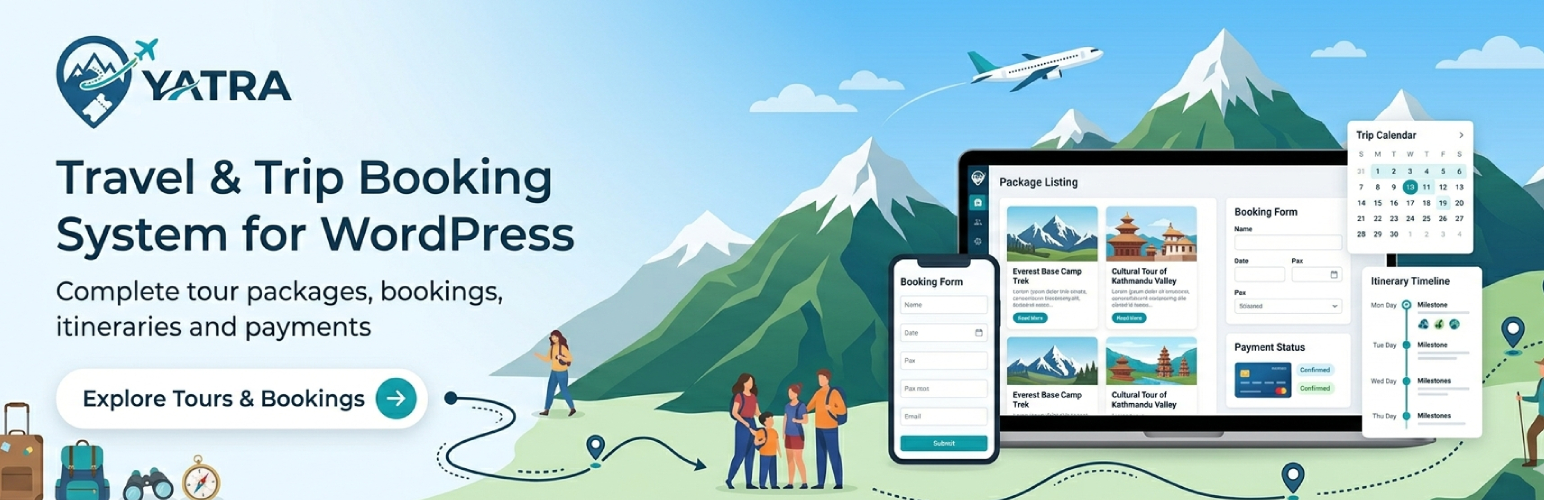
Yatra – Travel Booking & Tour Operator Software
Description
✈️ Yatra is the WordPress travel booking plugin built for tour operators, activity providers, travel agencies and adventure businesses that need real trip inventory — not a generic shop. The free version is a full booking office: trips, availability, checkout, customer records, transactional emails and a customer account area. Yatra Pro unlocks premium payment gateways plus a suite of 20 Pro modules you switch on as your business grows — from Channel Manager (Viator + GetYourGuide) to AI Assistant, White Label and WhatsApp Notifications.
Official site: 🌐 wpyatra.com · 📖 docs.wpyatra.com · 💳 Pricing · ✨ All features · 🎯 Live demo · 💬 Support forum
🎬 See Yatra in action
🎥 Watch the Yatra walkthrough on YouTube — trips, bookings, checkout, and traveler accounts in under five minutes. More tutorials on the MantraBrain YouTube channel.
✈️ Why tour operators pick Yatra
- 🗺️ Travel-first data model — Departures, capacity, traveler types and itineraries match how tours are actually sold, not how an e-commerce shop sells products.
- 🧭 One admin workspace — Modern Yatra dashboard inside wp-admin; less tab-hopping than bolting travel onto a generic commerce stack.
- ⚖️ Honest Free vs Pro — Core booking, CRM-style records, reviews and PayPal / Pay Later are in the free plugin. Card gateways and advanced modules are in Pro — no surprise paywalls on basics.
- 🔒 Your site, your data — Bookings and customer data stay in your WordPress database; payments go through the gateways you configure. No proxy, no markup, no per-booking fee.
- ⭐ 700+ active installs · ★ 4.6 / 5 on WordPress.org — Active development since 2018, weekly updates.
🎁 What you get in the free Yatra plugin
Trips and catalog (free)
- Trips & Itineraries — unlimited trips with rich descriptions, gallery, difficulty, duration, meeting points, included / excluded lists, day-by-day itinerary builder, per-trip FAQs and custom attributes
- Departures & Availability — scheduled departures, capacity, recurring availability rules
- Customer Accounts — booking history, payments, profile, and document access (invoices, vouchers, itineraries)
- Reviews & Ratings — moderation and trip-level display
- Sales Reports — admin reports for bookings, revenue, and trends
- Discounts & Coupons — sale and regular pricing, traveler-based pricing, coupon engine
- Enquiries Inbox — capture pre-booking questions per trip
- PDF Documents — generated invoices, vouchers, traveler itineraries
- Transactional Emails — booking confirmation, payment receipt, cancellation, reminder
Free payment gateways
- PayPal — cards, PayPal balance, Pay-in-4
- Pay Later — book now, confirm or pay offline (ideal for bank transfer, cash on arrival, invoice workflows)
Front-end + extensibility
- Templates for trip listings, single trip, booking flow, checkout, and account
- 4 Gutenberg blocks + 8 shortcodes to place trips, search, login and account on any page
- Compatible with most well-coded block themes, classic themes and major page builders
- PHP 7.4 or newer, structured codebase, hooks and filters, template overrides
- REST-oriented flows for booking and account experiences
💎 Yatra Pro — 20 modules across 3 tiers
Compare plans and buy Yatra Pro — three plans (Starter · Growth · Scale), each available yearly or lifetime.
Starter — $99/yr (sale, regular $149) · 1 site license · everything below included
- Dynamic Pricing — seasonality, demand, early bird, last-minute, inventory rules
- Flexible Payments — deposits and partial payments
- Scheduled Payments — instalment plans
- Advanced Discount — group-style discounts alongside coupons
- Additional Services — sell extras with the trip
- Email Automation — multi-step sequences, audience filters, per-send delivery logs
- Abandoned Booking Recovery — recover incomplete bookings
- Mailchimp Integration — sync travelers + bookings to lists
- Facebook Pixel — server-side + browser events
- Google Analytics 4 Enhanced — booking funnel + revenue events
- Google Calendar sync — departures and bookings into Google Calendar
- Custom Landing Pages — per-trip conversion-focused landing pages
- Dynamic Form Field — drag-and-drop custom booking questions
- Trip Consent — digital waivers and signatures
- Premium payment gateways: Stripe · Razorpay · Mollie · Paystack · Square · Authorize.Net · Bank Transfer
Growth — $149/yr (sale, regular $199) · 1 site license · everything in Starter, plus
- AI Assistant — generate itineraries, draft descriptions, suggest replies (bring your own OpenAI or Anthropic key)
- WhatsApp Notifications — booking confirmations, payment receipts and departure reminders over WhatsApp (Meta Cloud API)
Scale — from $349/yr (sale) · 1-site $349/yr (regular $449) or 15-site $599/yr (regular $749) · everything in Growth, plus
- Channel Manager — sell on Viator + GetYourGuide from one WordPress dashboard. Signed webhooks, anti-overbooking locks, real-time inventory sync.
- White Label — rebrand the admin, emails, PDFs and frontend. Full agency theming.
- Team & Access — granular roles + capability-based access for multi-staff agencies. 8 built-in roles, custom role builder, magic-link invitations, time-windowed access for contractors, scope filtering (per-destination / per-trip), append-only audit log. Defense-in-depth: every action gated on the server, UI mirrors via cap-aware controls.
- Webhooks — outbound HTTP delivery on booking / payment / customer events. HMAC-signed payloads, retry queue with exponential backoff, dead-letter queue, certificate pinning. Wire Yatra into Zapier, Make, n8n, or your own internal systems.
Lifetime plans also available: Starter $499 · Growth $699 · Scale $1,299 (1 site) / $1,999 (15 sites) — pay once, own it forever.
See full plan comparison and pricing
🥊 How Yatra compares
Considering Yatra against a SaaS booking platform or another WordPress travel plugin? We’ve written honest, side-by-side comparisons against each major alternative:
- 🔄 Yatra vs Rezdy — Sell on Viator + GetYourGuide without the $99–$499 / month Rezdy SaaS bill. Lifetime license · GPL · your data, your gateway.
- 🔄 Yatra vs Bokun — Skip the per-OTA-booking fee Bokun charges (typically 2.5% per booking). Independent open-source alternative to Tripadvisor-owned Bokun.
- 🔄 Yatra vs WP Travel Engine — Same WordPress philosophy, modern architecture, broader Pro modules. Custom database tables for performance vs. WP Travel Engine’s custom post types.
Each page covers the feature matrix, pricing math, migration steps and FAQ — written without overpromising. Read the verdict, then try Yatra Pro free before you commit.
🌐 Native integrations
Yatra ships with bring-your-own-credential integrations — no proxy, no markup, no per-event fees. Full directory: All integrations on wpyatra.com.
- Payments: PayPal · Pay Later · Stripe · Razorpay · Mollie · Paystack · Square · Authorize.Net · Bank Transfer
- OTAs: Viator · GetYourGuide · Other OTAs (by request)
- Email & Messaging: Mailchimp · WhatsApp Cloud API
- Analytics & Marketing: Google Analytics 4 · Meta / Facebook Pixel
- Calendars & Scheduling: Google Calendar
- AI Providers: OpenAI · Anthropic Claude
- WordPress Ecosystem: Gutenberg blocks (4 native) · Elementor (via Shortcode) · WooCommerce (coexistence) · Loco Translate
🔍 Built-in travel SEO
Yatra is built to rank — your trips, destinations and activities are search-engine ready out of the box, with no extra SEO plugin required:
- 🧱 Schema.org structured data — automatic structured markup for trips and listing pages so search engines can surface rich results for your tours.
- 🏷️ Meta titles, descriptions & Open Graph / Twitter cards — per-trip and per-archive, with
{name}-style tokens, for clean search snippets and shareable social previews. - 🗺️ XML sitemap — Yatra publishes one sitemap of every trip, destination, activity and category at
/yatra-sitemap.xml, advertised inrobots.txtand integrated automatically with WordPress core, Yoast, Rank Math and All in One SEO sitemaps. (Yatra stores content in fast custom tables, so this is what keeps it fully discoverable.) - 🔗 Clean, keyword-friendly permalinks —
/trip/…,/destination/…,/activity/…URL bases you control under Settings. - 🌍 Translation-ready interface — every label, button and email is translatable with standard
.po/.mofiles via Loco Translate, WPML String Translation or Polylang string translation.
🧩 Blocks and shortcodes
Use the block editor or classic shortcodes to drop catalog widgets, search and account UI into any page.
Blocks (search the inserter for “Yatra” or the block name):
- Trip — block name
yatra/tour(trip grid; the registered name staysyatra/tourfor backward compatibility, but the inserter title and UI now read Trip). Trip Settings (layout, Featured Priority — restrict to Featured, New, or Limited Time picked on the trip form’s Categorization Featured Priority) and Filters: each taxonomy (destinations, activities, trip categories, difficulty / fitness level) supports Listing scope — either All published (no ID filter saved) or Only selected, with search plus checkboxes to pick numeric classification IDs. - Activity —
yatra/activity: same taxonomy picker pattern (All published vs search + IDs) in the sidebar; matches[yatra_activity]ID rules. - Destination —
yatra/destination: same pattern; matches[yatra_destination]ID rules. - Trip categories —
yatra/trip-category(same card layout as destinations; links use your trip category base from Settings).
Shortcodes (all accept string values as in the plugin defaults — use yes / no or 0 / 1 where noted):
[yatra_trip]— Trip listing. Alias:[yatra_tour]. Filters:destination,activity,categoryaccept comma-separated classification IDs. Optional:order,featured_priority(featured/new/limited),per_page,difficulty,price_min,price_max,duration_min,duration_max,search,columns,show_pagination,title. Pagination:trip_page. Examples:[yatra_trip],[yatra_trip destination="44" activity="12"],[yatra_trip featured_priority="new" per_page="6"].[yatra_activity]— Activity listing cards.[yatra_destination]— Destination showcase.[yatra_trip_category]— Trip category cards.[yatra_search]— Advanced trip search form. Per-field visibility attributes —keyword,destination,activities,duration,budget— eachyes/no. Omit one to inherit its Settings Search & Listing toggle; pass a value to force it on/off for that placement. Example:[yatra_search budget="no" duration="no"]. (The built-in listing page sets these automatically from your settings.)[yatra_login]— Customer login form.[yatra_my_account]— Account dashboard for logged-in users.[yatra_discount_and_deals]— Discounted trips.
Empty-term filtering (hide_empty): [yatra_destination], [yatra_activity] and [yatra_trip_category] accept hide_empty="yes" to skip taxonomy terms that have zero published trips. Opt-in (default no).
Note: If you’re migrating from an older build, [yatra_cart], [yatra_checkout] and [yatra_mini_cart] are no longer registered — checkout and the booking flow now use Yatra’s own front-end routes and templates. See docs.wpyatra.com for full shortcode reference, URLs and page setup.
🎨 Compatible WordPress travel themes
Yatra works with most well-coded block themes, classic themes and major page builders. Recommended themes (optional — Yatra works with any theme):
- 🧳 Resa — the official Yatra travel theme — Lighthouse-fast, mobile-first, Gutenberg + WooCommerce ready, free on the WordPress.org theme directory. Trip card grid, departure widgets, traveler-account dashboard all pre-styled for Yatra.
- 🧱 Blocksy — modern block theme
- ⚡ Kadence — fast, flexible theme
🔗 Quick links
- 🏠 wpyatra.com — official site
- 💳 Pricing — Starter · Growth · Scale · Lifetime plans
- ✨ All features — full Free + Pro capability list
- 🌐 Integrations — every native partner
- 🥊 Yatra vs alternatives — head-to-head comparisons
- 🎨 WordPress travel theme (Resa) — recommended pairing
- 📖 Documentation — installation, blocks, shortcodes, operations
- 🎯 Live demo — see Yatra on a real WordPress demo
- 🆘 Support / contact — help and commercial support routing
💙 Join the community
- ⭐ Rate Yatra five stars — helps other tour operators find the plugin
- 💬 Facebook community — connect with other Yatra users
- 📧 Email support — direct email for product questions
- 🐛 GitHub — issues & contributions — bug reports and pull requests
🚀 Try Yatra risk-free
- 🧪 Try the free Yatra plugin in WordPress Playground — spin up a temporary WordPress site with the free Yatra plugin pre-installed. No local setup, no signup, no credit card.
- 🎁 Try Yatra Pro free — full Pro trial environment with every module enabled. No credit card required.
- 💰 14-day refund on every paid Yatra Pro plan — see the pricing page for the refund window terms.
Additional Information
Privacy
Booking and customer data are stored in your WordPress database. Payment processing is performed by the gateways you enable; review each provider’s privacy and PCI documentation. Yatra does not ship customer data to an external SaaS.
Credits
Yatra is developed by MantraBrain. Third-party libraries include components such as React (admin UI), Vite, TanStack Query, and others as shipped in the plugin package.
Contributing
Issues and contributions: GitHub — Yatra
If Yatra helps your business, a ⭐ five-star review on WordPress.org and considering 💎 Yatra Pro when you need paid features both help sustain development. Thank you for using Yatra.
Installation
🛠️ Quick setup
- Install and activate Yatra from this screen or upload the ZIP under Plugins Add New Upload.
- Complete the setup wizard (currency, basics, permalinks as prompted).
- Add destinations and activities, then create your first trip under Yatra Trips.
- Configure PayPal and/or Pay Later under Yatra payment settings (free). Add Yatra Pro when you need card gateways or Pro modules.
- Place the booking experience on your site using Yatra templates, blocks, or shortcodes (see 🧩 Blocks and shortcodes in the description above and docs.wpyatra.com).
Screenshots

Yatra dashboard inside WordPress — bookings, revenue and quick access to daily tasks

Trip Booking Process — hero, itinerary and book flow

Traveler account — bookings, payments and documents
Faq
Yatra is the WordPress travel booking plugin built around the operational reality of selling tours — scheduled departures, capacity, traveler categories, OTA distribution, dynamic pricing and deposit handling. The free plugin covers the entire booking lifecycle (trips, availability, customer accounts, reviews, reports, PDFs, transactional emails, PayPal + Pay Later); Yatra Pro adds 20 modules across Starter, Growth and Scale tiers. Read the head-to-head comparison vs WP Travel Engine or vs Rezdy SaaS.
Yes. The plugin on WordPress.org is free and includes the core booking stack for many tour operators. Yatra Pro is a paid upgrade for premium gateways and 20 Pro modules.
No for day-to-day operation. Developers can override templates and use hooks for custom workflows.
Free: PayPal and Pay Later. Pro: Stripe, Razorpay, Mollie, Paystack, Square, Authorize.Net, bank transfer (as supported for your account and region).
Yes. Use Pay Later for offline confirmation, invoices, or pay-on-arrival flows.
Yes — the Channel Manager module (Scale tier) connects Yatra directly to Viator and GetYourGuide via their official APIs. Signed webhooks pull bookings back in real time; anti-overbooking locks prevent two channels selling the same seat. Other OTAs (Klook, TripAdvisor Experiences, Booking.com Experiences, Airbnb Experiences) are available by request.
Yes. Yatra runs alongside WooCommerce on the same WordPress site — Yatra stores trips in its own custom tables while WooCommerce uses WordPress orders. Both coexist without data conflicts. Many operators use Yatra for tours and WooCommerce for merchandise or gift cards.
Interface — yes. Yatra is fully translation-ready: every label, button and email translates via standard POT / .po / .mo files using Loco Translate, WPML String Translation or Polylang string translation. RTL stylesheets ship in the Resa travel theme.
Trip content — important to know. Yatra stores trips and destinations in its own fast custom tables (not WordPress posts), so WPML and Polylang — which translate posts and taxonomies — cannot translate the trip content itself. For a fully multilingual catalogue today, run one site per language (WordPress Multisite, a subsite per language). Native per-language content translation is on our roadmap.
Currency. Set your default currency in Yatra Settings (site-level).
It works with most modern WordPress themes. Yatra ships front-end templates; your theme controls global layout and typography. For the smoothest pairing, see Resa — the dedicated Yatra travel theme by MantraBrain, free on WordPress.org.
Travelers can access invoices, vouchers and itineraries from the account area on the free plugin when your site is configured for it. Pro expands payment choices and business modules — it does not remove core documents by default.
Saved trips appear when Yatra Pro is active and wishlist is enabled in Yatra settings.
Use WordPress privacy tools together with Yatra: export or delete user-related data as required by your policy. Bookings and customer data live in your own WordPress database — Yatra does not ship data to an external SaaS. Payment data is handled by your chosen gateways under their terms.
See docs.wpyatra.com and wpyatra.com for features, Pro and updates.
See 🧩 Blocks and shortcodes in the description above. Full walkthroughs (pages, permalinks, checkout URLs) are in the documentation.
No. Checkout and the booking flow run on Yatra’s own front-end routes and templates — drop them on any page via the plugin’s pretty permalinks (see the Permalink settings). Catalog, search, login and account still have shortcodes and blocks as listed in the description.
Pricing starts at $99/yr (Starter, sale) and goes up to $599/yr (Scale 15-site, sale). Lifetime plans available from $499 one-time. Every Pro tier includes a 14-day refund window. See the full pricing breakdown.
Reviews
The best tour plugin ever
By 
I like the way Yatra plugin organizes the tours on the page and the way the elements are organized on the tour card
Clearly the Best Travel Plugin I Tested
By 
I’m very satisfied with the Yatra plugin.
I tested multiple travel and booking plugins, but Yatra clearly stood out as the best option. It offers more features than the others and provides a solid, well-structured solution for building a travel website.
What I appreciate most is the support. Instead of slow email responses, they offer live chat support where you can speak directly with someone in a professional and helpful way. This makes a big difference and shows they take their users seriously.
The pricing is also very fair. Unlike other plugins that require expensive monthly subscriptions, Yatra offers great value for money without unnecessary ongoing costs.
Overall, a high-quality plugin with excellent support. Highly recommended.
Support is Horrible
By 
I have been trying to get several features finalized and it has been 2 months now that I have been waiting for a response. I have followed up with no reply.
This software has some major challenges in the payments area and I would caution anyone looking at this to make sure you do a lot of testing to make sure it meets your needs.
Something as simple as a flat deposit by person is what I am looking for and it is not available.
I will be trying to get my money back.
Best!
By 
Best plugin and amazin support!
Is anyone there?
By 
Was unable to purchase a license after trying with 4 different cards.
Was unable to reach anyone at the company via their chat plugin despite the mention that there are staff online.
Support forum goes to a dead page.
I would avoid. I cannot even verify they are a going concern. Their competitors seem to be more responsive.
Yatra Rocks
By 
Overall, I highly recommend the Yatra plugin to anyone who wants to enhance their travel website's functionality and provide their visitors with a top-notch booking experience. Thank you, Yatra, for creating such a great plugin!
Best plugin ever
By 
I've been using it short time, but it is easy to manage, everything works great, I would recommend it to everyone!
Keep up the good work guys!
really impressive, highly customisable plugin well suited to tour and travel sit
By 
Quick and Easy to Deal With
By 
Perfect and immediate support.
By 
Changelog
The two most recent releases are listed below. For the complete version history, see changelog.txt.
3.0.14.2 — 31 August 2026
- Fresh installs now create the trips table correctly: a semicolon inside a column comment broke the
wp_yatra_tripstable creation during dbDelta, so a brand-new install could end up without the trips table — the tour list and sample-data import then failed. Existing sites were unaffected; updating recreates the table automatically.
3.0.14.1 — 31 August 2026
- Declared compatibility with WordPress 7.1.
3.0.14 — 31 August 2026
With thanks to Vista-Tours for extensive beta testing and the detailed feedback behind many of the fixes in this release.
- Resend booking and payment emails by hand: administrators can now re-send a booking’s confirmation, payment, cancellation, reminder and completed emails — and the admin copies — from the booking view, after a manual change or when an automated email failed to arrive.
- Set a day tour’s length in hours: a single-day trip can carry a duration in hours (for example an 8-hour experience). The tour then shows its length in hours, and — with Yatra Pro — Google Calendar creates a same-day timed event of that length instead of an all-day, multi-day one.
- Dashboard capacity and occupancy match the Departures page: the dashboard now reads capacity from your Availability configuration, exactly like Departures, so the two no longer disagree. Legacy “unlimited” capacity markers left on old departures are normalised, and a fully-booked upcoming tour stays visible on the dashboard instead of dropping out of the list.
- Star rating on the booking confirmation shows the right colour: the rating stars rendered all grey on the confirmation page because a stylesheet was not loaded there; the correct colours are now applied.
- Cancelling a gateway payment returns to a working page: cancelling PayPal (or any gateway) under a custom booking page led to a 404. Cancel and failure now land on the booking-confirmation page with a clear “payment not completed” notice.
- Offline gateways are never auto-completed: Bank Transfer and Pay Later bookings could be marked paid automatically; they now stay pending until you confirm the payment by hand.
- Correct decimal separator in payment amounts: amounts formatted wrongly on some European browsers; currency now formats consistently from your store settings. Invoices also use the booking reference as the invoice number.
- Completed (past) departures stay visible in the tour list and the Past tab, independent of when the daily maintenance runs; bulk-deleting departures works from the all-tours view; and a new optional date filter in trip search and listings lets visitors find tours available on or after a chosen date.
- Changing a booking’s tour moves its departure with it, releasing the seat from the old departure and reserving it on the new one.
- Global “Always BCC” address can be saved: the field under Settings Email accepted an address but never stored it. It now saves, and accepts several comma-separated addresses.
- The email template list opens on the Active view, so disabled or unused templates stay decluttered out of sight; the All and Inactive tabs remain available to review or re-enable them.
3.0.13 — 21 July 2026
- Star ratings now match the number shown: a 4.9 average drew four-and-a-half stars beside the printed “4.9”. Ratings round to the nearest half star everywhere — trip pages, the reviews block, listing cards and the booking confirmation all draw the same rating identically.
- Dashboard occupancy is no longer stuck at 0%: the dashboard ignored the capacity figures the departures list actually returns, so every tour showed 0% occupied and available seats could read as a negative number, while the individual trip page calculated it correctly from the same departures.
- Departures honour the seats set on a time slot: a private tour whose vehicle holds 9 passengers but sells a single booking unit per departure still showed 9 available. Capacity defined on a time slot is now used everywhere it applies, and where a date has several departure times each one uses its own seat count instead of the day’s total.
- Sold-out dates no longer accept bookings: a date marked sold out could still be booked, because the seat check looked past the sold-out record and fell back to the tour’s overall capacity. Sold-out dates are now refused at checkout, or offered as a waitlist where the waitlist is enabled.
- Choose how sold-out dates appear: a new Show sold-out dates option under Settings Booking. Leave it on to keep them on the calendar marked “Sold out” (needed for the waitlist), or turn it off to hide them entirely, the way blocked dates are hidden. Existing sites are unchanged.
- Dates marked unavailable are hidden and unbookable: an unavailable date stayed visible and could still be booked, unlike blocked, closed and cancelled dates.
- Manual payments recorded the wrong currency: a payment added by hand was saved as USD regardless of the store currency, so a euro shop saw dollar amounts sitting beside correctly-formatted euro ones. Existing payment records are left as they are; new ones follow the store currency.
- Payment methods are labelled consistently: the Payments list printed whatever each record happened to store, so gateway payments showed “paypal” while hand-entered ones showed “PayPal” or “Credit Card”. Every row now shows the gateway’s proper name.
- Changing the number of participants is saved: editing the traveller count on an existing booking had no effect — the booking was saved with the original count, because the number was read from the traveller list rather than the field. Changing it now adds or removes traveller entries to match.
- Confirming a booking from the edit screen sends the confirmation email: moving a booking to Confirmed from the booking editor saved the status but sent nothing and triggered no automation, while doing the same from the status action worked. Both routes now behave identically — and cancelling from the editor releases the seats, which it previously did not.
- Backend bookings reduce availability on tours with several departures a day: a booking added from the admin never said which departure it was for, so on a tour running more than one departure a day it reserved no seats and the frontend still showed the date as free. The booking screen now asks for the departure time whenever the chosen date runs more than one, and the seats come off that departure.
- Invoices and vouchers show the complete business address: only the street line was printed, so the town, postcode and country were missing from every document. All the address fields you have filled in are now included.
- The dashboard no longer goes blank: a payment with no date threw an error that took the whole dashboard down with it. Dates that are missing or unreadable now simply render as “-” anywhere in the admin.
- Choosing a trigger event when creating an email template: the template panel showed the event as a read-only badge with nothing to change it, directly beneath text asking you to pick one. It is now a working dropdown listing every available event.
3.0.11 — 20 July 2026
- Departures now honour your recurring availability rule: a tour with a 9-seat vehicle but a rule allowing only 1 booking per date showed 9 under Departures. Overlapping rules were resolved in an arbitrary order (every rule carries the same priority), so the wrong one could win and the display fell back to the tour’s passenger capacity. Rule matching is now deterministic — the most recently created rule wins a tie — and rules created in the editor are read correctly everywhere.
- Departures can be deleted again: deletion always failed with “Manual departures or departures with bookings cannot be deleted”, even for an empty, auto-created departure. The check required an internal value the plugin never actually stores, so no departure was ever deletable. A departure can now be removed once no bookings remain — checked against the real booking records rather than a counter that can drift — and departures with bookings are still protected.
- Dashboard occupancy is no longer 0%: the dashboard counted only departures inside the selected date range, which excluded the upcoming departures the figure is about, while individual trip pages calculated it correctly.
- Guest selector on sold-out dates: the traveller selector stayed usable on a fully booked departure and allowed more guests than the tour’s capacity. A sold-out date now starts at 0 with the controls disabled, and the maximum always reflects the seats actually left.
- Bulk actions no longer report the wrong thing: choosing departures and pressing Apply without picking an action said “Please select departures and a bulk action first”, pointing at the selection rather than the missing action. Each message now names the input that is actually missing (also fixed on Rules, Items, Item Types, Itinerary and Email Templates).
- Star ratings on the booking confirmation: half stars never appeared, so a 4.5 rating rendered as 4 solid stars next to the text “4.5”. Trip pages and the confirmation page now round identically.
- Administrators can change a customer’s email address: editable from the customer screen. If the customer can sign in, a confirmation link is sent to the new address and the change applies once confirmed (matching WordPress); customers without an account are updated immediately.
- Invoices show full addresses: the customer’s postal address is included, and a multi-line company address keeps its line breaks instead of collapsing onto one line.
- Invoices respect your number and currency settings: amounts previously always printed as
$1,234.56, ignoring the configured decimal separator, thousands separator, decimal places and symbol position. Vouchers and itineraries were corrected too. - Invoices reflect the payment status: after an offline payment the invoice stayed Payment Pending with nothing paid and the full amount due. Marking a booking paid now settles the amounts and records the payment, so the invoice reads Paid with a zero balance.
- Customised admin emails are used again: when a payment arrived the customer received their customised template but the administrator still got the built-in default. Every core email type can now be overridden.
- Bank transfer details on invoices are translatable: they reuse the same translations as the booking confirmation page, so translating once covers both.
- Bank details on the booking confirmation are aligned with every other row.
- Payment status can be changed from the bookings list: an Actions entry for Paid, Partially Paid, Pending and Refunded — useful for bank transfers and other payments received by hand. Marking a booking paid also records it in Payments, so a later payment cannot overwrite it.
- Always-BCC and per-template CC/BCC: archive or monitor outgoing mail with a site-wide blind copy, plus optional CC/BCC on any individual template. Nothing is copied until you enter an address.
- Country flags in every country selector, including a search box, on checkout and in the admin.
- Invoice, voucher and itinerary branding: the White Label module can now supply a company logo and header colour for generated documents.
- Separate “Partial Payment Received” email: an optional template with its own wording and remaining-balance details, used only when deposits or partial payments are enabled and the template is switched on.
- Fixed several smaller issues: hidden PHP notices on the departures and customers screens, hardcoded
$in discount labels and deposit messages, a To address with several recipients being silently mangled, team invitations bypassing SMTP settings, and an admin bundle that could never be cached by the browser.
3.0.10 — 15 July 2026
- Tour review structured data (SEO) — fixed the Google Search Console errors: GSC reported “Invalid object type for field <parent_node>”, “Missing field author” and “Missing field itemReviewed” on tour pages. The cause was the review Microdata — the AggregateRating was nested in a
TouristTrip(a type Google doesn’t support for review snippets), and the whole reviews section was marked as oneReviewwith no author/itemReviewed. Microdata can’t express this correctly here (the rating is in the hero, the reviews are a separate section, so they can’t share one valid parent node), so review structured data is now emitted as JSON-LD — Google’s recommended format — centrally for every tour page: aProductwith the tour name,aggregateRating, and areview[]array where each review carriesauthor(Person),reviewRating,reviewBody,datePublishedand the review title. The broken Microdata was removed. Tours without reviews keep their previous schema (no incomplete-Product markup). The JSON-LD is\u-escaped so review text can never break out of the<script>block. - Account email address is now editable: customers can change their account email from My Account Profile. It follows WordPress’s own confirmation-link flow — the address is not changed until the customer clicks a link emailed to the new address — with Resend and Cancel actions, a pending-change notice, and a security notice sent to the old address once confirmed. All four emails are editable transactional templates.
- Sold-out departures can no longer be booked: a sold-out date is now disabled up front instead of only failing at the final checkout step. The button reuses the exact server-side waitlist/capacity rule, so the UI matches what the server will accept; the server guard remains as defense-in-depth.
- Deposits no longer auto-confirm when Auto-Confirm is off: paying a deposit/partial now leaves the booking pending (status), matching the Auto-Confirm Bookings setting, across all payment-completion paths (synchronous gateways, Stripe/generic, PayPal). Deposit-paid bookings are shielded from the pending-expiry cron, so no booking is auto-cancelled after a partial payment. Overridable via the
yatra_confirm_booking_on_paymentfilter. - reCAPTCHA v3 now works: invisible, score-based protection is verified server-side on each protected form (enquiry, review, booking, registration) and fails closed; the secret key never reaches the browser; the action is validated against the form.
- Invoice fixes: the “Invoice #” field is no longer empty (derived from the payment id, matching the account page), and the pro-forma invoice shows the booking’s real payment state — Paid / Partially Paid / Payment Pending — instead of a fixed “Payment Pending”.
- Pro-forma invoice for offline bookings: bookings paid by Bank Transfer / Pay Later can now download an invoice (previously only card payments produced one); when a balance is due it includes the operator’s payment instructions (Yatra Pro fills in the bank-transfer details).
- Discounts respect the currency: the Discount Amount and Minimum Booking Amount fields now show the configured currency symbol and its position.
- Confirmation & checkout pages no longer leak another page’s SEO: the virtual booking-confirmation / checkout pages no longer inherit an unrelated WordPress page’s title/meta (SEO plugins were pulling a colliding page’s data).
- Capacity & occupancy fixes: a departure’s capacity now correctly honours a recurring availability rule when the date carries a time component; the dashboard occupancy no longer reads 0% for every tour; and the Reports Average Group Size is computed over the right set of departures.
- Booking confirmation stars restored: the star rating on the confirmation page renders again (the CSS was missing), including a proper half-star for e.g. 4.5.
- Google Calendar: the target Calendar ID / Name chosen in Settings Integration is now saved and survives a reload (it was silently dropped).
- Translations: the plugin’s own bundled translations now load correctly from its
i18n/languagesfolder (the load path was pointing at a non-existent directory), and all new strings are translatable. Regenerated the translation template (yatra.pot). - Safe to update from 3.0.9 — no database changes and no migrations. Pair with Yatra Pro 3.0.8.
3.0.9
- Price filter — highest trips are reachable again: the trip-listing price filter now bounds its Min/Max on every price a customer can actually book. Previously the maximum only looked at the base trip price, so trips priced through a per-category (traveler-based) tier or an availability-date / recurring-rule / departure override could sit above the slider’s top and become impossible to find. The slider can now also land exactly on the true maximum (the range step no longer stops short, e.g. capping €10,000 at €9,909). Bounds are computed only from published, non-deleted trips, so a draft/trashed override can’t inflate them.
- Travel itinerary PDF — correct arrival & departure dates: the travel-timeline section now shows the actual booked start date (arrival) and end date (departure) instead of repeating the same date twice. Falls back to the trip duration only when no stored end date exists, matching the booking’s inclusive end-date calculation.
- Wishlist login goes to My Account: the “Login” action in the wishlist popup (trip listing and single-trip pages) now sends guests to the configured My Account page (Settings Permalink slug) instead of the raw WordPress login screen.
- Guest checkout / authentication: “Logged in as…” no longer appears for guests during checkout; the “Sign In” secondary action on the email-verification / verified pages is shown only when an account is actually part of the flow (registration enabled and guest checkout off); and guest email verification uses the configured, editable email template.
- Admin fixes: the Field ID input in the Booking Form builder no longer closes the editor after every keystroke; clearing a number in Payment Settings no longer snaps back to the previous value; the Email Template form shows a clear empty-state when no events are available.
- Translations: account field labels (Traveler, Date of Birth, Email, Nationality), the PayPal redirect message, the “Processing…” button state, and the traveler-count / group-discount summary text are now translatable, with the JavaScript
sprintfshim hardened so number placeholders (%d/%s) always resolve. The customer account pages’ count labels — e.g. “1 Traveler” and the saved-trip review count — now translate too (they used a JS plural form the build couldn’t extract from the minified account bundle, so they stayed English; rebuilt to an extractable form). Regenerated the translation template (yatra.pot). - Build integrity: added an asset-integrity check to the build and CI so a desynced/missing lazy-loaded admin chunk can never ship (the cause of a blank Settings page after an update).
- Timezone-safe dates & inclusive durations: an availability card’s “Duration” is now derived from that card’s own departurereturn span, so it can never contradict the dates shown beside it (a Jun 25 Jul 4 window reads 10 Days, not 9); the availability editor’s duration check counts inclusively (both endpoints); and the Travel Voucher / payment-receipt PDFs show the correct return date — the booking’s stored end date when present (so a flexible window or a duration changed after booking is honoured), otherwise departure + duration − 1 (matching the booking’s inclusive end date). Several admin displays that could show a date one day early in timezones behind UTC — the booking list & details travel date, enquiry travel date, dashboard Recent Bookings & Pending Payments, discount expiry, license expiry and the dashboard month chart — now parse date-only values as local calendar days. Normal availabilities (where the return equals departure + duration − 1) are unaffected.
- International phone fields: phone inputs on the booking form now show a searchable country selector with flag + dial code on the left and the number on the right. Pasting a full international number (e.g.
+9779806015400) auto-detects the country (Nepal) and stores the number with its country code. All 243 dialling countries are included with crisp per-country SVG flags (lazy-loaded). The widget is on by default; the Pro dynamic form builder adds a per-field “Show country code” toggle. Existing saved numbers are never rewritten — a legacy national-only number renders exactly as stored. Booking details show the flag + full number. - Admin traveller dates follow the global date format: the Travellers list (Travel Date) and the booking-details Date of Birth now use the site’s configured date format instead of the browser locale, and parse date-only values as local calendar days (no off-by-one).
- Stripe checkout & webhook setup: when only Card is enabled, the redundant “Payment methods Card” chooser is hidden and the card field shows on its own. The Stripe settings panel now shows the exact Webhook Endpoint URL for your site with a Copy button and a mode-aware “Open Stripe add this endpoint” link, so the webhook is no longer guesswork.
- Email notifications: manually changing a booking’s payment status to Paid/Partial (e.g. confirming an offline bank transfer) now sends the customer a Payment Confirmation and the admin a Payment Received email, and no longer logs an “Undefined array key data” warning. A guest booking that requires email verification now sends its booking-confirmation email once the customer verifies (it was previously dropped).
- Safe to update from 3.0.8 — no database changes and no migrations. Pair with Yatra Pro 3.0.7.
Older versions: the full history is in changelog.txt.