YMM Hero – Year Make Model Search for WooCommerce

YMM Hero – Year Make Model Search for WooCommerce
Description
YMM Hero adds a Year / Make / Model vehicle filter to your WooCommerce store. Customers pick their vehicle from chained AJAX dropdowns and the shop instantly narrows down to products that fit.
Store owners manage a dedicated vehicle database and map products to compatible vehicles entirely from the WordPress admin — no coding required.
Key features
- Custom vehicle database stored in its own table for fast lookups
- CSV bulk import for vehicles and for product assignments
- Product–vehicle compatibility mapping via a meta box on the product edit screen
- Dedicated Product Assignments admin screen with search and filters
- AJAX chained Year Make Model dropdowns
- Shop and archive filtering through URL parameters
- Fitment verification widget on the single product page
- Compatibility table showing every vehicle a product fits
- Vehicle memory across pages using localStorage
- Settings page for widget placement and styling
- Gutenberg block for placing the search widget anywhere
Shortcodes
[ymmhero_search]— renders the Year/Make/Model search widget[ymmhero_fitment_check]— renders the fitment check widget on a product page[ymmhero_compatibility_table]— renders the compatibility table for a product
Installation
- Upload the
ymm-herofolder to/wp-content/plugins/, or install the ZIP through Plugins Add New Upload Plugin. - Activate the plugin through the Plugins screen in WordPress.
- Go to YMM Hero Vehicles and add vehicles manually or import them from a CSV file.
- Assign products to vehicles from YMM Hero Product Assignments, or use the Compatible Vehicles meta box on each product.
- Place the
[ymmhero_search]shortcode or the YMM Hero block on any page, or enable auto-injection from YMM Hero Settings.
WooCommerce must be installed and active.
Screenshots
![Frontend - The Year / Make / Model search widget placed on the home page with the block or the [ymmhero_search] shortcode.](https://ps.w.org/ymm-hero/assets/screenshot-1.png?rev=3754844)
Frontend - The Year / Make / Model search widget placed on the home page with the block or the [ymmhero_search] shortcode.
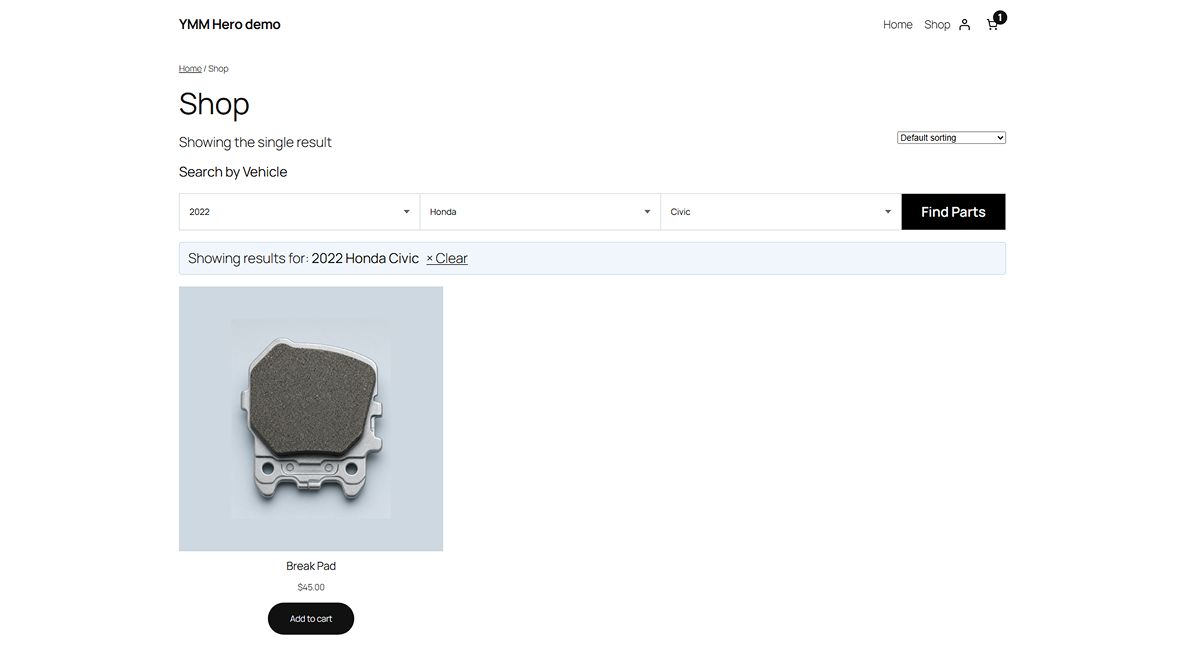
Frontend - Shop page filtered to the selected vehicle, with the active "Showing results for" banner and a clear link.
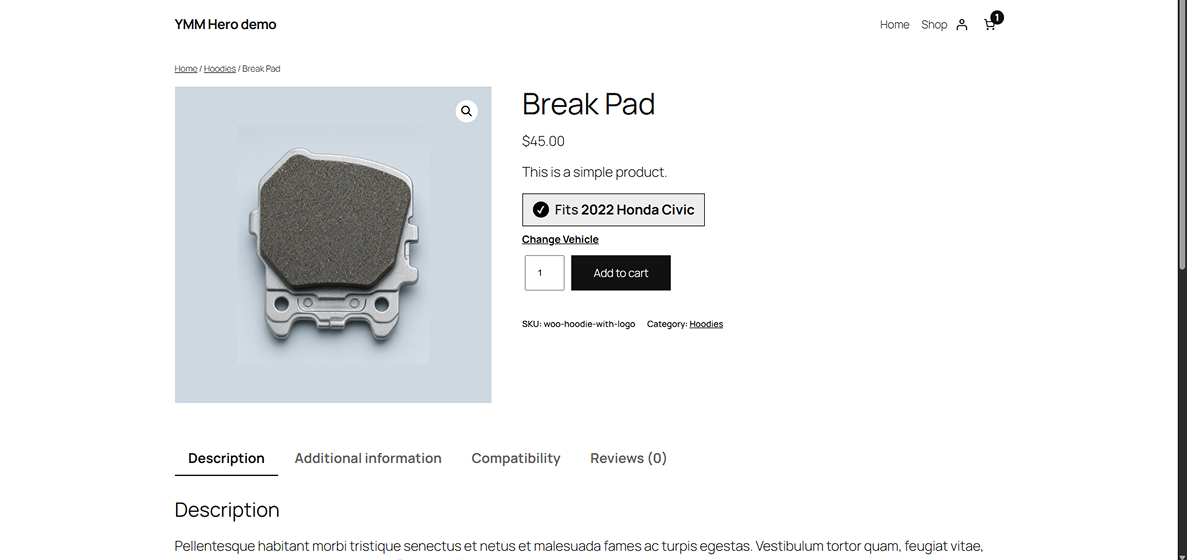
Frontend - Single product page confirming the part fits the remembered vehicle, plus a Compatibility tab.
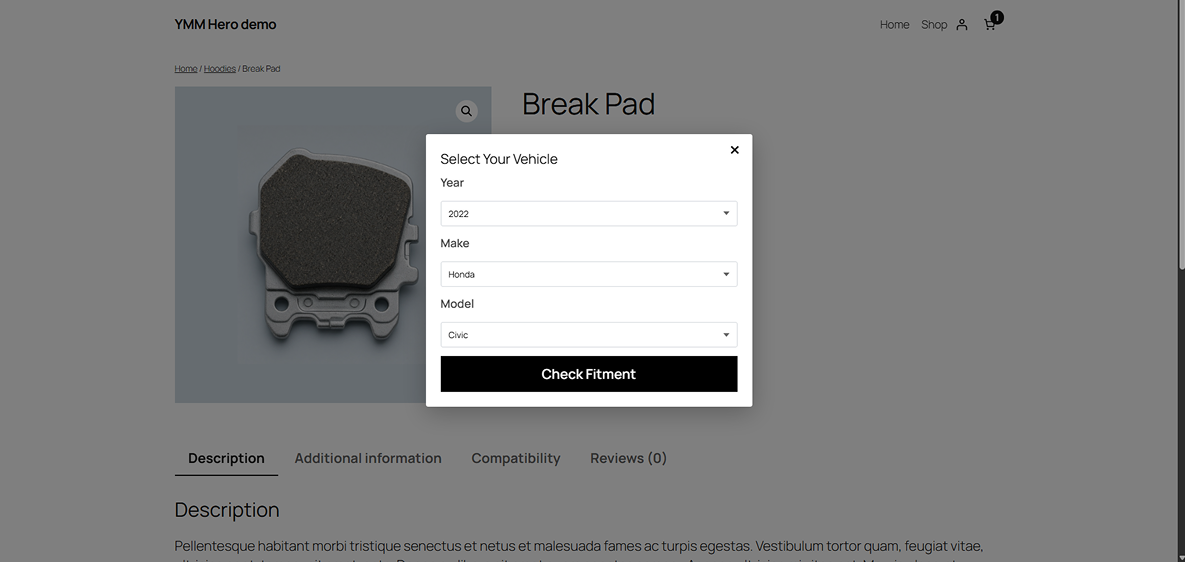
Frontend - The Select Your Vehicle popup on the product page, used to check fitment without leaving the page.
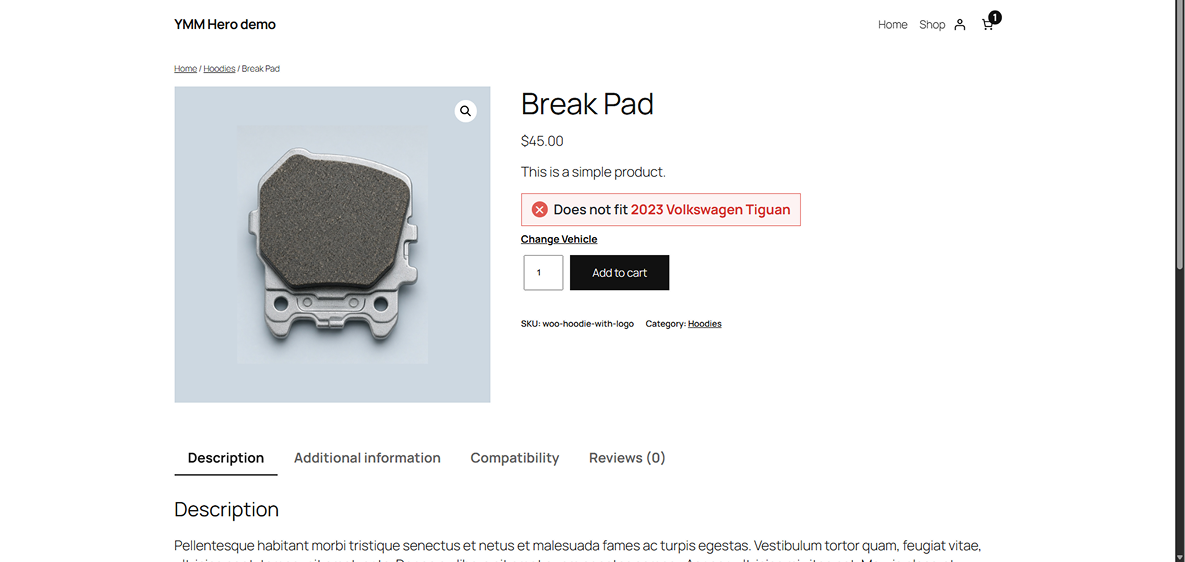
Frontend - Single product page warning that the part does not fit the selected vehicle.
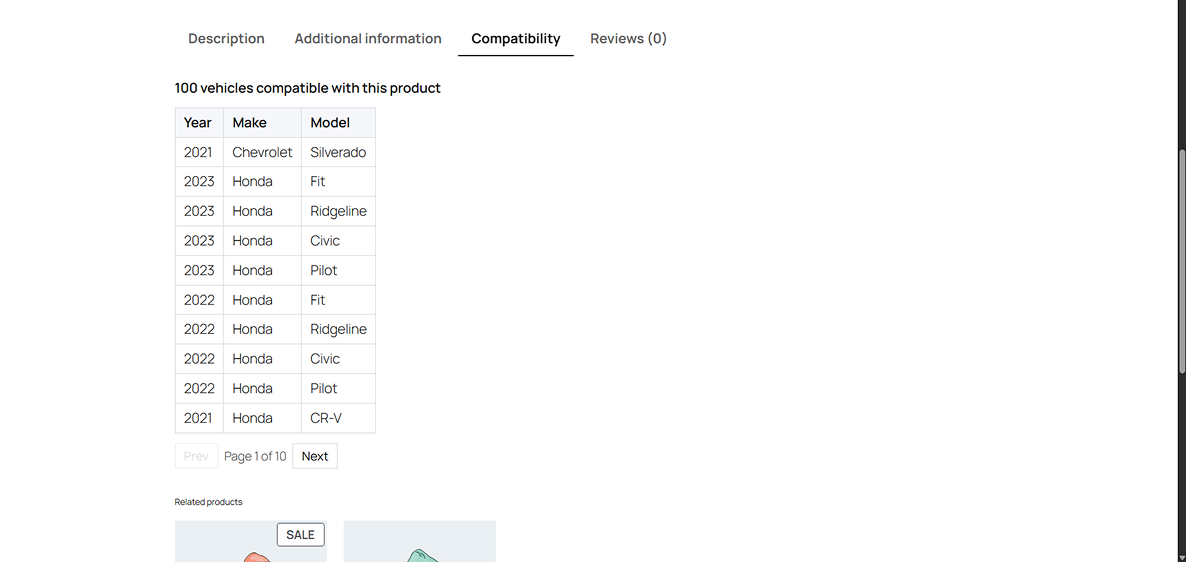
Admin panel - The Compatibility tab listing every vehicle a product fits, with pagination.
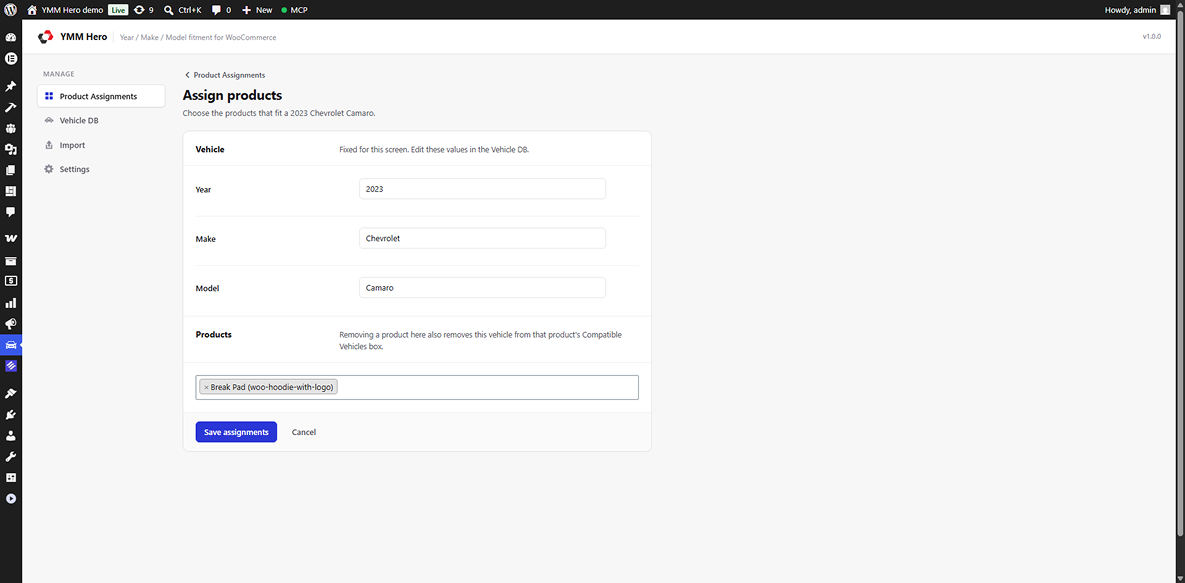
Admin panel - Assign products screen — pick the products that fit one vehicle.
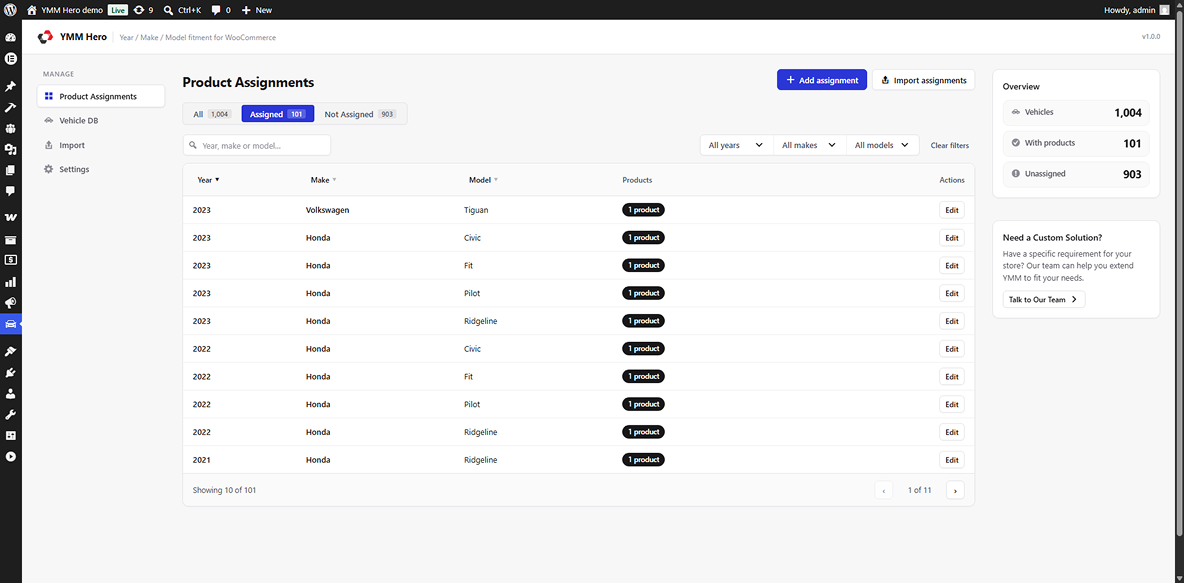
Admin panel - Product Assignments screen with assigned / not assigned tabs, search, and year / make / model filters.
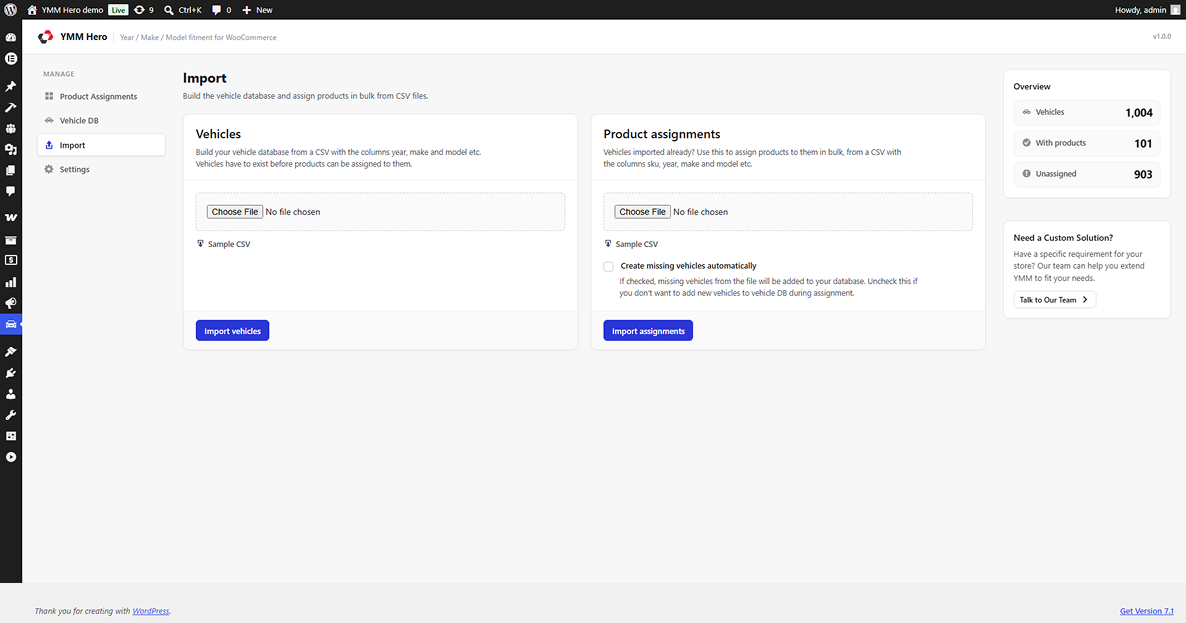
Admin panel - Import screen for bulk loading vehicles and product assignments from CSV.
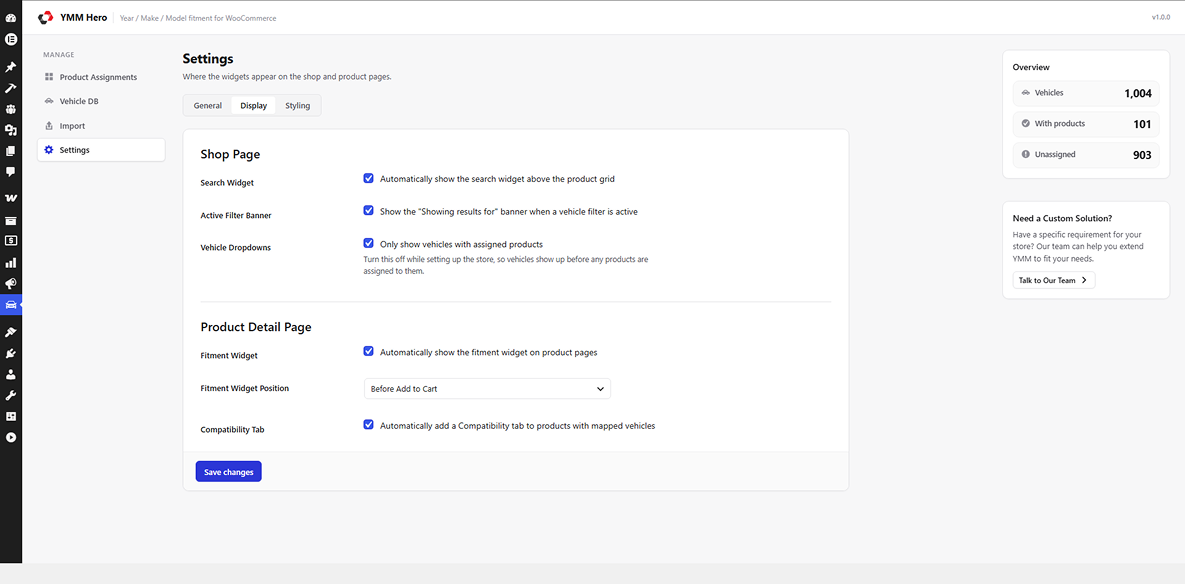
Settings — Display tab, controlling where the search and fitment widgets appear.
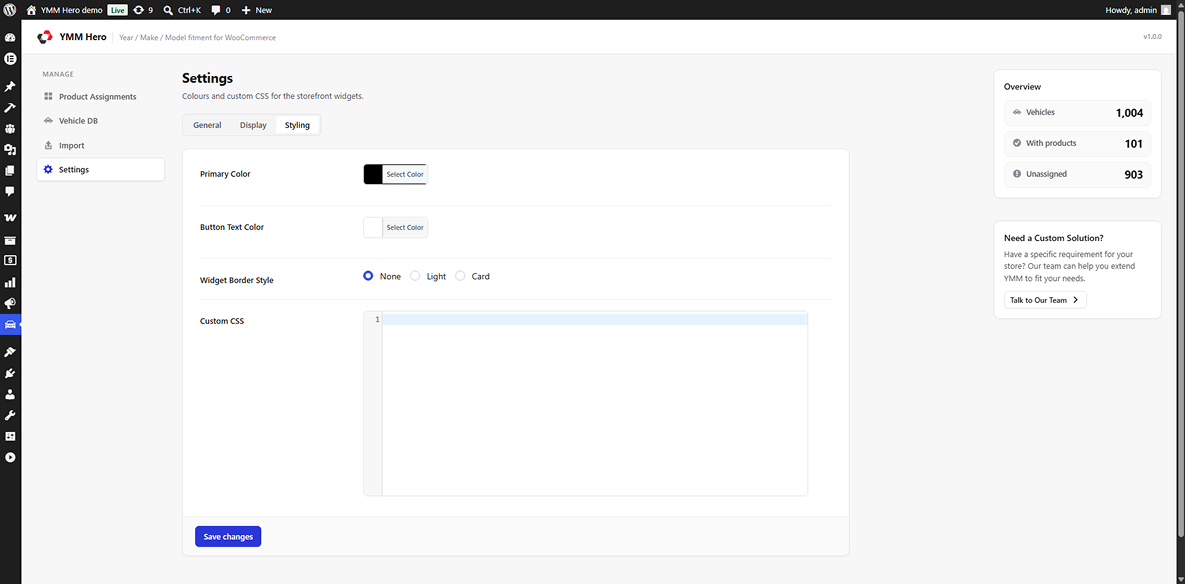
Settings — Styling tab, with colours and widget border style.
Faq
Yes. YMM Hero filters WooCommerce products and will not run without WooCommerce active.
Yes. The Vehicles screen includes a CSV importer. A sample CSV is bundled with the plugin. Product assignments can also be imported in bulk from their own CSV.
Yes. The plugin ships a Gutenberg block, and the shortcodes work in both classic and Full Site Editing themes.
Vehicles live in a dedicated wp_ymmhero_vehicles table rather than in posts or terms, which keeps lookups fast even with large datasets.
Yes. The selected vehicle is stored in the browser’s localStorage. If localStorage is unavailable the plugin fails silently and the filter still works through URL parameters.
Uninstalling removes the vehicle table and the plugin’s options. Deactivating the plugin leaves all data intact.
Reviews
Changelog
1.0.0
- Initial release.
- Vehicle database with CSV import.
- Product to vehicle assignment via meta box, dedicated admin screen, and CSV import.
- AJAX Year/Make/Model search widget with shop filtering.
- Fitment check widget and compatibility table on product pages.
- localStorage vehicle memory.
- Settings page and Gutenberg block.