Zeus WordPress Admin

Zeus WordPress Admin
Description
The Zeus WordPress Admin plugin is a pragmatic solution to improve upon the slow changing WordPress dashboard. The idea is
to bundle multiple features that bring the WordPress admin to a more modern level.
The plugin extends WordPress by installing the following features:
-
Improved admin CSS – Simple and minimal CSS markup to improve read-ability and overall backend experience. Slightly wider
admin menu and modifications to colors and spacing go a long way. Instead of creating an “admin theme” where WordPress becomes
un-recognizable, I simply took the same approach WordPress had, and improved upon it. -
Hide Front-End Toolbar – Implemented the ability to move the front-end toolbar off the page. This is especially
important for site that use fixed position navigation menus. Simply click and arrow on the toolbar and watch is slide away. Adds
and arrow to your toolbar, when clicked the toolbar will slide away and body will be restored to original position. -
Global Admin Search – Search through your entire WordPress back-end and view real-time results. Makes jumping to a certain
post/page/product/custom post type extremely easy. Click the icon in the top bar or type ‘/’ to start a search. -
Menu Editor – Nothing is more annoying than a cluttered menu because every plugin is fighting for space. Use
the menu editor to move top-level menu items anywhere you want. Now supports adding and removing spacers! Simply click, drag, and drop directly in the admin menu. -
Hide Menu Items – We’ve given you the ability to streamline the admin interface further with hiding certain items. Many
times additional plugins will add items to your menu that you’ll never use. Chuck them away and de-clutter!
Installation
To install:
- Download ‘zeus-wordpress-admin.zip’
- Upload ‘zeus-wordpress-admin.zip’ to the
/wp-content/plugins/directory - Activate the plugin through the ‘Plugins’ menu in WordPress
Screenshots
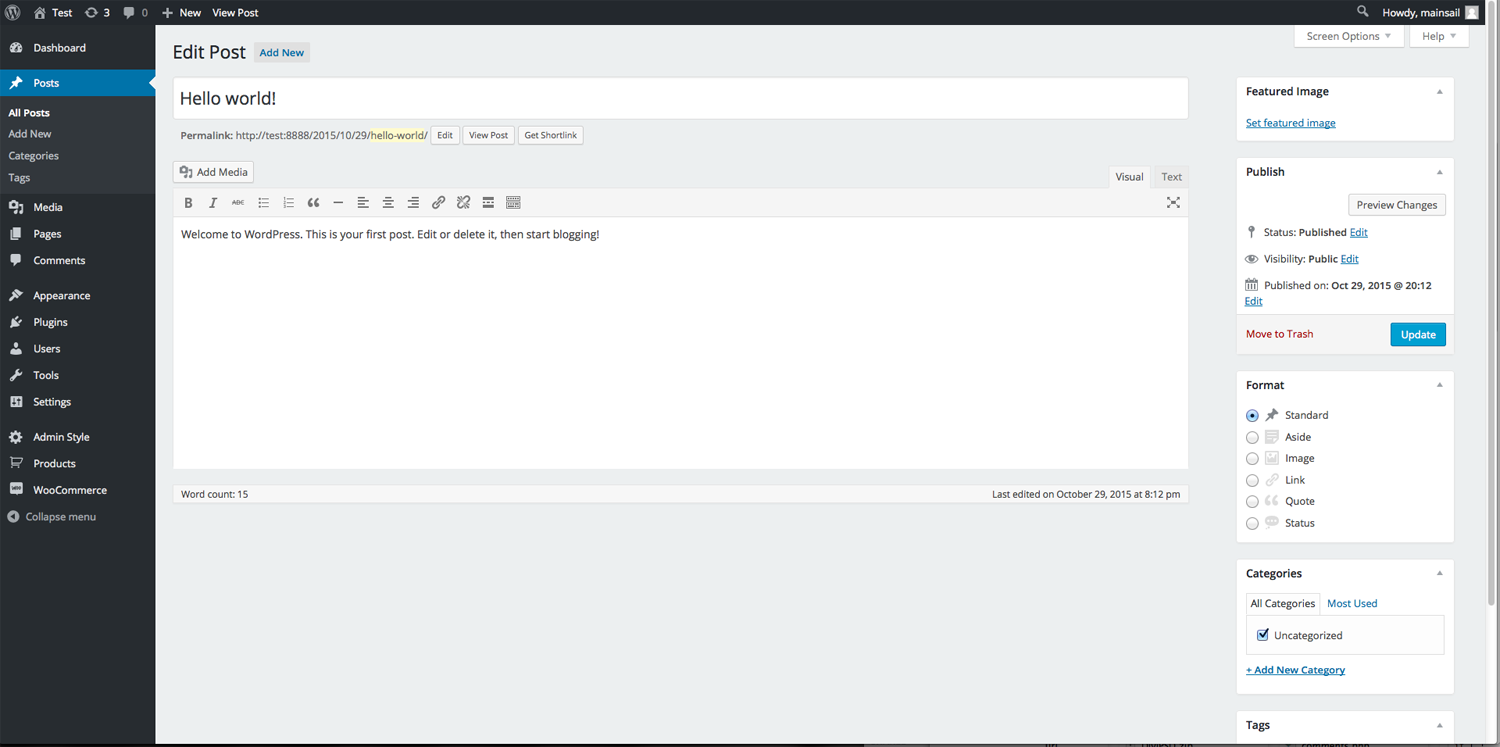
Slight adjustments to CSS markup to improve administration experience.
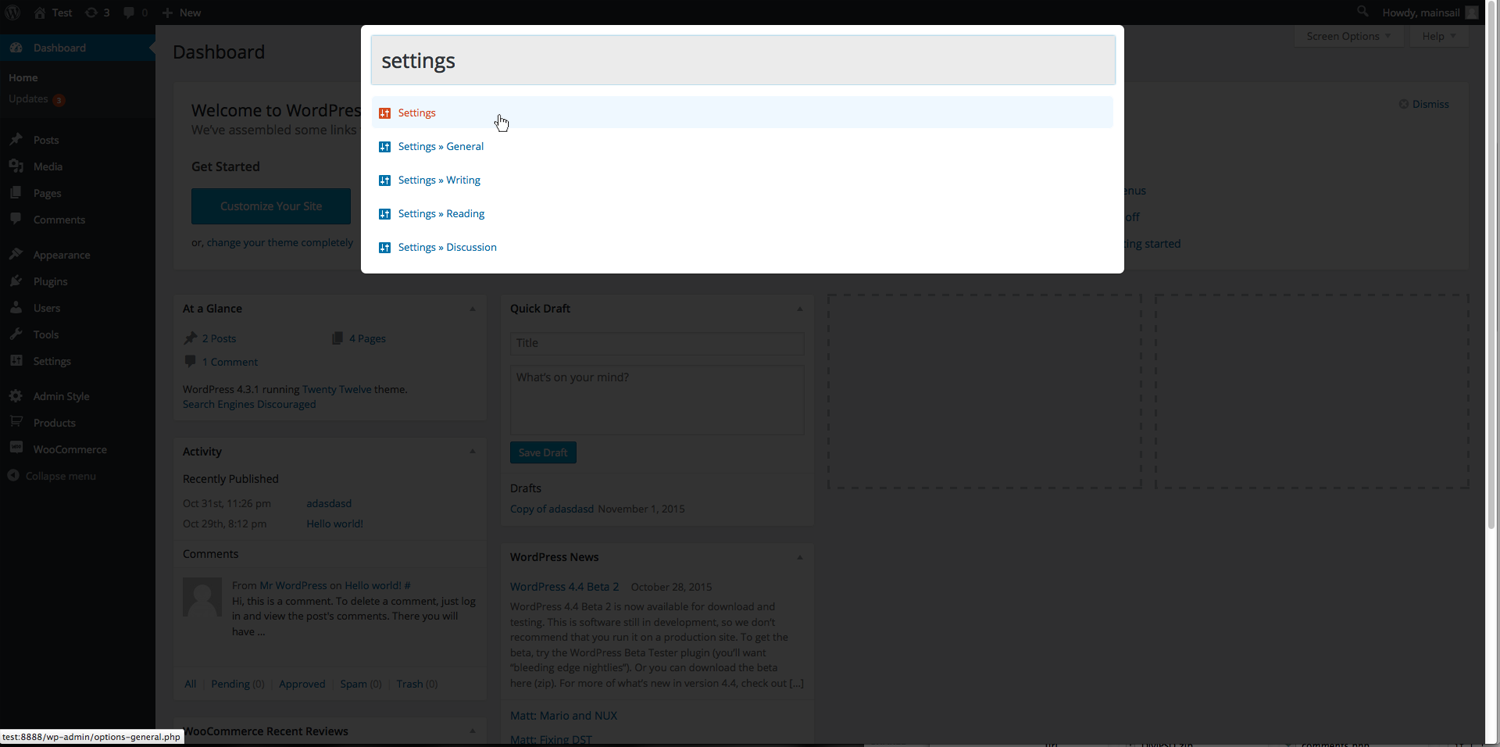
Overlay search feature to navigate your back-end.
Faq
Where is the admin menu editor?
Right under your nose… simply drag and drop any menu item directly on the left hand menu.
How do I hide menu items?
Navigate to Settings -> Hide Menu and check the items you don’t want to see. Click update.
How do I search the back-end?
Start a search by clicking the magnifying glass in the top admin bar or by pressing ‘/’.
How do I hide the front-end toolbar?
Click the arrow in the top right corner of the toolbar. To open the menu, click the arrow again.
Reviews
Missing Dashboard Scrollbar Issue Resolved!
By 
Great idea - just doesn't work well
By 
Love it!
By 
THE BEST ADMIN PLUG EVER !
By 
Five stars all the way, it's rare that I leave a review, but I've been wanting something that would end the endless Admin search each time a new plug-in is install and also each time I want to use a WordPress Feature, Finally, Finally Thank God this plug-in resolves the problem, my most hated problem about WordPress is finally over, I have no association with the Plug-in Author, just telling the Truth, the features of this plug-in should be standard in WordPress, I combine this plugin with the plugin Fancy Admin to create a really appealing backend which has sightly larger Admin buttons similar to the old Coffee Admin theme. Good going, way to go, keep up the GOOD WORK !, this is gong to save me so much time !
Great plugin, that you have to try!
By 
Great plugin to clean up your dashboard menu from unecesary items.
No advice on this plugin, I just discover it...
By 
However
My needs are centered around :
So, in order to prepare the eventuality of cession of administration, I look for a plugin able to generate a more friendly dashboard interface and a simple mean to switch beetween french and Esperanto (for example)
Thanks if you can help! 😉
Changelog
2.1
- New feature to add, remove menu spacers.
- Updated AJAX and database support.
2.0
- Major update after a few years of neglect.
- Updated menu ordering.
- Updated global admin search functions.
- Updated hiding toolbar. Now supports sessions to remember your preference.
- New feature – hiding admin menu items.
1.1
- Major update.
- Improved CSS and added WordPress 4.9 support.
- New menu editor developed.
1.0
- Initial commit.