Advanced Ajax Posts Filter For Elementor
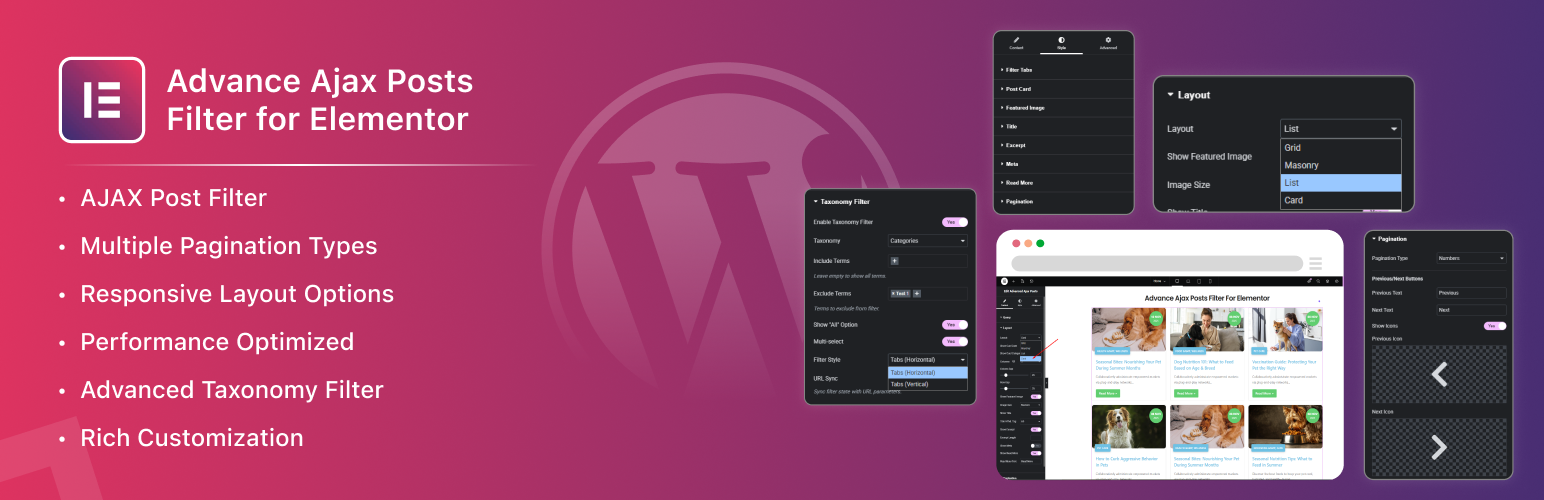
Advanced Ajax Posts Filter For Elementor
Description
Advanced Ajax Posts Filter For Elementor is a comprehensive WordPress plugin that creates a custom Elementor widget with advanced AJAX taxonomy filtering capabilities. This plugin enhances the standard Elementor posts widget by adding dynamic filtering functionality without page reloads, providing users with a smooth and interactive browsing experience.
Features
Core Functionality
-
Advanced Query Controls
- Support for all public post types (posts + Custom Post Types)
- Include/Exclude posts by ID with precise control
- Multiple sorting options: Date, Title, Menu Order, Random
- Flexible order settings: ASC/DESC
- Posts per page configuration
- Offset control for custom post skipping
- Ignore sticky posts option
-
Multiple Layout Options
- Grid layout with responsive columns
- Masonry layout for dynamic content
- List layout for traditional blog style
- Card layout with overlay effects
- Responsive columns (desktop/tablet/mobile)
- Adjustable column gap & row gap
- Equal height option for consistent layouts
-
Advanced Pagination System
- None (disable pagination)
- Numbers pagination with customizable controls
- Load More button with AJAX loading
- Infinite Scroll for continuous browsing
- Previous/Next navigation with icon support
- Custom pagination text and styling
-
Rich Post Elements
- Featured Image with size selection and lazy loading
- Title with HTML tag selection (H1-H6)
- Excerpt with length control
- Comprehensive meta data: Author, Date, Categories, Comments
- Customizable Read More button
- Card overlays for date and categories
AJAX Taxonomy Filter
-
Powerful Taxonomy Controls
- Support for any taxonomy (category, tag, custom taxonomy)
- Include/exclude specific terms
- Show “All” option for quick reset
- Multi-select toggle for complex filtering
- Full hierarchical support
- AND/OR relation between terms
-
Flexible Filter UI Styles
- Horizontal tabs for space-efficient layout
- Vertical tabs for sidebar placement
- Customizable filter appearance
-
Smart Behavior
- Pure AJAX-based filtering (no page reload)
- Seamless integration with all pagination types
- Works with Load More and Infinite Scroll
- Optional URL sync for shareable filtered views
- Graceful fallback if JavaScript is disabled
- Loading states and smooth animations
Styling & Customization
-
Complete Visual Control
- Typography controls for all text elements
- Color customization with Elementor global colors
- Border and shadow effects
- Spacing and padding controls
- Responsive design settings
- White text on colored backgrounds for perfect visibility
-
Elementor Integration
- Native Elementor widget architecture
- Live preview in Elementor editor
- Global color system integration
- Responsive controls for all devices
- CSS optimization for performance
Developer Hooks
The plugin provides several action and filter hooks for extensibility:
aapf_before_query– Filter query arguments before executionaapf_after_query– Action after query executionaapf_before_render– Action before widget renderaapf_after_render– Action after widget render
Example Usage
[code]
// Modify query arguments
add_filter( ‘aapf_before_query’, function( $args, $settings ) {
// Add custom query modifications
if ( isset( $settings[‘custom_field’] ) ) {
$args[‘meta_key’] = $settings[‘custom_field’];
}
return $args;
}, 10, 2 );
// Add custom action after render
add_action( ‘aapf_after_render’, function( $settings ) {
// Your custom code after widget render
error_log( ‘Widget rendered with settings: ‘ . print_r( $settings, true ) );
} );
[/code]
Security
- All user inputs are properly sanitized using WordPress functions
- All outputs are escaped to prevent XSS attacks
- AJAX requests include nonce verification
- Proper capability checks for all operations
- No direct file access allowed
- Follows WordPress security best practices
Performance
- Lazy loading for featured images
- Efficient WP_Query usage with proper caching
- Minimal DOM manipulation with optimized JavaScript
- Proper post data reset to prevent memory leaks
- No duplicate queries or unnecessary database calls
- Conditional asset loading for improved page speed
Browser Support
- Modern browsers (Chrome, Firefox, Safari, Edge)
- Graceful degradation for older browsers
- Works without JavaScript (basic functionality)
- Mobile-optimized touch interactions
- Accessible keyboard navigation
Donate
Love this plugin? Help us continue development and add more amazing features!
Your support helps us:
- 🚀 Add new features and layout options
- 🐛 Fix bugs and improve stability
- 📱 Enhance mobile experience
- 🎨 Create more customization options
- 📚 Write better documentation
Buy Me A Coffee – ☕ https://www.buymeacoffee.com/zluck.
License
This plugin is licensed under the GPLv2 or later. For more information, see https://www.gnu.org/licenses/gpl-2.0.html.
Credits
Developed following WordPress Plugin Handbook best practices and Elementor widget architecture guidelines.
- Elementor Integration – Built with Elementor 3.0+ compatibility
- WordPress Standards – Follows all WordPress coding standards
- Performance Focus – Optimized for speed and efficiency
- User Experience – Designed with accessibility and usability in mind
Installation
IMPORTANT: This plugin requires Elementor to be installed and activated. Please install Elementor first from https://wordpress.org/plugins/elementor/
- Upload
zluck-ajax-posts-filter-for-elementorfolder to/wp-content/plugins/ - Activate the plugin through the ‘Plugins’ menu in WordPress
- Ensure Elementor is installed and activated
- Add the “Zluck Ajax Posts Filter For Elementor” widget to your Elementor page
- Configure your filter settings and enjoy dynamic post filtering!
Note: If Elementor is not active, you will see an admin notice prompting you to install Elementor. The plugin will not function without Elementor.
Screenshots

Widget Interface - Clean and intuitive Elementor widget interface with all controls organized in logical sections

Grid Layout - Posts displayed in a responsive grid layout with AJAX filtering enabled

Masonry Layout - Dynamic masonry layout with posts arranged in optimal positions based on content height

List Layout - Traditional blog-style list layout with posts displayed in a vertical column

Card Layout - Beautiful card layout with image overlays and meta information

Pagination Options - Multiple pagination styles including numbers, load more, and infinite scroll

Filter Tabs - Horizontal filter tabs showing category-based filtering

Vertical Filter Tabs - Sidebar-friendly vertical filter tabs for space-efficient filtering

Styling Controls - Comprehensive styling options for complete visual customization
Faq
This plugin requires:
– WordPress 5.0 or higher
– PHP 7.4 or higher
– Elementor plugin (free version) – must be installed and activated
No, this plugin works perfectly with the free version of Elementor. All features are available without requiring Elementor Pro.
Yes, the plugin supports all public post types including custom post types. Simply select your desired post type from the widget controls.
Yes, the AJAX filter works seamlessly with all pagination types including numbers, load more, and infinite scroll. The pagination updates automatically when filters are applied.
Yes, you can filter by any taxonomy including categories, tags, and custom taxonomies. The plugin supports hierarchical taxonomies and allows multi-select filtering.
Yes, the plugin is tested and compatible with the latest WordPress version and follows WordPress coding standards.
No, this plugin is specifically designed as an Elementor widget and requires Elementor to function. It does not work with other page builders.
Yes, the plugin provides extensive styling options including typography, colors, spacing, borders, and more. It also integrates with Elementor’s global color system for consistent design.
Yes, the plugin includes lazy loading for featured images to improve page load times and performance.
Yes, all layouts and features are fully responsive with separate controls for desktop, tablet, and mobile devices.
Reviews
Changelog
1.0.0
- Initial Release – Complete AJAX filtering system with Elementor integration
- Multiple Layouts – Grid, Masonry, List, and Card layout options
- Advanced Pagination – Numbers, Load More, and Infinite Scroll support
- Taxonomy Filtering – Support for all taxonomies with multi-select capability
- Responsive Design – Mobile-first approach with breakpoint controls
- Styling System – Complete visual customization with Elementor global colors
- Performance Optimized – Efficient AJAX handling and lazy loading
- WordPress.org Compliance – Follows all WordPress plugin guidelines